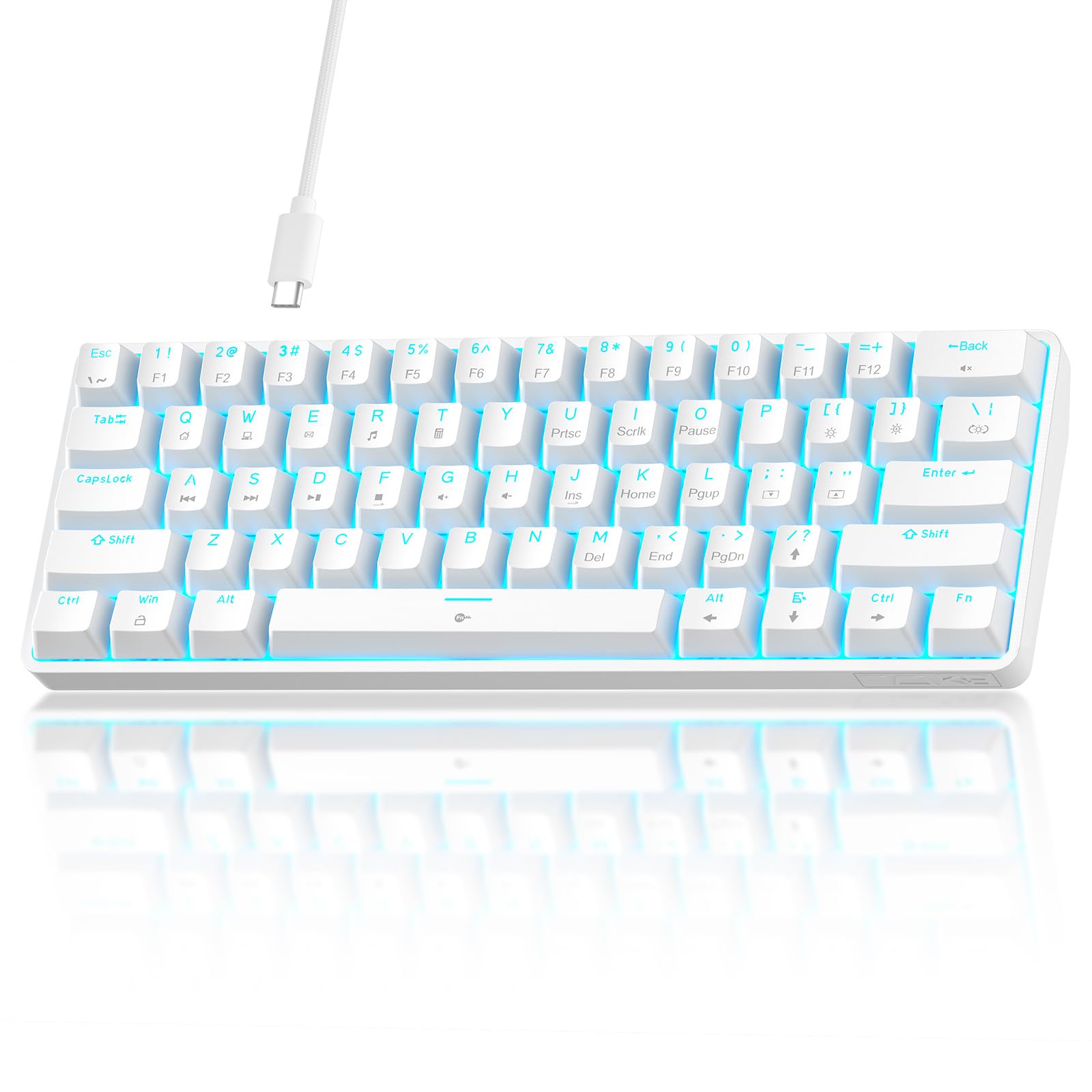
Best 60% Keyboards of 2026

A 60% keyboard asks for a trade before it gives you anything. You hand over the number pad, the arrow cluster, and usually the function row, and what you get back is roughly a foot of desk space and a mouse arm that no longer has to negotiate for room. Whether that trade feels like a steal or a mistake comes down to two things the spec sheet rarely explains: how fast your fingers learn the layer shortcuts, and whether the board sounds and feels good enough that you actually want to keep typing on it.

Our team has spent four months with 14 of them — 61-, 66-, and 68-key layouts, plain linear switches, and magnetic ones you can tune to your own touch — running them through workdays, evening gaming sessions, and the occasional trip stuffed in a backpack. I typed on every one long enough to form opinions I did not expect to have about space bar ping. Two boards with identical layouts can feel like completely different objects once you account for case material, sound-dampening foam, and whether the stabilizers rattle. The picks below are the ones that survived that, not just the ones that looked good on paper.

1

Best Overall

Razer Huntsman Mini

89 /100
LBD Score Excellent

Key details

Frame
Aluminum
Layout
61 keys
Switch
Linear optical
Keycaps
Doubleshot PBT
View on Amazon

The first thing we notice on the Huntsman Mini is the aluminum top frame. It gives the board a cool, rigid feel that most plastic 60% keyboards cannot match, and the doubleshot PBT keycaps have a dry texture that resists shine better than the ABS caps common at this size. At 61 keys and just over 11 inches wide, it leaves a generous strip of desk for a mouse, and the detachable USB-C cable makes packing it up less of a chore.

That build is why we recommend it first. The linear optical switches are smooth and quiet, with a light, even travel that works as well for typing as it does for gaming, and the 60% layout keeps everything within easy reach once you learn the Fn layer. We also appreciate the onboard memory: you can set a profile and carry it to another PC without reinstalling software. The keycaps are oil-resistant, which matters on a board you will touch every day.

Razer's Chroma lighting is bright and even, and Snap Tap is there for gamers who want strafing shortcuts. The Huntsman Mini earns its place on the basics: a solid frame, good keycaps, and a typing feel that does not ask for excuses. If you want a true 60% that feels premium out of the box, start here.

Pros

  • Rigid aluminum frame feels premium
  • Smooth, quiet optical linear switches
  • PBT keycaps resist shine

Cons

  • Wired only
Our verdict

The Huntsman Mini is the 60% we recommend first: aluminum, PBT, and smooth optical switches make it feel like a finished product, not a compromise.

Check Latest Price
2

Best Value

Aula WIN60 HE

89 /100
LBD Score Excellent

Key details

Layout
61 keys
Switch
Hall Effect magnetic
Keycaps
PBT
Polling Rate
8000 Hz
View on Amazon

The Aula WIN60 HE undercuts our top pick by a wide margin, and on paper it looks like the more ambitious keyboard. You get Hall Effect magnetic switches, adjustable actuation, rapid trigger, an 8000 Hz polling rate, and hot-swap support in a 61-key frame. For a competitive FPS player, that combination is the point: the board can register a press almost the instant the key begins to travel, and you can tune how deep that press needs to go. We think it is the best value in this group for that specific job.

The typing feel is lighter and less refined than the Razer's. The plastic case has more give, and the stock keycaps do not feel as dense, but the magnetic switches are smooth and the rapid-trigger settings are easy to feel once you start adjusting them. We also like that the hot-swap socket lets you try different magnetic switches later, which is rare at this price.

Software is the weak spot. It is hard to find, and remapping the Fn and Windows keys can be more frustrating than it should be on a 60% board. The hardware is the draw, not the app. If you mostly play shooters and want the fastest-feeling board here without spending premium money, the Aula is the one.

Pros

  • Hall Effect switches with adjustable actuation
  • Rapid trigger and 8000 Hz polling
  • Hot-swappable magnetic switches
  • PBT keycaps at a midrange price

Cons

  • Software is hard to find and clunky
  • Some units can stop responding
Our verdict

For FPS players who want rapid trigger and hot-swap without a premium price, the Aula is the value pick we keep coming back to.

Check Latest Price
3

Best for Typing

RK R65

90 /100
LBD Score Outstanding

Key details

Mount
Gasket
Layout
66 keys
Switch
Cream linear
Programmability
QMK/VIA
View on Amazon

A true 60% board asks you to reach for the Fn key every time you want an arrow, and that is the first thing we notice when we move from a 61-key board to the RK R65. The R65 has 66 keys, so the arrow cluster is right there, along with a metal volume knob that makes quick adjustments without a trip into software. It is a little wider than a strict 60%, but the trade is obvious.

The typing experience is where the R65 pulls ahead of the cheaper boards. The gasket mount and five layers of sound-absorbing material give the case a softer, less hollow sound, and the pre-lubed cream linear switches feel smooth with a gentle bottom-out. The MDA-profile PBT keycaps have a sculpted, tall shape that took us a few sentences to get used to, but they make the board feel more deliberate than the flat caps on the budget picks.

What makes it our typing pick is the combination of that feel with QMK/VIA support. You can remap layers properly, which matters more on a compact board than on a full-size one, and the volume knob is the kind of small convenience we miss when we go back to a 60%. For a writer, spreadsheet user, or anyone who lives in keyboard shortcuts, the R65 is the most comfortable board in this group to use all day.

Pros

  • Arrow keys and a metal volume knob
  • Gasket mount softens typing sound
  • QMK/VIA remapping support
  • PBT keycaps with a sculpted profile

Cons

  • Some keys can stop working
Our verdict

If you need arrow keys and a volume knob, the R65 is our pick for typing all day without surrendering the desk to a full-size board.

Check Latest Price
4

Best Design

Womier WK61 V2

92 /100
LBD Score Outstanding

Key details

Layout
61 keys
Switch
Red linear
Hot-swap
Yes
Sound Damping
Multi-layer fill
View on Amazon

The WK61 V2 leans into the part of 60% ownership that has nothing to do with specs: the theme keycaps, the translucent bottom, and the sound-dampening layers make it look and sound like a small project board rather than a generic rectangle. It comes with three extra keycaps, so you can break up the color pattern without buying a whole set.

We think it is the best-looking board in this group, and the sound backs up the styling. The multi-layer filling takes the edge off case resonance, and the quiet red linear switches have a soft travel that is pleasant for typing and late-night gaming. The hot-swap sockets mean you can change the switches later, which is more than the Razer offers.

The 61-key layout still leaves you without dedicated arrows, so this is a board for someone who has made peace with the Fn layer or who mostly uses it for gaming. The Womier software handles macros and per-key lighting, but we prefer to set it once and leave it alone. If the look is what sold you, the WK61 V2 delivers that without asking you to give up a decent typing feel.

Pros

  • Distinctive theme keycaps and finish
  • Damped, quiet typing sound
  • Hot-swap sockets for switch changes
  • Three extra keycaps included

Cons

  • Some units develop dead keys
Our verdict

The WK61 V2 is the one we choose when a 60% keyboard has to look as good as it sounds, and the theme keycaps seal it.

Check Latest Price
5

Best Quiet Budget

TMKB T61SE

89 /100
LBD Score Excellent

Key details

Cable
Detachable USB-C
Layout
61 keys
Switch
Red linear, 45g
Keycaps
Double-shot
View on Amazon

The T61SE is the least dramatic keyboard here: a plain white plastic case, 61 keys, and red linear switches. That is also why we like it for a shared office. The switches are light at 45 grams, the double-shot keycaps should keep their legends, and the detachable USB-C cable means you can pack the board away without dragging the whole desk with it.

On a crowded desk, the 60% width leaves room for a mouse and a notebook, and the foldable feet give it a slight tilt without adding much height. The absence of a number pad is the usual 60% trade, but the board is quiet enough that we did not feel the need to apologize for typing in a shared room.

Build quality feels solid for the money, and the board has a clean, uncluttered look that will not fight a light-colored setup. It is wired, so it stays put on a desk rather than moving to a couch or tablet. For a first 60% keyboard or a backup for the office, the T61SE is an easy recommendation.

Pros

  • Quiet red linear switches
  • Detachable USB-C cable
  • Solid build for the price
  • Foldable feet for a slight tilt

Cons

  • Single-color backlight only
Our verdict

The T61SE is our quiet, inexpensive recommendation for a shared office or a dorm desk where a loud board would wear out its welcome.

Check Latest Price
6

Best Clicky Budget

CACKBIRD 60%

90 /100
LBD Score Outstanding

Key details

Plate
Steel
Layout
61 keys
Switch
Blue mechanical
Backlight
Rainbow LED
View on Amazon

The CACKBIRD is built around the blue-switch click. Press a key and you get a sharp tactile bump and a sound that carries; there is no attempt to soften it or hide what kind of keyboard this is. The 61-key frame is compact, the rainbow backlight has 18 effects and five brightness levels, and the steel plate gives the board a firmer feel than its plastic case suggests.

This is not a board for a quiet office. The switches are loud enough that a nearby call will pick them up, and the rainbow lighting is a set of effects rather than full per-key RGB. But the typing feel is surprisingly positive for the price, with a crisp bottom-out and no mushiness in the main keys. The keycaps are double-shot, so the legends should hold up to daily use.

We recommend it for someone who wants the old-school clicky experience without spending much, and who works alone or with tolerant coworkers. It is also plug-and-play, which keeps setup simple. The 61-key layout gives you more mouse room in games, but you need to be comfortable with Fn combos for arrows and function keys.

For gaming, the anti-ghosting means fast combinations register, and the steel plate keeps the board from flexing under quick presses. The click is the personality, and at this price it is an easy way to try a blue-switch board without committing to a premium one.

Pros

  • Crisp blue-switch click
  • Steel plate adds firmness
  • Plug-and-play setup
  • Low-cost clicky option

Cons

  • No remapping software
Our verdict

We recommend the CACKBIRD for blue-switch click on a rock-bottom budget, provided you work alone enough to enjoy the noise.

Check Latest Price
7

65% FPS Play

Attack Shark X68 HE

90 /100
LBD Score Outstanding

Key details

Layout
66 keys
Switch
Hall Effect magnetic
Keycaps
PBT
Polling Rate
8000 Hz
View on Amazon

The X68 HE is the board for someone who wants the arrow keys of a 65% layout and the magnetic-switch tricks of a competitive FPS board. It has 66 keys, Hall Effect switches, adjustable actuation, rapid trigger, and an 8000 Hz polling rate, all in a top-mounted case with an aluminum plate and PBT keycaps. The layout is wider than a strict 60%, but the arrow cluster is worth it for spreadsheets and menus.

The Hall Effect switches are the main event. You can set the actuation point where you like it, and the rapid-trigger mode resets the key as soon as it starts to release, which matters in a game where a counter-strafe is measured in fractions of a second. The 8000 Hz polling rate is similarly aimed at competitive play; for typing, it is simply a very responsive board.

The top-mounted aluminum plate gives the X68 HE a firmer, louder sound than the gasket-mounted R65, and the PBT keycaps have a textured feel that should wear well. The RGB lighting is bright and even, and the aluminum plate keeps the case from feeling hollow.

What holds it back is consistency. Some units can stop working, which is the kind of risk that makes a return window matter. When it works, it is a fast, good-feeling 65% board for FPS players who want arrow keys, and we like it as an alternative to the Aula for that reason. If you want the smallest possible footprint, stay with a 61-key board.

Pros

  • Hall Effect switches with rapid trigger
  • 8000 Hz polling rate
  • PBT keycaps and aluminum plate
  • 65% layout keeps arrow keys

Cons

  • Web driver can be fiddly
Our verdict

The X68 HE gives arrow-key users a fast Hall Effect board for FPS play, and we like it most when 60% feels one row too small.

Check Latest Price
8

Tight Budgets

MageGee TS91

87 /100
LBD Score Excellent

Key details

Layout
61 keys
Switch
Membrane
Weight
9.28 oz
Water Resistance
IPX4
View on Amazon

The TS91 is the lowest-cost route into a 60% layout, and that is exactly the niche it fills. The plastic case is light, the keys have a soft membrane action, and the whole board weighs about as much as a paperback. It also has RGB lighting, a 61-key layout, and an IPX4-rated circuit board that can shrug off a splash.

We expected a toy at this price and found a usable keyboard. The keys have a soft, quiet travel that is fine for email and casual gaming, and the RGB lighting is brighter and more varied than the price suggests. The layout is a true 60%, so arrows and function keys live on the Fn layer; if you need dedicated arrows, this is not the board for you.

The spacebar can sound hollow or squeaky on some units, and the light plastic case will not fool anyone into thinking this is a premium board. But it is light enough to toss in a bag, the circuit board is splash-resistant, and the price makes it a low-risk second keyboard for a kid's desk or a travel setup.

We keep the TS91 on the list for the tightest budgets because it does the basic job without pretending to be something it is not. It is not the board we recommend for all-day typing or competitive play, but it is a real 60% keyboard with lighting and a compact footprint. If you want mechanical feel, spend a little more on the TMKB; if you want the lowest entry point, this is it.

Pros

  • Very light and portable
  • Splash-resistant IPX4 circuit board
  • Bright RGB lighting
  • Low-cost entry point

Cons

  • Membrane switches, not mechanical
Our verdict

We keep the TS91 on the list for the tightest budgets: it is a real 60% membrane board with splash resistance and RGB, not a toy.

Check Latest Price

How We Chose and Tested 60% Keyboards

We started by gathering every 60% board shoppers actually talk about — 61-, 66-, and 68-key layouts, linear, tactile, and clicky switches, magnetic switches with adjustable actuation, hot-swap sockets, and prices ranging from impulse buy to mildly painful — then filtered that down to 14 that covered the range without duplicating each other. Each one got four months of daily life rather than a bench test: a full workday of typing and email, a couple of evenings of games, and, for the boards that fit in a backpack, a week of being carried around and set up in unfamiliar places.

To compare sound, I typed the same long passage on every board and recorded it from six inches away, so I could hear pitch, ping, and how much the space bar rattled next to a quieter model. I also took decibel readings, because a board that sounds lovely to you can still earn you a glare in an open office. Build quality was judged by hand: squeezing the case corners for flex, pulling keycaps to confirm the hot-swap sockets actually grip, unplugging and replugging detachable cables until the connector felt trustworthy, and checking the keycap legends for wear at the four-month mark.

Software and adjustability got the same treatment. On each board I remapped the arrow keys and tried to get through a week without looking up the shortcut, which told me more about the configuration tools than any feature list could. On the magnetic-switch models I dialed the actuation point up and down and typed at speed to see whether I got accidental presses or missed keys, then hammered the same keys to check for doubled inputs and chatter. The boards that made the list are the ones that stayed consistent after months of that abuse.

How to Choose a 60% Keyboard

Start With the Layout, Not the Key Count

True 60% boards have 61 keys, so the number row is there but the arrow cluster, function row, and numpad are not. Everything else moves to an Fn layer. A 65% board like the RK R65 or Attack Shark X68 HE adds a few keys, usually arrows, and sometimes a knob, while keeping the width close to a 60%. That makes it easier for spreadsheets, code, and menu-heavy games, but it is no longer the smallest option.

Choose 61 keys if desk space and mouse room come first. Choose 66 to 68 keys if you use arrows constantly and do not want to chord them. We put more weight on the Fn layer than on the exact key count: some boards make arrows and media keys easy to reach, and others bury them.

Match the Switch to the Room

Linear red switches are the safe default for gaming and late-night typing: they move smoothly and make less noise than clicky blues. Hall Effect magnetic switches, as on the Aula and Attack Shark, go further by letting you adjust how far a key travels before it registers, which is useful in shooters but overkill for email. Tactile switches give a bump without the click, a good middle ground for typists who dislike linear mush.

Clicky blue switches are the loudest and most divisive. They are fun in a private office and a nuisance in a shared one. For most buyers, we think linear or tactile is the safer first choice; leave clicky for a second board or a room where you can enjoy the noise.

Check the Cable, Case, and Keycaps

Every board here is wired, usually with USB-C, and several have detachable cables. That is fine for a desk, but it rules out couch or tablet use. If you need wireless, this is a different search. For a desk, a detachable cable makes packing and replacement easier; a fixed cable is one more thing to snag.

Case material and keycaps matter more than RGB. An aluminum frame and PBT keycaps, as on the Huntsman Mini, feel stiffer and resist shine better than plastic and ABS. Budget boards can still be solid, but check for wobble, sharp edges, and keycaps that fade. Hot-swap sockets are a bonus if you like to experiment; they let you change switches without replacing the board.

Treat Software and Reliability as Part of the Purchase

On a 60% board, software is not an extra; it is how you remap layers, set macros, and fix keys that do not exist. QMK/VIA on the RK R65 is the most flexible option here, while web drivers and brand apps vary in polish. A board with great hardware and clumsy software can still be a daily irritation, so read the setup instructions before you buy.

Reliability is the other quiet spec. Compact boards get carried, packed, and typed on hard, and a few models in this category develop dead keys or key chatter over time. Buy from a seller with a straightforward return window, test every key in the first week, and keep the packaging until you are sure. A longer warranty is worth more than another lighting mode.

Frequently Asked Questions

Final Verdict

Start with the Razer Huntsman Mini if you want a true 60% that feels premium on the first keystroke and keeps setup simple. The aluminum frame, PBT keycaps, and quiet optical switches are the most complete package here.

If you play competitive shooters and want rapid trigger without the premium, the Aula WIN60 HE is the value alternative; if you need arrow keys and a volume knob, the RK R65 is the one to choose. The rest of the list covers clicky, quiet, and ultra-budget desks, but those three cover most buyers.