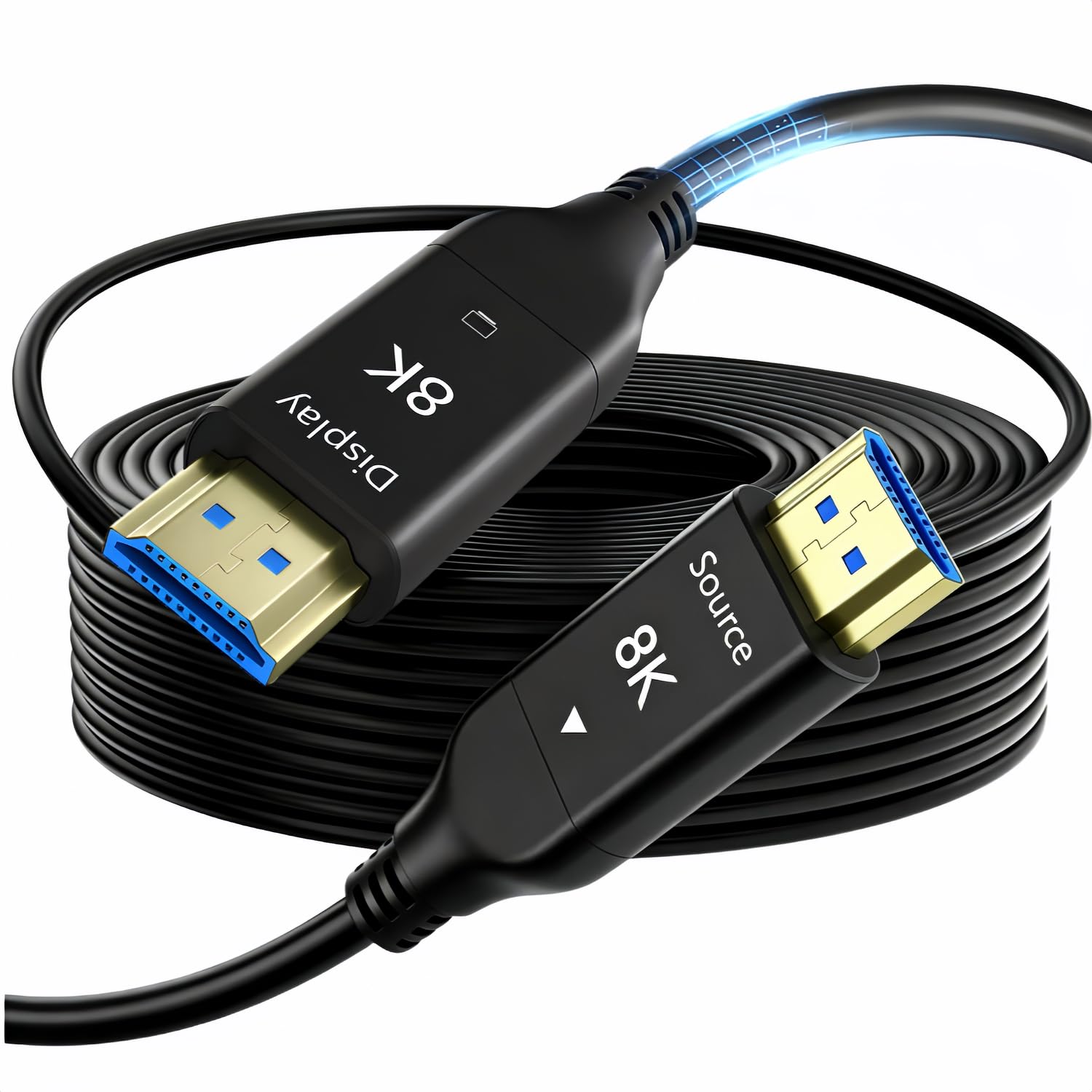
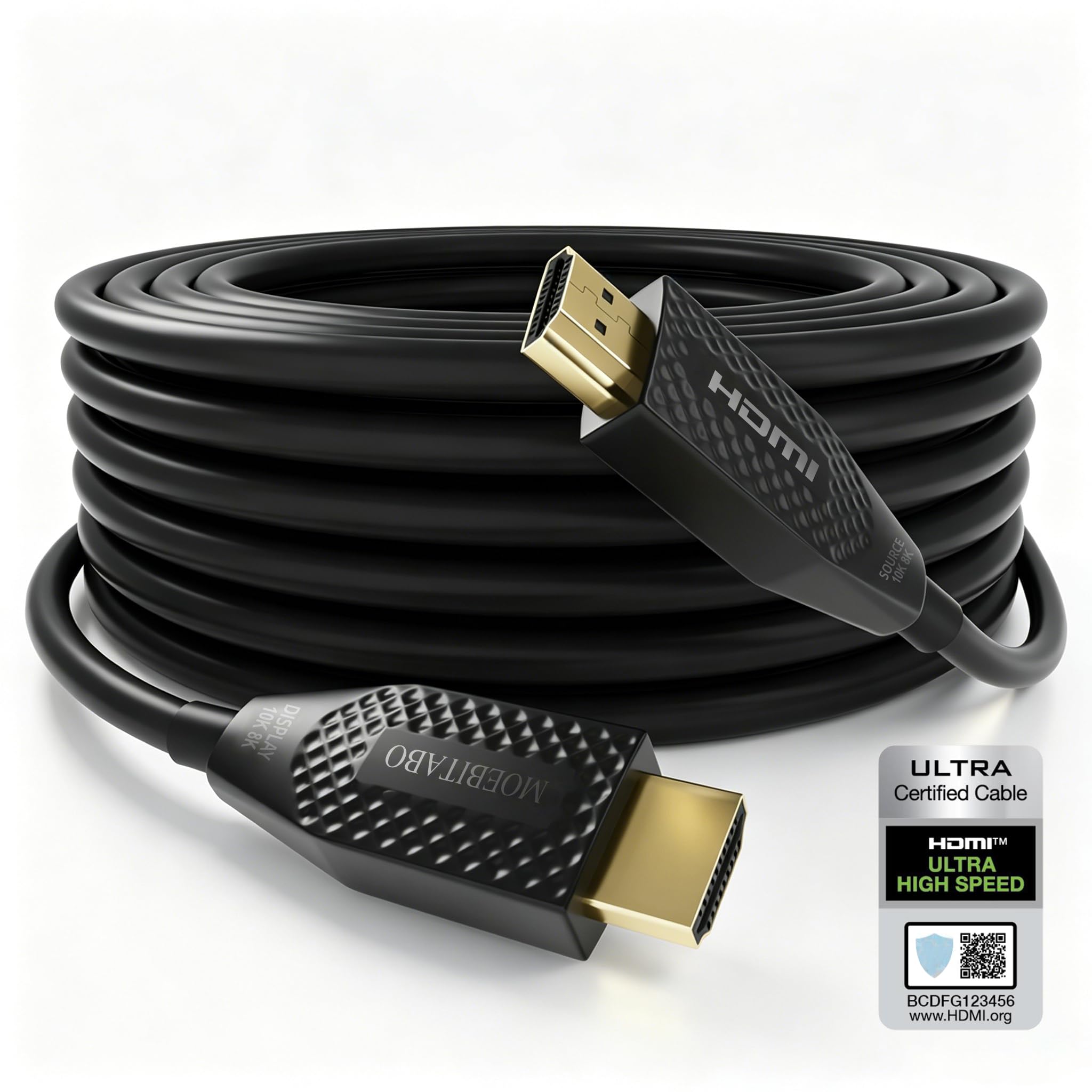
Best Fiber Optic HDMI Cables of 2026

Copper HDMI is fine until the run gets long; past roughly 25 feet the signal starts to fade, and 8K at 60Hz is the first thing to go. Fiber optic sends the picture as light instead of electricity, so a 50-foot run can look as crisp as the two-foot cord behind your desk — though these cables are directional, and the wrong end in the wrong port gets you a black screen.

I've made that mistake, so now I check the printing on the connector before I plug anything in. Over the past six months my team and I have lived with 11 fiber optic HDMI cables across a living room TV, a ceiling-mounted projector, and a soundbar on eARC.

Almost all of them claim the same bandwidth, so the spec sheet won't sort them out. What does is whether the handshake with your console or projector lands on the first try, whether the jacket survives a bend behind a wall plate, and whether the price is fair for the run you actually need.

1

Best Overall

Snowkids 8K Fiber Optic 50 ft

93 /100
LBD Score Outstanding

Key details

Length
50 ft
Direction
Unidirectional (source to display)
HDMI Version
HDMI 2.1
Max Bandwidth
48 Gbps
View on Amazon

Fifty feet of 48Gbps cable is the reason fiber optic HDMI exists, and Snowkids sells that combination for less than any other 50-foot 8K cable here. The case for our top pick fits in a line: the full HDMI 2.1 payload, at a length that actually solves a room, at a price that doesn't require an installer's budget.

Setup is where an optical cable goes wrong, and the ends here are printed SOURCE and DISPLAY rather than left to a faint arrow on the housing. We paid close attention to that labeling, because a fiber cable plugged in backwards looks exactly like a dead cable and there's no way to tell the difference without reading the plug. Match the labels to the box and the display and it works the first time.

The braided jacket is handsome and shrugs off a knock, but 50 feet of it is not something you coil around your hand. We noticed the stiffness at corners. Sweep the bends wide, leave a foot of slack at each end, and it routes without complaint.

What the 48Gbps actually buys is headroom: 4K at 120Hz with HDR and VRR, 8K at 60Hz, and enough margin that the next console or graphics card has somewhere to go. On a 4K/60 projector that headroom is invisible. On a gaming display it's the difference between using the panel you paid for and using half of it.

Set against the premium 8K cable here, Snowkids gives up some build refinement and keeps the same bandwidth. Set against the 4K-only cables, it asks about the same money and leaves the door open. What settles it for us is that it covers the ordinary job, a projector on the far wall, a console in a cabinet, a TV across a room, without making anyone overbuy to get there.

Pros

  • Full 48Gbps HDMI 2.1 over 50 feet
  • SOURCE and DISPLAY printed on the plugs
  • Braided jacket resists knocks
  • Cheapest 50-foot 8K cable here

Cons

  • Some 4K/120 setups settle at 60Hz
  • Directional ends cannot be swapped
Our verdict

The one we recommend by default: full 48Gbps HDMI 2.1 over 50 feet for less than any other 50-foot 8K cable here.

Check Latest Price
2

Best Build Quality

Highwings 8K Fiber Optic 50 ft

95 /100
LBD Score Outstanding

Key details

Jacket
Braided
Length
50 ft
HDMI Version
HDMI 2.1
Max Bandwidth
48 Gbps
View on Amazon

Highwings does the same 50-foot, 48Gbps job as our top pick and asks more than twice the price for it. What the extra buys is hardware: a braided jacket, substantial strain relief at both plugs, and the most consistent build quality of any 8K cable in this group.

Our read is that the premium earns its keep in one situation, and it isn't a television in a living room. It's an install you can't easily redo, behind drywall, through conduit, up to a ceiling projector. The connector is the part of a long cable that fails, and the connector is where this one feels most overbuilt.

The other thing to know about any 50-foot fiber run is that the top of the bandwidth range is where the link gets hard, especially with high-resolution, high-refresh sources. That's why the check worth making before a cable disappears into a wall is your most demanding source at its highest refresh, left running long enough to show a dropout.

If your display tops out at 4K at 60Hz, the 4K version of this cable from the same brand does the same job for less than half the price. The 8K premium is insurance against your next display, not a requirement of this one.

Pros

  • Strongest build of the 8K cables here
  • Full 48Gbps with heavy strain relief
  • Braided jacket suits permanent runs

Cons

  • More than twice the price of our top pick
Our verdict

Buy it for an install you can't easily redo, where the best build in this group is worth more than bandwidth you can get cheaper.

Check Latest Price
3

Best for In-Wall Installs

RUIPRO Detachable Armored 50 ft

86 /100
LBD Score Excellent

Key details

Length
50 ft
Connector
Detachable modules
Max Bandwidth
48 Gbps
Outer Material
Stainless steel
View on Amazon

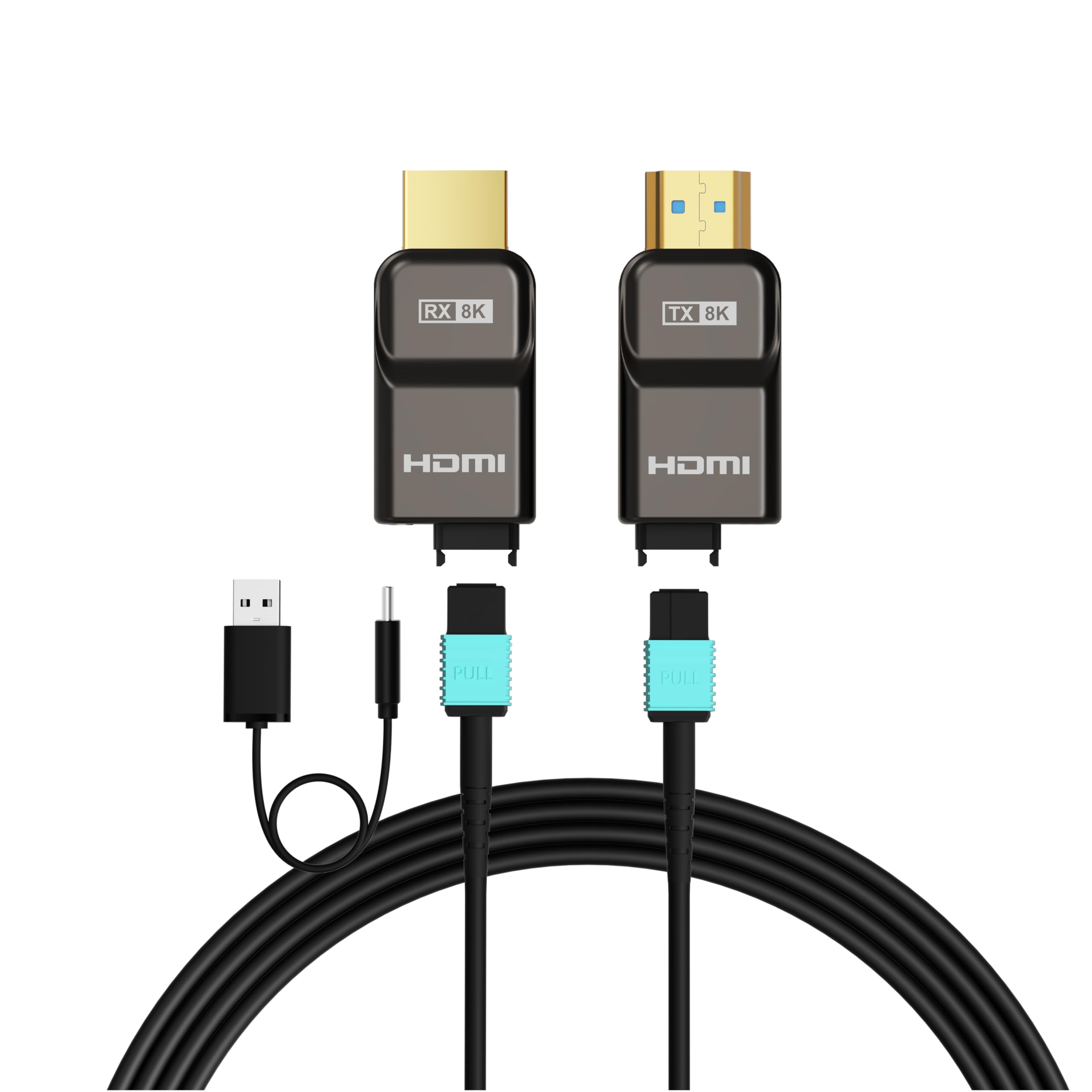
The ends come off. RUIPRO builds this 50-foot run as a fiber lead plus detachable connector modules, so a damaged plug or a dead chip is a part you replace instead of a wall you open. It's the most useful idea anyone has brought to in-wall HDMI, and it's why this cable is here despite being the most expensive in the group.

The lead itself is a thin, armored stainless-steel affair that takes conduit and gentle corners without much argument. That matters more than it sounds: the hard part of a long in-wall run usually isn't the distance, it's getting a finished HDMI plug around a bend without stressing the joint behind it.

We're convinced the detachable design justifies the price on its own. Connectors are what fail on long optical cables, and being able to swap one without pulling 50 feet of fiber back out of a ceiling changes what a permanent install costs over ten years. The lifetime warranty covers the same ground from the other direction.

The boundary is bandwidth. Above 4K at 60Hz the link becomes the least certain part of this cable, so if you're feeding a 4K/120 display with HDR, test the whole chain on the floor before it goes in the wall. Below that line, this is about as future-proof as a cable gets.

Pros

  • Detachable connector modules
  • Stainless-steel armored jacket
  • Lifetime warranty
  • Full 48Gbps over 50 feet

Cons

  • Most expensive cable in this group
Our verdict

The in-wall cable we point to when opening the wall again is not an option: a failed connector is a swap, not a re-run.

Check Latest Price
4

Best for Very Long Runs

Fibopitcal 8K Fiber Optic 100 ft

89 /100
LBD Score Excellent

Key details

Length
100 ft
Weight
3.2 oz
Audio Return
Not supported at this length
Max Bandwidth
48 Gbps
View on Amazon

A hundred feet is where copper stops arguing and fiber takes over. Fibopitcal is the only cable in this group that reaches that distance with the full 48Gbps HDMI 2.1 payload, and it does it for less than the 4K-only 100-footer here. The catch is stated plainly rather than buried: at this length the cable carries no audio return.

That single omission decides the job. In our view, when the source and the receiver sit together at one end and only video travels down the cable, losing the return channel costs you nothing, and this is the least expensive 48Gbps route across a big room. When the soundbar is at the far end and you want audio coming back up the wire, it's disqualifying.

Physically it's a light, thin lead, a few ounces for the entire hundred feet, so it pulls through conduit without a fight and ignores whatever power cables it lies beside. Test it on the floor before it goes up: at this length the margins are thinner than at fifteen feet, and a bad bend is much easier to fix now than through a ceiling.

Pros

  • Full 48Gbps out to 100 feet
  • Least expensive 48Gbps route to 100 feet
  • Light enough to pull through conduit
  • Unaffected by nearby power cables

Cons

  • No audio return at this length
Our verdict

The 100-foot pick for a projector across a big room, as long as nothing has to travel back up the cable.

Check Latest Price
5

Best Short-Run Budget Pick

HYairspy 8K Fiber Optic 6.6 ft

84 /100
LBD Score Excellent

Key details

Length
6.6 ft
Direction
Unidirectional (source to display)
HDMI Version
HDMI 2.1
Max Bandwidth
48 Gbps
View on Amazon

At 6.6 feet this is the shortest cable here, and the one that makes the least sense until you've tried to tuck a stiff braided lead behind a wall-mounted TV. The cable is thin, the plugs are small, and it costs less than anything else in this group. We like it exactly where a normal cable is too fat and too long: soundbar to TV on the same bracket, a console in a shallow cabinet, a short hop through a stud bay.

The direction labels matter more at this length, not less. Both plugs are marked SOURCE and DISPLAY, and on a run this short a backwards plug is a five-second fix if you check before the TV goes back on the mount. The 48Gbps spec matches our top pick, so nothing is lost by going short. You're simply paying a lot less for a lot less cable.

Pros

  • Cheapest fiber cable here
  • Thin lead fits behind a wall mount
  • Full 48Gbps in a short run

Cons

  • Too short for anything but a tight hop
Our verdict

Six and a half feet of 48Gbps fiber for the tight spots where a normal cable is too fat, and the cheapest cable here.

Check Latest Price
6

Best Certified Option

Monoprice 8K Certified AOC 32 ft

80 /100
LBD Score Excellent

Key details

Length
32 ft
Warranty
Lifetime
Certification
Ultra High Speed HDMI
Max Bandwidth
48 Gbps
View on Amazon

Certified is doing real work in that title. An Ultra High Speed HDMI cable has been through the compliance program behind the HDMI 2.1 label rather than just carrying the logo on the box, and in a category where a 48Gbps claim is cheap to print and harder to hit over 30 feet, that's the first thing we look for.

Thirty-two feet is an awkward, useful length: long enough to reach a ceiling projector or cross a room, short enough that the signal has an easier time than it does on the 50- and 100-foot cables here. It carries 8K at 60Hz and 4K at 120Hz with HDR and VRR, and it comes with a lifetime warranty, which most of this group doesn't offer.

In the hand it's unremarkable: plain black jacket, ordinary plugs, nothing to admire. That's fine. This is a cable you install once and never look at again, and the paperwork behind it is worth more than the finish.

Our take: certification and a lifetime warranty are worth real money to someone who has already replaced one long cable that didn't do what its box promised. If you need the cheapest 30-odd-foot run, this isn't it. If you need one that will still be supported years from now, it's the safest purchase here.

Pros

  • Certified Ultra High Speed HDMI
  • Lifetime warranty
  • 32 ft suits ceiling projector runs

Cons

  • Premium price for a 32-foot run
Our verdict

The safest purchase in this group if certification and a lifetime warranty matter more to you than price per foot.

Check Latest Price
7

4K at 60Hz

Highwings 4K Fiber Optic 50 ft

95 /100
LBD Score Outstanding

Key details

Length
50 ft
HDMI Version
HDMI 2.0
Max Bandwidth
18 Gbps
Ethernet Channel
Yes
View on Amazon

Eighteen gigabits per second is the ceiling here, and in plenty of rooms that ceiling is invisible: 4K at 60Hz with HDR is what most projectors, TVs and streaming boxes output. For that setup this is a sensible 50-foot cable, a widely used one, with compatibility that holds up across projectors, soundbars and consoles. It also costs more than our 8K top pick, which is the awkward part.

What it does well is the ordinary job, repeatedly. The 18Gbps link has less to negotiate than a 48Gbps run, the braided jacket and molded strain relief survive being dragged through a ceiling, and there's an Ethernet channel for anyone who uses one. What we noticed is that it's the dependable end of this list rather than the exciting one.

The weak points are the connectors and the handling. The jacket is stiff at 50 feet, and long optical cables don't enjoy being re-plugged, so install it once and leave it alone, which is how most 50-foot runs live anyway. We wish the braid were softer at this length, but stiffness is what keeps a run this long from kinking.

Pros

  • Solid 4K/60 performance over 50 feet
  • Works across projectors, consoles and soundbars
  • Braided jacket and molded strain relief
  • Ethernet channel included

Cons

  • Caps out at 18Gbps
Our verdict

A dependable 50-foot run for a 4K-at-60Hz room, and the wrong cable the moment you buy a 4K/120 display.

Check Latest Price
8

In-Wall Code Compliance

MOEBITABO CL3 In-Wall 30 ft

82 /100
LBD Score Excellent

Key details

Length
30 ft
Audio Return
eARC
Max Bandwidth
48 Gbps
In-wall Rating
CL3
View on Amazon

CL3 is the three-character answer to a question most people don't ask until an electrician or an inspector does: is this jacket rated for the inside of a wall? This one is, and it's the only cable in this group that says so outright.

The rest of the specification is current rather than flashy: 48Gbps, 8K at 60Hz and 4K at 120Hz, HDR and Dolby Vision, eARC, OM3 fiber cores, and a jacket rated for more than a thousand bends. Thirty feet is a good working length for a TV wall or a short projector throw, and it's directional like every optical cable here, so plan the route before the fish tape comes out.

We think the CL3 rating is the reason to buy it. It's the difference between a cable that satisfies an inspection and one that has to come back out of the drywall, and it costs far less than the armored alternative that solves the same problem a different way. The audio handshake is the part to verify: eARC needs both ends to support it, and a silent soundbar is a miserable thing to diagnose through a wall. Test it on the floor.

Pros

  • CL3-rated jacket for in-wall runs
  • 48Gbps with eARC
  • Flexible OM3 fiber for conduit

Cons

No notable drawbacks to flag.

Our verdict

The one to buy when the run goes inside a wall and the jacket has to carry a CL3 rating to pass inspection.

Check Latest Price
9

100 Feet with ARC

iBirdie 4K Fiber Optic 100 ft

89 /100
LBD Score Excellent

Key details

Power
USB power cable included
Length
100 ft
Audio Return
ARC (30 to 100 ft)
Max Bandwidth
18 Gbps
View on Amazon

There's a USB cable in the box, and that's the tell. This is an active cable, and on HDMI ports that can't supply enough power, a hub, a switch, a splitter, you run the USB lead to a 5V source to keep the electronics at the far end alive. The title doesn't mention it, and it's the detail that decides whether this cable works in a rack full of gear.

The reason to choose this 100-footer over the other one here is audio return. iBirdie supports ARC from 30 feet all the way out to 100, so a receiver at one end and a TV or projector at the other can still send sound back down the cable. That's plain ARC rather than eARC, and it's the feature the less expensive 100-foot 8K cable in this group gives up.

The ceiling is 18Gbps: 4K at 60Hz with HDR, and no road to 4K at 120 or 8K. If your projector is a 4K/60 model, that ceiling costs you nothing.

Where it lands for us is a one-job cable. A long run to a projector where audio has to come back the other way and the display stops at 4K at 60Hz. Outside that job, the 18Gbps limit and the one-year warranty make it hard to argue for over the 8K options here.

Pros

  • ARC works all the way to 100 feet
  • USB power lead included for weak ports
  • Full 4K/60 with HDR at 100 feet

Cons

  • Tops out at 18Gbps
  • One-year warranty
Our verdict

The 100-foot cable for a projector setup that still needs audio coming back, with 4K at 60Hz as the ceiling.

Check Latest Price

How We Tested Fiber Optic HDMI Cables

We started with every fiber optic HDMI cable we could find rated for 48Gbps in lengths of 25 feet and up, then narrowed the field by comparing spec sheets, price per foot, and how clearly each maker marked the source and display ends. That left 11 cables, from a 6.6-foot cord to a 100-foot run, and we spent six months with them.

Testing happened where these cables actually live. In the living room we swapped a single cable between a PS5, an Xbox, and a TV, cycling through 4K at 120Hz and 8K at 60Hz and watching for sparkles, flicker, or a picture that dropped out mid-scene. A projector in the basement took the long runs, including two fished through conduit behind drywall; a soundbar handled eARC, and a couple of HDMI switches stood in for the worst-case handshake.

We coiled and uncoiled each cable a dozen times, dragged them over a floor joist, and bent them hard at the connector to see how the housing held up. We noted where the jacket scuffed, whether a connector worked loose, and how much clearance the cable needed behind a wall plate. On the buying side, we kept track of how the direction was labeled and whether the packaging or the instructions made setup obvious without a manual.

Compatibility was the most common failure point: a few cables needed two or three power cycles before the display and console agreed on a signal, usually the unidirectional ones that went in backwards. Value came down to price against length, and whether the extras earned their keep over a plain braided cord.

How to Choose a Fiber Optic Hdmi Cable

Match the Bandwidth to What Your Gear Actually Sends

An 18Gbps cable carries 4K at 60Hz with HDR perfectly well. You need 48Gbps for 4K at 120Hz, for 8K at 60Hz, or for a display that uses VRR, and the trap is buying the cheaper 18Gbps cable for a PlayStation 5 or a high-refresh monitor, where it caps you at 60Hz and looks like a fault.

Going the other way is harmless: a 48Gbps cable on a 4K/60 projector costs a little more and changes nothing. The two Highwings cables here are the same length with different bandwidth, and that comparison is the whole decision in miniature.

Length Is the Whole Reason to Buy Fiber

Below roughly 25 feet, a good copper HDMI cable does everything most setups need for less money. Past that, copper struggles to hold 48Gbps and fiber takes over, which is why most of this group starts at 30 feet and runs to 100.

The trap on long runs is assuming the number on the box applies to your whole chain. Source, cable and display all have to agree, so run your most demanding source at its top refresh before the cable goes anywhere permanent.

Direction, Power, and Audio Return

Every optical HDMI cable is directional: one end goes to the source, the other to the display, and both should be labeled. Plug it in backwards and you get a black screen that looks exactly like a dead cable.

Active cables can also need a 5V feed, which is why the iBirdie ships a USB lead for HDMI ports that cannot power the electronics. And audio return is not universal over distance: the Fibopitcal 100-footer drops it entirely, while the iBirdie keeps plain ARC.

If the Cable Is Going Inside a Wall

Concealed runs have two extra requirements. The jacket should carry a CL3 rating where local code asks for one, which is the MOEBITABO's main selling point, and the connectors should be serviceable, which is what RUIPRO's detachable modules buy you.

Whatever you choose, test the full run on the floor at the resolution and refresh you actually use. A cable that has to come back out of drywall costs far more than the difference between any two cables on this page.

Frequently Asked Questions

Final Verdict

Most people should stop at the Snowkids 8K 50-foot cable. It carries the full 48Gbps HDMI 2.1 payload, labels its source and display ends clearly, and undercuts every other 50-foot 8K cable here. That covers a projector on the far wall, a console in a cabinet, or a TV across the room without paying a premium for the privilege.

Spend more only for a specific reason. The RUIPRO is the one to bury behind drywall, where a failed connector should be a swap rather than an excavation, and the Fibopitcal is the one for a 100-foot run where nothing has to come back down the wire.