Best Noise-Canceling Headsets for Home Office of 2026

The first time a client asked if I was calling from a construction site, I was at my kitchen table — the noise was next door's leaf blower. That's the trouble with a home office: the room comes with you. A headset worth owning keeps that room out of your ears and out of everyone else's, and once you find one that does, a day of back-to-back calls stops feeling like holding your breath.

The spec worth understanding first is that there are two kinds of noise cancellation. Active noise cancellation quiets the room for you; the mic's noise cancellation, often labeled ENC, quiets your room for the person on the other end. They're separate systems, and plenty of headsets are good at one and mediocre at the other.

Over six months I worked through a dozen of them — wired, Bluetooth, and models that pair through their own USB dongle — and that split, plus a mute button you can find without looking, explains most of the keepers. The picks below are the ones I kept reaching for on busy mornings.

1

Best Overall

Angteela M112 ANC Headset

87 /100
LBD Score Excellent

Key details

Mute
Flip-to-mute boom, 270° rotation
Battery
35 hours
Connection
USB-A dongle, Bluetooth 5.4
Noise Handling
Hybrid ANC plus ENC mic
View on Amazon

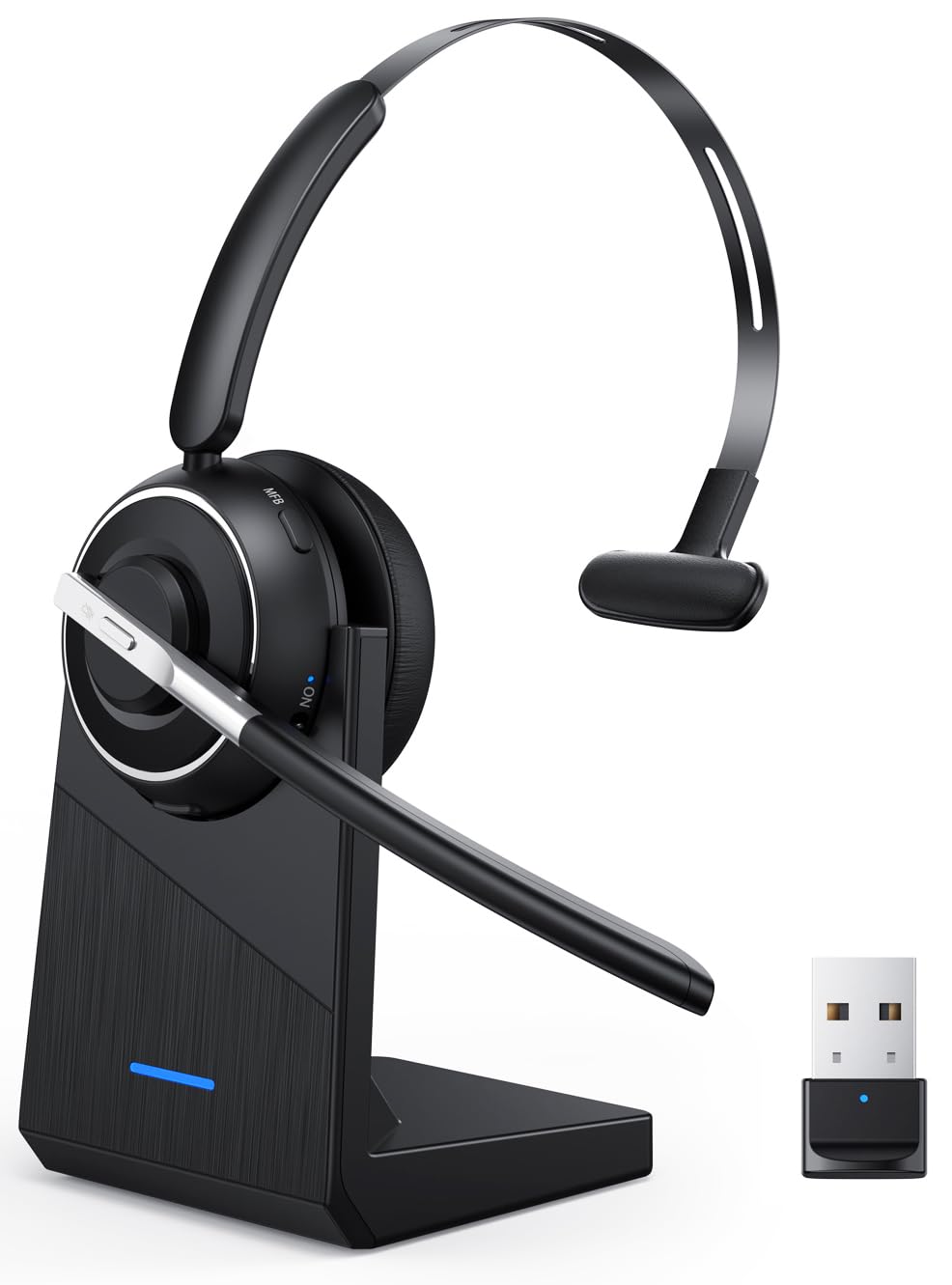
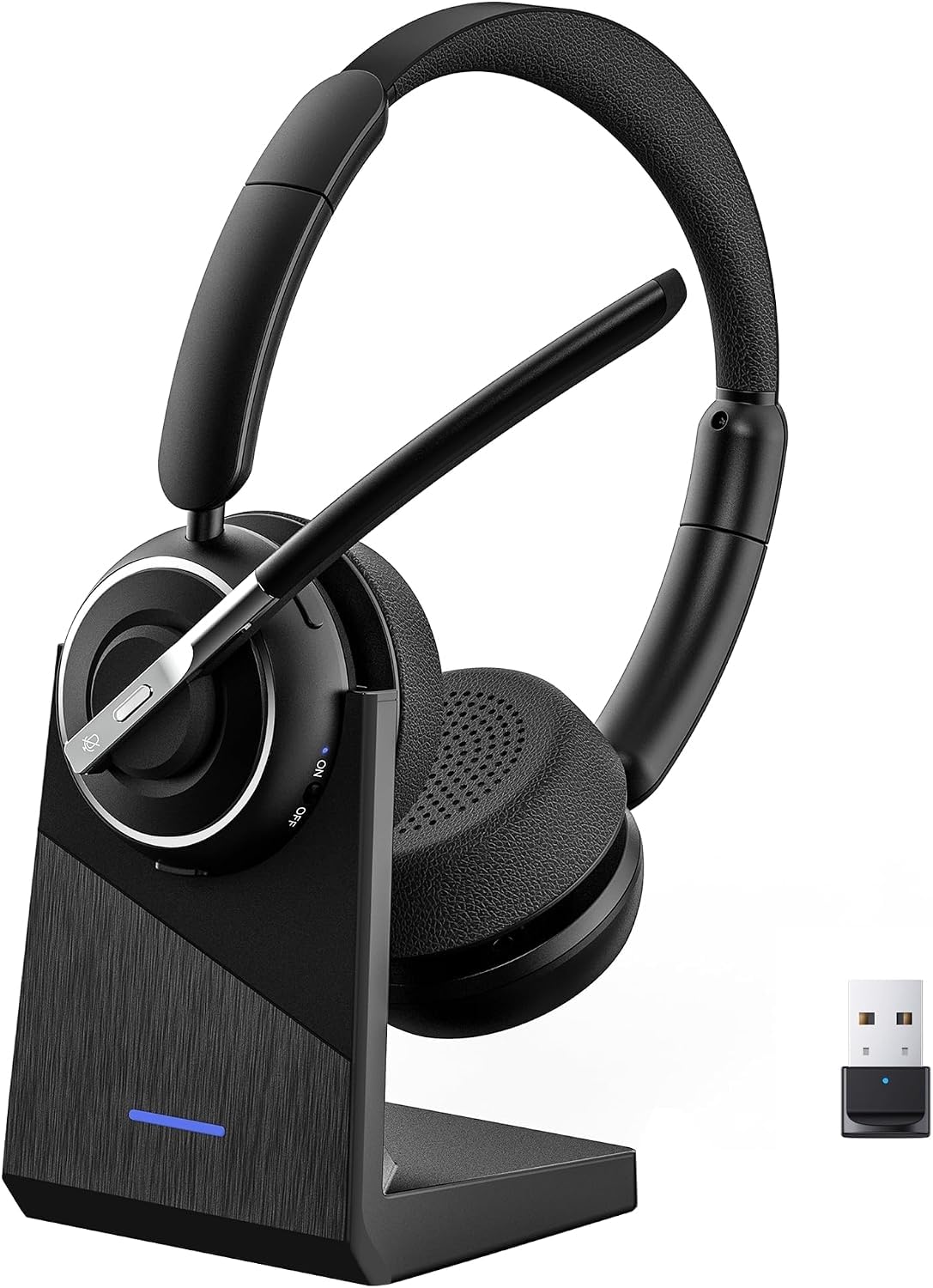
Two different jobs hide behind the words noise canceling, and this is one of only two headsets here that takes both of them seriously. Active noise cancellation in the earcups goes after the sound around you. A noise-canceling microphone goes after the sound your callers would otherwise hear. We care about the second one more than most shoppers expect: a headset that quiets the room but lets the dog through is doing half the job.

The connection is where this one pulls ahead of the Bluetooth-only picks. A USB-A dongle gives a PC its own audio link instead of leaning on the laptop's radio, and Bluetooth 5.4 runs alongside it so the headset holds two devices at once: laptop in the meeting, phone for the call that lands halfway through. Flip-to-mute is the other detail we keep coming back to. The boom swings up out of the way and mutes in the same motion, which beats hunting for a button while someone is mid-question.

Thirty-five hours of battery and a charging station mean it lives on the desk rather than in a drawer, and two hours refills it. The leather cushions and adjustable headband suit a long day at a keyboard, and the boom rotates 270 degrees, so wearing the mic on your left is not a problem. That last part is small and it decides the purchase for anyone who has had a boom cross their face on every call.

Pros

  • ANC for you, a noise-canceling mic for callers
  • USB dongle plus Bluetooth 5.4, two devices
  • Flip-to-mute boom rotates 270 degrees
  • 35 hours with a charging station

Cons

  • USB-A dongle only, no USB-C version
  • One-year warranty, the shortest here
Our verdict

Our default for most home offices: it quiets the room for you, cleans up your voice for callers, and its USB dongle keeps PC audio steady.
Check Latest Price
2

Best for Long Call Days

Soothielec KH53 Wireless Headset

90 /100
LBD Score Outstanding

Key details

Battery
40 hours, 2-hour charge
Charging
Charging stand included
Connection
Bluetooth 5.3, USB-A dongle
Noise Handling
ENC microphone
View on Amazon

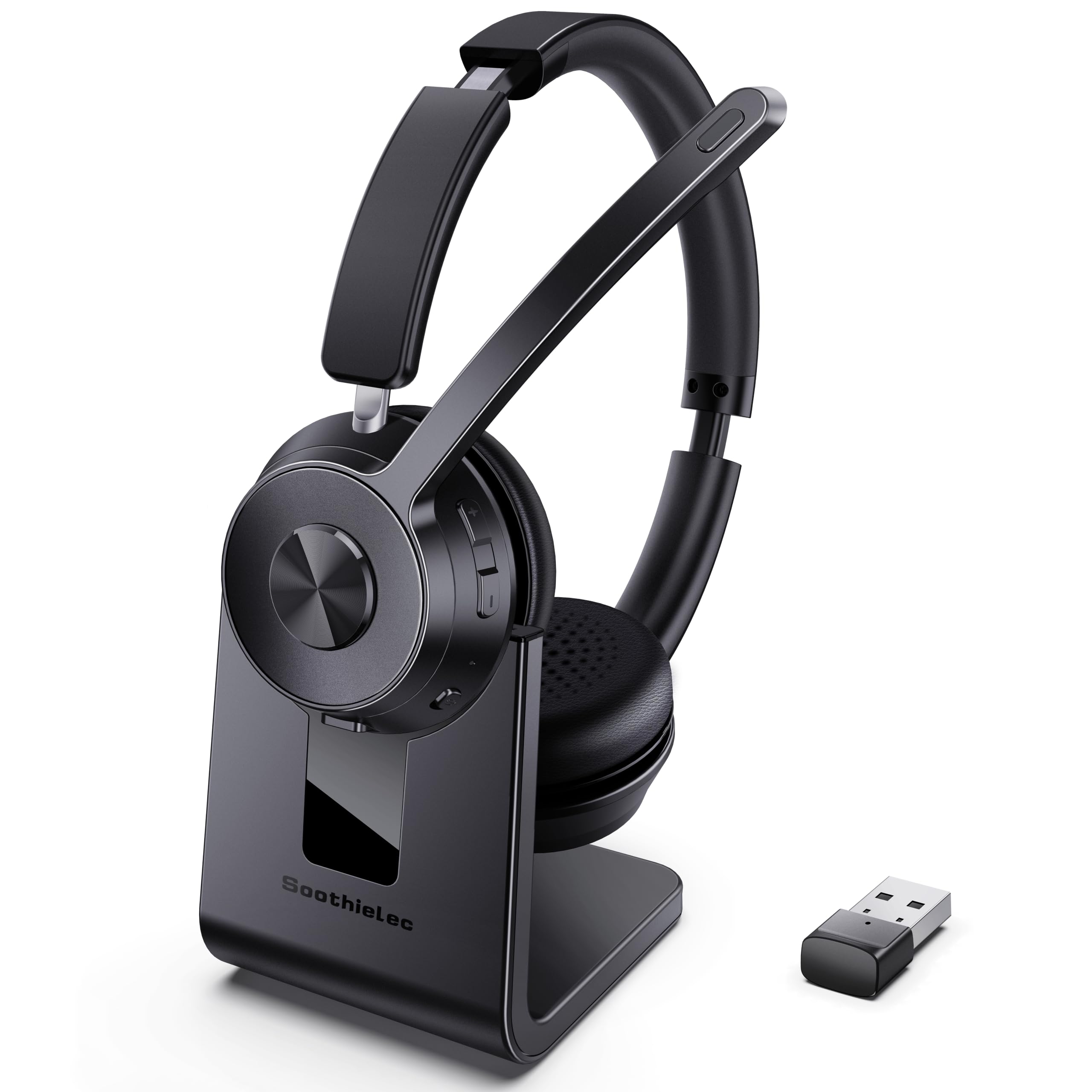
Forty hours is not a number you can check in an afternoon, but the habit it creates is easy to see. The KH53 sits on a charging stand between calls, so the battery never becomes a Monday morning problem, and a full charge takes about two hours. The stand also holds the headset at an angle you can lift it from without looking down.

Where we reach for it is a day with no gaps in it. Memory foam under protein leather and an adjustable headband make six hours of meetings feel shorter than that, and the noise-canceling microphone keeps keyboard clatter and road noise out of what your callers hear. For a home office where the noise problem is on the other end of the line, this is the least fussy way to fix it.

Bluetooth 5.3 covers the laptop and the phone at once, and the USB-A dongle handles a PC with Bluetooth switched off by IT, which is the setup where wireless headsets usually fall over. Nothing here needs an app, a driver, or a second thought, and the 40 rated hours are talk time rather than standby. It is the wireless pick we hand to people who want the headset to disappear into the routine.

Pros

  • 40 rated hours of talk time, two-hour charge
  • Charging stand keeps it topped up on the desk
  • Mic keeps keyboard noise off calls
  • Bluetooth 5.3 plus dongle, two devices at once

Cons

  • No ANC for the wearer; the mic does the canceling
Our verdict

A 40-hour wireless headset that lives on its charging stand, and the one we point to when the calendar is back-to-back calls.

Check Latest Price
3

Best Budget Wired

Blucalm UCH30 Wired Headset

85 /100
LBD Score Excellent

Key details

Weight
4.94 oz
Connection
USB-A wired
Microphones
3-mic array
Noise Blocking
Rated over 96% of background noise
View on Amazon

A busylight is one of those features nobody puts on a wish list and then everybody uses. On the UCH30 it is a 360-degree ring on the earcup that glows red while you are on a call, which saves a lot of doorway miming in a house with other people in it. We prefer it to a mute beep, because it tells the room before someone walks in rather than after.

The noise work falls to a three-microphone array that the maker rates at blocking more than 96% of background noise. Treat that figure as a direction rather than a measurement; the useful part is the design behind it, with the array isolating your voice and pushing the rest of the room down. Setup is one USB-A plug with no software, the in-line controller puts volume and mute at your hand, and at 0.14 kg with memory foam under leather it stays light through a long afternoon.

Two years of coverage is the longest of the wired picks here, and it ships with a protective case for the trip home. Nothing about it asks to be managed, which is the point: no pairing, no battery, no app, and no reason to think about it between calls. The busylight is still the reason we hand it to someone with a shared hallway.

Pros

  • Three-mic array rated to block over 96% of noise
  • 360-degree busylight shows the room you are busy
  • Plug-and-play USB-A with no software
  • Two-year warranty and a protective case

Cons

  • Wired, so you are tied to the laptop
Our verdict

The wired pick we recommend for a loud house: three microphones handle the noise, and a red busylight tells the room you are on a call.

Check Latest Price
4

Best Certified Wired

Yealink UH37 USB Headset

81 /100
LBD Score Excellent

Key details

Weight
4.94 oz
Connection
USB-C and USB-A
Microphones
Dual noise-canceling
Certification
Microsoft Teams certified
View on Amazon

The money here goes somewhere specific: certification and connectors. The UH37 is certified for Microsoft Teams, it handles USB-C and USB-A without an adapter, and the call controls sit on the ear shell where your thumb already rests, covering volume, answering, and mute. There is also a boom you flip up to mute. None of that shows up in a sound demo, and all of it matters on a Tuesday.

Dual noise-canceling microphones do the voice work, and the 35mm drivers switch EQ between call mode and music automatically, which reads as a footnote until you move from a meeting to background music without touching anything. A metal headband and 140 g of weight make it feel like office equipment rather than a gadget, and the shell controls are big enough to find by feel.

Where it earns its place is standardization. Certification means Teams treats it as a known device, the two connectors cover an old desktop and a new laptop from the same box, and the boom mute is the one control nobody needs to be taught. If you are buying a single headset for yourself at a kitchen table, the everyday job needs less than this.

Pros

  • Teams certified for managed work laptops
  • USB-C and USB-A without an adapter
  • On-shell controls plus flip-up boom mute
  • Metal headband at 140 g

Cons

  • The priciest of the wired picks
Our verdict

For a desk that has to work with whatever IT allows: Teams certified, USB-C and USB-A in the box, and a boom that mutes on the way up.

Check Latest Price
5

Best Lightweight Wired

Lenovo USB-A Wired Headset Gen 2

83 /100
LBD Score Excellent

Key details

Weight
4.94 oz
Earcups
Replaceable
Connection
USB-A wired
Noise Handling
AI noise canceling via app
View on Amazon

The noise cancellation on this one is not in the box. It lives in Lenovo's Accessories and Device Manager app, which is where the AI mic processing gets switched on, so on a locked-down work laptop where you cannot install anything you get a clear boom mic and a hardware mute, just not the processing. Worth knowing before you judge it on a first call.

What you get without any software is a good deal for the money: 140 g, light enough that the headset stops being something you notice, a boom that reaches across to your mouth, and in-line controls that keep volume and mute in your hand rather than in a menu. Replaceable earcups are usually a business-headset feature, and finding them here is the detail that changed our mind about cheap headsets.

Plug-and-play over USB-A covers Teams, Zoom, Meet, Slack, and Webex with no driver at all. It is the lightest thing in this guide by a distance, and the one we point to when somebody needs a working headset today rather than a great one next week.

Pros

  • 140 g, the lightest headset here
  • Replaceable earcups extend its life
  • Plug-and-play on Teams, Zoom and Meet
  • In-line volume and mute controls

Cons

  • USB-A only, with no USB-C or 3.5mm
Our verdict

We recommend it as a first headset or a spare: at 140 grams you forget it is there, and the earcups can be replaced instead of the whole thing.

Check Latest Price
6

Best Battery and Dock

OTYHVV KH122M Wireless Headset

88 /100
LBD Score Excellent

Key details

Battery
45 hours
Charging
Dock stores the dongle
Connection
USB dongle, Bluetooth 5.2
Microphone
AI noise canceling, 270° boom
View on Amazon

Most wireless headsets ask you to hold a button and wait for a chime. This one has a physical toggle on the earcup. Flip it and the headset reconnects to the last device, flip it back and it is off. Across a day of short gaps between meetings, that half second is the difference we noticed most.

The dock does more than charge. It parks the USB dongle when you are not using it, so the adapter does not migrate to a drawer, and it tops the headset up between calls. Forty-five rated hours means charging weekly rather than nightly, and a full charge takes about two hours. Noise canceling on the 270-degree boom handles the caller side, and the mute button says mute on and mute off out loud, which sounds gimmicky until you have unmuted yourself by accident in front of a client.

Three years of manufacturer warranty is the longest in this group, and there is a stainless-steel reinforcement in the headband, the kind of detail we appreciate on something that gets folded into a bag. For a desk that alternates between a locked-down PC on the dongle and a phone on Bluetooth, this is the least fiddly way to do it.

Pros

  • Physical toggle reconnects in one flip
  • Dock charges and stores the dongle
  • 45 rated hours between charges
  • Spoken mute confirmation and 3-year warranty

Cons

  • Mic-side noise canceling only, nothing for your ears
  • 180 ms latency is call-grade, not gaming-grade
Our verdict

Our pick for a desk that hops between a work PC and a phone: the dock keeps it charged, one flip reconnects it, and the mute button talks back.

Check Latest Price
7

Long Wireless Shifts

PrancyBt KH120M Wireless Headset

88 /100
LBD Score Excellent

Key details

Range
33 feet
Battery
35 hours
Connection
Bluetooth 5.2, USB adapter
Microphone
Noise-canceling boom
View on Amazon

Every listing in this category carries a percentage, and this one promises its mic filters out 99.9% of surrounding interference. We do not put much weight on a number like that, because there is no standard behind it. The question that actually matters is whether the person on the other end hears a keyboard, a kid, or a truck, and that comes down to how well the boom's noise-canceling element sits near your mouth.

The hardware is straightforward: Bluetooth 5.2 with a USB adapter for computers that have no radio, a dual-mode connection that keeps a laptop and a phone on the hook, 35 hours of playtime, and 33 feet of range before audio starts to stutter. Protein-foam cushions and an adjustable headband are built for a shift rather than a single meeting, and the cups swivel to sit flat on the desk.

Nothing here needs configuring. Pair it once, plug the adapter in at a desktop, and it behaves the same way on both, which is what we want from a headset that lives in a bag and gets used in whatever room has a table.

Where it falls in this group is the simple wireless option: no app, no dock, no learning curve. Thirty-five hours covers a week of shifts for most people, and the adapter means the headset is not hostage to a laptop's Bluetooth. We recommend it to anyone who wants one less thing to think about on a call.

Pros

  • 35 hours of rated playtime
  • Bluetooth 5.2 plus a USB adapter
  • Laptop and phone connected at once
  • Adjustable headband with foam cushions

Cons

  • Mic-side canceling only; the room stays loud for you
Our verdict

A steady wireless headset for people who pace through calls: clean voice pickup, 35 hours, and an adapter for computers with no Bluetooth.

Check Latest Price
8

Blocking Room Noise

Poly Voyager Focus UC

81 /100
LBD Score Excellent

Key details

Range
98 feet
Battery
Up to 12 hours talk
Connection
USB-A dongle, Bluetooth 4.2
Noise Handling
Active noise canceling, 3 mics
View on Amazon

Ask someone what a noise-canceling headset should do and they usually describe this. Press a button, the room drops away, and you can think again. The Voyager Focus UC is the pick here whose ANC is the headline rather than a line on the box: active cancellation in the earcups for you, three noise-canceling microphones for the call, and 98 feet of range that reaches the kitchen.

On a street-facing desk the difference is not subtle. The ANC takes the edge off traffic and fans in a way passive cups never manage, while callers get a clean feed from the three-mic array and you get to stop flinching at the leaf blower. The hard case and leather earpads make it feel like the professional kit it is priced as.

The platform is where it shows its age. Bluetooth 4.2, up to 12 hours of talk time (10 with ANC on), and 15 hours of listening put it behind the 35- to 45-hour wireless picks here, and it is not the headset for a full day plus an evening without a charge.

So this is the one to buy when blocking the room is a requirement rather than a bonus: a home office on a main road, a shared floor, a neighbor with a miter saw. It is the priciest headset in this guide, and the Angteela covers similar ANC ground with a modern radio and longer battery for a good deal less. Pay for the Voyager when the cancellation is the best part of the headset.

Pros

  • Real ANC in the earcups for the wearer
  • Three noise-canceling microphones
  • 98 feet of wireless range
  • Hard case and leather padding

Cons

  • Wireless dropouts can interrupt a call
Our verdict

If the noise you want gone is the noise in your own ears, this is the pick here built around ANC, at a premium, on an older platform.

Check Latest Price

How We Tested the Best Noise Canceling Headsets for a Home Office

We started with every headset pitched at desk work rather than gaming or air travel, then filtered for three things: a boom mic that sits near the mouth, a mute control within thumb reach, and a connection that survives a laptop going to sleep mid-sentence. That left a dozen, spanning wired USB, Bluetooth, and Bluetooth-with-a-dongle designs, and we used each one for six months of ordinary workdays.

Testing happened where these headsets actually live — a kitchen table during back-to-back calls, a shared room with a dog and a running dishwasher, and a spare bedroom where the router hums. We recorded the same paragraph through each mic, once in a quiet room and once with leaf-blower or café noise playing from a speaker two feet away, then listened back to hear how much of the room survived and how much of the voice did.

Each headset got worn for full eight-hour days, and we noted where the band pressed and whether we were still happy to put it on at four in the afternoon. For connectivity, we paired to a laptop and a phone at once and walked to the far end of the house to find where audio broke up, then woke the laptop repeatedly to see whether it reconnected on its own. Mute got pressed dozens of times a day, and we logged whether we could find it by feel alone.

How to Choose a Noise-Canceling Headset for a Home Office

Decide whose noise you are canceling

Active noise cancellation works on what reaches your ears: microphones sample the room and the earcups play an inverse signal, which is why an ANC headset makes a fan or a road go quiet. A noise-canceling microphone works on what leaves your mouth, filtering the room out of your voice before it reaches the call. Listings use the same words for both, and a noise-canceling microphone is not ANC.

Pick by which noise ruins your day. If you can hear the household and it stops you thinking, you want cancellation in the earcups, which in this set means the Angteela or the Voyager. If your callers are the ones hearing your household, a good noise-canceling mic is enough, and it costs a great deal less.

Match the connection to your work laptop

Three connections cover this category: a USB cable, a USB dongle, and Bluetooth. The dongle is the one people underestimate. It shows up to the computer as a USB sound card, so it works on a managed laptop where Bluetooth is disabled and no drivers can be installed, which is exactly the machine that makes a Bluetooth-only headset useless.

Check the port before you commit. Several wireless picks here ship a USB-A dongle, which leaves a USB-C-only laptop needing an adapter or a hub on the desk. If the laptop never leaves the desk and the calls are long, a wired USB set removes charging from your life entirely.

Weigh comfort in grams and clamp, not cushion color

A headset you notice at hour four is one you take off at hour five. Weight is the most honest number on the page: the wired picks here sit around 140 g, light enough to forget, while the wireless models carry a battery and weigh more for it. On-ear cups press on the ear, over-ear cups spread the load around it, and you probably already know which one you tolerate.

Two details earn their keep over a year of use. Replaceable earcups, which the Lenovo has, mean a worn pad does not retire the whole headset. A boom that rotates to either side keeps the mic off your cheek whichever ear you wear it on.

Find a mute you can hit mid-sentence

The mute control matters more than any spec suggests, because the moment you need it is the moment you are already talking. A boom that mutes when it flips up is fastest: one motion, no hunting. A dedicated button on the boom or the ear shell comes next. In-line controls on the cable work fine until the cable slides off the desk.

Then check what your platform shows. Hardware mute and the mute button in Teams or Zoom are two separate states, and the headset indicator, or the spoken confirmation on the OTYHVV, is often the only sign you are actually silent.

Treat battery life as a weekly question

Wireless headsets here run from 12 rated hours of talk time to 45, and the gap changes how you live with one. Anything past about 30 hours turns charging into a weekend habit rather than a nightly one. The 12-hour model is for someone who docks the headset after every call.

A charging stand is worth more than it sounds. A headset with a fixed place on the desk gets put there; one that needs a cable gets left in a bag. Two hours to a full charge is the other number to look for, short enough to recover from a forgotten Friday.

Frequently Asked Questions

Final Verdict

The Angteela M112 is our pick for most home-office desks: it quiets the room for you, cleans your voice for callers, and holds a laptop and a phone at once. If your days are wall-to-wall meetings and you never remember to charge anything, the Soothielec KH53 and its stand are the better routine.

And if the laptop is locked down and the budget is tight, the Blucalm UCH30 does the everyday job on three microphones for a good deal less, with a busylight that tells the rest of the house you are working.