Best Raspberry Pi 3 Cases of 2026

A Raspberry Pi 3 will run fine sitting bare on a desk, but bare boards collect dust and start to look like a project that stalled. The trouble is that the case keeping it clean is often the same one trapping warm air around the processor and covering the GPIO pins and camera connector you actually need. I've kept a Pi 3 running as a household media server for years, and I've rehoused it more times than I'd like to admit.

My team and I spent four months living with 15 cases — clear acrylic, snap-together ABS, fanless aluminum, and one that looks like a miniature game console. What separated them wasn't looks. It was whether the board dropped in cleanly, whether the lid came off without a fight, and whether the thing held its clock speed under a sustained load.

A whiny fan is worse than no fan at all, and a metal case with good thermal contact can quietly beat it. Every pick below earned its spot on those grounds first, looks second.

1

Best Overall

Flirc Raspberry Pi 3 Case

93 /100
LBD Score Outstanding

Key details

Weight
4 oz
Cooling
Fanless aluminum heatsink
Material
Aluminum
Compatible Boards
Raspberry Pi 3B+, 3B, 2, B+
View on Amazon

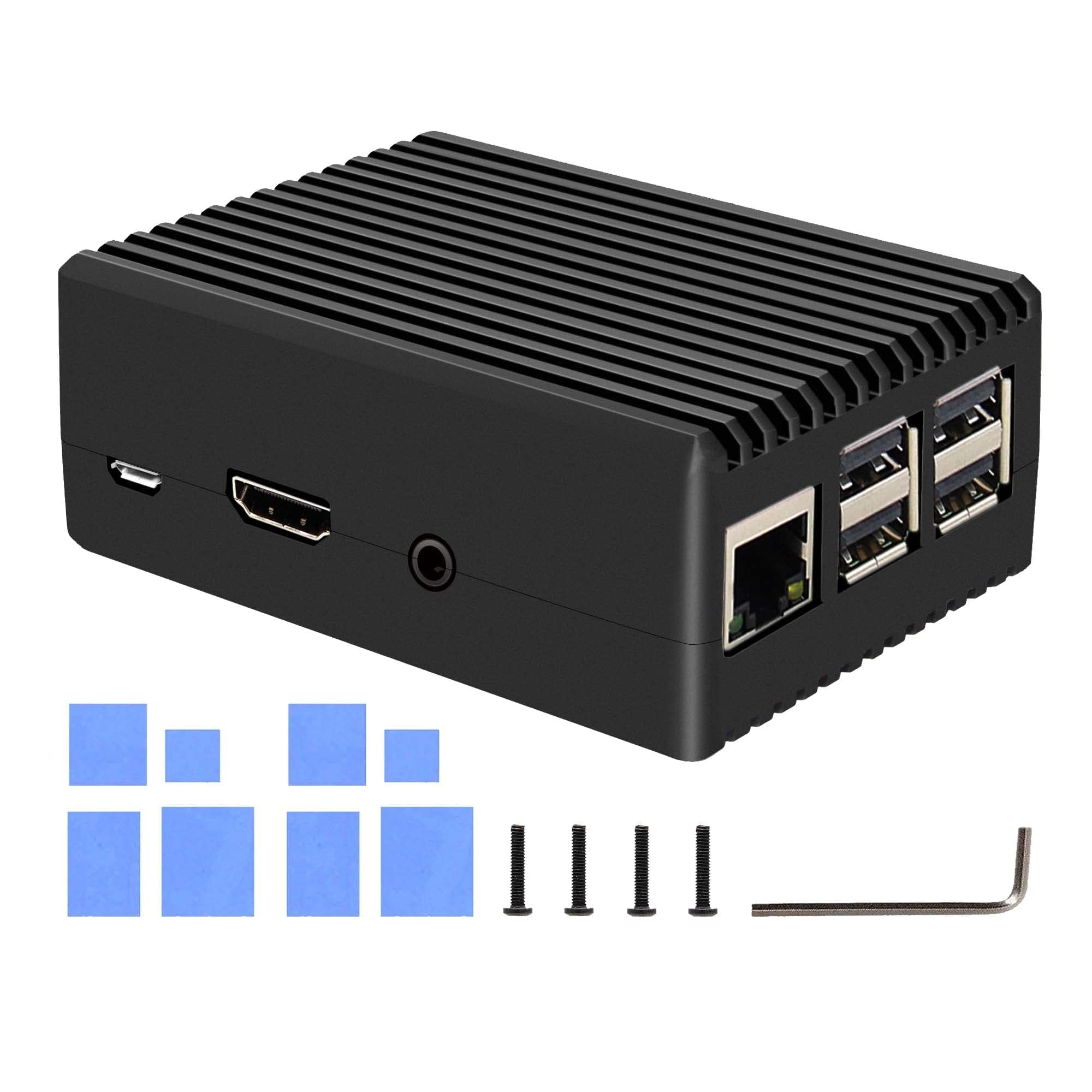
There's no fan in the Flirc, and that absence turned out to be the thing we appreciated most. The shell is a single piece of machined aluminum with a thermal pad and a raised contact that presses the chip against the top of the case, so heat leaves through the metal instead of through a 30mm fan spinning at full tilt. A 3B+ inside it stops looking like a hobby board and starts looking like a small piece of audio equipment.

Cooling is why it takes the top spot rather than just the looks. The Pi 3 doesn't run hot the way a Pi 4 does, but a 3B+ serving a Kodi library or a RetroPie shelf warms up, and this case takes the edge off without adding a sound to the room. There's also nothing to plug into the GPIO header, nothing to replace, and no bearing to start whining at two in the morning — which is more than we can say for the fan cases here.

Access is the trade. The connectors sit along the bottom edge and the GPIO is reached from underneath, which keeps the sides clean and lets every cable leave the same way. Assembly is four screws and a thermal pad, and the ports line up on the first try — more than we could say for the layered acrylic cases on this list.

Pros

  • Fanless, so it's silent and nothing wears out
  • The whole aluminum body acts as a heatsink
  • Cables and GPIO reachable from the bottom edge
  • Solid, weighty construction

Cons

  • No room to stack a HAT on the header
  • The most expensive case in this set
Our verdict

We recommend the Flirc to anyone who wants the Pi to vanish into a room: the aluminum body is the heatsink, so it cools with no fan to hear and nothing to wear out.
Check Latest Price
2

Best Bundle

Miuzei Pi 3 Case with Fan

92 /100
LBD Score Outstanding

Key details

Cooling
30mm fan, 3 heatsinks
Material
Clear acrylic
Power Supply
5V 3A with on/off switch
Compatible Boards
Raspberry Pi 3B, 3B+
View on Amazon

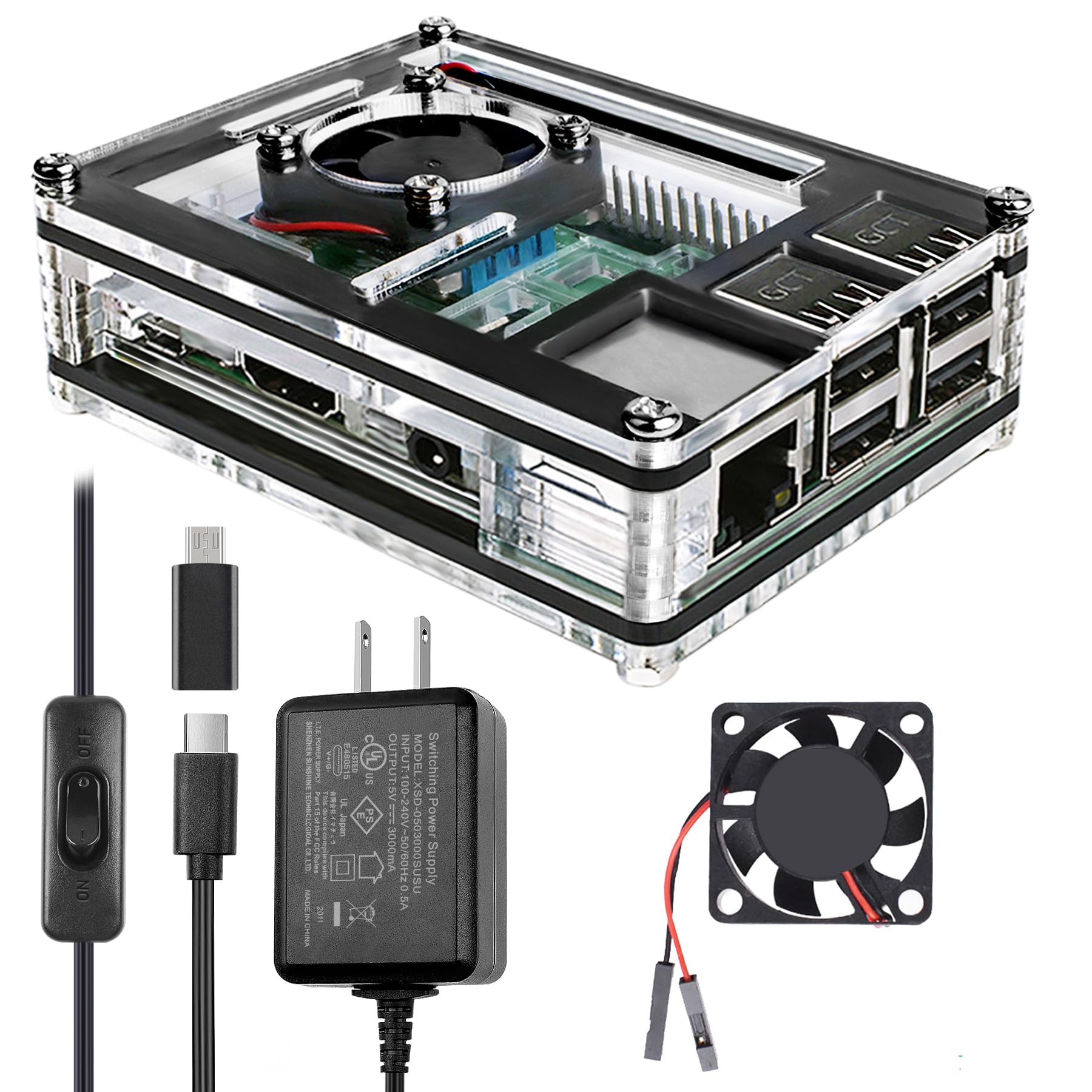
Open the box and you get the thing most cases here leave out: a 5V 3A power supply, with a switch inline on the cable. That matters more than it sounds. A 3B+ needs a supply that holds 5V under load, and the spare phone charger in a drawer is the usual reason a new build misbehaves. There's also a 30mm fan and three aluminum heatsinks inside, which is the full cooling kit for a board that only runs warm.

The case is a stack of clear acrylic plates that bolt around the board, and we found the layering either charming or maddening depending on the day — the printed instructions take you through the layers in order, but lining up several plates at once takes some wiggling before the screws bite. Once it's together, the board is genuinely on display and the fan is quiet enough that we forgot it was running.

The job we didn't enjoy was threading a camera ribbon between the plates. There's room for it, but connect the camera before the stack goes together rather than after, and the whole thing stops being annoying. For a RetroPie box or a desk machine finished in one order, this is the least fuss we've had with a complete setup.

Pros

  • Case, fan, heatsinks and power supply in one box
  • Switched 5V 3A supply included
  • Fan is quiet in normal use
  • Clear shell puts the board on show

Cons

  • Cut for Pi 3B and 3B+ only, not a Pi 4
Our verdict

The one we point a first-time builder at: case, fan, heatsinks and a switched 5V supply arrive together, so nothing is missing on the day it lands.

Check Latest Price
3

Best for GPIO Access

iUniker ABS Case with Fan

91 /100
LBD Score Outstanding

Key details

Cooling
30mm fan, 3 heatsinks
Material
ABS
Top Cover
Removable
Compatible Boards
Raspberry Pi 3B+, 3B
View on Amazon

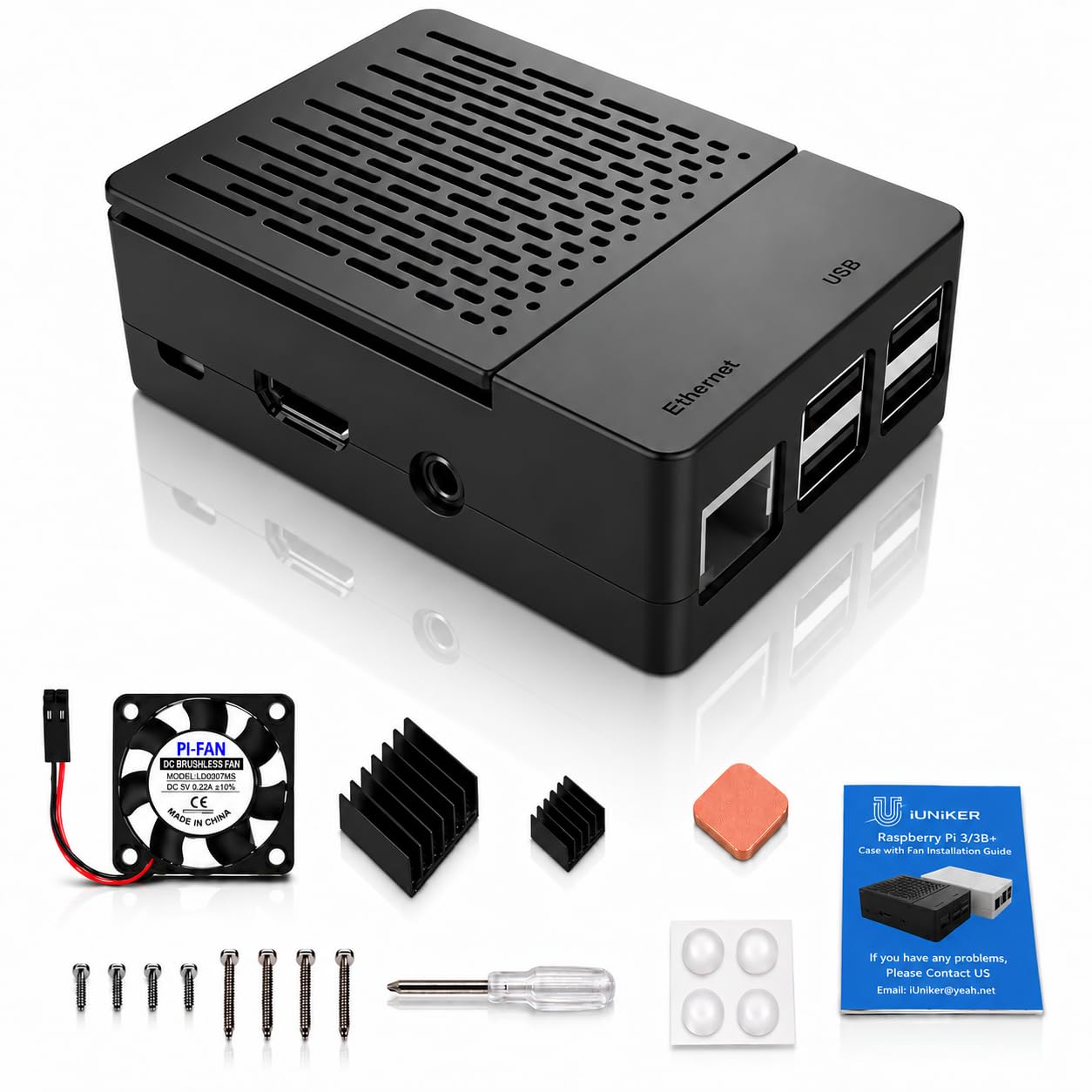
The lid comes off. That's the whole reason this case is here, and it matters more than a spec line suggests: the top cover lifts away to expose the GPIO header, the camera connector and the display connector without lifting the board out of its base. We moved a ribbon cable twice in one afternoon and never reached for a screwdriver.

Under the lid there's a 30mm fan and three heatsinks, and the fan can be wired for a slower or faster spin depending on which pins you choose — ours ran slow and we rarely noticed it. The ABS shell is matte black and plainer than the acrylic cases, which we preferred on a shelf, and it doesn't wrap the antenna in metal, so wireless range isn't a question.

The tax is small screws. The hardware comes in the bag along with a screwdriver and rubber feet, but the fan screws are tiny and there are enough of them that a magnetic driver earns its keep. On the fast setting the fan is audible across a quiet room, and in some it develops a buzz — if the Pi sits next to where you work, run it slow and let the heatsinks carry it.

Pros

  • Lid lifts off for GPIO, camera and display
  • Fan and three heatsinks included
  • ABS shell won't block wireless signal
  • Screwdriver and rubber feet in the box

Cons

  • Fan can buzz on the fast setting
Our verdict

Buy this one if the board gets handled: the lid lifts off to expose the GPIO header, camera and display connectors, and the fan and heatsinks are already inside.

Check Latest Price
4

Best Budget

iUniker Clear Case

92 /100
LBD Score Outstanding

Key details

Weight
1.12 oz
Cooling
2 heatsinks, no fan
Mounting
Wall mountable
Compatible Boards
Raspberry Pi 3B+, 3B, 2B
View on Amazon

Two pieces of clear ABS that press together, no fan to wire, no thermal paste to think about. It snaps around the board and stays put, and the port labels are molded into the plastic — a small thing we appreciated every time we plugged something into the back of a television.

What you get is protection rather than cooling. Two stick-on heatsinks cover the processor and the memory, the shell is open along the top, and the case adds no noise at all because there is nothing inside it that spins. For a board doing something undemanding, that's the right trade, and it costs about as little as a case here can.

The clear plastic is honest about all of that: it looks like a case that costs very little, and it will never be mistaken for the Flirc on a shelf. Screw the base to a wall or the back of a cabinet, though, and nobody sees it — which is how most of these end up living anyway.

Pros

  • Snaps together with no tools
  • Two heatsinks included
  • Base screws to a wall
  • The least expensive case here

Cons

  • No fan, so a hard-worked Pi runs hotter
Our verdict

We keep this in the budget slot: it snaps together in a minute, brings two heatsinks, and screws to a wall — the least you can spend to stop handling a bare board.

Check Latest Price
5

Best Value Metal Case

Geekworm P252 Aluminum Case

89 /100
LBD Score Excellent

Key details

Cooling
Passive aluminum, 4 thermal pads
Material
Aluminum
Dimensions
3.54"D x 2.56"W x 1.26"H
Compatible Boards
Raspberry Pi 3B+, 3B, 2B
View on Amazon

It weighs more than you expect for something this small, and that heft is the point. The P252 is a two-piece aluminum box that closes around the board with four screws, and the top half sits down onto the chip through a thermal pad — the case is the cooler, with no fan, no wiring and no header pins to think about.

Two things this design gives you that a plastic shell doesn't. A GPIO ribbon leaves through its own opening, so the header isn't sealed behind a lid, and the microSD slot stays reachable without dismantling anything. Four thermal pads come in the box, enough to couple the processor and the memory chips to the shell.

We swapped a fan-cooled plastic case for this one and stopped thinking about temperature; for an always-on server, that's the whole argument. It stays quiet in the way only a fanless case can, because there is nothing in it to hear. Give it a little clear space rather than burying it under a pile of cables and it will keep doing it.

Pros

  • Aluminum body acts as the heatsink
  • GPIO ribbon and microSD stay accessible
  • Four thermal pads included
  • Silent, with nothing to wear out

Cons

  • Takes four screws to get back inside
Our verdict

We reach for this one when the Pi goes in a cabinet and nobody needs to look at it: a slab of aluminum that cools silently for less than the Flirc.

Check Latest Price
6

Best for Retro Gaming

GeeekPi NES3Pi Case

91 /100
LBD Score Outstanding

Key details

Style
Retro NES console
Weight
2.82 oz
Cooling
Built-in fan, 4 heatsinks
Compatible Boards
Raspberry Pi 3B+, 3B, 2B
View on Amazon

It looks like a NES. Grey shell, a molded cartridge slot on top, a little hinged flap across the front — the joke only lands with people old enough to get it, and those are exactly the people building a RetroPie box.

Inside there's a fan and four aluminum heatsinks, and the board drops in without much fuss; the cutouts line up and the shell closes in a few minutes. It kept a 3B+ comfortable through long sessions, which is most of what a case has to do.

The hinged top is the part that takes getting used to: it's stiff out of the box, and the first open feels like it might snap, so work it gently before the board goes in rather than after. Everything else is a small case that sits flat and does the one thing the black boxes here can't — it looks like it belongs under a television.

Pros

  • Looks like a miniature NES
  • Fan and four heatsinks included
  • Cutouts line up, quick assembly
  • Compact and light at 80 g

Cons

  • Fan whines at full speed
Our verdict

We put this one under the television and it's the case guests ask about: a miniature NES with a fan and four heatsinks, built for RetroPie.

Check Latest Price
7

Bench Testing

GeeekPi Acrylic Case

90 /100
LBD Score Outstanding

Key details

Cooling
30mm fan plus heatsinks
Fan Size
30 x 30 x 7 mm
Material
Clear acrylic
Compatible Boards
Raspberry Pi 4B, 3B+, 3B, 2B
View on Amazon

Open on every side is the design. Two clear acrylic plates sandwich the board with a fan hanging over the top, nothing is enclosed, air moves freely, and you can watch the activity light blink through the plastic.

The fan can sit above the top plate or underneath it, which is more flexibility than the rest of these offer: over the board it blows down across the heatsinks, and flipped it pulls air up and out. The kit includes a screwdriver and the heatsinks — three for a 3B+ or 3B, four for a Pi 4, because the cutouts serve both boards.

What an open frame doesn't do is protect. Dust settles on the board, there's nothing between a spilled drink and the GPIO pins, and it's the wrong choice beside a printer or in a house with cats. Nothing traps heat, which is the other half of the same bargain.

We like it best as a bench case — a Pi you're flashing, testing a HAT on, or running on a desk where seeing the board is half the point. Fit it to a 3B+ now and the same case takes a Pi 4 when you upgrade, which is a longer life than most of the plastic here will have.

Pros

  • Fan mounts above or below the board
  • Takes a Pi 4 as well as a Pi 3
  • Screwdriver and heatsinks included
  • Open frame keeps air moving

Cons

  • Instructions don't cover the fan wiring
Our verdict

We reach for this one when the board has to breathe and we want to see it working — and it's the only case here that will also take a Pi 4 later.

Check Latest Price
8

Light-Duty Setups

sb components Clear Case

91 /100
LBD Score Outstanding

Key details

Cooling
Ventilated, no fan
Mounting
Wall mountable
Dimensions
3.54 x 2.36 x 0.79 inches
Compatible Boards
Raspberry Pi 3 Model B, B+
View on Amazon

There's no fan and no heatsink in the box, and that's the most honest thing about this case. It's an enclosure for a Pi with a light job — DNS filtering, a print server, a line into a home automation hub — and it doesn't pretend to be anything else.

Two molded halves press together around the board, with every port opening cut where you expect it and mounting holes in the base. The board stays off the desk, air moves through the slots along the top, and the plastic keeps fingers and loose screws away from the components.

It arrives with no instructions, which is fine, because there are two halves and only one way they go. Screwed to a wall or the back of a cabinet, it disappears entirely, which is the best thing a case this plain can do.

What we like is how little it asks: no wires, no pads to line up, no screws to lose. It's the plainest way to make a bare board safe, and the clear plastic shows just enough of the board to remind you there's a computer under there.

Pros

  • Presses together with no tools or fasteners
  • Mounting holes in the base
  • All ports stay open and accessible
  • Inexpensive protection for a light-duty Pi

Cons

  • Top half can ride up if it isn't seated flat
Our verdict

We keep one of these for the Pi that only has to sit somewhere safely: a two-piece clear shell, no fan, no heatsinks, and a base that screws to a wall.

Check Latest Price

How We Tested the Best Raspberry Pi 3 Cases

We started by pulling every case sold for the 3B+ and 3B, then cut anything that permanently blocked the microSD slot, the 40-pin header, or the camera ribbon — no matter how good it looked. From that pile we chose 15 units across the price range and the three main builds: clear acrylic, molded ABS, and machined aluminum, some with fans and some designed to shed heat passively.

Each case got a real board and a real job. One became the media server in a living-room cabinet, one ran retro games in a den, and one sat on a workbench where a camera connector and a display HAT got plugged and unplugged all week. We timed the first build using nothing but the included instructions — a few shipped with no paperwork at all — and noted where screws bit into plastic, stripped, or needed a second pair of hands. Then we took every lid off ten times to swap cards and cables, because that is what actually happens to a Pi.

For cooling, we ran a 30-minute sustained load on each case and compared the reported core temperature against the same board left bare, and we checked whether heatsinks and thermal pads actually touched the chips or hovered above them. Fans were judged by ear in a quiet room and by whether they whined when powered off the GPIO pins. We wiped acrylic clean after a month of fingerprints, looked at how aluminum wore, and priced the bundled heatsinks, fans, and occasional power supply separately to see whether the bundle saved anything real.

How to Choose a Raspberry Pi 3 Case

Fit comes first, and the title can mislead

A Pi 3B and 3B+ share a footprint and a port layout, so a case cut for one almost always takes the other. A Pi 4 is a different board, and a shell cut for it will line up on the ports while sitting wrong around the components. Read the compatibility line in the bullets rather than the headline: more than one listing here puts Raspberry Pi 3 in the title while the specification names the 2 Model B and B+.

Before you order, check three things against the photos — the microSD slot, the position of the GPIO header, and whether the case expects the 3B+ with its metal shield. If a listing only claims the Pi 2, treat it as a Pi 2 case.

Passive or fan: pick by noise, not by temperature anxiety

A Pi 3 does not run hot the way a Pi 4 does. For DNS filtering, a print server or a media library, a couple of stick-on heatsinks and a ventilated shell are usually enough, and a fanless aluminum case removes the question entirely because the whole shell becomes the heatsink.

A fan earns its place when the board is overclocked or shut in a cabinet with no airflow, and the price you pay is noise: the 30mm fans in these cases are the smallest, whiniest part of any build. We prefer fanless for anything that sits in a living room and a fan for anything that runs flat out.

Decide what has to stay reachable

A closed lid seals away two things: the GPIO header and the camera and display ribbon connectors. If the Pi will end up with a HAT, a ribbon cable or a sensor wired to the pins, look for a removable top or an opening above the header — the iUniker ABS case and the GeeekPi acrylic frame are both built around that idea.

A case that needs four screws removed every time you move a jumper cable is a case you stop opening. The microSD slot matters for the same reason: reflashing a card should not mean dismantling anything.

Material and mounting decide where it can live

Acrylic is the choice when you want to see the board and don't mind that it scratches and holds fingerprints. ABS is matte, inexpensive and invisible on a shelf, which is what most people actually want. Aluminum feels like a finished product, and in the fanless designs here it does the cooling work as well.

Mounting matters more than material for most builds. If the Pi is going behind a television, under a desk or inside a cabinet, a base with screw holes — the iUniker clear case and the sb components shell both have one — saves you hunting for somewhere to put it.

Frequently Asked Questions

Final Verdict

The Flirc is the case we point most people to, because it solves the problem a case exists for: it keeps a Pi 3 cool, it makes no noise, and there is nothing inside it to wear out or unplug. It costs more than the plastic shells here, and what that buys is a Pi you stop thinking about.

If the board gets handled — a HAT swap, a camera, a sensor on the header — the iUniker ABS with the lift-off lid is the better buy, and the Miuzei bundle saves a second order when you don't own a 5V supply yet.