Best RGB Lighting Kits for Gaming Rooms of 2026

RGB lighting is the fastest way to make a room look designed on purpose. A strip behind the monitor, a bar on either side of the desk, and the setup reads intentional instead of assembled. The trouble is that cheap kits look great for a week — then the corners lift, the adhesive quits, and half the strip is stuck on one color while the app swears it's doing something else.

The kits that hold up share a few things the box doesn't shout about. Multi-zone strips that show two colors at once earn their extra few dollars over single-color runs, and the advertised length rarely matches what you can actually mount after losing a foot at every corner. My team has had 14 kits on walls, shelves, and monitor backs over the past five months, timing installations and watching which adhesive lasted.

What's below are the ones that stayed put, ran bright enough to matter, dimmed without flickering, and didn't fight the rest of the setup. Any of them will change how the room looks — the difference is what happens in month four.

1

Best Overall

Govee Gaming Light Bars H6047

93 /100
LBD Score Outstanding

Key details

Format
Desktop light bars
PC Sync
Razer Synapse 3
Controls
App, voice, dial
Color Tech
RGBIC, 62 LEDs
View on Amazon

The dial is the first thing we reach for on the H6047, and it is why this kit feels like gaming hardware rather than another strip with an app. It sits on the desk, turns the bars on and off, and scrolls through brightness and color without waking a phone. The bars use RGBIC, so each one can show several colors at once; behind a monitor, that reads as a gradient instead of a single wash of light.

We recommend it as the default for a desk-centered gaming room because it solves the two things that usually annoy us about RGB: control and sync. Razer Synapse 3 support lets it join a Chroma setup, and Alexa or Google Assistant handles voice commands. The 62 LEDs are enough for bias lighting and a wall glow, but this is desk-scale light, not a whole-room fill. That is the trade-off, and it is the right one if your monitor is the center of the room.

The premium price buys the dial, the gaming integrations, and a compact shape that does not fight for desk space. If you need light on all four walls, a long strip is the better first purchase. If you want the setup itself to look intentional, the H6047 is the piece we build around. The 3-watt draw also makes it easy to leave on as background light without treating it like a room lamp.

Pros

  • Desktop dial keeps control off your phone
  • Razer Synapse 3 and voice control
  • RGBIC gradients across each bar
  • Compact footprint for a monitor

Cons

  • Desk-scale coverage, not whole-room fill
Our verdict

The H6047 is our gaming-room default: a desktop dial, Razer Synapse 3, and RGBIC bars put responsive light exactly where a monitor setup needs it.

Check Latest Price
2

Best for Small Rooms

Govee RGBIC Strip 32.8ft

89 /100
LBD Score Excellent

Key details

Length
32.8 ft
Effects
64+ scenes
Controls
Bluetooth app
Color Tech
RGBIC, 180 LEDs
View on Amazon

A 32.8-foot strip is the right size for a bedroom gaming setup that needs color around a desk or ceiling without a hundred feet of excess. We like the RGBIC design most: the strip can show several colors along one line, so a rainbow fade or a two-tone split looks intentional rather than accidental. The adhesive has an easier job than it does on a heavy bar, and the app walks you through setup without a manual.

The phone app is the control center here. The 64+ scenes and music modes are the fun part, and the app is responsive enough for everyday color changes. If you want a ceiling run you control from the couch, look for a Wi-Fi kit instead. For a desk setup where your phone is always nearby, the simplicity is a fair trade.

Longevity is the weak spot. The strip can lose sections or stop responding over time, so mount the controller where you can reach it and avoid stretching the adhesive around tight corners. We treat this as a small-room kit that is easy to live with, not a permanent architectural install. If you want voice control and whole-room reach, step up to a Wi-Fi kit; if you want a tidy perimeter for a desk or bedroom, this is the one we reach for.

Pros

  • RGBIC gradients on one strip
  • Strong adhesive for a light strip
  • 64+ scenes and music modes

Cons

  • Bluetooth-only, no voice control
Our verdict

Small rooms and desks are where we like this one: RGBIC segments and strong adhesive make a tidy perimeter, as long as Bluetooth control suits you.

Check Latest Price
3

Best Budget

DAYBETTER LED Strip 130ft

89 /100
LBD Score Excellent

Key details

Color
RGB
Length
130 ft (2 rolls)
Controls
App and IR remote
Warranty
1 year
View on Amazon

Two 65.6-foot rolls make the DAYBETTER kit a coverage play: outline a ceiling, run down two walls, or split the rolls between a desk and a shelf. The 130 feet is the point. At this end of the market you are not buying the smoothest app or the most precise color; you are buying enough light to change the feel of a room.

We recommend it as the budget pick because it gets the basics right. Installation is simple, the app and IR remote cover the controls, and the look is bright and colorful rather than washed out. The remote is infrared, so it needs a clear line of sight; the app is the better everyday control. Music sync and timers are here, though the effects are more party trick than precision tool.

Reliability is the caveat. The kit has a mixed record on staying alive and sticking to the wall, so clean the surface, use the adhesive deliberately, and keep the controller accessible. For a first gaming room or a rental where you are not chasing premium color accuracy, that is a fair trade for the coverage. We just do not treat it as a permanent install.

Pros

  • 130 feet across two rolls
  • App and IR remote control
  • Bright, colorful output

Cons

  • No voice assistant support
Our verdict

For a whole room on a tight budget, this is the kit we point to: two long rolls and app or remote control cover a lot of wall for very little.

Check Latest Price
4

Best for Custom Shapes

SILFU Neon Rope 50ft

89 /100
LBD Score Excellent

Key details

Format
Neon rope
Length
50 ft
LED Count
1,080
Water Resistance
IP67
View on Amazon

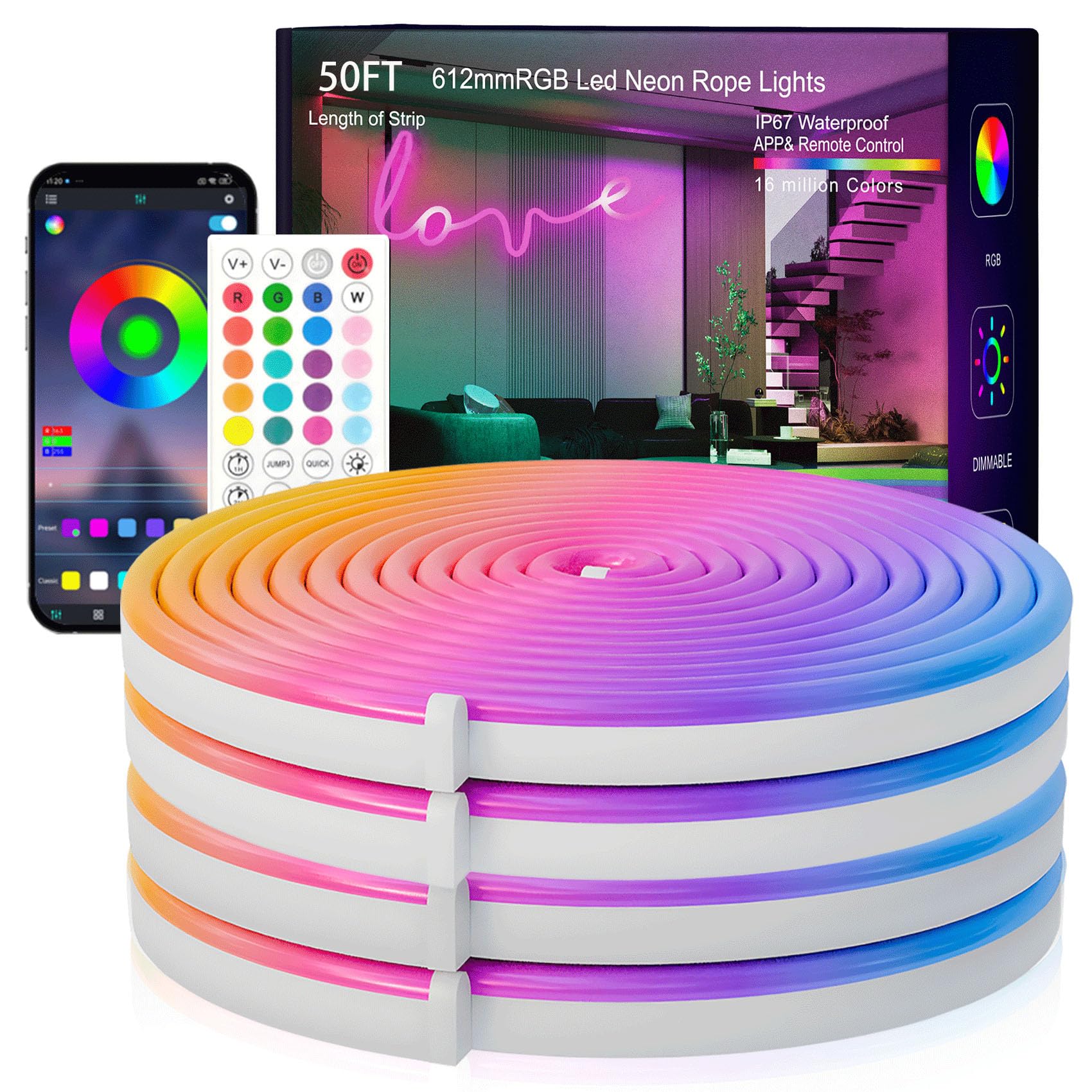
A flat strip draws a line; a neon rope draws a shape. The SILFU kit's 50-foot rope bends around a desk edge, traces a logo, or makes a soft cloud on the ceiling, and the diffuser sleeve turns the LEDs into a continuous glow instead of a row of dots. That is the reason to choose it over a cheaper strip.

The IP67 rating is the other differentiator. It can handle damp spots and splashes that can sideline an ordinary indoor strip, which makes it useful for a basement or a covered patio gaming setup. It is heavier than a flat strip, so give it support at bends and corners rather than relying on a few inches of tape. The 1,080 LEDs are dense enough to keep the rope looking even, not spotty.

We like it for custom shapes and a more designed look, but it is a specialist. The 50-foot length is more than some setups need, and the rope costs more than a basic strip of the same length. If you want a simple straight run, a strip is cheaper and easier; if the shape is the point, this is the one we reach for.

Pros

  • Bends into custom shapes
  • IP67-rated for wet spots
  • Diffused continuous glow
  • 1,080 LEDs across 50 feet

Cons

  • Color can drift along the run
  • Some units stop working
Our verdict

We like the neon rope for anyone who wants a custom shape around a desk or ceiling; it bends, cuts, and handles damp spots better than a flat strip.

Check Latest Price
5

Maximum Coverage

HBOWMDJIA LED Strip 200ft

90 /100
LBD Score Outstanding

Key details

Color
RGB
Length
200 ft (2 rolls)
Scenes
22 dynamic modes
Controls
App and remote
View on Amazon

Two hundred feet is more light than most gaming rooms need, and that is exactly why this kit earns a place for a large room. You get two 100-foot rolls and one adapter, so the run has to be planned from the outlet outward. For a large basement, a long ceiling perimeter, or a room where you want light to wrap behind furniture, the length saves you from joining kits.

We recommend it for maximum coverage on a budget, not for color accuracy. The 22 scene modes and app or remote control cover the basics, and the two long rolls let you wrap a large room without a splice. It is not an RGBIC strip: every section changes together, so you get a wash of one color at a time. If you want gradients along the run, this is the wrong tool.

The practical catch is power and placement. With one adapter, the start of the run has to be near an outlet, and the controller should stay accessible. Test the full length before you commit the adhesive; once it is on a painted wall, moving it is a chore. For sheer footage in this group, it is the one to beat; for a showpiece, spend more.

Pros

  • 200 feet across two rolls
  • 22 dynamic scene modes
  • App and remote control
  • Low-cost maximum coverage

Cons

  • Brightness can fall short
Our verdict

We see it as the maximum-coverage budget pick: 200 feet, app and remote control, and a single-color RGB wash for a large room.

Check Latest Price
6

Dense Budget Runs

Leeleberd LED Strip 100ft

89 /100
LBD Score Excellent

Key details

Length
100 ft (2 rolls)
Wattage
36 W
Controls
App and remote
LED Count
540
View on Amazon

If the goal is to cover a first gaming room without spending much, the Leeleberd kit puts a lot of strip on the wall: two 50-foot rolls, 540 LEDs, and a 36-watt adapter. The density is the interesting part. More diodes over the same length usually mean a more continuous line and less of the dotted look that cheap strips can have, though the 100-foot run still needs a plan.

Control is basic but complete: a Bluetooth app and a remote, 16 million colors, music sync, and a timer. There is no voice assistant and no Wi-Fi, so this is a phone-and-remote kit. We think that is fine for a bedroom setup, less so if you want the lights to join a smart-home routine. The two rolls give you flexibility to split the run between a ceiling and a desk.

We treat it as a value-first choice rather than a long-term install. Put it where you can reach the controller, test both rolls before mounting, and do not expect the app to match a premium kit. It is a sensible way to get a lot of light for a first setup; it is not the kit we choose when the installation needs to disappear.

Pros

  • 540 LEDs across 100 feet
  • App and remote control
  • Timer and music sync

Cons

  • No Wi-Fi or voice control
Our verdict

We think it earns a look as a dense, low-cost 100-foot kit for a first gaming-room setup, provided you are happy controlling it by app or remote.

Check Latest Price

How We Tested the Best RGB Lighting Kits for Gaming Rooms

We started by pulling every kit sold for a gaming room — bars, strips, rope — and filtering on what was actually in the box: a working app, a remote or controller as a backup, enough clips and adhesive to mount the thing without a hardware store run, and a length that plausibly covered a desk wall. That left 14 kits, which stayed up for five months.

Each one was installed solo and timed from box to first light, and I wrote down every point where the instructions lost me. Strips went behind monitors, along the underside of a desk, and around the back of a shelf unit in a normal painted room, not a studio. Every week I ran a hand along the runs to feel for lifting corners and photographed the same three spots so I could compare sag from one month to the next.

In the dark I looked at color first: set each kit to red, blue, and warm white, then asked two people to name what they saw — several reds came back orange. I dimmed each to its lowest step to check for flicker and shift, and counted how many scene presets were usable rather than seizure-inducing. Music sync got tested with a headset and a Bluetooth speaker at normal volume, and pairing got retested after a router restart to see whether the app found the kit again without a factory reset.

We ran long sessions, eight hours at a stretch, and checked the far end of the longest runs for fade. Two kits moved apartments with me, which is where compatibility and value showed up: whether the app still worked on a new network, and how much of the advertised footage was actually light instead of packaging.

How to Choose Rgb Lighting for a Gaming Room

Start With the Shape of the Light

A strip is best for a continuous line around a ceiling, desk, or shelf; a light bar throws a wider pool of color at a wall; a neon rope bends around shapes a flat strip cannot follow. For a desk-centered setup, the Govee H6047's two bars make more sense than 30 feet of tape. For a bedroom perimeter, the 32.8-foot Govee strip is the easier fit. We pay more attention to the run length and mounting surface than to the number of color presets, because a great preset cannot fix a strip that does not reach the corner.

RGB or RGBIC?

An RGB strip shows one color along the whole run at a time. RGBIC adds zones, so different sections can show different colors and gradients; that is what makes a rainbow fade or a two-tone split look deliberate. RGBIC is worth paying for when the strip is visible as a design element. If the light is tucked behind a monitor or under a shelf, basic RGB does the job. The H6047 and the Govee 32.8-foot strip both use RGBIC; the cheaper long kits here are RGB, which is why they wash a room in one color rather than painting with several.

Control and Game Sync

Every kit here has an app, but the control layer is where gaming setups separate. Bluetooth-only kits need your phone nearby and do not join Alexa or Google. Wi-Fi and voice control cost more, and PC integration is rarer still and varies by model. If you only change colors from a phone, save the money; if you want the lights to respond with the rest of your setup, check the exact model's integration before buying.

Installation Is Mostly Surface Prep

Adhesive is the weak point in almost every strip kit, and the wall is usually the culprit: dust, fresh paint, and texture give tape less to grab. Wipe the surface, let it dry, and use the included clips or support points at corners and bends. Plan the route from the outlet outward, especially with two-roll kits that share one adapter. Test the full run before you commit the tape; once a strip is stuck to painted drywall, moving it can take paint with it.

Frequently Asked Questions

Final Verdict

Most gaming rooms start at the desk, and that is where the Govee H6047 earns its keep. The dial keeps color changes off your phone, Razer Synapse 3 support lets it join a Chroma setup, and the RGBIC bars throw a clean gradient behind a monitor. If your priority is washing the whole room in color, the Govee 32.8-foot RGBIC strip is the better shape; for a low-cost first setup, the DAYBETTER 130-foot kit covers the most wall for the least money.