Best Security Camera Systems of 2026

A security camera earns its keep on the night something actually happens, and by then it's too late to find out yours has been alerting you to raccoons while missing the person at your gate. You want footage you can pull up from a parking lot in ten seconds, sharp enough to recognize a face — a boring, dependable record of your driveway, back door, and the side yard you never think about.

The category splits early, and it helps to know which side you're on. Wired systems push power and video down one cable and never need charging, but you run that cable yourself. Solar and plug-in wireless kits go up in an afternoon, though you'll be watching battery percentages in a cold snap. Some systems also want a monthly fee to see last night's footage.

We spent six months with 12 systems, and the differences showed up in dull places: how fast the app loads a clip, whether an alert was a person or a passing moth, whether setup took twenty minutes or a Saturday. The picks below are the ones we'd reinstall at our own houses.

1

Best Overall

REOLINK RLK16-800B8

88 /100
LBD Score Excellent

Key details

Cameras
8 PoE
Storage
4TB HDD
Channels
16
Resolution
4K 8MP
View on Amazon

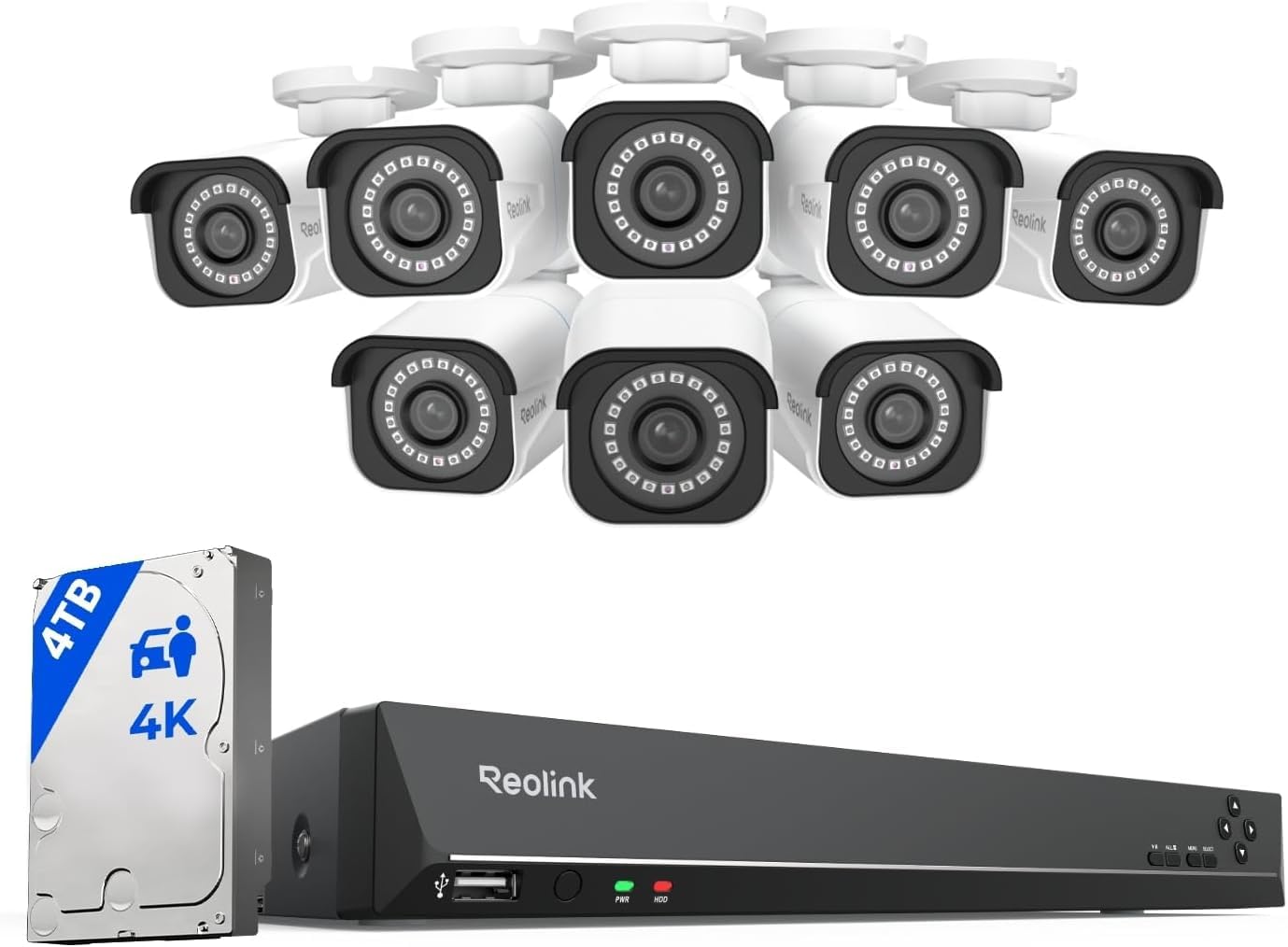
The first thing we look at on a kit this size is the recorder, not the camera badge. Reolink pairs eight 4K PoE cameras with a 16-channel NVR and a 4TB drive, which means you can record continuously, keep a useful playback window, and still have channels left for a side gate or garage. The cameras run on one Ethernet cable each, so the install is cleaner than a bundle of power adapters, but it does require planning cable routes before you mount anything.

That combination is why this is our top pick for a whole-home system. We found the 4K image worth the storage cost when a camera covers a driveway or front walk; there is more room to crop into a face or plate than with the 5MP kits here. Person and vehicle detection also helps keep alerts manageable, and the 100-foot IR range is enough for most residential yards. The app handles live view and playback without a subscription, and the NVR's local output is a useful fallback when you want to check footage on a monitor.

This is not the kit for someone who wants to stick four cameras on a wall in an afternoon. It rewards a measured install, and the included cable runs may not reach every corner of a larger property. If you want the same PoE approach with less resolution and a smaller drive, the six-camera Reolink kit below is easier to feed. For a house or small business where coverage and growth matter, this is the system we start with.

Pros

  • Eight 4K PoE cameras cover a full house
  • 16-channel NVR leaves room to expand
  • 4TB drive supports 24/7 local recording
  • Person and vehicle detection cut false alerts

Cons

  • Long-term outdoor durability is the open question
Our verdict

Our top pick for a reason: eight 4K cameras, a 16-channel NVR, and 4TB of local storage make it the most complete whole-home system here.
Check Latest Price
2

Best Budget Wired System

ANNKE 3K Lite 8-Camera

89 /100
LBD Score Excellent

Key details

Cameras
8 wired
Storage
1TB HDD
Resolution
1080p
Night Vision
100 ft
View on Amazon

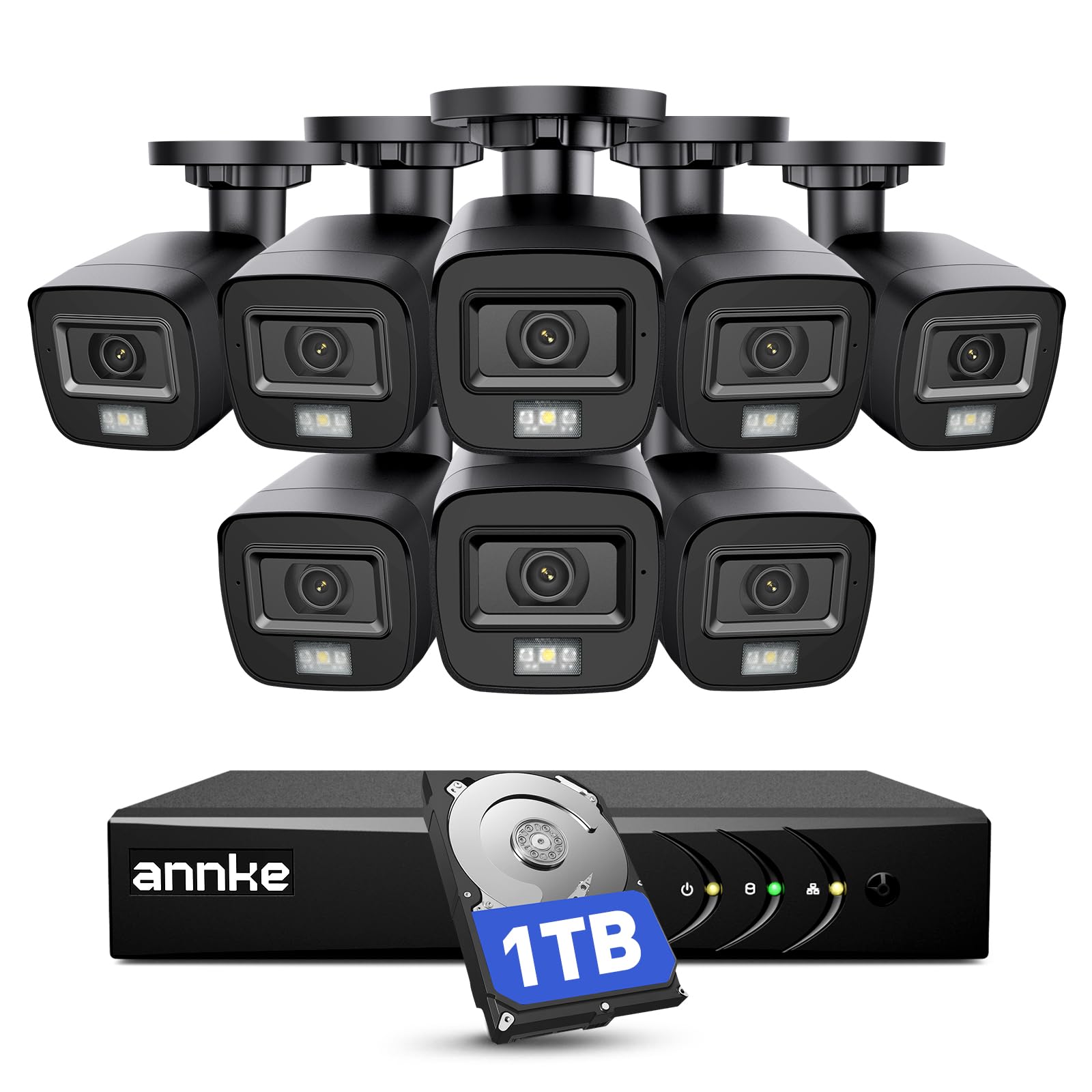
Eight cameras for a budget wired system is the headline, and it is the reason this ANNKE kit earns a place. The cameras are 1080p, not 4K, so you are buying breadth rather than fine detail: more angles around a yard, shop, or perimeter for less than the 4K kits here. The 8-channel DVR comes with a 1TB drive and records continuously, which is the right setup for someone who wants a local record without a subscription. We also like that the DVR accepts several analog formats and some IP cameras, so it is not a completely closed box.

Setup is the familiar BNC-and-power routine. You run cable from each camera to the DVR, connect the DVR to a monitor, and use the mouse-driven interface for recording and playback. It is more work than a wireless kit, but it is predictable work, and the 100-foot IR range gives you usable black-and-white night footage across a yard. The app makes remote checks convenient once the DVR is online, though we still like having the local monitor for playback.

We recommend this one for a garage, small business, or rental property where eight angles matter more than reading a license plate at 50 feet. If you need sharper evidence, the 4K Reolink is the better spend. If you want the lowest-cost way to cover a lot of ground with local recording, this is the kit we point to.

Pros

  • Eight cameras for broad budget coverage
  • 1TB drive included for 24/7 recording
  • Accepts multiple analog and IP formats
  • 100-ft IR night vision

Cons

  • Phone app connectivity can be inconsistent
  • Motion alerts do not always include usable video
Our verdict

We recommend this kit when wide coverage matters more than fine detail: eight cameras and a 1TB DVR for a budget wired install.

Check Latest Price
3

Best Wireless Solar System

aosu D1 Classic 4-Cam

86 /100
LBD Score Excellent

Key details

Cameras
4 solar
Storage
32GB base
Coverage
360° auto tracking
Resolution
2K (3MP)
View on Amazon

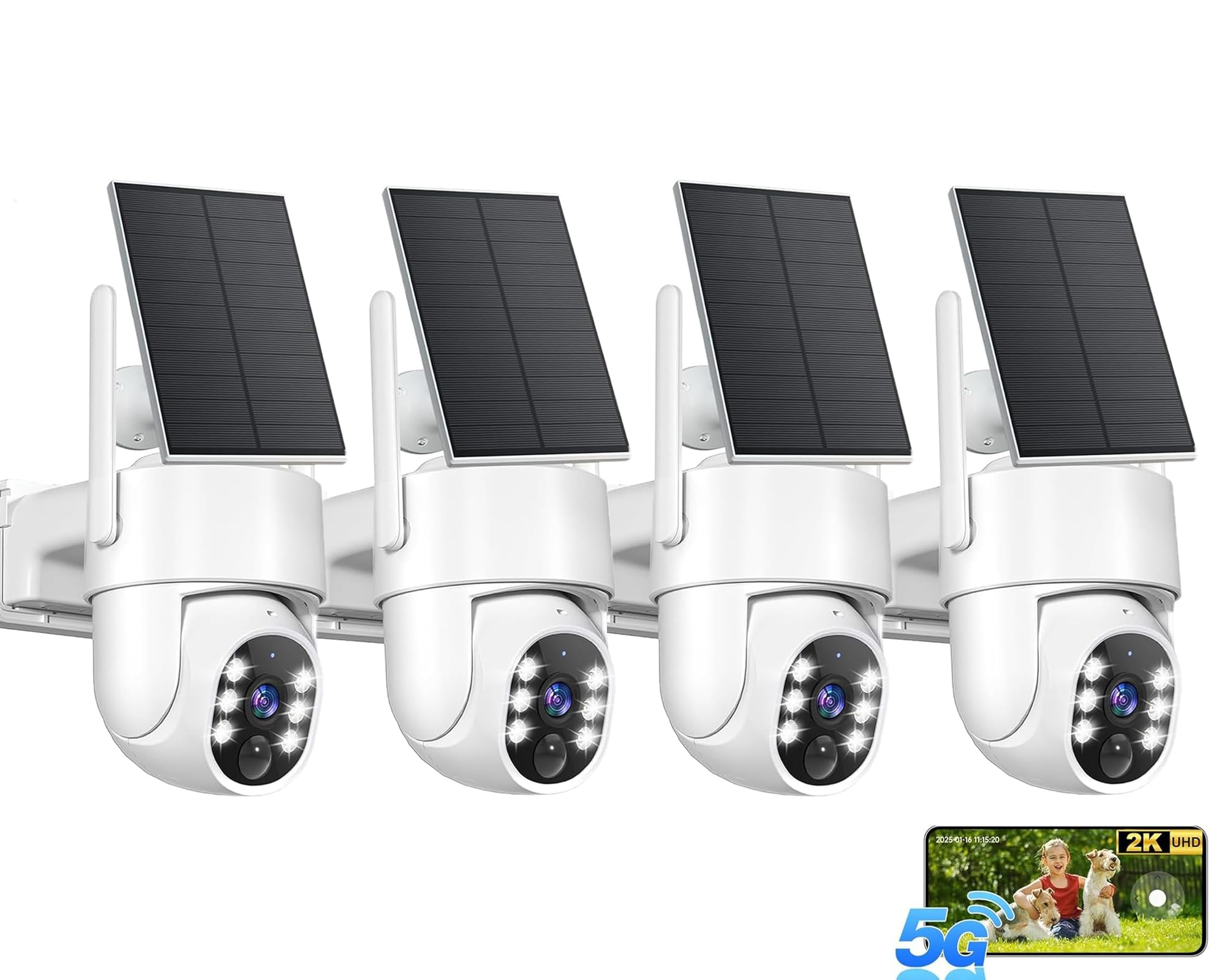
The aosu D1 Classic is the kit we reach for when running cable is the dealbreaker. Four solar cameras talk to a base station that holds 32GB of local storage, so there is no subscription required to keep clips. That base is the difference between this and the standalone solar kits here: you get one place to manage four cameras and a multi-camera live view in the app. The cameras pan and tilt through 360 degrees and automatically follow movement, which is useful for a driveway or side yard where a fixed lens leaves a blind spot.

We like the 2K picture for a wireless system; it is clear enough to identify a person at a reasonable distance, and the color night vision with spotlights adds useful context after dark. The solar panels are the real convenience. Once mounted in decent sun, they cut the charging routine that makes battery cameras a chore. The app is straightforward for live view and playback, and the local base means you are not forced into a cloud plan.

The value here is the combination: four pan-tilt cameras, solar charging, and a local base with no subscription. For a renter or a property where cable runs are impossible, that package is the reason it earns a runner-up spot. If you need a fixed recorder and the sharpest possible detail, the Reolink kits are the more predictable choice.

Pros

  • No subscription for 32GB local storage
  • Solar panels reduce charging chores
  • 360° auto tracking covers more ground
  • Four-camera live view in the app

Cons

  • Auto tracking can miss or misread movement
  • Battery charging can be uneven across cameras
Our verdict

We like this for anyone who cannot run cable: four solar PTZ cameras, a local hub, and no subscription required.

Check Latest Price
4

Best Midrange PoE System

REOLINK RLK8-410B6-5MP

88 /100
LBD Score Excellent

Key details

Cameras
6 PoE
Storage
2TB HDD
Channels
8
Resolution
5MP
View on Amazon

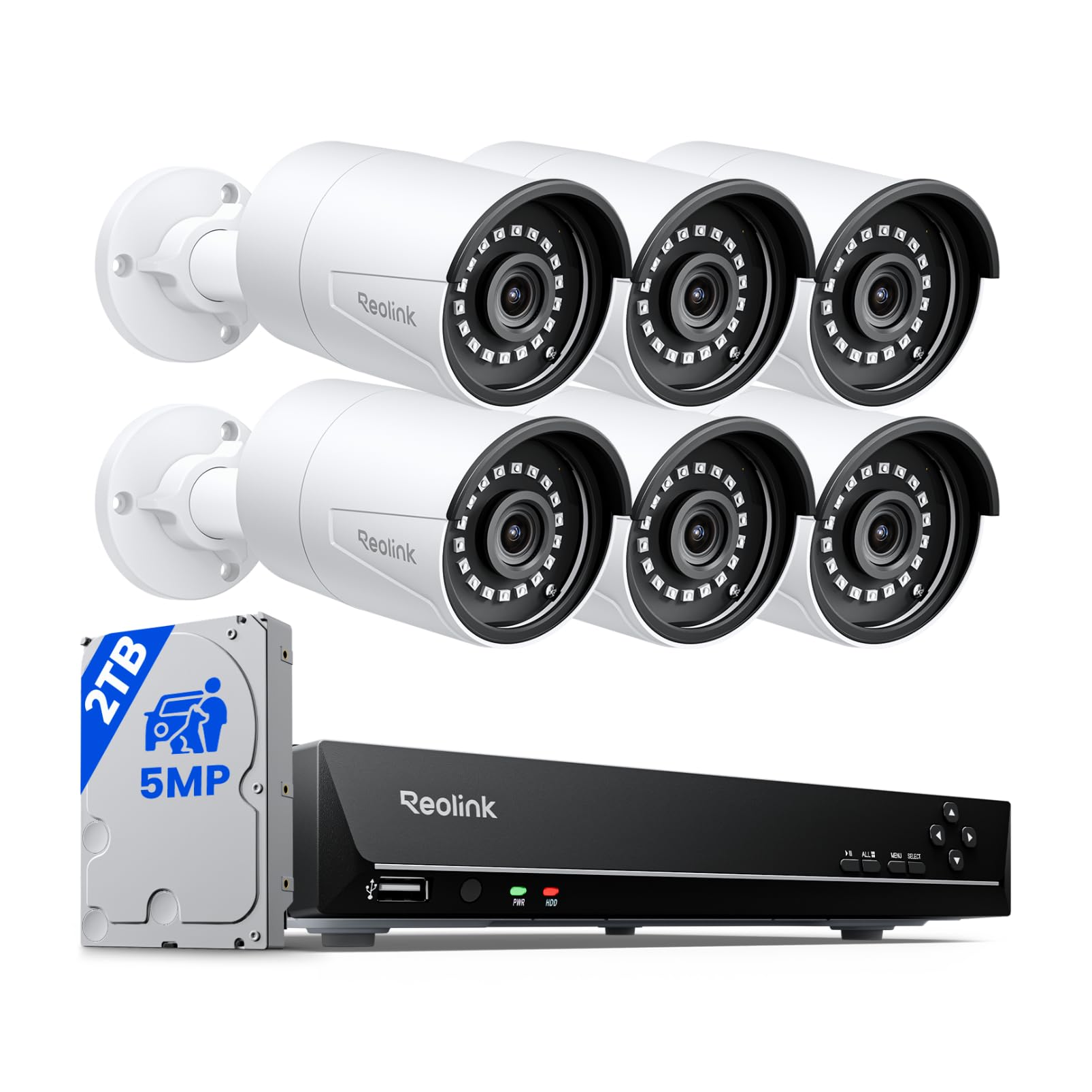
Six cameras is the number that separates this Reolink kit from the four-camera starters and the eight-camera flagships. You get more angles than a starter kit, but you are not paying for eight 4K streams and the storage they demand. The cameras are 5MP, the NVR has eight channels, and the drive is 2TB. That is enough for continuous recording on a typical house, with two channels left if you want to add a garage or back gate later.

That balance is why we like it as a midrange PoE system: it keeps the install and the playback manageable. One Ethernet cable per camera carries power and video, so you avoid a mess of adapters, and the NVR is plug-and-play once the runs are in place. The 100-foot night vision is solid, and the built-in mic adds another layer when you review a clip. The image is not as detailed as 4K, but it is sharp enough for most driveway and door coverage.

The 8-channel limit is the thing to think about. If you already know you want cameras on every side of a large house, the 16-channel kits here are the better long-term buy. For a smaller property or a first PoE system, this is the one we suggest: it gives you the stability of wired networking without the cost and storage load of the top pick.

Pros

  • Six 5MP PoE cameras cover a typical house
  • 2TB drive supports continuous recording
  • 8-channel NVR with room for two more
  • Single-cable PoE install

Cons

  • Motion detection needs careful tuning
Our verdict

We see this as the sensible middle: six 5MP PoE cameras and a 2TB NVR without the storage load of 4K.

Check Latest Price
5

Best for Wide-Area Coverage

CAMCAMP 16CH Wireless

80 /100
LBD Score Excellent

Key details

Cameras
8 wireless
Storage
500GB HDD
Coverage
355° PTZ
Resolution
1080p
View on Amazon

Eight cameras, each able to pan 355 degrees, is a lot of coverage for the money. The CAMCAMP kit is built for seeing a wide perimeter, not for reading a license plate at the end of a long drive. The cameras are 1080p, the NVR has 16 channels, and the drive is 500GB. If your priority is watching a large yard, a shop floor, or a row of outbuildings from one app, the PTZ design covers ground that fixed cameras miss.

We found the auto-tracking useful for following someone across a driveway or yard, and the 16-channel NVR leaves plenty of room to add cameras later. The wireless cameras still need power at each location, so this is not a wire-free install; it is a plug-in system with a Wi-Fi link back to the recorder. The app handles live view and playback, and the color night vision is a helpful step up from plain infrared when there is enough light.

The compromise is image detail. 1080p is fine for seeing what happened and where someone went, but it will not give you the crop-in clarity of the 4K Reolink. The 500GB drive is also small for eight cameras recording continuously, so plan on using motion recording or adding storage if you want a long playback window.

We recommend this for a large property where coverage beats resolution and the budget stops short of a 4K PoE kit. For a house where you need faces and plates, spend more on the top pick. For a perimeter watch, the pan-tilt coverage is the reason to choose this one.

Pros

  • Eight PTZ cameras cover a wide perimeter
  • 355° pan and auto tracking
  • 16-channel NVR expands later

Cons

  • Auto tracking can lose a subject in busy scenes
  • App connectivity can be inconsistent
Our verdict

We choose this when you need to watch a large perimeter: eight PTZ cameras and a 16-channel NVR, with 1080p as the compromise.

Check Latest Price
6

Budget Solar

Gianteye 2K Solar 4-Pack

88 /100
LBD Score Excellent

Key details

Cameras
4 solar
Storage
microSD/cloud (card not included)
Coverage
360° pan-tilt
Resolution
2K
View on Amazon

The Gianteye kit is the one we recommend for a gate, shed, or rental where wiring is impossible. Four 2K cameras run on solar and batteries, pan and tilt through 360 degrees, and record to a microSD card or the cloud. There is no central hub here, so you manage clips camera by camera rather than from one recorder. That is the trade for a truly wire-free install.

We like the 2K picture and the color night vision; the built-in spotlight gives you useful color when motion is detected, and the pan-tilt control lets you sweep a yard from the app. Setup is app-led: you add each camera in the app, connect it to your 2.4GHz network, and mount it. The solar panel is the feature that makes this practical for an outdoor camera that would otherwise need regular charging.

The lack of a hub is the main thing to understand. If you want a single timeline for four cameras, the aosu D1 Classic is the better fit. If you want to add coverage to a specific spot without running cable, this kit does the job. We also like that local storage is an option, so you are not locked into a cloud plan.

For a small property or a remote outbuilding, this is an easy recommendation. For a whole-house system, it is a supplement rather than a replacement. The 2K detail is good enough for identifying a person near the camera, but not for reading a plate at a distance.

Pros

  • Solar power avoids wiring and charging
  • 2K color night vision with spotlight
  • 360° pan-tilt coverage

Cons

  • Wi-Fi connection can be difficult on some networks
  • microSD card is not included
Our verdict

We recommend this for a gate, shed, or rental where wiring is impossible: four solar 2K cameras with pan-tilt coverage.

Check Latest Price
7

Renter-Friendly Wireless

GMK 2K 4-Pack

83 /100
LBD Score Excellent

Key details

Power
Rechargeable battery
Cameras
4 wireless
Storage
microSD/cloud
Resolution
2K (3MP)
View on Amazon

The GMK kit is the simplest way into four-camera coverage: no hub, no cable, just batteries and the VicoHome app. Each camera is a standalone unit with its own microSD slot or cloud option, so you can put one by a door, one over a driveway, and one in a garage without thinking about a recorder. That makes it a good fit for a renter or a first-time user who wants to see what is happening without committing to a wired system.

We found the 2K video clear enough for a phone screen, and the color night vision is a useful upgrade over black-and-white infrared when the camera's light comes on. Motion alerts arrive quickly, and the app is easy to navigate. The cameras are battery powered, so placement is flexible, but you do need to bring them in to recharge or keep spare batteries on hand.

The trade-off is that this is a set of standalone cameras, not a recorder-based system. There is no central timeline, and each camera depends on its Wi-Fi link. That is fine for four separate views, less so if you want to scrub through a whole property's footage in one place. For that, the aosu base or a PoE NVR is the better structure.

We recommend the GMK kit for a small rental, a garage, or a first security setup where the priority is easy placement. If you need one timeline and more reliable recording, move up to a hub or NVR kit. The low entry cost is real, but it buys convenience rather than comprehensive coverage.

Pros

  • True wire-free battery placement
  • 2K video with color night vision
  • Simple VicoHome app setup

Cons

  • Wi-Fi connection can drop every few days
  • MicroSD card not included for local storage
Our verdict

We like this as a low-cost, wire-free starter kit for four areas, as long as you accept standalone cameras and Wi-Fi quirks.

Check Latest Price
8

Small Wired Setups

VORGUT 4-Camera 500GB

77 /100
LBD Score Very Good

Key details

Cameras
4 wired
Storage
500GB HDD
Resolution
3MP
Night Vision
80 ft
View on Amazon

The VORGUT kit is the smallest wired system here: four metal-body cameras, a 4-channel DVR, and a 500GB drive. That is a deliberately basic package, and it is the right shape for a shed, garage, or small yard where you want local recording without a subscription or a complicated app. The metal housings are a pleasant surprise at this end of the market; they feel more solid than the plastic cameras on some budget kits.

Setup is the old-fashioned BNC-and-power routine. You run cable from each camera to the DVR, connect the DVR to a monitor, and use the mouse-driven interface for live view and playback. It is not as clean as PoE, but it is easy to understand, and the included cable runs are adequate for a small property. The 3MP image is a step up from 1080p in good light, and the 80-foot night vision is enough for a driveway or outbuilding.

We treat this as a starter system, not a whole-house solution. Four channels fill quickly, and the 500GB drive is not much storage once you record continuously. The app is convenient when it works, but the DVR's local output is the more dependable way to review footage. If you need more cameras or sharper detail, the ANNKE eight-camera kit is the better budget step up.

For a small property on a tight budget, this is a straightforward way to get four views and a local recording. It will not match the clarity or expandability of the PoE kits, but it costs less and keeps the install simple. We recommend it when four cameras are genuinely enough.

Pros

  • Four metal-bodied cameras
  • 3MP video and 80-ft night vision
  • 500GB local recording

Cons

  • Video can look soft in low light
Our verdict

We recommend this for a small property on a tight budget: four metal cameras and a 500GB DVR with no subscription.

Check Latest Price

How We Tested Security Camera Systems

We started with every system that ships with its own recorder and hard drive, since buying those separately is where budgets quietly blow up, then filtered by channel count, resolution, how much cable came in the box, and price per camera. That shortlist came to 12 systems, from eight-camera wired kits down to four-camera solar setups, and we installed all of them.

Each system went up on the same house: one camera over the front door, one on the driveway, one at the back gate, and one covering the side yard where the trash cans live. I timed setup alone, from unboxing to first live view on my phone, and noted exactly where the app lost me — a pairing step with no instructions, a password rule that failed without saying why. On the wired kits I ran cable through an attic and along a fence line and counted what was actually in the box; two came up short of the run I needed.

Then we lived with them. Every motion alert got checked against the footage to see whether it was a person, a car, or a moth against the lens, and I walked the driveway at night to see how long the picture held color and whether a face at thirty feet was still a face. On the models with motion tracking, I watched whether the camera followed the mail carrier all the way to the gate or gave up halfway. Solar panels and batteries got a run of overcast days and one cold snap, and I logged the percentage each morning.

Durability was mostly a waiting game — a windy week of rain, then a hot one — checking for condensation under the lens, fogged housings, and cameras that dropped off the network when the router rebooted. We're still running most of them, and we'll update as things fail.

How to Choose a Security Camera System

Start With Power and Signal

A wired PoE kit like our top pick runs one Ethernet cable per camera for both power and video. That is the most stable arrangement, but it assumes you can get cable from the recorder to each corner of the property. Battery and solar cameras trade that work for placement freedom; they still need a strong Wi-Fi signal, and solar models need enough sun. A plug-in wireless camera sits in between: no video cable, but an outlet near each camera. Decide this first because it changes which kits are even practical.

Match Resolution to What You Need to Identify

4K sounds like the obvious choice, and it is useful for reading a face or plate at distance. But a 2K or 5MP camera aimed at a gate can be more useful than an 8MP camera staring at a wide empty yard. Look at the field of view too: a narrow lens gives more pixels per foot, while a 360-degree PTZ covers more ground with less detail at the edges. For a whole perimeter, we prioritize enough cameras and sensible placement before the highest number on the box. Check night vision range and whether color night vision needs a spotlight.

Count Cameras, Channels, and Coverage

An 8-channel recorder with six cameras leaves two spare ports; a 16-channel NVR with eight cameras leaves room for a garage or side gate later. That expandability is worth paying for if you are wiring a house, because adding a camera after the cable run is much easier than starting over. For a small yard, four cameras can be enough if you place them at corners rather than clustering them on the front door. PTZ cameras cover more ground but need power and a good Wi-Fi signal.

Plan Storage and Subscriptions Before You Buy

Local recording is the feature we care about most: an NVR or DVR with a hard drive keeps footage even when the internet is down, and it avoids a monthly bill. The included drive size matters more as resolution rises; 4K footage fills a 2TB drive faster than 1080p, and eight cameras fill it faster than four. Cloud storage can be a useful backup, but check whether the kit works without a subscription before you rely on it. A base station with built-in storage, like the aosu, is another no-fee option.

Treat Smart Detection and App Access as Part of the System

Person and vehicle detection is worth having because it cuts the number of alerts you have to review, but it is not a substitute for aiming the camera well. We also pay attention to the app: live view, playback, and alert settings should be quick to reach, and remote access should not be the only way to see a recording. If the app is the weak point, local HDMI output and a mouse can keep a wired kit usable. Check that the system you choose has the local controls you need.

Frequently Asked Questions

Final Verdict

For most homes, the Reolink RLK16-800B8 is the system we point to first: eight 4K cameras, a 16-channel NVR, and 4TB of local recording give you room to grow without a subscription. The catch is planning Ethernet runs, so it suits a house or small business where you can route cable.

If wiring is off the table, choose the aosu D1 Classic for solar cameras and a local hub; on a tighter budget, the ANNKE eight-camera kit covers more ground for less.