Best 3D Pens of 2026

A 3D pen works like a hot glue gun you can draw with: it melts a strand of plastic filament and pushes it out of the tip, where it hardens in midair. My first hour with one produced a lopsided but recognizable butterfly that's still sitting on my desk. What separates a pen you keep reaching for from one that ends up in a drawer is mostly heat control — how fast it comes up to temperature, how steadily it holds it, and whether the filament jams the second you stop to think about your next line.

We've spent the past four months putting 14 pens through real projects, from low-heat sets built for kids to adjustable-temperature models made for ABS. The fun is roughly the same across the board; the reliability isn't, and a pen that clogs mid-flower will drain the enthusiasm of even the most patient kid. Several of these come with stencils and project guides, which matters more than it sounds — freehand 3D drawing is genuinely hard, and most people quit without something to trace. The picks below are the ones that kept working long enough to be fun.

1

Best Overall

MYNT3D Professional 3D Pen

89 /100
LBD Score Excellent

Key details

Weight
12 oz
Feed Control
Adjustable feed speed
Included Filament
3 colors of PLA
Temperature Range
140 to 230 C in 1-degree increments
View on Amazon

Temperature on this pen moves in one-degree steps between 140 and 230 C, and you can watch it climb on the OLED while the plastic warms. That single detail is why it tops our list. The SCRIB3D P1 gives you a PLA window and a hotter ABS window; the Professional lets you sit anywhere in between and change your mind mid-drawing. Dropping a few degrees is how you keep a strand from slumping the moment you lift the tip, and nudging it up is how you get a stubborn join to fuse.

The feed dial works with the temperature rather than separately from it. Slowed down, the pen lays a thin line you can carry around a corner; opened up, it fills a shape without you standing there for ten minutes. We found the combination is what turns a 3D pen from a novelty into something you can plan a project around, and it's why this one edges out kits that ship with more filament in the box.

In the hand it's a slim 12-ounce pen, steady at the tip, comfortable through a session. Three colors of PLA and the adapter are in the kit, which is enough to learn on and not enough to keep going, so plan on refills arriving in the first month.

Nothing about it is plug-and-play for a beginner. Expect a wobbly first hour before lines start behaving, and expect to watch the display more than you watch your drawing at first. We think that's a fair trade for the control, but it's also why we don't hand this one to a young child.

Pros

  • Temperature settable in one-degree steps
  • Feed dial adjusts flow while drawing
  • OLED shows the current temperature
  • One-year limited warranty

Cons

  • No stand for resting a hot nozzle
  • Feed motor can fail within months', use
Our verdict

We recommend it as the default pen: one-degree temperature steps and a feed dial give you more say over where the plastic lands than anything else here.
Check Latest Price
2

Best Value

SCRIB3D P1 3D Pen

89 /100
LBD Score Excellent

Key details

Weight
12.9 oz
Warm-up
2 to 3 minutes
Auto Sleep
2 minutes
Included Filament
3 colors, 30 feet of PLA
View on Amazon

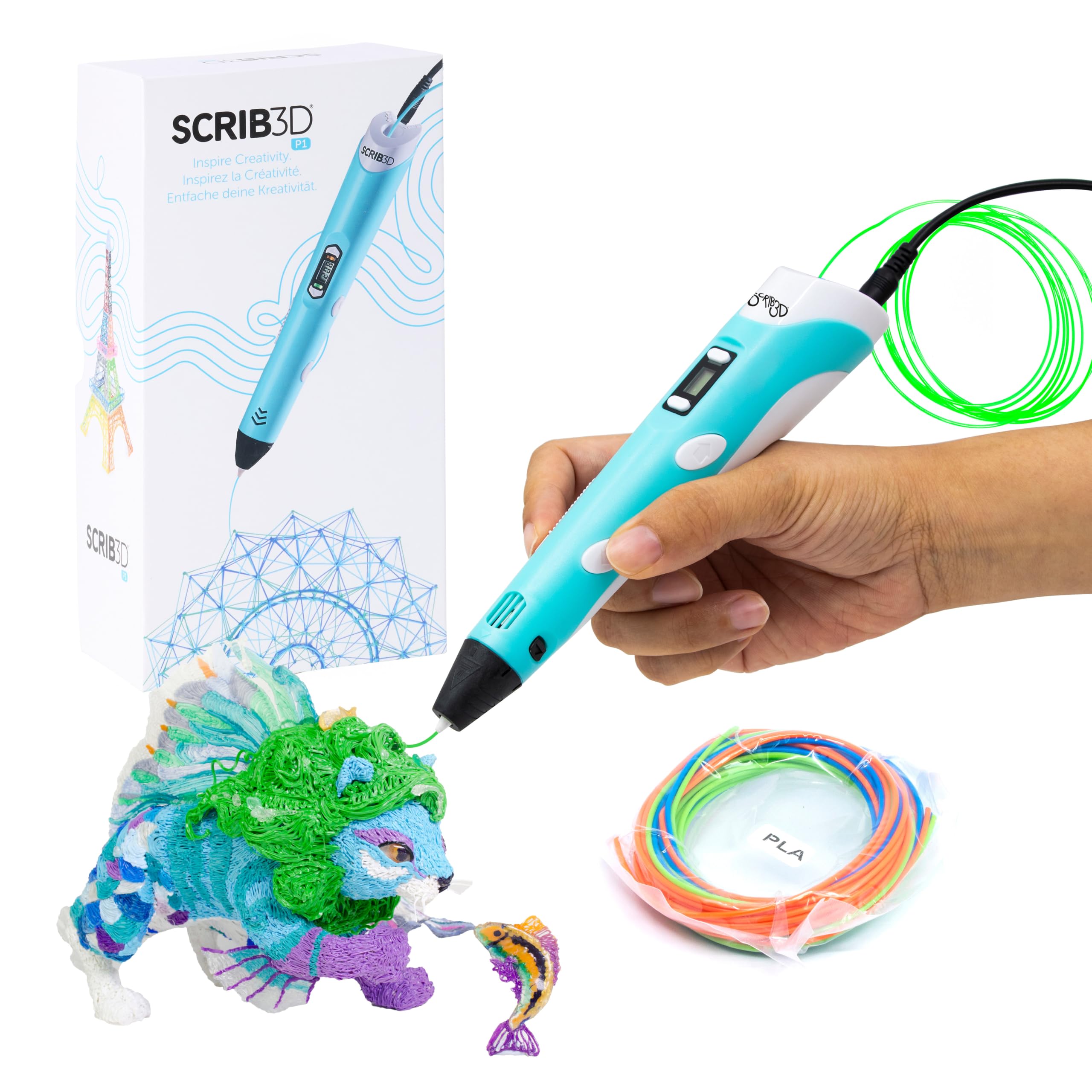
For a household testing whether 3D drawing sticks, this is the kit we point to. You spend less on it than on anything else in this guide, and the box is genuinely complete: 30 feet of PLA in three colors, a stencil book, a project guide, and the wall adapter. Nothing else has to arrive before the first evening of drawing.

The details are chosen for people who haven't done this before. The nozzle is ceramic, the pen puts itself to sleep after two minutes of inactivity, and warm-up runs two to three minutes. Temperature is adjustable for PLA and again for ABS, which covers the two filaments a beginner is likely to try, and the whole thing plugs into the wall rather than needing a charge.

At 12.9 ounces it's the heaviest pen we recommend, and the cord runs across the table wherever you work. Neither bothered us at a desk; both matter if the pen is going to travel between the kitchen and the bedroom. The heat is real, too, so this is not a pen to leave alone with a five-year-old.

Where it gives ground is control. Temperature comes in ranges rather than degrees, and there's no feed adjustment, so you're working with the pen's idea of the right flow instead of your own. For a first pen that's a fair trade. For someone drawing every week, it's the reason to spend more.

Pros

  • Complete kit with 30 feet of PLA and stencils
  • Ceramic nozzle runs PLA and ABS
  • Sleeps after two minutes of inactivity

Cons

  • Corded, so it needs an outlet nearby
  • Tip and heater failures reported early
Our verdict

Our value pick: a complete first kit with filament, stencils, and an adapter in the box, and the pen we suggest for a household testing the hobby.

Check Latest Price
3

Best for Young Kids

3Doodler Start+ Essentials

89 /100
LBD Score Excellent

Key details

Weight
10.7 oz
Charging
USB-C
Age Range
6 and up
Included Plastic
72 strands
View on Amazon

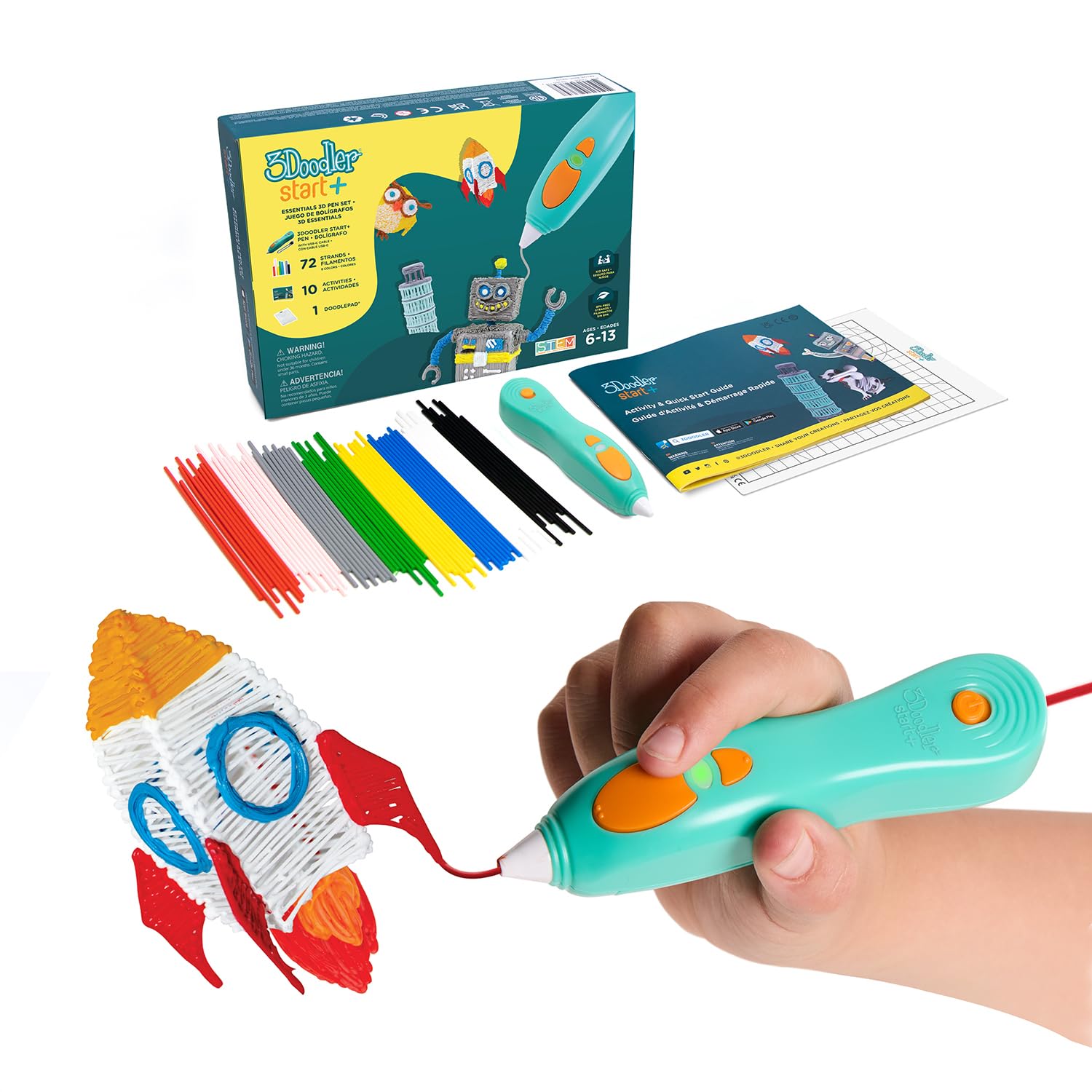
Nothing on this pen gets hot enough to hurt a child. The nozzle can be touched, the plastic coming out of it can be touched, and the pen is rated for ages six and up, which is not something any other pen in this guide can say.

That's the whole argument for it. A first-grader can pick it up, press the button, and draw, and the plastic sets firm enough that a shape survives being carried to the kitchen table to show someone. We rate it as the pick for the six-to-eight window, ahead of any of the hotter pens, because the pen a child can use without you hovering is the one that gets used.

The kit is generous where it counts: 72 strands of Start+ plastic, a DoodlePad to draw on, ten stencils, a safety stand, and a USB-C cable. It's slimmer than the previous version and charges 50% faster, and at 10.72 ounces it's light enough for small hands to hold for a while. The DoodlePad is the piece we appreciate most, since it stops the first attempt from becoming a table-scratching exercise.

The ceiling arrives early. It's built around safety rather than adjustment, so the pen makes most of the decisions, and the shapes it produces are soft and simple next to what a filament pen does. By nine or ten, the appeal of more control outruns the appeal of a pen that can't burn anyone. The 72 strands run out too, and Start+ plastic is the restock you'll be buying.

Pros

  • No hot parts; nozzle and plastic are touchable
  • 72 strands, DoodlePad, and stencils included
  • Recharges over USB-C, 50% faster than before
  • 10.72 ounces, slimmed for small hands

Cons

  • Limited headroom for kids past nine
Our verdict

Buy it when the user is six to eight: it's the only pen here with no hot parts to touch, and the kit covers the first weeks of drawing.

Check Latest Price
4

Light Doodling

MYNT3D Super 3D Pen

88 /100
LBD Score Excellent

Key details

Weight
7.7 oz
Feed Control
Stepless speed slider
Included Filament
3 colors of PLA
Filament Compatibility
PLA and ABS, 1.75 mm
View on Amazon

At 7.7 ounces this is the lightest pen in the guide, against 12.9 for the SCRIB3D P1, and the difference shows up in your hand before the first line is finished. Held like a pencil for half an hour, five ounces is the gap between a doodle and a cramp, which matters most for a child.

Feed control is a stepless slider, so you can feather the flow instead of picking between preset speeds, and the nozzle is ultrasonically sealed, a design meant to resist clogging. It runs PLA and ABS, ships with three colors of PLA and the adapter, and carries a one-year limited warranty.

Heat is where it asks for patience. The tip sheds temperature quickly between strokes, so a stop-and-plan approach shows up as a thin, patchy line; keep the strokes moving and it keeps up. We ended up treating it as a doodling pen rather than a building pen, good for quick shapes and smaller hands, not the one to reach for on a project with corners and joins.

There's no display to watch either, so you learn its temperature by reading the plastic: a bead that curls means too hot, a strand that won't stick means too cool. That's a slower way to learn than a readout, and it's the trade for the weight and for the price you pay.

Pros

  • Lightest pen here at 7.7 ounces
  • Stepless speed slider for flow control
  • Sealed nozzle designed to resist clogs

Cons

  • Tip cools quickly between strokes
  • Motor and heater can fail after weeks of use
Our verdict

Choose it when weight decides the purchase: at 7.7 ounces it's the lightest pen here and still gives you a stepless feed slider.

Check Latest Price
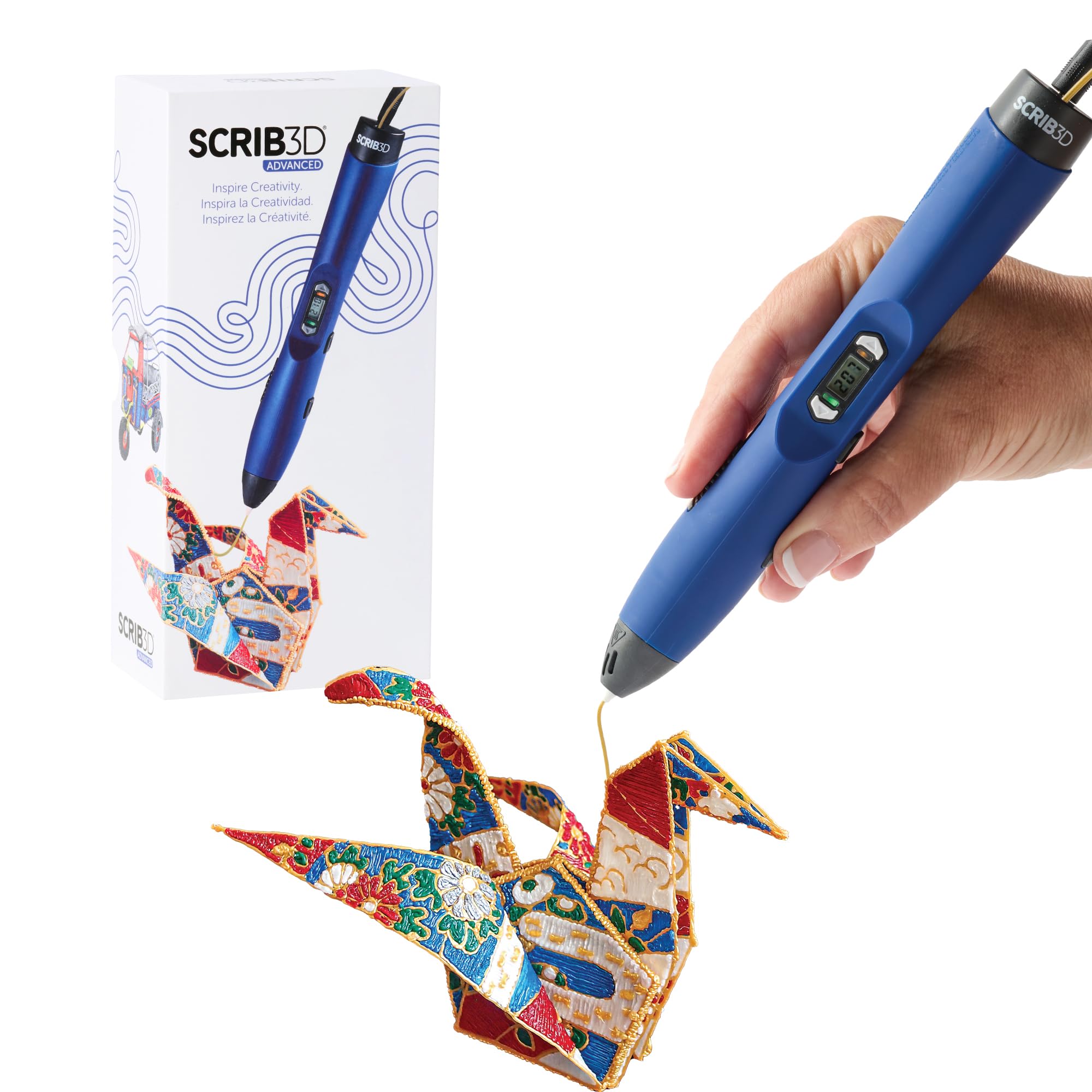
5

Long Sessions

SCRIB3D Advanced 3D Pen

87 /100
LBD Score Excellent

Key details

Weight
11.7 oz
Display
LCD screen
Feed Control
Variable speed control
Included Filament
5 colors, 50 feet of PLA
View on Amazon

Fifty feet of PLA across five colors is more filament than any other kit here, and that's the reason to consider this pen. It isn't the one to buy if precise temperature control is what you're after, because the MYNT3D Professional does that job better for about the same money.

What the Advanced does give you is a variable speed control, a large LCD, and a soft-touch body shaped to sit in the hand through a longer session. At 11.7 ounces it lands between the MYNT3D Super and the SCRIB3D P1, and the comfort shaping earns its keep over an evening of drawing.

Extrusion is slow. Filling a solid shape takes more passes than it does with the Professional, and the plastic arrives in a thinner, more deliberate bead that's pleasant for outlines and tedious for large areas. With a temperature you can't set degree by degree, that makes this a kit for someone who wants plenty of colors to work through rather than someone chasing precision.

Where it's genuinely pleasant is the long session: the grip, the display, and the amount of filament in the box mean you aren't stopping to reload or shake out your hand. A classroom, or a teenager who draws most days, gets more from that than from another degree of control.

Pros

  • Five colors and 50 feet of PLA included
  • Soft-touch body shaped for longer sessions
  • Variable speed control plus LCD screen

Cons

  • Slow extrusion makes filling shapes tedious
  • Tip and heat-shield clip can break
Our verdict

Worth it if you'll work through filament fast: five colors and 50 feet in the box make it the best-supplied kit here, though finer control lives elsewhere.

Check Latest Price

How We Tested 3D Pens (and What Made Us Put One Down)

We started by gathering every 3D pen we could find with a real review history, then filtered by the things that actually change the experience: adjustable versus fixed temperature, whether it runs PLA, ABS, or both, what comes in the box, and the age the maker recommends. That left 14 pens, which we used on and off for four months — at the kitchen table on weekend afternoons, during a kids' craft session, and on a few evenings when an adult just wanted to make something.

Heating was the first thing we timed. Each pen got a stopwatch from switch-on to the first usable line, and we watched the display to see whether the number matched what the plastic was actually doing. Then we handed them to a nine-year-old and to two adults who'd never used one, noting who needed help loading filament, who could change temperature without the manual, and who gave up. Reliability got the harshest test: a full spool drawn into a project, with deliberate pauses of five and ten minutes to see which pens jammed on restart and which oozed plastic onto the table while sitting idle.

At the end of each session we bent the cooled pieces and pulled at the joins to see whether layers had fused or peeled apart. We dropped each pen from table height, cleaned tips the way a normal person would with a paper towel rather than a toolkit, and kept notes on which nozzles started stringing or clogging after a few weeks. Value came down to contents: a pen that ships with filament, stencils, and a power adapter is something you can hand over and use the same evening, while a bare pen plus separately bought filament quietly costs more and frustrates on the first try.

How to Choose a 3D Pen

Temperature and feed control come first

A 3D pen is a hand-held extruder, and the two settings that decide whether a line lands where you meant it are how hot the plastic is and how fast it is pushed out. A pen with a PLA window and an ABS window runs at whatever those presets say; a pen with one-degree steps lets you drop the heat so the strand stops the instant you lift the tip. A feed dial does the same job for line width.

For occasional doodling, presets are enough, and the SCRIB3D P1 covers them neatly. For someone drawing every week, pay for the adjustment. Look for a display that shows the actual reading, too, because a wide range printed on the front of the pen says nothing about how steadily it holds a temperature once the plastic starts moving.

Hot ends, ages, and supervision

Two very different designs sit under the same name. Most 3D pens melt filament between 140 and 235 C and have a tip that will burn you; a few, like the 3Doodler Start+, run cool enough that the nozzle and the plastic coming out can be touched. For a six- to eight-year-old, the cool-running design is the only one we're comfortable recommending.

From about nine, a hot pen with an adult nearby is reasonable and gives far more control over the result. Either way, give the pen a stand or a resting plate rather than letting it lie on the table, and keep long hair and loose sleeves out of the nozzle's path.

Corded or rechargeable

Wall-powered pens run as long as you like, but they put a cord across your work surface and tie you to an outlet. Rechargeable pens move between rooms and get used more often. The catch with a battery is age: a pen that charges over USB-C today holds less charge in two years.

At a desk near an outlet, corded is fine and one less thing to think about. For a child who carries the pen to the kitchen table, the living room, and the car, the rechargeable Start+ is worth its premium, and the cable should live in the same bag.

Filament and what it costs to keep drawing

Kits ship with 30 feet of PLA, 50 feet, or 72 strands, and the number looks bigger than it behaves once someone starts filling solid shapes. Plan for a refill inside the first month. Match the material to the room as well: PLA is the low-odor choice for a kitchen table, while ABS gives off stronger fumes and wants ventilation.

Check the diameter a pen is built for before you buy a spool, since 1.75 mm is common but not universal across brands, and confirm which plastic a child-safe pen takes before you order a bulk pack.

Weight and the hand that holds it

The pens here run from 7.7 to 12.9 ounces, and a 3D pen is held like a pencil rather than gripped like a drill, so the difference shows up after twenty minutes. Lighter pens suit small hands and long doodle sessions; heavier ones feel steadier and are easier to hold at a constant angle. If the user is under twelve, compare weight before you compare the feature list.

Frequently Asked Questions

Final Verdict

We recommend the MYNT3D Professional as the pen to buy. One-degree temperature steps and a feed dial are the two things that decide whether a line lands where you want it, and no other pen here gives you both. Expect a lumpy first hour; the control is worth learning.

If the person holding it is six to eight, buy the 3Doodler Start+ instead, because a pen with no hot parts beats a better pen they aren't allowed to touch. And if you're testing the hobby for the first time, the SCRIB3D P1 gets you drawing for less.