Best AR Display Glasses of 2026

A good pair of AR glasses is a screen you wear: a private, pocketable TV that puts a 100-inch picture wherever you happen to be sitting. It sounds like a gimmick until the night you want to watch a movie in a room where someone else is already watching something, or the flight where your phone at arm's length is the only entertainment on offer.

I've worn eight pairs over the past ten months, in the places these things actually live — on the sofa with a handheld console, at my desk as a second monitor, and on a few long flights. The spec sheet rarely predicts which one you'll want to keep; nose pads, diopter dials, and a fit that suits your face decided more for me than raw resolution did.

One thing I'd tell a first-time buyer: ignore the size of the virtual screen. Past a point that number is a marketing exercise. What you notice every night is whether the edges stay sharp, whether brightness holds up with a lamp on behind you, and how quickly the built-in speakers fall apart when you turn them up. The picks below are the pairs that survived all three.

1

Best Overall

VITURE Pro 2

80 /100
LBD Score Excellent

Key details

Weight
2.22 oz
Resolution
1920 × 1080
Virtual Screen
146 inches
Focus Adjustment
Built-in 0 to -5.00D
View on Amazon

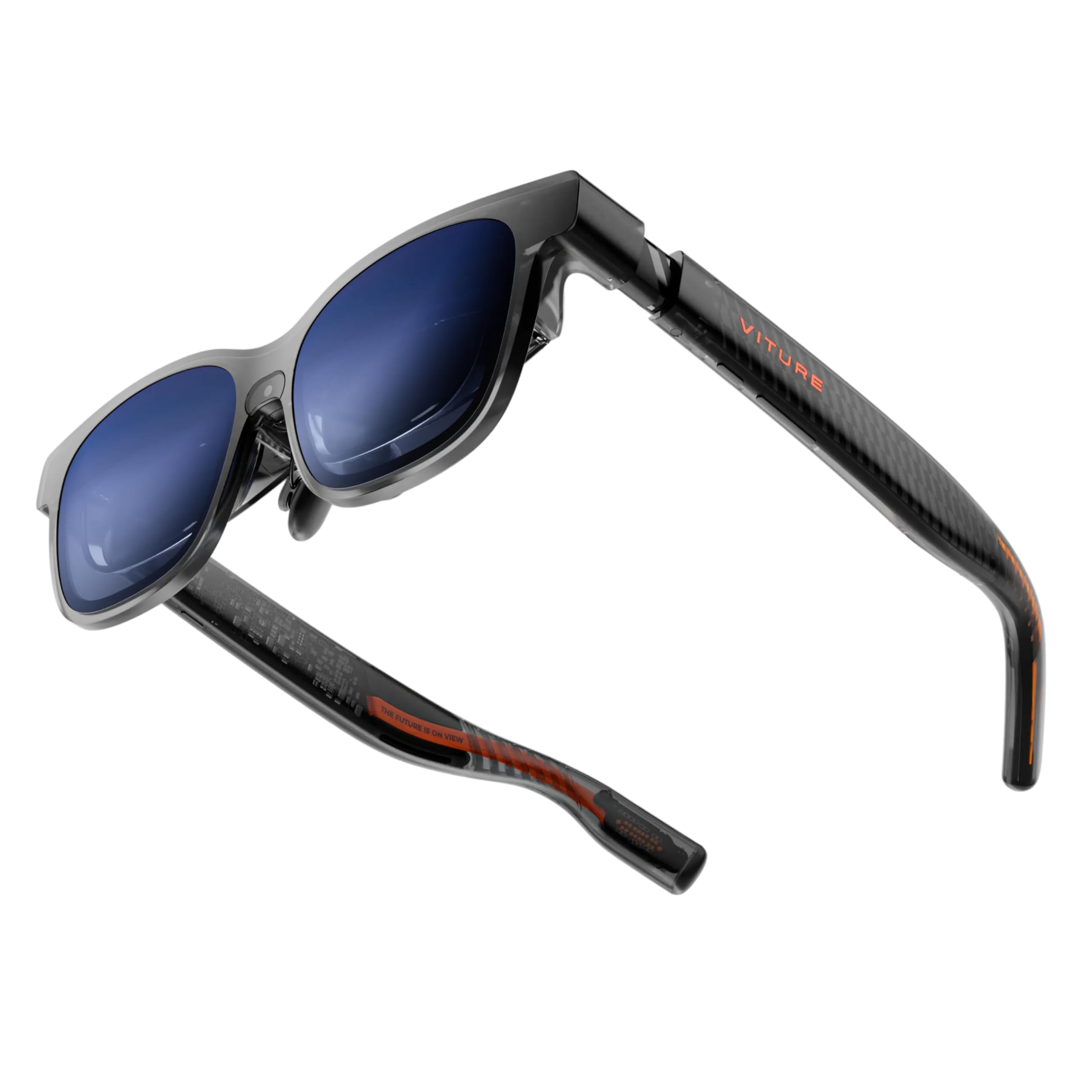
Two dials sit under the frame, one for each eye, and they focus the picture anywhere from 0 to -5.00 diopters. If you are nearsighted, that is the difference between a sharp virtual screen and one you squint at all evening, and it is the main reason this pair earns our top spot: no optician appointment, no waiting a week for inserts. It does not correct astigmatism, so a prescription with a cylinder still needs lenses made.

At 63 grams it ties the AOC as the lightest pair we cover, and the frame is 16 percent thinner than the previous VITURE Pro. Inside is a Sony Micro-OLED panel putting a 146-inch 1080p image at 120Hz into a 50-degree field of view, with a 1600-nit peak that is the highest figure listed in this guide. Edge-to-edge sharpness is what we watched for, since that is where virtual displays usually fall apart, and text stayed legible right out to the corners of a document.

The check that decides the purchase is your port. These need DisplayPort over USB-C: most recent Android phones, iPhone 15 and later (VITURE's compatibility list excludes the 16e and the Air), Macs, Windows laptops, and handhelds like the Steam Deck. A USB-C port that only charges will not light the screen up. Power comes down that same cable, so a long session costs your phone battery, which is worth a battery pack on a flight.

VITURE's SpaceWalker app adds an ultrawide desktop and 3D, and it is the piece that turns these from a cinema into a second monitor. For everything else, the Pro 2 is the pair that makes the whole idea feel finished.

Pros

  • Per-eye focus dials from 0 to -5.00D
  • 63 g, tied for lightest here
  • Sharp Sony Micro-OLED picture
  • 1600-nit peak, the highest figure here

Cons

  • Requires DisplayPort over USB-C
  • Focus dials correct myopia, not astigmatism
Our verdict

Our default pick: per-eye focus dials, a 63-gram frame, and a bright, sharp Sony Micro-OLED screen make this the pair we recommend to almost everyone.
Check Latest Price
2

Best for Reading and Work

VITURE Luma Pro

79 /100
LBD Score Very Good

Key details

Weight
2.79 oz
Resolution
1200p
Field Of View
52 degrees
Virtual Screen
152 inches
View on Amazon

Twelve hundred lines of vertical resolution sounds like a spec-sheet footnote until you read a document through it. The Luma Pro spreads 1200p across a 152-inch image in a 52-degree field of view, and the extra pixels per degree over a 1080p pair show up fastest in the small stuff: menu bars, captions, the fine print in a settings panel.

That is why this is the pair we reach for when the job is reading rather than watching. VITURE fits it with hinged arms and a magnetic nose pad and sells it in two sizes for different pupillary distances, the fit detail that decides whether a long session ends in a headache, and the arms fold back far enough to wear lying down, which sounds trivial until you try watching a film in bed.

HARMAN-tuned speakers are the other upgrade: fuller than the Pro 2's and good enough that a laptop session does not need earbuds. It is the pricier of the two VITURE pairs here, so the resolution has to matter to you. If you mostly stream films at night, the gain over 1080p is subtle and the Pro 2 is the better buy; if you stare at code for eight hours, this is the one.

Pros

  • 1200p sharpens small text
  • Built-in myopia adjustment
  • Hinged arms and magnetic nose pad
  • Fuller HARMAN-tuned audio

Cons

  • Lower peak brightness than our top pick
  • Heavier at 2.79 ounces
Our verdict

For spreadsheets, code, and long documents, the extra resolution here is worth the step up, and this is the pair we point desk workers to.

Check Latest Price
3

Best in Bright Rooms

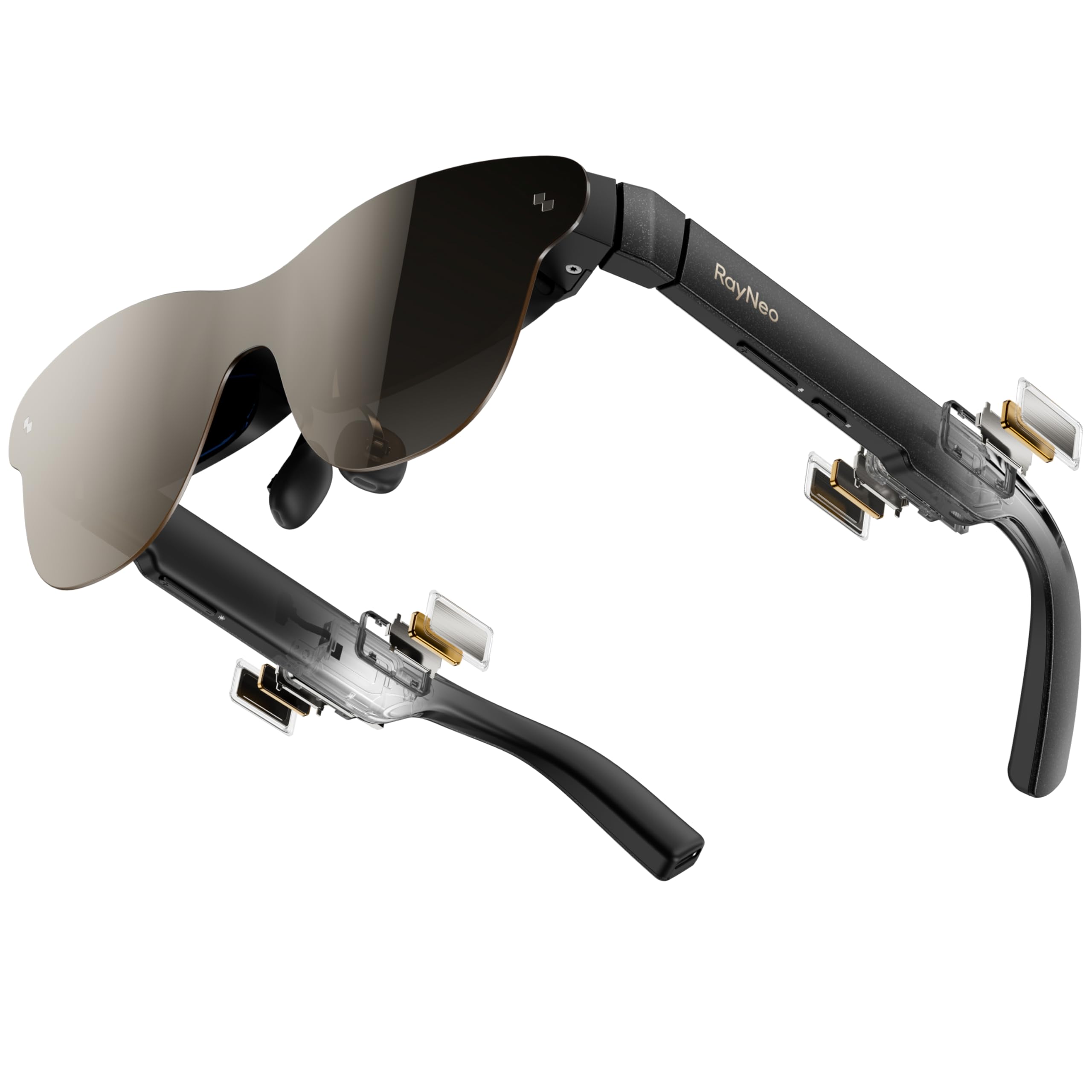
RayNeo Air 3s Pro

83 /100
LBD Score Excellent

Key details

Weight
2.68 oz
Eye Comfort
TÜV low blue light and flicker-free
Virtual Screen
201 inches
Peak Brightness
1200 nit
View on Amazon

TÜV SÜD's low blue light and flicker-free certifications are the ones most shoppers scroll past, and they are why we keep coming back to this pair. It is the only set in this guide listing both, backed by 3,840Hz PWM dimming, and if eye strain is what has kept you from trying screen glasses at all, this is where to start.

The 1,200-nit figure does the rest of the persuading. RayNeo's HueView 2.0 tandem Micro-OLED panel is a bright, saturated thing, with a 200,000:1 contrast figure and 98 percent of DCI-P3, and it held up in a room with the blinds open, which is exactly where dimmer pairs wash out. The image is big enough that the far corners sit outside your view unless you turn your head a little; that is the trade for a 201-inch screen.

There are no focus dials. RayNeo's answer is a prescription lens sample in the box: take it to an optician, who makes inserts that click in behind the lenses. That route handles astigmatism as well as myopia, but it costs money and about a week, so decide before you order whether you are in that group. The 76-gram frame is light enough that a two-hour film passes without you thinking about it.

Pros

  • TÜV low blue light and flicker-free
  • 1,200 nits holds up in daylight
  • 201-inch Micro-OLED with strong color
  • Light 76-gram frame

Cons

  • Speakers can sound quiet on busy scenes
Our verdict

For daylight viewing and anyone worried about eye comfort, this is the pair we point to: certified for low blue light and flicker, and bright enough for a sunny room.

Check Latest Price
4

Best for Immersion

XREAL One Pro

79 /100
LBD Score Very Good

Key details

Weight
3.07 oz
Field Of View
57 degrees
Virtual Screen
171 inches
Peak Brightness
700 nit
View on Amazon

The screen stays where you put it. That is the X1 chip's trick, and it changes how these feel next to a plain mirrored display: turn your head and the window hangs in space instead of travelling with your nose. Add the widest field of view in this guide at 57 degrees and it reads less like watching a television through a letterbox and more like sitting in front of one.

Fit is the part to get right. XREAL sells this in sizes, and the M covers a pupillary distance of 57 to 66 mm; step outside that band and the image will not sit centered without nudging the frame around your face. Nose pads in three sizes and an empty prescription frame in the box help at the margins, though the frame needs lenses from an optician before it does anything.

Weight is the compromise: 87 grams is the heaviest in this guide, and a two-hour film is about where we start feeling it. Brightness is the other one, since 700 nits is the lowest figure among the OLED pairs here and a sunny room takes more out of this picture than it does the RayNeo's. What you are buying is the optics and the anchoring, and for a fixed laptop workspace in a dim room, that is a fair trade.

Pros

  • Widest 57-degree field of view here
  • Native 3DoF keeps the screen fixed
  • Nose pads in three sizes
  • 171-inch spatial screen

Cons

  • Heaviest frame here at 87 g
  • Lowest listed brightness of the OLED picks
Our verdict

The widest window here and a screen that stays anchored in space make this the pick for immersion, provided your IPD fits and your room is dim.

Check Latest Price
5

Best Budget

AOC Air Mega

76 /100
LBD Score Very Good

Key details

Weight
2.22 oz
Resolution
1920 × 1080
Virtual Screen
201 inches
Peak Brightness
900 nit
View on Amazon

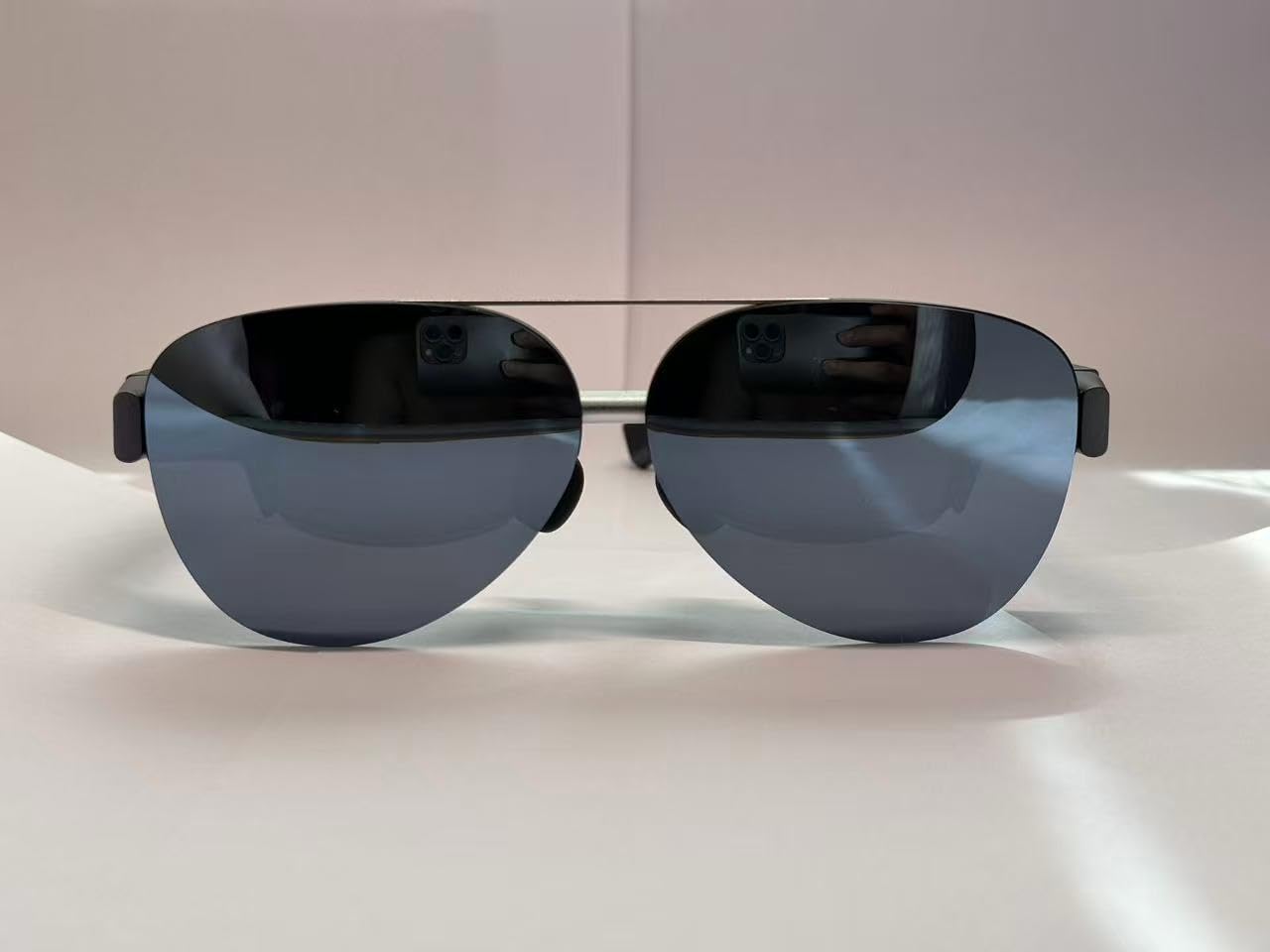
This is the pair for the person who is not sure screen glasses are for them yet. AOC strips out the extras, with no focus dials, no IPD adjustment, and no app to install, and leaves a 201-inch Micro-OLED display, a 63-gram frame, and a single USB-C cable. Plug it into a laptop and the picture is simply there. There is no switch to find and no menu to learn.

For the money, that simplicity is the point, and it is the pair we hand a first-timer ahead of anything with three apps and a calibration ritual. The picture is genuinely good: 1920 × 1080 at 900 nits, bright enough that we rarely wanted full brightness indoors and sharp enough for a film on a tray table. The frame looks more like a pair of aviators than a piece of equipment, which helps if you feel self-conscious wearing one in public.

Where it falls down is eyesight. Without diopters to dial in, a nearsighted viewer is wearing contacts or going without, and for a lot of people that is the whole decision. If your eyes are fine at screen distance, there is very little here to miss: for a film on a plane or a handheld console in a hotel room, the AOC does the job and disappears into a bag.

Pros

  • Lowest-priced pair in this guide
  • Sharp 201-inch 1080p Micro-OLED
  • 63 g and easy to wear
  • Plug and play with no app

Cons

  • No focus or IPD adjustment
Our verdict

The lowest-priced pair here and the one we point first-timers to, with a sharp 201-inch picture and no setup, as long as your eyes do not need correction.

Check Latest Price
6

Big-Screen 3D

XREAL 1S

79 /100
LBD Score Very Good

Key details

Weight
2.82 oz
Resolution
1920 × 1200
Field Of View
52 degrees
Spatial Tracking
Native 3DoF
View on Amazon

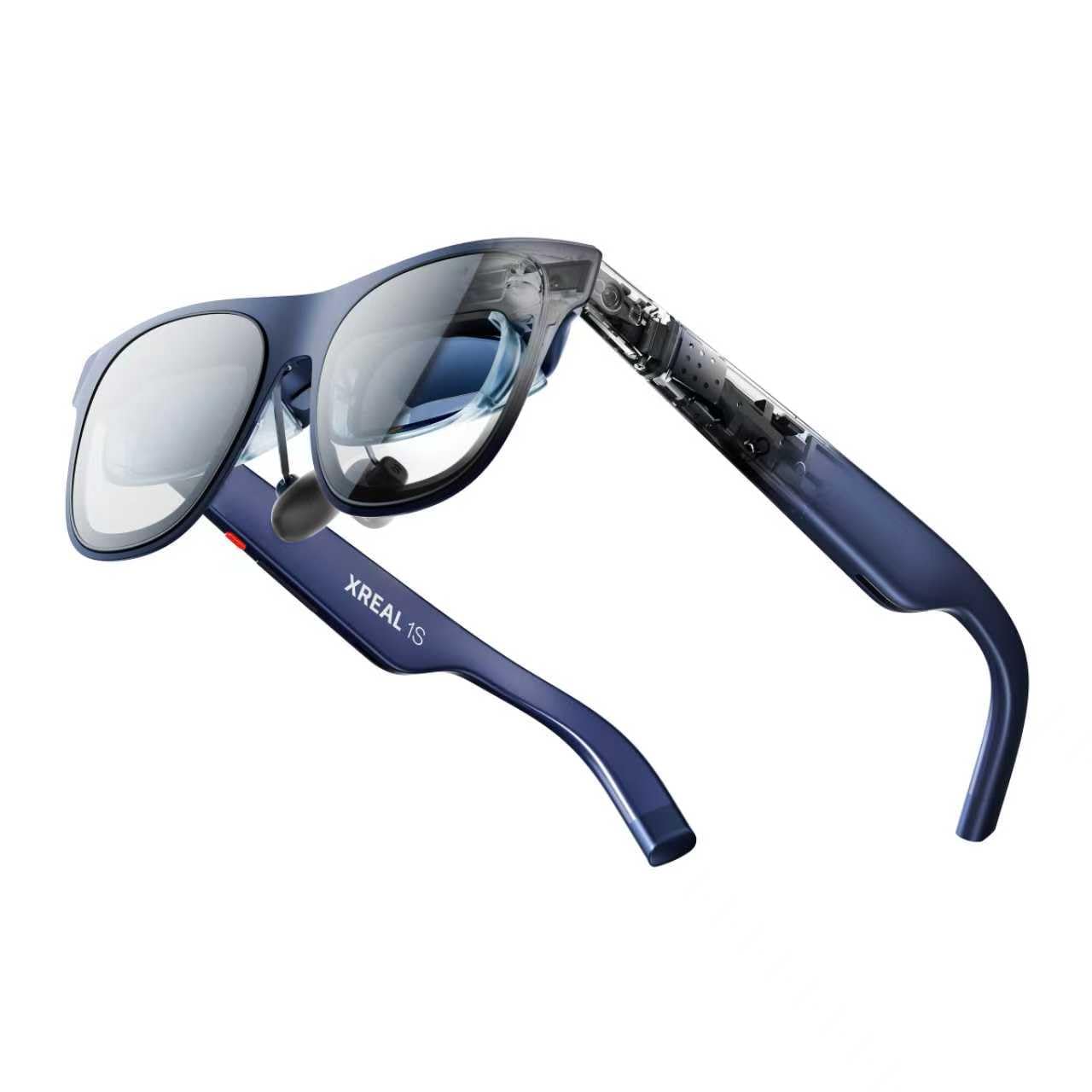
XREAL's own lineup is the clearest way to see what you are buying. The 1S gives you the same X1 chip and the same native 3DoF anchoring as the One Pro for less money, and it lists a higher resolution, 1920 × 1200 against 1080p. What shrinks is the window: 52 degrees of field of view instead of 57, so the image reads more like a very large monitor than a wall.

The trick it does bring is real-time 2D-to-3D conversion, and it is better than it has any right to be on ordinary footage, since a nature documentary gains depth without the cardboard-cutout look the effect usually produces. If 3D is the reason you are shopping, this does it without extra hardware.

Long sessions are where it loses ground. Eye strain shows up sooner than on the RayNeo or the Luma Pro, and breaks are the only real answer, which is awkward on a pair bought for a double feature. Against the Luma Pro, with the same resolution, better comfort, and focus dials built in, the 1S is hard to justify unless the 3D conversion is the thing you are after.

Pros

  • 1920 × 1200 resolution
  • X1 chip with native 3DoF
  • Real-time 2D-to-3D conversion

Cons

  • Eye strain can set in during longer sessions
  • Glare distracts in a dark room
Our verdict

A sharp, capable pair with real 2D-to-3D conversion, held back by a comfort ceiling that shows up once sessions run long.

Check Latest Price

How We Tested These AR Glasses

We started by rounding up every pair we could find that ran video over a single USB-C DisplayPort cable, then filtered by price and by what each one could plug into without an adapter. That left eight pairs, which we wore for ten months — long enough for the novelty to wear off and the small annoyances to surface.

Testing happened where these get used, not on a bench: an hour of Steam Deck on the couch, a full workday as a second monitor, movies after dark, and long flights. We loaded the same test footage and the same page of small text on every pair and compared how crisp the corners looked, how much detail survived in dark scenes, and how legible the display stayed with a window behind us and overhead lights on.

Fit got the most attention, because you can't fix it later. Three of us with different prescriptions wore each pair with and without contacts, dialed in the adjustable focus until it ran out, slid the IPD and swapped nose pads where the frames allowed it, then wore each one for a two-hour stretch and checked for pressure on the bridge, heat at the temples, and slipping when we looked down.

For sound, we listened quietly to see how much leaked into a silent room, then pushed the volume until it distorted. We plugged each pair into a handheld, a laptop, a phone, and a console and counted how many connections needed a dongle, and we weighed what each one did best against what it cost.

How to Choose Ar Display Glasses

Screen Size Claims vs. What You Actually See

The inch figure on the box is a projection, not a measurement of anything you can compare: a 201-inch image at six meters and a 146-inch one at whatever distance the maker chose are not the same claim. What matters is the field of view the panel fills, 50 to 57 degrees across this group, and the resolution sitting behind it. The same 1080p stretched wider gives you fewer pixels per degree.

So buy on both numbers together. If you read text for a living, pay for 1200p; if you mostly watch films, 1080p in a 50-degree window looks plenty sharp. And expect a bigger virtual screen to be easier to lose the corners of, which is why half the pairs here have you turning your head slightly to check a clock.

Focus, Fit, and the Prescription Question

There are three approaches in this set. VITURE fits its Pro 2 and Luma Pro with dials that correct 0 to -5.00 diopters per eye, which handles ordinary nearsightedness without a prescription and does nothing for astigmatism. RayNeo ships a lens sample for an optician to fill: better correction, extra cost, a week of waiting. The AOC offers neither.

Then there is pupillary distance. A frame built for the wrong IPD never quite centers, and the tell is that you spend the evening shifting it on your nose. Measure yours before you order, and if you are at the edge of a range, pick a pair sold in sizes rather than one with fixed optics.

The Port Decides More Than the Panel

Every pair here is a display with no brain of its own: it shows what the device at the other end sends. That means a USB-C port carrying DisplayPort video, not merely one that charges, and that single distinction sinks more purchases than any specification. iPhone 15 and later work; VITURE's list excludes the iPhone 16e and the iPhone Air. Recent Android flagships, Macs, Windows laptops, and handhelds such as the Steam Deck are named across these listings.

The AOC and the RayNeo listings both state outright that there is no internal battery, and the display runs off whatever it is plugged into. A long flight is a battery-pack flight. Check the port before you fall for the picture.

Brightness, Sound, and Sharing a Room

Nit figures are not directly comparable: VITURE lists a 1600-nit peak, RayNeo 1,200 nits to the eye, XREAL 700. Read them as claims pointing the same direction rather than a ranking. What actually matters is where you watch. A bright living room rewards the brighter panel; a dark bedroom punishes it, and glare across a black scene is the usual complaint.

Then there is sound. These play audio through speakers built into the frame, which is convenient and completely public: whoever sits beside you hears the film too. On a quiet train that is worth weighing before you buy, and it is the reason some owners keep the volume lower than they would like.

Frequently Asked Questions

Final Verdict

The VITURE Pro 2 is the pair we hand to most people, because it solves the two things that make screen glasses annoying: weight and focus. At 63 grams it disappears on your face, the diopter dials handle most nearsighted prescriptions without an optician, and the picture is sharp enough to read on.

Step up to the Luma Pro if small text is your working day, or to the RayNeo Air 3s Pro if you watch in daylight or your prescription includes astigmatism. Both are worth the extra over the top pick for those specific jobs, and neither is worth it if you just want a big screen on a plane.