Best Build Plates for Bambu Lab P1S of 2026

The first time a nine-hour print let go of the bed at hour seven, I stopped blaming the slicer. A build plate is the least glamorous part of a 3D printer and the one most likely to ruin your week: it decides whether the first layer grabs, whether the part pops free when it's done, and what the bottom of your print looks like when it comes off.

My team and I have spent the past six months running 14 of them on P1S machines — thick textured PEI, dual smooth-and-textured sheets, patterned holographic plates, and newer cold-print surfaces — on everything from wide flat panels to parts with tiny footprints. Two things surprised me. Thickness does more than most shoppers expect: a stiffer sheet lies flat on the magnet and fights the edge curl that wrecks long ABS runs. And the QR code on the back isn't decoration — a plate without one leaves the printer guessing, so you're setting the plate type by hand on every job.

Below are the ones that kept passing our checks, whether you want maximum grip, a mirror-smooth bottom, or a finish worth showing off.

1

Best Overall

SAHVAIM 0.77mm Textured PEI Plate

90 /100
LBD Score Outstanding

Key details

Plate Size
257 x 257 mm
Surface Finish
Double-sided textured PEI
Plate Thickness
0.77 mm
Build Plate Code
QR code
View on Amazon

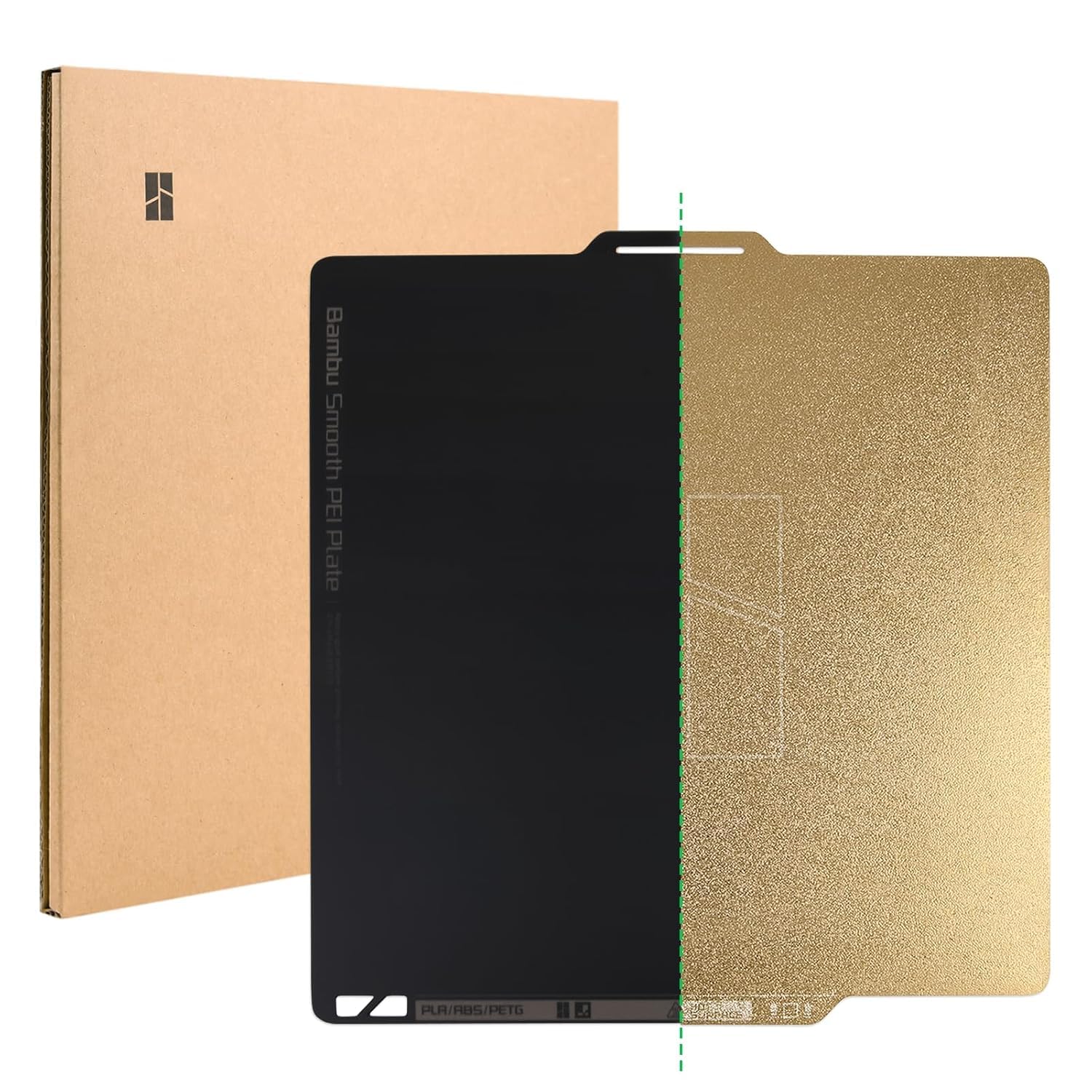
Thickness is usually a footnote in build-plate listings; here it is the reason the SAHVAIM plate won us over. The 0.77mm spring-steel sheet feels stiffer than the flimsier plates we have handled, so it seats with less fuss and flexes predictably when you bend it to pop off a print. Both sides are textured PEI, which means the plate earns its keep even if one surface eventually loses its grip.

The textured surface is the practical choice for a P1S. It gives PLA and PETG enough bite without glue, and the bottom of a print comes out with a uniform matte grain instead of a mirror shine. The QR code is a bonus rather than the main event: it is useful if the plate also travels to an X1-series machine, but on a P1S the surface and flatness do more for your day.

The 300°C heat rating covers common engineering filaments and leaves headroom over the bed temperatures most P1S users rely on, though we do not treat that figure as a promise of indefinite life. Coated plates wear, especially if you drag a metal scraper across them or peel a print before the bed cools. Clean this one with detergent and water, and keep your fingers off the printing area; that routine is what keeps the grip consistent.

Pros

  • Stiff 0.77mm spring-steel sheet
  • Two textured PEI surfaces
  • 300°C heat rating
  • QR code for plate recognition

Cons

  • Textured finish on both sides, so no glossy bottom option
Our verdict

For most P1S users, the SAHVAIM 0.77mm textured PEI plate is the default we recommend first.

Check Latest Price
2

Best for Low-Temp PLA and PETG

BIQU CryoGrip Pro Glacier

89 /100
LBD Score Excellent

Key details

Coatings
7-layer cobalt oxide
Plate Size
257 x 257 mm
Filament Range
PLA, PETG, ABS
Surface Finish
Double-sided CryoGrip Glacier
View on Amazon

At 100°C, most build plates are a reminder to keep your fingers moving. The CryoGrip Pro Glacier's hollow cutout gives you a place to grip the sheet while it is still warm, and that small bit of handling ease is the first thing we noticed. It is not a gimmick; it changes how willing you are to pull a plate off and flex it between prints.

The Glacier surface is smoother than the textured PEI most people picture. It leaves a satin, almost fine-grained bottom, and BIQU lists lower bed temperatures for PLA and PETG: 45-55°C for PLA and 60-70°C for PETG. We like that for quick PLA parts because the plate does not need a long heat soak, and the seven-layer cobalt oxide coating is meant to keep the surface stable. The trade-off is a surface that shows oils, so a quick wipe before every print is part of the deal.

The magnetic base grips the P1S bed firmly, and prints release with a flex once the plate cools. It is a plate we reach for with broad PLA and PETG parts, where a satin bottom is the goal and the first layer has plenty of surface to hold.

Pros

  • Hollow handle makes warm plate changes easier
  • Lower bed temperatures for PLA and PETG
  • Strong magnetic grip
  • Seven-layer cobalt oxide coating

Cons

  • Smooth surface is less forgiving than textured PEI
  • Shows fingerprints and oils easily
Our verdict

The CryoGrip Pro Glacier is our pick when you want a smoother bottom and easier handling on a warm bed.

Check Latest Price
3

Best for Smooth Bottoms

UniTak3D Smooth/Textured PEI Plate

86 /100
LBD Score Excellent

Key details

Plate Size
257 x 257 mm
Surface Finish
Smooth + textured PEI
Smooth Heat Resistance
200°C
Textured Heat Resistance
300°C
View on Amazon

Two surfaces on one plate sounds like a free upgrade until you read the fine print: the smooth PEI side usually wants a glue stick for anything beyond PLA. Understanding that routine is the key to liking the UniTak3D plate, because the textured side is the one that behaves like a conventional PEI sheet.

We rate the textured side as the more dependable of the two. It has the familiar PEI bite and releases cleanly after the bed cools, and the 300°C rating covers high-temperature filaments. The smooth side is the one we treat as a specialty surface: it makes a clean, flat bottom and is genuinely nice for PLA, but UniTak3D itself calls for glue on non-PLA filaments. If you want a glossy finish for display pieces, it is a useful option to have; if you print PETG constantly, use the textured side and save yourself the glue routine.

At 257 x 257mm it drops onto the P1S bed without alignment drama, and the double-sided build means a worn face does not retire the whole plate. The plate is a sensible choice when you want two finishes in one sheet and you are willing to keep glue on the shelf.

Pros

  • Textured and smooth PEI on one plate
  • Textured side rated to 300°C
  • Smooth side gives a flat, glossy PLA bottom

Cons

  • No QR code for X1-series plate recognition
  • Smooth coating can bubble or tear with use
Our verdict

We choose the UniTak3D when you want a textured grip surface and a glossy smooth side, and you accept a glue-stick routine.

Check Latest Price
4

Best Second Plate

Wefuit 0.77mm Textured PEI Plate

90 /100
LBD Score Outstanding

Key details

Plate Size
257 x 257 mm
Surface Finish
Double-sided textured PEI
Plate Thickness
0.77 mm
Build Plate Code
QR code
View on Amazon

The Wefuit plate is so close to our top pick on paper that the useful question is why it deserves a place. The answer is simple: a second 0.77mm textured sheet lets you keep one plate clean for PLA and another for PETG without swapping profiles or scrubbing between prints.

Like the SAHVAIM, it is double-sided textured PEI with a 0.77mm spring-steel core and a 300°C heat rating. The surface has the same matte grain and the same no-glue approach for PLA and PETG; prints release with a flex once the bed cools, which is the habit to build with any PEI sheet. The QR code is the one place it gives up ground: it reads on only one side on some X1-series machines, so if you rely on plate detection, mark the working side.

For a P1S, that QR limitation is close to irrelevant because the printer is not doing the same lidar-based plate check as an X1. That makes this a sensible second plate: keep it for PETG if you are tired of sharing one surface, or use it as the plate you do not mind abusing with a brim. The value is in having the same thick-sheet behavior without a different learning curve.

Pros

  • 0.77mm spring steel for stiff, flat seating
  • Two textured PEI sides
  • 300°C heat rating

Cons

  • No smooth side for glossy prints
Our verdict

For a second textured P1S plate, the Wefuit 0.77mm sheet is the one we keep coming back to.

Check Latest Price
5

Patterned Print Bottoms

SAHVAIM PEO/PET Pattern Plate

87 /100
LBD Score Excellent

Key details

Material
Spring steel
Plate Size
257 x 257 mm
Surface Finish
Diamond PEO + carbon-fiber PET
Heat Resistance
150°C
View on Amazon

The SAHVAIM PEO/PET plate is the one in this group that changes the bottom of a print rather than just holding it. One side presses a diamond PEO pattern into the first layer; the other leaves a carbon-fiber texture. Pattern plates are usually sold as a cosmetic upgrade, but the practical appeal is repeatable: you get a finished-looking bottom without sanding or a second step.

The diamond side catches light in a way that reads geometric rather than glittery; the carbon-fiber side is subtler and works better on functional parts where a woven look makes sense. We like that the two sides give you a choice instead of committing a whole plate to one effect. The spring steel is the same 257 x 257mm format as the rest of the P1S plates here, and the 150°C rating covers PLA, PETG, and TPU comfortably.

The pattern depends on a clean first layer: oils and dust blur the transfer, and the surface needs a wipe before every print. Adhesion is good enough for normal PLA and PETG parts, but this is not the plate we choose for tiny, tall prints or hot engineering materials. Treat it as a specialty plate for display pieces and coasters, not the sheet that lives on the printer for every draft print.

Pros

  • Diamond PEO and carbon-fiber PET patterns
  • Two distinct bottom finishes
  • 150°C rating covers PLA, PETG, TPU

Cons

  • Patterned film can chip when scraped
Our verdict

We reach for the SAHVAIM pattern plate when the bottom face matters and the part is easy to hold, not for high-temperature jobs.

Check Latest Price
6

Holographic Finishes

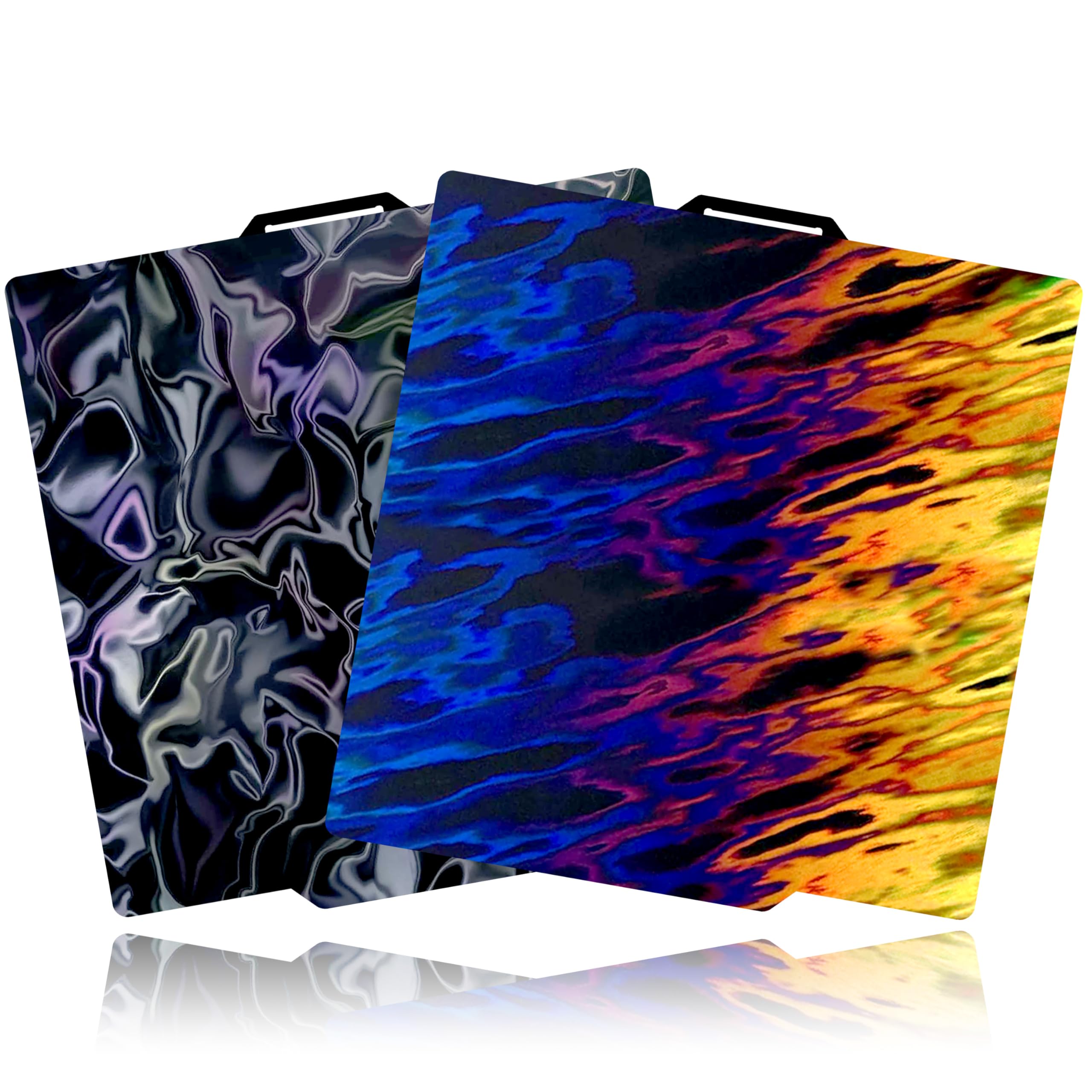
Tinytrees Holographic Build Plate

87 /100
LBD Score Excellent

Key details

Material
Spring steel
Plate Size
257 x 257 mm
Surface Finish
Water ripple + ice/flame
View on Amazon

Tinytrees is selling a mood as much as a bed surface: one side ripples like water, the other flickers between ice and flame. The effect is the point, and it lands on the bottom of a print with more drama than a standard textured PEI grain. The plate is a 257 x 257mm spring-steel sheet with a smooth holographic coating on both sides, so it swaps onto the P1S bed like any other plate.

We found the adhesion story more mixed than the finish. PLA stuck well on a clean surface, but the smooth coating is less forgiving than textured PEI, and a fingerprint or a skipped wipe can cost you a first layer. The plate releases cleanly after cooling, and the spring steel stays flat in normal use. PETG is the filament we approach cautiously, because smooth coated surfaces can grip it aggressively.

The bigger concern is longevity. Holographic films are cosmetic layers, and they can wear, cloud, or pick up a welded patch if a print is pried off hot. Treat this as a specialty plate for good-looking bottoms, not the one you leave on the printer for every draft print. For the right project, the effect is worth the extra care.

Pros

  • Water-ripple and ice/flame holographic patterns
  • 257mm fit for P1S
  • Clean release after cooling

Cons

  • No QR code, so X1 detection needs disabling
Our verdict

Tinytrees is the plate we pick when the bottom of the print is part of the design and you can baby the surface a little.

Check Latest Price
7

Premium Dual Surface

COMTREE Dual-Surface PEI Plate

83 /100
LBD Score Excellent

Key details

Material
PEI on spring steel
Plate Size
257 x 257 mm
Surface Finish
Textured + smooth PEI
View on Amazon

COMTREE's dual-surface plate is the luxury option in this group: one side textured PEI for grip, the other smooth PEI for a matte, flat bottom. The combination is not unique here, but COMTREE gives it a more substantial feel.

The package is heavier than the other plates we handled, and the sheet has a stiffer, furniture-like solidity when you pick it up. The smooth side is aimed at dimensional accuracy on the Z axis, which matters if you print parts that stack or interlock. The matte finish is a nice middle ground if you find glossy bottoms too plastic-looking.

The textured side grips PLA and PETG well and releases after cooling; the smooth side is the one to test with a small print first, because smooth PEI can be fussy about cleanliness and first-layer squish. We see the appeal for someone who wants one plate to cover both a utility finish and a display finish without juggling two sheets. It is a plate for the person who already knows they like a matte bottom.

It earns a place for the P1S user who wants one plate to cover both a utility finish and a display finish and likes the heavier feel. It does not beat the textured plates here on simple adhesion, and it does not pretend to. The decision comes down to whether the smooth matte bottom is worth a dedicated plate for you.

Pros

  • Textured and smooth PEI surfaces
  • Matte, flat bottom from the smooth side
  • Substantial, stiff feel in hand

Cons

  • Premium price for a dual-surface plate
Our verdict

COMTREE makes sense for the P1S user who wants a textured side and a smooth matte side in one heavier, premium-feeling sheet.

Check Latest Price

How We Tested the Best Build Plates for a Bambu Lab P1S

We started by pulling every 257x257mm spring-steel plate we could find that listed the P1S, then cut the list down to brands with a track record and a clear return policy, and to surfaces that offered something the plate in the box doesn't. Fourteen made it onto the machines.

Each plate lived on a printer for at least three weeks, running the jobs I'd normally run anyway: a large flat sign that covers most of the bed, a batch of small clips scattered corner to corner, and one tall thin piece that tips easily if the grip isn't there. I logged every first layer that lifted, every part that broke loose mid-print, and how much force it took to release a finished piece once the plate cooled. Print quality came down to looking at the bottom face under a desk lamp and noting whether it was glossy, matte, or patterned, and whether ripples or ghosting showed through.

Bubble-free was a hands-on check: lay the sheet on the magnet, run a palm across it, then hunt for any spot that rocked or sat proud. For QR codes, I loaded each plate and watched whether the printer recognized it on its own or asked me to set the type manually. Durability got the unglamorous work — dozens of flex-and-release cycles per plate, plastic and metal scrapers dragged across the coating, and an IPA wipe between prints to see whether the surface went cloudy.

Finally, value: I asked whether each plate did something the stock one can't — better grip on PETG, a smoother bottom, a pattern worth the hit in adhesion — since a second plate only earns its spot if it solves a problem you actually have.

How to Choose a Build Plate for a Bambu Lab P1s

Start With Fit and Plate Size

The P1S uses a 257 x 257mm plate in the same family as several Bambu printers, so most of the plates in this guide will physically drop in. The trap is assuming every 257mm sheet is identical: third-party plates can differ slightly in thickness, and a 256mm listing can leave a visible lip at the edge. Before you order, check that the listing names the P1S and the 257mm platform, and confirm the sheet sits flat under the bed clips. If you also run an X1-series printer, check the QR code separately.

Match the Surface to the Bottom Finish

Textured PEI is the default for a reason: it grips PLA and PETG without glue and hides first-layer imperfections under a matte grain. Smooth PEI gives a flatter, glossier bottom, but it usually needs a glue stick for PETG and other grabby filaments, both as a release agent and as insurance. Patterned PEO/PET plates sit at the other end: they transfer a decorative texture, but the coating is a thin film and the surface is less forgiving. Decide which face of your print you care about before you decide which plate to buy.

Treat Adhesion as a Cleaning Habit

Most first-layer failures on a P1S start with a fingerprint, not a bad plate. Wipe the surface with dish soap and warm water when it looks dull, then use isopropyl alcohol for quick touch-ups between prints; avoid touching the print area at all. Bed temperature is the second lever. Run the filament maker's range, drop the bed a little for PETG if corners are sticking too hard, and let the plate cool before you flex it. A brim is the first fix to try when a tall, narrow part keeps lifting.

Thickness, QR Codes, and Spares

A 0.77mm spring-steel sheet feels stiffer than a thin plate, and that stiffness helps it sit flat and release a print with a predictable snap. Thicker is not automatically better for every printer, but on a P1S it is a sensible default. QR codes are mostly an X1-series convenience; on the P1S they are not the reason to choose one plate over another. If you print more than one material, a second plate is often a better upgrade than a more expensive single plate, because it lets you keep one surface pristine.

Frequently Asked Questions

Final Verdict

For most P1S users, the SAHVAIM 0.77mm textured PEI plate is the one we recommend first. It gives you two textured sides, a stiff sheet, and a 300°C rating, and it keeps the routine simple for PLA and PETG.

Choose the BIQU CryoGrip Pro Glacier if you want a smoother, low-temperature finish and the hollow handle. Choose the UniTak3D if a glossy smooth side is worth keeping glue nearby.