Best Vinyl Cutting Machines of 2026

A vinyl cutter is a small plotter: a blade drops onto the sheet and drags a hairline cut through the vinyl but not the backing, so you can weed away the waste and peel off a clean decal. The blade itself is rarely what separates a good machine from a maddening one — cut width, the software you're chained to, and how much fiddling the thing demands between projects matter far more. I've had ten of them set up on my kitchen table for the past six months, cutting jar labels, layered cardstock, and a small mountain of heat-transfer vinyl for T-shirts.

The compact 9-inch class is where most people should start. It's small enough to leave out on a counter, cheap enough that a quiet month doesn't feel like wasted money, and versatile enough for decals, labels, and cards — though the narrow ones are fussier about mat alignment, which I noticed by my third roll. Speed gets oversold; a machine that cuts in ninety seconds but mis-feeds is slower than one that takes three minutes and gets it right. A couple of these can also scan a printed sheet or a hand-drawn sketch and cut around it, which changes what you can do without a laptop at all. The picks below are sorted by who they actually suit.

1

Best Overall

Cricut Maker 4

88 /100
LBD Score Excellent

Key details

Bundle
Starter supplies included
Footprint
22.1 x 7.1 x 6.2 in
Materials
300+ materials
Active Area
270.25 sq in
View on Amazon

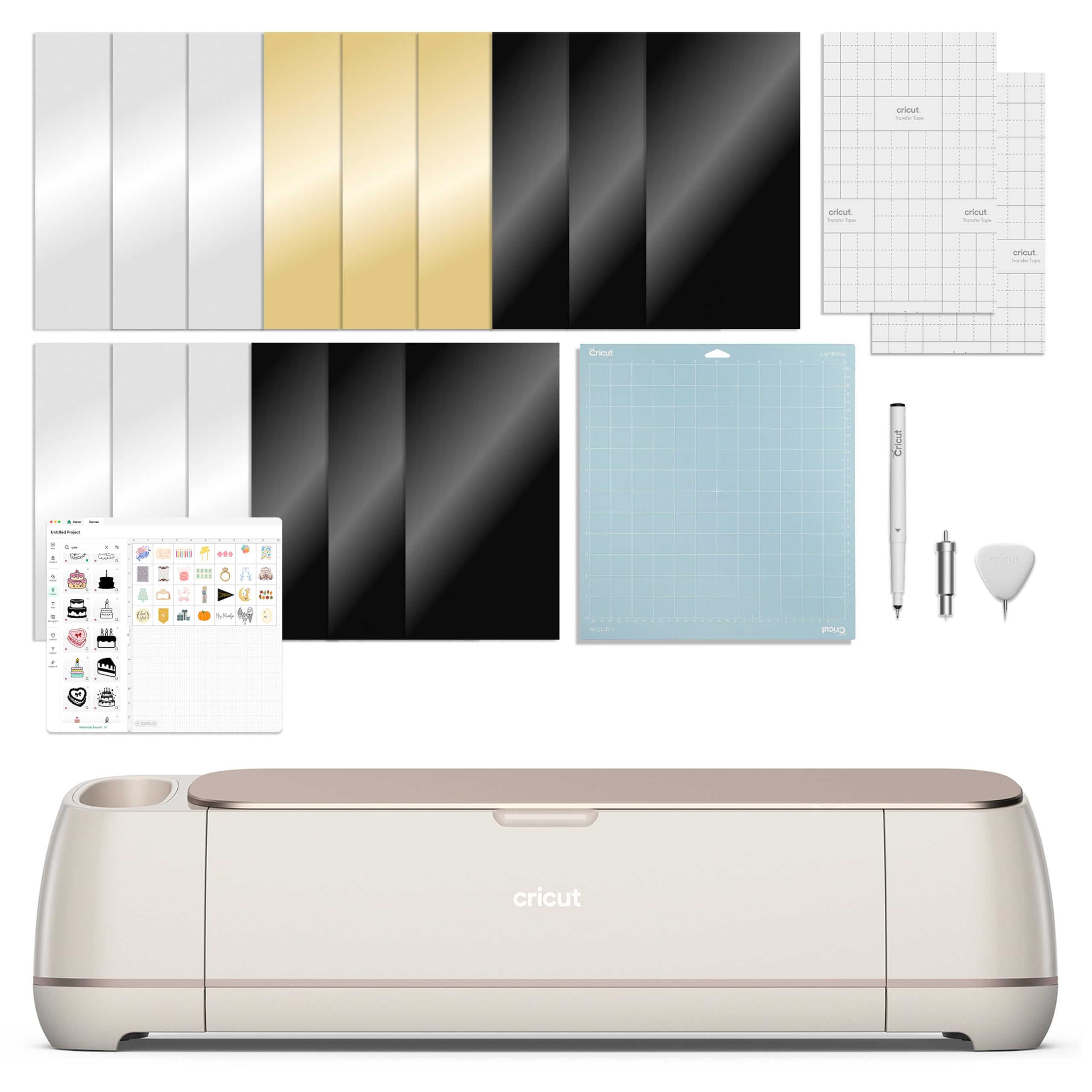
The Maker 4 is built for the crafter who refuses to sort projects by machine. It cuts vinyl and iron-on, but also cardstock, leather, wood, and stickers, and the 300-plus material list is the reason we kept it out on the table. When a project mixed a vinyl decal with a cardstock topper, we didn't have to switch machines.

What surprised us was the speed. The Maker 4 moves through a cut faster than the compact Joy 2, and the 270.25-square-inch active area gives you room for multi-piece layouts. Print Then Cut is the practical bonus: print a sticker sheet on an inkjet printer, then let the Maker 4 find the registration marks and cut around it. That combination is why it's our default for anyone who wants one machine to handle more than flat vinyl.

The trade-off is desk space. At 22.1 inches wide, it needs a permanent-ish home; we don't think of it as portable. Design Space is easy to start with and the free image library is generous, and the starter sampler is enough to get going, though it is not a full project kit.

If your projects are mostly decals and labels, the Portrait 4 is the more sensible spend. The Maker 4 makes sense when you want to grow into HTV, cardstock, leather, and print-then-cut without buying another machine.

Pros

  • Cuts 300+ materials, from vinyl to leather
  • Fast, clean cuts on vinyl and HTV
  • Print Then Cut works with most inkjet printers
  • Starter blade and material sampler included

Cons

  • Design Space extras can add recurring cost
Our verdict

We recommend the Maker 4 to crafters who want one machine for vinyl, HTV, cardstock, and thicker materials; its speed and material range justify the higher price.
Check Latest Price
2

Best Value

Silhouette Portrait 4

89 /100
LBD Score Excellent

Key details

Software
Silhouette Studio
Footprint
18 x 9 x 9 in
Noise Level
50 dB
Cutting Width
9 in
View on Amazon

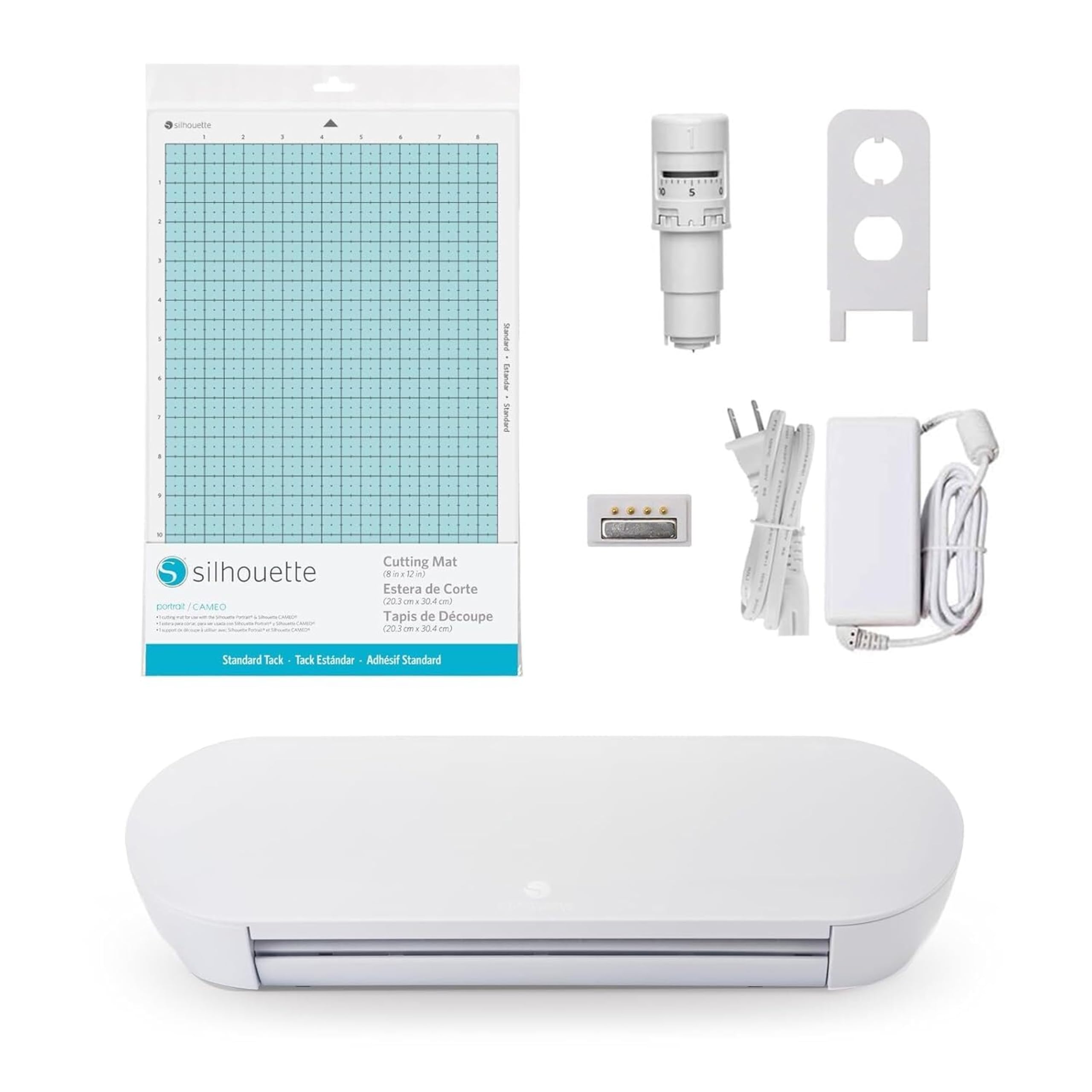
The Portrait 4 is the value pick we reach for when a project fits its 9-inch cutting width. That width is the practical middle ground for vinyl: wide enough for a left-chest logo, a tumbler wrap, or a sheet of labels, but small enough to leave on a kitchen table. At 50 dB, it is quiet enough that we didn't feel like we had to schedule our cutting around the household.

Silhouette's Studio software is the other half of the appeal. The included software handles intricate cuts and multi-layer jobs, and the IPT cut-order control is meant to keep sharp corners from tearing or rounding off. We paid close attention to small lettering and tight curves, where that control matters most. The belt-driven chassis also gives the machine a steady, deliberate feel rather than a rushed one.

The caveat is consistency. A clean cut depends on a tacky mat and a sharp blade, and a worn mat can turn a detailed design into a ragged edge. We keep a spare blade and a fresh mat on hand, and we run a small test cut before committing a full sheet. That routine is not unique to Silhouette, but it is the difference between a clean result and a frustrating one here.

The 18-by-9-inch footprint is the practical detail that keeps it in rotation. It can live on a shelf between projects, which is more than we can say for the Cameo. And because the machine is quiet, it can come out for a quick label job without turning the kitchen into a workshop.

Pros

  • 9-inch width suits most vinyl projects
  • Quiet 50 dB operation
  • Compact 18 x 9 x 9-inch footprint
  • Studio software and IPT cut control

Cons

  • Not wide enough for oversized decals
Our verdict

We recommend the Portrait 4 to anyone who cuts vinyl at a kitchen-table scale and wants a quiet, compact machine without paying for a wide-format footprint.

Check Latest Price
3

Best Compact

Cricut Joy 2

86 /100
LBD Score Excellent

Key details

Bundle
Supplies for 35 projects
Weight
2.01 lb
Materials
75+ materials
Cutting Width
4.5 in
View on Amazon

The Joy 2 is built around a 4.5-inch cut width, which makes it the smallest machine here and the easiest to keep on a desk. That scale is the whole idea: labels, card fronts, sticker sheets, and small decals are its natural work. It is not trying to be the only cutter in a serious vinyl shop.

The small body hides a useful range. It works with 75-plus materials, and it writes, draws, foils, and scores as well as cuts. The Essential Bundle is genuinely useful rather than a box of tokens: it includes materials for 35 projects, plus the digital content, so you can start on the first afternoon. At just over 2 pounds, it moves from shelf to table without effort.

The format is the point. We kept the Joy 2 for cards and labels, and the small footprint means it can stay out between projects. If your crafting is mostly small and frequent, the 4.5-inch width is not a compromise; it is the reason the machine is so easy to live with.

We especially like the foil and score options for card making, because they turn a simple cut into a finished-looking project without a second machine. That is the sort of detail that makes the Joy 2 feel more capable than its size suggests.

Pros

  • Tiny 4.5-inch footprint fits a desk corner
  • Cuts, draws, foils, and scores 75+ materials
  • Bundle includes supplies for 35 projects
  • Just over 2 pounds for easy storage

Cons

  • 4.5-inch width rules out large decals
Our verdict

We recommend the Joy 2 for card makers and small-space crafters who want a quick, tidy machine for labels, stickers, and small decals.

Check Latest Price
4

Best Wide-Format

Silhouette Cameo 5 Alpha Plus

90 /100
LBD Score Outstanding

Key details

Blade
AutoBlade
Cutting Speed
400 mm/s
Cutting Width
15 in
Material Thickness
Up to 0.5 mm
View on Amazon

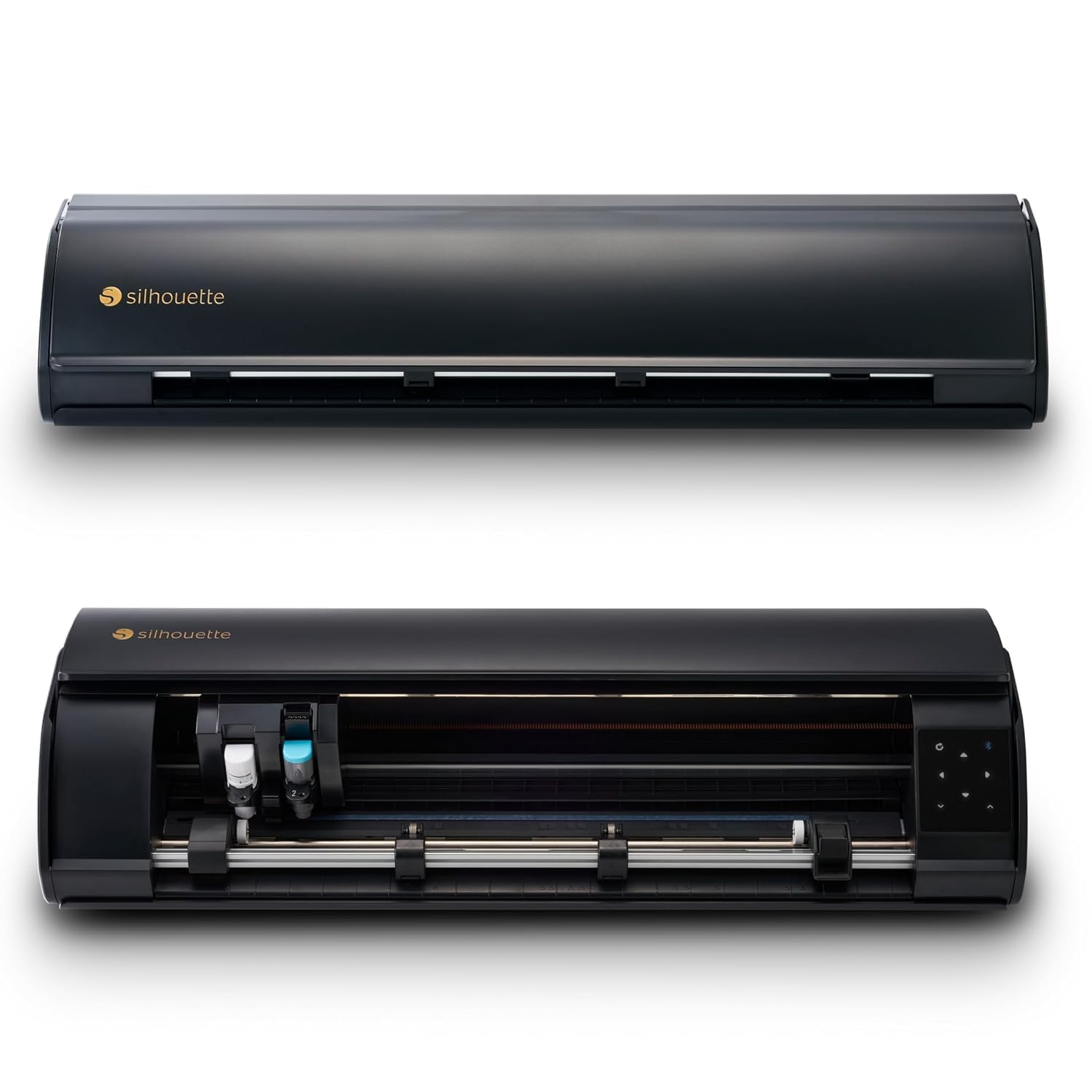
The Cameo 5 Alpha Plus is the widest machine here. Its 15-inch cutting width changes what a home cutter can do: wide decals, large iron-on layouts, and multi-piece sheets that would need two passes on a 9-inch machine. The body measures 25.28 inches across, so it needs a dedicated table rather than a shelf.

Speed is the other reason it earns a place. The Cameo 5 is rated to cut at up to 400 mm/s, and the AutoBlade sets blade depth automatically, so you spend less time dialing in each material. The four-point registration system is built for print-then-cut work, and the electrostatic mat holds material up to 0.5 mm thick. We appreciated the power slide lid, too; it opens and closes on its own, which is a small convenience that makes a big machine feel less fussy.

If you cut mostly 12-inch vinyl, the Portrait 4 is easier to justify. The Cameo 5 makes sense when the extra width removes a seam or a second pass from your work.

We also like that Silhouette includes 100 designs and a one-month subscription, enough to test the workflow before you commit to a library. For a wide-format cutter, that soft landing matters.

Pros

  • 15-inch width handles wide decals
  • Cuts at up to 400 mm/s
  • AutoBlade sets depth automatically
  • 4-point registration for print-then-cut

Cons

  • Premium price
Our verdict

We recommend the Cameo 5 Alpha Plus when a 15-inch cut width and fast print-then-cut registration matter more than keeping a compact footprint.

Check Latest Price
5

Scanning Hand-Drawn Art

Brother ScanNCut SDX125E

86 /100
LBD Score Excellent

Key details

Mat Size
12 x 12 in
Built-in Designs
682
Built-in Scanner
Yes
Max Material Thickness
3 mm (0.1 in)
View on Amazon

The ScanNCut SDX125E is the only machine here that can scan a drawing and turn it into a cut file. That single feature changes the workflow for anyone who sketches, stamps, or works from printed patterns: you can put the paper on the scanner, pull the image into the machine, and cut around it without redrawing the shape in software. For that buyer, it is worth the learning curve.

The rest of the package is built for thick materials and standalone work. It cuts up to 3 mm, which covers chipboard, balsa wood, fabric, and vinyl, and the auto blade uses a material sensor to set itself. There are 682 built-in designs, including 100 quilting patterns and nine fonts. We liked not having to choose a material setting for every new sheet.

The learning curve is real. The built-in scanner and the deep design library give you a lot to learn, and the manual is not much help; we relied on project videos and a few practice cuts before the workflow clicked. The upside is that the machine can do jobs the app-driven cutters cannot, especially when you want to work from a physical drawing rather than a digital file.

The box includes a 12-by-12 mat and the usual hand tools, so the first scan-and-cut project does not need a separate starter kit. That is a practical detail we appreciated once everything was unpacked.

Pros

  • Built-in scanner turns drawings into cut files
  • Cuts materials up to 3 mm thick
  • 682 built-in designs and nine fonts
  • Auto blade senses material thickness

Cons

  • Tack mat wears out quickly
Our verdict

We recommend the ScanNCut SDX125E for crafters who draw or stamp their own motifs and want to scan them straight into a cut file.

Check Latest Price

How We Tested Ten Vinyl Cutters

We built the shortlist by combing through current models and dropping anything discontinued, anything that required a paid subscription just to make a basic cut, and anything with a blade system we couldn't buy replacements for. We kept a spread of cut widths, from compact 9-inch machines to 15-inch ones, and made sure a few could run without being tethered to a computer. Ten machines came in, and we've been cutting on them for six months.

Testing happened where these machines actually live: the kitchen table, on weekend projects with a nine-year-old supervising. We cut pantry labels, a school fundraiser sign, layered birthday cards, and heat-transfer designs that then went through five wash cycles. Each machine was unboxed and set up using only its own manual, and I timed how long it took to get from sealed box to a clean first cut without help.

Alongside that, we ran the same simple design on every machine and recorded how long the cut took, whether the blade skipped on tight curves, and how loud the thing was while the rest of the house was asleep. We ran each blade until it started fraying corners, reused mats until they stopped gripping vinyl, and tried the job twice — once in the companion app, once on the machine's own controls — to see how much functionality held up without a screen. On the scanners, we fed in hand-drawn sketches and printed photos to see whether registration lined up or drifted.

How to Choose a Vinyl Cutting Machine

Start With Cutting Width

Cutting width decides which projects are easy and which ones need tiling. A 4.5-inch machine like the Cricut Joy 2 is built for labels, cards, and small decals; a 9-inch cutter like the Silhouette Portrait 4 handles most shirt and tumbler work; a 15-inch machine like the Cameo 5 Alpha Plus is for wide decals and multi-piece layouts. Measure the widest design you expect to cut, not the machine's body. A compact housing can still have a narrow cutting width, and that is the number that limits your projects.

Match Materials and Blade Tools

Vinyl is the easy part; the differences show up when you add heat-transfer vinyl, cardstock, stickers, leather, or chipboard. A machine that cuts 300-plus materials, like the Maker 4, gives you room to grow, while the Brother ScanNCut's 3 mm capacity is the choice for thicker stock. Check the material thickness and the tool required, not just the material count. A long compatibility list does not mean every material cuts with the same blade, and some thicker materials need a deep-cut blade or a different tool.

Decide How Much Software You Want

The software is where the daily friction lives. Cricut Design Space is approachable and has a large free library, but it is app-dependent and works best with a stable connection. Silhouette Studio gives you more control and is included with the Portrait 4 and Cameo 5. If you want to work from a drawing or a stamped image, the Brother's built-in scanner removes the computer from that step entirely. Try the software on your own phone or laptop before you buy if you can; the machine you can operate comfortably is the one you will use.

Budget for the Bundle and Consumables

The machine is the entrance fee; mats, blades, transfer tape, and vinyl are the recurring cost. Bundles are not all equal: the Joy 2 includes supplies for 35 projects, the Maker 4 includes a material sampler, and the Cameo 5 includes 100 designs and a one-month subscription. Check whether the bundle is physical material or digital content, because a folder of images will not cut your first project. Add a spare blade and an extra mat to your first order, especially if you plan to cut cardstock or small, intricate shapes.

Plan for Footprint and Learning Curve

A wide-format cutter is a piece of furniture. The Cameo 5 is 25.28 inches wide, and the Maker 4 is 22.1 inches wide; both need a stable surface that can stay put. A compact Portrait 4 or Joy 2 can live on a shelf and come out for a session. The learning curve also varies: the Brother rewards patience with a built-in scanner, while the Cricut and Silhouette workflows are quicker to start but depend on software. Give yourself one small practice project before you commit a full sheet.

Frequently Asked Questions

Final Verdict

The Cricut Maker 4 is our top pick because it makes the widest range of vinyl projects feel routine. It cuts the usual adhesive vinyl and HTV, but it also handles cardstock, leather, and print-then-cut stickers, and it does so faster than the compact machines here. If you want one cutter to grow with, this is the one.

If your work stays mostly vinyl and labels, the Silhouette Portrait 4 is the better fit: it gives up the Maker's material range but keeps a 9-inch width, quiet operation, and a compact footprint. The Cameo 5 Alpha Plus is the choice when 15-inch cuts justify the dedicated table.