Best Circuit Kits for Kids of 2026

Circuit kits peak on day one. A kid snaps together a light and a fan, feels like an engineer for an afternoon, and then the box lands on the shelf beside the slime kit. What matters isn't what's inside it — it's whether the tenth project is still interesting, and whether a kid can get there without an adult reading the instructions aloud.

Most of these are bought as gifts, so I handed several over cold to kids between five and eleven. Over eight months we worked through ten kits at my kitchen table, after school and on rainy Saturdays, and the pattern held: a good manual turns a kit into a hobby, a thin one turns it into a single afternoon.

The number on the box — 100 projects, 400 projects — tells you almost nothing. What matters is whether the parts snap or need a breadboard and jumper wires, which decides whether a six-year-old can build alone, and whether the pieces survive a small, enthusiastic handler. The kits below cleared both bars.

1

Best Overall

Snap Circuits Explorer SC-100

96 /100
LBD Score Outstanding

Key details

Parts
28 snap-together components
Projects
100+
Build Style
Snap-together, no tools
Recommended Age
8+
View on Amazon

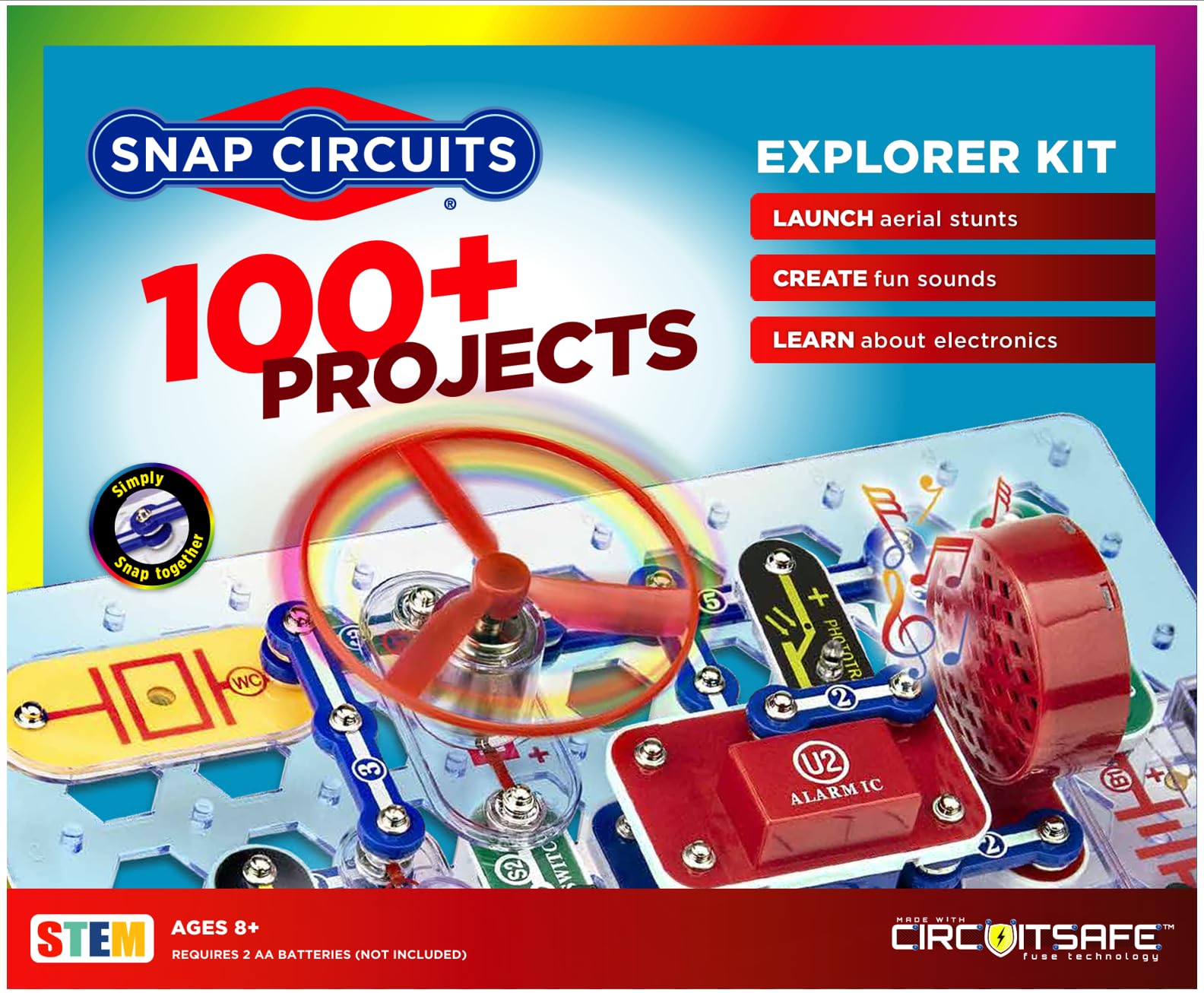
The Explorer's box is only 1.75 inches deep, so it slides onto a bookshelf instead of taking over the coffee table. That matters more than it sounds: a kit that stays within reach gets used on a rainy Tuesday, not just on the day it's opened. The 28 snap-together parts and full-color manual are the whole system, and the grid keeps every project visible while it's built.

That combination is why this is our top pick. With 100+ projects and an 8+ age range, it gives a child a real progression from a lamp to a radio without soldering, tiny pins, or a parent holding the instructions. We like that the parts are color-coded and chunky enough for smaller hands; the snapping is the circuit, so there's less to miswire than with a breadboard.

The project count needs context: many builds reuse the same core parts in different arrangements, which is exactly what makes the kit teach. A child sees a switch, a lamp, and a motor turn up again and again until the pattern sticks. The manual is built around step-by-step diagrams, and the projects are short enough that a wrong connection gets corrected quickly.

We also appreciate that it's expandable with other Snap Circuits sets, though the box has room for only so much before you need a separate bin. For a first serious kit for an 8- to 11-year-old, this is the one we keep coming back to.

Pros

  • 100+ projects with a clear progression
  • Snap-together parts need no tools
  • Color-coded pieces suit smaller hands
  • Stores on a shelf at 1.75 inches deep

Cons

  • Manual explains steps more than theory
Our verdict

We recommend this as the first circuit kit for most families: 100+ projects, no tools, and an 8+ learning curve that leaves room to grow.

Check Latest Price
2

Best for Young Beginners

Snap Circuits Beginner SCB-20

94 /100
LBD Score Outstanding

Key details

Manual
Illustrated beginner manual
Build Style
Snap-together, no tools
Standout Part
Lighted color-changing fan
Recommended Age
5-9 years
View on Amazon

The Beginner kit is the one we hand to a five-year-old who wants a light to go on now, not after a lesson in polarity. The pieces are fewer and chunkier than the Explorer's, and the projects are short enough to finish before attention runs out. The lighted color-changing fan is the payoff piece; it gives a visible, whirring result that makes the cause and effect obvious.

We like that the age range is honest. At 5-9 years, this is a kit for supervised snapping, not for a child who still puts small parts in their mouth. The illustrated manual uses pictures more than paragraphs, which is the right call for pre-readers and early readers. The trade-off is longevity: a seven- or eight-year-old will likely outgrow the project scope faster than the Explorer's 100+.

The plastic parts are light, so keep the box on a shelf rather than in a toy bin; the set stays ready for the next short session. For a younger child, the smaller scope is the point. It removes the intimidating wall of parts and lets them build something that works in a few minutes. If you want one kit to last from age five to ten, spend more for the Explorer; if you want the first win, this is the gentler start.

Pros

  • Simpler pieces suit ages 5-9
  • Color-changing fan gives immediate payoff
  • Picture-led manual supports early readers
  • Smaller scope is less intimidating

Cons

  • Pieces can break after repeated snapping
Our verdict

We recommend the Beginner kit for ages 5-7 who need a fast, visible first win, with the understanding that its smaller scope won't last as long as the Explorer.

Check Latest Price
3

Best Guided Alternative

National Geographic Circuit Kit 120

92 /100
LBD Score Outstanding

Key details

Projects
120+
Build Style
Wired, no tools
Instructions
Illustrated guide + video
Recommended Age
8 years and up
View on Amazon

The National Geographic kit looks more like a science bench than a toy: components connect with wires that snap onto each part, and the projects include a light show, a keyboard, and a flying saucer. That wired approach is the main reason to choose it over a snap-grid kit. It feels a step closer to real electronics, and the connections are still tool-free.

We like the video instructions for the child who tunes out a printed manual. The kit pairs an illustrated guide with kid-friendly videos, so a stuck project has a second way in. The 120+ project count is in the same range as the Explorer, but the build style makes it feel different: less color-coded grid, more component-and-wire assembly.

The 8+ age rating is appropriate, and the parts are designed for complete safety with no tools. That doesn't mean a six-year-old can work independently; the wires need to be seated firmly, and a missed connection can look like a dead component. For a kid who has already enjoyed a snap kit and wants a more technical feel, this is a strong step up.

Pros

  • 120+ projects across lights, sound, and motion
  • Wired connections feel more like real electronics
  • Video instructions back up the printed guide
  • No tools required

Cons

  • Costs more than snap-grid starters
Our verdict

We recommend this for kids who want a more technical, wire-based build and parents who value video backup, provided an adult can help troubleshoot the first sessions.

Check Latest Price
4

Best for Teens Ready to Code

ELEGOO Mega 2560 Starter Kit

95 /100
LBD Score Outstanding

Key details

Components
200+
Controller
Mega 2560 R3
Build Style
Breadboard and coding
Guided Projects
35+
View on Amazon

The ELEGOO kit is not a first circuit kit for a young child, and it doesn't pretend to be. It's a breadboard-and-code kit built around a Mega 2560 board, with 200+ components and 35+ guided projects that move from LEDs to RFID, displays, and motor control. The storage case and small-parts box are the unglamorous features we appreciate most; with this many resistors and sensors, loose parts become a sorting job.

For a teenager who wants to understand how code controls hardware, the breadth is the draw. The board's 54 digital I/O pins and 256 KB flash leave room for bigger builds, and the projects are structured enough to follow but open enough to modify. We like that the lessons ask the kid to change sensor thresholds and display text, not just copy a circuit.

It also assumes a kid who is comfortable debugging. The projects are structured, but when a sensor doesn't respond, the answer is often in the code, the wiring, or both. A patient teen will learn from that; a younger kid who wants a guaranteed light-up may get stuck. It needs a computer and the Arduino IDE, so it's a different kind of screen time from a snap kit.

That's the trade: less instant gratification, more room to build something that feels genuinely programmed. For a 13-year-old who has already asked how to make a sensor trigger a motor, this is the pick. For a family looking for a shared rainy-day toy, it's too much kit and too much setup.

Pros

  • 200+ components support a wide range of builds
  • 35+ guided projects move from LEDs to sensors
  • Mega 2560 leaves room for larger code
  • Storage case keeps small parts organized

Cons

  • Documentation depth is uneven
  • Some components can arrive faulty
Our verdict

We recommend this for teens ready to code and debug, not for younger kids who want a circuit to snap together and work.

Check Latest Price
5

Budget Ages 5-10

Science Kidz 188 Experiments Kit

93 /100
LBD Score Outstanding

Key details

Manual
Illustrated color manual
Projects
188
Build Style
Snap-together
Recommended Age
5-10 years
View on Amazon

The Science Kidz box is long and shallow—about two feet across—so it stores under a bed or on a shelf, not in a small toy bin. Inside are the snap-together parts for 188 experiments aimed at ages 5-10, plus a color manual. It's the most direct budget alternative to the Snap Circuits beginner sets, and the age range covers a wider span.

We like the project variety on paper: the kit promises flying saucers, sound effects, and light experiments, and the snap format keeps the building accessible. The manual is the whole support system, so its clarity matters more than the part count. The listing says the instructions are illustrated and include educational points, which is the right approach for this age.

For a family that wants a lower-cost kit for a five- to ten-year-old, it's worth a look. It won't replace the Explorer for a child who gets hooked, but it can be the kit that gets them started without a big commitment. Build the first project together and check that every snap seats firmly before you turn a child loose with it.

Pros

  • 188 experiments at a budget price
  • Snap-together build suits ages 5-10
  • Illustrated manual includes educational notes
  • Long, shallow box stores easily

Cons

No notable drawbacks to flag.

Our verdict

We recommend this as a budget-first option for ages 5-10, with the caveat that the manual needs a trial run before you hand it over.

Check Latest Price
6

Maximum Project Count

SMILESSKIDDO 420+ Projects Kit

86 /100
LBD Score Excellent

Key details

Parts
35
Manual
37-page color manual
Projects
420+
Recommended Age
3-12 years
View on Amazon

The headline is 420+ projects, but the more useful number is 118: that's how many builds the 37-page manual actually walks through. The rest are variations and combinations of the 35 parts. That's not a scandal—circuit kits often count every permutation—but it's the first thing to understand before buying this one for the project count.

We like the range of parts for the money: spray module, RGB light, flying saucer accessories, and enough components to keep a kid experimenting. The snap-style connections are tool-free, and the manual uses color cards to introduce the builds. For a child who wants volume and doesn't need a brand-name kit, it has a clear appeal.

The first build is best treated as a test. Build one of the simplest projects, check every module, and keep the packaging until you know the set is complete. If the project count is the hook and you're willing to troubleshoot, it can be a lot of kit for the money. If you want the safest first purchase, the Explorer is the better bet.

Pros

  • 420+ claimed projects and 35 parts
  • Color manual covers 118 builds
  • Wide variety of modules
  • Tool-free snap connections

Cons

  • Some parts can arrive non-functional
  • Switches can feel flimsy
Our verdict

We recommend this for budget-minded families who want maximum project variety and are comfortable testing parts early, not for a first kit that has to work flawlessly out of the box.

Check Latest Price
7

Classroom Demos

EUDAX Basic Circuit Kit

89 /100
LBD Score Excellent

Key details

Pieces
17
Storage
Plastic storage box
Build Style
Wired, battery-powered
Recommended Age
Grades 7-9
View on Amazon

The EUDAX Basic kit is a plastic box of 17 pieces and a manual. That sounds like faint praise, but the bare-bones approach is the point: this is a classroom or homeschool kit for showing series and parallel circuits, not a toy with a fan and a light show. The parts are wired together, so the child sees the connections rather than snapping a color-coded block.

We like it for a tween who has already built the snap kits and wants to understand current, resistance, and switches in a more literal way. The English instructions are aimed at grades 7-9, and the kit is designed for science projects and demonstrations. It's also a low-cost way here to get a set of basic components for repeated classroom use.

The trade-off is that it's not self-explanatory. The wires need to be connected correctly, and the kit assumes a teacher or parent who can explain what's happening. A nine-year-old can build the circuits, but a twelve-year-old will get more from the theory. Store the pieces in the included box; losing one bulb or wire can stop a lesson.

Pros

  • Low-cost classroom set for series and parallel circuits
  • Wired build shows real connections
  • Plastic storage box keeps parts together
  • English instructions aimed at grades 7-9

Cons

  • No batteries included
  • Bulbs can be fussy
Our verdict

We recommend this for classroom demos and tweens who want a literal wired circuit kit, not for younger kids who need a self-guided toy.

Check Latest Price

How We Tested These Circuit Kits

We started by pulling every kit a family could actually buy, then cut the field by age band, price, and whether replacement parts were findable — a kit you can't restock has a shelf life. That left ten, tested over eight months at kitchen tables, on living room floors, and in the back seat on a long drive. Kids from five to eleven did the building; adults mostly watched and took notes.

The first test was the manual. We handed each kit to a kid with no preamble and timed how long it took to reach a working circuit, noting where they got stuck and whether the book got them unstuck on their own. Diagrams beat paragraphs every time, and kits that buried the first build behind three pages of safety notes lost the kid inside a minute. We also logged whether parts snapped or needed a breadboard and jumper wires, and how much adult help each build required.

Durability got its own round of abuse: parts dropped on tile, a kit packed into a backpack for a week of school, battery holders snapped in and out until they loosened. We rebuilt the same projects at the end of the eight months to see whether a connection that worked in March still worked in October, and whether the springs and snaps had gone soft.

Fun is harder to score, so we counted — which kits got pulled back out unprompted, and whether kids could explain what a circuit was a month later without the manual. For value, we weighed what a kit cost against how many projects a kid could run before the parts stopped offering anything new. And because most of these are gifts, we watched a few get opened cold at a birthday party to see which ones held the group's attention past the cake.

How to Choose a Circuit Kit for Kids

Match the kit to your child's age and independence

Age ratings are a starting point, not a guarantee. A 5-year-old can snap a beginner kit together with an adult nearby, while an 8-year-old is usually ready to follow a color manual and work through a longer project alone. The mistake is buying for the age on the box instead of the child in front of you. If they need a fast result, start with the Snap Circuits Beginner; if they already build Lego sets independently, the Explorer's 8+ range is the better stretch.

Choose the build style your child will tolerate

Snap-together kits lower the fine-motor barrier: the pieces only fit one way, so the circuit is visible and the frustration is low. Wired kits feel more like real electronics and teach connection discipline, but a loose wire can look like a dead component. Breadboard and coding kits add a third layer—the program—and reward a kid who enjoys debugging. If your child gets upset when a build fails, start with snaps; if they ask how the parts really work, move to wires.

Look past the project count

A 420-project kit can be a 118-build kit with variations counted separately, and that isn't dishonest so much as creative math. The number that matters is how many unique builds the manual actually walks through, plus how many reusable parts come in the box. Check the table of contents or a sample page if you can. A smaller kit with 28 well-used parts can teach more than a larger kit with 35 parts and a lot of repetition.

Check the manual, replacement path, and storage

The manual is the difference between a kit that gets used and one that sits in the closet. Look for clear diagrams, a logical progression, and at least some explanation of why the circuit works. Test every part on the first build, because a dead component or loose connection can make a working kit look broken. Keep the original box if it has compartments; a zip-top bag works for loose parts, but it doesn't protect the snap grid.

Decide how much expansion you want

A starter kit is cheaper, but a system you can add to is often the better long-term buy. Snap Circuits sets share parts, so an Explorer can grow with add-on kits; breadboard kits use generic components, but the code and board matter more than the box. If you're buying for a classroom, choose one system and buy enough parts for a group rather than several incompatible kits. The goal is fewer orphaned pieces and more projects your child can actually finish.

Frequently Asked Questions

Final Verdict

We think most families should start with the Snap Circuits Explorer SC-100. It has the project range, the snap-together build, and the manual clarity to carry a child from a first lamp to a radio without a soldering iron. If your child is five or six, the Beginner kit is the gentler on-ramp; if you're buying for a teenager who wants to code, choose the ELEGOO kit instead. The right pick is the one that gets built, not the one with the biggest project number.