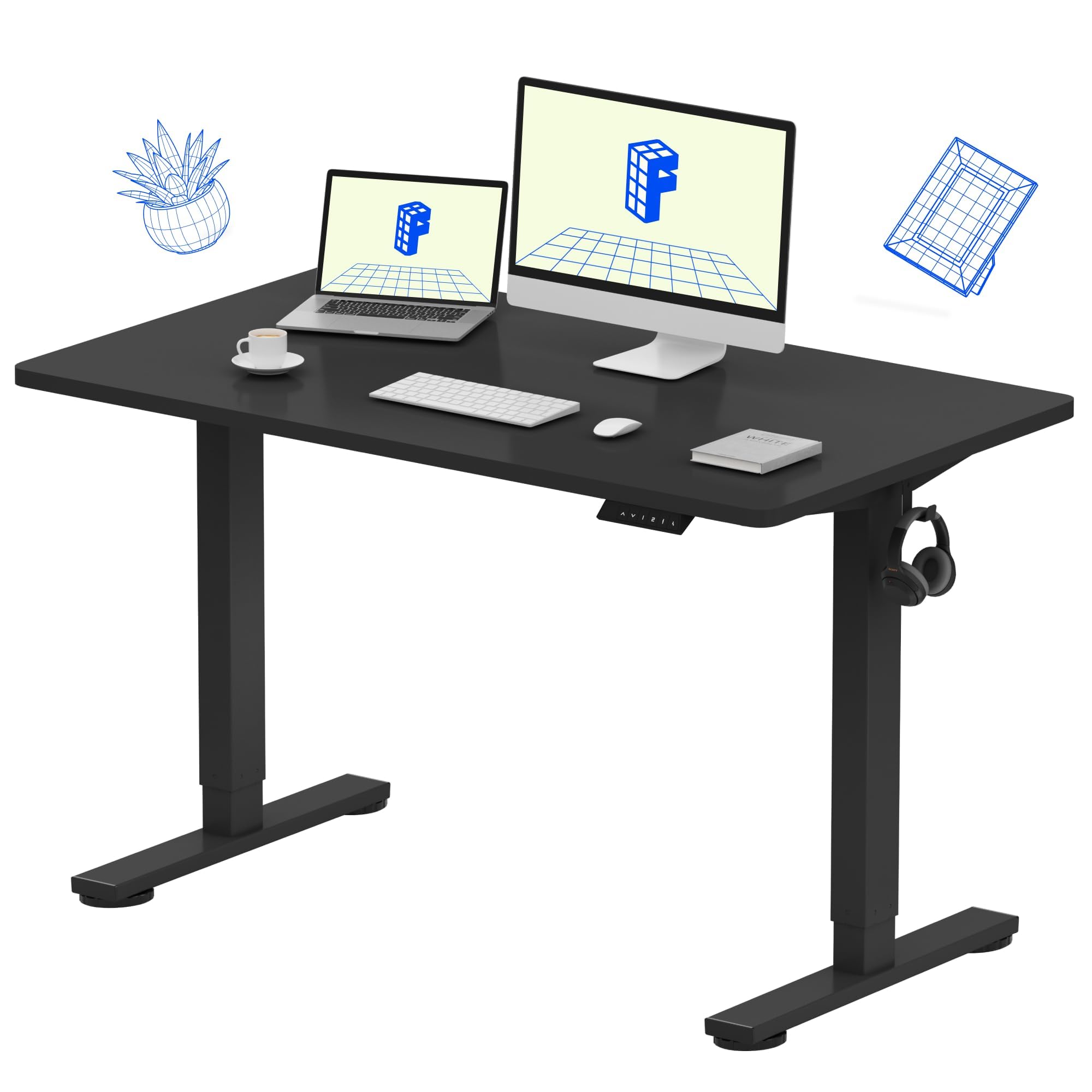
Best Dual Monitor Desks for Home Offices of 2026

Two monitors change what you need from a desk. You need width so the screens aren't crowding your keyboard, depth so you're not reading from a foot away, and a frame that stays planted when you raise it — a single monitor forgives a wobbly base, but a pair of 27-inch displays will find every shimmy in it. I spent nine months living with 12 desks to figure out which ones hold that line.

The spec that surprises people is height range, not weight capacity. A desk that tops out around 42 inches is comfortable at 5'4" and cramped at 6'2", and memory presets matter more than they sound once you're toggling between sitting and standing twice an hour. Built-in outlets, monitor shelves, and drawers turned out to be the other things I actually used instead of just appreciating on the listing.

Below are the desks that held up to the routine, from wide expanses that swallow a dual-monitor setup to smaller footprints that still leave room for a printer. Assembly quality and sturdiness separated the field faster than any feature did.

1

Best Overall

FLEXISPOT EN1 Standing Desk

91 /100
LBD Score Outstanding

Key details

Desktop
48" x 24", one piece
Warranty
5 years, frame and motor
Height Range
28.9"–46.5"
Weight Capacity
176 lb
View on Amazon

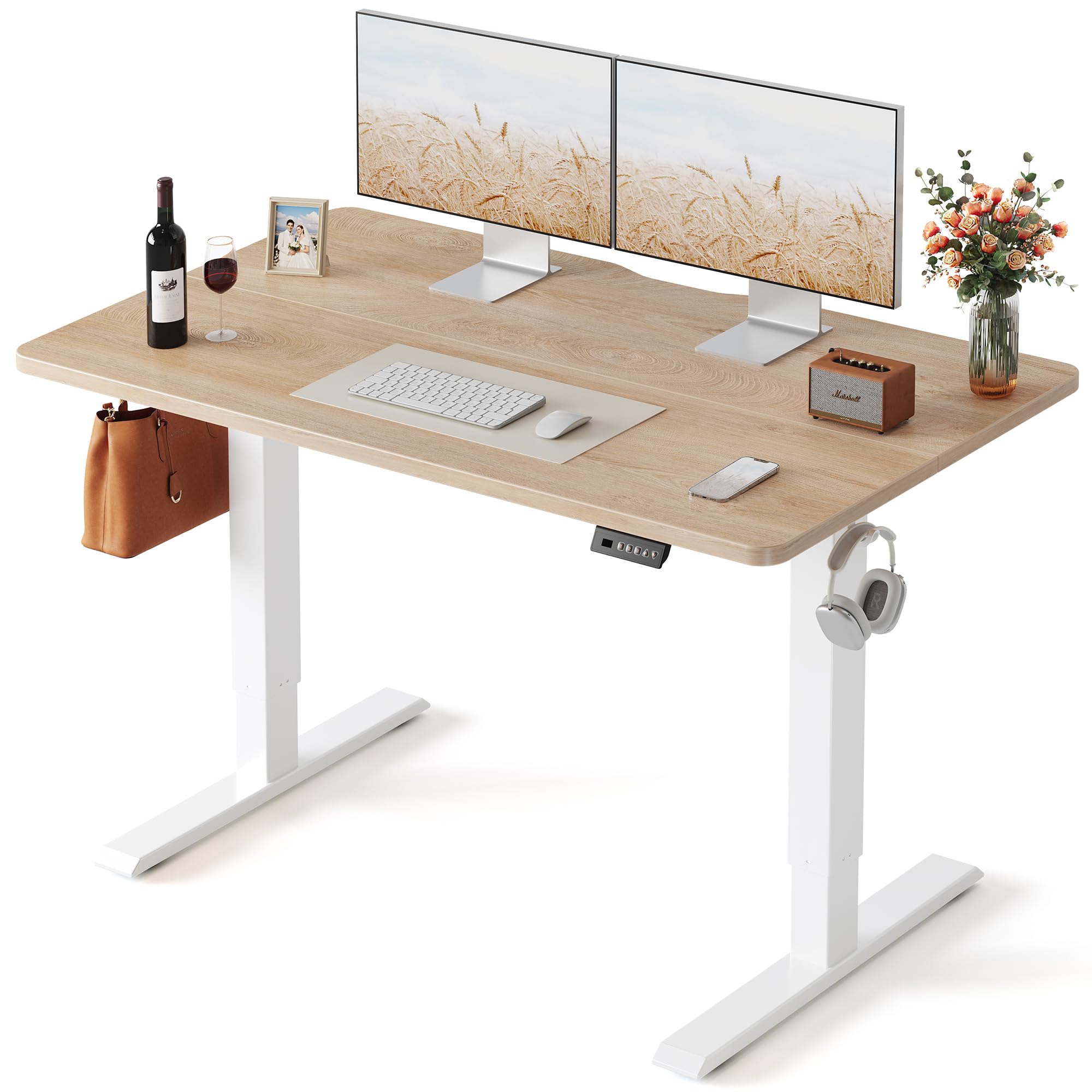
The EN1's desktop arrives as a single 48-by-24-inch panel, and that seamless surface is the reason it holds the top spot. Put two monitors on it and the joint that runs down the middle of most budget tops — the one your mouse crosses twenty times an hour and a monitor foot straddles — simply is not there.

As a default for a two-monitor home office, this one is easy to argue for. The frame carries 176 pounds, the motor spans 28.9 to 46.5 inches with four memory presets, and the warranty covers the frame and motor for five years, the longest stated coverage in this group. Two 24-inch screens sit with room to spare for a keyboard and a notebook; two 27s fill it edge to edge, which is the honest limit of a 48-inch top.

Assembly is a one-person job and the instructions are the weak spot: the steps lean on pictures, and the order matters — fit the support bracket before you screw down the top. We treat the height range as something to exercise on day one with nothing on the desk. A unit that stops climbing is the failure this design runs into, and the five-year motor coverage is what makes that risk tolerable.

Width is the one thing it will not give you. A printer, a third screen, or a pair of speakers has to go somewhere else, and on a 48-inch top there is no somewhere else. What you get instead is a tidy package: cable clips and a headphone hook in the box, a top that wipes clean, and a footprint that fits against a bedroom wall.

Pros

  • Seamless one-piece 48-inch desktop
  • Four memory presets across a 28.9–46.5 inch range
  • Five-year warranty on frame and motor
  • Cable clips and headphone hook included

Cons

  • 48-inch width leaves no room for extras
  • Picture-heavy instructions reward careful order
Our verdict

The safest buy here for two monitors: no seam down the middle, four saved heights, and five years on the frame and motor.
Check Latest Price
2

Best for Big Dual-Monitor Setups

VIVO Electric Standing Desk 71"

91 /100
LBD Score Outstanding

Key details

Desktop
71" x 30", three pieces
Presets
4 memory heights
Height Range
29.2"–48.4"
Weight Capacity
220 lb
View on Amazon

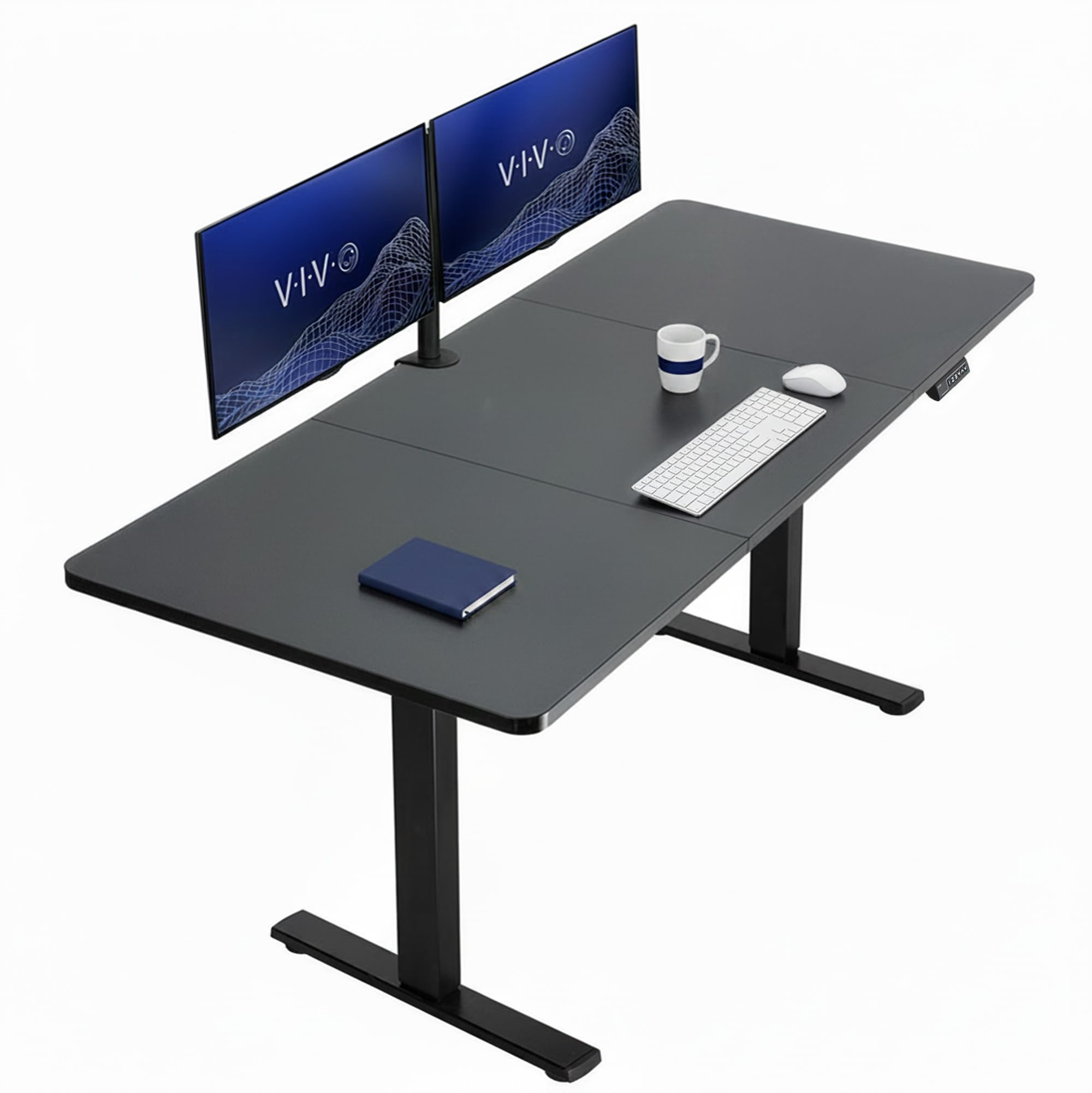
Seventy-one inches wide and thirty deep is a different category of desk from everything else in this group. Two 32-inch monitors fit with room for speakers on either side; two 27s leave a stretch of desktop wide enough for a laptop, a document stand, and the coffee you keep knocking over.

The frame carries 220 pounds, the motor rises to just under 48 inches, and the four presets hold sitting, standing, counter height for a stool, and a walking-pad setting. We found the motor quiet enough to move mid-call, which is more than we expected at this size. The top is three panels rather than one, and the joints make themselves known: expect a visible line and, on some units, a sliver of daylight between the boards.

This is the desk for a dedicated office where two large screens plus gear is the entire point. It is the most expensive desk here by a wide margin, and width is the only honest reason to pay it — capacity and finish are not what you are buying, floor space on the desktop is.

Two practical notes. It weighs 57 pounds and wants two people at assembly, and the black laminate picks up fingerprints and hand smudges, so keep a cloth nearby. The three-year warranty covers the frame and the electrics, which is the part that eventually needs it.

Pros

  • 71-by-30-inch top for two large monitors
  • 220-pound capacity, the highest among the electric desks here
  • Quiet motor with four memory presets
  • Rises to just under 48 inches

Cons

  • Three-panel top with visible joints
  • Black laminate shows smudges
Our verdict

Choose it when two big monitors and everything that comes with them need one surface; the 71-inch top is why it costs more.

Check Latest Price
3

Best Wide Desk for the Money

Veken 55 Inch Standing Desk

90 /100
LBD Score Outstanding

Key details

Desktop
55.1" x 23.6"
Presets
4 memory heights
Height Range
28.3"–46.5"
Weight Capacity
154 lb
View on Amazon

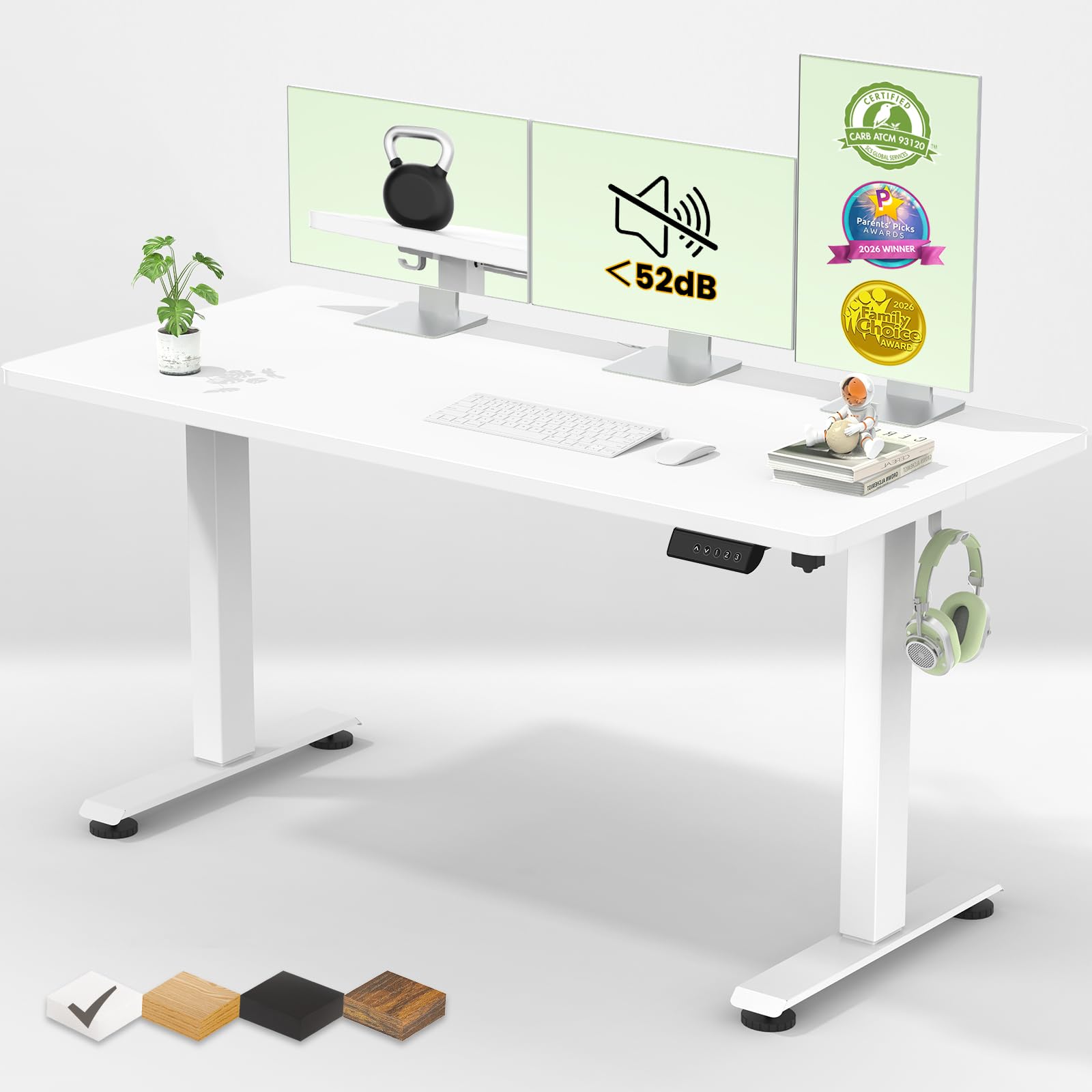
Five and a half feet of desktop for roughly what the top pick costs is the whole argument. At 55.1 by 23.6 inches, two monitors sit side by side with a real gap between them instead of meeting in the middle, and there is still room in front for a keyboard and a wrist rest.

That extra width is what sold us. This is the desk for a setup that has to hold speakers, a laptop, a dock, and the mail without stepping up to a 71-inch frame or giving away a corner of the room. Four memory presets, a motor rated under 52 decibels, a cable clip, and two headphone hooks cover the daily logistics, and the white finish reads warmer than the usual office gray.

What it gives up is headroom. The 154-pound capacity is the lowest among the electric desks on this list, which only matters if a tower or a UPS lives on the desktop, and the two-year warranty is shorter than the five FLEXISPOT puts on its frame and motor. Raise it to the top limit once with nothing on it — a control that overshoots its stop is easier to catch before the desktop is loaded.

Pros

  • 55-inch desktop at a midrange price
  • Motor rated under 52 decibels
  • Four memory presets
  • Cable clip and two headphone hooks included

Cons

  • 154-pound capacity is the lowest here
  • Two-year warranty is shorter than most
Our verdict

The value pick for two monitors plus gear: five extra inches of desk over our top pick, with presets and a quiet motor at the same money.

Check Latest Price
4

Best for Monitor Arms

HUANUO Standing Desk with Drawers

91 /100
LBD Score Outstanding

Key details

Desktop
48" x 24", spliced
Storage
2 drawers and a keyboard cubicle
Height Range
27.5"–46.4"
Weight Capacity
176 lb
View on Amazon

The detail that decides this desk is at the back: a 2.36-inch lip along the rear edge that gives a C-clamp monitor mount something to grip. If you want both screens off the desktop on a single arm, that lip is the difference between a clean setup and a trip to the hardware store, which is why we rank it above flatter, plainer desks at similar money.

The rest is familiar: 48 by 24 inches, four presets, a 27.5-to-46.4-inch range, and a 176-pound frame. What is not familiar is the storage. Two shallow desktop drawers swallow pens, cables, and a headset, and an open cubicle under the top takes the keyboard out of the way when you switch to standing — the one clutter problem a big desktop never solves on its own.

Two things to know before ordering. The desktop is spliced, and the joint reads as a line across the middle: the screens hide it, your forearms do not. The frame also gets noticeably less settled near its top limit, so if you stand tall and type hard, work a setting or two lower. Raise it through the full range on the first day, because a control that faults at height announces itself then rather than after the return window.

Pros

  • Rear lip takes a C-clamp monitor arm
  • Two desktop drawers plus a keyboard cubicle
  • Four presets from 27.5 inches
  • 176-pound frame

Cons

  • Visible seam across the spliced desktop
  • More movement near the top of its range
Our verdict

For two monitors on a clamp arm and a desktop that stays clear, this is the one: the rear lip and the drawers do what no flat top here can.

Check Latest Price
5

Best L-Shaped Desk

SEDETA 66" Reversible L-Shaped Desk

91 /100
LBD Score Outstanding

Key details

Storage
File drawer, printer shelf, 2 shelves
Charging
4 outlets, 2 USB ports
Footprint
66.9" x 48", L-shape
Weight Capacity
300 lb
View on Amazon

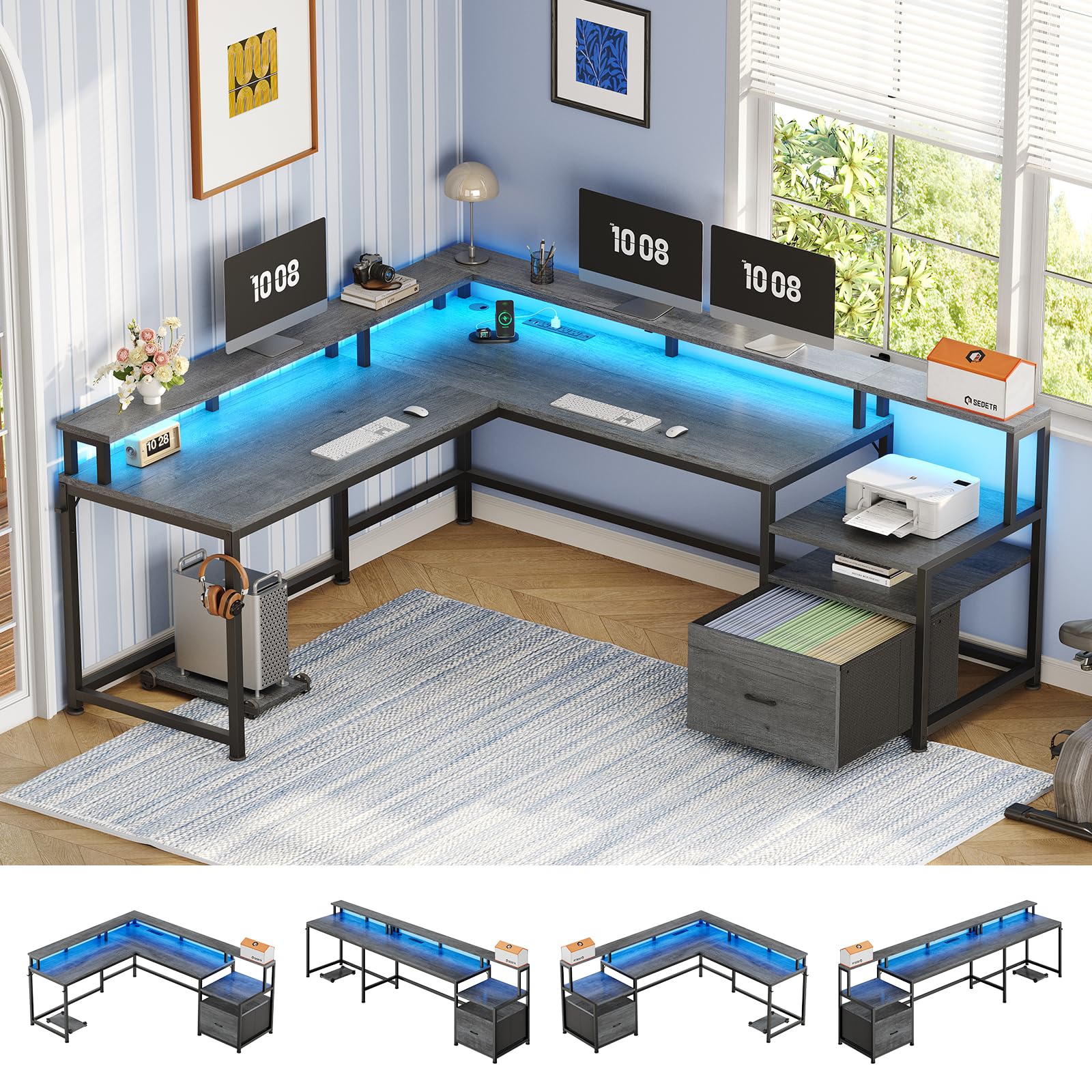
Some corners have to hold everything: two screens, a printer, the files, the router, and whatever is charging. This 66.9-by-48-inch L-shaped desk is built for exactly that corner, and it puts four outlets and two USB ports on the surface instead of leaving you to hunt for a power strip behind the printer.

The layout does the work. One wing takes the monitors on the raised shelf, the other takes the printer on its own shelf and letter or A4 files in the fabric drawer, with a CPU stand below, two adjustable shelves beside, and a headset hook within reach. Capacity is 300 pounds, the highest in this group by a distance, and the one-inch top feels like it.

For a home office that has to absorb a printer and a filing habit, this is the pick, and it costs little more than a plain standing desk of the same footprint. What it is not is a sit-stand desk — the height is fixed — and assembly is the longest job here. Set aside an afternoon, and expect picture-heavy instructions that leave the hardware sequence to inference.

Ignore the RGB strip; the outlets, the shelf, and the drawer are what earn the floor space. Do measure the return against your room first, because the wing depths run slightly optimistic against the photos and a 48-inch L is a real commitment in a bedroom.

Pros

  • L-shape with 300-pound capacity
  • Four outlets and two USB ports on the desktop
  • File drawer, printer shelf, and CPU stand
  • Two adjustable storage shelves

Cons

  • Fixed height, no sit-stand
  • Long, picture-heavy assembly
Our verdict

The L-shaped answer for a corner that has to hold two monitors, a printer, and the paperwork — outlets and storage included, sit-stand not.

Check Latest Price
6

Best Budget Desk

VASAGLE Computer Desk 55.1"

93 /100
LBD Score Outstanding

Key details

Frame
Steel with adjustable feet
Height
29.9", fixed
Desktop
55.1" x 19.7"
Weight Capacity
110 lb
View on Amazon

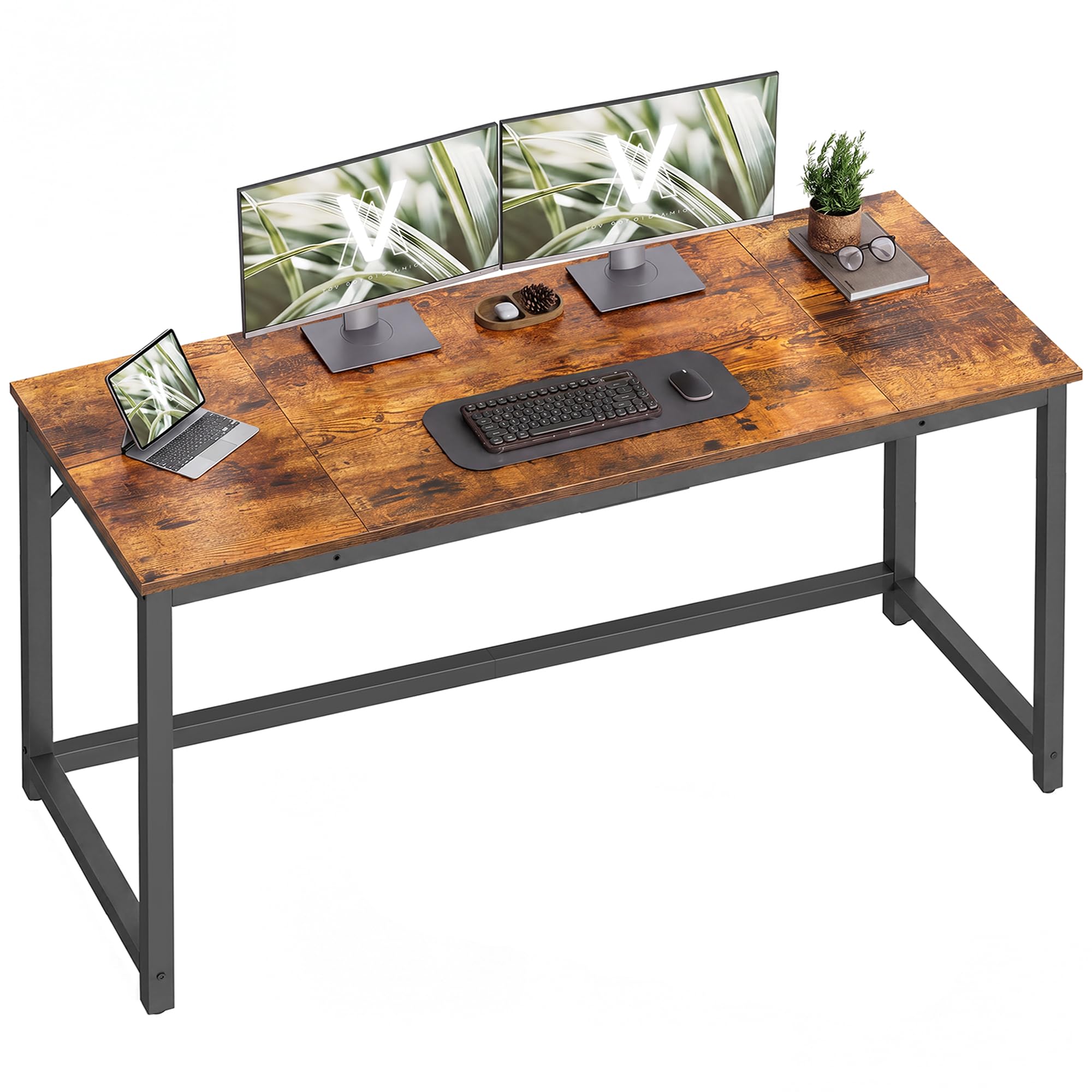
No motor, no presets, no height range: the VASAGLE is 55.1 inches of fixed desktop at 29.9 inches, and at this price that is the entire pitch. It is the desk we name when the budget is the decision and two monitors still have to fit.

They fit — barely, on their own stands. The top is 55.1 by 19.7 inches, and that depth is the number to think about: a typical monitor stand eats six to nine inches of it, so two screens plus a keyboard puts you closer to the glass than you might like. Slimmer stands, or a wall mount above the desk, buy back the difference.

The steel frame with adjustable feet is what keeps a 24-pound desk from rocking on an old floor, and assembly is the easiest in this group — labeled parts, real written directions, well under an hour for one person with a screwdriver. The top is particleboard under a rustic-brown laminate, though, and the edges are where this desk is most likely to arrive damaged. Inspect the panels before you build and keep the packaging until you have.

Pros

  • 55-inch top for very little money
  • Assembles in well under an hour
  • Adjustable feet for uneven floors
  • 24 pounds, easy to move alone

Cons

  • 19.7-inch depth crowds two monitors
  • Particleboard edges can arrive damaged
Our verdict

For the smallest budget here, a stable 55-inch top that holds two monitors and nothing more — no motor, no drawers, no pretense.

Check Latest Price
7

No-Clamp Monitor Height

EnHomee Office Desk with Drawers

92 /100
LBD Score Outstanding

Key details

Desktop
56.5" x 19.6"
Storage
File cabinet and side pockets
Charging
3 outlets, 2 USB ports
Monitor Shelf
40" x 7", 7" above top
View on Amazon

Start with what is not in the box: the strip lighting shown under the top shelf in the product photos. It is the recurring surprise with this desk, and it is better to know that before delivery than after you have thrown the packaging out.

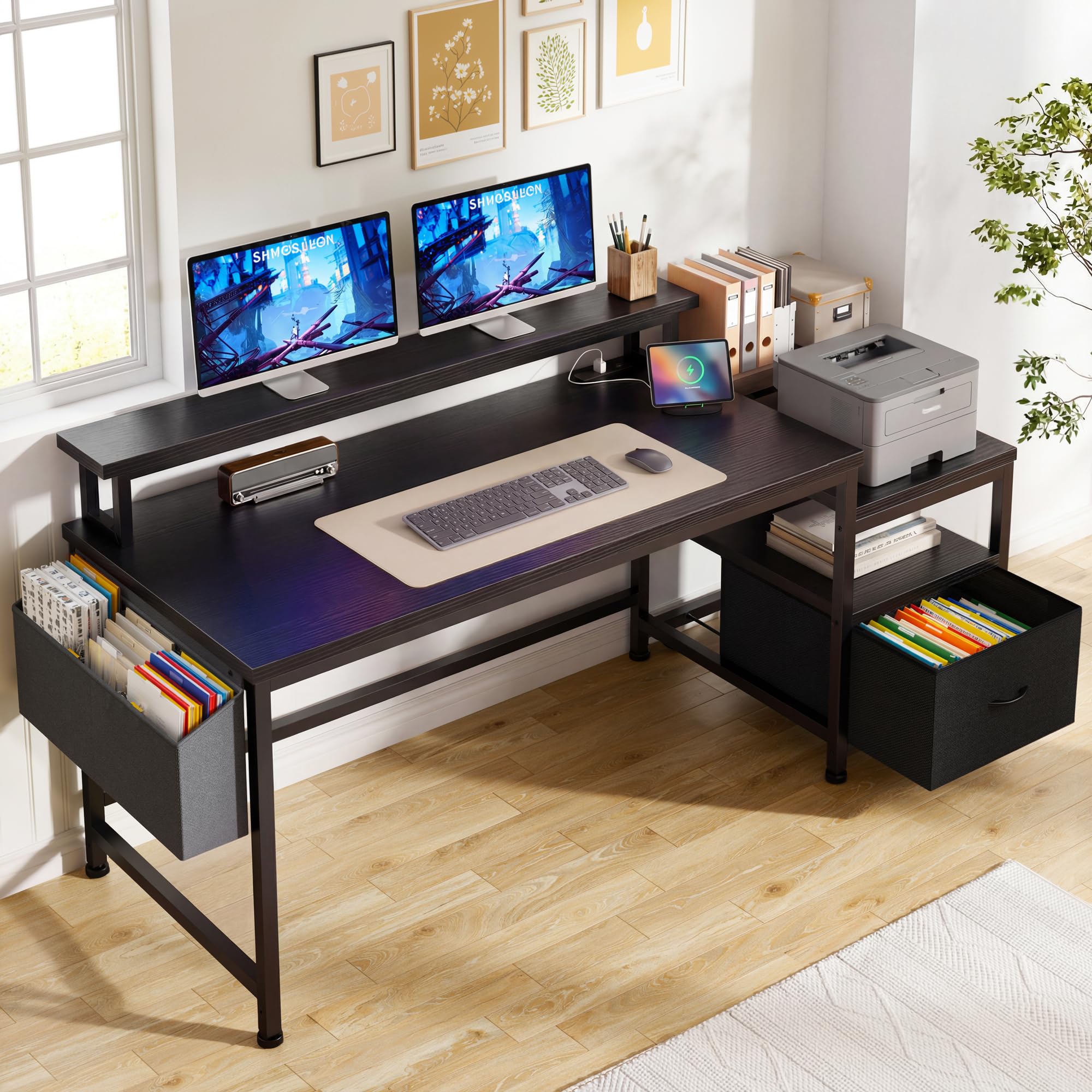
What is there is a 40-by-7-inch monitor shelf sitting seven inches above the desktop — enough to lift two screens toward eye level without a clamp, a grommet, or a wall behind you. The desktop underneath stays usable for a keyboard and a notebook instead of being consumed by monitor feet. Three AC outlets and two USB ports sit on the surface, with a fabric file cabinet, open shelves, and side pockets for everything else.

The footprint is 56.5 by 19.6 inches and the height is fixed, so this is not a desk you raise through the day. The dimensions also read generous on the page: it lands smaller in a room than the photos suggest, so check the shelf width and desktop depth against your screens before ordering. Assembly is one person and roughly an hour, with holes that line up.

For a bedroom office or a rental where drilling and clamping are off the table, the shelf does the job a monitor arm would, and it does it for both screens at once. That is a narrow brief, and this desk fills it better than anything else on this list.

Pros

  • 40-inch shelf lifts two screens
  • Three outlets and two USB ports
  • File cabinet, shelves, and side pockets
  • Thick 1.5-inch top

Cons

  • Fixed height, no sit-stand
  • Lands smaller than the photos suggest
Our verdict

When you cannot clamp or drill, the built-in shelf brings two monitors up to eye level — just do not expect the light strip from the photos.

Check Latest Price
8

First Standing Desk

FEZIBO Standing Desk 48"

91 /100
LBD Score Outstanding

Key details

Desktop
47.2" x 23.6", spliced
Presets
3 memory heights
Height Range
28.3"–46.5"
Weight Capacity
176 lb
View on Amazon

This is the least expensive electric desk in the group, and it does not feel like a compromise on the parts that count: a 176-pound frame, three memory presets, a motor rated for 50,000 cycles and under 45 decibels, and an FSC-certified top in maple.

The top is spliced, and the two panels meet along the middle. We minded that more than the missing fourth preset. The joint falls exactly where a mouse travels and where a monitor foot sits, and on a light maple finish it reads from across the room. If you write or draw across the full width, pay the difference for a one-piece top.

The motor is quiet enough to move during a call and covers 28.3 to 46.5 inches, which handles sitting through standing for most people. Check the leg bolts after the first week — the wobble that develops on frames like this is usually a fastener that has settled, and retightening clears most of it.

For a first standing desk, a dorm room, or a second workspace where the desk is not the statement, this is the sensible spend, and it is the least money here that puts a motor under two monitors. If a seam under your wrist would grate every day, the FLEXISPOT is the fix and the extra is small.

Pros

  • Least expensive electric desk here
  • 176-pound frame with three presets
  • Motor rated for 50,000 cycles
  • FSC-certified top in maple

Cons

  • Center seam sits under the mouse
  • Only three memory presets
Our verdict

The cheapest way here to get a motor under two monitors, as long as a center seam under your mouse hand will not bother you daily.

Check Latest Price

How We Tested the Best Dual Monitor Desks

To build the shortlist, I pulled every desk I could find that listed at least 48 inches of width and 24 inches of depth, then cut anything with a stated capacity under 150 pounds, a top height under 45 inches, or assembly documentation that amounted to a QR code and a prayer. That left 12 desks, ranging from compact 48-inch models with drawers to a 71-inch version with a split top.

Assembly came first in practice. I built each desk alone, using only the included tools and instructions, timing the build and noting where the diagrams stopped matching the hardware in the box. Then I ran every desk through its full height range and pressed each preset twice, watching for a controller that overshoots its mark or a frame that shudders at the top of its travel. With two monitors, a laptop, and a full mug on board, I typed at standing height for a whole workday and watched the screens for sway — small vibrations show up there before they show up anywhere else.

The rest of the nine months was ordinary use. I raised and lowered each desk several times a day, which is the quickest way to catch a motor that gets louder or a top that starts to drift out of level. Where a desk had drawers, a monitor shelf, or an outlet cluster, I loaded it with real equipment and checked whether the ports were still reachable with the desk pushed against the wall. Every few weeks I ran a hand along seams and edges to judge finish, since scratches and peeling laminate only announce themselves after months. At the end, I checked each one again for wobble, loosened screws, and drawer alignment — the problems that never appear on day one.

How to Choose a Dual Monitor Desk

Width and Depth: The Numbers That Matter

Two 24-inch monitors are roughly 21 inches wide each, so they need about 42 inches before you add a gap, speakers, or a laptop. Two 27-inch screens need close to 48 — which means a 48-inch desktop holds them only when they sit nearly flush at the edges. If you want air between the screens, or anything else up there, 55 inches is the honest minimum.

Depth decides comfort. A 24-inch top leaves room for a keyboard in front of a monitor stand; a 19.7-inch top does not, and the screens end up closer than you want all day. Desks advertised at 40 inches wide will technically support two monitors, and nobody should work that way.

One-Piece Tops Versus Spliced Tops

Most affordable desks ship the desktop in two or three panels that bolt together, and the joint runs down the middle — exactly where a mouse travels and where a monitor foot lands. On a light finish the seam also reads as a line from across the room.

We treat a single panel as worth paying for if you write, draw, or game across the full width. Where the top is spliced, plan the layout so the joint falls between the screens rather than under one, and check the panel thickness, since thin boards flex under a clamp.

Standing Desks: Range, Presets, and Wobble

The electric desks here adjust from about 28 inches to 46 or 48. Seated work needs roughly 28 to 30 inches and standing needs 42 to 46, depending on your height, so range is rarely the limit — presets are. Two or more saved heights turn a novelty into a daily habit.

Expect some movement at full extension on a single-motor frame; that is part of what the lower price buys. If you lean on the desk while standing, work a setting or two below maximum, which is where these frames are steadiest, and check the leg bolts after the first week.

Storage and Charging: What Earns the Space

Drawers keep the surface clear but take legroom, and shallow desktop drawers are far more useful than a deep pedestal in a small room. Built-in outlets replace the power strip on the floor, and a rear overhang or a shelf is what lets you get the monitors up without a wall behind you.

Decide which shortage you actually have — surface, legroom, or outlets — and buy for that one. A desk that solves all three tends to be the one with the longest assembly.

Assembly, Delivery, and the First Hour

Shipping is where these desks get hurt. Panels arrive chipped or cracked at the edges and corners, and a claim is much easier before assembly than after. Open the boxes, lay the panels flat, and inspect every edge and corner first.

Budget 30 to 60 minutes for a 48-inch desk and an afternoon for anything with drawers and shelves, and get a second person for anything over 50 pounds. Picture-only instructions are normal here, so sort the hardware by step before you start turning screws.

Frequently Asked Questions

Final Verdict

For most people the FLEXISPOT EN1 is the right desk: a single 48-inch panel with no seam under your wrist, four saved heights, and five years of coverage on the frame and motor, at a price that needs no justification.

If the desktop has to hold more than the screens, the Veken gives you 55 inches for about the same money and the VIVO gives you 71 when the room can take it. If it has to hold a printer and a filing habit, the SEDETA's corner layout earns its assembly time. And if the budget is the whole decision, the VASAGLE holds two monitors without a motor, a preset, or an apology.