Best Flight Sim Rudder Pedals of 2026

The first time I tried to hold a centerline in a crosswind with a twist-grip joystick, I went down the runway sideways and my wrist cramped before the wheels left the ground. Rudder pedals end that wrestling match: your feet handle yaw, your hand keeps pitch and roll, and differential brakes mean you can taxi like a pilot instead of pirouetting on the apron.

My team and I have spent the past eight months flying seven sets through the same routine — bush landings, pattern work, slow taxiing — judging build quality, pedal spacing, adjustability, and whether each one returns to center where you left it. Compatibility is the sleeper issue: some sets are PC-only, others switch to Xbox or PlayStation, and a few need extra software before the toe brakes register at all.

One thing nobody tells a first-time buyer: tension is a taste, not a spec. A stiff self-centering spring feels sharp in a fighter and tiring on a two-hour cross-country; a light one is lovely in a helicopter and vague everywhere else. The picks below cover both ends of that range.

1

Best Overall

Logitech G Pro Flight Rudder Pedals

90 /100
LBD Score Outstanding

Key details

Weight
5.1 lb
Platform
Windows 7 to 10
Resistance
Adjustable tension dial
Axis Resolution
9-bit rudder, 7-bit toe brake
View on Amazon

A tension dial is the difference between pedals that feel like an aircraft and pedals that feel like a spring in a box, and the one built into the Logitech is why this is the set we recommend first. Twisting it moves the rudder from the light, quick response you want in a Cessna to something considerably firmer for a heavy jet, and that range is what lets one set of pedals suit whatever you happen to be flying that evening.

The rest of the hardware does its job without drama. The pedals self-center cleanly, the toe brakes run on their own axes so differential braking on a taxiway behaves the way it should, and the resolution — 9-bit on the rudder, 7-bit on the brakes — is fine enough to hold a centerline without sawing at it. It appears to the sim as its own USB device, so setup means opening the control menu and assigning the axes. Nothing is bound for you, and the brake axes are worth checking for direction before your first taxi.

It's also the most forgiving set here to live with. At 5.1 pounds and roughly 18 inches across, it tucks under a chair without taking over the floor, and nothing about it needs a bolt-down plate or a permanently cleared desk. Plug it in, assign the axes once, and it fades into the background in a way the heavier metal sets don't.

Pros

  • Tension dial spans light aircraft to heavy jet feel
  • Separate toe-brake axes for differential braking
  • Fine 9-bit rudder resolution for centerline work
  • Straightforward setup in MSFS and X-Plane

Cons

  • PC only; no Xbox or PlayStation support
  • Plastic build, with a possible slight catch at center
Our verdict

For a PC setup, this is the pedal set we point people to first: the tension dial and toe brakes do the work, it plugs in and behaves, and it stops short of rig money.

Check Latest Price
2

Best Value

Thrustmaster TFRP Rudder Pedals

89 /100
LBD Score Excellent

Key details

Rails
Four aluminum rails
Brakes
Differential toe brakes
Weight
4.9 lb
Platform
PC, PS4/PS5, Xbox One and Series X/S
View on Amazon

It's the least expensive set here, and the way it moves doesn't feel like a corner was cut. The pedal carriage runs on four aluminum rails, which gives the rudder axis a long, smooth travel rather than the short, sticky arc cheaper sliders produce, and the self-centering action returns to neutral without a clunk.

Two things showed up in use that the listing doesn't mention. On a hard floor the base walks under firm rudder input, and a rug, a mat, or a strip of grip material under the feet fixes it in about a minute. More interesting is where the rail action is weakest: in big inputs it's lovely, but ask for a degree or two of correction on a centerline and the movement can come out coarser than you intended. Neither is a dealbreaker at this price, and both are the kind of thing you notice early rather than after a month.

What you get is the full control set. Differential toe brakes, a resistance adjuster, a one-year warranty, and plastics that are honest about what they are — nothing creaked or flexed under ordinary pressure. If you've been flying with a twist grip and want to find out whether pedals actually change the experience before spending real money, this is the cheapest honest way to find out.

Pros

  • Long, smooth rudder travel on four aluminum rails
  • Differential braking at the lowest price here
  • Self-centering with adjustable resistance

Cons

  • Pedals sit close together for wide feet
  • Xbox support doesn't hold up in practice
Our verdict

The best value in this group: long, smooth rail travel and differential brakes for the least money here, and an easy way to find out what rudder pedals do for your flying.

Check Latest Price
3

Best Realistic Feel

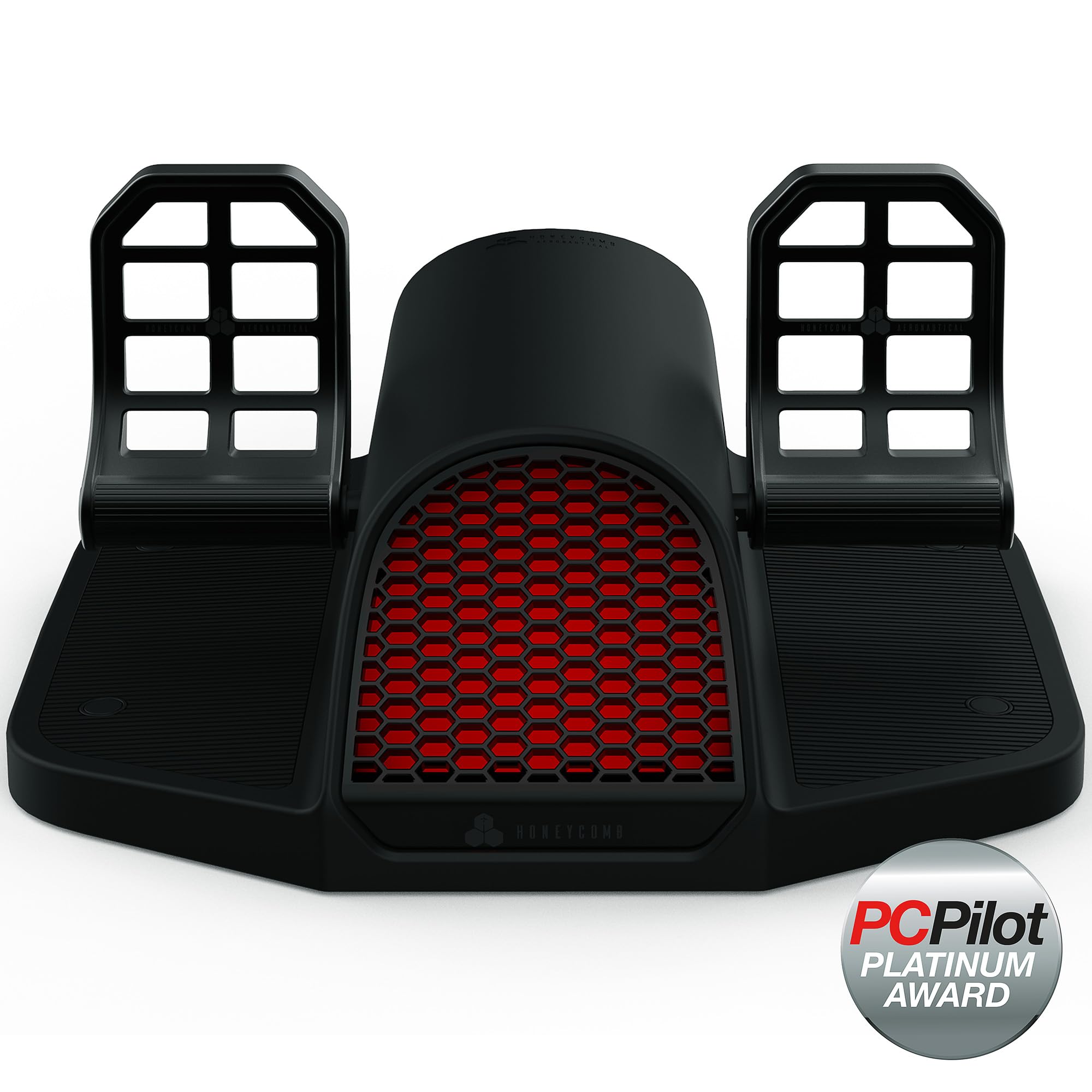
Honeycomb Charlie Rudder Pedals

84 /100
LBD Score Excellent

Key details

Drive
Belt drive system
Sensors
Hall effect
Platform
PC and Mac; Xbox with hub
Adjustment
Pedal angle and tension
View on Amazon

Belt drive and Hall-effect sensors are the two specifications worth understanding here, because between them they take out the parts that make a cheap pedal assembly feel tired after a year of use. There's no wiper dragging along a resistance track to wear a flat spot into it — the pedals report their position magnetically, and a belt carries the movement instead of a slider.

What we noticed first, though, was the stance. This is a heels-on-the-floor design, the layout you find in most general aviation aircraft and light jets, and the pedal faces adjust through a range of angles so the set can meet a high office chair or sit low in a cockpit. Add the adjustable tension and there's more adjustment here than on anything else in this group except the VelocityOne's sliding width. On the ground it behaves the way a 172 does: you can hold a taxi turn with a smooth, progressive push rather than a lurch.

The cost is weight and floor space. At 10 kg it's a fixture rather than something you tuck under the desk when the session ends, and the frame is broad enough that it wants a permanent home. Honeycomb ships grip strips and deployable carpet spikes, which is the right idea for a hard floor; push hard on one pedal and the whole unit can still shift, so treat a mat as part of the setup rather than an accessory.

Whether the premium makes sense depends on what you're chasing. If you fly light aircraft and want the ground handling to match the ones you've sat in, this is the closest thing here, and the sensing means it should still feel that way in a few years. If you mostly fly airliners behind a yoke, the Logitech does the same job for a lot less.

Pros

  • Hall-effect sensing with no wearing contact track
  • Heels-on-floor geometry with adjustable pedal angle
  • Adjustable tension plus aluminum construction
  • Carpet spikes and grip strips included

Cons

  • 10 kg and a broad frame want a permanent spot
  • Xbox play needs the separate Honeycomb hub
Our verdict

The set to buy if you want your sim to feel like a light aircraft on the ground: Hall-effect sensing, an adjustable heels-on-floor stance, and a build that isn't going anywhere.

Check Latest Price
4

Best for Xbox

Turtle Beach VelocityOne Rudder Pedals

86 /100
LBD Score Excellent

Key details

Weight
13.3 lb
Sensors
Hall effect on all axes
Platform
Windows, Xbox One, Series X/S
Pedal Width
Adjustable
View on Amazon

Adjustable pedal width is the feature nobody asks for and everybody notices. The VelocityOne's pedals adjust wider or narrower, so the stance fits your hips rather than the other way around, and it's the adjustment we missed most when we moved back to a fixed-width set. Two sets of pedal faces come in the box as well — a flatter pair for airliners, a more upright pair for light aircraft — so the pedals change shape with what you're flying.

Everything else is on the same level. Hall-effect sensing on every axis, toe brakes included, means no contact track to wear; swappable springs let you lighten or firm the rudder to taste; and 13.3 pounds of pedal stays where it lands, with grip pads included for a hard floor. Smoothness is what sold us: a crosswind correction comes out as one clean movement rather than a series of small ones, and that's the difference between fighting a landing and flying it.

One thing belongs on your checklist: a slow full sweep of both axes in the first week. A rudder axis that drops to a partial range is the failure that turns up on this set over time, and catching it while the warranty is fresh turns a dead pedal into a return. Set that aside and it's the most complete package here for a mixed PC and console setup.

Pros

  • Adjustable pedal width fits different stances
  • Hall-effect sensing on every axis
  • Two swappable pedal face sets included
  • Heavy enough to stay put with grip pads

Cons

  • Xbox setups can require the VelocityOne yoke
Our verdict

The most adjustable set here and the one we point console flyers toward: Hall-effect axes, a stance that actually fits, and two pedal shapes in the box.

Check Latest Price
5

Best Premium

Thrustmaster TPR Rudder Pedals

93 /100
LBD Score Outstanding

Key details

Weight
19.8 lb
Sensors
H.E.A.R.T. Hall effect
Mechanism
Suspended PENDUL_R arms
Pedal Angles
Five positions, 35 to 75 degrees
View on Amazon

The TPR's pedals hang rather than slide. Thrustmaster calls the mechanism PENDUL_R: the arms are suspended, so each pedal swings through an arc instead of running along a track, and there's no carriage to develop play as the years go on. Combine that with the H.E.A.R.T. Hall-effect sensing and you have a mechanism with almost nothing in it that rubs against anything else.

Adjustment is the other half of the argument. The pedal faces lock into five positions between 35 and 75 degrees, which covers everything from a desk chair to a reclined cockpit seat, and the springs can be moved between mounting points to change resistance, with two sets in the box. The base is metal and weighs 9 kg, so it sits still without being bolted down — and there are four M6 holes underneath when you decide to bolt it anyway.

What you pay for is the feel of the thing, and this is the set here that still impressed us after the novelty wore off: the weight behind the centering, and the way a long crosswind correction holds a line instead of stepping through it in notches. If the pedals live under a fixed seat and you fly several times a week, it earns its place. If they come out on Sunday afternoons, the cheaper sets do the same job.

Pros

  • Suspended arms with no sliding carriage to wear
  • Hall-effect sensing through H.E.A.R.T.
  • Five pedal angles from 35 to 75 degrees
  • 9 kg metal base with M6 mounting holes

Cons

  • PC only, with no console support
  • The priciest set in this group by a wide margin
Our verdict

The endgame PC pedal set: suspended arms, Hall-effect sensing, and a 9 kg base that stays put without a single bolt, worth it if you're building around a rig.

Check Latest Price
6

Older PC Sims

Saitek Pro Flight Rudder Pedals

87 /100
LBD Score Excellent

Key details

Platform
Windows XP to 7
Foot Rests
Adjustable length
Resistance
Adjustable damping
Construction
Partial metal
View on Amazon

The listed support stops at Windows 7, and that's the first thing to know about this one. It's also the older design that the Logitech set above evolved from, and the family resemblance shows the moment you put the two side by side: wide-set self-centering pedals, a damping adjuster you turn by hand, and foot rests that slide to fit the length of your leg.

What it still gets right is the stance. The pedals sit further apart than the Thrustmaster TFRP's, a difference we noticed most on long taxi runs, and the adjustable foot rests mean a tall pilot isn't stuck with knees up around the desk. It appears to the sim as a plain USB controller, so in the sims that still support it, setup takes a couple of minutes and nothing else.

The floor is the other thing to plan for. These pedals slide, most noticeably on carpet where you'd expect them to dig in, and the hook-and-loop strips in the box are the fix — we found they largely solve it once they're down. Between that and the Windows question, this is a set for someone running an older sim on an older machine, or keeping a second setup going. Building fresh, the Logitech is the same layout with current support behind it.

Pros

  • Wide pedal spacing suits larger frames
  • Adjustable foot rest length and pedal damping
  • Simple USB setup in older sims

Cons

  • Listed support stops at Windows 7
  • Toe brake can loosen with heavy use
Our verdict

A wide-stance classic that still does the job in older sims — as long as your Windows version still sees it, and you don't mind sticking it to the floor.

Check Latest Price

What We Put These Rudder Pedals Through

We started by pulling every set we could find that shipped with a self-centering axis and at least one brake axis, then narrowed by platform support, materials, and range of adjustment — a plastic set that only talks to a PC is a different purchase than a metal one that also runs on a console. Seven made the cut, and each one lived on our desks for eight months rather than a single afternoon.

Setup came first: we timed each set from box to first takeoff and noted whether we needed extra software, manual axis remapping, or a powered USB hub to get everything recognized. We also flew a lap with the pedals sitting loose on carpet and again on a hard floor, watching whether the base walked away underfoot mid-turn.

The real work happened in the sim — crosswind landings in a stiff wind, helicopter hovers, and slow airliner taxi turns where the differential brakes do all the steering. We noted whether we could hold a heading without chasing the pedals, how much travel there was before a brake bit, and whether the axis came back to the same center point after a long session and an overnight park.

We measured pedal spacing at both ends of each set's adjustment and had three people in different shoe sizes fly with them, pressed a heel hard into each pedal to check for flex, and weighed what each set cost against how it still felt after months of nightly use.

How to Choose Flight Sim Rudder Pedals

Sensing: Hall Effect Versus a Contact Track

Every pedal converts a push into an electrical signal, and how it does that decides how the set feels after a few hundred hours. A contact sensor runs a wiper along a resistive track: cheap, perfectly usable when new, and prone to wearing exactly where you use it most, which is the middle of the travel. Hall-effect sensors read a magnetic field instead, so nothing rubs on anything and the feel doesn't drift.

Three sets here state Hall-effect sensing: the Thrustmaster TPR, the Honeycomb Charlie, and the Turtle Beach VelocityOne. If you fly several times a week, that's the feature worth paying for. If the pedals come out on weekends, it isn't.

Resistance, Centering, and Pedal Angle

The force that brings the pedals back to center is what your legs work against for an entire session, and it's the most personal setting on the unit. A firm spring suits helicopters and heavy jets; a light one suits a Cessna. Pedal angle matters nearly as much and gets forgotten: if your seat sits high, flat pedal faces put your ankles at a bad angle within twenty minutes.

The Thrustmaster TPR adjusts through five positions between 35 and 75 degrees, and the Honeycomb Charlie also changes pedal angle. On a set without that adjustment, change the seat instead — a cushion or a lower chair solves the same problem for nothing.

What Console Compatibility Actually Means

A console logo on the box doesn't always mean a bare pedal set plugs into a bare console. Some pedals need the maker's yoke or hub in the chain before the console recognizes them, and some listings promise console support that owners can't get working on their own setup.

Before buying for a console, pin down the exact configuration — pedals alone, pedals plus hub, pedals plus yoke — and check it against what you already own. On PC the question is simpler: any USB pedal set appears as a game controller, and the variable is which Windows versions the maker lists.

Keeping Them Where You Put Them

Rudder pedals take a lot of sideways force, and your floor decides how much of it turns into the unit walking away from you. Carpet is the easy case, especially with grip pads or deployable spikes. Hardwood and laminate are the hard case, and weight alone isn't a guarantee: a 10 kg set can still creep when you push hard on one pedal.

Plan on a rubber mat, or buy a set with mounting holes you can bolt to a rig. Bolting down is the only permanent answer, and it's the reason a fixed cockpit is easier on the pedals than a desk chair.

Footprint, Stance, and the Space Under Your Desk

Two measurements decide comfort. The first is width: pedals fixed close together force a narrow stance, and most people notice that in their hips before they notice it in the sim. Adjustable width, as on the Turtle Beach VelocityOne, is the direct fix, and the Saitek's wider spacing is one of its better arguments.

The second is depth, including your own legroom. A heels-on-the-floor design like the Honeycomb Charlie usually sits further forward than a full-foot set, so measure from the front of your chair to the wall before you commit to one.

Frequently Asked Questions

Final Verdict

Most PC simmers should buy the Logitech G Pro Flight Rudder Pedals. The tension dial, the separate toe brakes, and a USB connection the sim picks up without fuss cover everything a first serious set needs, and it does that without demanding a rig or a permanently cleared corner of the room.

Spend more if the pedals are going into a fixed cockpit: the Thrustmaster TPR's suspended arms and Hall-effect sensing give the best feel in this group by a clear margin. On a tight budget, the Thrustmaster TFRP is the honest entry point. And if a console is involved, the Turtle Beach VelocityOne is the one to start from — confirm the Xbox chain before you order.