Best Overall

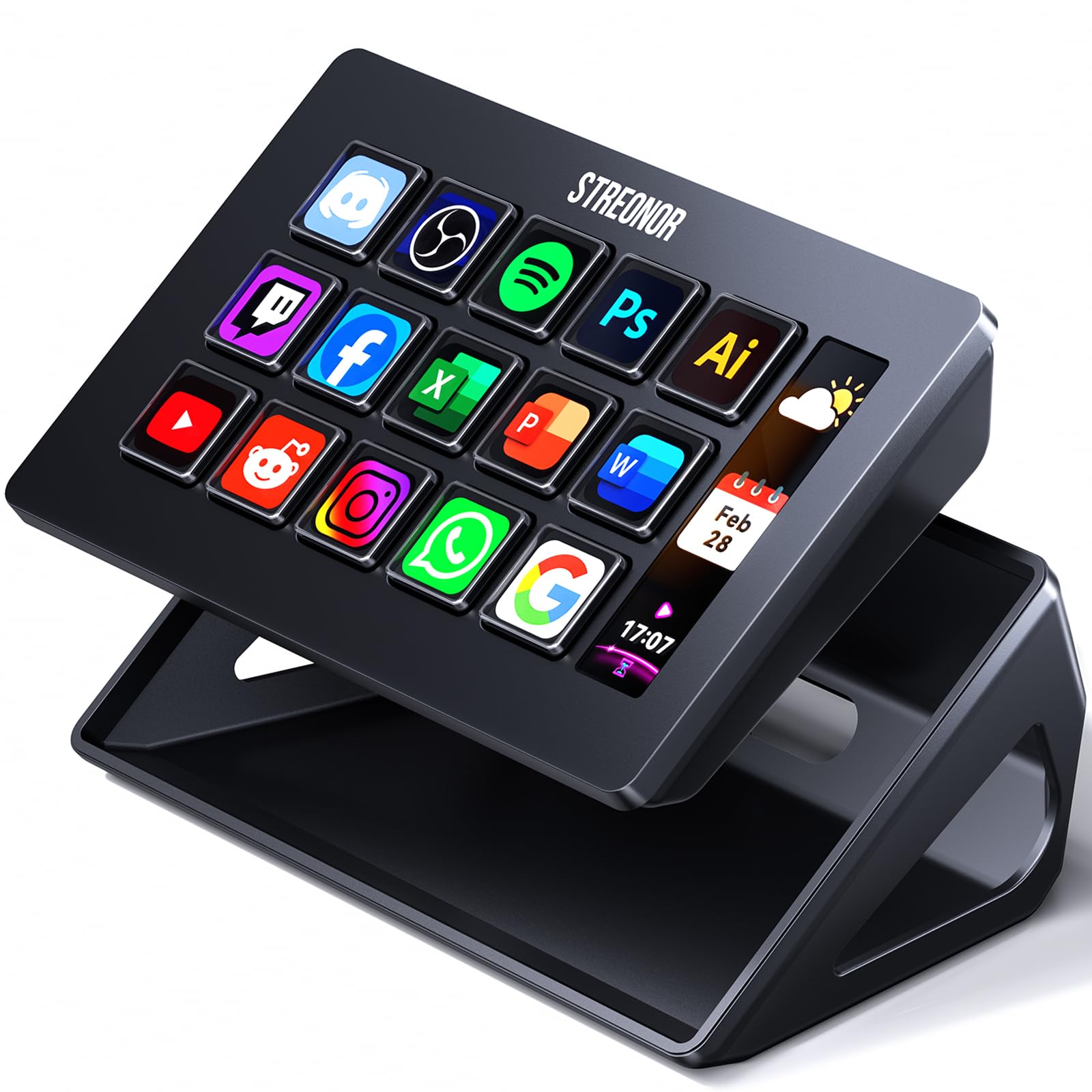
Elgato Stream Deck MK.2
Key details
- Keys
- 15 LCD keys
- Connection
- USB-C
- Dimensions
- 4.6"L x 3.3"W x 3"H
- Works With
- Mac and PC
Fifteen keys in three rows of five looks like a hard ceiling until the folders start filling up: any key can open a bank of further keys, so this deck holds far more than fifteen commands. We kept expecting to run out of room and never did. For most people this is the deck to buy first, and the one we point to when someone asks where to start.
The reason it wins isn't the hardware. Elgato's app is drag-and-drop, and profiles switch themselves to match whichever window is in front — step into OBS and the keys become scenes and sources, jump to Photoshop and the same keys become tools. That automatic switching is the detail that changed how we think about it: you build the layout once and then stop managing it. Plugins cover OBS, Twitch, YouTube, Spotify, Discord and Philips Hue, plus a long tail of community actions.
The body is plainer than the price suggests — black plastic, a detachable stand that sets the angle, a rubber base that stops it skating. We don't hold the plastic against it much, because the parts you touch and look at are good: the keys click positively and the screens stay legible in a bright room. What's missing is a dial. Riding an audio level or scrubbing a timeline in steps is the one job this deck can't do gracefully.
As for the count, fifteen is the honest answer to how much most people press. A two-camera stream with a handful of scenes, a mute and a few app launchers fits with a page to spare. It starts to pinch when a switcher, a DAW and a chat tool all want keys on screen at once — and that's the sign you want something other than a bigger grid.
Pros
- Profiles switch automatically with the frontmost app
- Drag-and-drop app with a deep plugin library
- Legible screens and a positive key click
- Folders and pages stretch fifteen keys a long way
Cons
- No dials for volume or timeline scrubbing
- Plain plastic body
Our default pick: fifteen keys, an app that makes them easy to set, and profile switching that soon becomes invisible. Buy it if you want a deck that simply works on a Mac or PC.