Best Gaming Desks of 2026

A gaming desk is easy to sell and hard to get right. Anyone can glue a strip of RGB lights to a slab of engineered wood; the problem shows up the first time you set two monitors down and the whole thing shivers when you type. What these desks actually have to fix is duller than the marketing: a steady surface, cables off the floor, and a footprint that leaves the room usable.

My team and I assembled 12 of them over the past eight months — L-shaped, straight, reversible, small-space — and used each one for workdays, late-night sessions, and homework.

The lights are what buyers compare and what you stop noticing inside a week. What you notice daily is the frame, the depth of the top, and whether the shelf or drawer sags under a headset and a controller. On an L-shaped model, reversibility is the difference between a corner that works and one you walk around. The ones we'd buy again are below, with notes on which setup each one suits.

1

Best Overall

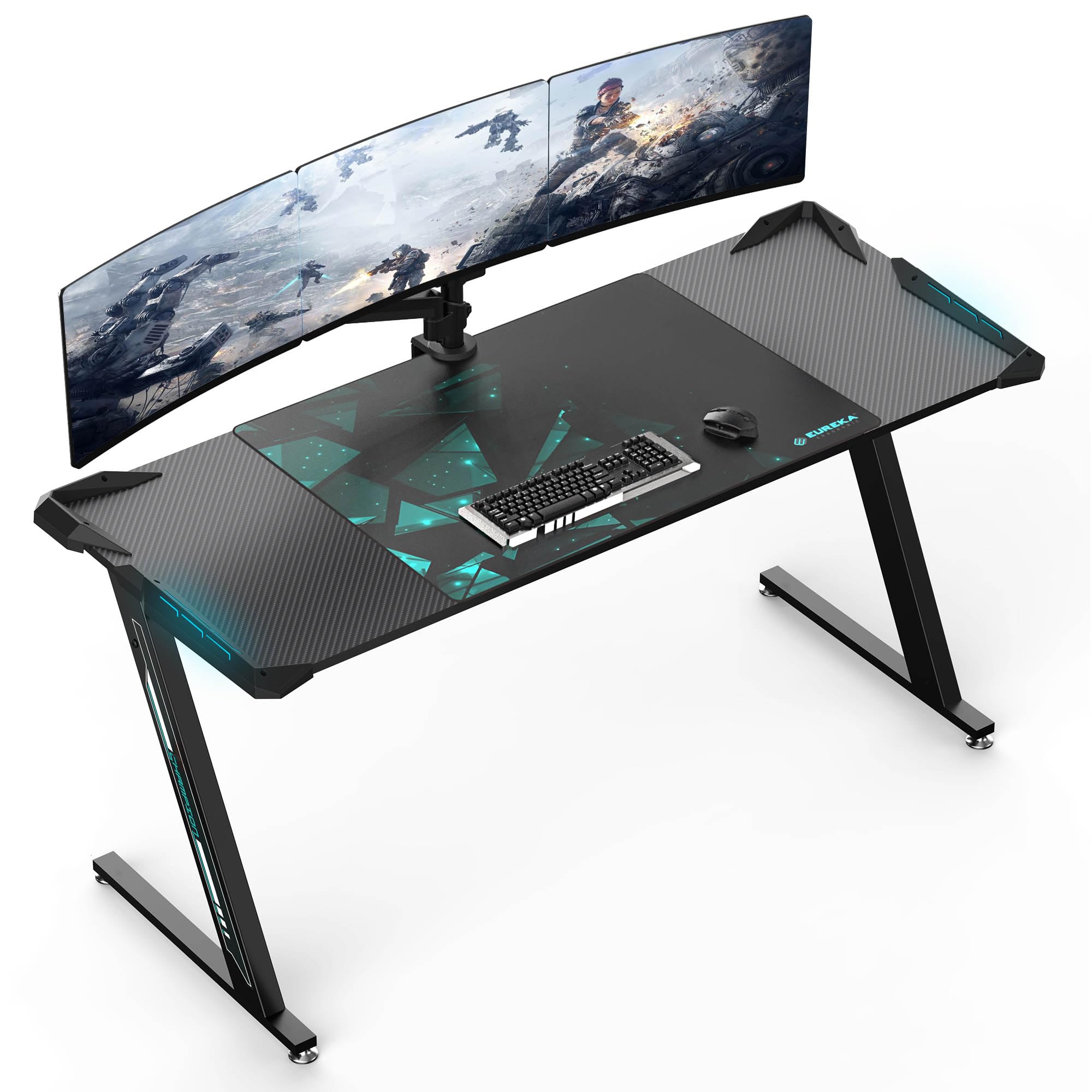
EUREKA ERGONOMIC 60-Inch Gaming Desk

96 /100
LBD Score Outstanding

Key details

Included
31.5 x 23.6 in mouse pad
Lighting
RGB LED, USB-powered
Dimensions
23"D x 60"W x 30"H
Weight Capacity
500 lb
View on Amazon

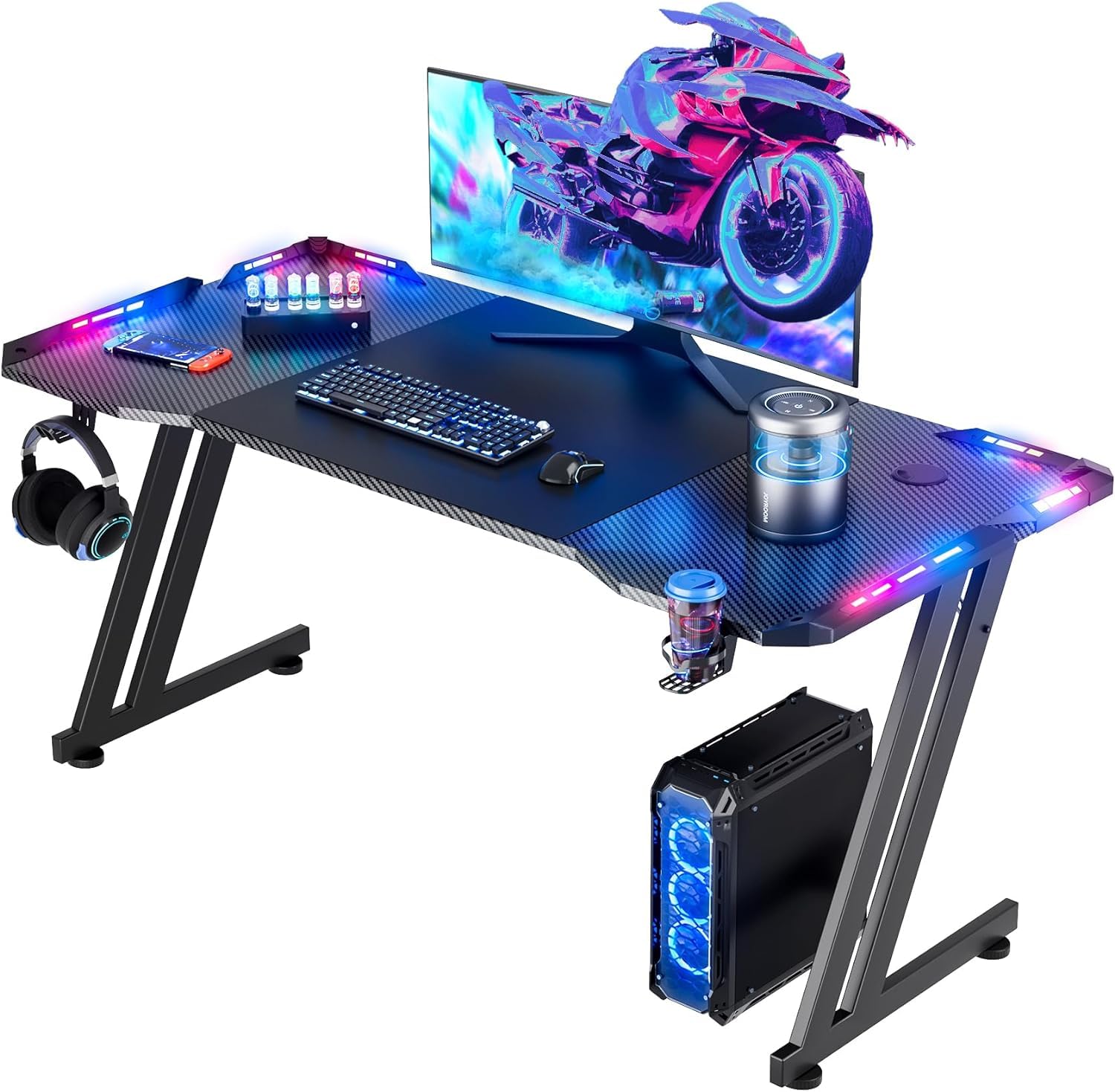
Two numbers do most of the deciding on this desk: a 60-inch-wide top and a 500-pound weight rating. Nothing else in this group gets near that load figure, and the width is enough for two 27-inch monitors, a pair of speakers, and a tower with room left over. If you're building a permanent dual-monitor setup and you have 60 inches of wall, this is where we start.

What actually earns it the top spot is the frame. The Z-shaped steel legs are braced end to end, and the leveling feet let you dial out the rock that carpet and old floors put into any desk — the failure we check first, because a monitor that shivers every time you flick the mouse makes a fast game feel cheap. There's no crossbar under the middle either, so a footrest or a wide chair base slides straight in.

The RGB strip runs off USB and cycles through the usual colors. We treat desk lighting as ambience: it looks great against a wall in a dim room and effectively disappears in daylight, and this one is no exception. More useful to us is the pad that comes with it — 31.5 by 23.6 inches covers almost the full depth of the top, which means a low-sensitivity player can swing across the whole thing without re-centering.

Two things to know before you order. Height is fixed at 30 inches, standard desk height but worth checking against the chair you own, because a top that sits too high pushes your shoulders up all evening. And there are no AC outlets on it at all, which is the one place this desk gets out-specified by models that cost far less. Mount a power strip under the back edge and the gap closes.

Pros

  • 60-inch top fits dual monitors and speakers
  • 500-pound rating, the highest here
  • Braced Z-frame with leveling feet
  • Oversized pad covers most of the depth

Cons

  • No built-in outlets or USB charging
  • Fixed 30-inch height; check it against your chair
Our verdict

Buy it if you want the sturdiest, roomiest desk here for a permanent dual-monitor setup — we just recommend adding your own power strip and cable ties.

Check Latest Price
2

Best L-Shaped

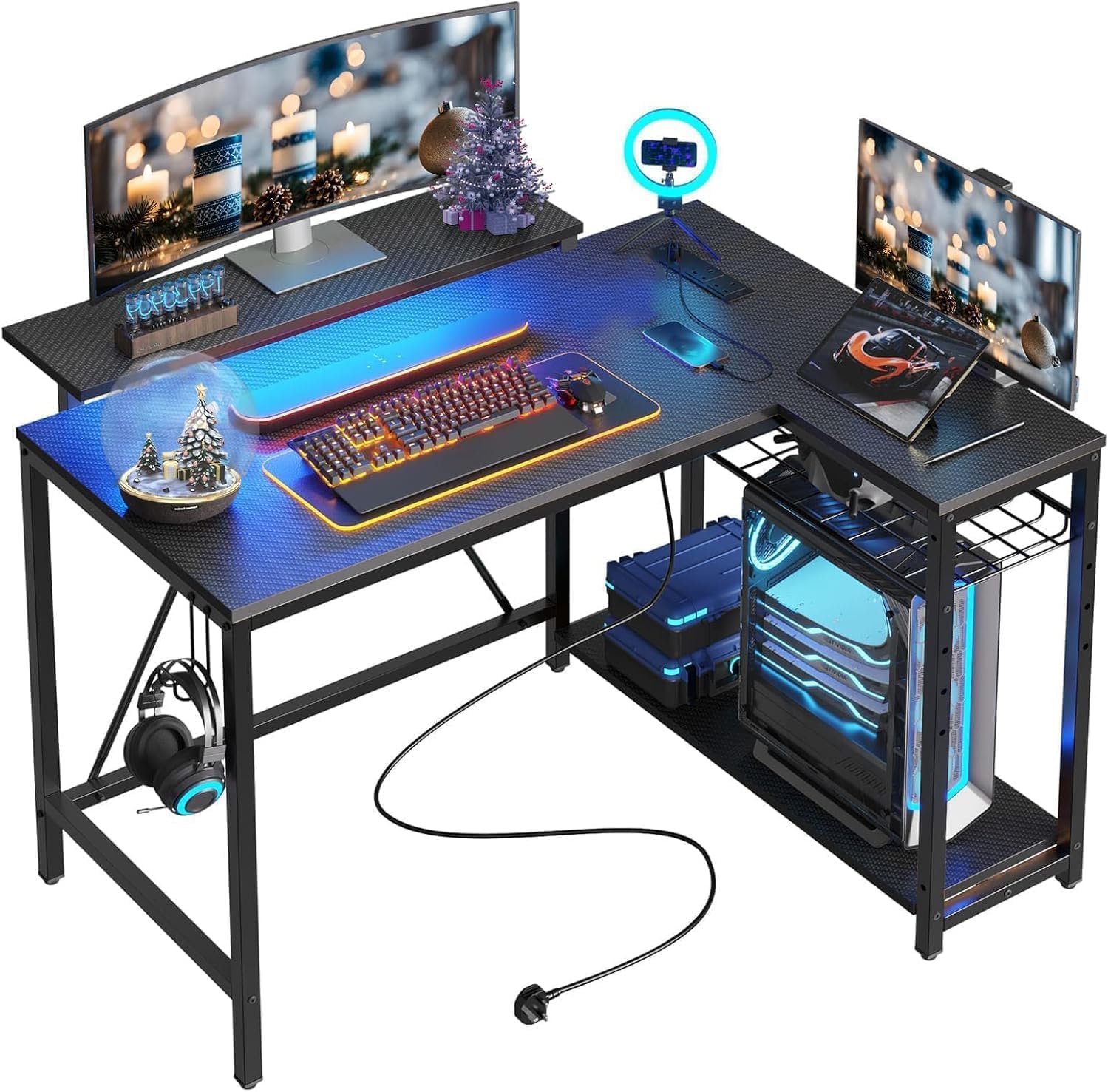
AODK 53-Inch L-Shaped Gaming Desk

92 /100
LBD Score Outstanding

Key details

Power
3 outlets + 2 USB
Storage
2 shelves, CPU stand, hook, bag
Lighting
RGB strip, 10 colors, 10 modes
Dimensions
18.9"D x 53.15"W x 29.8"H
View on Amazon

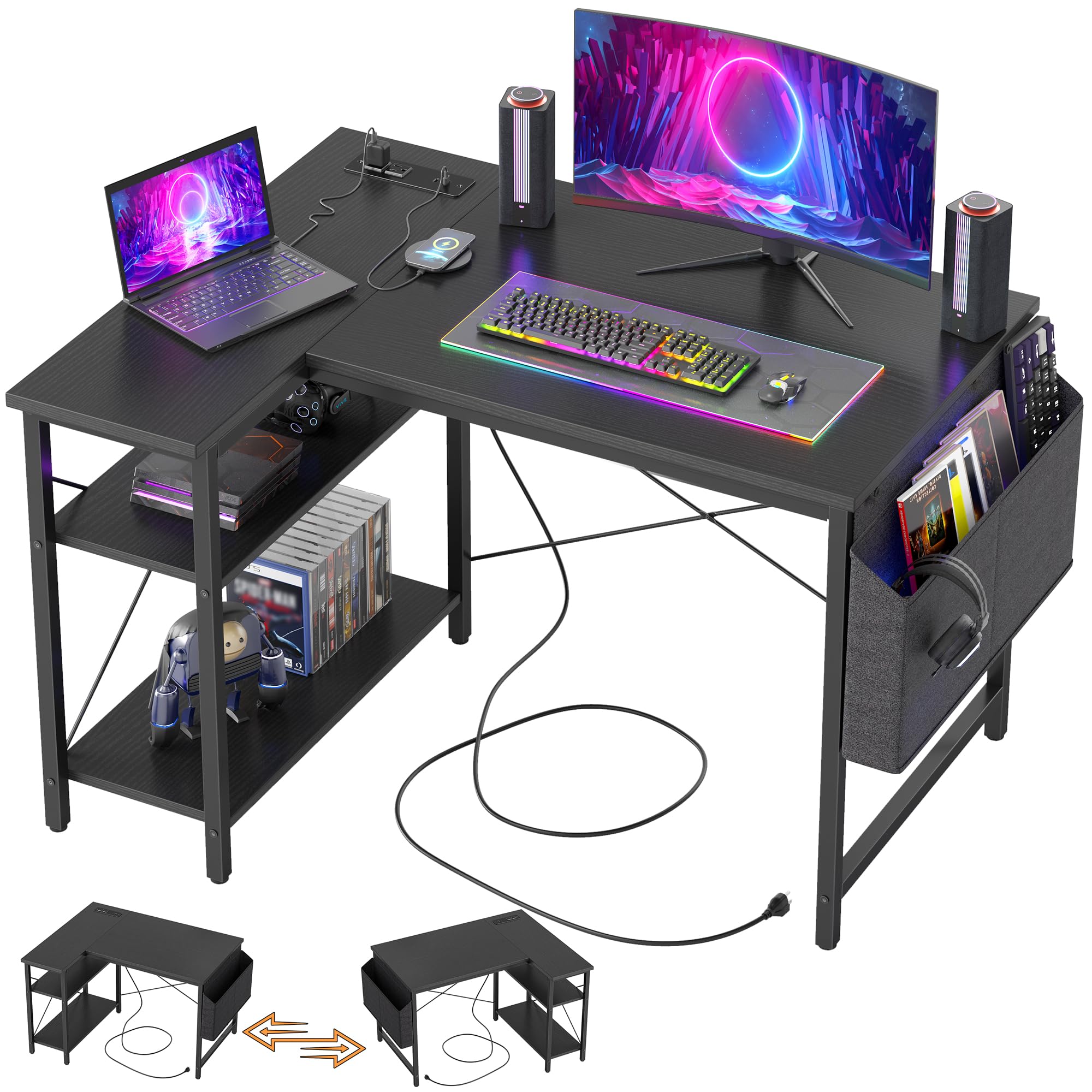
Where the EUREKA gives you a long wall of desktop, this one gives you a corner. The L runs 53 inches along one wall and about 19 along the other, which puts your monitor at the joint and turns the short leg into a landing strip for a controller, a drink, and the headphone hook. In a bedroom where the desk shares a wall with a bed, that geometry is worth more than a few extra inches of straight top.

The built-in power is why we rank it above a plain L-desk: three outlets and two USB ports sit in the top, enough for a monitor, a console, and a phone charger without a strip on the floor. The LED strip is more controllable than most, with ten colors, eight brightness levels, and ten dynamic modes, plus a memory function that brings your color back instead of resetting to the demo loop every time you switch it on.

Depth is the trade-off. At 18.9 inches the top is shallower than a 24-inch rectangle, so a big monitor sits closer to your face and there's less runway in front of the keyboard. The under-desk CPU shelf is also sized for a compact tower, and a full-size case with a long graphics card is a squeeze. Measure the case and the wall before you commit, and this becomes an easy recommendation.

Pros

  • Three outlets and two USB ports built in
  • Reversible L fits whichever corner you have
  • LED strip remembers your color setting
  • Shelves, hook, and side bag add storage

Cons

  • Shallow 18.9-inch depth brings monitors close
  • CPU shelf is tight for full-size towers
Our verdict

Buy it if your setup lives in a corner: we like the built-in outlets and the memory-equipped lighting, as long as your PC case fits the under-desk shelf.

Check Latest Price
3

Best for Small Spaces

Bestier 42-Inch L-Shaped Gaming Desk

92 /100
LBD Score Outstanding

Key details

Power
2 AC + USB + Type-C
Storage
4 shelves, headphone hook
Lighting
LED strip under upper shelf
Dimensions
32.28"D x 41.93"W x 35.91"H
View on Amazon

This is the desk for the person carving a gaming corner out of a bedroom that already holds a bed, a dresser, and a door that has to open. At 42 inches the L is genuinely compact, and the storage stacks above the work surface instead of beside it, so the footprint stays small while the monitor still ends up near eye level.

The power strip earns its keep: two AC outlets, a USB-A, and a Type-C are built into the desk, enough for a monitor, a phone, and a controller dock without an extension cord. The light strip is tucked under the upper shelf rather than stuck to the back edge, and that's the right place for it — it washes the desk surface instead of shining into your eyes.

We think it's the best answer here for a small room, with one caution: the upper shelf does the most work and is the part to check. Run every bolt snug before you load a monitor onto it, and measure that shelf against a 27-inch screen's stand first, because this is a compact desk and the shelf is where compact shows. The whole thing is light enough to shift on your own when the room gets rearranged.

Pros

  • AC, USB, and Type-C built into the top
  • LED strip sits under the shelf, not in your eyes
  • Reversible shelves mount left or right
  • 42-inch footprint fits a real bedroom corner

Cons

  • Upper shelf is cramped for a 27-inch monitor
  • Two adults recommended for assembly
Our verdict

Buy it if the room is small and the gear is modest — we think it packs the most usefulness per square foot here, provided you check the shelf against your monitor.

Check Latest Price
4

Best for Big Setups

SEDETA 67-Inch L-Shaped Gaming Desk

93 /100
LBD Score Outstanding

Key details

Power
4 outlets + 2 USB
Storage
Hutch, pegboard, keyboard tray
Lighting
RGB, app control, 29 modes
Dimensions
19.7"D x 67"W x 57"H
View on Amazon

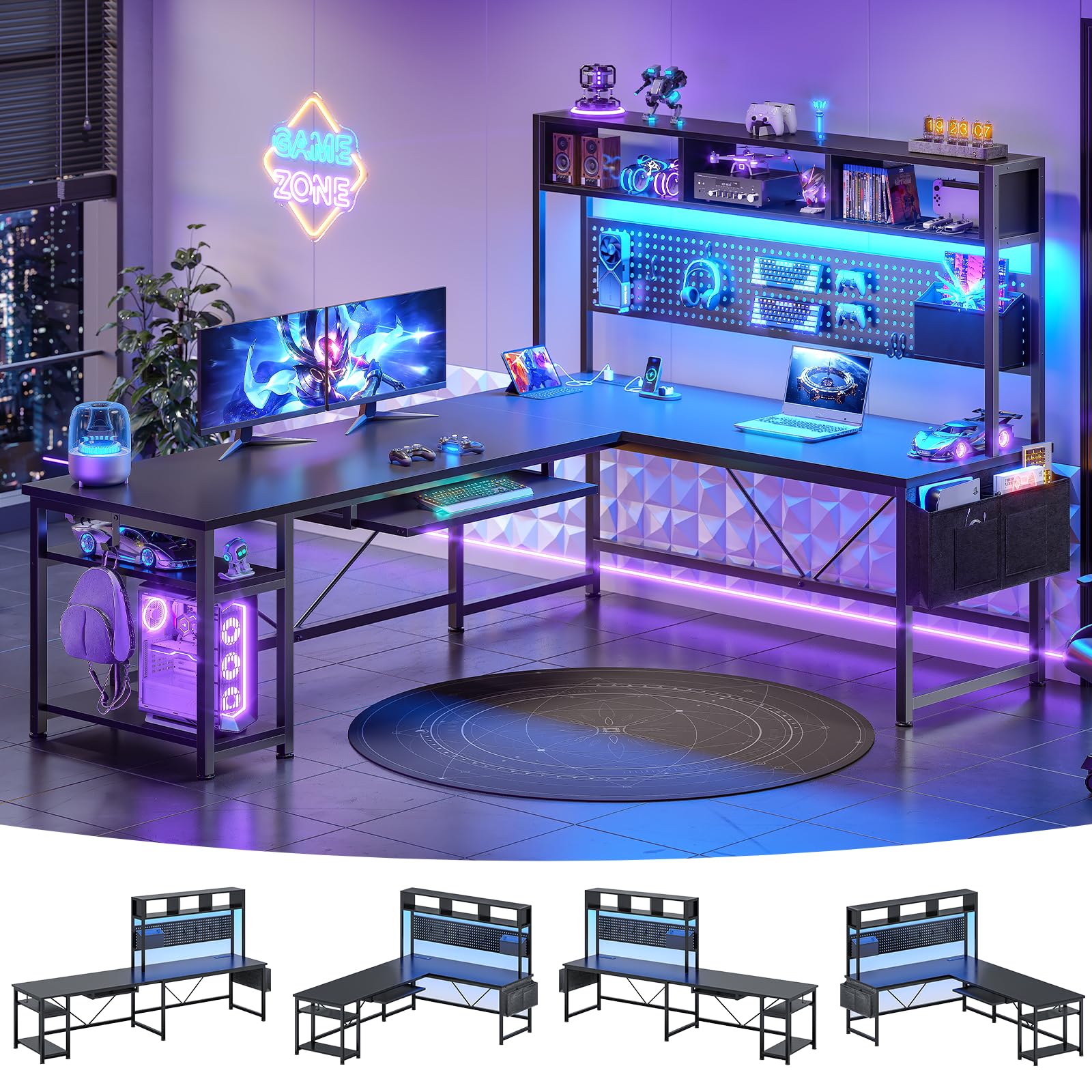
Three monitors, a console, a headset, a mic arm, and a shelf's worth of figures will outgrow a normal desk in about a year. This one is built for that: as an L it runs 67 inches along the wall, and the reversible frame also lays out as a 94.5-inch straight desk, which is longer than most bedroom walls allow.

The pegboard is the piece we appreciate most. It takes the headset, the controller, and the spare cables off the desktop and onto a vertical panel, and no other desk here offers anything like it. The power strip helps too — four outlets and two USB ports with an on/off switch, which beats crawling under the desk to unplug a charger brick every night.

Two catches. The keyboard tray is shallow, and a full-size board with a wrist rest is a tight fit, so plan on the desktop instead if that's your setup. And this is the biggest build in the group: the box is heavy, the parts count is high, and it wants two people and a clear floor rather than a spare twenty minutes.

Pros

  • Pegboard and hutch hold gear off the desktop
  • Four outlets plus a real on/off switch
  • RGB with app control and 29 modes
  • Lays out as a 67-inch L or 94.5-inch straight desk

Cons

  • Keyboard tray is too shallow for full-size boards
  • Heaviest, most involved build in this group
Our verdict

Buy it if your gear has outgrown the desk: we like the pegboard and the switchable power strip, and the extra surface is worth the longer build.

Check Latest Price
5

Best for Work and Play

Furologee 51-Inch Gaming Desk

91 /100
LBD Score Outstanding

Key details

Power
3 outlets + 2 USB
Storage
Fabric file cabinet, 2 shelves
Lighting
RGB, 20 colors, 22 modes
Dimensions
18.9"D x 51.2"W x 34.5"H
View on Amazon

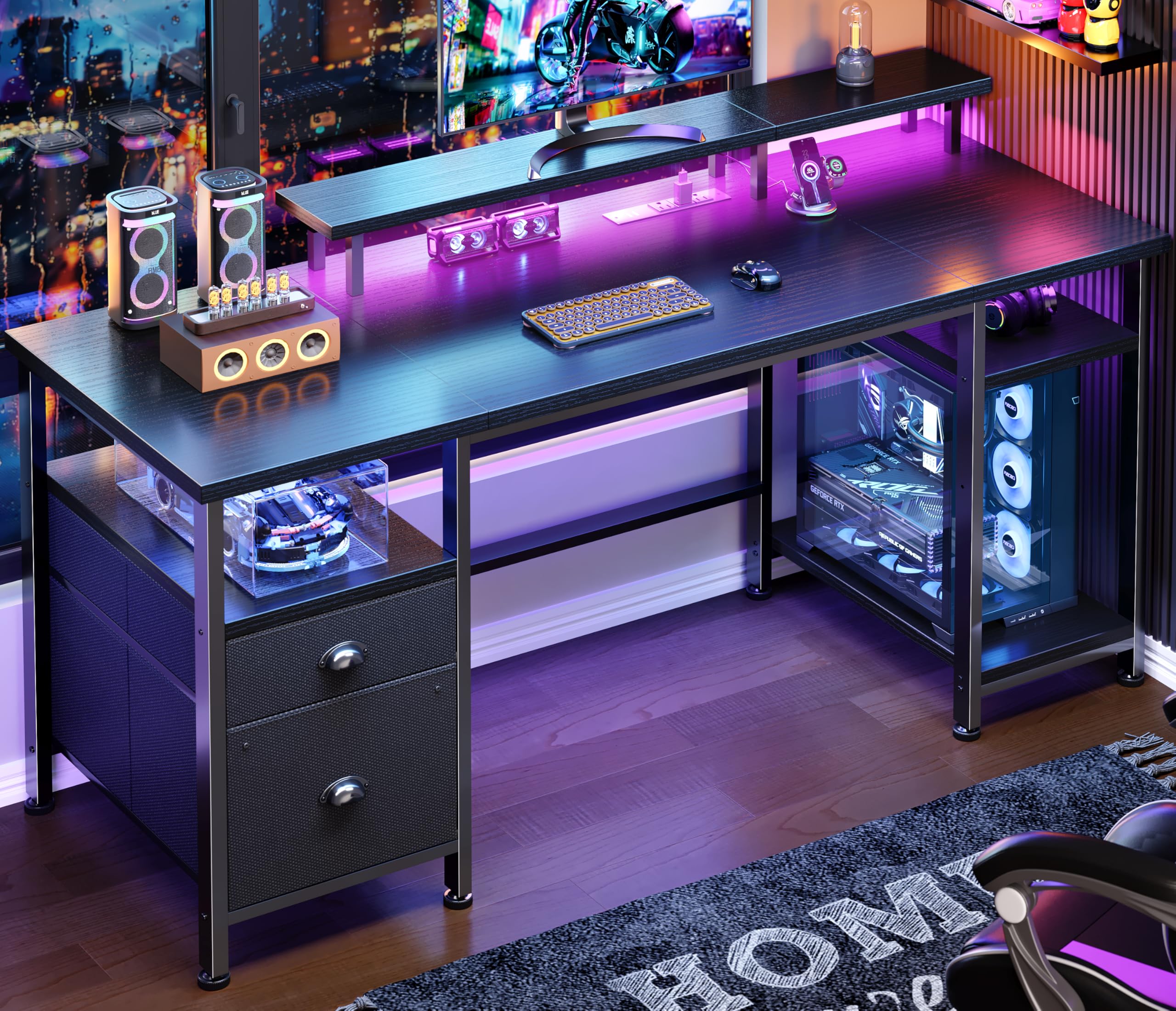
The monitor shelf is what makes this the desk we point to when work and gaming share one machine. Raising the screen frees the space underneath for a keyboard and a notebook, so it functions as an office desk from nine to five and a game desk after — and the cabinet below takes letter, A4, and legal folders, which none of the pure gaming desks here bother with.

Around the edges it behaves like the rest of the group: three outlets and two USB ports at the back, an RGB strip with 20 colors and 22 modes, and two adjustable shelves that move up or down depending on what you're stacking. The lighting is a bonus here rather than the point of the desk.

One thing to know so it doesn't surprise you: the drawers are fabric with wood-look fronts, not solid wood, and they're happiest holding controllers, cables, and paperwork rather than heavy binders. Given the shelf, the outlets, and the price, that's a trade we're comfortable with.

Pros

  • Raised monitor shelf frees the desktop
  • File cabinet takes letter, A4, and legal
  • Three outlets and two USB ports
  • RGB with 20 colors and 22 modes

Cons

  • Drawers are fabric, not the wood they appear to be
Our verdict

Buy it if one desk has to handle work and gaming: we think the monitor shelf and file cabinet make it the most practical hybrid here.

Check Latest Price
6

Best RGB on a Budget

HLDIRECT 47-Inch RGB Gaming Desk

91 /100
LBD Score Outstanding

Key details

Included
Mouse pad, cup holder, hook
Lighting
4 RGB strips, app control
Dimensions
23.6"D x 47"W x 29"H
Weight Capacity
200 lb
View on Amazon

This is the least expensive way here to get a full-width light show. Four RGB strips, one along each side of the top, wrap the desk in color instead of putting a single bar behind the monitor, and app control gives you the full color wheel plus a music mode that pulses with the game. In a dark room it reads closer to a battlestation than the desks with a token strip.

The rest of the package is sensible rather than exciting: a 47-inch carbon-fiber-textured top, a Z-braced frame rated to 200 pounds, an extra-large mouse pad, a cup holder, and a headphone hook. The cup holder and the hook are the two extras we actually use on any desk — a drink off the mouse pad and a headset off the surface.

Two things to watch. The strips run through a small controller, and the lights are the first thing to fail if that connection arrives damaged; test them the moment assembly is done, while sending the desk back is still simple. Go easy with the bolts as well — the top is thin enough that over-tightening can crack it around the inserts. Aside from that, it's a lot of desk and a lot of glow at the entry end of the market.

Pros

  • Four RGB strips with app control
  • Extra-large mouse pad included
  • Cup holder and headset hook included
  • 200-pound rated Z-braced frame

Cons

  • Light strips can arrive dead
  • Over-tightening bolts can crack the top
Our verdict

Buy it if the glow is half the reason you want a gaming desk; we think the four lit edges are the best value in lighting here, once the strips check out.

Check Latest Price
7

Best for Showing Off Your PC

AODK 59-Inch PC Showcase Gaming Desk

91 /100
LBD Score Outstanding

Key details

Storage
3 fabric drawers, side shelf
Lighting
RGB strip under monitor shelf
PC Stand
Elevated showcase shelf
Dimensions
19.69"D x 59.44"W x 45.2"H
View on Amazon

Most desks hide the component you spent the most on. This one stages it: a raised stand at the back of the desktop puts a glass-panel build at eye level, lit from underneath by an RGB strip, with the monitor sitting above it. If your case has a window and fans you picked for the look, the desk is built around showing them off.

Storage is the second half of the idea. Three fabric drawers under the top swallow controllers, cables, and the clutter that normally ends up in a pile, and a side shelf with an overhead board gives the figures somewhere to live. The layout reverses, so the tower can sit on the left or the right depending on the room.

The catch is the case. The stand is sized for a compact tower, and a full-size mid-tower with a long graphics card and a thick radiator is a squeeze or a non-starter; the monitor shelf above is also narrow, so a screen with a wide V-shaped base can overhang it. Measure both, in inches, before you order — this is the one desk here where a tape measure decides the purchase.

We recommend it for the build it was designed around: a compact, glass-sided case that deserves to be seen, in a room with enough wall for 59 inches. For anything else — a big tower, a dual-monitor array, a plain black box — the standard desks above are easier to live with.

Pros

  • Raised stand shows off a glass-panel build
  • Three drawers hide controllers and cables
  • RGB strip lights the display from underneath
  • Reversible layout for left or right tower

Cons

  • Full-size towers will not fit the stand
  • Narrow monitor shelf overhangs wide bases
Our verdict

Buy it if your build has a window worth showing; we recommend measuring your case and monitor base first, because this desk is sized for compact gear.

Check Latest Price
8

Tiny Game Corners

TIQLAB 40-Inch L-Shaped Gaming Desk

91 /100
LBD Score Outstanding

Key details

Power
2 AC + USB + Type-C
Storage
2-tier open shelves
Dimensions
27.6"D x 40"W x 29.5"H
View on Amazon

Forty inches sounds generous until a 27-inch monitor is sitting on it. This is the smallest desk in the group, and it makes no apology for it: one screen, a keyboard, a mouse, and two open shelves underneath holding the console and the headset. What it does have is the shape — an L that tucks into a corner nothing else here will fit.

The power strip is the surprise at this size: two AC outlets, a USB-A, and a Type-C built into the top, so a console, a phone, and a controller can all charge without an extension cord across the floor. The X-braced metal frame keeps it steady for a single-monitor load, though it's a light desk and it feels like one.

Assembly is the friendliest here — labeled parts, included tools, and a frame that goes together in the obvious order. The shelves are open, which makes cable routing easy and hiding anything impossible.

We keep it on the list for a narrow set of buyers: a first setup, a dorm, a spare room, or anyone whose only free floor space is a corner. If you need two monitors or a tower on the desk, step up to the AODK 53-inch instead — at 40 inches this one has already made its choice.

Pros

  • Cheapest L-shaped desk in this group
  • Two AC outlets plus USB-A and Type-C
  • Reversible design fits either corner
  • Two open shelves under the desk

Cons

  • One monitor only at this width
  • No LED lighting at all
Our verdict

Buy it if a corner, one outlet, and a tight budget set your limits — we think it's the least expensive way into an L-shaped desk with built-in power.

Check Latest Price

How We Tested These Gaming Desks

We built the shortlist from desks that kept surfacing in customer reviews and setup threads, then filtered by top length and depth, frame style, and price, dropping anything too shallow for a monitor stand or with legs that looked like they'd fold under a nudge. That left 12 desks, assembled one at a time in our own home offices, bedrooms, and one genuinely cramped apartment corner.

Every build was timed solo with only the tools in the box. We counted steps, noted where the instructions lost us, and checked whether the pre-drilled holes lined up without a fight. Once a desk was up, we leaned on the front edge, typed hard for a solid minute, and bumped it getting out of the chair to see how much the top moved.

Then we moved in for eight months. Each desk carried two monitors plus a tower or console, and we routed the cables to see whether the grommets and trays actually swallowed them, measuring the footprint against a 10-by-10 bedroom to confirm the chair still rolled. We loaded drawers and the fabric storage bags some of these ship with, opening and closing each one 50 times, then ran a hand under the base to feel for sag.

We re-tightened every screw at the one-month and six-month marks, looked for chipped edges and scratched tops, and compared finishes to the listing photos under ordinary room light. Price was judged against what a plain desk plus a power strip and a monitor stand would have cost. Eight months in, the gap between a good one and a cheap one came down to which screws stayed tight.

How to Choose a Gaming Desk

Start With the Top, Not the Lights

Surface area is the one thing you can't add later, so settle it first. A single monitor with a mouse swing is comfortable around 47 inches; two monitors want 55 to 60, which is why the EUREKA and the AODK showcase desk are the two here that don't force a compromise. Product photos are shot wide and low, and a 40-inch desk looks generous until a 27-inch screen lands on it — measure your monitor's width, add the swing you use for your mouse, and compare that number to the listing.

Shape matters as much as size. An L puts the monitor at the corner and hands you a second surface at your elbow, which suits a bedroom or a shared room; a rectangle gives you a clean run of wall for three screens. The catch with L-desks is depth — several here run under 20 inches front to back, which pulls a large monitor closer to your face than you may want.

What Wobble Actually Comes From

Load ratings on the desks here run from 200 to 500 pounds, and a monitor plus a tower rarely weighs more than 60, so read the number as a proxy for how much steel is in the frame rather than a limit you'll approach. What you're buying is bracing: legs tied end to end, feet you can level on carpet, and a frame that doesn't shiver when you flick the mouse.

Outlets, Ports, and the Wall Outlet You Still Need

A built-in strip with three or four outlets and a couple of USB ports saves you a power brick on the floor and, more usefully, puts power where the gear is. Two details separate the good ones: a switch, so you can kill charger LEDs without unplugging anything, and USB-C, which only a few desks here offer. The desk itself still needs a wall outlet — the strip doesn't make power — so check where the nearest socket is before you commit.

Lighting: Placement Beats Color Count

Where the strip sits matters more than how many colors it claims. Stuck to the back edge, it glows against the wall and does little for your desk; tucked under a shelf or run along all four edges, it washes light onto your keyboard and hands. Control is the other split — a button, a remote you'll lose, or an app with a color wheel and music sync. We prefer fewer colors on a strip that stays put to 60,000 colors on one that peels.

Height, Legroom, and the Chair You Already Own

Work surfaces here sit around 29 to 30 inches, with the hutch and shelf models adding height above rather than below. That means the desk doesn't adjust to you — your chair does. Set your chair so your forearms are level, then check the desk against it; a top that's too high pushes your shoulders up all night. None of these desks adjust, so if you want to alternate sitting and standing, that's a separate purchase.

Legroom is the second half of comfort. A desk with no crossbar under the middle takes a footrest or a wide chair base, and over a long session that's the difference between finishing a raid and logging off early.

Frequently Asked Questions

Final Verdict

Start with the EUREKA ERGONOMIC 60-inch if you have the wall for it: the width and the 500-pound frame are the difference between a desk that holds a dual-monitor rig and one that flinches every time you swing the mouse. Add a power strip and it's finished.

If your setup has to live in a corner, the AODK 53-inch L brings the outlets and the memory-equipped lighting into a footprint a bedroom can spare — that's the swap we make when the room decides for us.