Best L-Shaped Gaming Desks of 2026

An L-shaped desk promises the one thing a small room can't usually give you: more surface without more floor. The listing photos don't show that a corner is where a budget desk gives itself away — two tops that have to meet in a clean seam, legs that have to agree on a floor that isn't level, and a wing that bounces when you lean on it mid-game.

We spent the last eight months building, working at, and gaming on 13 of them in a spare-room office, a teenage bedroom, and one cramped apartment corner. The fun stuff — LED strips, built-in outlets, monitor risers, shelves and drawers — is easy to photograph and easy to get wrong in person. What decides it is whether the two halves sit flush, whether the ports are still reachable once the desk is shoved into the corner, and whether your knees fit under the return.

Everything below earned its spot in a real room, not a showroom. The picks run from compact corner-savers to a 79-inch monster — measure your corner before you fall for one.

1

Best Overall

Mr IRONSTONE 51-Inch L-Shaped Gaming Desk

95 /100
LBD Score Outstanding

Key details

Extras
Cup holder, headset hook
Lighting
App-controlled RGB strip
Desktop Size
50.8 x 50.8 in
Weight Capacity
220 lb
View on Amazon

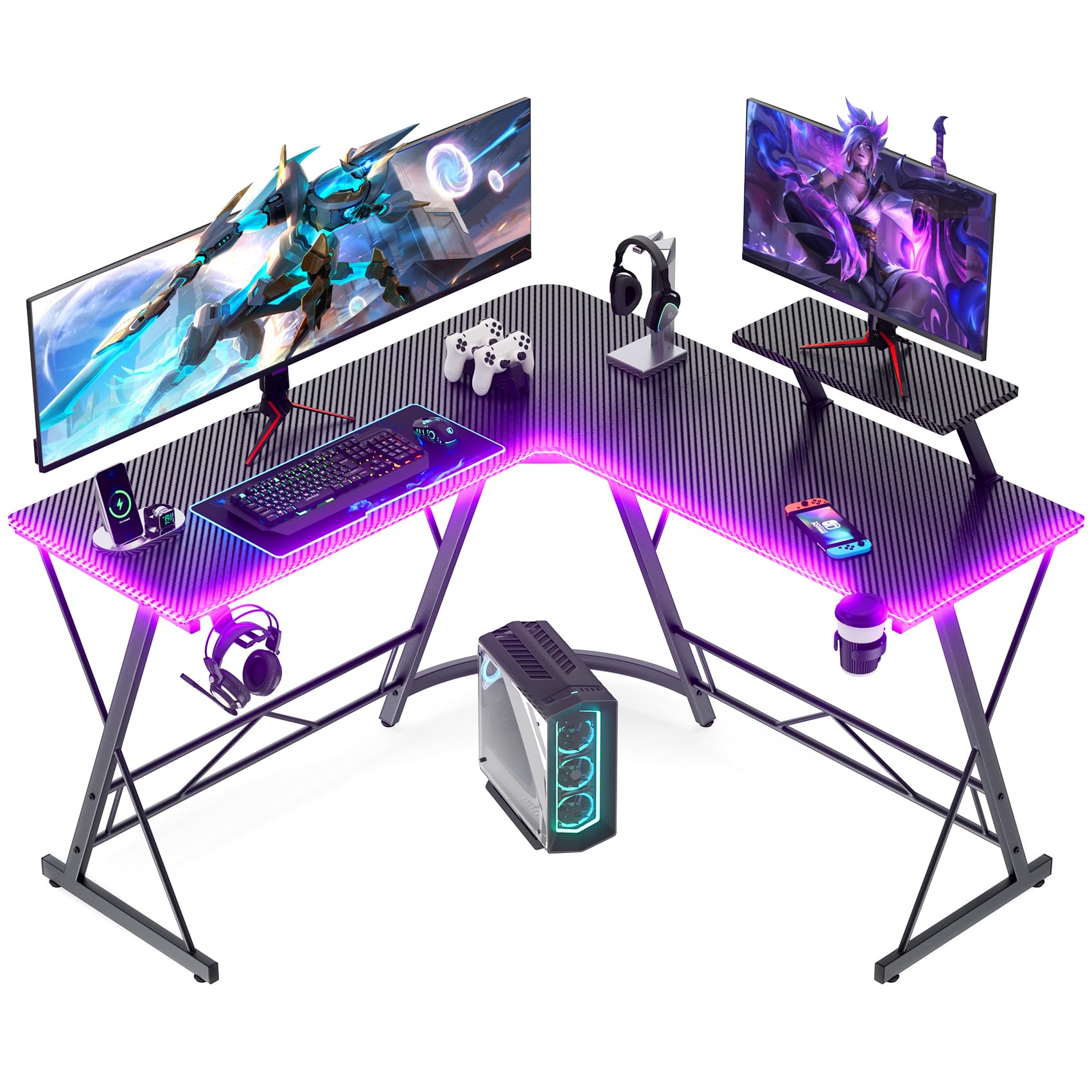
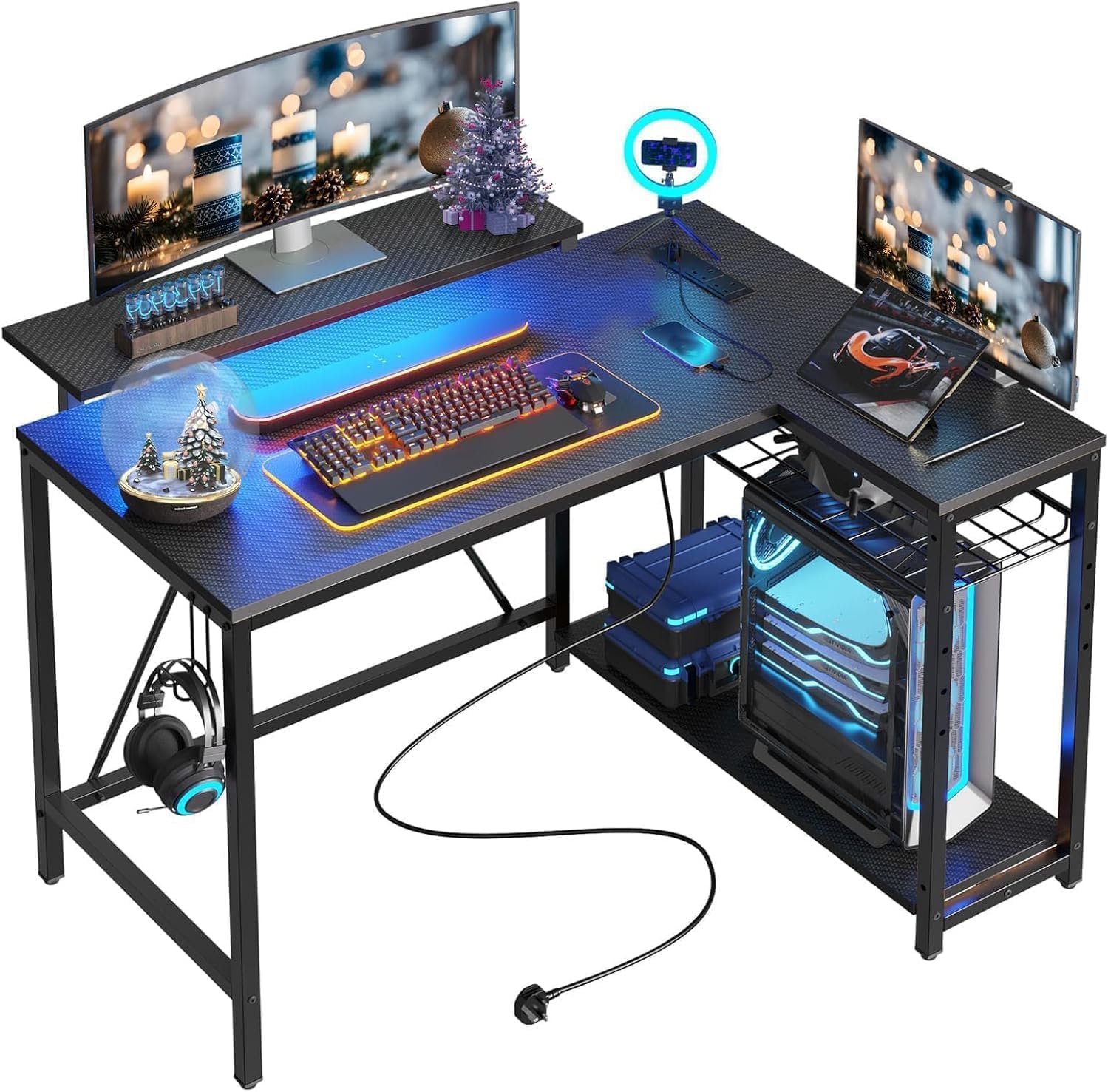
Both wings of this desk measure 50.8 inches, and that symmetry is why it holds the top spot. Most corner desks here hand you one long run and a short return; Mr IRONSTONE gives you two equal surfaces, so a monitor and a console can each claim a side and there is still desktop left for books, a mousepad, or a plate.

What we appreciate most is how little it asks of you. The RGB strip answers to your phone instead of a remote that vanishes into a drawer, the cup holder and headset hook are already mounted where you would put them, and the monitor stand raises a screen to eye level without another purchase. Nothing about it is premium — the top is engineered wood under a carbon fiber finish — and the legs splay inward, which lets the desk sit over a baseboard or a windowsill that would stop a straight-legged design.

Assembly is the part to slow down for. The tools and hardware come in the box and the sequence is short; keep every bolt loose until all of them are started, because a frame tightened corner by corner is where wobble comes from. Ours settled into a solid desk once the last bolt went in and the feet were leveled.

In a bedroom it earns its keep precisely because both wings work. The desk slides into the corner, the chair tucks into the inside angle, and the room keeps the floor space a straight desk with the same surface would eat. The carbon fiber finish hides fingerprints better than a plain black laminate, which is a small thing we noticed after a few weeks and now look for.

Pros

  • Two equal 50.8-inch wings, unusual at this size
  • Phone-controlled RGB, cup holder, and headset hook included
  • 220-pound capacity on an alloy steel frame

Cons

  • No built-in outlets or storage drawers
Our verdict

We recommend it to nearly anyone building a corner gaming setup: two full-size wings, a 220-pound rating, and lights, cup holder, and headset hook already on the desk.
Check Latest Price
2

Best Budget

Homall 50.5-Inch L-Shaped Gaming Desk

93 /100
LBD Score Outstanding

Key details

Assembly
One person, tools included
Desktop Size
50.4 x 17 in
Monitor Riser
Detachable, clamps anywhere
Weight Capacity
220 lb
View on Amazon

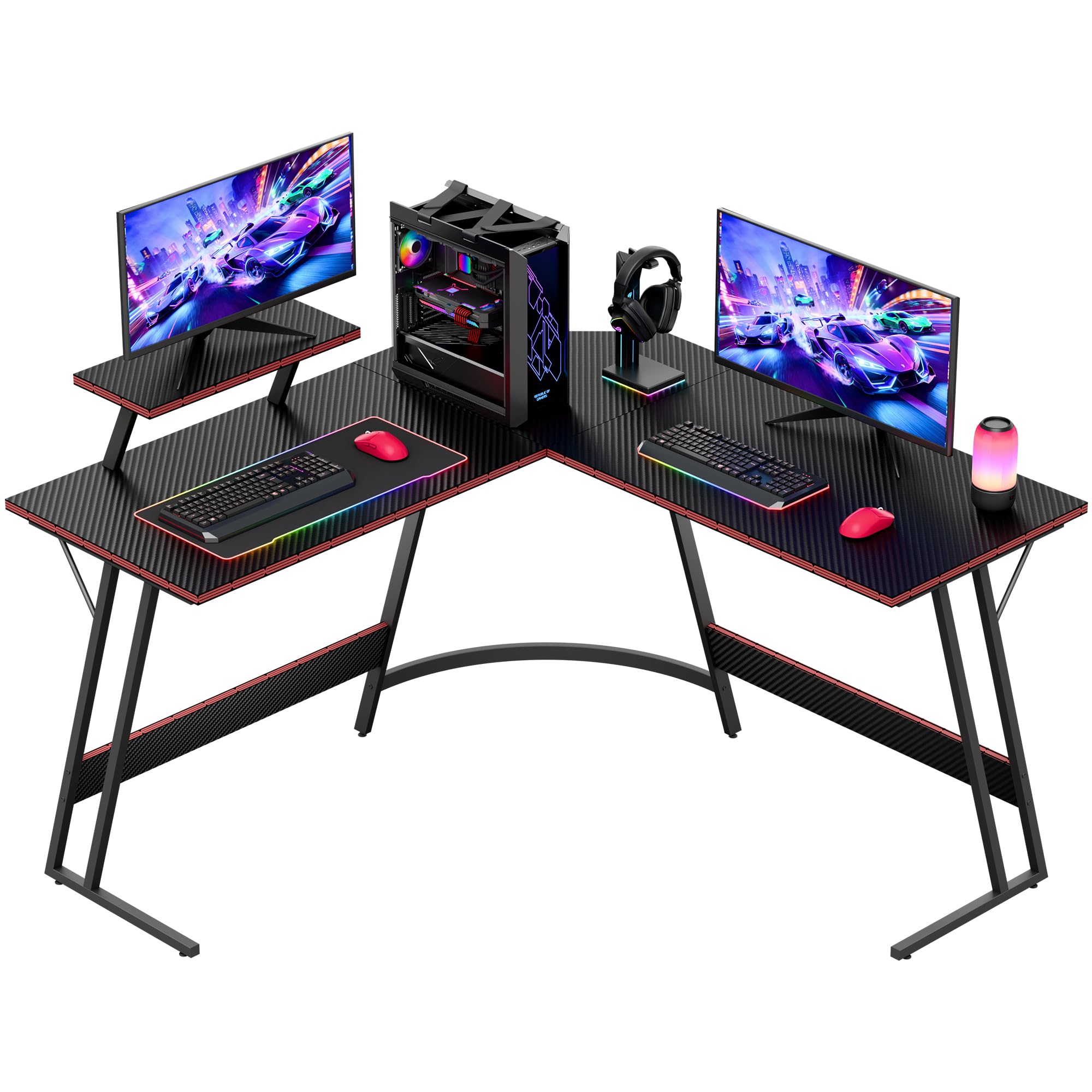
Least expensive here, and it still gives you a 50.4-inch carbon fiber L rated to 220 pounds. The money goes where it counts: a welded steel frame, a 1.5-inch top, and a detachable monitor riser that clamps anywhere along the edge, corner included. We think that is the right trade for a first setup — surface and structure first, extras later.

The riser is the underrated piece. Clamping it on the corner lifts a 27-inch screen above the surface instead of letting it eat a whole wing, and you can shift it when the setup changes. Stability is the trade. On a hard, level floor the desk sits still; on carpet it can rock enough that a monitor visibly moves, and anchoring the return to a stud or slipping a shim under one foot settles it. We noticed the difference most while typing hard, less so while gaming.

Assembly is a one-person job with the tools in the box, and the steps are short enough that you will not lose an afternoon to it. What you end up with is a desk that looks considerably more expensive than it is, which is the entire point of a budget pick — and the reason we keep it on the list rather than treating it as a placeholder.

Pros

  • Least expensive desk in this set
  • Detachable riser clamps anywhere along the edge
  • Welded steel frame rated to 220 pounds

Cons

  • 17-inch wings are shallow for keyboard and notes
Our verdict

We think it's the right first gaming desk on a tight budget, as long as you're ready to steady a frame that can rock on carpet.

Check Latest Price
3

Best for Small Spaces

Bestier 42-Inch L-Shaped Gaming Desk

92 /100
LBD Score Outstanding

Key details

Weight
32.6 lb
Shelves
4, reversible
Charging
2 AC, USB, USB-C
Desktop Width
41.93 in
View on Amazon

Forty-two inches is the number that decides this one. The compact L tucks into a bedroom or dorm corner without demanding the floor a 50-inch desk needs, and because the side shelves mount left or right, the desk bends whichever way the room does. We were glad to find the charging block — two outlets, USB, and USB-C — set into the desktop rather than trailing off an extension cord, because in a small room that is one less cable across the rug.

The upper stand works as a monitor riser or as a display shelf, and the hook on the side swallows a headset or a backpack. One thing to check before ordering: the height figure in the listing runs to the top of that upper stand rather than to the work surface, so compare the desk height with your chair and knee clearance, not with the tallest number on the page. At 32.6 pounds, one person can shift it after assembly.

Assembly is manageable alone, though the maker recommends two adults for the shelf hardware and we would take that seriously — lining up the side shelves is the fiddly part, and a second pair of hands saves an hour of swearing at a bracket.

Pros

  • 42-inch footprint fits bedrooms and dorms
  • Two outlets plus USB and USB-C in the top
  • Shelves install on either side

Cons

  • Upper shelf is the joint that works loose
Our verdict

If your setup lives in a bedroom or a dorm corner, this is the one we point to: 42 inches, charging built into the top, and shelves that mount on either side.

Check Latest Price
4

Best with Built-In Power

AODK 53-Inch L-Shaped Gaming Desk

92 /100
LBD Score Outstanding

Key details

Power
3 outlets, 2 USB
Storage
2 shelves, CPU stand, bag
Lighting
10 colors, 8 brightness levels
Desktop Size
53.15 x 18.9 in
View on Amazon

Three outlets and two USB ports are built into the desktop, wired through the frame rather than taped to a leg. That is the difference between one cable running to the wall and a nest of adapters under your feet, and it is the reason this desk earns a place even though it costs more than our top pick.

The rest of the package is storage and flexibility. Two shelves, a headphone hook, a fabric bag that hangs off the side, and a CPU stand that keeps a tower off the carpet and out of kicking range. The shelves and the power block can both go on either side, so the desk bends with the room, and the LED strip handles ten colors and eight brightness levels from an inline switch.

Where it lands for us: the lighting is the least interesting thing about it. What you notice after a week is that nothing needs unplugging to move and the tower is not sitting on the floor under your heels. The 53-inch span and 18.9-inch depth take a dual-monitor spread with a console beside it, though in a room it reads smaller than the number sounds, so tape the outline on the floor before you commit.

Pros

  • Three outlets and two USB ports built in
  • Shelves and power block reverse left or right
  • Headphone hook, storage bag, and CPU stand included

Cons

  • PC stand fits mid-towers, not full-size cases
Our verdict

We like it for a corner where a console, a monitor, and a phone all want power: three outlets and two USB ports sit in the desktop itself.

Check Latest Price
5

Best for Big Setups

ODK 66-Inch L-Shaped Gaming Desk

92 /100
LBD Score Outstanding

Key details

Power
3 outlets, 2 USB
Storage
Open shelves, side bag, PC stand
Desktop Size
66 x 19.7 in
Monitor Stand
Adjustable
View on Amazon

Against our top pick, this ODK trades two equal wings for one long run: a 66-inch main desk against the Mr IRONSTONE's 50.8, with a shorter return. If your setup is a wide monitor spread, a tower on a stand, and a keyboard with elbow room, that extra length is the difference between a tidy corner and a nightly negotiation over desk space.

What we came back to is how much desk the footprint buys. The long wing carries two monitors and a console, the corner stays clear, and typing does not send a ripple through the screens once the frame is square and the feet are set. The adjustable monitor stand is the part we underrated going in — most desks here fix the riser at one height, and being able to drop a screen to eye level changes how long a session feels.

Around that, the power block matches the AODK's three outlets and two USB ports, and the open shelves, hanging side bag, and PC tower stand keep the floor clear. The layout reverses, so the shelves can sit on whichever side the room wants. It is more money than the budget picks, and for a wide setup it is the better spend.

Pros

  • 66-inch main wing for a wide monitor spread
  • Adjustable monitor stand and built-in power
  • Reversible layout with shelves, bag, and PC stand

Cons

  • Edge banding arrives sharp on the front
Our verdict

Our pick when one long wing matters more than a second short one: 66 inches of main desk, an adjustable monitor stand, and power built in.

Check Latest Price
6

Best with Drawers

SEDETA 62.2-Inch L-Shaped Gaming Desk

92 /100
LBD Score Outstanding

Key details

Power
4 outlets, 2 USB
Drawers
2 fabric file drawers
Desktop Size
62.2 x 18.9 in
Straight-run Length
86.6 in
View on Amazon

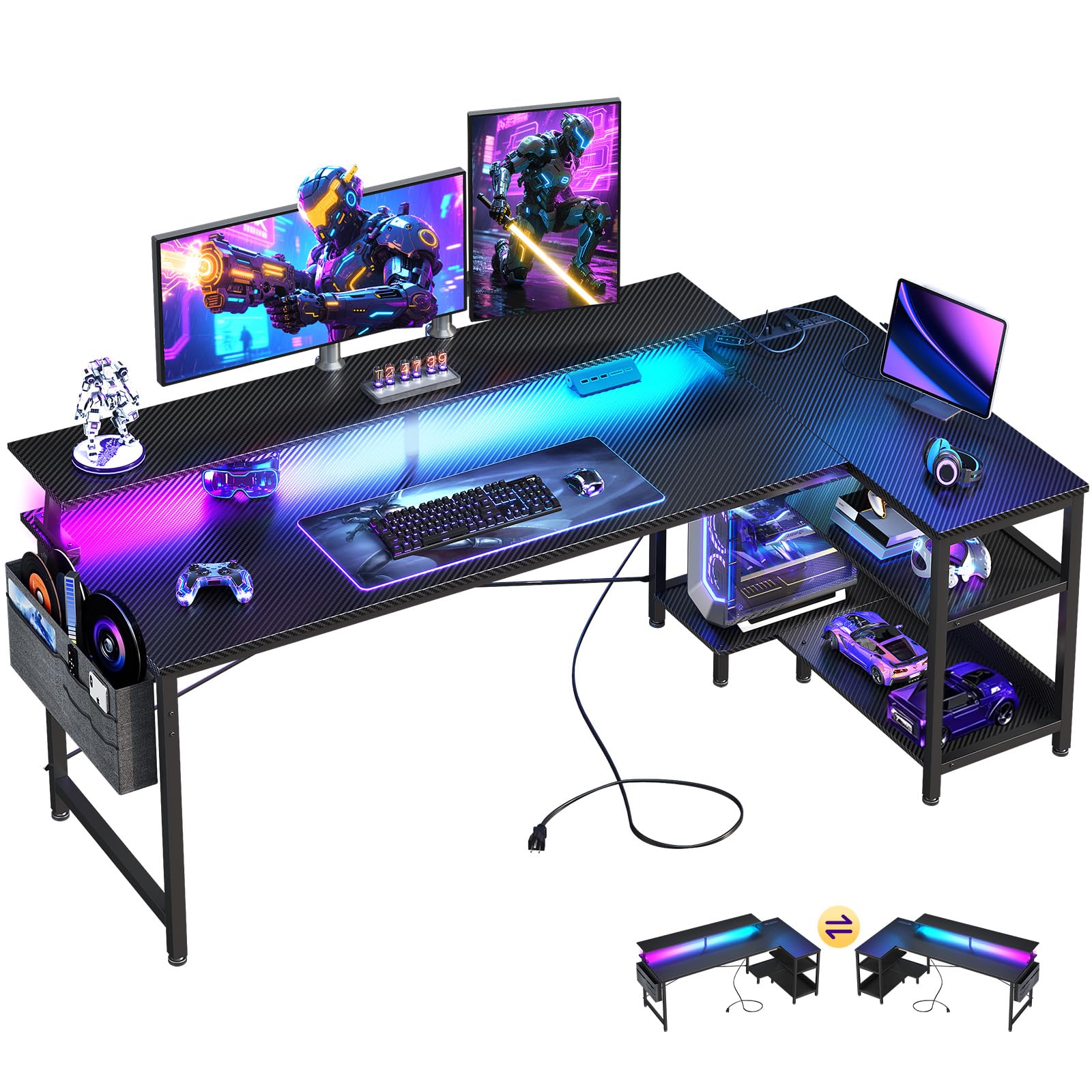
Two fabric file drawers take letter-size files, a cabinet door hides the rest, and the hutch holds books and a headset off the work surface. That combination is why this desk made the list: it is the one here that treats storage as part of the furniture rather than an accessory bolted on afterward.

The layout is genuinely flexible. The desktop flips into an 86.6-inch straight run when the corner stops working, four outlets and two USB ports cover a monitor, a console, and a charger, and the LED strip answers to an app with more colors than anyone needs. The grey laminate over a black frame reads calmer than the black-on-black desks around it, which we appreciated in a room that is not a dedicated game room.

Where it earns its keep is a shared space: a bedroom desk that also holds the household paperwork, or an office that has to look like an office at nine in the morning and a game station at nine at night. The frame is steady, the drawers slide, and the hutch does the work two shelves would — which matters most when floor space is the thing you are short of.

Pros

  • Two file drawers plus cabinet and hutch
  • Converts to an 86.6-inch straight desk
  • Four outlets and two USB ports

Cons

  • Fabric drawers instead of wood or metal
Our verdict

We point drawer-hunters here: two file drawers, a cabinet door, and a hutch turn a corner into a place where paperwork doesn't pile up on the desktop.

Check Latest Price
7

Maximum Storage

AODK 79-Inch L-Shaped Gaming Desk

90 /100
LBD Score Outstanding

Key details

Power
Two hubs, 3 AC + 2 USB each
Drawers
5 fabric, 1 file
Shelves
4 open shelves
Desktop Size
78.74 x 18.9 in
View on Amazon

Two things decide whether this desk suits you: 79 inches of wall and a patient evening with an Allen key. It is the widest top here by more than a foot, and behind that width sit five drawers, four open shelves, a CPU stand, and two power hubs. The build is the fussiest in this group, and holes can fight the bolts until the frame is square — start every bolt by hand, keep them loose, and tighten only once the panels line up.

Once it is up, the storage math is the story. One drawer is a file drawer that takes letter, A4, and legal, so paperwork lives with the printer instead of on the desktop, and the open shelving holds a console, a router, and the things that otherwise migrate to the floor. Two hubs, each with three outlets and two USB ports, cover both wings without a strip trailing across the carpet. The LED strip sits behind a milky diffuser, so it washes the wall rather than dotting it.

At 78.74 inches wide and 18.9 deep, it wants a long wall and a real corner, and it is a two-person lift once built. Set it where it is going before the shelves are loaded, because moving it afterward is a job rather than a nudge.

Our take: if two people share the desk, or one person's setup keeps spilling onto the floor, the drawers and shelves do more for daily life than any lighting feature on this list. If you want drawers without that much desk, the SEDETA 62.2-inch gets you there with a simpler build and a hutch instead of open tiers.

Pros

  • 79-inch top with five drawers and four shelves
  • Two power hubs with three outlets each
  • File drawer takes letter, A4, and legal

Cons

  • Fabric drawers feel lighter than the frame
Our verdict

For a room with the wall for it, this is the storage desk of the group: 79 inches, five drawers, and two power hubs.

Check Latest Price
8

Student Setups

ODK 53-Inch L-Shaped Gaming Desk with Hutch

92 /100
LBD Score Outstanding

Key details

Storage
2-tier rack, CPU stand, hook
Lighting
LED strip included
Upper Rack
Two assembly positions
Desktop Width
53.15 in
View on Amazon

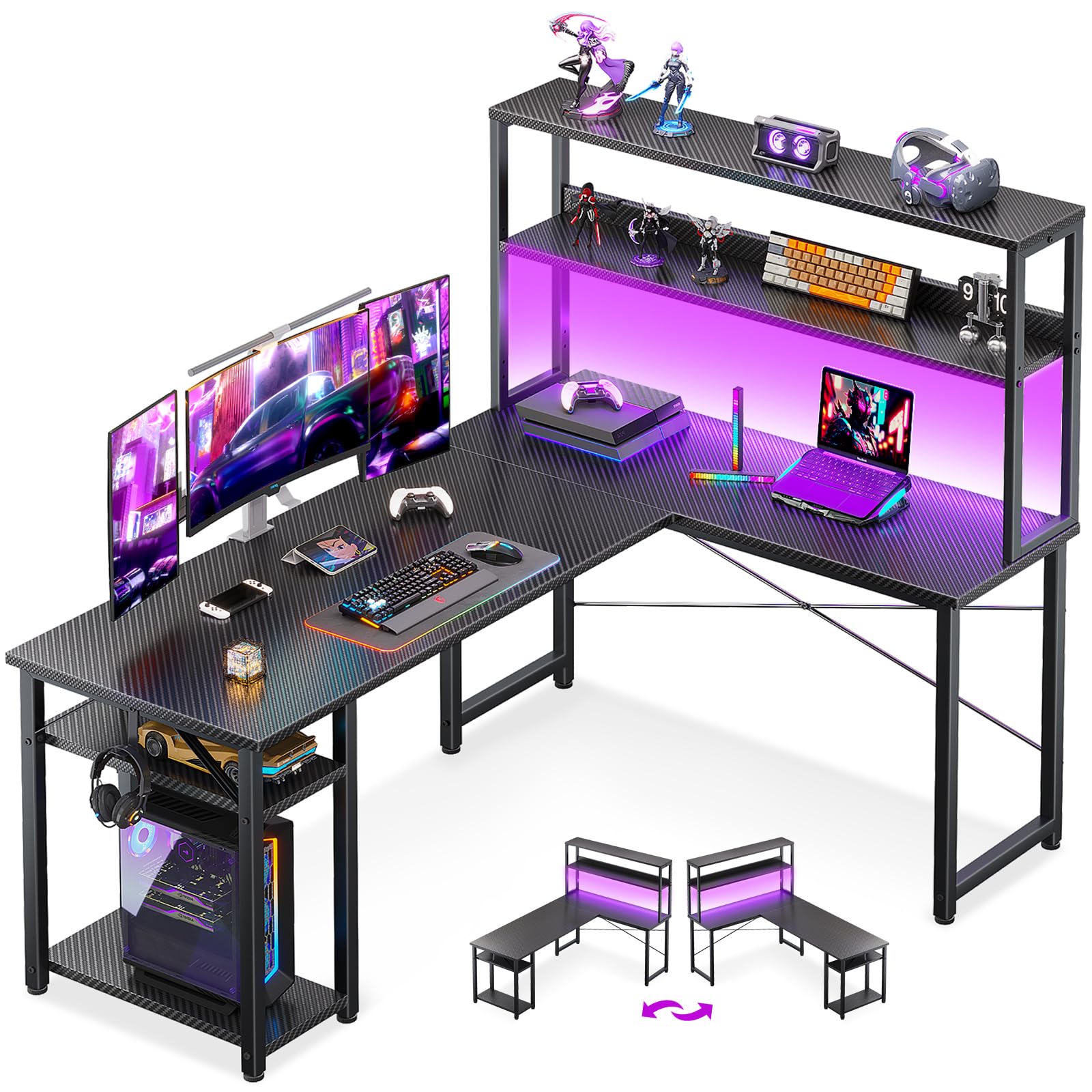
The two-tier rack is the reason to pick this ODK over the flat-top desks here. It mounts two ways — as an open bookshelf above the work surface, or dropped lower as a display shelf — and either way it puts a headset, books, and a console within reach without touching the desktop.

Below the rack there is a CPU stand on the left and an iron hook on the right, plus a 53-inch L that fits a small corner and still leaves room for a laptop beside a monitor. There is clearance under the shelves for a pair of 27-inch screens, which is more than the footprint suggests when you see it in a room.

The finish is plain black powder coat over MDF, so this is a desk sold on function rather than looks, and the LED strip under the shelf does more for the room than the surface does. Assembly is the usual evening of labeled parts and small wrenches; the shelf sequence is the part worth reading twice.

Where it lands: the rack is the whole argument. If a clean, uncluttered top matters more to you than shelves overhead, the flat-top AODK 53-inch or our Mr IRONSTONE pick gives you the same corner with less furniture above your monitors. If a student's books and a tower both need a home in a small room, this is the tidiest way to get it.

Pros

  • Two-position rack doubles as a bookshelf
  • CPU stand and headset hook included
  • Fits two 27-inch monitors under the shelves

Cons

  • Rack layout is fixed once assembled
Our verdict

We point student setups here: the two-way rack turns a 53-inch corner into desk plus bookshelf without adding furniture to the room.

Check Latest Price

How We Tested These L-Shaped Gaming Desks

We started with every L-shaped gaming desk we could find at the major retailers, then cut anything that couldn't be flipped to put the return on either side. We also filtered by footprint, since most of these live in the corner of a shared room rather than a dedicated office. That left 13 desks, from compact 42-inch models to a 79-inch one, which we lived with for eight months.

Assembly came first, because it's where these desks are won or lost. I built each one solo with only the included tools, timing the job and noting hardware that didn't match the count, holes that didn't line up, and steps that assumed two people. Two desks got taken apart and rebuilt in another room, the quickest way to learn whether the screw holes survive a second pass.

Then they went into real rooms: a home office running two monitors, a teenager's bedroom through a summer of gaming and homework, and a cramped apartment corner where the desk had to go together in place. We leaned on the far wing, typed hard with a monitor at the opposite end, and dropped into the chair to see what moved. A finger run along the seam caught any lip, and we watched for rocking on carpet and hard flooring.

The built-ins didn't get a pass. We plugged a charger, a monitor, and a phone into every outlet strip to see whether the ports were still reachable once the desk sat in the corner, ran the LED strips in a dark room to see if the light washed the wall or glared off the screen, and loaded every riser and shelf with actual gear. At the end we measured real footprint against the advertised one and weighed the price against what came in the box.

How to Choose an L-Shaped Gaming Desk

Measure the corner before the desktop

Listings quote one wing, the full span, or both, and the difference decides whether the desk fits. A 50-inch L can mean two 50-inch wings, as on the Mr IRONSTONE, or a 50-inch run with a much shorter return, as on the Homall. Depth matters just as much: 17 to 19.7 inches leaves room for a keyboard and a monitor stand, not a keyboard, a notebook, and a plate.

Tape the outline on the floor, then sit in the chair and check that the inside angle leaves your knees free. If a door or closet opens into that corner, measure its swing too, because a desk that blocks a door is a desk you will resent every morning.

Decide how the lights and outlets turn on

Built-in lighting is a real upgrade in a gaming corner and a nuisance when the control is awkward. The desks here cover the range: a phone app on the Mr IRONSTONE, an app with color wheel and music modes on the SEDETA desks, an inline switch on the AODK and ODK models. The light you actually use is the one you can reach without hunting, so check the switch before the color count.

Power follows the same logic. Three outlets and two USB ports built into the desktop, as on the AODK 53-inch and ODK 66-inch, beat a power strip on the floor, and the wiring runs through the frame instead of across the top.

Storage: shelves, hutches, and drawers

Storage changes the shape of the desk, not only its capacity. Open shelves and a hutch add vertical room but eat the depth above the desktop, which matters with a tall monitor or a boom arm. Drawers, like the two file drawers on the SEDETA 62.2-inch, put paperwork out of sight without blocking the surface at all; fabric drawers keep cost and weight down.

A CPU stand is worth having, but measure the tower against it first — several stands here are cut for mid-towers, and a full-size case will not sit on them.

Stability is settled on assembly night

A wobbly gaming desk is almost always an assembly problem or a floor problem, not a defect. Start every bolt by hand, leave them loose until the frame is square, then tighten in a diagonal pattern; force one misaligned hole and the whole desk pulls out of true.

Carpet is the other culprit. A shim under one foot, or an anchor into a stud on the wall behind the return, settles a desk that rocks. Load ratings here are generous, so the limit you will actually meet is the unsupported outer edge of a wing — keep a tower and a printer over a leg.

Reversibility and the straight-run option

Most of these desks reverse, with shelves, power block, or the entire return moving to whichever side the room needs. Decide before you assemble, because flipping later means partial disassembly.

A few go further: the SEDETA 62.2-inch converts from a corner into an 86.6-inch straight desk, which is the better answer for a long wall or two people sharing the space. If a move or a reshuffle is likely, pick one of those and keep the spare hardware bag.

Frequently Asked Questions

Final Verdict

Two equal 50.8-inch wings, a 220-pound frame, and the gaming extras already mounted are why the Mr IRONSTONE is the desk we point most people to: it covers a dual-monitor setup, a console, and homework without asking you to buy the accessories separately.

If the budget is the deciding factor, the Homall claims the same corner for less, with the understanding that carpet may need a shim. For a small bedroom, the Bestier's 42-inch footprint and built-in charging win; for one long monitor run, the ODK 66-inch; for drawers and a hutch in a shared space, the SEDETA 62.2-inch.