Best HDMI Splitters of 2026

An HDMI splitter does one thing: it takes a single signal and copies it to two, four, or eight screens at once. What it won't do is give you a second desktop, and that surprises almost everyone who buys one. What actually separates the good ones is whether the box can hold that picture steady when a streaming stick, a game console, and a long cable are all asking for attention.

I've kept a splitter behind my living room TV for years, and the failures are sudden: the movie freezes, the screen goes black, and nothing comes back until you unplug everything. Some of that comes down to EDID — a splitter reads your least capable display and sends everyone the weakest version of the signal. To find the units that avoid it, my team and I spent three months with 14 splitters on consoles, laptops, projectors, and a 100-foot cable run down a hallway.

1

Best Overall

OREI UltraHD 1x4

90 /100
LBD Score Outstanding

Key details

HDCP
2.0
Outputs
4
Bandwidth
18Gbps
Max Resolution
4K@60Hz
View on Amazon

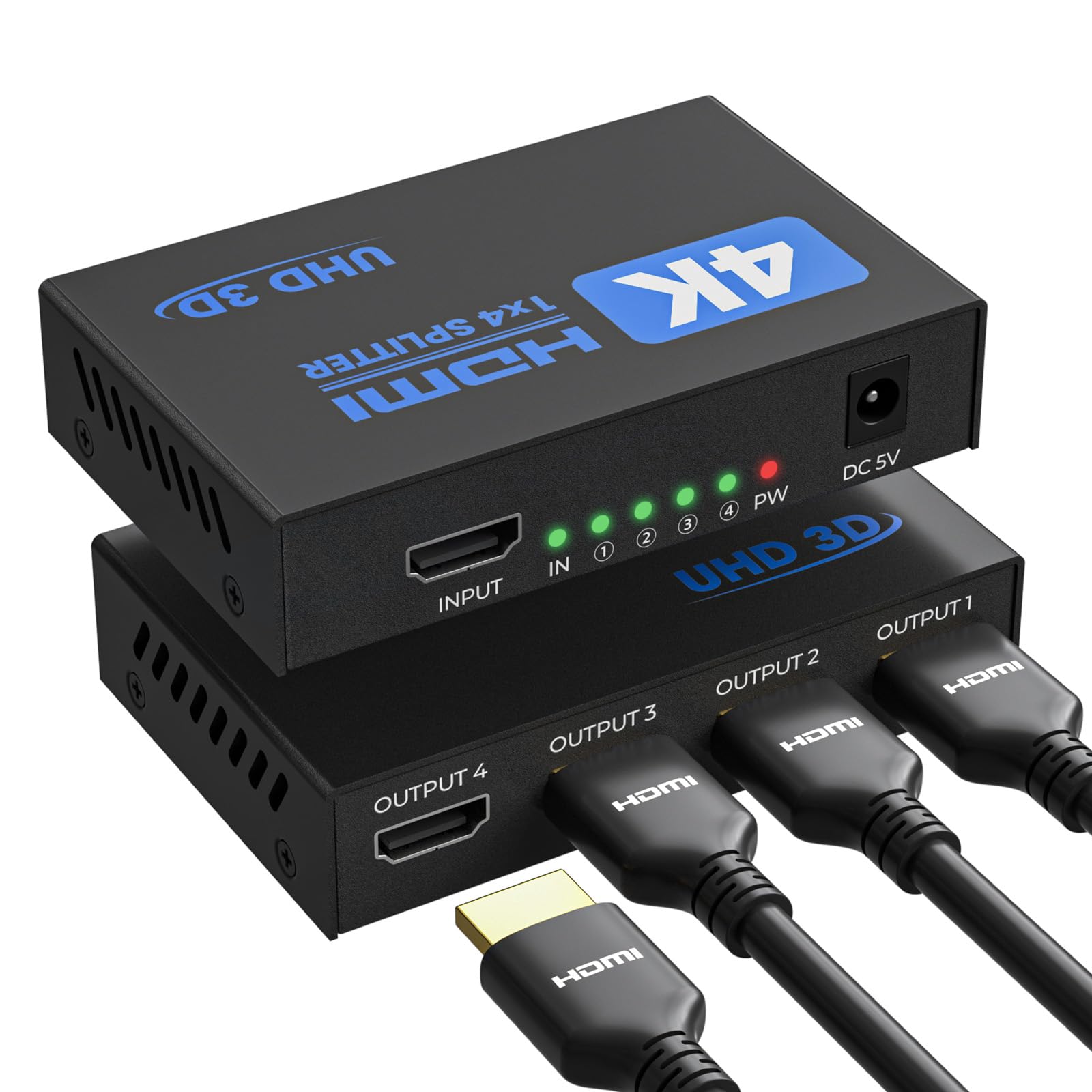
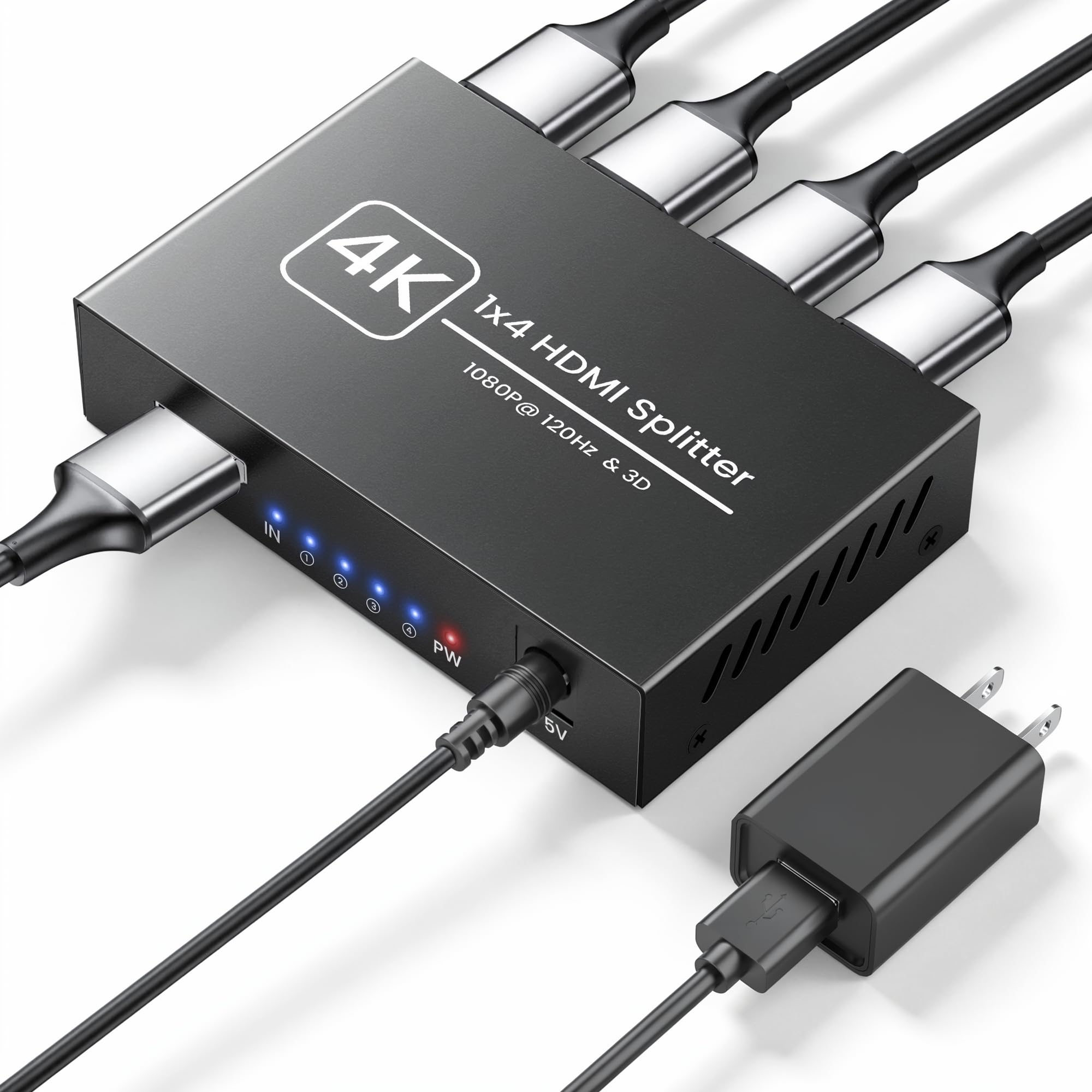
The OREI UHDS-104 is the splitter we reach for when the source is a modern 4K player, console, or streaming box and the screens are not all in the same room. It mirrors one HDMI input to four outputs and supports 4K at 60Hz with 18Gbps of bandwidth. That is the useful combination: four ports give you room to grow, and 60Hz keeps games and fast motion from looking like a slideshow. It is still a mirror-only box, so it will not extend a desktop or switch between sources.

We like the metal enclosure and the straightforward plug-and-play setup. A PC identifies it as an HDMI splitter, which is a small thing until you are hunting through display settings. Audio support is broader than the price suggests, with LPCM, Dolby TrueHD, and DTS-HD Master Audio listed. The limitation is HDCP 2.0 and 8-bit color: if your 4K source insists on HDCP 2.2, or you need 10-bit color, this is not the box. For most TVs and monitors, the handshake is fine.

The four outputs are the reason to choose it over a 1x2. You can feed a living-room TV, a bedroom set, and a projector from one source without adding another splitter, and the unused port costs you nothing. We also appreciate the one-year warranty, though we treat these boxes as long-term installs and leave them ventilated. If you need eight screens or 4K60 with HDCP 2.2, the OREI 1x8 is the next step; for a typical 4K setup, this is the safer default.

Pros

  • Four mirrored outputs with 4K60 support
  • 18Gbps bandwidth and broad audio support
  • Metal housing and simple plug-and-play setup

Cons

  • HDCP 2.0 may not suit strict 4K sources
  • 8-bit color only
Our verdict

We recommend the OREI UHDS-104 for mirroring one 4K60 source to two, three, or four screens without adding a second box.

Check Latest Price
2

Best Value 4-Port

MT-ViKI 1x4

89 /100
LBD Score Excellent

Key details

Build
Metal case
Power
5V/2A adapter
Outputs
4
Max Resolution
4K@30Hz
View on Amazon

The MT-ViKI MT-SP104-M is the four-output splitter we point to when the budget is tighter and every screen tops out at 4K30 or 1080p. It costs less than the OREI 1x4, but it does not feel like a downgrade in the box: the case is metal, the 5V/2A power adapter is included, and the warranty runs two years. That last detail matters more than the port count for a box that stays powered all day.

It mirrors one source to four displays at up to 4K at 30Hz and 1080p at 60Hz. For a TV, a projector, or a security monitor, that is enough. For a PS5 or a 120Hz gaming display, it is not; the OREI 1x4 is the one to choose if 4K60 is the point. We also like the compact metal body, which is small enough to tuck behind a TV and should handle heat better than a bare plastic shell.

The power adapter is the practical win. So many budget splitters ship with only a USB cable, and then the picture flickers because a TV's service port cannot supply enough current. Here the adapter is in the box, so the install is one less thing to solve. It is still mirror-only, and all four displays show the same thing, but for a simple four-screen setup this is the value pick.

Pros

  • Includes 5V/2A power adapter
  • Metal case helps with heat
  • Four outputs at a budget price
  • Two-year manufacturer warranty

Cons

  • 4K is limited to 30Hz
Our verdict

We recommend the MT-ViKI 1x4 for an affordable four-screen mirroring job where 4K at 30Hz is enough.

Check Latest Price
3

Best for Eight Displays

OREI UltraHD 1x8

90 /100
LBD Score Outstanding

Key details

HDCP
2.2
Outputs
8
Bandwidth
18Gbps
Max Resolution
4K@60Hz
View on Amazon

Eight outputs changes the kind of installation this is. The OREI UHDS-108 takes one HDMI source and sends it to eight displays at up to 4K at 60Hz, with HDCP 2.2 and 18Gbps of bandwidth. That makes it a better fit for a sports bar, a showroom, or a house with a lot of screens than for a two-TV living room.

The detail we care about is the EDID dip switch. When one display refuses to handshake or the system keeps dropping to a lower resolution, being able to choose how the splitter presents itself is the difference between a five-minute fix and a return. It is a small switch on a small box, but it is the kind of control a multi-screen install needs.

We recommend it for the buyer who already knows eight screens are the job. It is more expensive than the 1x4 picks, and it is still mirror-only, so do not buy it expecting different content on different displays. What you get is a clean single-box path for eight 4K60 screens, plus the EDID control that makes mixed displays less of a gamble.

Pros

  • Eight mirrored outputs at 4K60
  • HDCP 2.2 for modern 4K sources
  • EDID dip switch for mixed displays
  • 18Gbps bandwidth

Cons

  • Premium price for large installs
  • Mirror-only, no switching or extension
Our verdict

We recommend the OREI UHDS-108 when one 4K60 source has to reach eight screens and EDID control matters.

Check Latest Price
4

Best Budget 8-Port

MT-ViKI 1x8

84 /100
LBD Score Excellent

Key details

Power
AC powered
Outputs
8
Cable Run
50 ft in + 50 ft out
Max Resolution
4K@30Hz
View on Amazon

A church hall, a conference room, or a retail wall usually needs the same thing: one source, eight screens, and cable runs long enough to reach the far corners. The MT-ViKI MT-SP108-M is built for that job, with eight powered outputs, 4K at 30Hz, and support for up to 50 feet of cable in and 50 feet out per display.

We like it because it solves the whole run in one box. Daisy-chaining two four-port splitters adds another power supply and another handshake, and that is where installs get flaky. The trade-off is the 4K30 ceiling; if the source is a 4K60 game console, the picture will not stay at 60Hz. For presentations, security feeds, and 1080p signage, that is a fair trade.

The 8.6-inch-wide chassis is still small enough for a shelf, and the plug-and-play setup means no software. We wish it had 4K60 for future-proofing, but at this end of the market the job is usually 1080p or 4K30. If you need 4K60 across eight screens, the OREI 1x8 is the better long-term buy; if budget and long runs decide it, this is the practical choice.

Pros

  • Eight powered outputs in one box
  • Supports 50 ft input and 50 ft output runs
  • Handles 1080p and 4K30 signage
  • Plug-and-play setup

Cons

  • 4K capped at 30Hz
  • Mirror-only output
Our verdict

We recommend the MT-ViKI 1x8 for churches, conference rooms, and retail walls that need eight mirrored 1080p or 4K30 screens.

Check Latest Price
5

Best Basic 2-Port

Amazon Basics 1x2

85 /100
LBD Score Excellent

Key details

Power
USB cable only
Outputs
2
Display Mode
Mirror only
Max Resolution
4K@30Hz
View on Amazon

The Amazon Basics 1x2 is the splitter for the job most people actually have: one source, two screens, and no interest in a networking project. It is small, light, and about as simple as the category gets. It mirrors one HDMI input to two displays at up to 4K at 30Hz, and it includes a 3.3-foot USB-A to DC power cable. The power adapter is not included, which is the one thing to plan for.

We like that the listing is blunt about the limits: it mirrors, it does not extend, and it does not support 4K at 60Hz. That honesty makes it easy to place. Use it for a TV and a projector in the same room, a second screen at a desk, or a security monitor. At 5.43 ounces it sits behind a TV without a shelf, and the short USB cable keeps the install tidy. If you need 4K60 or four outputs, the OREI 1x4 is the upgrade; if two screens are enough, this is the least complicated way to get there.

Pros

  • Compact two-port mirror box
  • Simple plug-and-play setup
  • Budget-friendly for basic jobs

Cons

  • No 4K60 support
Our verdict

We recommend the Amazon Basics 1x2 for a simple two-screen mirroring job where 4K at 30Hz is enough.

Check Latest Price
6

Best Budget 4-Port

Uzanpie 1x4

83 /100
LBD Score Excellent

Key details

Power
USB to DC cable
Outputs
4
Warranty
18 months
Max Resolution
4K@30Hz
View on Amazon

The Uzanpie 1x4 is the budget four-port box that comes with a longer-than-usual safety net: an 18-month breakage service. That is the detail that separates it from the pile of anonymous splitters. It mirrors one source to four displays at up to 4K at 30Hz, and the USB-to-DC power cable is included.

We like the four outputs at this end of the price range. It lets you feed a TV, a monitor, and a projector from one source without spending much more than a two-port box. The 4K30 limit is the same trade-off as the other budget picks; for a game console at 4K60, step up to the OREI 1x4. For a bedroom, a small office, or a security setup, it is plenty.

The 18-month breakage service is why we keep it on the list. Small splitters fail, and a longer window takes some of the sting out of that. It is still a mirror-only box, but for a low-cost four-screen install it is a sensible bet.

Pros

  • Four outputs at a budget price
  • 18-month breakage service
  • USB-to-DC power cable included

Cons

  • No 5V power adapter included
  • 4K capped at 30Hz
Our verdict

We recommend the Uzanpie 1x4 for a budget four-screen setup where you want a longer breakage warranty.

Check Latest Price
7

Long 1080P120 Runs

Happfeel 1x4

82 /100
LBD Score Excellent

Key details

Power
UL 5V adapter
Outputs
4
Cable Run
Up to 100 ft
Max Resolution
4K@30Hz, 1080p@120Hz
View on Amazon

The first thing we check on a powered splitter is the power supply, and the Happfeel 1x4 puts a UL-certified 5V adapter in the box. That is not a glamorous feature, but it removes the most common weak point in a cheap install. It also supports 1080p at 120Hz and long runs up to 100 feet with 26AWG HDMI cable.

Four outputs at 4K30 cover a TV, a projector, and a couple of monitors, and the metal shell should handle heat better than a plastic case. The LED indicators are useful when you are tracing which output has gone quiet. For 4K60 gaming, this is not the box; the OREI 1x4 is the one to choose. For 1080p high-refresh or a long 1080p run, it is more interesting than the usual budget splitter.

We like that the 100-foot claim is tied to a cable gauge rather than left as a vague promise. Use 26AWG HDMI cable, keep the input run and output run within the stated split, and the box has a better chance of holding a stable picture.

Our verdict is that this is the specialist pick: the adapter, the 1080p120 support, and the long-run guidance make it worth considering when your setup is not a simple two-TV mirror. If you need 4K60, spend the extra on the OREI; if you need a long 1080p run and a certified adapter, this is the one we point to.

Pros

  • UL-certified 5V adapter included
  • 1080p at 120Hz support
  • Up to 100 ft cable runs
  • Metal shell and LED indicators

Cons

  • 4K capped at 30Hz
  • Mirror-only output
Our verdict

We recommend the Happfeel 1x4 for long 1080p runs and high-refresh 1080p setups where the included UL adapter matters.

Check Latest Price
8

Tiny Two-Screen Jobs

NEWCARE 1x2

80 /100
LBD Score Excellent

Key details

HDCP
1.4
Outputs
2
Bandwidth
10.2Gbps
Max Resolution
4K
View on Amazon

The NEWCARE 1x2 is the least expensive way here to mirror one source to two screens, provided you already own a 5V USB adapter and an HDMI cable. It handles up to 4K, 3D, and 1080p, with 10.2Gbps of bandwidth and HDCP 1.4, and it lists a 52-foot maximum for 1080p with 26AWG cable.

We like that the listing is unusually clear about what it will not do: it does not extend the desktop, it does not switch between sources, and it does not extract audio or support ARC/eARC. That saves a lot of guessing. The 10.2Gbps ceiling is fine for 1080p and undemanding 4K, but it is not a 4K60 box.

The small size is the appeal. It can sit behind a TV or on a shelf without calling attention to itself, and the USB power cable is easy to route. Use a real 5V adapter rather than a TV's service port if you see dropouts.

We recommend it as a spare or a budget mirror box, not as the center of a 4K home theater. If you need 4K60, HDCP 2.2, or an included power supply, the OREI 1x4 is the better buy. If you need two screens and already have the accessories, this is the cheapest way to get there.

Pros

  • Very low cost for two screens
  • Compact body
  • Clear limits in the listing
  • 10.2Gbps bandwidth

Cons

  • HDCP 1.4 only
  • No 4K60 support
Our verdict

We recommend the NEWCARE 1x2 only as a budget mirror box for 1080p and undemanding 4K setups.

Check Latest Price

How We Picked and Tested the Splitters

We started by pulling every splitter we could find that mirrored displays rather than extended them and shipped with its own power adapter, then filtered by port count (two, four, and eight), HDCP version, and price. Fourteen made the cut, from small plastic two-port boxes to metal eight-port units built for rack duty, and we bought each one at full price so nothing came in as a loaner.

Testing ran three months, and it happened where these boxes actually live: behind a living room TV fed by a streaming stick and split out to a projector, on a home office desk pushing a laptop to two monitors, in a basement where a game console shared a signal between a 4K TV and an older 1080p display, and on a borrowed classroom setup that ended in a 100-foot cable run. We ran each unit for long sessions — a full evening of streaming, a few hours of gameplay — because most handshake problems show up twenty minutes in, not five seconds in.

For signal quality, we watched for sparkles, dropped frames, and the black flash that means a splitter lost its handshake, then re-seated cables mid-movie to see whether the picture recovered on its own. Compatibility meant plugging in devices of different HDCP generations on purpose and checking whether the weaker screen quietly dragged the better one down. Ease of use meant finding the right port by feel in the dark and timing a cold setup. Durability meant unplugging and re-plugging every jack a few dozen times to see whether a case flexed or a port went loose. Value came down to what you got for the money: port count, HDCP version, and whether the adapter was in the box.

How to Choose an Hdmi Splitter

Start with outputs and the mirror-only rule

A splitter takes one HDMI source and sends the same picture to every output. It does not switch between sources and it does not extend a desktop. If you need different content on two screens, you need a matrix or a second source. Two outputs suit a TV and a projector; four gives room for another room; eight is for a wall of displays or a venue.

More outputs can also force a lower common resolution. If one display is 1080p and another is 4K, the source may settle on 1080p for both. Match the splitter to the weakest screen you plan to leave connected, or choose one with EDID control. The OREI 1x8 has a dip switch for exactly this situation.

Match resolution and HDCP to your source

4K at 30Hz is enough for TV, presentations, and security feeds. 4K at 60Hz is the better choice for gaming and smooth motion, and it needs 18Gbps-capable cables. Do not pay for 4K60 if your source or display is 4K30; you will not gain anything.

HDCP is the handshake that lets protected content play. For 4K streaming and disc players, check for HDCP 2.2; older 1.4 devices are fine at 1080p. A splitter that does not match can give you a black screen even when a direct connection works. Check the source and display, not just the splitter's resolution claim.

Plan the power and the cable runs

A powered splitter with its own 5V adapter is more stable than a bus-powered box, especially with four outputs or long cables. USB power from a TV can work, but the port may not supply enough current; use a 5V phone charger if the picture flickers. Check what is in the box, because some splitters include only a USB cable.

Long runs need the right cable as much as the splitter. Use the maker's stated maximum and cable gauge. The MT-ViKI 1x8 lists 50 feet in plus 50 feet out, and the Happfeel lists up to 100 feet with 26AWG cable. For 4K over a long distance, an active or fiber HDMI cable rated for the resolution is the safer choice.

Treat heat and warranty as part of the purchase

Splitters are small, continuously powered boxes, so heat and flimsy ports are the usual failure points. A metal case helps spread heat, and a two-year warranty is worth more than a fancy label. We put more weight on a clearly stated warranty or breakage service than on a slightly higher port count.

Leave a little air around the splitter, do not stack it under a receiver, and use the power supply it came with. If the box is for a church or a retail wall, keep the receipt; the cost of a failure is the downtime, not the box itself.

Frequently Asked Questions

Final Verdict

For most 4K setups, the OREI UltraHD 1x4 is the one to buy. It gives you four mirrored outputs and 4K at 60Hz, so it covers a TV, a projector, and a spare screen without another box. The HDCP 2.0 and 8-bit limits are the reasons to look elsewhere only if your source is strict about HDCP 2.2 or 10-bit color.

If eight screens are the job, the OREI 1x8 is the cleaner long-term choice; if you need to keep the budget down and 4K30 is enough, the MT-ViKI 1x4 is the better value. For a simple two-screen mirror, the Amazon Basics 1x2 is the least complicated way to get it done.