Best Overall
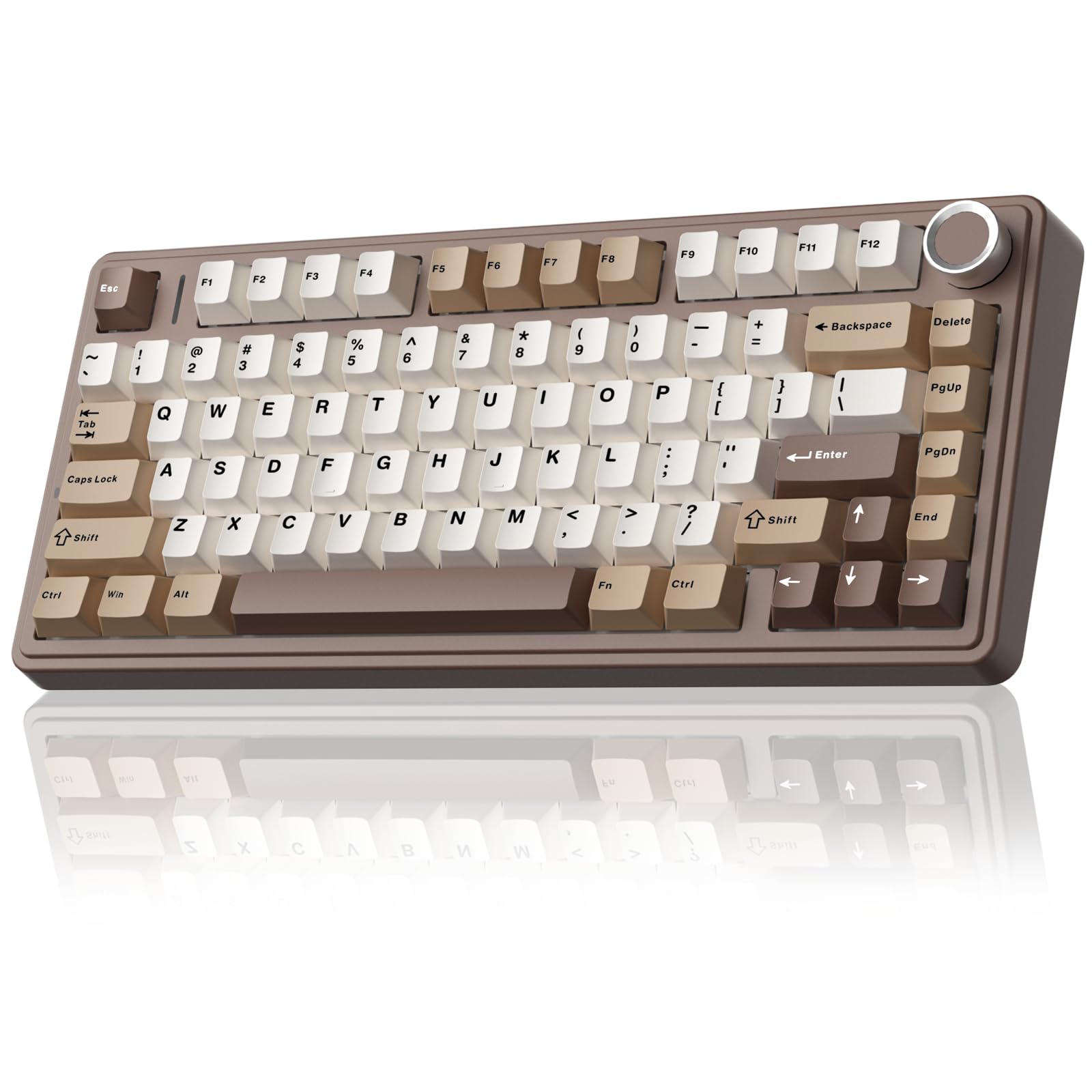
AULA F75
Key details
- Extras
- Volume roller, spare switches
- Layout
- 75% (81 keys)
- Switches
- Linear, hot-swappable
- Connectivity
- Bluetooth 5.0, 2.4 GHz, USB-C
The first thing that stands out about the AULA F75 is how finished it feels before you change a thing. The pre-lubed linear switches have a soft, creamy sound, and the dampened body takes the hard edge off each keystroke. We think that combination is why it earns the top spot here: it gives you the custom-keyboard experience without requiring you to build one. The 75% layout keeps the mouse close, and the 81 keys still leave you with arrows and a function row.
Tri-mode wireless is the practical half of the story. You can pair up to five devices across Bluetooth, 2.4 GHz, and USB-C, which is more flexibility than most desks need, and the volume roller is a small touch we kept using. The hot-swap socket accepts 3- or 5-pin switches, and AULA includes spare switches and a puller, so you can tune the feel later without soldering. At about 1.02 kg, the board is heavy enough to stay planted without feeling like a brick.
The plastic case and six-month warranty are the compromises. Neither is unusual at this level, but the case will not feel as cool as aluminum and the coverage is shorter than we like. For a general desk that does some gaming and a lot of typing, the F75 is the one we reach for first.
Pros
- Creamy, pre-lubed linear feel
- Tri-mode wireless with five-device pairing
- Hot-swappable sockets and spare switches
- Solid 1.02 kg build
Cons
- No dedicated number pad
We recommend the AULA F75 as the best all-around mechanical keyboard here: its creamy switches, hot-swap sockets, and tri-mode wireless make a polished daily driver without the custom-build price.