Best Magnetic Keyboards of 2026

A standard mechanical switch fires at a fixed point: press halfway and it registers, no matter how lightly you're typing. Magnetic switches work differently, using a Hall-effect sensor to track how far each key actually travels. That means you can dial in your own actuation point — hair-trigger for games, deeper for typing — and turn on rapid trigger so a key resets the instant you lift.

I've spent the past six months typing on and gaming with 12 magnetic keyboards, and the good ones share a habit of getting the small things right: keycaps that don't shine up, a case that stays planted, software you set once and forget. Sound matters more than the spec sheet suggests — a hollow, pingy board wears on you by hour six — and so does the wrist angle you settle into. Appearance counts too, since this thing lives on your desk.

The picks below run from stripped-down and speed-focused to loaded with features, and every one of them gets the essentials right.

1

Best Overall

SteelSeries Apex Pro TKL Gen 3

92 /100
LBD Score Outstanding

Key details

Keys
84 (TKL)
Weight
3.5 lb
Keycaps
PBT
Switch Type
OmniPoint 3.0 analog magnetic
View on Amazon

Three settings separate the Apex Pro TKL Gen 3 from everything else in this guide, and only two of them are about speed. Rapid Trigger resets a key the moment it lifts, and Rapid Tap snaps to your newest input so a strafe cancels cleanly. Protection Mode is the one we keep coming back to, because it trims the accidental presses that come from a thumb rolling onto a neighboring key, which is the kind of mistake that ends a fight faster than a slow reaction does.

Around that sits hardware we have no complaints about. Eighty-four keys in a tenkeyless frame, PBT keycaps, an OLED strip that shows the active profile, and a 3.5-pound body that stays planted. Actuation is set per key in SteelSeries GG, so your movement keys can be hair-trigger while your ability keys stay deliberate, and the software can auto-load a profile when a game launches, which is a genuinely nice touch if you rotate between shooters.

The honest knock is price: this is the most expensive keyboard in the guide, and it's wired, so you're paying for tuning and an OLED rather than batteries or Bluetooth. If those extras don't mean much to you, the AULA WIN68 HE covers the core trick of adjustable Hall Effect actuation, Rapid Trigger, and 8,000 Hz for far less, and the Logitech below is the pick for pure FPS.

Pros

  • Rapid Trigger, Rapid Tap, and Protection Mode together
  • Per-key actuation tuning in SteelSeries GG
  • PBT keycaps and a dense 3.5 lb body
  • OLED display for profiles and settings

Cons

  • The most expensive board in this guide
Our verdict

We recommend it to anyone who wants the deepest tuning here, with Rapid Trigger, Rapid Tap, and Protection Mode on a solid board, and can accept paying the most for it.

Check Latest Price
2

Best Value

AULA WIN68 HE

90 /100
LBD Score Outstanding

Key details

Keys
68
Switch Type
Hall Effect magnetic
Polling Rate
8,000 Hz
Actuation Range
0.02–3.44 mm
View on Amazon

AULA's WIN68 HE packs the full feature list into a 68-key body that measures 14 by 6 inches and leaves most of your desk to the mouse: Hall Effect switches with an adjustable actuation point from 0.02 to 3.44 mm, 8,000 Hz polling, hot-swap sockets, and per-key RGB. The layout keeps separate arrow keys, which most budget boards at this size drop.

That detail is what sold us. On a 60% board every arrow press becomes a two-hand chord, and that gets old fast during ordinary work, so a 68-key board covers spreadsheets and menus as comfortably as it covers games. Add a web driver that handles Rapid Trigger, SOCD, DKS, and TGL without an install, and this is the board we hand to someone who wants to try magnetic switches without committing real money. Two spare magnetic switches in the box is a small thing that says the maker expects you to keep it.

The case is plastic, and the six-month warranty is the shortest stated coverage in this guide, where most of the others run a full year. Neither stops us recommending it at the price, but if you plan to carry the keyboard in a bag twice a week, that shorter term is worth knowing before you order.

Pros

  • Hall Effect tuning and 8,000 Hz at a budget price
  • Arrow keys kept on a 68-key layout
  • Hot-swap sockets and two spare switches
  • Web driver with no install

Cons

  • Six-month warranty, the shortest stated here
  • Plastic case
Our verdict

For budget buyers this is the pick: real Hall Effect tuning, 8,000 Hz polling, and the arrow keys kept, for far less than the premium boards.

Check Latest Price
3

Best for Competitive FPS

Logitech G PRO X TKL Rapid

91 /100
LBD Score Outstanding

Key details

Keys
90 (TKL)
Switch Type
Magnetic analog (Hall Effect)
Connectivity
USB-A / USB-C wired
Gaming Features
Rapid Trigger, KEYCONTROL
View on Amazon

Logitech built this one for people who play a single game seriously. Ninety keys in a tenkeyless frame, magnetic analog switches, a Rapid Trigger mode that reactivates a key without a full release, and KEYCONTROL, which stacks extra commands and multi-action combos onto layers underneath your normal keys. We like that it's wired: no battery, no pairing, nothing to think about when you sit down.

The tuning is the reason to buy it. Each key gets its own actuation point in G HUB, so your strafe keys can fire early while your ultimate stays deliberate, and LIGHTSYNC ties the lighting to whatever is on screen. The keys feel crisp and consistent from the first row to the last, and the tenkeyless frame leaves room for a wide mouse arc without pushing your hand off the pad.

What you give up is flexibility in the other direction: there's no Bluetooth and no 2.4 GHz, and the enclosure is plastic on a board that costs more than most of the others here. If your week splits between a laptop and a desktop and you want one keyboard for both, the Keychron K10 HE is the wireless answer instead.

Pros

  • Rapid Trigger reactivates keys without a full release
  • Per-key actuation and layered KEYCONTROL commands
  • Wired connection with nothing to pair or charge

Cons

  • No wireless option at all
  • Plastic enclosure at a premium price
Our verdict

For FPS players tuning one game, this is the pick: per-key actuation, layered commands, and a wired connection with nothing to manage.

Check Latest Price
4

Best Budget 60%

DAREU EK60 HE

88 /100
LBD Score Excellent

Key details

Weight
15.2 oz
Switch Type
DAREU Fire magnetic
Polling Rate
8,000 Hz
Rapid Trigger Accuracy
0.01 mm
View on Amazon

Four hundred and thirty grams is what sets the EK60 HE apart in this group. Every other board here that lists a weight is heavier, and a few are more than twice as heavy, which shows up the moment you slide it into a backpack or move it off a lap desk. For a 60% board that's going to travel, it's the right number to care about.

What you get for a budget price is not stripped down: 8,000 Hz polling, a 0.01 mm Rapid Trigger step, hot-swappable magnetic switches, and both a web and a desktop driver. We think the dual driver setup is the smart part, because you can configure the board from a browser on a machine where you can't install anything, then keep the desktop app for finer work. The switches feel smooth and consistent from the first keystroke.

Two things to accept: 61 keys means no arrow keys and no function row without an FN layer, and the case is plastic. Neither is unusual at this price. If you need arrows, spend a little more on the AULA WIN68 HE; if you want the lightest thing you can pack, this is it.

Pros

  • 430 g, the lightest board here
  • 0.01 mm Rapid Trigger step and 8,000 Hz polling
  • Hot-swappable switches with web and desktop drivers

Cons

  • 60% layout with no arrow keys
  • Plastic enclosure
Our verdict

We recommend it for a light, cheap setup: it's the lightest board here, with 0.01 mm Rapid Trigger and 8,000 Hz polling.

Check Latest Price
5

Best with a Numpad

Redragon K686 HE

87 /100
LBD Score Excellent

Key details

Keys
98
Switch Type
UltraMag POM magnetic
Polling Rate
8,000 Hz
Actuation Range
0.1–3.4 mm
View on Amazon

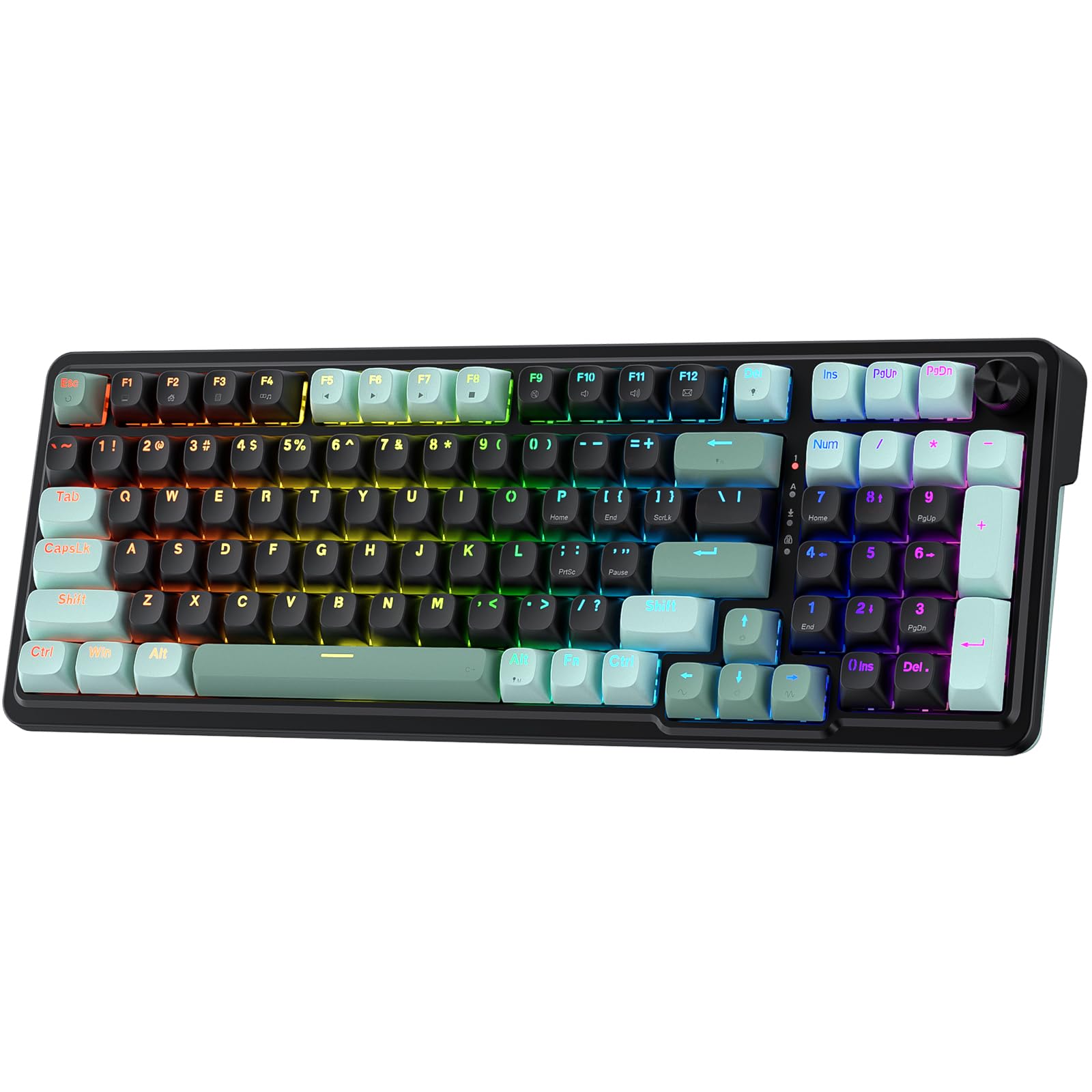
If the keyboard on your desk has to survive a workday as well as a match, the K686 HE is the board in this group built for it. Ninety-eight keys means a numpad plus the navigation cluster, the PBT keycaps resist the shine that cheaper caps pick up, and a single knob handles volume and backlight brightness without a key combo to memorize.

Redragon's UltraMag POM switches sense keypresses without physical contact, and the dual-module floating plate with its dampening layers gives this one a softer, quieter sound than most of the boards here, closer to a low thud than a clack. We noticed it most on calls: it's the board here we worry about least when a microphone is open.

Tuning runs through the desktop or web driver, with saved actuation profiles between 0.1 and 3.4 mm. The one limit worth knowing is the floor: 0.1 mm is the highest starting point in this group, so if you want the finest Rapid Trigger setting available, the DAREU or the ATTACK SHARK goes lower. For most players 0.1 mm is already quicker than reflexes, and the quieter build is worth more than the extra decimal.

Pros

  • 98 keys with a numpad and navigation cluster
  • Knob for volume and backlight brightness
  • Quieter, dampened POM switch sound
  • Multiple saved actuation profiles

Cons

  • Wired only, with no Bluetooth or 2.4 GHz
Our verdict

If your keyboard does your day job too, this is the one: a 98-key layout with a real numpad, a volume knob, and quiet magnetic switches.

Check Latest Price
6

Best Full-Size Wireless

Keychron K10 HE

86 /100
LBD Score Excellent

Key details

Keys
104
Weight
1,000 g
Switch Type
Gateron Double-Rail Nebula magnetic
Connectivity
2.4 GHz, Bluetooth 5.2, USB-C
View on Amazon

Wireless reliability is the first thing to know about the K10 HE. This board can drop its Bluetooth connection and need re-pairing, so the sensible approach is to treat the cable as your default and Bluetooth as the convenience for laptop work, couch browsing, and switching between machines at the same desk.

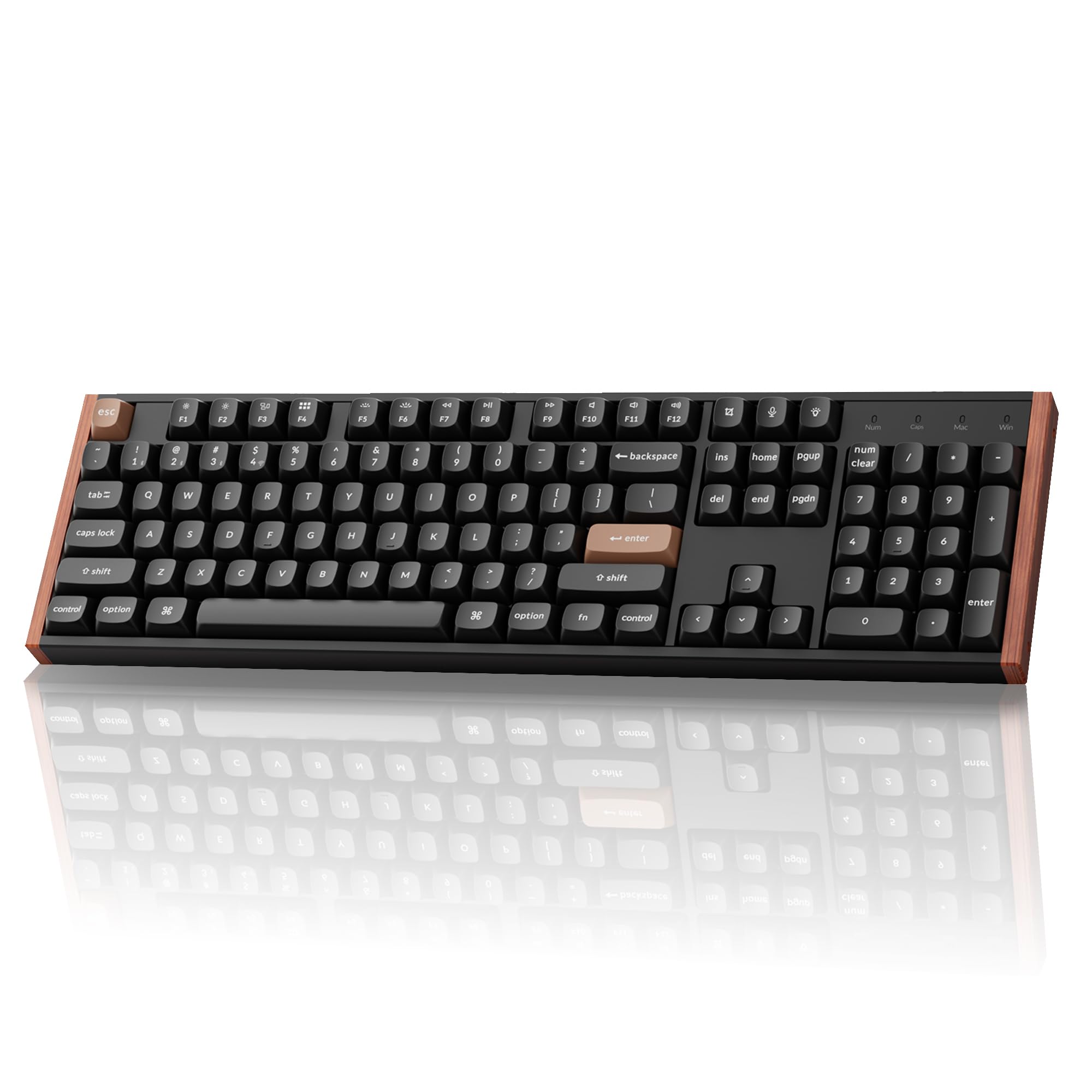
What makes it worth the work is the rest of the package: 104 keys with a real numpad, Gateron Double-Rail Nebula magnetic switches, hot-swap sockets, and Keychron's Launcher configurator for remapping, macros, actuation, and Rapid Trigger. The aluminum and wood frame is the warmest-looking board in this guide, and at 1,000 grams it doesn't move. Keychron also ships Mac and Windows keycaps in the box, which is more than most gaming brands bother with.

The trade-off is that this is a board you tune and then mostly leave alone, and the software is part of the temperament: Launcher runs in a browser and asks you to clear your cache and cookies before it behaves. For a full-size wireless Hall Effect keyboard there's no alternative in this guide, so if the numpad is non-negotiable, this is the one.

Pros

  • Full-size 104-key layout with a numpad
  • 2.4 GHz, Bluetooth 5.2, and USB-C in one board
  • Hot-swap Gateron magnetic switches and QMK Launcher
  • Aluminum and wood frame

Cons

  • Dead keys can appear within weeks
Our verdict

The only full-size wireless board here, and worth it if you need a numpad: just plan on the cable for anything competitive.

Check Latest Price
7

Best Design

GravaStar Mercury V60 HE

89 /100
LBD Score Excellent

Key details

Keys
61
Switch Type
GravaStar UFO magnetic
Polling Rate
8,000 Hz
Actuation Range
0.005–3.5 mm
View on Amazon

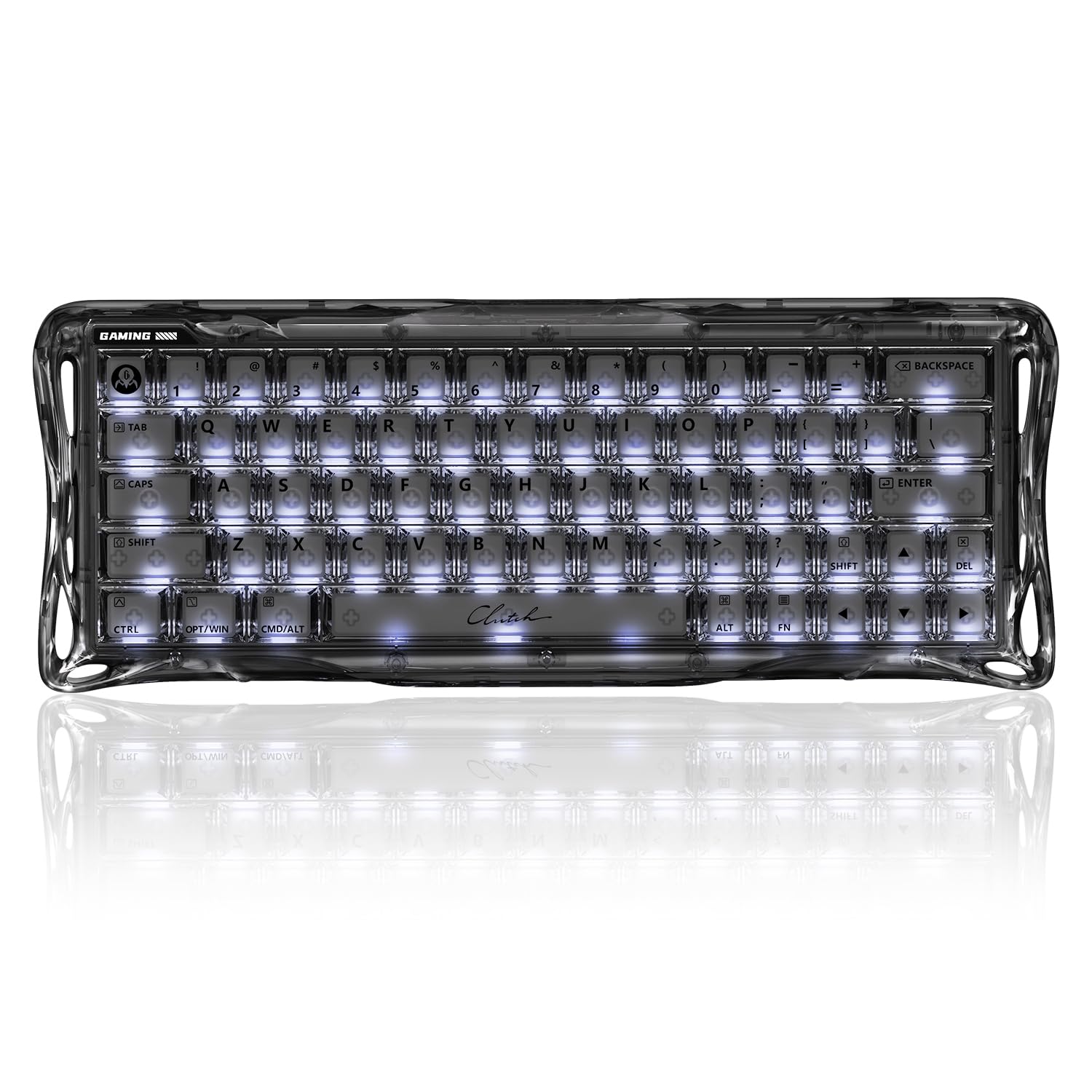
The clear chassis is the whole pitch. A transparent body lets the RGB bleed through the case as well as the keycaps, and the aluminum plate inside gives it a stiffer feel than the plastic enclosure suggests. Set next to the matte black boards in this guide, it looks like it came from a different product category, which is either the reason you want it or the reason you don't.

Underneath the finish, GravaStar's UFO magnetic switches run an actuation range from 0.005 to 3.5 mm, with 8,000 Hz polling and Rapid Trigger. The multi-layer acoustic foam gives it a deeper, denser sound than the other 60% boards here, and the whole thing is hot-swappable with four spare switches included.

You also get a dust cover, which matters more on a clear board than a black one, plus a web driver for remapping and per-key actuation. The 61-key layout is the standard 60% compromise: no arrow keys, and no function row without a layer.

The trade-off is material. At this money you're paying for the look and the switch precision rather than the housing, because the enclosure is plastic while the Keychron boards at similar money are aluminum and wood. If the clear case doesn't make you smile every time you sit down, buy the K10 HE and put the money into the frame instead.

Pros

  • Transparent chassis with three-sided ambient lighting
  • 0.005 mm actuation precision and 8,000 Hz polling
  • Hot-swap with four spare switches included
  • Deeper sound from multi-layer acoustic foam

Cons

  • Plastic enclosure at a premium price
  • 60% layout drops arrow keys
Our verdict

Buy this one when the desk is part of the build: a transparent chassis with 0.005 mm actuation precision and hot-swap switches.

Check Latest Price
8

Budget Metal Plate

ATTACK SHARK X68 HE

90 /100
LBD Score Outstanding

Key details

Keys
66
Switch Type
Hall Effect magnetic
Polling Rate
8,000 Hz
Plate Material
Aluminum alloy
View on Amazon

An aluminum alloy plate and a top-mount structure are details you usually find a tier or two up, and they're the reason to look at the X68 HE. The plate stiffens the typing feel, and the top mount keeps the sound tight and even across the board rather than hollow at the edges.

The rest of the sheet holds up: 8,000 Hz polling, 0.01 mm Rapid Trigger accuracy, a web driver at qmk.top that needs no install, and RGB under PBT keycaps. The 66-key layout keeps separate arrow keys, which puts it in the same practical territory as the AULA WIN68 HE rather than in true 60% territory.

Where it gives ground is consistency. Some units stop working within the first month, which is a real risk to weigh on any purchase, and the product page doesn't state a warranty period at all. Buy it from a seller with a return window you trust, and keep the packaging for the first few weeks.

So: if you want the aluminum plate and the finer Rapid Trigger step on a budget, this is the one. If you want longer coverage and the steadier record, the AULA WIN68 HE stays our value pick at the same money, and it's the easier recommendation to defend.

Pros

  • Aluminum plate and top-mount construction
  • 0.01 mm Rapid Trigger accuracy and 8,000 Hz
  • 66 keys with separate arrow keys
  • Web driver that needs no install

Cons

  • No warranty period is stated
Our verdict

A budget board with an aluminum plate and 0.01 mm Rapid Trigger accuracy, worth considering if the AULA's plastic deck puts you off.

Check Latest Price

How We Tested the Best Magnetic Keyboards

We started with the magnetic keyboards that come up most often in enthusiast threads and retailer listings, then filtered for Hall-effect switches only, layouts from 60% to full-size, and a spread of prices so we weren't comparing a budget board to a flagship. That left 12, which became our daily drivers for six months.

Each board lived on a desk through full workdays, went through evening gaming sessions, and a few got carried to coworking spaces and packed in laptop bags. We set every keyboard to its lightest and heaviest actuation and typed the same paragraph at each, noting missed keystrokes and accidental fires. For rapid trigger, we cranked the sensitivity as high as the software allowed and tapped the same key over and over to see whether it re-engaged cleanly or stuttered.

We recorded each board typing the same passage and listened for ping, rattle, and hollowness, then checked finish and RGB evenness under desk lighting. Ergonomics got judged the slow way: full days of typing, noting wrist angle, whether the case slid, and how the keycaps felt after hour six. Wireless models were paired and carried between rooms to check for dropouts, while wired ones got unplugged and replugged mid-session. By month six we could see which keycaps had gone shiny and which software had forgotten our settings, and whether the extras — hot-swap sockets, per-key tuning, macro layers — had earned their keep.

How to Choose a Magnetic Keyboard

Adjustable Actuation: Read the Range, Not the Minimum

Actuation is how far a key travels before it registers, and on a magnetic board you set it yourself, usually per key. The figure makers lead with is the smallest one, and it is the least useful: a 0.005 mm or 0.01 mm floor is a precision claim, and at that setting a key fires if you breathe on it. Most players settle between 0.1 and 0.5 mm for games and push toward 2 mm for typing.

Both ends of the range matter. The GravaStar V60 HE and DAREU EK60 HE advertise the finest steps in this guide, while the Redragon K686 HE stops at 0.1 mm, and that will still feel instant to almost anyone. A range that is genuinely per key is worth more than a decimal place.

Rapid Trigger and SOCD: The Two Settings You'll Actually Use

Rapid Trigger resets a key the moment it starts to lift rather than at a fixed reset point, so a tap-and-repress registers sooner. SOCD sells under several names, including Snap Tap and Rapid Tap, and it resolves opposing inputs by favoring your newest press, which is what cleans up counterstrafing.

Both are software features, which is why the driver matters as much as the switch. Set Rapid Trigger around 0.1 mm and play a few rounds before going lower; beneath that you get repeats on keys you barely brushed, and the effect feels less like speed than like a stuck key.

Polling Rate Is the Last Few Percent

An 8,000 Hz keyboard reports its state eight times as often as a 1,000 Hz one, which works out to roughly 0.125 ms of latency. That is real, and it is also a smaller difference than your monitor or your own reaction time makes.

We don't pay extra for 8K on its own, and here we don't have to, because most of the budget boards in this guide already offer it. Put the difference toward a layout you can live with and a frame that doesn't flex under a hard press.

Layout Decides More Than Any Switch Spec

Sixty percent saves desk space and costs you arrow keys, the function row, and often easy remapping. Sixty-five and 68-key boards put the arrows back, 75% adds the function row, tenkeyless drops only the numpad, and 98-key or full-size boards keep everything.

If the keyboard is also your work keyboard, be honest about how often you use the numpad before chasing a smaller footprint. The AULA WIN68 HE keeps arrows at 68 keys; the Redragon K686 HE is the pick when the numpad stays.

Software, Keycaps, and the Parts You Touch

Every magnetic board needs a driver for actuation and Rapid Trigger, and the drivers here are uneven: some are browser apps that need no install, one asks you to clear your cache before it works, and some limit which keys you can remap. Check that last point on a 60% board, where the Fn key does a lot of work.

On hardware, PBT keycaps resist the shine cheap ABS picks up, dampening layers change the sound more than the switches do, and weight is a feature rather than a spec: a 430 g board travels, a 1,000 g board stays exactly where you put it.

Frequently Asked Questions

Final Verdict

The SteelSeries Apex Pro TKL Gen 3 is the magnetic keyboard we recommend to most people: it has the fullest tuning set in this group, the fewest caveats attached to its performance, and a frame that holds up to daily use. You pay the most for it, and if that's out of reach, the AULA WIN68 HE delivers adjustable actuation, Rapid Trigger, and 8,000 Hz polling for far less while keeping the arrow keys.

The requirement that changes the answer is a numpad with wireless: that's the Keychron K10 HE, and nothing else here covers it.