Best Monitor Risers of 2026

A monitor riser should be the most boring thing you buy for your desk, yet it's the purchase that disappoints most — it shows up as a bag of screws and a wordless diagram, wobbles when you bump the keyboard, and sags under a monitor it claimed it could hold. What a good one actually delivers is unglamorous: your screen at eye level, your neck out of that forward curl, and the dead space underneath turned into storage.

I've worked off a raised screen for years, and my team has spent the past four months living with 14 risers — plastic, mesh steel, wood-topped, single and dual-width, some with drawers, some bare platforms. Assembly was the first filter; anything that needed a second pair of hands lost ground fast.

Here's what nobody tells a first-time buyer: the weight rating on the box is the least useful number on it. What makes a riser feel solid is how wide its feet sit relative to the platform, and whether the clearance underneath takes a full-size keyboard. Looks count too, since you stare at this thing all day. The ones that earned a permanent spot are below.

1

Best Overall

BONTEC 2-Pack Monitor Stand Riser

95 /100
LBD Score Outstanding

Key details

Pack
2 stands
Platform
14.5 x 9.1 in
Load Capacity
44 lbs per stand
Height Settings
3.9, 4.7, 5.5 in
View on Amazon

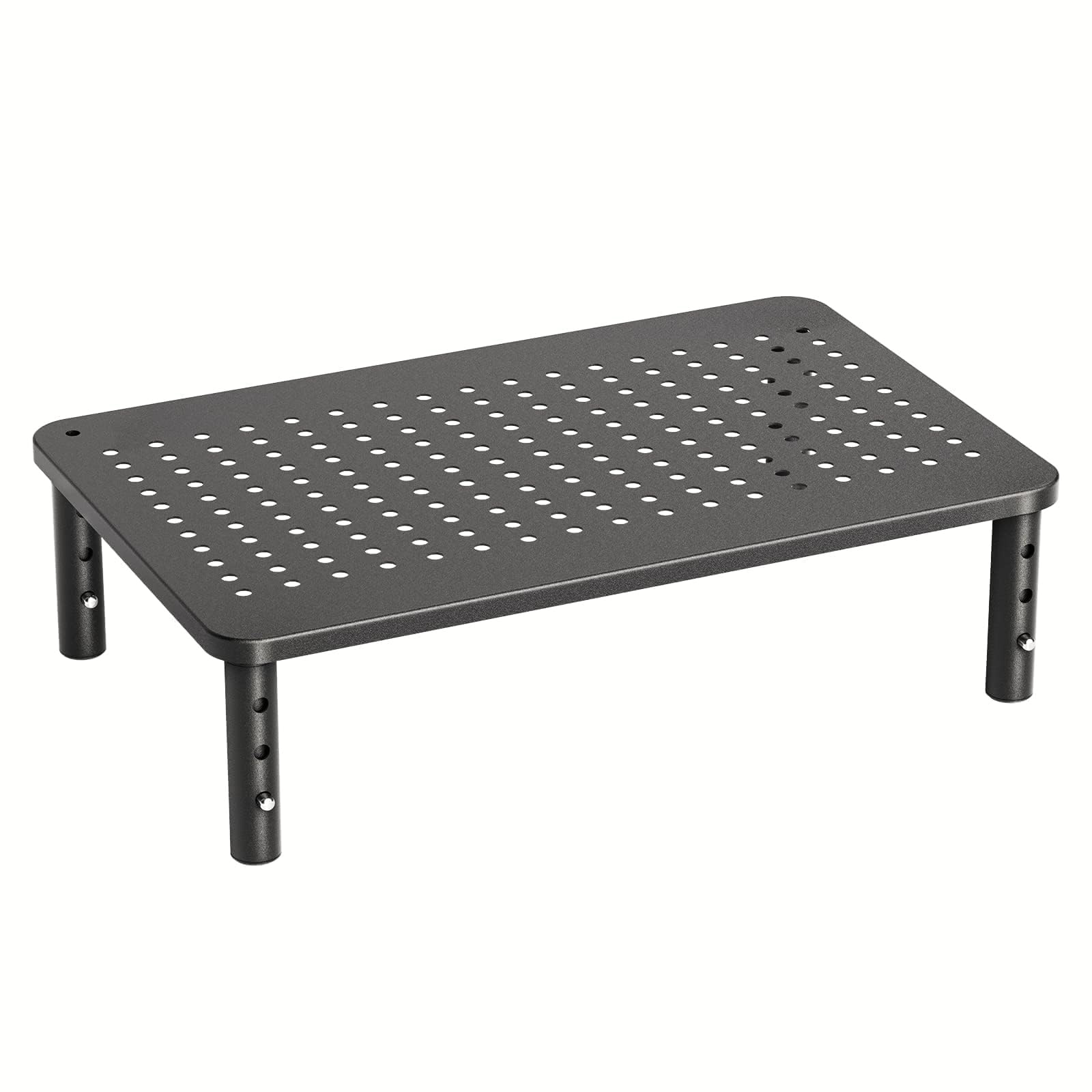
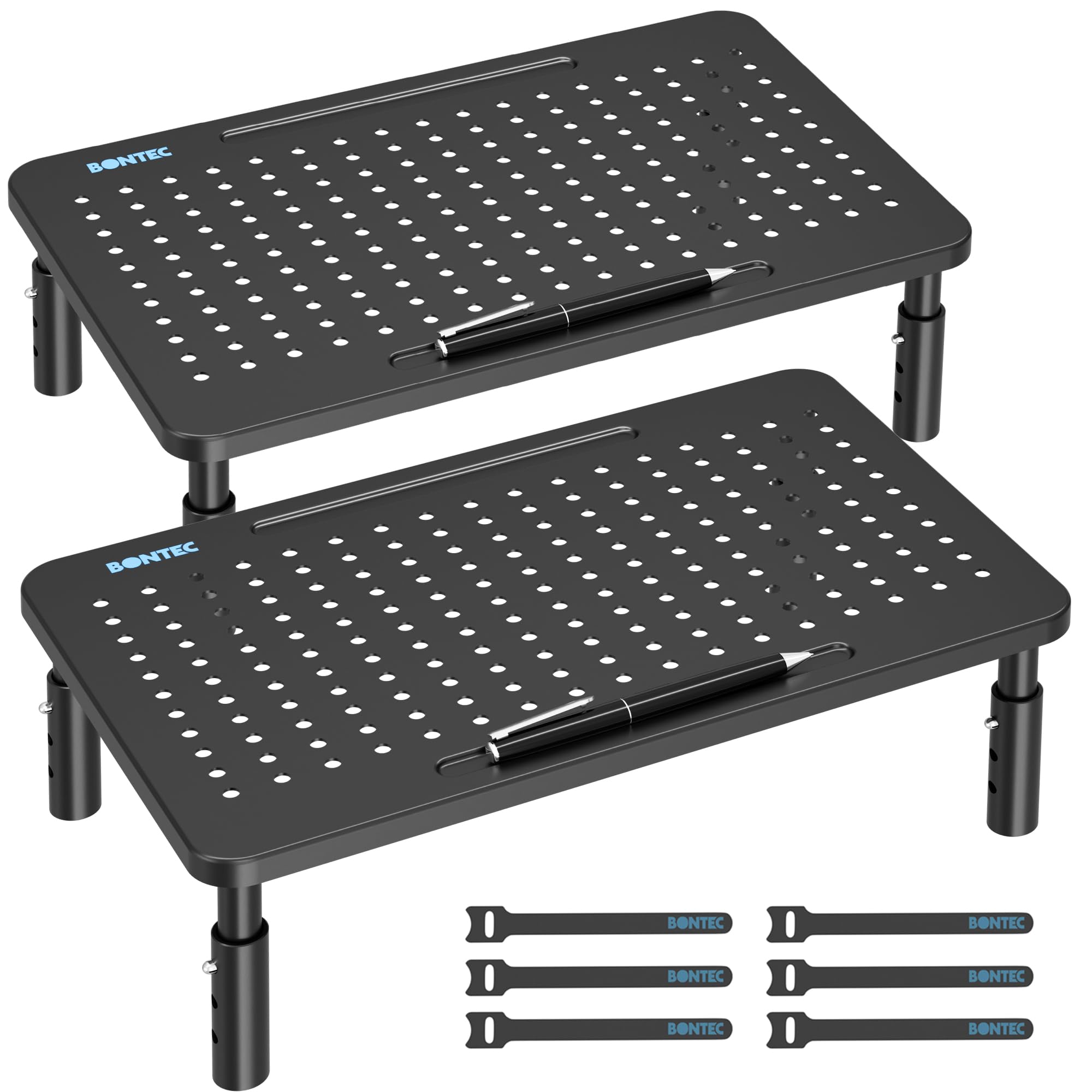
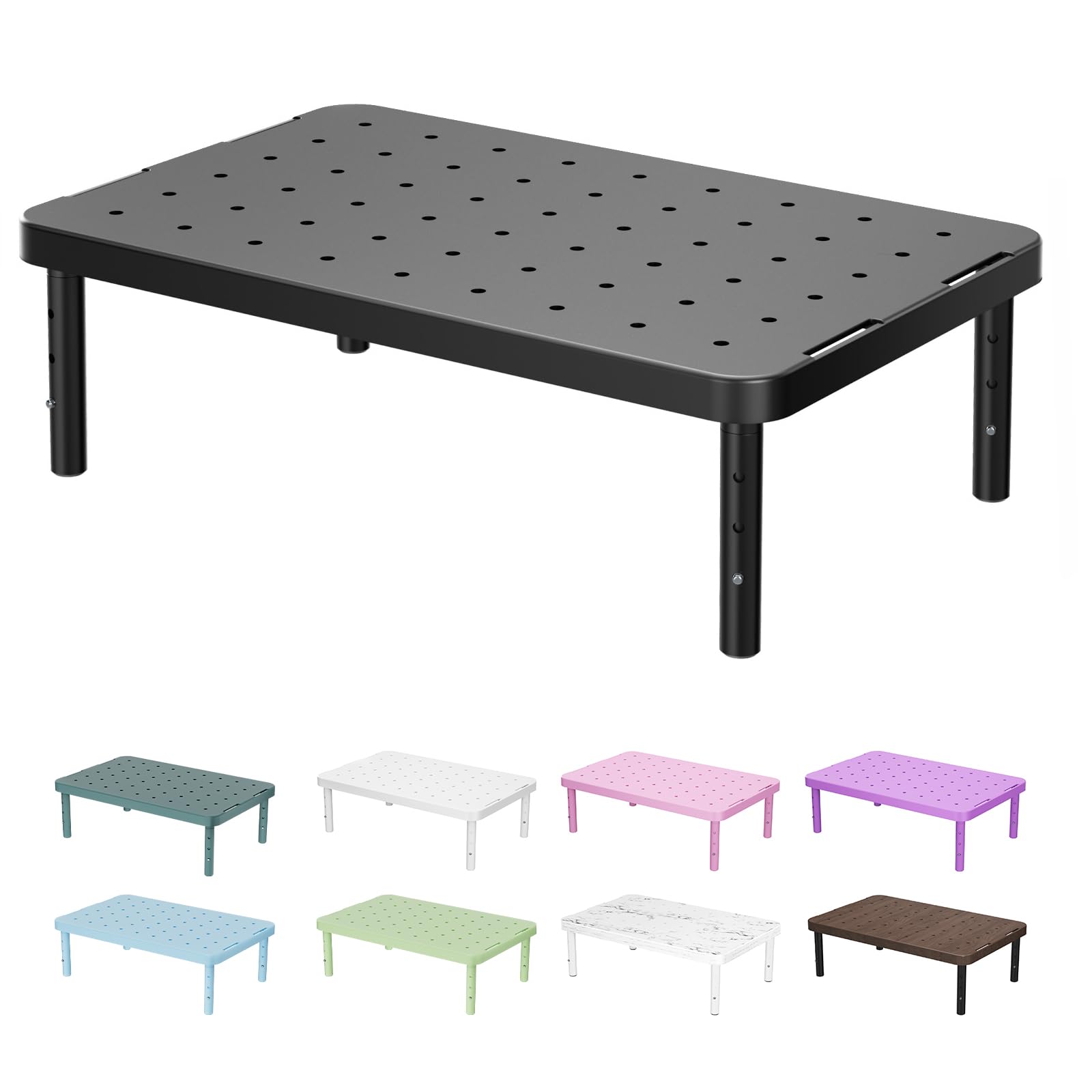
Two risers arrive in the box, and that is the practical reason this pair is our default: one order covers a dual-monitor desk, a monitor-plus-laptop setup, or two different desks, for roughly what a single wide stand costs. The platforms are powder-coated steel with a pen holder and a channel at the back for cables, and each one is rated to 44 pounds, which is more than most monitors weigh. The legs are the weak note — plastic, not steel — but they thread in by hand and hold the shelf level once seated.

Height is set by leg position: 3.9, 4.7, or 5.5 inches, changed in under a minute without a screwdriver. We like that the 14.5 by 9.1 inch platform leaves usable space underneath at every setting, enough for a keyboard pushed back, a dock, or the notebook you keep meaning to close. The rubber feet grip a laminate desk and, more usefully, keep the whole assembly from creeping when you knock the monitor.

What it is not is an ultrawide stand. A 34-inch curved monitor's base is wider and deeper than the 14.5-inch platform, so this is a standard-monitor answer: two 24- or 27-inch screens, or a screen and a laptop. If that describes your desk, the second riser is what turns the order into a bargain instead of a compromise.

Pros

  • Two risers for about one wide stand's price
  • Three heights changed without tools
  • Steel platform with pen holder and cable channel
  • 44-pound rating on each stand

Cons

  • Plastic legs under a steel shelf
Our verdict

The pair we recommend to most people: two steel risers with three height settings, cable management, and a 44-pound rating each, for about the price of one wide stand.
Check Latest Price
2

Best Budget

WALI Monitor Stand Riser

95 /100
LBD Score Outstanding

Key details

Material
Plastic
Platform
14.6 x 9.3 in
Load Capacity
44 lb
Height Settings
4.5, 5.3, 6.1 in
View on Amazon

This is the cheapest riser in the set by a comfortable margin, and it also reaches highest: 6.1 inches at the top setting, above everything else we picked. For a first desk, a dorm room, or a second screen on a shared table, that combination is hard to argue with.

We think the height range is the real feature. At 4.5, 5.3, and 6.1 inches it covers desks where a monitor's own stand leaves the screen too low, and it clears a laptop parked in front. The trade for that reach is material: the shelf and legs are plastic, and at the top setting we noticed more movement when the desk was bumped than with the steel stands here. It handles a normal monitor at any of the three positions, and the vented platform is good for a laptop or a mini PC that needs airflow.

Setup is four legs and no tools, and the 14.6 by 9.3 inch platform leaves room underneath for a keyboard or a stack of papers. Because it is plastic it also weighs almost nothing, which makes moving it to another room a one-hand job. Just don't expect steel rigidity at 6.1 inches.

Pros

  • Highest top setting here at 6.1 inches
  • Cheapest riser in this set
  • Vented shelf for laptops and mini PCs
  • No-tool setup in seconds

Cons

  • Plastic shelf and legs
  • Least steady at its 6.1-inch setting
Our verdict

Buy it if you want the screen higher than the other risers here reach, or if the budget decides the purchase — just expect plastic rather than steel.

Check Latest Price
3

Best for Dual Monitors

OPNICE Dual Monitor Stand with Drawer

93 /100
LBD Score Outstanding

Key details

Width
Extends to 39 in
Storage
Drawer and 2 pen holders
Assembly
None required
Height Rise
3.78 in
View on Amazon

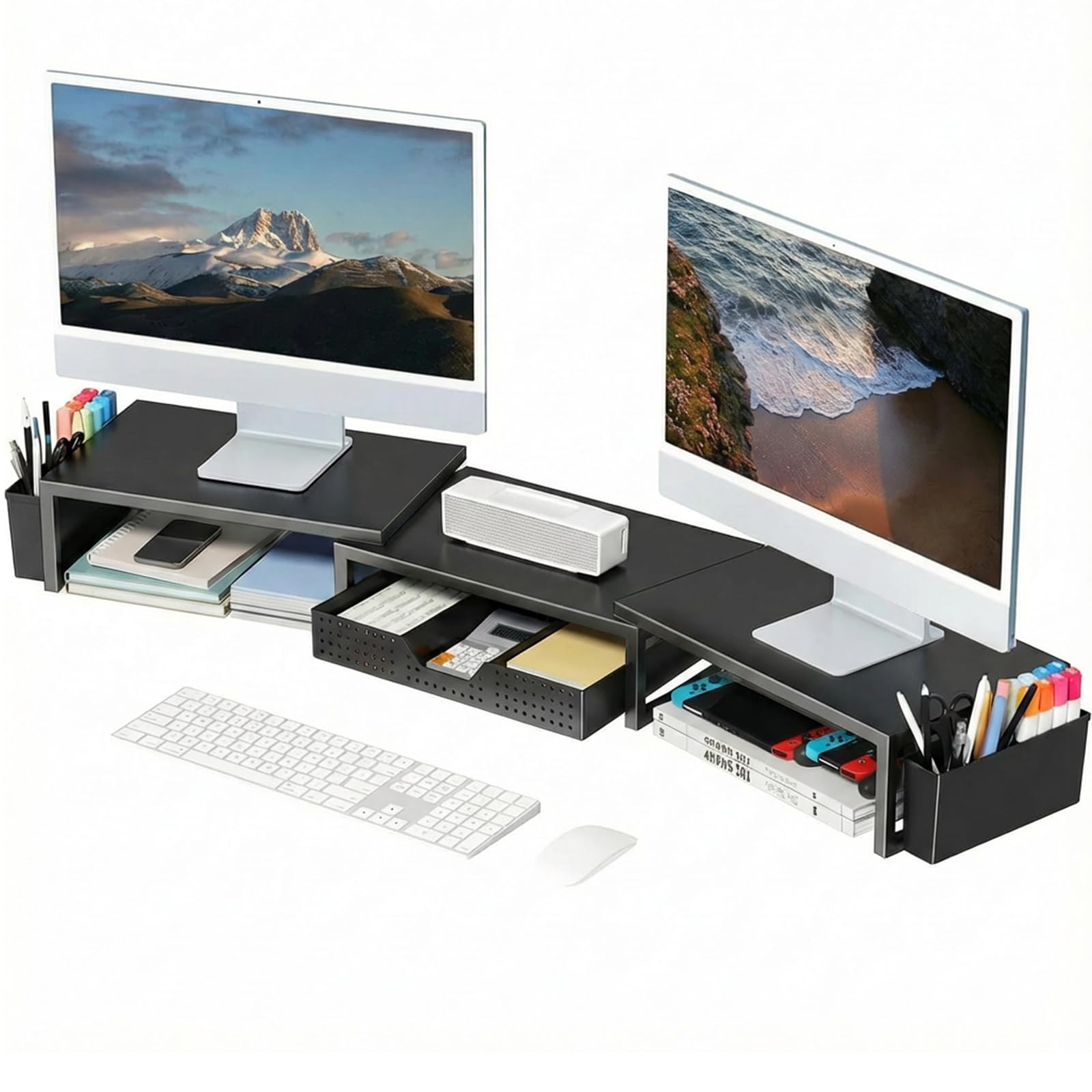
Two curved 27-inch monitors sharing a desk is the setup this stand was drawn for. The two steel plates tilt and slide so each screen can angle toward you, the frame extends to 39 inches, and the curve in the middle lets the monitors sit closer together than they would on two separate risers.

It arrives assembled, which we appreciated more than we expected — no legs to thread, no bag of hardware. A drawer runs under the center section, two pen holders hang off the sides, and the gap beneath the plates swallows a keyboard. The middle is where it proves useful: a phone, a notepad, the small things that normally occupy the six inches in front of the monitor.

The limit is height. The rise is 3.78 inches, the smallest lift in this set, so if your monitor sits low or you are tall, this will not get the screen to eye level on its own. The width and the tilt are what earn it a place, not the elevation, and we would measure the space behind it before ordering, since the angled plates swing backward as you turn them.

Pros

  • Extends to 39 inches for dual monitors
  • Tilting plates follow a curved screen
  • Drawer and two pen holders built in
  • Arrives fully assembled

Cons

  • Only 3.78 inches of rise
  • Angled plates need clearance behind
Our verdict

The pick for two monitors, especially curved ones: 39 inches of adjustable width, tilting plates, and a drawer, though the 3.78-inch rise will not fix a low screen.

Check Latest Price
4

Best for Desk Organization

Simple Houseware Dual Monitor Stand Riser

93 /100
LBD Score Outstanding

Key details

Width
Extends to 45 in
Height
5 in
Storage
9 compartments, 2 caddies
Material
Engineered wood
View on Amazon

Six dividers come loose in the box, and where you put them decides what this stand does for your desk. Slot three in and you have a row of shallow trays for pens and sticky notes; pull them all and it becomes one long trough. Between the dividers, two side caddies, a sliding drawer, and a phone slot, the storage is the point of this one.

The shelf runs 33.3 inches wide and slides out to 45, enough for two monitors and a laptop, or a monitor and a printer. Height is 5 inches and depth is 10.9, so it wants a reasonably deep desk. The finish is rustic brown engineered wood, warmer than the black metal stands here, and it sits comfortably on a wood desk instead of fighting it.

It earns its place on a desk where clutter is the actual problem. It is also the least rigid stand we recommend: the shelf has some give, and assembly runs to a long list of fasteners and pre-drilled holes — a real session rather than two minutes. Want a riser you screw together once and never think about again? The metal picks are better. Want the top of the desk organized? This does more than any of them.

The adjustable width is what makes it fit awkward rooms: pull it out over a corner, tuck one side against a wall, keep the phone slot within reach of your chair. That flexibility, more than the wood finish, is the reason it stayed in the roundup.

Pros

  • Six dividers make up to nine compartments
  • Expands from 33.3 to 45 inches wide
  • Phone slot, side caddies, and a sliding drawer
  • Wood finish suits a living-room desk

Cons

  • Long, fastener-heavy assembly
  • Shelf flexes more than the metal stands
Our verdict

The organizer's riser: 45 inches of adjustable width, nine compartments, and side caddies, which is what earns its place here rather than stiffness.

Check Latest Price
5

Best Wide Wood Top

WESTREE Dual Monitor Stand Riser

92 /100
LBD Score Outstanding

Key details

Height
4.92 in
Material
Wood and steel
Platform
35.8 x 10.2 in
Load Capacity
149.9 lb
View on Amazon

A support leg sits in the middle of the open space under this stand. That is the first thing to know about it, and it is the price of the width: a 35.8-inch wood top on alloy steel legs, 10.2 inches deep, which puts it a foot or more wider than the single-platform risers here.

The top is a rustic brown wood finish with anti-slip pads underneath, and the stated capacity is 68 kg — far more than two monitors need. So the practical question is not weight but what you want to slide beneath it. A flat object fits on either side of the center leg; a keyboard tray that spans the full width does not.

Assembly is the usual pre-drilled holes and included hardware, with a screwdriver in the box as a small kindness. Height is fixed at about 4.9 inches and there are no alternate leg positions, so measure before committing if your screen sits unusually low or your chair sits high.

We recommend it where the desk doubles as furniture: two screens land at exactly the same height on one continuous surface, and the wood reads warmer than black steel in a room people actually sit in. If a clear span underneath matters more than the width, this is the wrong shape — the center leg is what makes a 36-inch span rigid in the first place.

Pros

  • 36-inch top holds two monitors
  • 68 kg capacity for heavy setups
  • Pre-drilled holes and tools included
  • Wood finish warms up a visible desk

Cons

  • Fixed height of about 4.9 inches
  • Center leg splits the storage space
Our verdict

We recommend it when two monitors need one continuous wood surface and the desk is on show: you trade the clear span underneath for the width.

Check Latest Price
6

Best Glass Top

Hemudu 2-Pack Monitor Riser

96 /100
LBD Score Outstanding

Key details

Tilt
0 to 15 degrees
Platform
14.6 x 9.1 in
Height Range
3.4 to 4.9 in
Load Capacity
88 lb
View on Amazon

Glass is the reason to pick this pair. The quarter-inch tempered top on stainless steel legs nearly disappears against a light desk, and the effect is a workspace that looks emptier than it is — useful when the riser sits in a room guests see. Two stands come in the pack, each rated to 88 pounds, and the legs thread in by hand in a couple of minutes at any height between 3.4 and 4.9 inches.

The tilt is the feature we did not expect to care about: the top angles forward up to 15 degrees, which helps when the monitor's own stand cannot tilt and the screen ends up above your eye line. The catch is the ceiling. At 4.9 inches this is one of the lower maximums in the set, and three picks here reach higher, so tall users and monitors with short stands should look at those first. Glass is also the one surface here that shows dust and fingerprints.

Pros

  • Tempered glass top nearly disappears on a desk
  • Tilts forward up to 15 degrees
  • 88-pound capacity across two stands
  • Legs thread in by hand

Cons

  • Tops out at 4.9 inches
  • Tilt only angles forward
Our verdict

A good-looking pair for a small tidy desk: glass tops that nearly disappear, an 88-pound rating, and a forward tilt, provided 4.9 inches of lift is enough.

Check Latest Price
7

One Monitor or Laptop

HUANUO Monitor Stand Riser

95 /100
LBD Score Outstanding

Key details

Warranty
2 years
Load Capacity
44 lb
Height Settings
3.94, 4.72, 5.51 in
Under-Platform Space
12.40 x 7.09 in
View on Amazon

Four legs thread into the platform by hand, and the height comes from which set of holes they go into: 3.94, 4.72, or 5.51 inches. Underneath, the clearance measures 12.40 by 7.09 inches, which takes a compact keyboard, a dock, or a stack of notebooks. The platform is perforated for airflow and rated to 44 pounds, the listing puts the laptop limit at 15.6 inches with a base narrower than 9.25 inches, and two of these can be stacked if you want the storage doubled.

This is the plain single riser we point people to most often: nothing to configure, nothing to explain, and a price lower than most of the stands here. It comes with a two-year warranty, which is more than the others offer. It is also a little less steady at the 5.51-inch setting, and a monitor with a narrow foot can wobble there if you type hard. Running it one notch down, or setting the widest part of the monitor's base over the center of the platform, fixes that.

Pros

  • Three heights from 3.94 to 5.51 inches
  • Perforated platform improves airflow
  • 44-pound capacity and a two-year warranty

Cons

  • Wobbles at the tallest setting
  • 12.4-inch under-space is snug for a full keyboard
Our verdict

Our pick if you need one plain riser: three heights, a 44-pound rating, and airflow underneath, for less than most of the stands here.

Check Latest Price
8

Laptops and Printers

Amazon Basics Height Adjustable Monitor Stand

93 /100
LBD Score Outstanding

Key details

Material
ABS plastic
Top Surface
11.6 x 11 in
Load Capacity
22 lb
Height Settings
2.87, 4.2, 4.8 in
View on Amazon

Twenty-two pounds is the number to start with. That is the stated limit, and it rules out the larger monitors in favor of a laptop, a small second screen, a printer, or a console.

The top is tapered — about 11.6 inches across the center, narrower at the edges — and the legs detach and stack into three heights: 2.87, 4.2, and 4.8 inches. The stacking is the clever part. The extra sections come off and go back on in seconds, so changing the height later takes less time than clearing the desk does.

It is light ABS plastic with non-skid feet, which makes it the one here you can pick up with one hand and park on a shelf when the desk needs to be something else. The plastic is also why we would not put it under an expensive monitor: this is the lightest-duty riser in the roundup.

We recommend it for the jobs where 22 pounds is plenty: the second screen, the laptop that needs four more inches, the printer that has to sit above a ream of paper. Measure the monitor's foot first — the top is smaller than the platform of every steel stand here, and a wide V-shaped base will overhang it.

Pros

  • Stackable legs give three heights
  • Light enough to carry between desks
  • Non-skid feet keep it planted

Cons

  • 22-pound limit rules out larger monitors
  • 11.6-inch top is small for a 27-inch base
Our verdict

We like it for a laptop, printer, or small second screen where 22 pounds is plenty: light, stackable, and the easiest one here to move around.

Check Latest Price

How We Tested Monitor Risers on Real Desks

We started by pulling every riser we could find that could hold a monitor and clear a keyboard, then narrowed the field by material, footprint, height range, and whether the whole thing could be built with the tools already in a kitchen drawer. We also favored risers with drawers, phone slots, vents, or adjustable legs, since those were the features shoppers kept comparing. That left 14 units, which we used for four months across a home office with a 27-inch display, a shared office running dual 24-inch screens, and one genuinely cramped desk where every inch of surface had to be earned.

For assembly, each of us built a riser alone with a timer running, noting whether the hardware came in labeled bags and whether the drawing could be followed without words. For sturdiness, we loaded each with the heaviest monitor we had, leaned on the front edge, tapped the desk hard enough to rattle a mug, and then watched the corners every day for a week to see if anything rocked or bowed.

Adjustability got exercised rather than eyeballed: we cycled through every height setting, then knocked the desk to see if the platform crept out of its notch. We set each riser under both monitor sizes and measured whether a full-size keyboard and a notebook actually slid underneath, and we filled each drawer with pens, cables, and sticky notes to see how quickly it ran out of room. Material went through a damp-cloth wipe and an edge scratch test, finishes were judged after a month out in the open, and value came down to what was in the box rather than what it cost on paper.

How to Choose a Monitor Riser

Fit the Platform to the Monitor's Foot, Not the Screen

Screen size tells you almost nothing about whether a riser will hold your monitor. What matters is the footprint of the base: some monitors end in a small pedestal, others in two wide V-shaped legs that overhang a 14-inch platform. The common platform in this set is 14.5 by 9.1 inches, which suits most 24- to 27-inch screens, while the wide stands run from about 33 to 45 inches for two monitors.

Before ordering, measure the widest and deepest points of the monitor's foot and add an inch of margin. A riser advertised for a 32-inch monitor can still be too narrow for a 27-inch screen on a tripod base.

Match the Height to Where Your Eyes Actually Sit

Three settings is the norm, and the ranges here run from 2.87 inches up to 6.1. Sit at the desk, look straight ahead, and the top third of the screen should land near your eye line. If you keep a laptop open in front of the monitor, you need more lift rather than less, which is where the 6.1-inch WALI earns its place and the 3.78-inch OPNICE runs out of room.

The trap is buying for the tallest setting and living there. Risers are least steady fully extended, so a stand that reaches your eye line at its middle setting is a better purchase than one that only gets there at the top.

Decide How Much Rigidity You Need

Weight ratings here start at 22 pounds, and nearly every desktop monitor weighs less than the high figures, so capacity is rarely the number that settles the choice. Rigidity is. A steel platform on steel legs barely moves when you bump the desk; plastic legs and glass tops pass more of that movement up to the screen.

If you type hard, game, or plan to run the riser at its highest setting, pay for the metal. If the riser holds a laptop you lift off every evening, plastic is fine.

Count the Storage You'll Actually Use

A drawer, a pen holder, or a cable channel earns its space only if it replaces something already sitting on the desk. Storage and clearance also compete for the same cubic feet: a drawer hangs beneath the platform, so a stand with a generous shelf and a drawer can leave less usable gap than a plain riser that sits lower.

Slide a ruler under your current setup and see what actually needs to live there — a full keyboard, a dock, or nothing at all.

One Riser or Two

A two-pack costs roughly what a single wide stand costs and buys flexibility: one riser per desk, one for the monitor and one for the laptop, or a matched pair you can set at different heights. A single wide stand keeps two monitors on one continuous surface at exactly the same height and leaves one footprint to manage instead of two.

Pick the pair if your setup changes from month to month; pick the wide stand if it does not.

Frequently Asked Questions

Final Verdict

The BONTEC pair is where we start: two steel risers with three heights and cable management for about the price of one wide stand. Buy it if your desk holds one monitor or two and you want the lift without the spend.

Two requirements change the answer. If your screen still sits too low at 5.5 inches, the WALI reaches 6.1 and costs less. If two curved monitors share the desk, the OPNICE plates tilt to follow the curve and the 39-inch frame keeps them aligned.