Best Triple Monitor Stands of 2026

Three monitors are the easy part. Getting them to sit at the same height, at the same angle, without one drooping by Thursday, is where most desks fall apart. I've watched a cheap stand tip forward under a 27-inch panel until the tilt joint quit, and a good one hold three screens level for a year. What the right stand actually fixes is the mess: one clamp instead of three bases, and sightlines you set once.

Over the past six months, my team and I have had 12 triple stands bolted to desks, and the differences showed up fast. Gas-spring arms float a screen into place one-handed; fixed arms make you fight for every inch. I also learned to check whether a weight rating is per arm or for the whole rig — that number decides whether a heavy panel stays where you put it.

Fit is the quiet trap: VESA patterns, desk thickness, and whether the middle screen moves all change what you can actually do. Below are the stands that held up, grouped by the desks and screens they suit — and yes, the ones that went together in a single evening count for a lot.

1

Best Overall

WALI M003S Triple Mount

91 /100
LBD Score Outstanding

Key details

VESA
75x75 and 100x100 mm
Mounting
C-clamp or grommet
Warranty
10 years
Screen Support
13 to 27 in, 22 lbs per arm
View on Amazon

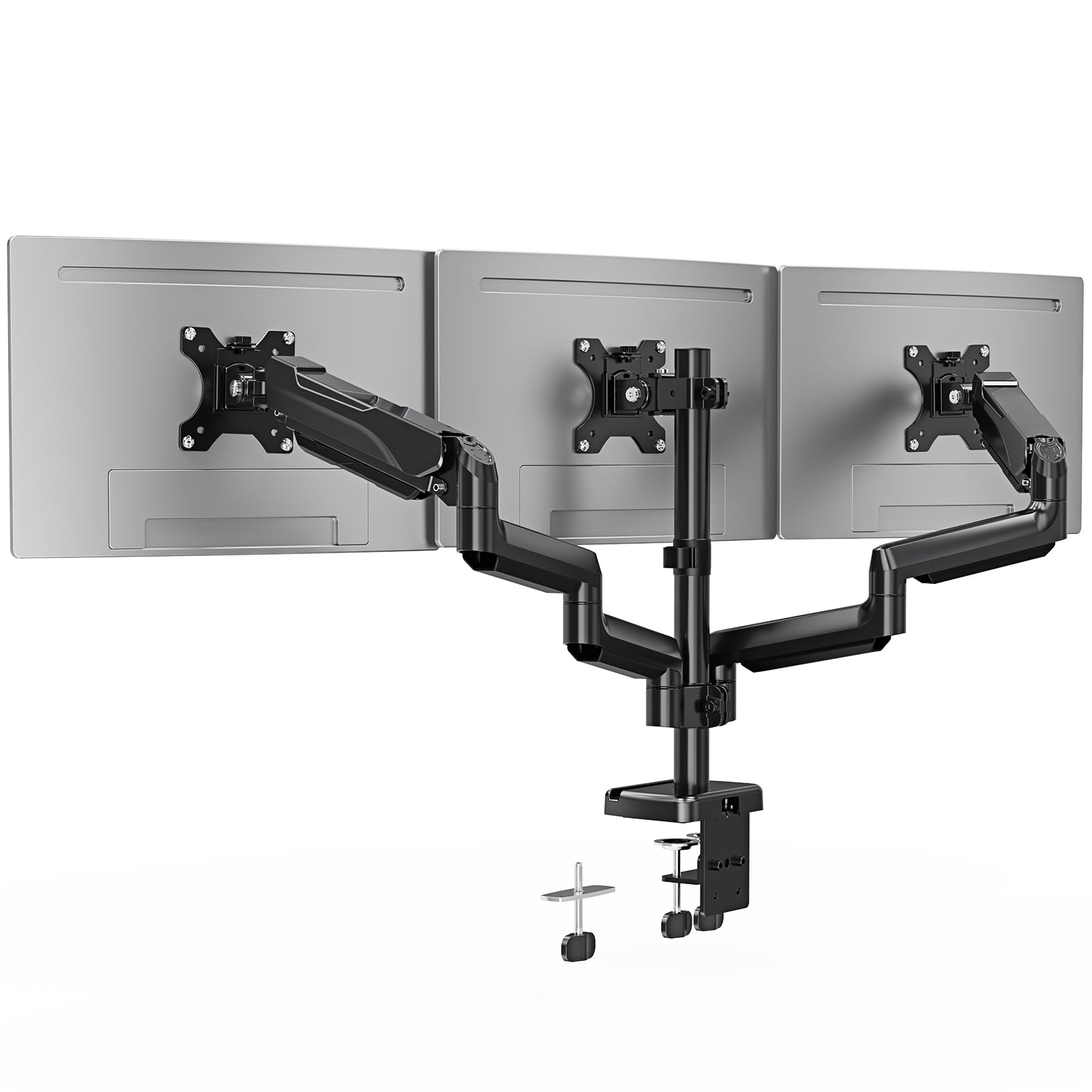
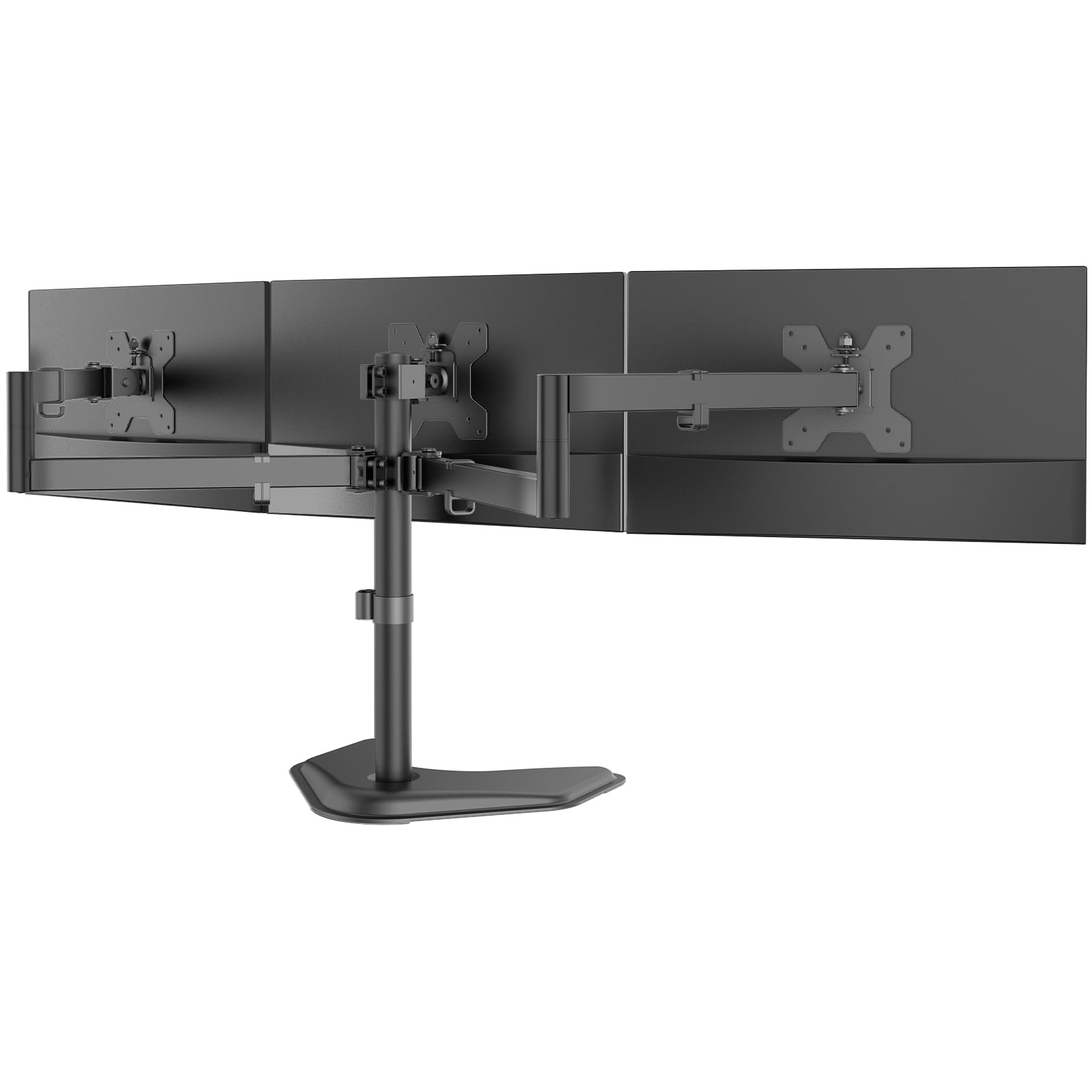
The mount we tell most people to buy for a three-screen desk is the WALI M003S, and the price is only half the reason. The other half is that nothing on it flexes: each arm is rated for 22 pounds, the VESA plates detach so you can screw them to the monitors while they lie flat on the desk, and the assembly is covered for 10 years. It clamps to a desk edge or drops through a grommet hole, so it suits a desk you can reach behind and one you've already drilled.

Size is where you have to read carefully. The title advertises 32 inches, but the listing's own specification stops at 27, and the mount behaves accordingly: three 27-inch panels crowd each other long before the arms run out of travel, while a 27-inch center with 24-inch wings settles in comfortably. Height is set once on the pole, so all three screens rise together, and the center screen's tilt is the only independent vertical adjustment you get. On a matched set that's an advantage, because the screens arrive level and stay level.

What we appreciated most in daily use is how much desk comes back. The area under all three screens is clear for a keyboard, a notebook, or the pile of things that used to live behind your monitors, and the cable clips along the arms keep six cables and three power bricks out of sight. For a 24- to 27-inch setup, nothing in this group does more for less.

Pros

  • 22-pound arms with a 10-year warranty
  • Detachable VESA plates simplify mounting
  • Clamp or grommet installation
  • Lowest price of the clamped mounts here

Cons

  • Side screens share one height setting
Our verdict

For three 24- to 27-inch screens on a normal desk, the WALI M003S is the mount we point most people to: stiff, simple, and backed by a 10-year warranty.
Check Latest Price
2

Best for Big Screens

PUTORSEN Ultrawide Triple Mount

89 /100
LBD Score Excellent

Key details

Mounting
C-clamp, 0.4 to 1.8 in desks
Warranty
2 years
Side Screens
Up to 35 in each, gas spring
Center Screen
Up to 49 in, 44 lbs
View on Amazon

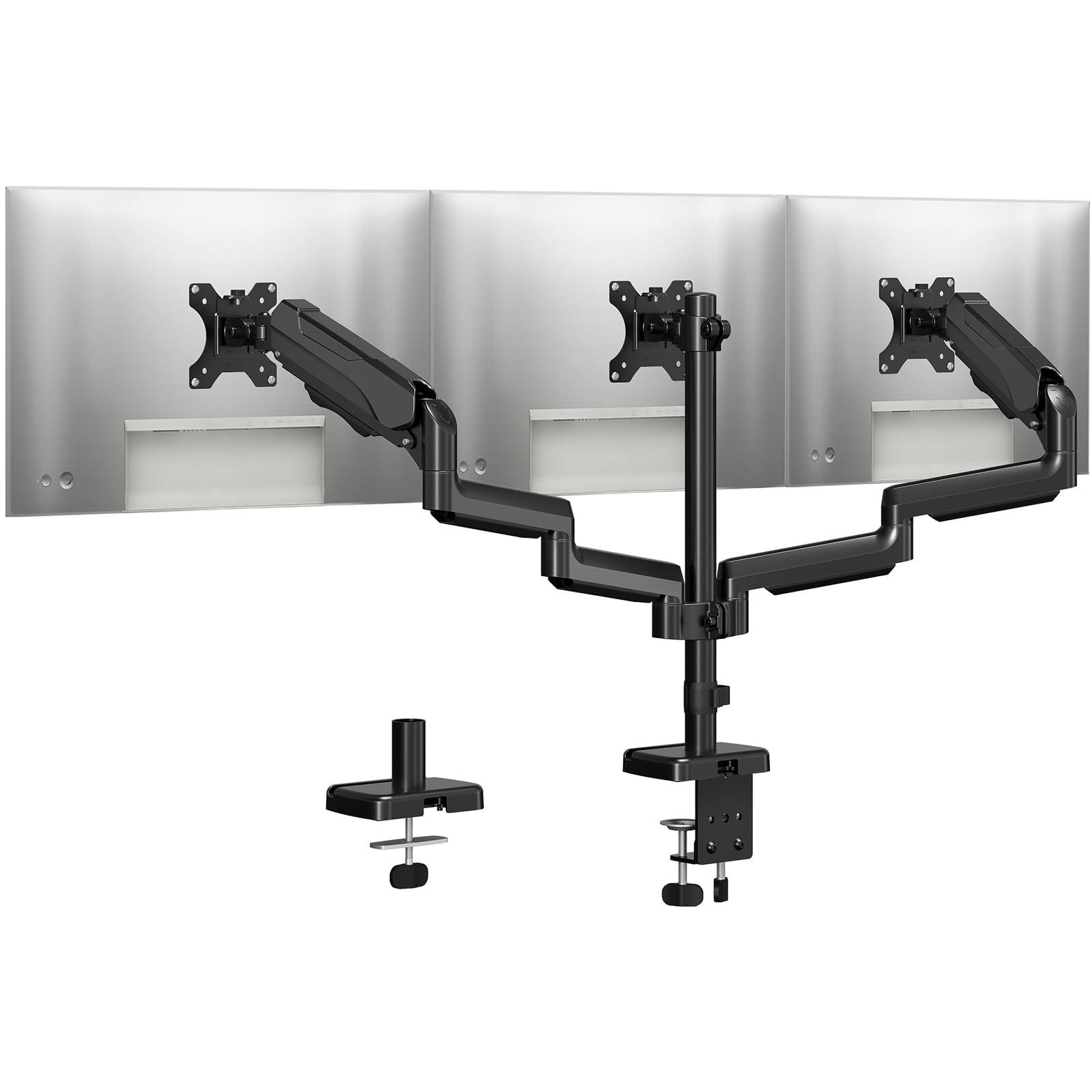
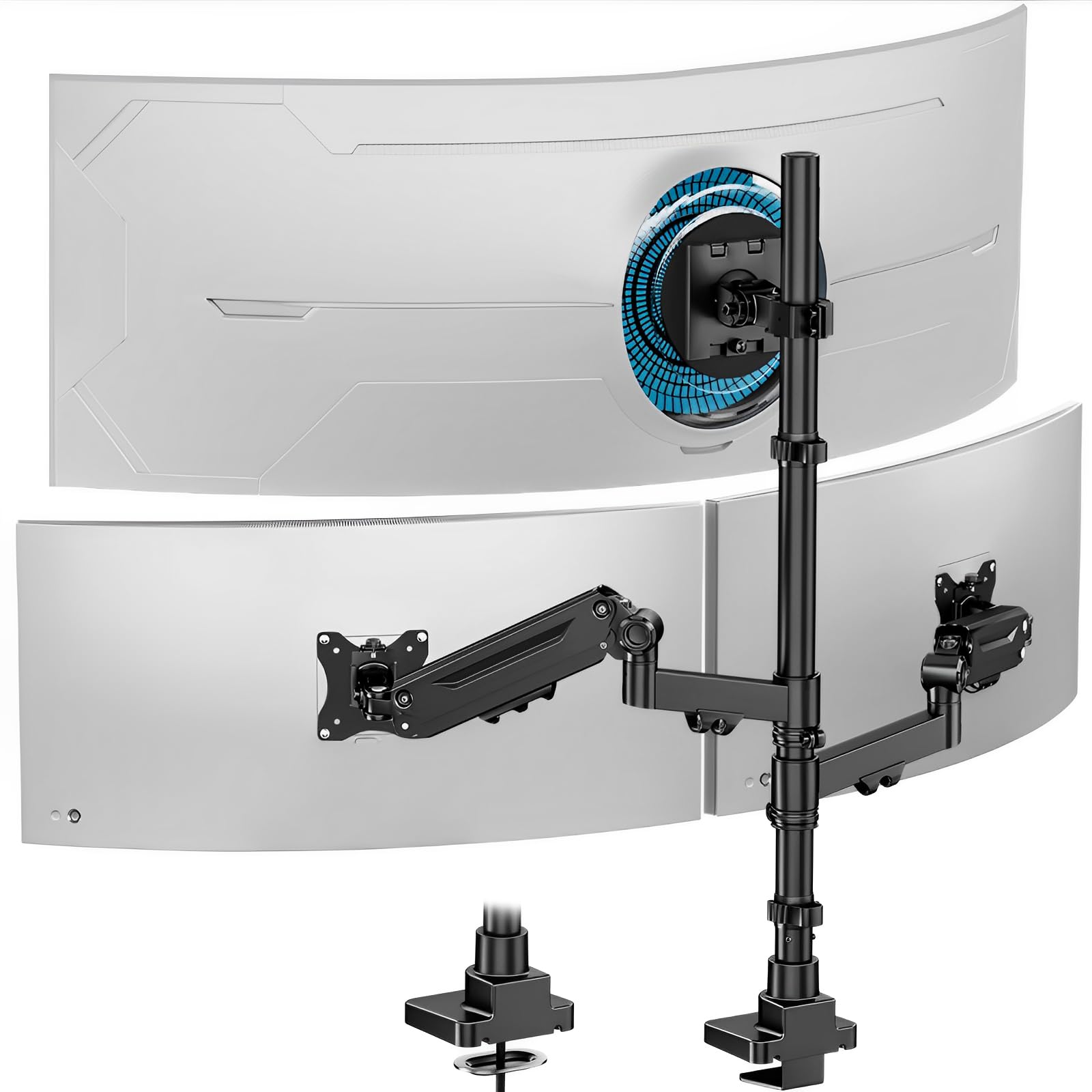
Most triple mounts assume three screens of similar size. This PUTORSEN assumes you've built the desk around one big one: the center bracket carries a monitor up to 49 inches and 44 pounds, and the two gas-spring arms on either side take screens up to 35 inches each. A 49-inch ultrawide flanked by a pair of 27s is exactly the setup it was drawn for, and it's a combination almost nothing else in this group will hold.

What we didn't expect is how well finished it is. The base and arms are cast aluminum, the joints move under a fingertip, and the gas springs keep a side screen wherever you leave it, with no knob to retighten after every nudge. Lining up three bezels is the job that eats an afternoon with most mounts; here the arms are smooth enough to chase half an inch of misalignment without undoing the screens you've already set.

Check your desk before you order. The clamp opens to between 0.4 and 1.8 inches of thickness, narrower than most mounts here, and there's no grommet option to fall back on, so a thick butcher-block top or a desk with a deep rear apron is out. Set against that, the cable channels genuinely swallow the wiring, and three screens hang from it without a hint of sag.

Pros

  • Center bracket holds a 49-inch, 44-pound screen
  • Gas-spring arms stay where you put them
  • Cast aluminum build with tidy cable channels
  • Holds three screens without sagging

Cons

  • Two-year warranty is short for the money
  • Cable clips need careful handling
Our verdict

If one of your three screens is a 49-inch ultrawide, this is the mount to build the rest of the desk around.

Check Latest Price
3

Best Free-Standing

WALI MF003 Free-Standing Mount

91 /100
LBD Score Outstanding

Key details

Mounting
Free-standing base or grommet
Warranty
10 years
Pole Height
16 in
Screen Support
13 to 27 in, 22 lbs per arm
View on Amazon

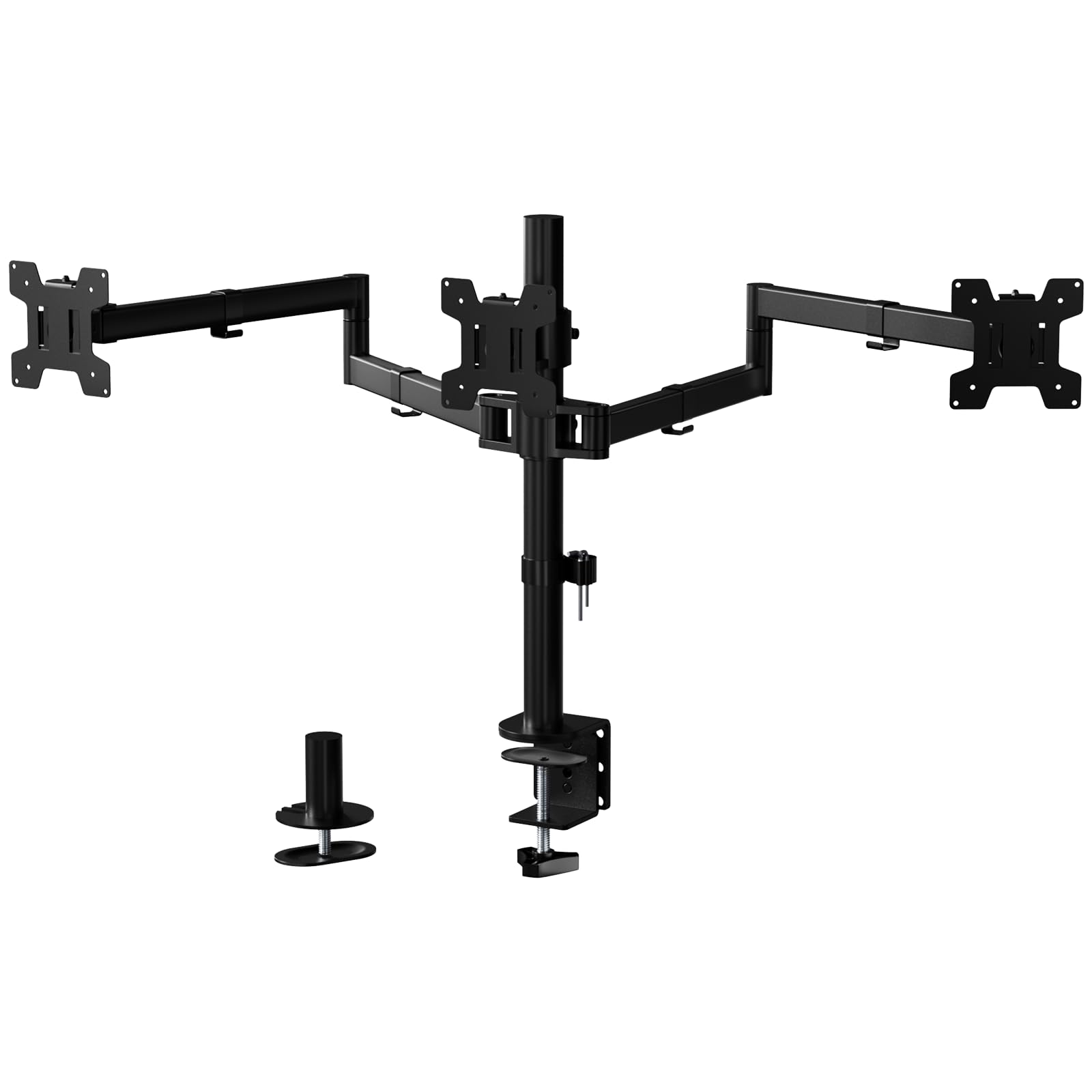
Some desks can't take a clamp: a glass top, a rental, a slab with a lip underneath, or a rear edge you simply can't reach. The WALI MF003 asks nothing of the furniture — it stands on a weighted V-base that tucks under the back edge — and it also ships with a grommet base if you later decide you want it bolted down.

The hardware is the same 22-pounds-per-arm design WALI uses elsewhere: a 16-inch pole, side arms that tilt through 90 degrees and swivel and rotate freely, and a 10-year warranty. Free-standing mounts have a reputation for wobble, and this one stays put as long as the screens sit over the base rather than out in front of it.

We like that it takes the desk out of the decision entirely. Nothing is drilled, nothing is clamped, and the whole rig slides sideways when you want to vacuum behind it or chase a cable. If the furniture isn't yours to modify, that freedom is worth the step up in price over a clamped mount.

The catch is reach. The side arms are short, so a pair of 27-inch screens on the wings meets in the middle before the arms finish extending, and 24-inch wings sit better. The base also wants the load over it: pull all three arms forward and the front can lift off the desk. Keep the screens roughly above the pole and it behaves like a bolted-down mount.

Pros

  • No clamp or drilling required
  • 22-pound arms and a 10-year warranty
  • Grommet base included as a second option
  • Slides aside for cleaning

Cons

  • Caps out at 27-inch screens
  • Height adjusts with a screw collar, not a lever
Our verdict

If your desk can't be clamped or drilled, the WALI MF003 holds three screens on its own weighted base, and includes the grommet mount if you change your mind.

Check Latest Price
4

Best for Screens You Move

VIVO STAND-V300G Pneumatic Mount

88 /100
LBD Score Excellent

Key details

Arms
Two pneumatic, one fixed
Mounting
C-clamp up to 3.25 in
Warranty
3 years
Screen Support
17 to 32 in, 17.6 lbs each
View on Amazon

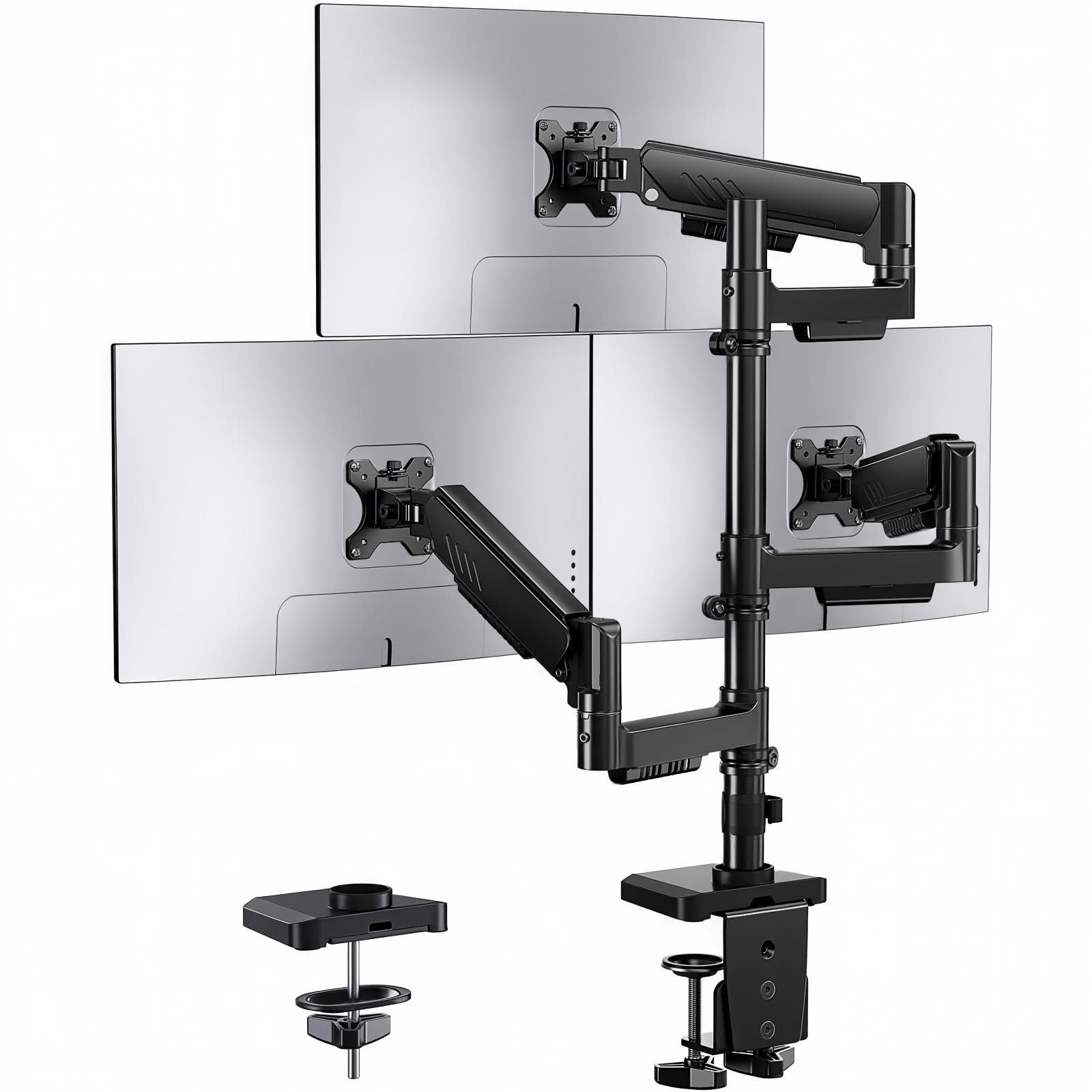
Two of the three arms on the STAND-V300G are pneumatic, and that changes what a triple mount is for. Instead of setting the screens once and leaving them, you can swing a side monitor around to show someone a spreadsheet or pull it close for a detail-heavy task, and the arm keeps its height without a knob to retighten.

The center bracket is fixed rather than floating: the middle screen sets the reference height and you align the sides to it. Each side arm's tension adjusts too, so a light panel doesn't fight a spring set up for a heavy one, and the clamp opens to 3.25 inches of desk thickness, enough for tops that defeat most C-clamps.

Steel and aluminum, a three-year warranty, and cable routing that runs up the arms rather than clipping on afterwards. The pneumatic arms carry 17.6 pounds each, and the whole mount is rated for screens from 17 to 32 inches.

What sells it for us is the daily handling. A screen that moves when you push it and stays when you let go is the difference between a triple setup you use and one you work around, and that is worth paying for if the screens shift at all during your day. Three 27s, or a 32 flanked by 24s, is where it makes the most sense.

Pros

  • Pneumatic side arms hold any height
  • Clamp fits desks up to 3.25 inches
  • Tension adjusts for light or heavy screens
  • Three-year warranty

Cons

  • Side arms limit separation for wide 32-inch panels
Our verdict

Buy it if you actually move your screens: the pneumatic arms swing one-handed and stay put, and the clamp fits thicker desks than most.

Check Latest Price
5

Best for 32-Inch Screens on a Budget

ErgoFocus Triple Monitor Mount

88 /100
LBD Score Excellent

Key details

Mounting
C-clamp or grommet
Rotation
360 degrees
Warranty
3 years
Screen Support
13 to 32 in, 19.8 lbs per arm
View on Amazon

Three 32-inch screens is the hardest version of this job: heavy panels, wide bodies, and side arms that run out of reach just when you need them. The ErgoFocus mount lists a 32-inch ceiling with 19.8 pounds per arm, as much as anything in this group, and it costs less than the other big-screen pick here.

Both mounting options are present: a C-clamp for desks from 0.39 to 3.15 inches, or a grommet base if you want the pole out of the way. Rotation is a full 360 degrees for portrait screens, cable management runs along the arms, and the warranty is three years.

The thinner part of the case is the record behind it. This is a newer mount with a much shorter history than the WALI or VIVO picks, and nothing we've seen suggests it won't carry three 32s, but we're recommending it on its specifications and its early pattern rather than years of installs. If you want the safest big-screen choice regardless of cost, the PUTORSEN above has the longer record.

For a desk with three 32-inch panels and a budget that stops short of the premium mounts, it's the sensible answer: the arms are rated for the weight, the clamp handles a normal desk, and it undercuts every other 32-inch option here. Check the combined width of your three panels before you tighten anything down, because wide screens need more separation than any mount of this size provides.

Pros

  • 32-inch screens on 19.8-pound arms
  • C-clamp or grommet installation
  • Three-year warranty
  • Costs less than the other 32-inch pick

Cons

  • Shorter track record than the other picks
Our verdict

A practical way to hang three 32-inch screens without big-screen prices, as long as you're comfortable buying a newer design.

Check Latest Price
6

Light Monitors

MOUNTUP MU0006 Triple Mount

89 /100
LBD Score Excellent

Key details

Tilt
-45 to +90 degrees
Mounting
C-clamp or grommet
Warranty
2 years
Screen Support
Up to 27 in, 4.4 to 19.8 lbs per arm
View on Amazon

Small, light monitors are the awkward case for a triple mount: most arms are sprung for 15 to 20 pounds, and a 6-pound panel floats up like a balloon. The MOUNTUP MU0006 is rated from 4.4 pounds, and that low floor is the reason to look at it. Each arm still carries up to 19.8 pounds, so a mixed set works too.

The rest of it is thoughtful. Quick-release VESA plates let you clip a monitor on rather than hold it against four screws, the center screen adjusts in height, and the cable channels are built into the arms instead of clipped on afterwards. Mounting is by C-clamp or grommet.

Our reservation is the outer arms, which are the part that needs attention: the side screens can drift out of level, and the joints take a re-tightening to hold a heavy panel exactly where you left it. That's tolerable in a set-and-forget office layout and tiresome if you swing screens around all day. For a fixed three-screen desk with lighter monitors, it earns its place; for anything you reposition constantly, the pneumatic VIVO is the better spend.

Pros

  • Arms rated from 4.4 to 19.8 pounds
  • Quick-release VESA plates
  • Center screen height adjustment
  • Cable channels built into the arms

Cons

  • Side arms need retightening to hold position
Our verdict

The one to pick if your screens are light: the arms tension down to 4.4 pounds, where stiffer mounts leave a small panel floating.

Check Latest Price
7

Tall, Deep Desks

ErGear EGDMA98 Triple Mount

87 /100
LBD Score Excellent

Key details

Base
Dual C-clamp
Reach
Up to 20.7 in
Height
Up to 36.6 in
Screen Support
13 to 32 in, 19.8 lbs per arm
View on Amazon

Two clamps instead of one is the ErGear's distinguishing feature: the base spreads its grip across a wider strip of desk, which is the sort of thing you notice on a thin top. It also reaches — 36.6 inches up the pole and 20.7 inches forward, more than anything else in this group — which matters on a deep desk or a standing setup where the screens sit further back than you expect.

That reach is what earns it a place. A tall pole and long arms let you put the side screens where you want them instead of where the hardware stops, and all three arms adjust independently, so a mixed-size set lines up without compromise. On a deep desk with a riser, it solves a problem the shorter mounts can't.

The compromise is that the arms are the fussy part. They move easily under one hand, which is the point, and that same freedom means they can wander, so plan on tightening the joints to your taste and re-checking the outer screens after the first week. Buy it for the reach and the twin clamp, not for a set-and-forget install.

Pros

  • Dual C-clamp spreads the load
  • 36.6-inch height and 20.7-inch reach
  • Three independently adjustable arms
  • Five-year warranty

Cons

  • Arms can drift out of position
Our verdict

For a tall standing desk or a deep worktop, the ErGear's long reach and twin clamp are worth a little extra adjusting.

Check Latest Price
8

Fixed Workstations

VIVO STAND-V003T Triple Mount

88 /100
LBD Score Excellent

Key details

Tilt
±15 degrees
Mounting
C-clamp or grommet
Warranty
3 years
Screen Support
13 to 30 in, 17.6 lbs each
View on Amazon

Fifteen degrees of tilt is the whole personality of the STAND-V003T: it goes up, down, sideways and into portrait, but it will not tilt far. For a fixed workstation where the screens face you and stay facing you, that's not a loss — it's a simpler, stiffer joint that doesn't creep. For a gaming chair reclined halfway to horizontal, it's the wrong mount.

The rest is well made and unshowy. Aluminum arms take screens from 13 to 30 inches and 17.6 pounds each, the pole carries the height adjustment, and cable management runs up the arms. Mounting is a C-clamp up to 3.25 inches of desk or a grommet base, and the warranty is three years.

The 30-inch ceiling is the other thing to weigh, and it's why this one sits below the top pick in our order: 27-inch screens fit fine, 32s don't, and the narrow tilt won't make up for it. Within those limits it's a clean, unobtrusive mount that vanishes behind the screens, which is exactly what a fixed desk wants, for about the same money as the WALI.

Pros

  • Stiff, simple aluminum build
  • C-clamp or grommet mounting
  • Three-year warranty
  • Disappears behind the screens

Cons

  • Tilt limited to plus or minus 15 degrees
  • 30-inch maximum screen size
Our verdict

A stiff, simple mount for a fixed three-screen workstation, as long as nobody needs to tilt a panel flat.

Check Latest Price

How We Chose and Tested 12 Triple Monitor Stands

We started with a shortlist of roughly 30 stands pulled from manufacturer specs and retailer listings, then cut it down by VESA support, per-arm weight capacity, desk thickness range, and mounting style — C-clamp, grommet, or free-standing. Cost factored in, but only after we checked what came in the box, since a stand that needs a separate adapter or a shim for a thicker desk isn't the bargain it looks like.

The 12 that made the cut lived on real desks for six months: a three-screen work setup with matched 27-inch panels, a mixed arrangement with a smaller center display flanked by two larger ones, and a heavy ultrawide hung only on the arms rated to carry it. We installed each one solo with a stopwatch running, from opening the box to first screen mounted, and wrote down every point where the instructions lost us.

Once mounted, we ran each arm through its full range — tilt, swivel, rotation, and height — then came back a week later to see what had drifted on its own. A four-foot level across the top bezels showed which stands sagged under load; we leaned on the desk to see how much wobble reached the screens, slid a tape measure beneath the outer arms to check how far they swung in, and clamped to both a thin laminate top and a thick hardwood desk to see whether the hardware held firm or left marks.

Sturdiness got the least glamorous test of all: we tightened everything, left it alone for a month, and checked what had slipped — and how easily one screen could be nudged without disturbing the other two.

How to Choose a Triple Monitor Stand

Start With VESA and Weight, Not Screen Size

Almost every monitor from the past decade has four threaded holes in the back arranged in a 75 x 75 mm or 100 x 100 mm square, and every mount here uses them. The figure that decides whether a mount suits you is the per-arm weight rating, and the bottom of that range matters as much as the top: an arm sprung for 20 pounds lifts a 6-pound panel instead of holding it. That is the whole reason the MOUNTUP's 4.4-pound floor is worth knowing about.

Screen-size claims deserve a second look. A mount rated for three 32-inch panels can still run out of arm separation, leaving the side screens nearly touching at the bezels. Measure the combined width of your three panels and compare it with the arm span. A 27-inch center with 24-inch wings fits mounts that three 27s will not.

Clamp, Grommet, or Free-Standing Base

A C-clamp needs a flat, reachable rear edge and enough thickness to bite — ranges here run from 0.4 to 1.8 inches at the narrow end up to 3.25 inches at the wide one. A grommet mount needs a hole through the desk, which is neater but permanent. A free-standing base asks nothing of the furniture and suits a desk you can't modify, at the cost of depth behind the screens and a base that wants the weight kept over it.

Look under the desk before you decide. A rear apron, a lip, a cable tray, or a crossbar where the clamp would land rules out a clamp mount no matter what the listing promises.

Where the Money Actually Goes

The difference between a cheap triple mount and a good one lives in the joints, not the steel. Friction joints hold position with a screw you tighten by hand; gas springs and pneumatic arms hold it with tension you set once. If your screens are set for the year, friction is fine, and the WALI M003S shows how far it goes. If you swing a side screen toward you several times a day, pay for springs — the PUTORSEN and the VIVO STAND-V300G both stay where you leave them.

Ask one more question of any mount: can each arm set its own height? A single collar on the pole means all three screens rise together, which is fine for a matched set and awkward when your center screen is a different size from the wings.

Height, Reach, and the Desk You Actually Have

Pole height and arm reach decide whether the screens end up where your eyes want them. A 16-inch pole suits a seated desk; the taller mounts here reach past 36 inches, which is what a standing desk needs once the screens sit further back. Forward reach matters just as much — you want the outer screens angled in toward you, not flat and two feet away.

Cable channels are the quiet luxury. Three monitors mean at least six cables, and a mount with channels along the arms hides them; one without leaves you zip-tying everything to the pole.

Frequently Asked Questions

Final Verdict

Three screens, one clamp, and a clear desktop: that's the case for the WALI M003S, and it's why we lead with it. It holds 22 pounds per arm, mounts by clamp or grommet, carries a 10-year warranty, and costs less than any other clamped mount here. If your monitors are bigger than 27 inches, the PUTORSEN takes a 49-inch center on gas-spring sides. If your desk can't be clamped at all, the WALI MF003 stands on its own base.