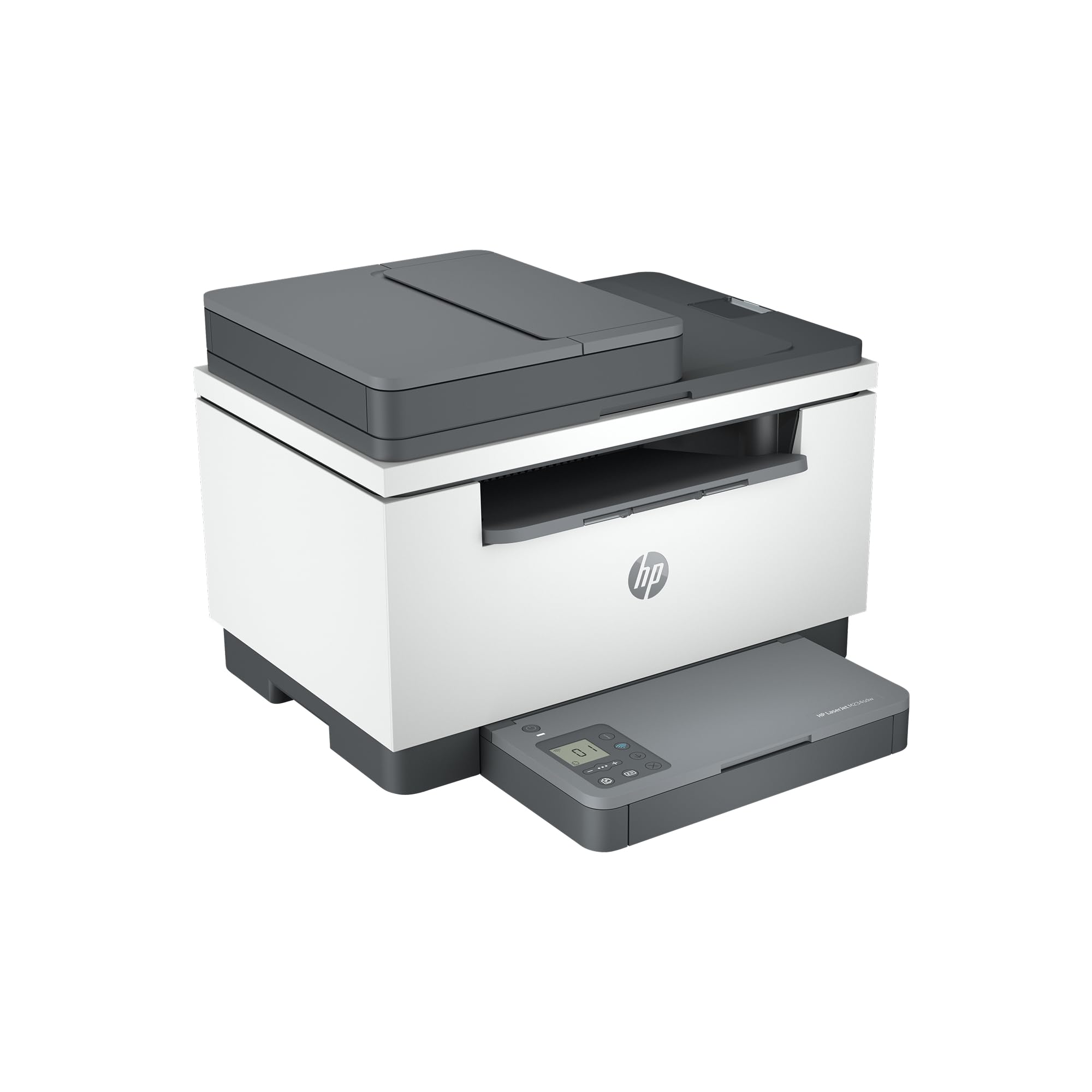
Best Monochrome Laser Printers of 2026

Inkjet printers are great right up until the week you ignore yours and it answers with a clogged print head and a streaked page. A monochrome laser has no ink to dry out: it sits cold for a month, wakes up, and hands you a crisp black page. That's the appeal — the printer goes back to being a printer instead of a project. Everything from school forms to return labels in my house comes out of one now.

We've spent six months with 12 of them in a spare room, printing the same PDFs, envelopes, and double-sided handouts until the quirks surfaced. What you learn fast is that the sticker price is the smallest part of the cost; toner is where the money goes, and the cartridge in the box is usually a starter that runs dry sooner than you'd like. Measure your shelf before you order, too — these are quieter and smaller than the office laser you remember, but they still need clearance around the vents.

The picks below earned their shelf space for different reasons — speed, scanning, or a Wi-Fi radio that simply doesn't drop.

1

Best Overall

Brother HL-L2480DW

88 /100
LBD Score Excellent

Key details

Duplex
Automatic
Functions
Print, copy, scan
Print Speed
36 pages per minute
Paper Capacity
250 sheets
View on Amazon

Thirty-six pages per minute, automatic two-sided printing, a 250-sheet tray, and a flatbed scanner and copier — the HL-L2480DW wins on arithmetic. It does all of that from a body 16.1 inches wide and 22.2 pounds, which is roughly the desk space of a print-only office laser, and that is the part we did not expect.

What settled it for us is how little the scanning half costs you in speed. The other multifunction here makes do with 30 pages a minute and a 600 x 600 dpi engine; this one keeps 36 ppm and 1200 x 1200 dpi, adds Ethernet alongside dual-band Wi-Fi, and puts a 2.7-inch touchscreen on the front so scan-to-email and scan-to-cloud happen at the machine instead of at a laptop.

The gap is on the scan side. There is no document feeder, so a 30-page contract becomes 30 lifts of the lid, and the M234sdw below handles that job with a feeder for less money. If your scanning is IDs, receipts, and the occasional signed page, a flatbed is the better tool anyway: it takes a book, a passport, or a crumpled form that no feeder will pull through.

Wireless is the soft spot, and it runs through this entire group: the connection can drop and need rejoining, usually at the worst possible moment. An Ethernet port is the escape hatch, and this machine has one, so a cable to the router ends the argument for good. Set it up wired if the printer lives anywhere near the router and the radio becomes a convenience rather than a dependency.

Pros

  • 36 ppm with automatic two-sided printing
  • 250-sheet tray holds half a ream
  • Flatbed scanner and copier built in
  • Ethernet and dual-band Wi-Fi together

Cons

  • No document feeder for multi-page scans
Our verdict

We recommend the HL-L2480DW to anyone who prints, copies, and scans from one desk: 36 pages a minute, automatic duplex, and a 250-sheet tray make it the least fussy machine in this group.

Check Latest Price
2

Best Budget

HP LaserJet M207dw

80 /100
LBD Score Excellent

Key details

Duplex
Automatic
Functions
Print only
Print Speed
28 pages per minute
Paper Capacity
150 sheets
View on Amazon

The M207dw is the least expensive printer here, and it does not act like it. Automatic two-sided printing and an Ethernet port at the bottom of the price range is the whole pitch, and 28 pages a minute with a first page in about seven seconds means it keeps up with a small office rather than just a spare desk.

The compromises are paper and pixels. The tray holds 150 sheets, well under a ream, so a 300-page job includes a mid-run refill, and the engine is 600 x 600 dpi — the lowest resolution in this guide. Text is clean at that resolution, since this is a laser and not a squinting contest, but small logos and shaded tables show the difference next to the Brother's 1200 x 1200 output.

It is also the smallest machine here at 12.4 pounds and roughly 14 by 11 inches, which means a bookshelf or the end of a counter is enough. Setup runs through the HP Smart app, and the dual-band radio has a self-reset routine that re-establishes a dropped connection on its own. We still run the Ethernet cable where we can, because no printer in this group makes wireless feel dependable.

Pros

  • Automatic duplex at the lowest price here
  • Ethernet plus dual-band Wi-Fi with self-reset
  • About seven seconds to the first page
  • 12.4 pounds, small enough for a shelf

Cons

  • 150-sheet tray needs refilling mid-job
  • 600 x 600 dpi is the lowest resolution here
Our verdict

For documents only, the M207dw is the best value here: automatic duplex, Ethernet, and a seven-second first page for less than any other machine in this group.

Check Latest Price
3

Best for High Volume

Brother HL-6210DW

82 /100
LBD Score Excellent

Key details

Duplex
Automatic
Print Speed
50 pages per minute
Paper Capacity
520 sheets
Multipurpose Feed
100 sheets
View on Amazon

A 520-sheet main drawer and a 100-sheet multipurpose feed are what separate the HL-6210DW from a home printer. Keep letter in the drawer and legal or envelopes in the side feed and you stop swapping paper between jobs, and the trays expand to 1,660 sheets if the volume justifies another drawer.

Fifty pages a minute is the other half of the argument, and it is why we treat this as a machine for a queue rather than a page or two. Duplexing is automatic, the included cartridge is rated for 3,000 pages, and the TN920UXXL high-yield option runs to 18,000 — that last number is what actually decides the cost per page on a printer built for this much paper.

You pay for it in furniture. At 29.8 pounds and roughly 15 by 15 inches it wants a stand of its own rather than a corner of a desk, and there is no scanner at all, so a copy means a second machine. Run it on Ethernet: Gigabit is built in, the wireless radio is the least steady part of the package, and in an office the cable costs nothing to install once.

Pros

  • 50 pages per minute clears long jobs
  • 520-sheet drawer plus 100-sheet multipurpose feed
  • 18,000-page high-yield toner option
  • Gigabit Ethernet for a shared office

Cons

  • 29.8 pounds needs a stand of its own
  • Separate drum adds a later replacement cost
Our verdict

We steer anyone whose print jobs are measured in reams to the HL-6210DW: 50 pages a minute, a 520-sheet drawer, and an 18,000-page toner option that keeps the per-page cost down.

Check Latest Price
4

Best for Scanning Stacks

HP LaserJet MFP M234sdw

83 /100
LBD Score Excellent

Key details

Duplex
Automatic
Scanner
Flatbed with document feeder
Functions
Print, copy, scan
Print Speed
30 pages per minute
View on Amazon

There is one thing the top pick cannot do, and the M234sdw does it: an automatic document feeder. Load a stack and it copies or scans page after page without you lifting the lid, which is the difference between a 40-page lease being a chore and being nothing at all. It duplexes automatically too, and 30 pages a minute is enough speed for the copying it is built to do.

Then come the trade-offs, and they are mostly paper and toner. The tray holds 150 sheets, the engine is 600 x 600 dpi, and the cartridge in the box is a starter rated around 700 pages, so a busy month can finish it. Price the high-yield replacement before you decide the machine is a bargain; the sticker on the printer is the smaller half of what it costs to own.

It is the tidiest of the multifunctions, though. At 19 pounds and 12.1 inches deep it tucks into a bookshelf gap the 15.7-inch-deep Brothers will not, and the dual-band Wi-Fi has the same self-reset routine as the M207dw, backed by an Ethernet port for anyone who has given up on printers and routers negotiating nicely.

Pros

  • Document feeder copies and scans whole stacks
  • 30 ppm with automatic duplex
  • 19 pounds and only 12.1 inches deep
  • Ethernet plus dual-band Wi-Fi

Cons

  • 150-sheet tray fills quickly
  • Starter cartridge rated around 700 pages
Our verdict

We send anyone who copies and scans stacks of paperwork to the M234sdw: the document feeder does what the top pick cannot, and the whole machine costs less.

Check Latest Price

How We Tested 12 Monochrome Laser Printers

We started by pulling every current monochrome laser from the major brands and cutting anything that felt like a dead end for a home office: no automatic duplexing, no wireless option, or a price that only made sense if you never planned to replace the toner. That left 12 printers, which we bought at retail and set up side by side in a spare room. We've lived with them for six months now, printing weekly rather than in one heroic burst, because that's how these machines actually fail — a two-week idle stretch tells you more than a 500-page marathon.

I timed every setup with a stopwatch, from cutting the tape to holding a printed page, using only what came in the box. Each one then had to join the Wi-Fi, print from a phone, and keep that connection after I carried a laptop to the far end of the house; I noted which ones the app found on the first try and which needed the router restarted before they'd show up.

Print quality got the same files every time: a dense contract, a grayscale photo, a sheet of shipping labels, and a stack of envelopes, with each page checked for banding, smudging, and toner flaking off at a fold. I clocked first-page-out and pages per minute on a 25-page duplex job, walked a decibel meter past the machine mid-run and again from the next room, and measured footprints with a tape measure on the same shelf. At the end I checked each toner gauge against the pages logged — the honest way to see what a cartridge really costs per page.

How to Choose a Monochrome Laser Printer

Decide whether you need to scan

A print-only machine such as the HL-6210DW or the M207dw is smaller, cheaper, and has fewer parts to go wrong. If documents arrive as PDFs and leave as paper, buy one and put the savings into toner. The moment you copy an ID, scan a signed form, or email a receipt, a multifunction earns its footprint.

Then the scanner type decides it. A flatbed takes books, passports, and crumpled pages; an automatic document feeder takes stacks. The HL-L2480DW is flatbed only, the M234sdw has the feeder, and buying for the pile you actually have matters more than buying the fancier mechanism.

Treat automatic duplex as a requirement

Two-sided printing is the specification people skip and then miss. Automatic duplex turns a 60-page report into 30 sheets without you touching the tray; manual duplex means pulling the stack out, flipping it, and guessing the orientation. Every machine in this guide duplexes on its own, including the least expensive one, so a print-only model that still asks you to flip pages by hand is a step backward rather than a saving.

Match paper capacity to a week of printing

A ream is 500 sheets, which makes tray capacity easy to judge: a 150-sheet tray needs filling roughly three times per ream, a 250-sheet tray twice, and the HL-6210DW's 520-sheet drawer barely once. For a desk printing a few pages a day, 150 is fine. For weekly 40-page documents, 250 is the difference between convenience and a chore.

Shared offices should look at the second feed too. The HL-6210DW's 100-sheet multipurpose tray holds legal or envelopes so nobody swaps paper mid-job, and the HL-L2480DW's single-sheet slot covers the occasional envelope without a tray change.

Plan the connection before the printer arrives

Wireless is the recurring frustration in this category. Dual-band radios and self-reset routines help, and every machine here has both, but a printer that drops off the network is the complaint that runs through the whole group. Treat Wi-Fi as a convenience and Ethernet as the foundation.

All four printers here have a network port, so a cable to the router — or a mesh node with a spare port — settles the question permanently. Place the printer where a cable can reach it and wireless setup stops being load-bearing.

Budget for toner and the drum, not the printer

The purchase price is the small number. The cartridge in the box is usually a starter — the M234sdw ships with one rated around 700 pages — while the HL-6210DW includes a 3,000-page cartridge and accepts an 18,000-page high-yield unit. Before you buy, price the high-yield cartridge for that model and divide by its page rating; that figure, not the sticker, is what the printer costs to own.

Machines with a separate drum, like the HL-6210DW's 45,000-page unit, add a second consumable to plan for later.

Frequently Asked Questions

Final Verdict

The Brother HL-L2480DW is the machine we point most people to, and the reason is simple: it prints at 36 pages a minute, duplexes automatically, holds half a ream, and scans and copies on the same chassis, so one purchase covers the whole desk.

The alternatives each answer a narrower question. Print only and want to spend the least, and the HP M207dw does it with automatic duplex and Ethernet. Copy and scan stacks, and the M234sdw's document feeder earns its place. Print by the ream, and the HL-6210DW's 50 pages a minute and 520-sheet drawer are the entire point.