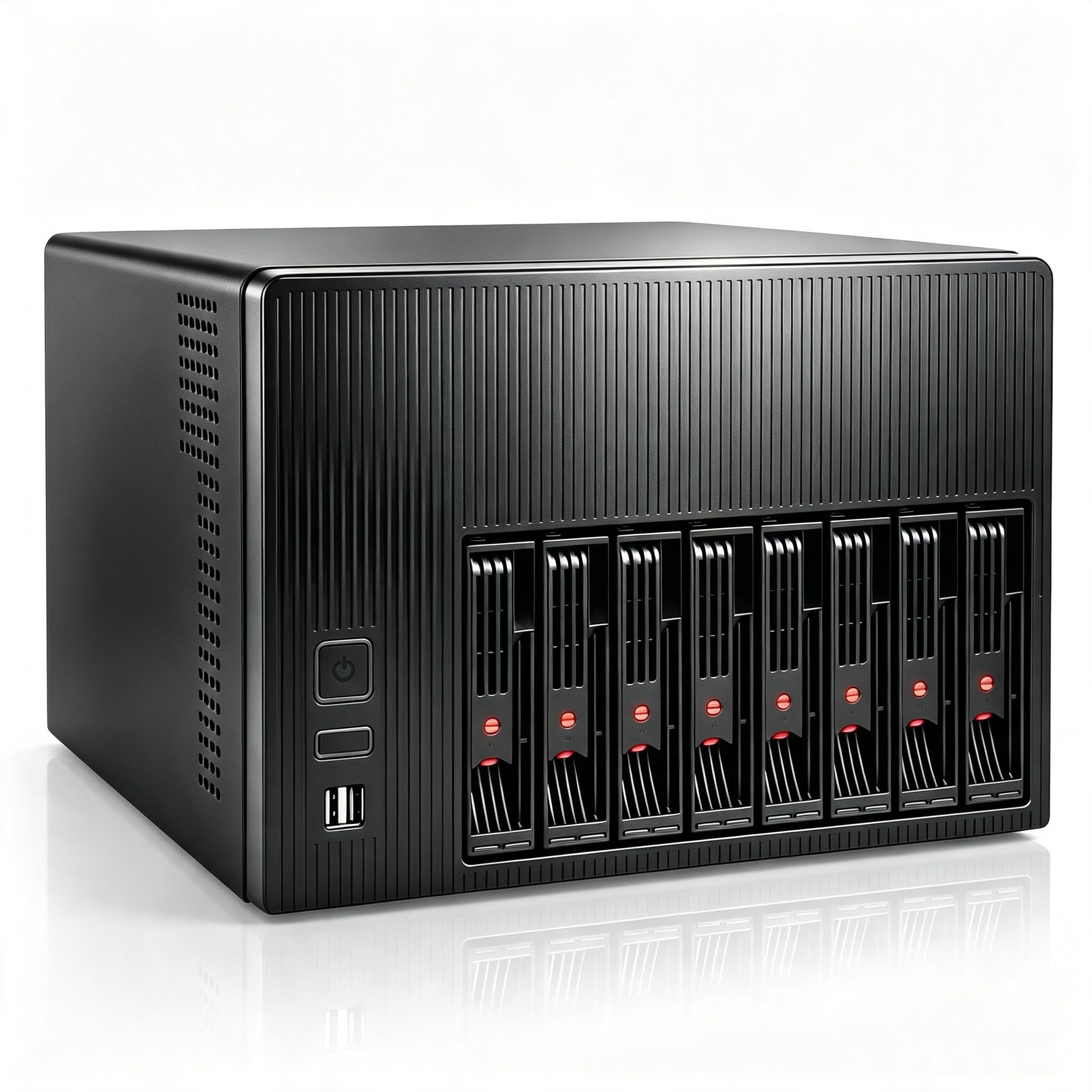
Best NAS Cases of 2026

A network-attached storage box is really just a computer that never turns off, and that changes almost everything you want from the case around it. The drives need to sit still enough that they don't vibrate themselves loose over a year of spinning, the front panel needs to move air without sounding like a hair dryer in the hallway, and you need to be able to reach a SATA cable at 11 p.m. when a drive finally fails. That's a different set of demands than the glass-sided tower most people build their first PC in.

I've run a home server long enough to have made the usual mistakes — a four-bay box that cooked its own drives behind a solid front panel, a tray latch I snapped clean off in the first month. So over the past eight months, my team and I built out 12 NAS cases, from a compact mini-ITX cube to a full tower that holds more drives than I currently own, and then left them running instead of just benchmarking them and moving on.

The spec that first-time buyers fixate on is raw drive count, and it's usually the wrong one to lead with. Once a case is full, what you notice is how the trays slide under load, whether the included fans are worth keeping, and whether you can still get a power supply cable past a stack of drives without bending anything. The picks below are the ones that held up through repeated rebuilds — and the ones I'd happily fill with expensive drives again.

1

Best Overall

Fractal Design Node 804

92 /100
LBD Score Outstanding

Key details

Dimensions
13.54 x 12.09 x 15.31 in
Drive Bays
Up to 10 x 3.5-inch, 2 x 2.5-inch
Included Fans
3 x 120mm
Motherboard Support
Micro ATX, ATX
View on Amazon

The Node 804 splits the motherboard and the drives into separate chambers, and that single decision explains why it works so well as a home server. The drive cages live in the back compartment, the motherboard and expansion cards get their own side, and three 120mm fans move air through both. It is a cube, not a slim tower, so the storage is the point rather than an afterthought.

We kept coming back to how little drama there is in servicing it. The drive mounting system lets you pull and install drives without dismantling the whole build, and the airflow path is direct enough that we didn't have to treat cooling as a separate project. For a server that runs all day, that combination matters more than a glass panel or a front-panel light show.

The rest of the case is quietly sensible: room for a micro-ATX or ATX board, three included fans, and enough drive mounts to grow into. It is not a hot-swap chassis, so drive swaps mean opening the case and undoing a few screws. For a set-and-forget server, that is a fair trade; if you swap drives weekly, one of the hot-swap picks here is the better fit. The drive cages can be configured for up to ten 3.5-inch drives or a mix of 3.5 and 2.5, so you can start smaller and add later.

Pros

  • Dual-chamber airflow keeps drives and board separate
  • Up to ten 3.5-inch drives in a cube
  • Drive cages are easy to access and service
  • Three 120mm fans included

Cons

  • Wide cube needs a deep shelf
Our verdict

For most home NAS builds, the Node 804 is the case we recommend first: eight to ten 3.5-inch drives, strong airflow, and drive access that doesn't fight you.

Check Latest Price
2

Best Budget High-Capacity

DARKROCK Classico Storage Master

86 /100
LBD Score Excellent

Key details

Drive Bays
10 x 3.5-inch, 3 x 2.5-inch
Included Fans
4 x 120mm
Radiator Support
360mm top and front
Motherboard Support
ATX, Micro-ATX, Mini-ITX
View on Amazon

Ten 3.5-inch bays and three 2.5-inch mounts are the reason to look at the Classico, and it does not make you choose between storage and cooling. Four 120mm fans come pre-installed, the front is mesh, and there is room for a 360mm radiator up top or up front. We think that is the right trade for a budget NAS: spend on drives, not on a badge.

The steel is not the stiffest we have handled. The side panels flex a little when you press on them, and the finish is plain, but the case stays square once the build is loaded. The first drive install is the awkward part: the cages are oriented so the drives go in facing backward, which feels wrong until you see how the cables land. We got used to it by the second drive, and the access is straightforward after that.

For a set-and-forget media server, that is a fair trade. The Classico is big and plain, and it will not win a desk-side beauty contest, but it gives you a lot of storage for a budget tower and enough fan mounts to keep a stack of drives breathing. If you need tool-less drive swaps every week, look at a hot-swap chassis instead; for everything else, the capacity is the point.

Pros

  • Ten 3.5-inch bays plus three 2.5-inch mounts
  • Four 120mm fans included
  • 360mm radiator support top and front
  • Budget price for the drive count

Cons

  • Cable routing gets tight with ten drives
  • No front dust filter
Our verdict

If you need ten 3.5-inch drives on a tight budget, the Classico is the case we point to: four fans, room for a 360mm radiator, and no premium-case markup.

Check Latest Price
3

Best for Large Libraries

JONSBO N5

88 /100
LBD Score Excellent

Key details

Drive Bays
12 x 3.5-inch hot-swap, 4 x 2.5-inch
Included Fans
3 x 120mm
Expansion Slots
8 PCI slots
Motherboard Support
ITX, Micro-ATX, ATX, E-ATX
View on Amazon

The N5 is not a case you buy by accident. It is for the builder who has counted the drives, checked the motherboard, and decided that twelve 3.5-inch bays plus four 2.5-inch mounts is the right ceiling. The front cage is hot-swap, the side SSD mounts are separate, and the whole thing is sized around an E-ATX board rather than squeezing one in.

The one-piece top cover comes off cleanly, and the split between the drive cage and the board side makes the build feel less like a puzzle than the exterior suggests. The three built-in 120mm fans do the heavy lifting at the rear, and there are eight expansion slots for a storage controller, a network card, or a GPU. We like that the N5 does not force a choice between a big board and a big drive array.

That flexibility is the real argument. You can reuse a high-end desktop build instead of starting over, and the drive array still gets its own space and airflow. The cost is the obvious one, and the size is the other: this is a full tower that needs a deep shelf or a floor spot. We also wish the four side-mounted SSD sleds had activity lights; as it is, a failed drive is something you diagnose in software rather than spot from the front.

Pros

  • Twelve hot-swap 3.5-inch bays plus four 2.5-inch mounts
  • Supports E-ATX boards and eight expansion slots
  • Three 120mm fans included
  • One-piece top cover simplifies assembly

Cons

  • Cable routing gets tight when fully loaded
Our verdict

When a dozen 3.5-inch drives and an E-ATX board are non-negotiable, we reach for the N5: it is big, pricey, and built for a serious library.

Check Latest Price
4

Best Compact 8-Bay

JONSBO N3

86 /100
LBD Score Excellent

Key details

Drive Bays
8 x 3.5-inch hot-swap, 1 x 2.5-inch
PSU Support
SFX, 105mm max
Motherboard Support
Mini-ITX
CPU Cooler Clearance
130mm
View on Amazon

Eight 3.5-inch hot-swap bays in a case this small is the N3's magic trick. It takes Mini-ITX boards and SFX power supplies, so the build is compact by definition, but the drive cage is the star: the front trays pull out, and the top compartment gives you room for a 130mm CPU cooler and a 280mm GPU. We think it is the best compact 8-bay case in this group for a home NAS that needs a small footprint.

The aluminum panels feel more solid than the price suggests, and the removable top cover gives you a clean path to the board. The split top and bottom compartments make the small chassis workable, but cable routing still takes planning, and the 130mm CPU cooler cap rules out most tower coolers. Choose a low-profile cooler before you fall in love with a board.

The N3 is happiest as a closet server. It holds eight drives without taking over a shelf, the hot-swap trays are easy to reach, and the front panel includes USB-C for a fast external backup. If you want a desk-side showpiece, this is not the case to start with; if you need capacity in a small space, the footprint is worth the parts discipline.

Pros

  • Eight hot-swap 3.5-inch bays plus one 2.5-inch mount
  • Compact Mini-ITX footprint
  • Removable top cover and split compartments
  • Supports a 280mm GPU

Cons

  • SFX PSU limited to 105mm
  • Stock fans are loud
Our verdict

For a compact server with eight hot-swap drives, the N3 is our pick, as long as you plan around its SFX power supply and 130mm cooler limit.

Check Latest Price
5

Best Budget Airflow

Rosewill Helium NAS

78 /100
LBD Score Very Good

Key details

Front I/O
USB 3.2 Type-C
Drive Bays
10 x 3.5-inch, 3 x 2.5-inch
Included Fans
4 x 140mm PWM
Motherboard Support
ATX
View on Amazon

Four 140mm PWM fans and mesh side panels are the first things you notice, and they are not decoration. This is a case built to move air through a stack of drives, with a front panel that does not choke the intake and enough fan mounts to keep a ten-drive array from cooking. The mesh is not just for looks; it gives the fans a clear path to the cages.

The layout is straightforward: the drive cages sit behind the front intakes, the PSU goes in the bottom, and there is room for a 360mm AIO and an ATX board. The steel is thin enough that the side panels flex under a firm press, and the finish is basic. The drive cages themselves are easy to reach once the side panel is off, and the four fans come with PWM control so you can tune the noise.

We like the Helium NAS for what it prioritizes: bays and airflow. It does not try to be a premium showpiece, and that is the right call for a closet server. The drive cages are easy to reach, and the four 140mm fans give you a head start on cooling a ten-drive array. If you need a case that feels refined every time you open it, look at the Fractal Design Node 804; if you need cheap storage and lots of air, this is the one.

Pros

  • Four 140mm PWM fans included
  • Mesh panels feed the drive cages
  • Ten 3.5-inch bays plus three 2.5-inch mounts
  • USB 3.2 Type-C on the front

Cons

  • Drive cage screw holes can misalign
Our verdict

When airflow matters more than fit and finish, we point to the Helium NAS: ten 3.5-inch bays, four 140mm fans, and a budget price.

Check Latest Price
6

Hot-Swap Home Labs

Silverstone CS382

80 /100
LBD Score Excellent

Key details

Drive Bays
8 x 2.5/3.5-inch hot-swap, up to 11 total
PSU Support
ATX (PS2)
Radiator Support
240mm or 280mm
Motherboard Support
Micro-ATX, Mini-ITX
View on Amazon

The front door opens to eight hot-swap drive trays, each with its own LED, and that is the feature that justifies the CS382's place here. It takes micro-ATX or mini-ITX boards, an ATX power supply, and up to eleven drives total, so it sits in a useful middle ground between a compact cube and a full server chassis.

The steel body feels sturdier than the plastic front door suggests, and the trays are easy to pull. The inverted motherboard layout is the quirk: the board sits upside down relative to most cases, which can make cable routing feel backward the first time. We do not mind it, but it is worth knowing before you plan the build.

The backplane is the other useful part. The trays are toolless, and the drive connections are concentrated on a single board, so you are not fishing a SATA cable to every bay. That is the difference between a case you tolerate and one you are willing to service.

For a home lab that swaps drives often, the hot-swap access is worth the fuss. The micro-ATX size leaves room for a storage controller and a network card, and the front LEDs are the detail we appreciate most: they let you spot a drive that has dropped offline without pulling the door open.

Pros

  • Eight hot-swap 2.5/3.5-inch trays
  • Supports up to eleven drives plus a slim optical
  • Micro-ATX/ITX board and ATX PSU support
  • Per-drive LED indicators

Cons

  • Front filter and backplane restrict airflow
  • Stock fans are loud
Our verdict

We keep the CS382 on the list for one reason: eight hot-swap trays in a micro-ATX chassis, provided you are ready to manage its airflow.

Check Latest Price
7

Budget Hot-Swap Builds

AUDHEID 8-Bay NAS Case

77 /100
LBD Score Very Good

Key details

Dimensions
12.2 x 12 x 8.7 in
Drive Bays
8 x 3.5-inch or 2.5-inch hot-swap
Included Fans
3 x rear fans
Motherboard Support
Mini-ITX, Micro-ATX
View on Amazon

Eight hot-swap bays and a dual-chamber layout are the reason to consider the AUDHEID, but the chassis makes you work for them. The internal steel edges are sharp enough that gloves are worth wearing, and the drive cages leave little room for cable routing. Neither is a dealbreaker for a budget build, but both change how you plan the afternoon.

The two compartments separate the drives from the motherboard, which helps keep drive heat out of the CPU area. The three rear fans are a start, and the drive temperatures can still climb if the case is packed with disks. The front trays are easy to reach once the side panel is off, and the hot-swap backplane is the feature that makes the case worth considering.

For a budget hot-swap build, the AUDHEID gets the important part right: the drive bays work, the dual chamber makes sense, and the price is lower than the Silverstone CS382. The compromises are in the finish and the fit, not the bay count. If you are building a closet server and you accept the finish, it is a solid value. The drive trays themselves are the bright spot: they slide in cleanly and the front bays are easy to reach.

Pros

  • Eight hot-swap 3.5/2.5-inch bays
  • Dual-chamber layout separates drives and board
  • Takes Mini-ITX or Micro-ATX boards
  • Cheaper than the Silverstone hot-swap alternative

Cons

  • PSU bay is tight
  • Small rear fan is noisy
Our verdict

We keep the AUDHEID on the list as a budget route to eight hot-swap bays, with the caveat that sharp edges and a tight power-supply fit come with it.

Check Latest Price

How We Tested the Best NAS Cases

We began by gathering every chassis marketed for home servers, media servers, and small-business backup, then filtered on the constraints that actually shape a build: how many 3.5-inch drives it holds, which motherboard sizes fit inside, whether the trays are hot-swap or fixed, and whether the fans and radiator mounts come included or cost extra. That narrowed the field to 12 cases. Each one served as a household's primary storage machine for the full eight months, taking nightly backups and streaming media with drives spinning the entire time.

We filled every case to its rated capacity with a mix of 3.5-inch and 2.5-inch drives, then installed a motherboard, power supply, and cooler sized for that chassis. While building, we noted whether the trays slid cleanly when loaded, whether rubber isolation grommets sat under the mounting screws, and whether a full drive cage flexed when we pressed on it. We routed every SATA and power cable behind the motherboard tray, closed the side panel, and checked whether it seated without a fight — then timed a single drive swap from opening the panel to the drive showing up in the operating system.

Noise was judged the way you'd actually notice it: standing two feet away at idle, from the next room with the door shut, and again an hour into simultaneous reads and writes. For cooling, we logged drive temperatures at idle and after sustained transfers, first with the stock fan configuration and then with the front intake cleared of obstructions, and we checked whether each intake was real mesh or a solid panel with slots cut in the side.

Value came down to what was in the box — fans, trays, screws, hot-swap backplanes — versus what we had to buy separately. Design got a simpler test: whether we'd tolerate it on a shelf in a room guests actually walk into.

How to Choose a Nas Case

Count the bays you will actually fill

A NAS case's drive count is not one number. The useful figure is how many 3.5-inch bays it has, how many 2.5-inch mounts sit alongside them, and whether the 3.5-inch trays accept 2.5-inch drives. A case that advertises thirteen bays may be ten 3.5-inch cages plus three SSD spots, which is fine if that is your mix but misleading if you need thirteen spinning disks. We prioritise 3.5-inch cages for a media server and treat 2.5-inch mounts as a bonus for boot drives and cache.

Match the case to the board, PSU, and cooler

The case's motherboard support is only the first compatibility check. Compact NAS chassis often use SFX power supplies and low-profile coolers, and the limits are easy to miss: the JONSBO N3 takes an SFX unit up to 105mm and a CPU cooler up to 130mm. A micro-ATX case can be roomier, but the Silverstone CS382 still takes an ATX power supply and an inverted board layout. Pick the board, power supply, and cooler before the case, or confirm all three clearances before ordering.

Give the drives their own airflow path

Drives run warm, and a case that cools the CPU well can still leave the drive stack hot. Look for direct airflow across the cages, not just a mesh front. The Fractal Design Node 804 separates the drive chamber from the motherboard chamber, which keeps heat from one side from feeding the other. The Rosewill Helium NAS uses four 140mm fans and mesh panels to push air through a ten-drive stack. If the front is filtered or the backplane is dense, plan on higher fan speeds or quieter replacements; the Silverstone CS382 is the cautionary example here.

Decide how often you will touch the drives

Hot-swap trays are a convenience, not a requirement. If you swap drives for backups, testing, or a rotating archive, eight trays behind a door save real time. The Silverstone CS382 and AUDHEID 8-Bay both use hot-swap bays; the JONSBO N3 does too, in a much smaller chassis. For a set-and-forget server, a fixed cage with good access is fine, and it usually buys more space for the money. The Fractal Design Node 804 is the case we point to when drive access matters but hot-swap does not.

Measure the footprint and plan for noise

A cube case can be shorter than a tower but wider, and the difference matters on a shelf or in a closet. The JONSBO N3 is small enough to tuck away, while the JONSBO N5 is a full tower that needs a deep spot. Noise is the other half of placement: stock fans are often the first thing to replace, especially in compact cases with small, fast spinners. If the server will live near a bedroom or desk, budget for quieter fans and leave space around the case for air to move.

Frequently Asked Questions

Final Verdict

For most home NAS builds, the Fractal Design Node 804 is the case we recommend first. Its dual-chamber layout keeps drive heat away from the motherboard, the drive cages are easy to service, and it holds up to ten 3.5-inch drives without turning into a full server tower.

If you need twelve hot-swap bays or an E-ATX board, the JONSBO N5 is the better choice; if space is the constraint, the JONSBO N3 packs eight hot-swap bays into a much smaller footprint.