Best 4-Bay NAS of 2026

My breaking point with cloud storage came on a renewal notice: another year of rent on files I already owned. A four-bay NAS is the fix, one box on a shelf that holds your photos, project files, and backups, streams them to every screen in the house, and answers to you instead of a subscription. What separates a good one from a frustrating one isn't the spec sheet. It's whether the thing stays quiet and quick six months in, whether it takes the drives you already own, and whether you can move your library to the next box without a fight.

We've spent the past six months living with eight of these enclosures, loading them with mixed drive sets and running them the way people actually do: nightly phone backups, 4K movie nights, remote access from a hotel room. Half the battle turned out to be software — setup wizards, plain-language warnings, apps that don't require a manual — and that's where these picks separate. Below are the ones we'd buy again, sorted by whether you're chasing speed, silence, or room to grow.

1

Best Overall

UGREEN DXP4800 Plus

90 /100
LBD Score Outstanding

Key details

Memory
8GB DDR5
M.2 Slots
2x NVMe
Processor
Intel 8505, 5-core
Network Ports
1x 10GbE, 1x 2.5GbE
View on Amazon

One port decides this pick. The DXP4800 Plus is one of only two enclosures in this set with a 10-gigabit Ethernet jack, and the other one costs a serious premium. Four 3.5-inch drives in RAID 5 can move more data than a gigabit connection can carry, so this is the box that lets the array stretch. We were just as taken with the 128GB SSD built into the chassis: the operating system lives there, which leaves all four bays for your data instead of sacrificing one to the software.

Setup was the part we expected to be a chore and it wasn't. The wizard walks you through drives, RAID, and users in one sequence, and the phone app found the unit on our network without any router fiddling. Beyond file shares there's Docker for self-hosted apps, an AI photo album that sorts by face, scene, object, and location, an SD slot for pulling cards straight off a camera, and HDMI out if you want the box on a TV. The trade is that UGREEN's software is younger than DSM or QTS, and advanced settings such as firewall rules assume you know what you're doing.

Two practical notes before you order. The 10-gig port earns its keep only with a 10GbE switch and decent cable behind it; on a plain gigabit router this behaves like any other NAS here. And the warranty runs two years, one short of the Synology and QNAP enclosures. Neither changes our recommendation, but price the switch before you commit, because that upgrade can cost as much as the gap between this and a slower box.

Pros

  • 10GbE and 2.5GbE on a midrange enclosure
  • OS runs on a built-in 128GB SSD
  • Two M.2 NVMe slots for cache or apps
  • Guided setup that got us to shares quickly

Cons

  • 10-gig speed needs a 10GbE switch to matter
  • Two-year warranty, one less than rivals
Our verdict

For most homes and small studios, this is the four-bay NAS to buy: 10-gig Ethernet, a dedicated OS drive, and all four bays left for storage.
Check Latest Price
2

Best for Synology Software

Synology DS425+

87 /100
LBD Score Excellent

Key details

Warranty
3 years
Concurrent Users
10+
Max Raw Capacity
80 TB
Rated Throughput
278 MB/s
View on Amazon

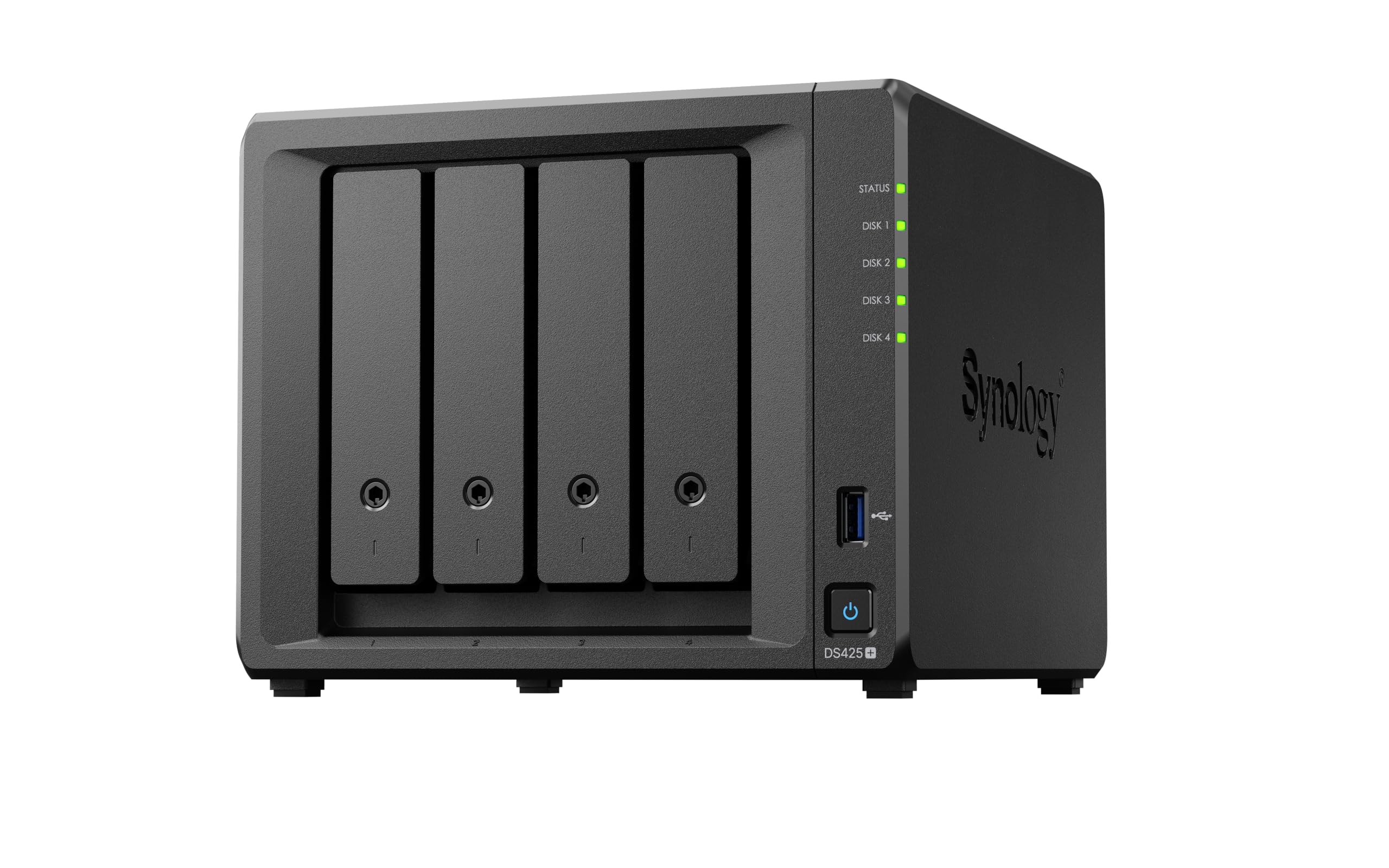
Synology's hardware has never been the reason to buy Synology, and the DS425+ is the clearest example in this set. The listed 278 MB/s is modest beside the 10-gigabit picks, and there's nothing exotic inside the chassis. What you pay for is DSM: a backup suite that images PCs and Microsoft 365 mailboxes, snapshot protection that turns ransomware into a restore job, surveillance for up to 30 cameras, and photo and file apps that people who aren't IT staff can use. The warranty runs three years, one of the longer ones here.

We came away thinking of it as the low-drama choice. It's rated for more than ten simultaneous users, and the platform's real advantage is predictability — the same interface, backup jobs, and permissions in year three as in week one. Set up laptop backups and phone photo sync once and the DS425+ stops asking for attention, which is the entire reason to pay for DSM instead of learning something new.

The catch is drive choice. Synology publishes an approved-drive list for its current models, and drives that don't appear on it can be refused or flagged, so match the exact model number before you order four disks. Sort that out first and the rest of the setup is uneventful.

Pros

  • DSM backup, snapshot, and photo apps
  • Three-year hardware warranty
  • Rated for 10+ concurrent users
  • Surveillance for up to 30 IP cameras

Cons

  • Listed 278 MB/s trails the 10GbE picks
  • Costs more than the DS423 for the same bays
Our verdict

The pick for anyone who values Synology's backup and photo software over raw speed, with a three-year warranty and room for ten-plus users.

Check Latest Price
3

Best for SSD Caching

QNAP TS-464-8G-US

85 /100
LBD Score Excellent

Key details

Memory
8GB DDR4
M.2 Slots
2x PCIe Gen3 x2
Processor
Intel N5105/N5095, 4-core
Network Ports
2x 2.5GbE
View on Amazon

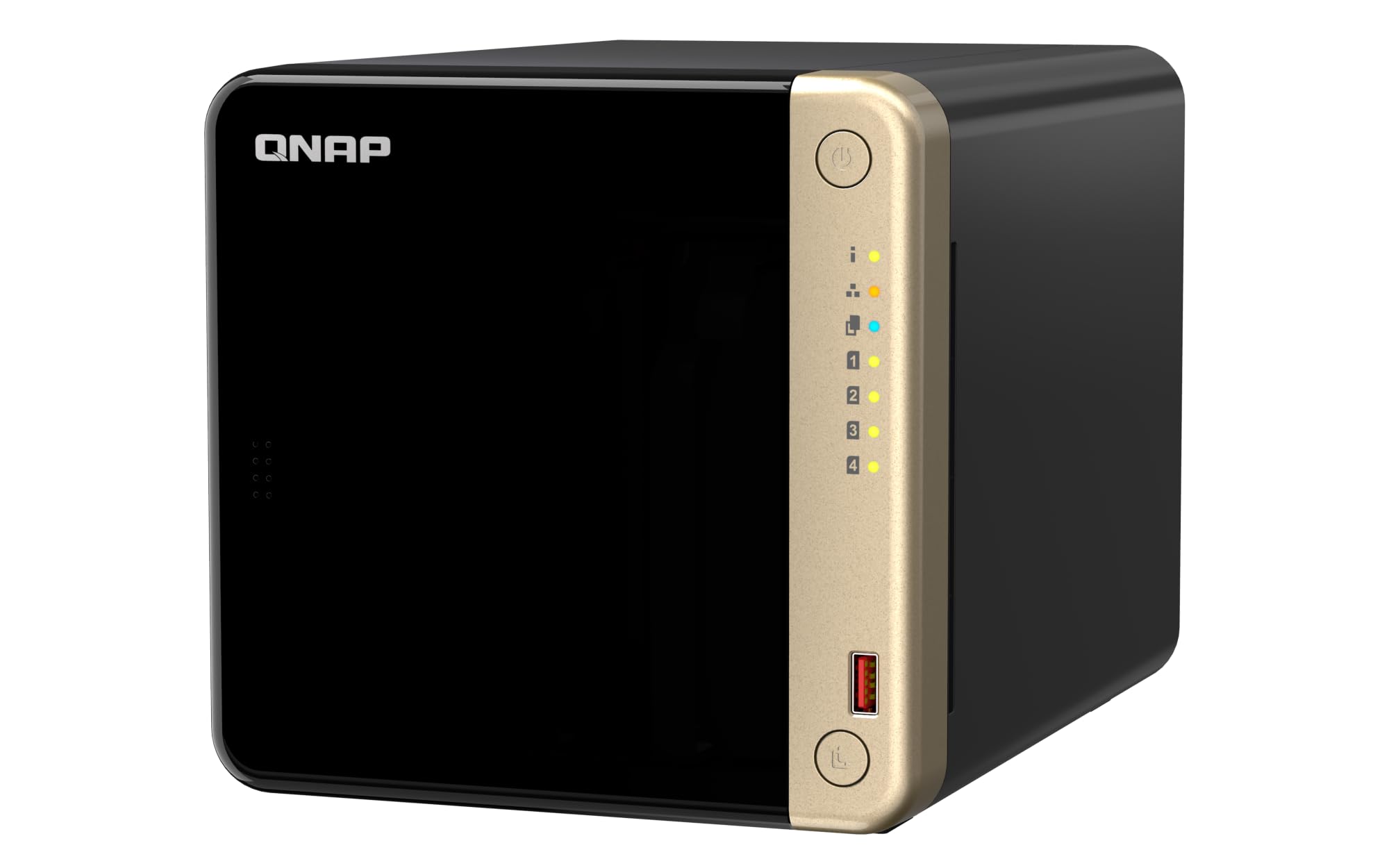
Two M.2 slots sit inside this one, and they're the reason it earns a place. On the TS-464 they can act as a cache for the four spinning disks or become a separate SSD pool where the files you open every day actually live. It's the kind of flexibility that pays off later: start with four hard drives, add speed without touching the array.

The rest of the spec sheet is sensible rather than flashy — an Intel quad-core that bursts to 2.9GHz, 8GB of DDR4 you can add to, dual 2.5GbE ports, and USB 3.2 Gen 2 for pulling files off external drives at up to 10Gb/s. QTS guided us through shares and apps without much hunting, and the metal chassis with hot-swap trays feels sturdier than the price suggests.

Here's the honest arithmetic. Two 2.5GbE ports only help if your switch and the machine you're copying from can match them; on a plain gigabit network all that headroom disappears. SSD caching also does far more for repeated reads — photo thumbnails, Plex artwork — than for one giant file copy. The value rests on using those slots, not on owning them, and that's the test to apply before you buy.

Pros

  • Two M.2 slots for cache or SSD pool
  • Dual 2.5GbE ports
  • 8GB DDR4 with room to add
  • Three-year warranty

Cons

  • 2.5GbE only pays off on a matching network
  • Costs more than the faster UGREEN pick
Our verdict

Buy this one when you plan to add fast SSD storage to a four-bay array later; dual 2.5GbE and 8GB of RAM make it the most flexible layout here.

Check Latest Price
4

Best Value Synology

Synology DS423

85 /100
LBD Score Excellent

Key details

Warranty
2 years
Enclosure
Metal
Max IP Cameras
30
View on Amazon

Four bays, the same DSM software as the DS425+, and the lowest price of any Synology here. The pitch is straightforward: snapshots that undo a ransomware encryption, backups to a second destination, shared folders that replace a subscription, and surveillance for up to 30 cameras with licenses bought separately. The chassis is metal and the warranty runs two years.

Where it gives ground is headroom, and the setup. Nothing underneath is exotic, and a few steps the newer UGREEN boxes walk you through are choices you make yourself here — nothing hard, just more of them. We think that's a fair trade if your workload is file storage, laptop backups, and a photo library. Plan on virtual machines or 4K transcoding and the money is better spent further up this list.

Pros

  • Full DSM app suite at the lowest price
  • Snapshots and multi-destination backup
  • Metal enclosure

Cons

  • Two-year warranty
  • Setup takes more steps than the UGREEN
Our verdict

The Synology to buy on a budget: full DSM, snapshots, and four bays for the least money in the brand's lineup here.

Check Latest Price
5

Best Budget

Asustor Drivestor 4 Pro Gen2

85 /100
LBD Score Excellent

Key details

Memory
2GB DDR4
Network
2.5GbE
Processor
Realtek quad-core, 1.7 GHz
RAID Levels
0, 1, 5, 6, JBOD
View on Amazon

This is the cheapest way into four bays, and Asustor spends the money where a first NAS actually needs it: a 2.5-gigabit Ethernet port, RAID 0/1/5/6 support, and a quad-core Realtek processor aimed at file serving rather than app hosting. For a backup target and a private folder you can reach from a phone, that covers the job. Three USB ports mean you can pull an old external drive's contents straight across, which is how most first weekends with one of these goes.

The 2GB of DDR4 is where the price shows. File shares, scheduled backups, and Plex streaming fit comfortably; running Docker containers, a virtual machine, or several apps at once does not, and a memory figure this small is the honest reason why. Two other things come with the low price: the Realtek chip is the least capable processor in this set, and Asustor's ADM has a smaller app catalog than DSM or QTS. None of that reaches a household that wants the files stored and the laptops backed up.

Pros

  • Lowest price in this set
  • 2.5GbE on a budget enclosure
  • RAID 5 and 6 protection

Cons

  • 2GB of RAM caps multitasking
  • Least powerful processor here
Our verdict

The budget pick: 2.5GbE and RAID 5 in a four-bay box for the least money here, as long as file serving is all you ask of it.

Check Latest Price
6

Video Editing, VMs

Asustor Lockerstor 4 Gen3

80 /100
LBD Score Excellent

Key details

Memory
16GB DDR5 ECC
M.2 Slots
4x NVMe
Processor
AMD Ryzen V3C14, 4-core
Network Ports
Dual 5GbE, 10GbE
View on Amazon

Four hard-drive bays and four M.2 NVMe slots in one desktop chassis: the AS6804T gives you eight drive positions where the rest of this set tops out at six or four. The hardware is just as far ahead — an AMD Ryzen V3C14 quad-core at 3.8GHz, 16GB of DDR5 with ECC, dual 5GbE plus a 10GbE port, and five USB ports.

That layout is built for one workflow: edit from the SSDs, archive to the hard drives, without a second enclosure on the desk. ECC memory is the spec most buyers skip, and on a machine that runs for months between reboots it's the difference between an error the system corrects and a file it doesn't. ADM is a capable interface with a smaller app catalog than DSM, and this is a box that invites you to run services on it.

Price is the whole question. You pay a premium over everything else here, and for file serving and photo backup you won't feel it, because the UGREEN DXP4800 Plus handles those for less than half as much. The AS6804T earns its keep when the NAS is a workstation: video projects, virtual machines, and datasets that cross the network at 10-gig speed all day. If that isn't your week, the four extra M.2 slots are capacity you'll never open.

Pros

  • Four HDD bays plus four M.2 slots
  • 16GB DDR5 with ECC
  • Dual 5GbE and a 10GbE port
  • Ryzen quad-core at 3.8GHz

Cons

  • Highest price in this set by a wide margin
Our verdict

For editors and virtualization users who need eight drive positions and ECC memory in one desktop box, this is the one, at a price only that workload justifies.

Check Latest Price

How We Tested 4-Bay NAS Enclosures

We started by pulling every four-bay enclosure we could find that supports current drive capacities, then narrowed the field by the things listings bury: whether the drive compatibility list is broad enough to reuse disks you already own, whether the network ports are 2.5GbE or better, and whether the M.2 slots work as cache or as real storage. That left eight units, which we ran side by side for six months with matched drive sets.

Every unit got the same treatment. We installed four drives, timed the setup from unboxing to a working share with a stopwatch, then moved a 200GB photo library off an aging external drive onto it — which doubled as our data migration test. We recorded how long the array took to build, how long that transfer ran, and how quickly we could find one specific file afterward. Then we used them for real: nightly phone backups, a 4K movie streaming to the living room TV while a large file copy ran in the background, and remote access from a laptop on hotel Wi-Fi.

Reliability testing was less polite. We pulled a drive mid-write to see how the system reported the failure and how long a rebuild took, rebooted during transfers, and read the logs afterward to check whether anything was explained in plain English. Noise got measured where it actually matters — a decibel app at three feet and sitting beside the unit through a full movie — and we paid attention to build quality where hands go: drive trays, front panels, and whether a chassis walked across the shelf during a rebuild. Value came last, judged on what the enclosure costs against what you still have to buy to reach the speed and capacity it advertises.

How to Choose a 4-Bay Nas

Pick the Network Port Before the Processor

A gigabit port tops out around 110 MB/s, which is roughly what two modern hard drives manage together, so a four-bay array on gigabit behaves like a gigabit NAS rather than a four-bay one. 2.5GbE lifts that ceiling substantially and 10GbE removes it. The trap is buying the fast box first: 10GbE needs a switch or router that supports it plus Cat6 cable or better, and without those the extra port does nothing.

If a network upgrade is not in the plan this year, put the money into drives and take the Asustor or the DS423. If it is, the UGREEN DXP4800 Plus is the least expensive way here to get a 10-gig port and four bays in the same box.

Decide How Much Software You Want to Learn

These enclosures run four different operating systems, and you will spend more time in yours than the spec sheet suggests. Synology's DSM is the deepest and best documented, with backup, snapshot, and photo apps that work without a weekend of tinkering. QNAP's QTS gives you more settings and more places to get lost. UGREEN's software is the friendliest for a first setup and is still catching up on advanced controls.

Match the platform to the job. File sharing and laptop backups need almost nothing from any of them; Docker containers, virtual machines, and multi-user permissions are where the differences start to matter.

Give the M.2 Slots a Job

Two M.2 slots are close to standard on four-bay boxes now, and they are easy to waste. As a read cache they help repeated access to the same data, such as photo thumbnails or Plex artwork, and do next to nothing for a single large file copy. As a separate SSD pool they hold containers, virtual machines, or the project you are editing right now, which is a change you can actually feel.

Decide which of those you want before you buy. A cache that never warms up is an expensive heatsink, and nobody's file server got faster because a slot was occupied.

Budget for Drives, Then Budget Again

None of these ship with disks, and four NAS-rated drives often cost about as much as the enclosure itself. Buy them matched and buy them together: RAID 5 gives you three drives' worth of usable space and survives one failure, while RAID 1 halves capacity for the same protection at a much smaller scale.

Check the maker's approved-drive list before ordering, especially for Synology, where drives that are not listed can be refused or flagged. And keep the distinction straight: RAID protects against a dead drive, not against a deleted folder, a fire, or a theft.

Plan Where It Sits

A four-bay enclosure full of spinning disks is audible in a quiet room, and the drives contribute more of that noise than the fan does. Give it a shelf in a hallway, closet, or basement with open airflow, since sealed cabinets cook drives, and run the network cable while you are still motivated to.

If it has to live where you work, schedule backups and big transfers overnight and expect some chatter during a RAID rebuild, when every disk is working at once.

Frequently Asked Questions

Final Verdict

The UGREEN DXP4800 Plus is the four-bay NAS we point most people to, and the 10-gigabit port is why. It is the difference between a box that tops out on your old network and one that keeps pace with four drives, and it costs less than the 2.5GbE-only QNAP here. The 128GB internal SSD for the operating system is the detail that seals it: all four bays stay available for storage.

If Synology's software and a three-year warranty matter more to you than 10-gig speed, the DS425+ is the alternative, and plenty of households should take it. When the NAS is going to be a video workstation rather than a family file server, the Asustor Lockerstor is the only enclosure here built for that job.