Best PC Power Supplies of 2026

A power supply is the only component in a build that can take everything else with it. When a cheap one fails, it rarely fails politely — I've lost a motherboard and two drives to one. So I treat this category as a reliability question before a spec question.

The wattage on the box is the least interesting number. What separates these units is how they ride out the transient spikes a modern graphics card throws at them, whether the fan stays quiet while you browse, and whether the cables reach the top of a mid-tower without stretching across the board. ATX 3.1 and PCIe 5.1 support is the honest signal that a unit was engineered for those spikes, not just rated for them.

We've spent seven months with 12 units, from 750W workhorses to 1000W models built for overclocked cards, and the differences come down to a quieter fan curve, a cable that clicks and stays put, a warranty the maker will honor for a decade. The picks below are the ones we'd put in our own machines.

1

Best Overall

Corsair RM850e (2025)

92 /100
LBD Score Outstanding

Key details

Wattage
850W
Warranty
7 years
Efficiency
Cybenetics Gold
Modularity
Fully modular
View on Amazon

A native 12V-2x6 cable, 850 watts, and a fully modular layout for only a little more than the 750W budget picks here is the combination that makes the RM850e the sensible center of this group. The ATX 3.1 rating matters because modern graphics cards can pull short spikes well above their average draw, and Corsair includes the new GPU cable in the box rather than making you use an adapter. For a single-GPU gaming or workstation build, 850W is enough headroom for a current high-end card without paying for capacity you won't use.

That balance is why it's our default. The fully modular cabling means you connect only the SATA, PCIe, and EPS leads your build actually needs, which leaves more room for airflow and makes a small case easier to work in. We also appreciate the 120mm fan and low-noise curve: in normal use the unit stays quiet, and the 105°C capacitors are a reassuring sign at this price.

If you're planning a flagship GPU with a heavy overclock, step up to a 1000W unit; the RM850e is not the one for that job. For everyone else, it's the least fussy way to get modern connectors, clean cabling, and enough power.

Pros

  • 850W with ATX 3.1 headroom
  • Native 12V-2x6 cable included
  • Fully modular cabling
  • Quiet 120mm fan and 105°C capacitors

Cons

  • Seven-year warranty trails the 10-year picks
Our verdict

For most single-GPU gaming and workstation builds, the RM850e is the power supply we recommend first: 850W, ATX 3.1, a native 12V-2x6 cable, and fully modular cabling at a midrange price.
Check Latest Price
2

Best for Quiet High-End Builds

be quiet! Pure Power 13 M 1000W

91 /100
LBD Score Outstanding

Key details

Wattage
1000W
Efficiency
80+ Gold, Cybenetics Platinum
Modularity
Fully modular
ATX Standard
ATX 3.1 / PCIe 5.1
View on Amazon

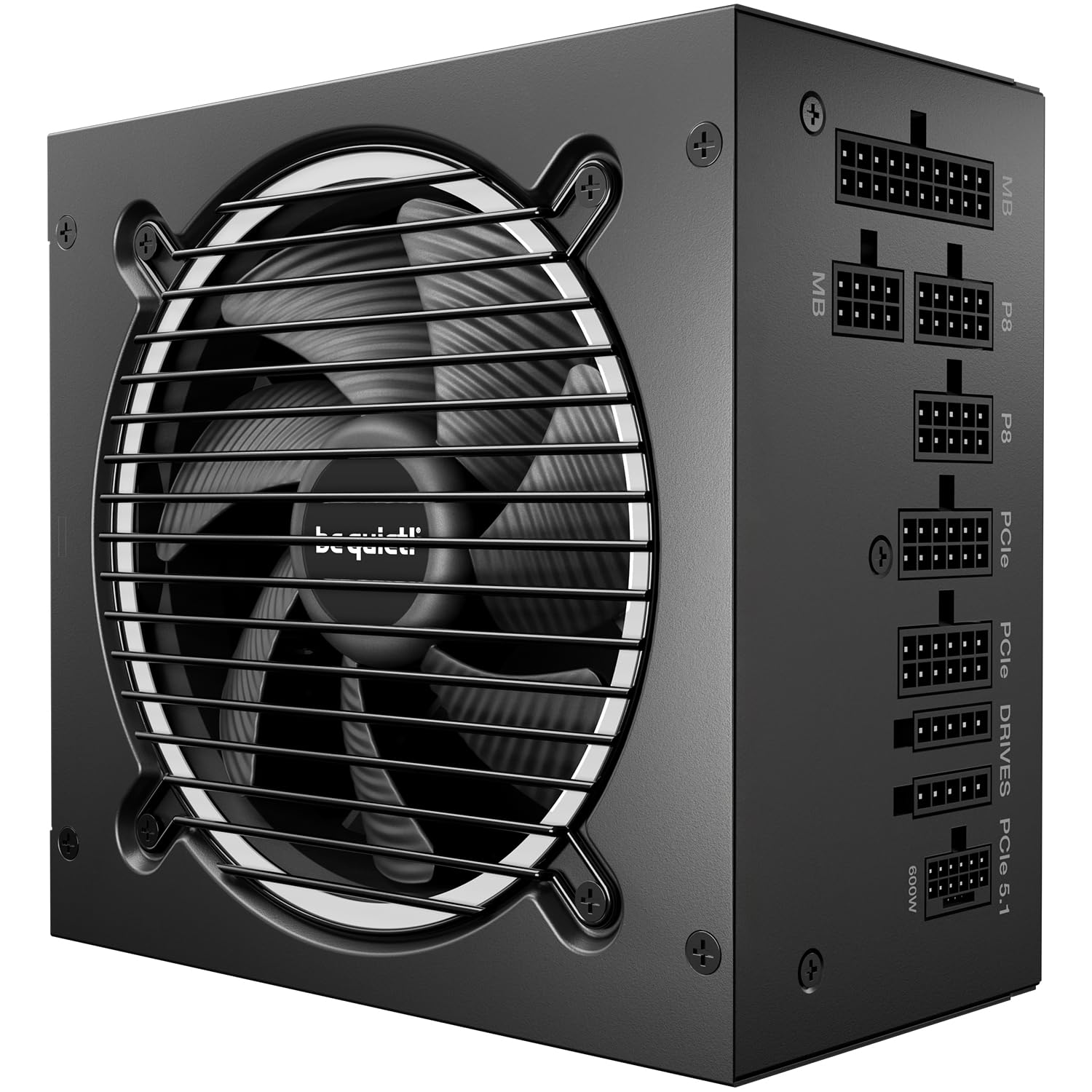
Cybenetics Platinum efficiency and an A++ noise rating are the two certifications that make the Pure Power 13 M our pick for a high-end build that stays quiet. The semi-passive fan shuts off entirely at low load, so the supply disappears from the noise floor when you're browsing or working, and only spins up when the graphics card starts working.

Capacity is the other half of the story. A single 12V rail and 1000W of continuous output give an overclocked GPU and CPU room to breathe, and the native 12V-2x6 connector means no adapter for a modern card. The fully modular cable set is easy to work with, and the LLC topology is the kind of internal choice that supports stable voltage rather than just big numbers on the box.

This is more power than most builds need. If your system tops out around a midrange GPU, the RM850e is the better value; the be quiet! earns its place when silence and headroom are the point.

Pros

  • 1000W for high-end GPU headroom
  • Cybenetics Platinum efficiency
  • Semi-passive zero-RPM fan
  • Fully modular cable set

Cons

  • Costs more than the 850W default
Our verdict

If your priority is a high-end build that stays quiet under load, the Pure Power 13 M 1000W is the one we point to, with Platinum-level efficiency and a semi-passive fan.

Check Latest Price
3

Best 1000W Mainstream

Corsair RM1000x

88 /100
LBD Score Excellent

Key details

Wattage
1000W
Warranty
10 years
Efficiency
Cybenetics Gold
Modularity
Fully modular
View on Amazon

Ten years of warranty and 1000W of ATX 3.1 power are the two things that separate the RM1000x from the RM850e, and they're the reason it earns a place for flagship builds. It keeps the same native 12V-2x6 approach, adds embossed cables with low-profile combs, and uses a fully modular layout that's easier to route behind a motherboard tray.

The capacity is the point: 1000W leaves room for a flagship graphics card, a high-core CPU, and the transient spikes that come with both. Corsair's Cybenetics Gold rating keeps efficiency in the same conversation as the top pick, and the fan stays quiet enough that we stopped noticing it in a working build. The fully modular design means unused cables stay in the box.

What settles it is the warranty and cable quality together. Ten years is among the longest coverage here, and the embossed cables are a real upgrade over stiff, sleeved leads when you're routing in a tight case. That makes the RM1000x the 1000W Corsair we choose for a long-term flagship build, though the 850W RM850e remains the better buy if you don't need the capacity.

Pros

  • 1000W for flagship builds
  • 10-year manufacturer warranty
  • ATX 3.1 and native 12V-2x6
  • Embossed cables with low-profile combs

Cons

  • Premium price for the extra capacity
Our verdict

For a flagship single-GPU build that needs 1000W and a 10-year warranty, the RM1000x is the Corsair we favor, with the same quiet modular approach as our top pick.

Check Latest Price
4

Best Premium

ASUS ROG Strix 1000W Platinum

92 /100
LBD Score Outstanding

Key details

Wattage
1000W
Warranty
10 years
Efficiency
80 Plus Platinum
Modularity
Fully modular
View on Amazon

The ROG Strix 1000W Platinum is built around a Platinum rating, a 0dB fan, and a 10-year warranty, and that makes it our premium pick for a showcase system. The power supply is part of the hardware story here rather than a box hidden behind a shroud, and the finish and cabling are meant to be seen.

The internals are aimed at stable delivery under heavy GPU loads. GaN MOSFETs and a GPU-first voltage stabilizer are the headline features, and the large heatsinks and dual ball fan bearing are there to keep temperatures and noise down over long sessions. The fully modular cabling is easy to work with, and the 1000W capacity leaves room for a flagship card without running the unit near its ceiling.

This is a specialist choice. The Platinum rating and 0dB mode matter most when the rest of the build is already quiet and efficient, and when you want the power supply to stay out of the noise profile during light loads. If you're chasing the lowest cost per watt, the Corsair RM1000x is the more sensible 1000W option.

Pros

  • 1000W with 80 Plus Platinum efficiency
  • 0dB fan mode for quiet light loads
  • 10-year warranty
  • Fully modular cabling

Cons

  • Premium price for the feature set
Our verdict

For a high-end build where low noise and Platinum efficiency matter more than value, the ROG Strix 1000W Platinum is the premium unit we choose from this group.

Check Latest Price
5

Best Budget

ASRock PRO 750G

89 /100
LBD Score Excellent

Key details

Wattage
750W
Warranty
3 years
Efficiency
80 Plus Gold
Modularity
Non-modular
View on Amazon

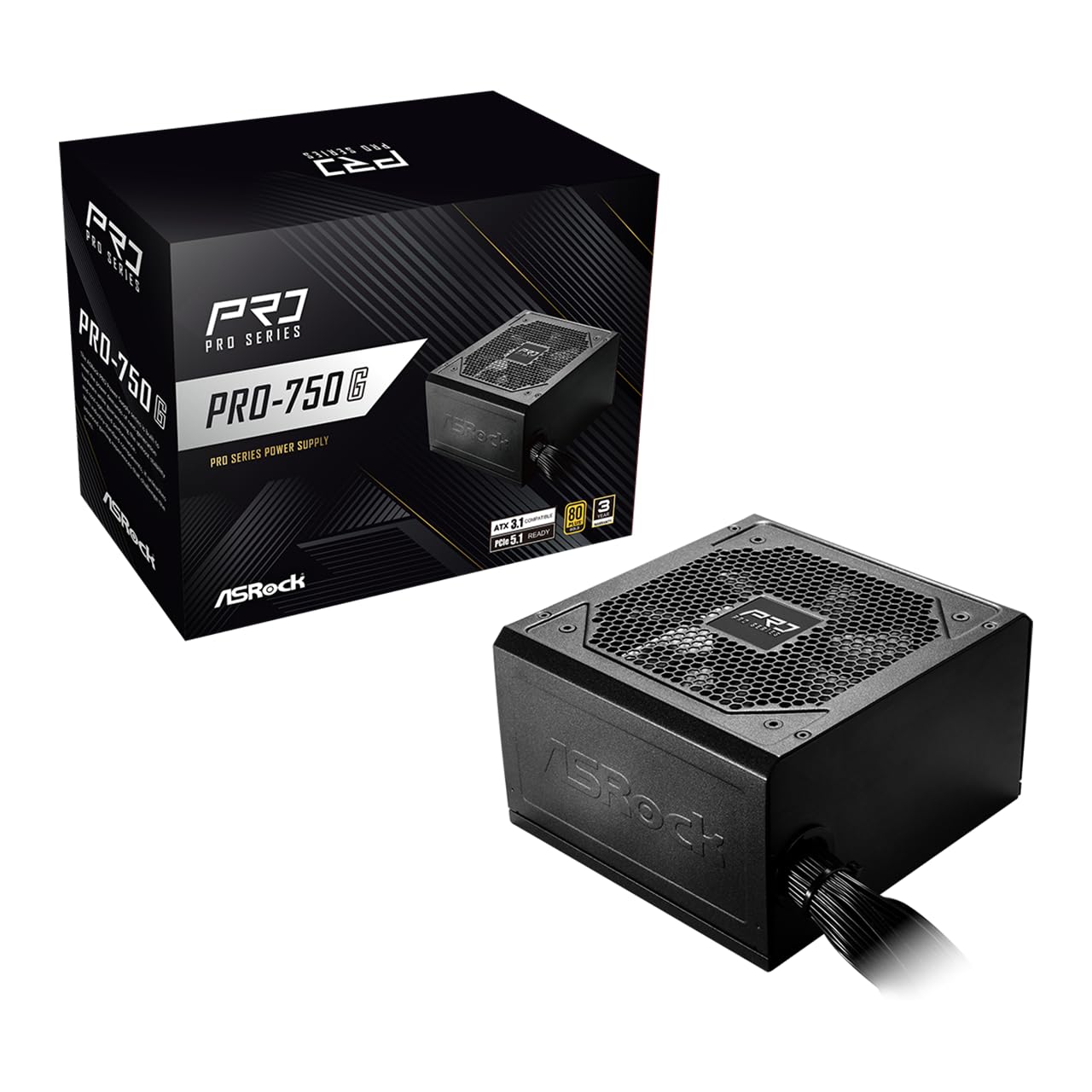
Budget builds usually have to give up the newest connectors; the ASRock PRO 750G doesn't. It's a 750W 80+ Gold unit with ATX 3.1, a native 12V-2x6 cable rated for up to 450W, and a 120mm low-noise fan. The case for it is simple: the modern connectors are here, and the price is the lowest in this group.

That's why it's our budget pick. For a first build or a straightforward gaming PC, the fixed cable set is the main compromise: every lead is attached, so you'll spend more time tucking unused cables behind the motherboard tray. The cables are basic rather than braided. Neither is a dealbreaker at this price, but they are the reason it stays a budget recommendation rather than a default.

The 750W capacity is the other limit. It's plenty for a midrange card, but a flagship GPU with a heavy overclock is where the 850W RM850e makes more sense. If you're building to a tight budget and don't need modular cabling, the ASRock is the value play.

Pros

  • 750W 80 Plus Gold power
  • ATX 3.1 with native 12V-2x6
  • Lowest price in this group
  • 120mm low-noise fan

Cons

  • Three-year warranty is the shortest here
Our verdict

For a budget build that still needs modern GPU connectors, the ASRock PRO 750G is the value pick we recommend, as long as fixed cables don't bother you.

Check Latest Price
6

Best Budget Modular

Rosewill VMG 750W

85 /100
LBD Score Excellent

Key details

Wattage
750W
Warranty
5 years
Efficiency
80 Plus Gold
Modularity
Fully modular
View on Amazon

Full modularity is the reason to spend a little more on the Rosewill VMG 750W instead of the non-modular budget pick. It's a 750W 80+ Gold unit with a native PCIe 5.1 12V-2x6 connector and a 120mm fluid-bearing fan. The price sits just above the ASRock, and the extra buys a much tidier install.

Full modularity is the feature that matters most here: you connect the 24-pin, EPS, PCIe, and SATA leads you actually need, and leave the rest in the box. In a compact case, that's the difference between a clean build and a nest of unused cables. The five-year warranty is also a step up from the three-year coverage on the ASRock, and the fan stays quiet in normal use.

For a budget build that values clean cabling, we give the Rosewill the nod. The 750W capacity is a good match for a midrange GPU, and the fully modular layout makes a first build easier to live with.

Pros

  • Fully modular cable set
  • 750W 80 Plus Gold power
  • Five-year manufacturer warranty
  • 120mm fluid-bearing fan

Cons

  • 750W may be tight for flagship GPUs
Our verdict

For a budget build where clean cable routing matters, the Rosewill VMG 750W is our pick, with full modularity and a 5-year warranty at a budget price.

Check Latest Price
7

RGB High-Wattage Builds

Auotac 1000W

87 /100
LBD Score Excellent

Key details

Wattage
1000W
Warranty
10 years
Efficiency
80 Plus Gold
Modularity
Fully modular
View on Amazon

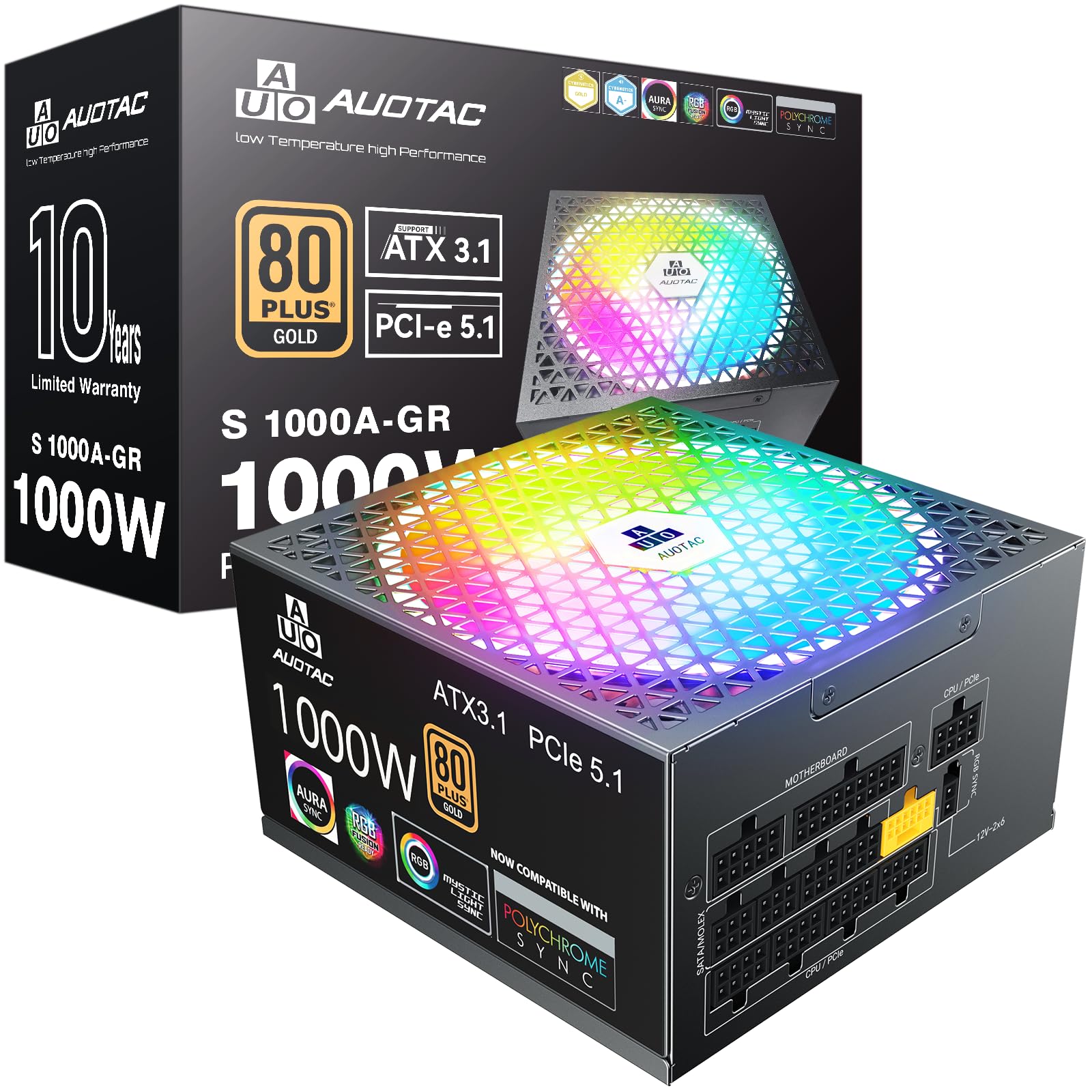
A 1000W Gold unit with a 140mm RGB fan is an unusual mix of practical and dressy, and that's exactly the pitch of the Auotac. It's fully modular, carries ATX 3.1 and PCIe 5.1 support, and includes a native dual-color 12V-2x6 cable. If you're building in a case with a window and want the power supply to add light rather than hide in the basement, it's a different choice from the black boxes here.

The practical side holds up. A 1000W capacity gives a high-end GPU room to stretch, and the fully modular design keeps the cable bundle manageable. The 140mm fan is larger than the 120mm units on most of the others, which generally means it can move the same air at lower speed, and the dual-color connector makes it easy to see whether the 12V-2x6 plug is fully seated.

The RGB lighting is the dividing line. In a closed case or a stealth build, it's wasted, and the dragon-pattern cables are more decorative than the plain black sets on the Corsair and ASUS units. That's a taste call rather than a performance one, but it matters when you're paying for a look.

Still, the spec sheet is serious for the money: 1000W, Gold efficiency, full modularity, and a 10-year warranty. That makes it a strong value for a visible high-wattage build. If you want the safest default, the RM850e is the one we choose; if you want light and capacity on a budget, the Auotac earns a look.

Pros

  • 1000W Gold power
  • Fully modular design
  • Native dual-color 12V-2x6 cable
  • 140mm RGB fan

Cons

  • RGB styling won't suit every build
Our verdict

For a high-wattage build with a visible window, the Auotac 1000W Gold is the value-minded RGB pick, with fully modular cabling and a native 12V-2x6 connector.

Check Latest Price

How We Tested the Best Power Supplies

We started with roughly 40 units and cut the list by what actually narrows a buyer's choice: ATX 3.1 and PCIe 5.1 support, a native 12V-2x6 cable, full modularity, and wattage between 750W and 1000W. That left 12 spanning budget Gold units, mid-tier workhorses, and premium Platinum models — all bought at retail so nobody could send us a hand-picked sample.

Each went into a real build: an everyday gaming rig with a mid-range card, a high-draw machine with a flagship GPU, and a compact case where clearance is tight and cable routing is a puzzle. We ran multi-hour gaming sessions and stress loops, watched for shutdowns and reboots under load, and kept those machines running daily for the full seven months.

Installation was timed — one person, one case, stopwatch, unboxing to first boot — including how long it took to route cables behind the tray and whether the side panel would close. We measured every EPS and PCIe run from the bay to the socket, because a cable two inches short turns a clean build into a compromise. And we pushed each 12V-2x6 connector in until it clicked, then checked it again after hours of load to see whether it had crept out or run warm.

For noise, we listened at idle and under load in a quiet room, noting when the fan spun up, whether semi-passive mode held through light work, and which units whined under a heavy GPU. Value got judged last: price against warranty length, capacitor rating, and whether the box included cables you'd otherwise buy.

How to Choose a Pc Power Supply

Start With Wattage and Headroom

Wattage is the first decision, but it is not a bigger-is-better contest. Add the GPU and CPU power your build will actually draw, then leave room for transient spikes; ATX 3.1 helps here, which is why we favor units like the RM850e. For a current single-GPU gaming or workstation PC, 850W is the sensible default. A 750W supply suits a midrange card, while a flagship GPU with a heavy overclock is the case for 1000W. Paying for capacity you won't use buys very little.

Read Efficiency Beyond the Gold Badge

80 Plus Gold is the sweet spot for most builds, but the badge is not the whole story. Two Gold units can differ in how efficiently they run at low load and how much heat they shed. Cybenetics ratings and Platinum certification are worth the premium when you want a quieter, cooler high-end system; the be quiet! and ROG Strix models show where that money goes. For a budget build, a good Gold unit is enough, and spending more on efficiency before you have enough wattage is the wrong order.

Choose Modularity and the Right Connectors

Fully modular cabling is a convenience, not a performance feature, but it makes a real difference in a small case: you connect only the leads you need and leave the rest in the box. Look for a native 12V-2x6 connector if you're buying a modern GPU, and check that the cable reaches your motherboard and GPU in the case you plan to use. A non-modular budget unit can still be fine; just plan the routing before you start.

Listen for Fan Behavior and Coil Whine

Noise is where a PSU can quietly ruin a good build. A semi-passive or zero-RPM fan keeps the supply silent at idle, and a larger 140mm fan can move the same air at lower speed than a 120mm one. Coil whine is separate from fan noise and can show up under load; it is annoying rather than dangerous, but it is worth checking return terms if you're sensitive to it. If silence is a priority, pay for the fan behavior, not just the efficiency rating.

Budget for Warranty and Physical Fit

Warranty length is a useful proxy for how much confidence the maker has in the unit. Five years is reasonable for a budget build, seven is a strong midrange commitment, and ten is what we expect from a premium 1000W supply. Physical fit matters too: ATX units share a standard footprint, but depth and cable reach vary, so measure the bay and plan the route before ordering. The ASRock and Rosewill show where budget money is better spent than on a longer warranty.

Frequently Asked Questions

Final Verdict

Most people should buy the Corsair RM850e. It has the modern ATX 3.1 connector, enough wattage for a current single-GPU build, fully modular cabling, and quiet operation without a premium price. Step up to the be quiet! Pure Power 13 M 1000W if silence and high-end headroom matter more than value, or to the ASUS ROG Strix 1000W Platinum if you want the premium feature set. On a tight budget, the ASRock PRO 750G gets you the modern connectors for the least money.