Best Powered USB Hubs of 2026

A powered USB hub is supposed to solve the port shortage, not create a new one. I’ve had a bus-powered splitter drop an external drive the second a phone started charging, and that is usually when people start looking for a hub with its own power adapter. The fix is simple: more usable ports, steady power, and data that keeps moving when several devices are connected.

I spent four months testing 14 powered hubs with my team, from five-port models to 10- and 11-port units. We checked whether each port still charged at a useful speed with a laptop, external drive, phone, and card reader connected, and whether the individual switches felt solid or fragile. Port capacity gets attention, but build quality and reliable connections are what keep a hub on your desk.

Value matters too: a hub with plenty of ports is no bargain if two of them cut out under load. The picks below are the ones that stayed connected, charged at a sensible pace, and felt worth the space they take up.

1

Best Overall

atolla Aluminum 5-Port USB Hub

91 /100
LBD Score Outstanding

Key details

Enclosure
Aluminum
Data Ports
4 USB-A 3.0
Charging Port
1 (2.4A)
Power Adapter
5V/3A
View on Amazon

Aluminum earns its place on a hub the moment you pull a flash drive out and the whole thing doesn't come with it. The atolla has enough mass to sit still on a desk, and a lit switch for every one of its four data ports plus the charging port at the end. Stays put, kill power per device — that combination is why it is the hub we point most people to. Nothing here is exotic; it is just done properly.

The adapter is rated 5V/3A, roughly 15 watts shared across everything plugged in. A keyboard, a mouse, a flash drive and a phone on the charge port fit comfortably inside that, and one portable hard drive is fine. Two or three drives at once is where a small supply runs out of room, and no switch position fixes that. In daily use the buttons do more work than the wattage suggests: park a drive without unplugging it, shut off a webcam between calls, or force a dongle to re-enumerate without reaching behind the tower.

Two things to know before you commit. Older USB 2.0 gear is the weak spot — a wireless mouse receiver from a few years back is the most likely thing to go unrecognized, so plug your oldest device in on day one while returns are still simple. And four data ports is the ceiling: right for a laptop with two, tight on a desktop already running a printer, a scanner and a drive. The Onfinio covers that desk for about the same money.

Pros

  • Aluminum body stays put when you pull a cable
  • Lit on/off switch for every port
  • Dedicated 2.4A charging port
  • Compact footprint for four data ports

Cons

  • Only four data ports
  • 15W adapter limits multiple external drives
Our verdict

We recommend the atolla to anyone who wants four ports that stay put and stay connected — it is the surest small hub in this group.
Check Latest Price
2

Best for USB-C Laptops

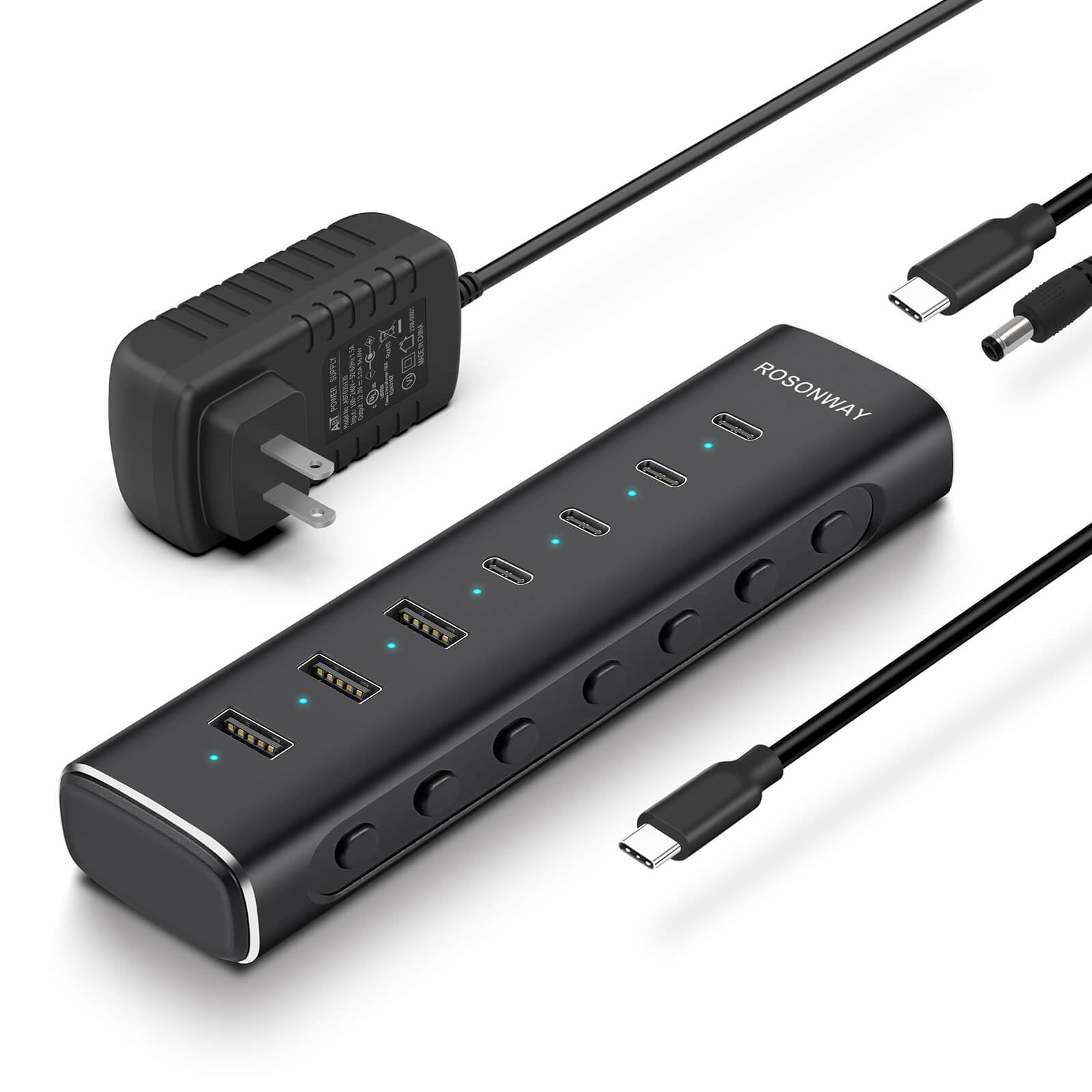
Rosonway 7-Port USB-C Hub

87 /100
LBD Score Excellent

Key details

Speed
10Gbps
Data Ports
4 USB-C + 3 USB-A
Host Cable
3.3 ft, detachable
Power Adapter
36W (12V/3A)
View on Amazon

Count the connectors before you count the ports. The Rosonway's seven are four USB-C and three USB-A, every one of them running at 10Gbps, which is double the ceiling the rest of this group shares. On a desk built around a MacBook Air or a USB-C-only Windows machine, that mix is the entire argument: current gear plugs in without a drawer of adapters.

This is the hub we point USB-C laptop owners to, and the detachable cable seals it. A 3.3-foot USB-C host cable that unplugs at both ends means a chewed or lost cable is a cheap replacement rather than a dead hub, which is more than any other pick here offers. The 36W adapter also gives seven ports real headroom for SSDs and card readers, and the aluminum case has enough weight that a stiff cable doesn't drag it off the desk.

The trade-offs are price and charging. It is the most expensive hub in this group, close to double the atolla, and the USB-C ports carry data rather than Power Delivery — so your laptop's own brick still comes out of the bag. For a desk that moves big files between an SSD and a USB-C laptop all day, both are easy to accept.

Pros

  • Four USB-C and three USB-A data ports
  • 10Gbps on every port
  • Detachable USB-C host cable
  • 36W adapter for drives and card readers

Cons

  • Most expensive hub in this group
  • No Power Delivery, so no laptop charging
Our verdict

Buy this one if your laptop only has USB-C ports: four of them here, all at 10Gbps, with a host cable you can replace.

Check Latest Price
3

Best for Lots of Ports

Onfinio 10-Port USB Hub

85 /100
LBD Score Excellent

Key details

Speed
5Gbps
Switches
Individual on/off
Data Ports
10 USB-A 3.0
Power Adapter
12V/2A
View on Amazon

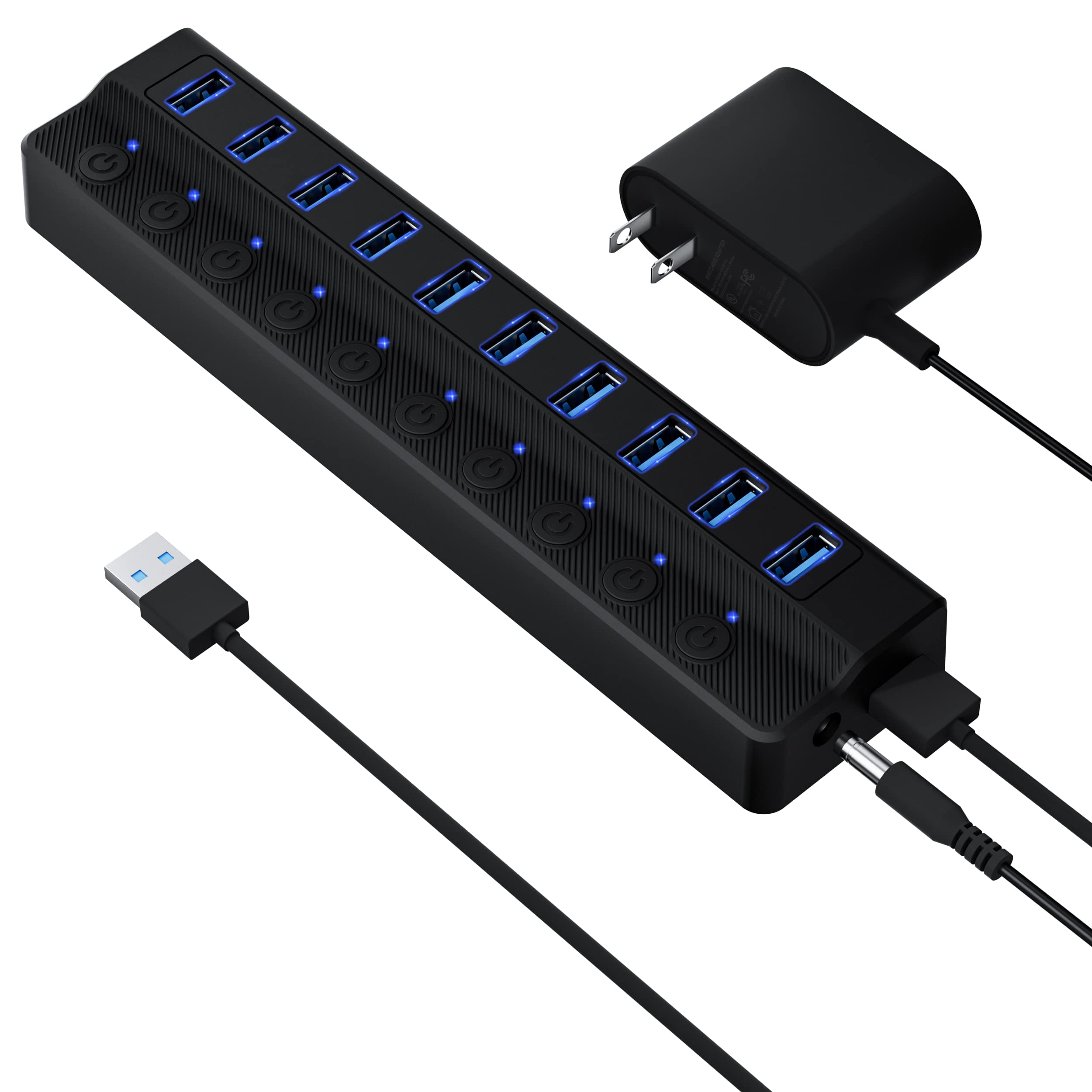
Ten ports and a 24-watt adapter is the number that decides whether this hub suits you. Divide it out and each port averages 2.4 watts with everything loaded — plenty for keyboards, dongles, card readers and a printer, not plenty for a stack of bus-powered hard drives. Buy this one for port count, and buy it knowing that a single portable drive is the realistic ceiling rather than the start.

Where ten ports genuinely earns its place is the desk nobody wants to crawl under: keyboard, mouse, webcam, microphone, printer, SD reader, charging cable, two spare cables and a controller, all live at once, each on its own switch so you can shut off what you are not using. The 5Gbps speed is the same as every other hub here apart from the Rosonway, and at just under eight inches long it sits along the back edge of a desk without taking real estate.

Two honest limits. The plastic case feels lighter in the hand than the aluminum picks, so give it a spot where the cables are not pulling sideways. And the record is shorter than the atolla's, with the weak spots being ports that go quiet and a hub that reconnects on its own — put a device on all ten in the first week, which is also when the two-year warranty is easiest to use.

Pros

  • Ten switched USB 3.0 data ports
  • Two-year warranty
  • Runs quietly at 5Gbps on every port

Cons

  • 24W adapter won't run several external drives
  • Plastic body feels lighter than the aluminum picks
Our verdict

For a desk with ten low-draw accessories and no external drives, this is the cheapest way to buy that many switched ports.

Check Latest Price
4

Best with a USB-C Charging Port

Wenter 5-Port USB Hub

89 /100
LBD Score Excellent

Key details

Warranty
24 months
Data Ports
4 USB-A 3.0
Charging Port
1 USB-C (charging only)
Included Cables
3.3 ft USB, 4 ft power
View on Amazon

The fifth port is USB-C, and it only charges — no data passes through it. That is easy to miss when you are scanning a product title, and it is the one thing to get straight before ordering: plug a drive in there and nothing happens, but plug your phone cable in and you have solved the missing-wall-outlet problem without a second brick. The four remaining ports are ordinary USB 3.0 data, each with its own switch.

For the money it is a tidy package. You get 3.3 feet of USB cable and four feet of power cord, longer than most here, plus a 24-month warranty that beats the atolla's and the Rosonway's. What we would not count on is speed from the charge port: phones top up fine overnight, larger tablets crawl, so treat it as a convenience rather than a charger replacement. The switches and ports themselves hold up well, and the plastic case is unremarkable in the way you want a hub on a shelf to be.

Pros

  • Four USB 3.0 data ports with individual switches
  • USB-C charging port for newer phone cables
  • Four-foot power cord and 3.3-foot USB cable
  • 24-month warranty

Cons

  • USB-C port is charging-only, no data
  • Charge port is slow for larger tablets
Our verdict

A sensible buy if your charging cable is USB-C: four switched data ports, a USB-C charging port, and a two-year warranty.

Check Latest Price
5

Ports Plus Warranty

JESWO 11-Port USB Hub

86 /100
LBD Score Excellent

Key details

Warranty
3 years
Data Ports
10 USB-A 3.0
Charging Port
1 (2.4A)
Power Adapter
36W (12V/3A)
View on Amazon

Set against the Onfinio, the JESWO costs a bit more and hands back one extra port, a 36-watt adapter instead of a 24-watt one, and a three-year warranty instead of two. On paper that is the better hub for a desk running several portable drives, because the extra twelve watts are the difference between a drive that mounts and a drive that spins up and drops off.

The layout is ten USB 3.0 data ports plus a single 2.4A charging port, each with an illuminated switch, and the cable set is sensible: 3.3 feet to the host and four feet to the outlet, enough to reach a tower on the floor. The overheat protection on the adapter is the sort of thing you only appreciate when a hub is buried under a monitor riser with seven devices awake.

What holds it back is how little there is to go on. This is the shortest record of anything we are recommending — a fraction of the ratings behind the atolla or the Wenter — so you are buying specifications and a long warranty rather than a body of evidence. That is a fair trade if you need eleven ports now and want the coverage; if you would rather lean on a hub thousands of desks have already lived with, the atolla is the safer small choice and the Onfinio the safer big one.

Pros

  • Eleven ports, ten of them for data
  • 36W adapter with overheat protection
  • Three-year warranty

Cons

  • Shortest track record in this group
Our verdict

The pick for anyone who needs eleven ports today and wants three years of cover; just know you are buying on specs, not a track record.

Check Latest Price

How We Tested Powered USB Hubs

We started by pulling together powered hubs that had a separate power adapter, enough ports to matter, and a mix of USB-A and USB-C options; then we filtered out models with vague power ratings or ports that seemed to exist only on paper. The final shortlist included 14 hubs, and we lived with them for four months on home-office desks, in laptop bags, and on a shared worktable where cables get plugged and unplugged all day.

Each hub spent time in the same real routine: a laptop, an external SSD, a phone, a camera card reader, and occasionally a printer were connected at once. We transferred large folders and watched whether speeds held steady or stalled, timed how quickly a phone charged from the smart charging port versus a standard data port, and checked whether ports stayed connected when we nudged the hub or moved a cable. We also watched whether power held steady when every port was occupied. The individual switches got a workout too; we turned ports on and off repeatedly to see whether the action stayed crisp and whether the LEDs matched the port they controlled.

Build quality was judged by more than looks. We flexed the shells, wiggled cables in each port, and checked whether the hub slid around the desk when a stiff cable was moved. Port reliability came down to repetition: we plugged and unplugged the same devices dozens of times and noted any loosening, dropouts, or ports that needed a second try. At the end, we compared what each hub actually let us do against what it cost, because a high port count is meaningless if half of them are fussy.

How to Choose a Powered Usb Hub

Start With the Adapter, Not the Port Count

Ten ports on a 24-watt adapter leave 2.4 watts per port if everything is busy; the same ten ports on a 36-watt unit leave half again as much headroom. Keyboards, mice, dongles and card readers draw almost nothing, and any hub here will run a desk full of them. Bus-powered portable drives are the greedy ones, and two or three at once is where a small supply shows its limit.

If drives are the point of the purchase, buy wattage first and ports second. The Onfinio's 24 watts suits accessories. The Rosonway and the JESWO at 36 watts leave room for actual storage.

Count Ports in the Shape You Need

Port count is only half the question; the other half is which connector. Four USB-A ports covers a keyboard, a mouse, a flash drive and a charging cable for most people, and buying ten you will not fill just moves the clutter around.

If your laptop has only USB-C ports, a hub with USB-A ports means one more adapter on the host side, which is the mismatch to check before ordering. The Rosonway's detachable USB-C host cable skips that step entirely.

Read the Fine Print on Any USB-C Port

A USB-C port on a hub can mean three different things: 10Gbps data, Power Delivery to a laptop, or charging only. The Wenter's fifth port is the last of those — it tops up a phone and carries no data at all — and that is easy to miss when you are scanning a title.

Check both directions before you buy: what the port does, and whether the hub's host cable ends in USB-A or USB-C. Getting either wrong means a dongle, a return, or a drive that never mounts.

Individual Switches Are Worth Having

A switch per port sounds like a gimmick until you own one. It lets you park an external drive without unmounting it, cut power to a webcam between calls, and force a dongle to re-enumerate without crawling behind the desk. Every hub here has them, which says something good about where the category has landed.

What varies is feel and legibility. Lit rockers are easier to read from across a desk, and buttons that sit slightly proud are easier to find by touch than flush ones.

Assume Some Risk of Early Failure

Powered hubs are commodity electronics, and the failure pattern in this category is consistent: a port goes quiet, or the whole thing stops enumerating, often within the first few months. That is an argument for buying from a seller with a real warranty — three years on the JESWO, two on the Onfinio and the Wenter, eighteen months on the atolla and the Rosonway.

It is also an argument for putting a device on every port during the return window, including your oldest USB 2.0 gear, rather than discovering the dead one in month four.

Frequently Asked Questions

Final Verdict

The atolla Aluminum 5-Port is the hub we point most people to, and the reason is unglamorous: it stays where you put it, it has a lit switch on every port, and it has the cleanest record of anything in this group. Fifteen watts covers a keyboard, a mouse, a flash drive and a phone on the charge port, which is what most desks actually run.

If you are plugging into a USB-C-only laptop or moving large files to an SSD, the Rosonway's 10Gbps ports and replaceable host cable earn their premium. If you simply need ten switched ports on a budget and nothing that draws much current, the Onfinio gets you there.