Best PS5 Controllers of 2026

The first part of a PS5 controller to fail is usually the analog stick. Drift starts as a twitch in a menu and ends with your character walking into a wall, and a replacement costs as much as a game. What you want is a pad that fits your hands, keeps its buttons crisp, and holds a charge long enough that you forget the cable exists.

I've gone through enough controllers to be picky. Over the past eight months, my team and I have put 11 PS5 controllers through regular play — standard first-party pads alongside officially licensed performance models with swappable sticks, trigger stops, and back paddles. We ran long RPG sessions, ranked shooters where trigger travel actually matters, and passed them around to friends with different hand sizes to see which ones cramped by hour three.

Two things stood out. Hall effect sticks are the real fix for drift, and RGB lighting is fun but shouldn't decide the purchase. Compatibility is the quieter issue — most of these pair with PC and Mac, but not always cleanly. The picks below are the ones we kept reaching for.

1

Best Overall

PlayStation DualSense

95 /100
LBD Score Outstanding

Key details

Weight
9.88 oz
Connection
Bluetooth, wireless, USB-C
Key Features
Haptic feedback, adaptive triggers, built-in mic
Compatible Devices
PS5, PC, Mac, iOS, Android
View on Amazon

Sony's haptics are the part we miss when we switch to a third-party pad. The adaptive triggers push back against your finger as a bowstring tightens or a trigger mechanism resists, and the haptics add texture that makes a PS5 game feel like it was built around the controller. We also appreciate the 280-gram shell: it's light enough to disappear in the hand over a long session but substantial enough not to feel toy-like.

The rest of the package is just as sensible. There's a built-in mic and a 3.5mm jack for a headset, a dedicated mute button, and pairing over Bluetooth or USB-C with PS5, PC, Mac, and mobile. We like that one controller can move from the console to a laptop without a dongle. The layout is familiar for a reason: the sticks, triggers, and face buttons sit where your thumbs expect them.

What you don't get is the competitive hardware. There are no back buttons, no trigger stops, and no swappable stick modules, so a worn stick means replacing the whole controller. That's the trade-off for the official haptics and triggers, and it's why the Edge exists. For the widest range of PS5 games, the standard DualSense still feels like the least compromised version of the console's own controller.

Pros

  • Native haptics and adaptive triggers
  • Built-in mic and headset jack
  • Pairs with PS5, PC, Mac, and mobile
  • Light 280 g shell

Cons

  • No back buttons or trigger stops
Our verdict

The standard DualSense is the controller we tell most PS5 players to buy: it has the best official haptics and triggers, works across PS5, PC, Mac, and mobile, and asks for the fewest compromises.

Check Latest Price
2

Best for Competitive Play

DualSense Edge

93 /100
LBD Score Outstanding

Key details

Profiles
Quick-swap
Back Buttons
Two swappable sets
Stick Modules
Swappable
Trigger Length
Adjustable
View on Amazon

Swap the stick module, not the whole controller. That's the pitch that makes the DualSense Edge more than a standard pad with paddles, and it's the feature we care about most after living with drift-prone controllers. The Edge also gives you two swappable sets of back buttons, three stick caps, adjustable trigger stops, and on-controller profiles, all while keeping the haptics and adaptive triggers that make the DualSense feel native.

The customization is genuinely useful in practice. Map a back button to jump or crouch and you can keep your thumb on the right stick; shorten the trigger travel for a shooter and the pull feels faster. Profiles swap without a menu, which matters when you move between games. The controller feels denser and more purposeful in the hand than the standard pad, and the extra inputs don't get in the way when you're not using them.

The premium is the hurdle. The Edge still uses the same haptics and triggers as the standard DualSense, so you're paying for inputs and replaceable parts rather than a different feel. If you play competitive shooters or fighting games and will actually use the back buttons, the swappable modules turn a wear item into a service part. That's the detail that makes the upgrade easier to justify.

Pros

  • Swappable stick modules
  • Two back button sets and trigger stops
  • On-controller profiles
  • Keeps DualSense haptics and triggers

Cons

  • Battery life can feel short
  • Premium price tier
Our verdict

If you play competitively and want Sony's haptics with back buttons and replaceable sticks, the DualSense Edge is the upgrade that earns its premium.

Check Latest Price
3

Best Premium Custom Controller

SCUF Omega

87 /100
LBD Score Excellent

Key details

Switches
Omron mechanical
Thumbsticks
TMR anti-drift
Extra Inputs
11 remappable
Compatibility
PS5, Windows PC
View on Amazon

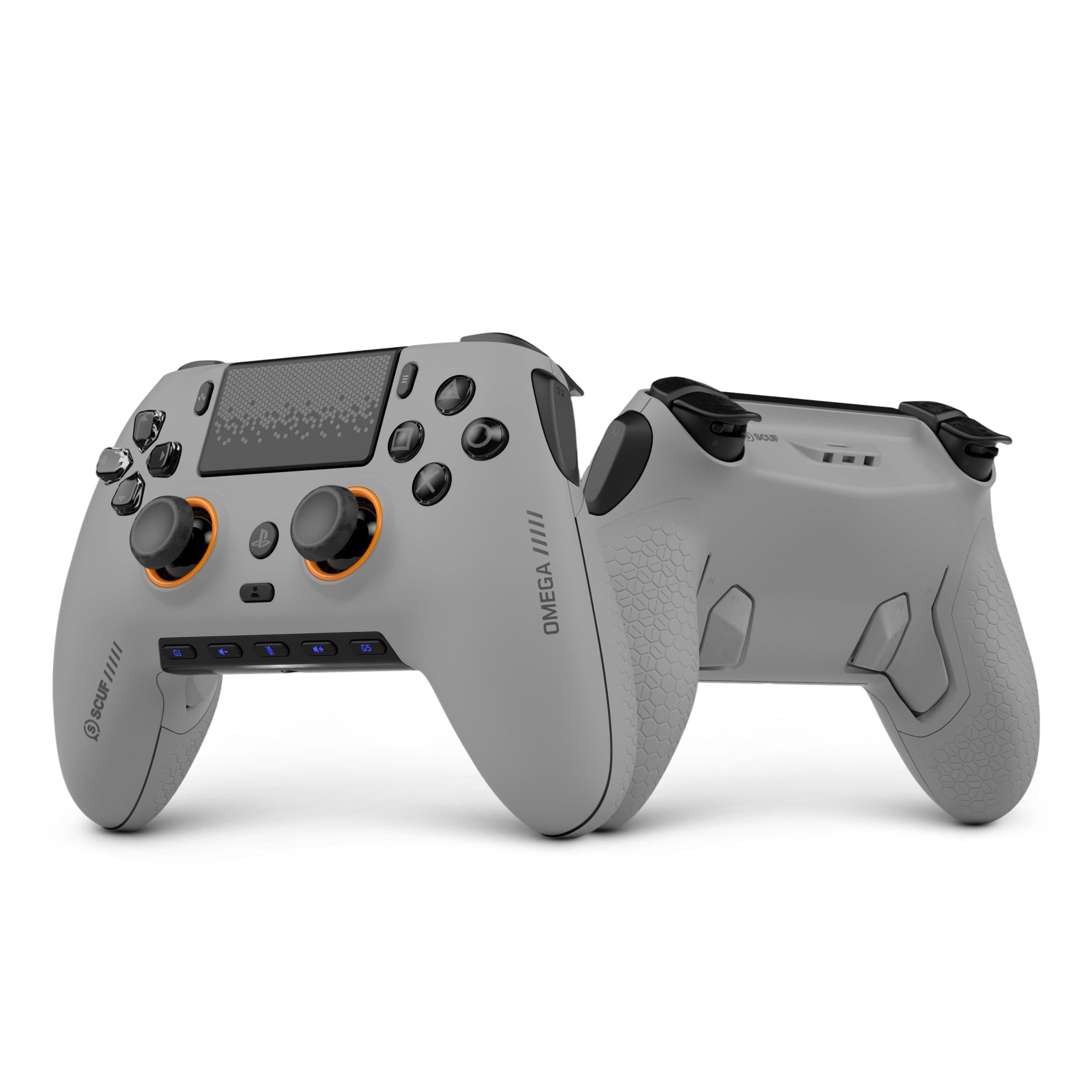
Eleven extra inputs is the headline: four rear paddles, two side action buttons, and remappable G-Keys, all tuned through the SCUF app. The Omega also uses TMR thumbsticks, which are built to resist the wear that leads to drift, and Omron mechanical switches under the triggers, D-pad, and face buttons. On paper, it's the most customizable controller here.

The Omega feels like a premium piece of kit. The side action buttons are easier to reach than rear paddles alone, and the app gives you response curves for sticks and triggers, which is more tuning than most players need but useful if you know what you want. The mechanical switches are crisp and mouse-like, and the TMR sticks feel smooth in the hand. We also noticed the wireless dongle can be the fussy part; wired play is the safer choice when a session has to be rock solid.

The Omega earns its place for competitive play where the extra inputs actually get mapped, not as the default pad for every PS5 game. The TMR sticks are the feature we value most, because they address the wear problem at the source rather than asking you to replace a module later. It's a specialist controller, and the premium tier reflects that.

Pros

  • 11 remappable inputs
  • TMR anti-drift sticks
  • Omron mechanical switches
  • Deep app tuning

Cons

  • Face buttons need a firm press
Our verdict

The SCUF Omega is the specialist pick for players who will map its 11 inputs and want TMR sticks built to resist drift.

Check Latest Price
4

Best Budget Hall-Effect Pick

SZDILONG Wireless Controller

83 /100
LBD Score Excellent

Key details

Sticks
Hall-effect
Battery
1500 mAh
Lighting
7-color RGB
Back Buttons
Programmable ML/MR
View on Amazon

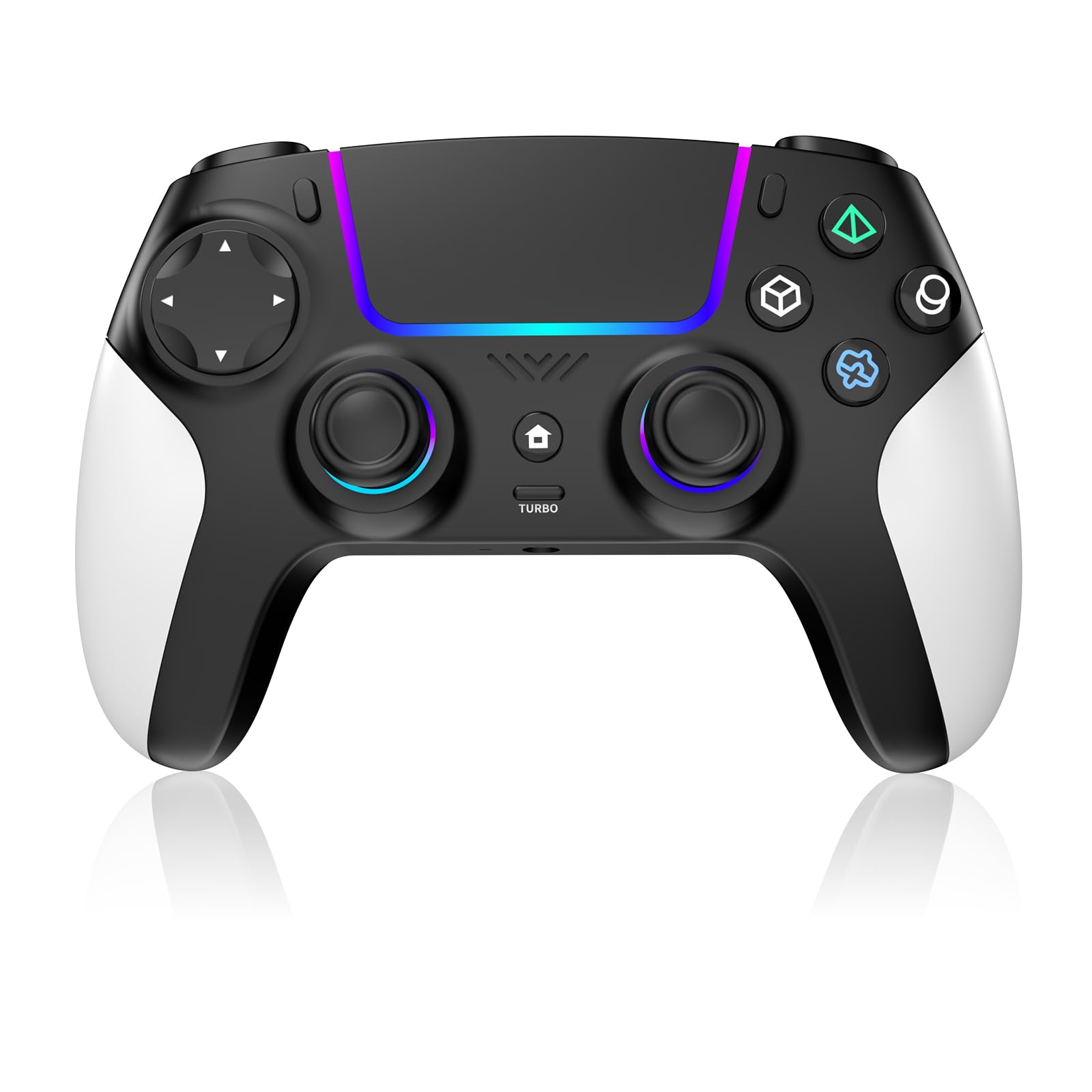
Magnetic sticks at a budget price are the reason this one is here. The SZDILONG uses Hall-effect sticks, which read position with a magnetic sensor instead of a wearing resistive track, and it adds two programmable rear buttons, 7-color RGB lighting, and a 1500mAh battery. That's a lot of hardware for a budget pad, and the Hall-effect sticks are the part that matters most for anyone who has replaced a controller because of drift.

The SZDILONG doesn't feel as tight as the DualSense. The sticks are smooth, but the triggers and face buttons have a lighter, less precise action, and the RGB lighting is more about style than feedback. We noticed the difference most in racing games, where the trigger travel matters, and in fighting games, where a crisp face button helps. It's not a dealbreaker at this tier, but it's the reason we don't treat it as a direct replacement for the official pad.

What it does well is give you a second controller or a budget-friendly entry into Hall-effect sticks without giving up rear buttons. The Bluetooth connection covers PS5 Pro and Slim, PC, Mac, iOS, Android, and Steam, so it can move around a house with different screens. The Hall-effect sticks are the part that makes it worth considering over a generic budget controller.

Pros

  • Hall-effect sticks resist wear
  • Two programmable rear buttons
  • Multi-platform Bluetooth
  • 7-color RGB lighting

Cons

  • Battery life can be inconsistent
Our verdict

The SZDILONG is our budget pick for Hall-effect sticks and rear buttons without the official pad's price.

Check Latest Price
5

Second Controller

AFMVV Wireless Controller

83 /100
LBD Score Excellent

Key details

Features
Turbo, dual vibration, 6-axis gyro
Lighting
RGB LED
Connection
Bluetooth
Compatibility
PS5
View on Amazon

A second controller usually gets the leftovers, so the AFMVV's job is to cover the basics without costing like a first pad. It has RGB lighting, turbo, dual vibration, a 6-axis gyro, and a touchpad, and it pairs over Bluetooth. The light show is the most distinctive part; it makes the controller feel less like a plain spare.

The important caveat is compatibility. AFMVV warns that vibration and the controller speaker may be temporarily unavailable after a PS5 system update, which is a real loss if you care about immersion. The buttons also don't have the crispness of the DualSense, and the overall feel is lighter and less refined. For a kid's controller or a player-two pad, those trade-offs are easier to accept, and we still think it's a reasonable budget backup.

What the AFMVV gets right is the price of entry. It covers casual games, adds a second player without handing over the good controller, and has enough lighting to make it feel like a gift rather than a stopgap. Check that the current PS5 firmware supports its vibration and speaker before you rely on those features.

Pros

  • RGB lighting stands out
  • Turbo, gyro, and touchpad
  • Bluetooth pairing

Cons

  • D-pad can be touchy
Our verdict

The AFMVV is a sensible cheap second controller for casual play, as long as you can live without reliable vibration and speaker support.

Check Latest Price

How We Tested the Best PS5 Controllers

We started by pulling together every PS5 controller we could find that was actually in stock and built for the platform — first-party pads, officially licensed performance models, and third-party wireless options — then narrowed the field by the specs a player would notice: Hall effect or TMR thumbsticks, remappable back inputs, trigger stops, battery capacity, and whether the listing claimed PC, Mac, and mobile support. That left 11 controllers, which we bought ourselves and lived with for eight months.

Testing happened where controllers actually live. Each pad got a turn as the daily driver on the living room PS5 — two- to three-hour evenings of open-world games, ranked shooters, and fighting games with friends — plus a stint plugged into a PC and paired to a phone, where we watched how pairing and re-pairing behaved and whether anything dropped mid-session.

We tracked specific things. Sticks went through a calibration check on day one and again at the end to see whether the center point had wandered. Buttons got hammered in rapid-fire combos while we listened for mushiness or missed inputs, and triggers were tried with and without stops in shooters where travel changes your timing. We noted grip texture after a sweaty session, timed each battery from full to the low-power warning and back to full, and checked whether the lighting could be dimmed or switched off for dark-room play. Light-colored shells got scuffed in bags on purpose to see how they aged. At the end we asked the simplest question: which pad did we reach for when we didn't have to?

How to Choose a Ps5 Controller

Start With the Official Feature Set

Native PS5 features are the first fork. The DualSense and DualSense Edge deliver haptic feedback, adaptive triggers, the built-in mic, and the mute button as Sony intended; most third-party pads approximate some of that or leave it out. The AFMVV even warns that vibration and the controller speaker may be temporarily unavailable after a PS5 system update. If you play games that use the triggers as part of the action, we prioritize the official feature set. For a second controller or casual play, a budget pad can be the smarter spend.

Match Extra Inputs to Your Games

Extra inputs only pay off if you'll map them. Two rear buttons are enough for most players in shooters and action games; four paddles and side buttons, as on the SCUF Omega, suit someone who plays competitively and will spend time tuning profiles. The DualSense Edge sits in between with two back buttons, trigger stops, and swappable stick modules. If you mostly play story-driven games, skip the extra hardware and put the savings into the official haptics instead.

Decide How Much Drift Risk You'll Accept

Stick drift is the long-term question. Standard analog sticks wear over time; Hall-effect sticks use magnetic sensing to reduce that wear, and the SZDILONG pairs them with rear buttons at a budget tier. TMR sticks on the SCUF Omega are another durability-focused option. The DualSense Edge takes a different route with replaceable stick modules. None of these is a guarantee, so choose the approach that matches how you handle a worn controller: replace a module, replace the pad, or buy a budget Hall-effect model.

Weigh Battery, Fit, and Compatibility

A bigger battery number doesn't guarantee a longer session, and third-party pads vary in how they report charge. If you play for hours at a time, keep a USB-C cable within reach. Fit matters too: the standard DualSense is 280 grams, while the Edge and Omega add hardware and change the balance in the hand. Finally, check the device list if you want one pad for PS5 and PC or mobile; the DualSense and several third-party models list multi-device support, but not all do.

Frequently Asked Questions

Final Verdict

For most PS5 players, the standard DualSense is still the controller to buy. It delivers the haptics and adaptive triggers that make PS5 games feel native, and it pairs with the console, PC, Mac, and mobile without fuss. The one clear reason to step up is competitive play: the DualSense Edge adds back buttons, trigger stops, and swappable stick modules, and that modularity is worth the premium if drift has already cost you a controller. If you need a budget second pad, the SZDILONG is the Hall-effect alternative we point to first.