Best Steam Deck Docks of 2026

A Steam Deck dock promises to turn a handheld into a desktop in one motion: set the console down and it's charging, driving a TV, and talking to a keyboard, a controller, and a wired network at the same time. Plenty can't manage all of that at once — the picture drops to 30Hz, ethernet quits when you add a fourth USB device, or the cradle turns out to be molded for a slightly different handheld.

We've spent three months with 14 docks — slim hubs, weighted cradles, one with its own fans — on a 4K TV, a desk monitor, and a hotel-room display, and the good ones make docking feel like nothing at all. One number is worth knowing before you shop: the 100W on nearly every box is what the dock accepts, not what reaches your Deck, because the ports and the ethernet chip take their share first. The picks below are the ones that did all three well at once.

1

Best Overall

JSAUX 6-in-1 Docking Station

87 /100
LBD Score Excellent

Key details

Ethernet
Gigabit
USB Ports
3x USB-A 3.0
HDMI Output
4K@120Hz
Power Delivery
100W PD
View on Amazon

Three USB-A 3.0 ports, gigabit Ethernet, HDMI 2.1, and a 100W USB-C input sit along the back of this dock. That is the practical mix for a Steam Deck that spends part of its life on a TV. A keyboard, mouse, and controller receiver can stay connected, the Deck charges while it plays, and the network stays wired. We also like the upright cradle, which holds the handheld at a readable angle instead of leaving it flat on the desk.

The 4K120 output is the headline, and it is a real step up from the 4K60 docks in this group. On a Steam Deck, the benefit is less about hitting 120 fps in every game and more about a smoother desktop, clearer motion, and headroom for a display that can do more. You need an HDMI 2.1 display and a cable that supports the mode; on a 4K60 TV the dock behaves like a sensible 4K60 hub. The three USB-A ports run at 5Gbps, so an external SSD or flash drive is not stuck on USB 2.0.

Compatibility is broad: Steam Deck LCD and OLED, ROG Ally and Ally X, Legion Go and Go S, and MSI Claw are all named. If you swap between a Deck and a Windows handheld, that breadth matters more than another port. For most desks, though, the JSAUX is the one we reach for first because it gets the core job right without adding another hub or adapter.

Pros

  • Three USB-A 3.0 ports for peripherals
  • 4K120 HDMI, gigabit Ethernet, and 100W PD in one dock
  • Stable upright cradle with broad handheld compatibility
  • Works with Steam Deck OLED and major Windows handhelds

Cons

  • No USB-C data port
Our verdict

The JSAUX 6-in-1 is the dock we recommend first for most Steam Deck owners: it covers 4K120 output, wired Ethernet, three USB-A peripherals, and 100W charging without turning the desk into a hub stack.
Check Latest Price
2

Best for Travel

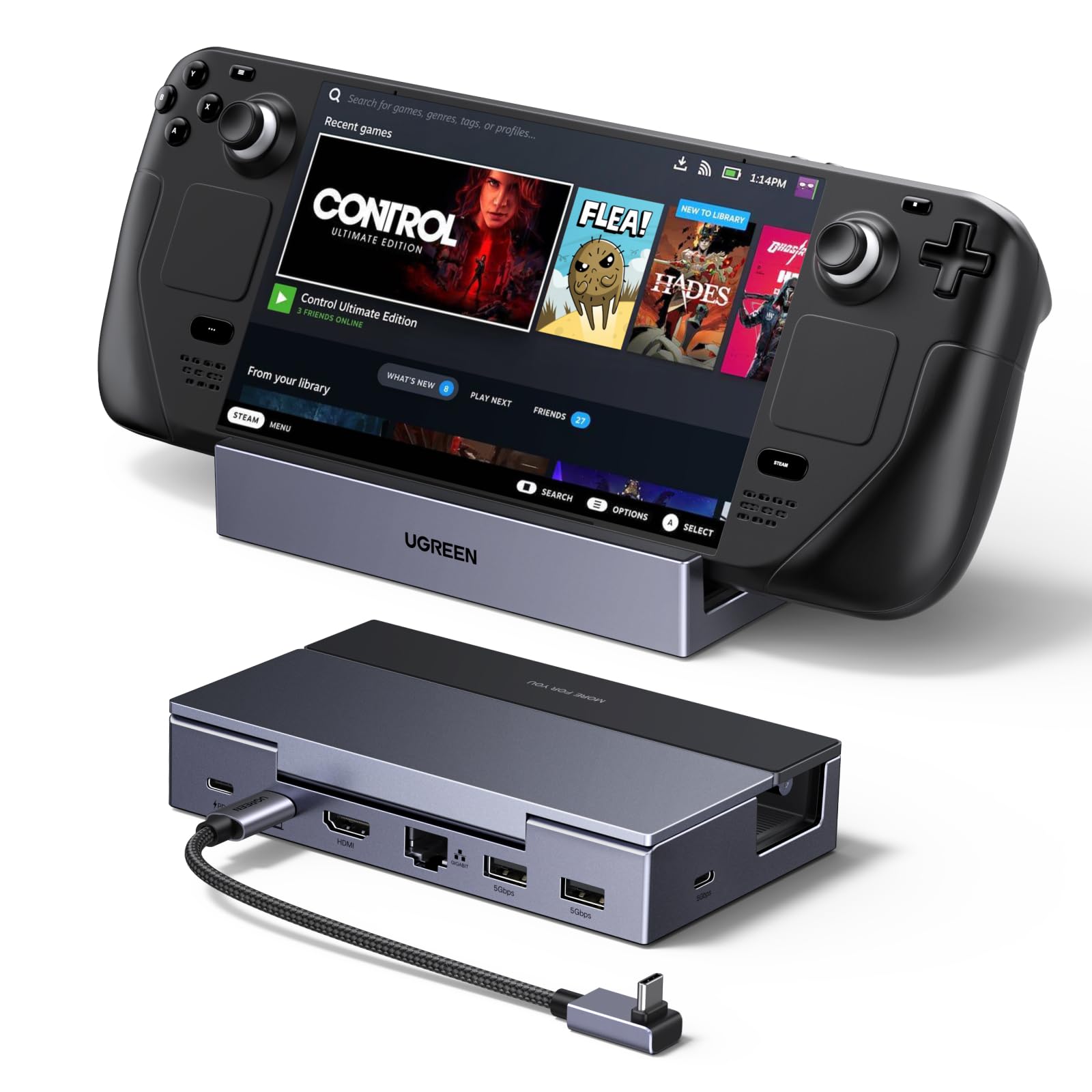
UGREEN 6-in-1 Foldable Dock

87 /100
LBD Score Excellent

Key details

Ethernet
Gigabit
USB Ports
2x USB-A, 1x USB-C (5Gbps)
HDMI Output
4K@120Hz
Power Delivery
100W PD
View on Amazon

A two-panel stand that folds flat is the detail that makes this the travel dock in the group. At home it holds the Deck upright; in a bag it takes up less room than the fixed cradles. The USB-C cable is detachable, too, so you can pack the dock and cable separately and replace the cable if it gets damaged. We appreciate that on a device that will live in a backpack as often as on a TV stand.

The port set is the right compromise for most people: HDMI 2.1 at up to 4K120, gigabit Ethernet, 100W PD, two USB-A 3.0 ports, and one USB-C 3.0 data port. That USB-C data port is the advantage over the JSAUX if you carry a USB-C SSD. The 4K120 mode is not a guarantee on every display, though, so test it early if high refresh is the reason you are buying. If you only need 4K60, the cheaper BENFEI is the more sensible spend.

The foldable stand also leaves the Deck's vents clearer than a closed cradle can, and the aluminum-and-plastic body feels more substantial than its 300 grams suggest. We like the detachable cable for storage, but it is one more piece to lose; keep it in the same bag pocket as the dock. For a dock that moves between rooms, that trade is easy to accept.

Pros

  • Foldable stand packs flat for travel
  • Detachable USB-C cable
  • 4K120, gigabit Ethernet, and 100W PD
  • USB-C data port plus two USB-A

Cons

  • Charging can drop out while docked
Our verdict

For a dock that moves between a TV and a backpack, the UGREEN 6-in-1 is our pick: the stand folds, the cable detaches, and the port set still covers 4K120, Ethernet, and 100W charging.

Check Latest Price
3

Best for High-Refresh Gaming

WAVLINK 6-in-1 Gaming Dock

88 /100
LBD Score Excellent

Key details

Ethernet
Gigabit
USB Ports
2x USB-A, 1x USB-C (10Gbps)
HDMI Output
4K@144Hz
Power Delivery
100W input, 85W output
View on Amazon

A 10Gbps USB-C data port is the specification that sets this dock apart from the rest of the group. Most docks here give you USB-A expansion at 5Gbps; this one adds a fast USB-C port for an external SSD, alongside two 10Gbps USB-A ports. If you move large game files or edit from a portable drive, that is a real workflow difference, not a number on a box. The 4K144 HDMI 2.1 output is the other draw, and it is the highest refresh rate in this group.

The rest of the package is sensible: gigabit Ethernet, 100W PD input with 85W output to the handheld, and a compact 140-gram body. The charger and cable are not included, so you need a USB-C power supply that can feed the dock's input. That is the main catch for a dock at this price; the Steam Deck's own charger works, but a weak phone adapter will not.

The cradle is the part we are less sure about. It holds a bare Deck securely enough, but a thick case can make the fit feel loose. If you play with a case on, check the fit before you commit; if you play bare, it is a compact and quick setup. We also like that the dock is small enough to slide behind a TV without becoming a permanent piece of furniture.

Pros

  • 10Gbps USB-C and USB-A data ports
  • 4K144 HDMI 2.1 output
  • Gigabit Ethernet and 100W PD passthrough
  • Compact 140-gram body

Cons

  • 4K144 requires DP 1.4 and DSC support
Our verdict

If you have a high-refresh display and fast external storage, we think the WAVLINK is the one to beat on USB and HDMI speed here, without a bulky desktop hub.

Check Latest Price
4

Best Compact

Anker 6-in-1 Steam Deck Dock

88 /100
LBD Score Excellent

Key details

Ethernet
1Gbps
USB Ports
2x USB-A, 1x USB-C data
HDMI Output
4K@60Hz
Power Delivery
100W PD
View on Amazon

A dock that lives in a bag needs to be one piece, and this Anker is built that way: 150 grams and a built-in 8.66-inch USB-C cable. It takes up less space than the upright cradles here, and there is no separate cable to lose. For a Steam Deck that alternates between a TV and a commute, that is a useful kind of convenience: one piece, one pocket, one less thing to forget.

The port set is compact but complete: 4K60 HDMI, 1Gbps Ethernet, 100W PD input, two USB-A 3.0 ports, and a USB-C data port. That is enough for a keyboard, mouse, and a wired controller, and the USB-C data port gives you a place for a flash drive. The 4K60 ceiling is the main compromise; if you have a 120Hz display, the JSAUX or UGREEN will make more of it.

On a Steam Deck with a 4K60 TV, the small footprint and built-in cable are the reasons we keep it in the compact slot. Test the HDMI path early on your TV; if the picture drops, the return window is your friend. The 4K60 ceiling is the other compromise, so the JSAUX or UGREEN makes more sense for a high-refresh display. For a 4K60 TV, though, the compact build is the reason it stays in the bag.

Pros

  • Built-in USB-C cable and compact 150g body
  • 4K60 HDMI, 1Gbps Ethernet, and 100W PD
  • USB-C data port plus two USB-A 3.0 ports

Cons

  • Not compatible with ROG Ally X
Our verdict

The Anker is our compact pick for a Steam Deck that travels: the built-in cable and 150-gram body are easy to pack, and the port set covers a 4K60 TV, wired Ethernet, and 100W charging.

Check Latest Price
5

Best Budget

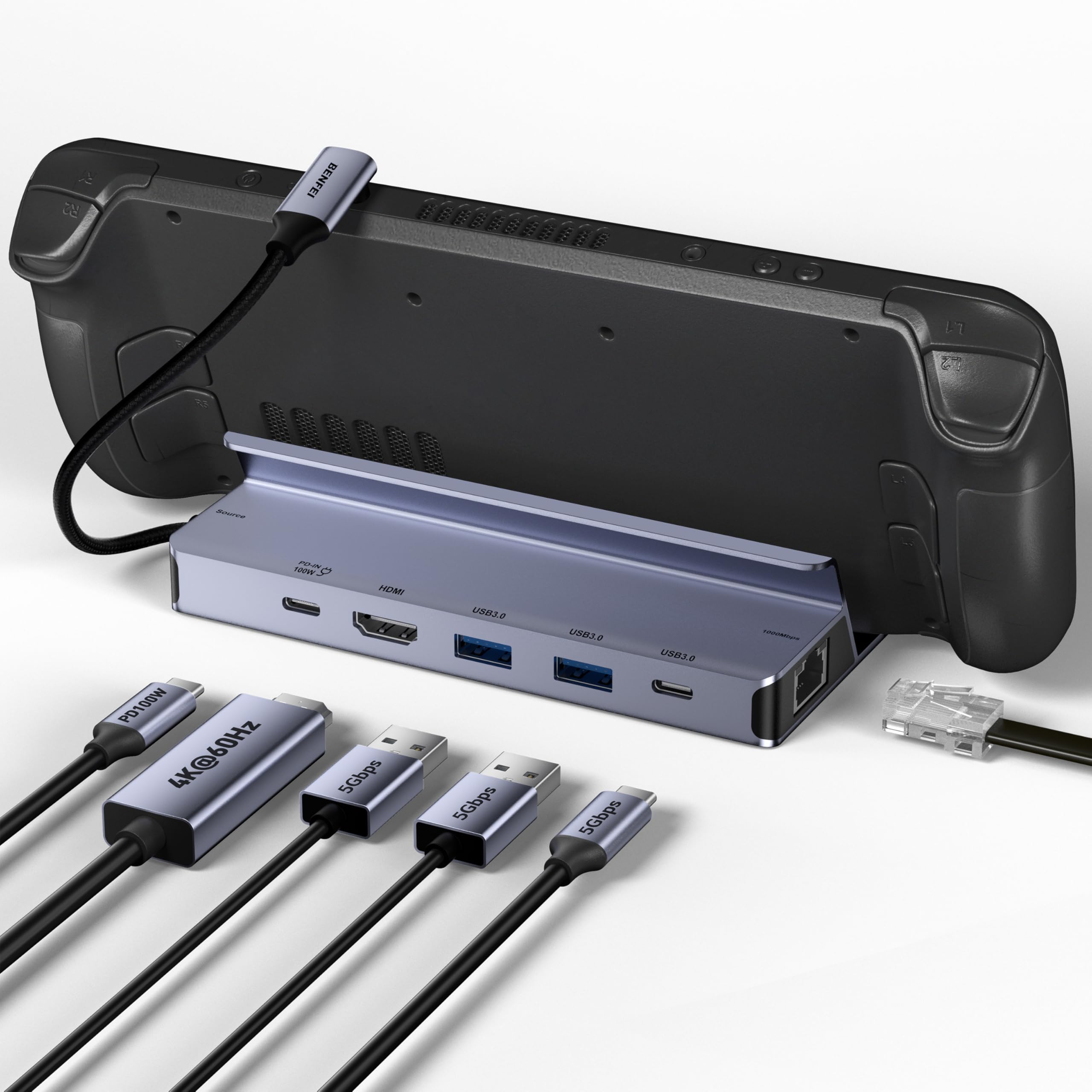
BENFEI 6-in-1 Steam Deck Dock

82 /100
LBD Score Excellent

Key details

Ethernet
1Gbps
USB Ports
2x USB-A 3.0, 1x USB-C (5Gbps)
HDMI Output
4K@60Hz
Power Delivery
100W PD
View on Amazon

Budget docks usually ask you to accept plastic and a wobbly cradle; this BENFEI goes the other way with an all-aluminum stand and silicone pads. The footprint is small enough to sit beside a monitor without crowding it. The basics are all here: 4K60 HDMI, gigabit Ethernet, 100W PD, two USB-A 3.0 ports, and a USB-C data port.

For a Steam Deck owner with a 4K60 TV, that is the sensible spend. The gigabit Ethernet is the important part: some budget docks still ship 100Mbps networking, which turns a wired connection into a bottleneck for game downloads. The BENFEI also gives you a USB-C data port, so a modern flash drive or SSD is not forced onto USB-A. We like it as the dock you buy when you want the core desktop setup and do not need display headroom.

The 4.2 rating is a little lower than the best docks here, and there is less detail to go on, so it is not the most proven option. Still, the BENFEI is a clean, metal, no-drama dock that covers the essentials for a 4K60 setup.

Pros

  • All-aluminum stand with silicone pads
  • Gigabit Ethernet and 100W PD
  • USB-C data plus two USB-A 3.0 ports
  • Budget price

Cons

  • Only 4K60 HDMI
Our verdict

The BENFEI is the dock we point to when the budget is tight and 4K60 is enough: it still gives you gigabit Ethernet, a USB-C data port, and 100W charging in a metal stand.

Check Latest Price
6

Cooling and Ports

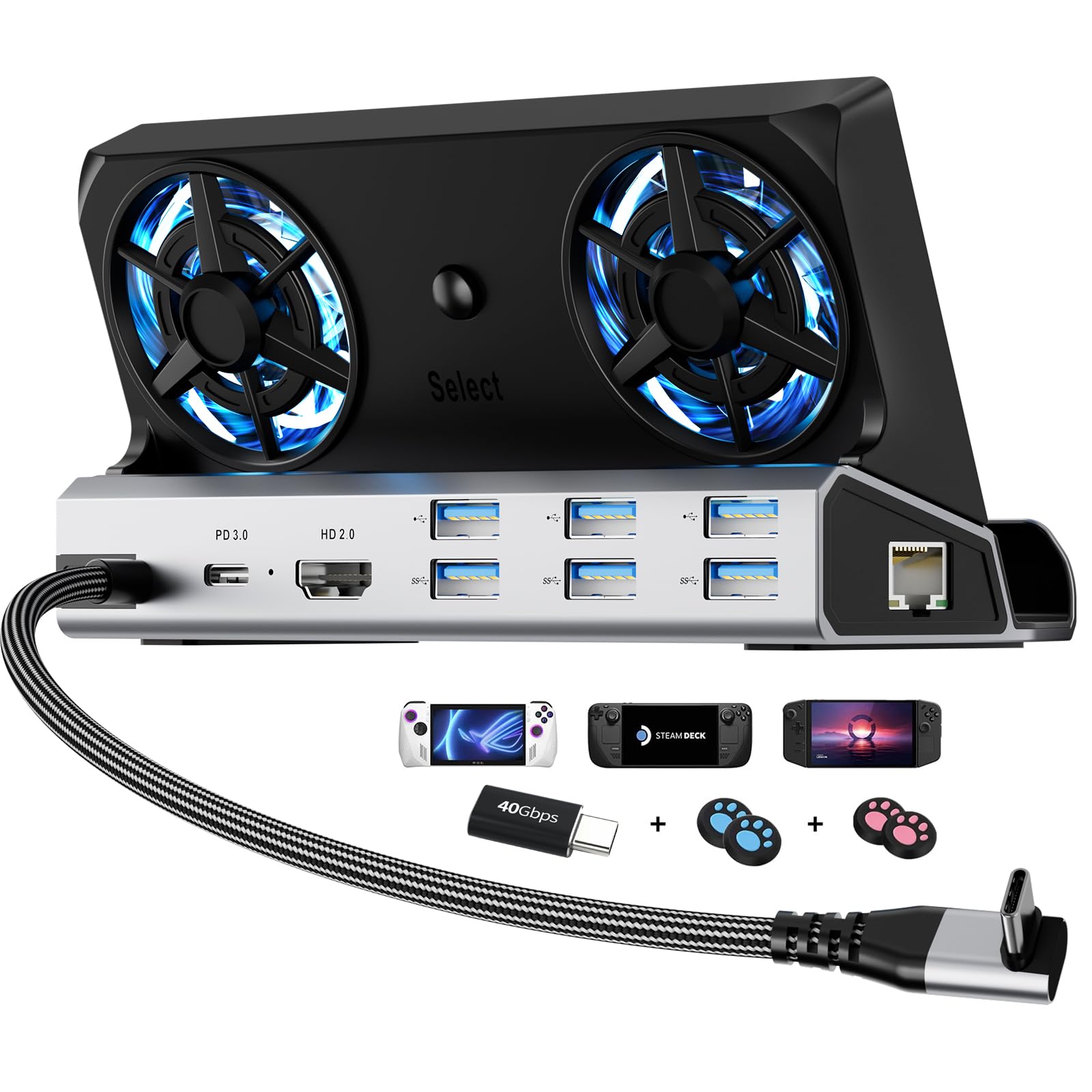
YCBUENO 12-in-1 Cooling Dock

82 /100
LBD Score Excellent

Key details

Cooling
Dual 5cm RGB fans
Ethernet
Gigabit
USB Ports
3x USB-A 3.0, 3x USB-A 2.0
HDMI Output
4K@60Hz
View on Amazon

Two 5cm fans are the reason to look at this dock. Most docks here hold the Deck in a passive cradle and let the vents do the work; this one blows air across the back of the handheld and adds RGB lighting while it does it. If your docked sessions run long or the room gets warm, that active airflow is a more useful feature than another RGB strip.

The port count is the other draw: three USB-A 3.0 ports, three USB-A 2.0 ports, HDMI 2.0 at 4K60, gigabit Ethernet, and 100W PD. The cradle fits devices up to 27mm thick, so a Deck with a case has a better chance here than in a tight plastic slot. YCBUENO also includes four joystick caps and a USB-C extender, which are small extras that make the dock feel more like a kit.

The size is the trade-off. At 7 by 2.4 by 2.8 inches and 9.7 ounces, it is a desk fixture, not something you toss in a backpack with the Deck. The aluminum body and screwless design give it a sturdier feel than the plastic budget docks, and the open fan area is easy to keep clear of dust.

The YCBUENO is the specialist in this group: choose it when cooling and port count matter more than portability. It is not the dock we reach for when the Deck is traveling, but it is the one we reach for when the Deck is parked in front of a TV for a long session. Keep it on a shelf with clearance around the fans.

Pros

  • Dual 5cm fans for active cooling
  • Six USB ports plus HDMI and Ethernet
  • Fits handhelds up to 27mm thick
  • Aluminum body and included accessories

Cons

  • Switch 2 compatibility is inconsistent
Our verdict

We recommend the YCBUENO when your docked Deck runs hot or you need a lot of USB ports; its pair of 5cm fans and six USB ports earn it a place in a stationary setup.

Check Latest Price
7

Simple Desk

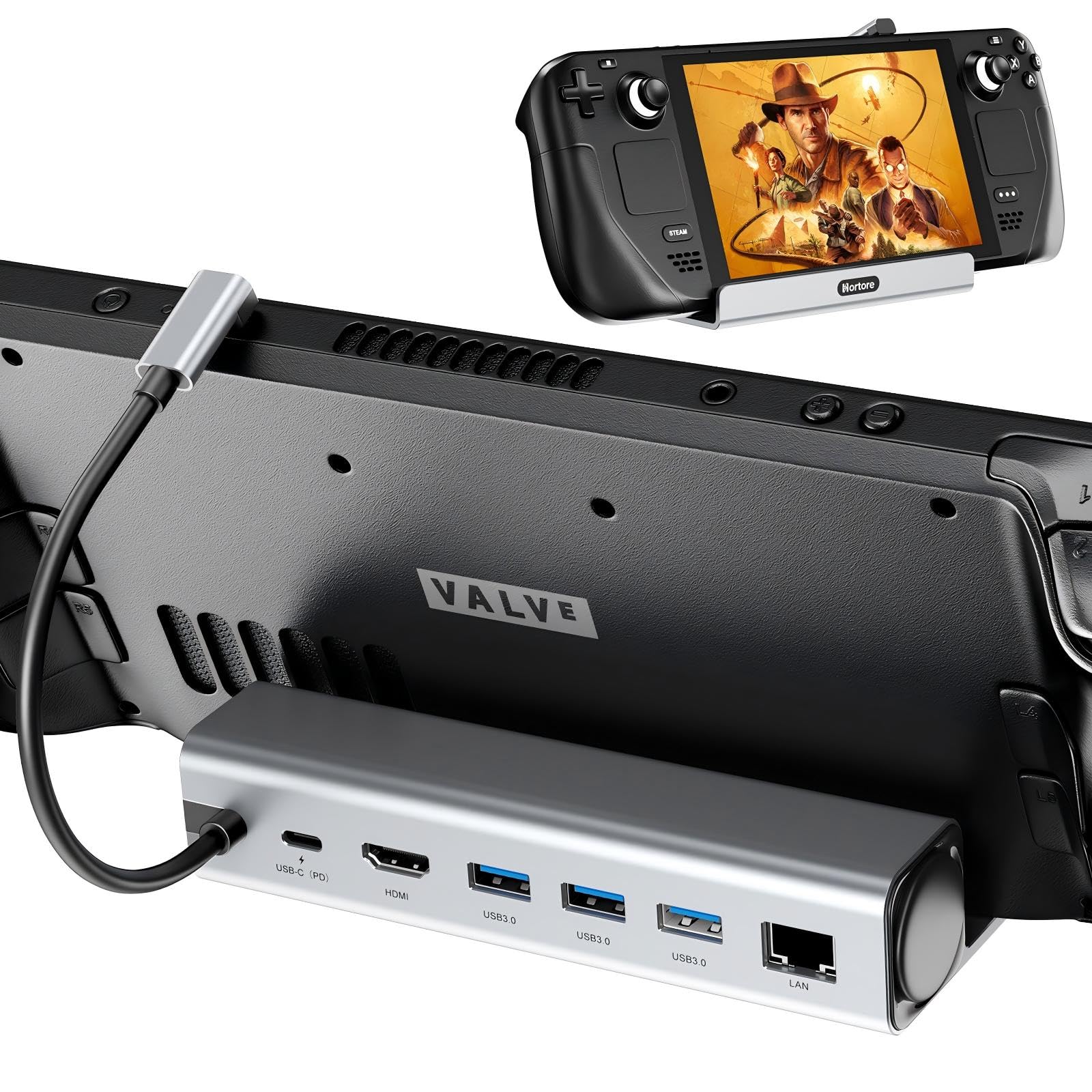
Hortore 6-in-1 Docking Station

84 /100
LBD Score Excellent

Key details

Ethernet
Gigabit
USB Ports
3x USB-A 3.0
HDMI Output
4K@60Hz
Power Delivery
100W PD
View on Amazon

If the dock will sit on a desk rather than hide behind a TV, the silver finish is a small point in this one's favor. It is a compact 6-in-1 with a simple upright cradle, and the port row is easy to read: three USB-A 3.0 ports, HDMI 2.0 at 4K60, gigabit Ethernet, and a 100W PD input.

Three USB-A ports is more than the Anker or UGREEN offer, and that matters if you keep a keyboard, mouse, and controller receiver plugged in. The 100W PD input is enough to run the Deck while docked, and the gigabit Ethernet avoids the 100Mbps bottleneck some budget docks still have. We like the no-nonsense spec sheet: it does the core job without asking you to manage a foldable stand or a detachable cable.

For a simple desk setup with a few USB-A accessories, the Hortore is a tidy and affordable alternative to the bigger docks here. The one practical catch is that no power cable is included, so plan to use your own USB-C charger. It is the dock we point to when the desk is small and the accessory collection is all USB-A.

Pros

  • Three USB-A 3.0 ports
  • Gigabit Ethernet and 100W PD
  • Compact silver body
  • Simple plug-and-play setup

Cons

  • Only 4K60 HDMI
Our verdict

We recommend the Hortore for a small, tidy desk with three USB-A ports and a 4K60 display; it is a straightforward pick for a simple setup.

Check Latest Price

How We Tested Steam Deck Docks

We started with a list of roughly 40 docks and filtered on the specs that actually change how one of these behaves: power delivery, HDMI version, ethernet speed, port count, and which handhelds the maker explicitly supports. Anything that couldn't handle both a Steam Deck OLED and a ROG Ally X came off, and we deliberately kept the price range wide so we could see where the extra money goes. That left 14 units, from flat hubs that hide behind a TV to weighted cradles that hold the console upright, and we ran each one for three months.

They lived where docks actually live. Every unit spent time on my living room TV for controller sessions, on a desk with a monitor, keyboard, mouse, and a portable SSD hanging off it, and at least one weekend in a bag — including a hotel TV with a stubborn HDMI handshake.

We timed a charge from 20 to 80 percent twice per dock, once with the Deck asleep and once mid-game, and noted whether the battery level climbed or merely held. We read the resolution and refresh rate the display actually negotiated instead of trusting the label, then unplugged and replugged each HDMI cable 20 times to see whether the picture came back on its own. Ethernet got a download test against the same router's Wi-Fi, and we loaded every port at once to watch for one of them quietly dropping.

Fit got its own pass: we docked each console with a slim case on, checked whether the dock blocked a vent or forced the cable in at an angle, and gave each unit a knock on the desk to see if it slid. Build quality came down to handling — aluminum versus plastic, how firmly the USB-C plug seated, whether the strain relief looked like it would survive a year of daily use.

How to Choose a Steam Deck Dock

Match the HDMI output to your display

A 4K120 or 4K144 dock only earns its price if your TV or monitor can accept that mode and your cable supports it. On a standard 4K60 TV, a 4K60 dock is the better spend; the extra refresh headroom goes unused. If you do have a high-refresh display, check that the dock's HDMI 2.1 mode works with your display's DSC and VRR settings. The JSAUX and WAVLINK are the high-refresh picks here, but test the mode early and have a 4K60 cable on hand for troubleshooting.

Do not overlook Ethernet speed

Wired networking is one of the main reasons to dock a Steam Deck, but not every dock's Ethernet port is equal. Gigabit Ethernet keeps game downloads and streaming from becoming a bottleneck; 100Mbps is fine for a stable online match but slow for large updates. Some budget docks list 100Mbps, while the BENFEI, Anker, and JSAUX all list gigabit. If you download a lot of games, make gigabit a baseline rather than a nice-to-have.

Count USB ports by what stays plugged in

Add up the peripherals that will live on your desk: keyboard, mouse, controller receiver, headset dongle, and maybe a flash drive. Two USB-A ports can fill up fast; three gives you breathing room. If you move large files, look for USB 3.0 at 5Gbps or the 10Gbps ports on the WAVLINK. A USB-C data port is the other useful extra, especially for a modern SSD; the UGREEN and BENFEI include one, while the JSAUX keeps its expansion on USB-A.

Plan for the charger, not just the dock

Most docks pass power through rather than including a power supply. The Steam Deck's own charger is usually enough, but a 100W PD input is what lets the dock feed the handheld and its accessories without starving the system. Check whether the dock includes a USB-C cable; the WAVLINK does not, and the Hortore does not include a power cable. If you use a ROG Ally in Turbo mode, a 100W supply matters more than it does on a Steam Deck.

Choose the stand for where the dock lives

A fixed upright cradle is fine on a shelf, but a foldable stand like the UGREEN's is easier to pack, and a detachable cable saves space in a bag. If the Deck stays parked in front of a TV for long sessions, active cooling like the YCBUENO's dual fans can be worth the bulk. Check the cradle's thickness limit if you play with a case on, and leave clearance around the vents; a dock should hold the Deck, not smother it.

Frequently Asked Questions

Final Verdict

Start with the JSAUX 6-in-1. It has the best balance here of display headroom, wired networking, USB expansion, and charging, and the upright cradle makes a desk setup feel deliberate rather than improvised. If the dock needs to travel, the UGREEN's folding stand and detachable cable are the better fit. If you have a 4K144 display and fast USB-C storage, the WAVLINK is the one to check. Those are the three decisions that change the pick; the rest are variations on the same job.