Best Overall
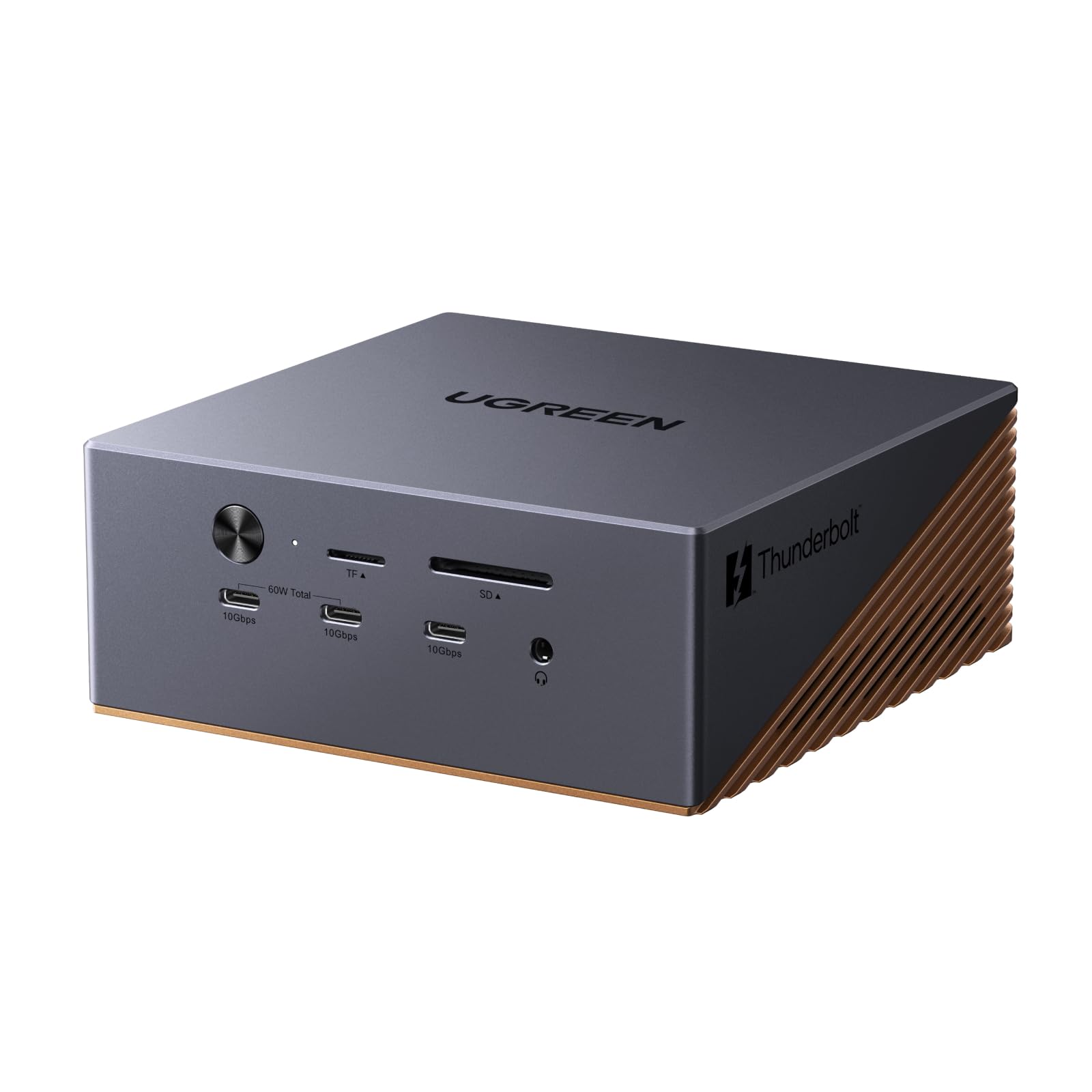
UGREEN Maxidok U716
Key details
- Ethernet
- 2.5GbE
- Total Ports
- 17
- Host Charging
- 140W
- Internal Drive Bay
- M.2 NVMe, up to 8TB
An empty M.2 slot is a strange place to start a recommendation, but it is the first thing we point at on the Maxidok. Fit a 2230- to 2280-length NVMe drive — up to 8TB, bought separately — and the dock becomes a scratch disk that mounts with the laptop, with no enclosure and no second cable to remember. Camera cards come out of the reader and straight onto a drive that never leaves the desk.
The power budget is the part that decided it for us. A 240W adapter feeds up to 140W to the host and leaves up to 60W on USB-C for a second device, enough to top up a phone or a tablet while a 16-inch laptop holds its charge through a long export. Around that sit 17 ports: two Thunderbolt 5 downstream, 2.5GbE Ethernet, SD and TF 4.0 readers, three 3.5mm audio jacks, and enough USB-A that a keyboard, mouse, and card reader can stay plugged in permanently.
Video is where the port count turns into bandwidth. On Windows you can run three independent screens — two over Thunderbolt 5 plus the DisplayPort output — and the Thunderbolt ports carry display and data traffic at the same time, so hanging an external SSD off the back does not cost you a monitor.
Two practical notes. The aluminum body runs properly warm when the drive and two displays are working, so leave a couple of inches behind it, and the two-year warranty is the backstop if it ever stops waking with the laptop. On our desk it has been the most boring dock of the group in the best way: nothing to unplug, nothing to reseat, no reason to think about it.
Pros
- Internal M.2 bay takes up to 8TB
- 140W to the laptop plus 60W PD-out
- Three Thunderbolt 5 ports for displays and drives
- 2.5GbE, SD/TF 4.0, and three audio jacks
Cons
- Macs stop at two displays
The Maxidok is what we recommend to most people: a drive bay, 140W charging, and 17 ports in one box, with only macOS display limits holding it back.