Best Tablet Stands for the Kitchen of 2026

A tablet propped against a can of tomatoes is one wobble away from a cracked screen and a dinner that burns while you fish it out from behind the toaster. The right stand holds the screen at eye level, lifts it out of the splash zone, and stays put when you tap through a recipe with wet hands. That sounds simple until you’ve lived with one that skates across the counter or droops the moment you tilt it.

Over four months, I tested 14 stands in my kitchen—on a narrow counter, a butcher-block island, and a shelf above the stove—and the pattern was clear: a weighted base and joints that hold matter more than a long list of angles. Height and tilt help only if the stand doesn’t creep backward when you tap the screen. Check the device range against your tablet and case; one that fits a bare 11-inch iPad can feel crowded with a thick folio. And since it lives on your counter, it should look intentional. The picks that earn their counter space are below.

1

Best Overall

COOPER TabHolder

91 /100
LBD Score Outstanding

Key details

Tilt
270°
Stand Weight
12.5 oz
Weight Capacity
4.4 lb
Height Adjustment
7 to 10 in telescoping
View on Amazon

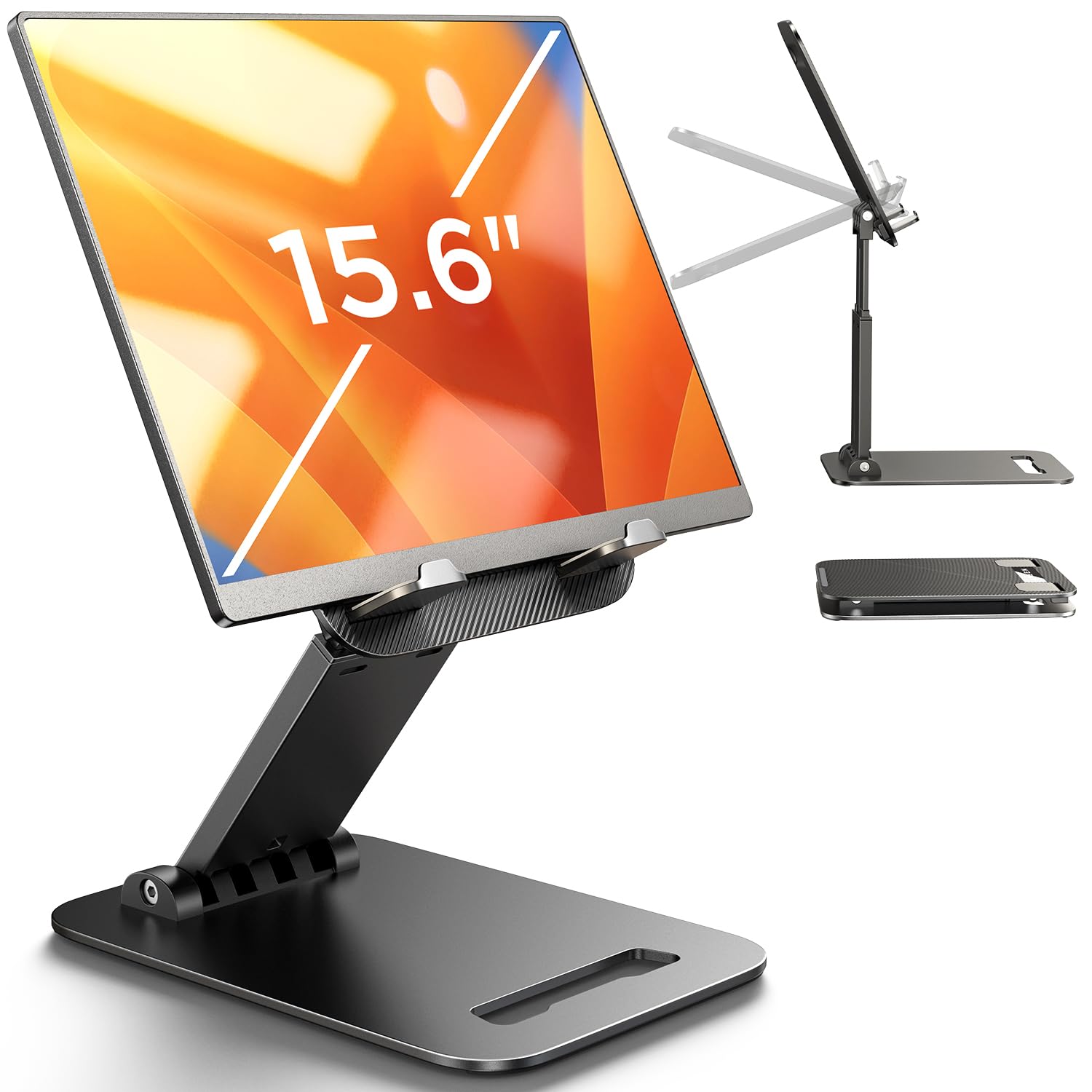
Counters are the worst place to read a recipe. The tablet ends up flat on the worktop, so you spend the whole cook looking down at it. The COOPER TabHolder answers that with a telescoping arm that runs from 7 to 10 inches, lifting the screen to about eye level while the base stays down among the utensils. That height is why this is our top pick: we stopped hunching over the counter the moment we set it up. The plate also tilts through 270 degrees, so you can stand it near-upright for an ingredient list and lay it back for a video.

What holds the arm up is metal and mass, low down. The base is a weighted disc with an EVA pad underneath, the rod is aluminum, and the holding plate is lined with three silicone pads. On a stone counter it grips, and tapping through a step didn't send it skating. It's rated for devices up to 4.4 pounds and 17 inches, which covers a 12.9-inch iPad Pro and the portable monitors people prop up for video calls.

Setup is two screws and the included Allen key, with a spare screw in the box — a small thing, but it tells you the base is meant to be attached once and left alone. At 355 grams the whole stand lifts with one hand when you want it at the desk instead. The vents cut into the back plate are a quiet bonus: air moves behind the tablet during a long video rather than the device sitting flat against a solid slab.

The one adjustment to make is where it lives. With the arm extended this stands tall, and a pan swung across the front of the counter will find it, so park it toward the back, behind the cutting board rather than beside the sink. Three years of warranty is the longest of the stands here, and for a piece of kitchen gear that gets knocked about, that isn't a formality.

Pros

  • Telescopes 7 to 10 inches to raise the screen
  • Weighted base with a grippy EVA pad
  • Rated for 4.4 lb and devices to 17 inches
  • Three-year warranty, the longest here

Cons

  • Needs two screws and a wrench to assemble
Our verdict

For cooking from a screen, this is the stand we point you to: it lifts the tablet to eye level and the weighted base holds while you tap through a step.

Check Latest Price
2

Best Value

Lamicall Aluminum iPad Stand

96 /100
LBD Score Outstanding

Key details

Material
Aluminum alloy and steel
Footprint
5 x 5.5 x 4.5 in
Device Fit
4 to 13 in
Hook Width
18 mm
View on Amazon

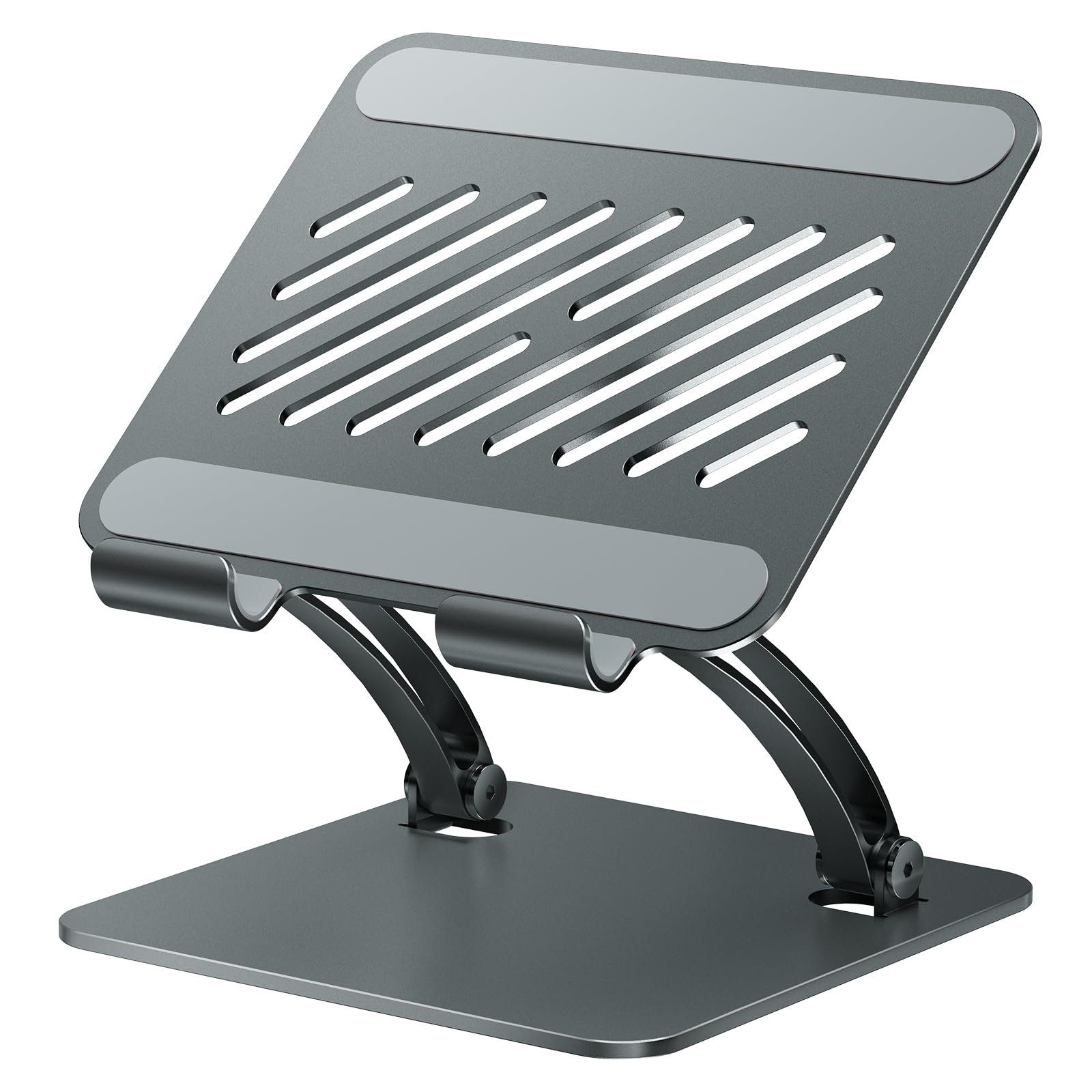
There's nothing clever about the Lamicall dock, which is most of its appeal. It's among the cheapest stands here, it arrives in one piece, and it's a folded-aluminum shape with a rubber-lined cradle and four rubber feet. Set it down, drop the tablet in, tilt it back. The footprint is about five inches square, which on a crowded counter is the difference between having a stand and not bothering.

What we appreciate is how little it asks of you: no joints to tighten, no wrench, nothing to fold away. The aluminum body feels like one bent piece and doesn't flex when you press the top of a tablet. It held a 10-inch tablet in a slim folio case at the same angle in portrait and landscape, and the rubber feet kept it planted. It tilts but never rises, so you're still looking down at the counter — fine for a phone or a small tablet within arm's reach, and it's the stand we leave by the coffee machine.

The hook is the detail to check before ordering. The lip is 18 mm deep, so a tablet in a chunky kid-proof case or a keyboard folio won't seat. Take the case off, or measure the edge of your tablet before you buy. Otherwise there's very little to go wrong: no cord to route, no battery, and the finish wipes clean with a damp cloth after a session of kneading dough nearby.

Pros

  • No assembly, straight out of the box
  • All-metal body that doesn't flex
  • Rubber feet keep it planted
  • Compact five-inch footprint

Cons

  • 18 mm hook won't take a thick case
Our verdict

For a small tablet on a tight counter, this is the stand we buy without thinking: metal, stable, no assembly, and cheap enough to keep one in the kitchen and one at the desk.

Check Latest Price
3

Best for Large Tablets

tounee Dual Rod Stand

94 /100
LBD Score Outstanding

Key details

Material
Aluminum
Device Fit
4.7 to 16.9 in
Dimensions
7 x 2 x 2 in
View on Amazon

Past about 12 inches, a tablet stops behaving like a tablet: it's heavy, it's top-heavy, and a stand that held an iPad Air will slowly droop under it. The tounee is built for that, with an all-metal arm and a locking joint you snug down with the included Allen key. Its range runs from 4.7 to 16.9 inches, which makes it the pick here for a 12.9-inch iPad Pro, a Surface, or a portable monitor parked at the end of the counter.

The lock is the part that matters. Set the height and angle, tighten the joint, and the arm stops drifting when you press the top of the screen — the difference between a stand you adjust once a week and one you fight every time you move it. The base is a weighted alloy plate with silicone pads on the feet and on the cradle, so a tablet in a case sits without sliding or scratching.

Its listed dimensions are 7 by 2 by 2 inches, so it takes a narrow strip of drawer or shelf when it's not in use. Nothing about it feels delicate, and the trade is that changing the height takes two hands and a moment, so position it where you like it and leave it there rather than nudging it between steps.

Pros

  • Fits devices from 4.7 to 16.9 inches
  • Allen-key joint lock stops the arm drifting
  • All-aluminum body and weighted base
  • Folds flat for drawer storage

Cons

  • Height changes need two hands
Our verdict

If the tablet is a 12.9-inch iPad or a portable monitor, this is the stand here with the reach and the joint tension to hold it steady.

Check Latest Price
4

Best Swivel

LOXP Rotating Stand

93 /100
LBD Score Outstanding

Key details

Material
Aluminum, ABS and silicone
Rotation
360°
Device Fit
4.7 to 16.9 in
View on Amazon

A rotating base sounds like an office feature until you cook with it. Set the LOXP at one end of the counter and you can spin the screen toward the stove while you stir, then spin it back to the sink without picking the tablet up or moving the stand. The base turns a full 360 degrees, and two hinges set the height and tilt independently of that turn.

Metal where it counts: a weighted base, a metal frame with chamfered edges, and silicone pads on both the cradle and the feet. It folds flat between uses, and the hinges are tight out of the box, so the tablet stayed where we set it rather than creeping down under its own weight.

The reason it earns a spot is that combination of swivel and grip. If you work both ends of the counter — prepping at one, cooking at the other — turning the screen without touching the stand is worth more than another inch of height. If you never rotate it, a fixed dock does the same job for less, and this one isn't meant for laptop use, so don't plan on parking a notebook in tablet mode on it.

Pros

  • 360-degree base turns the screen toward you
  • Weighted metal base and tight hinges
  • Silicone pads protect tablet and counter
  • Folds flat between uses

Cons

No notable drawbacks to flag.

Our verdict

The one we choose when the tablet has to serve both ends of the counter: it swivels smoothly, holds tight, and stays where you leave it.

Check Latest Price
5

Best-Looking

Pezin & Hulin Bamboo Stand

90 /100
LBD Score Outstanding

Key details

Weight
7 oz
Material
Bamboo
Device Fit
4.7 to 13 in
Dimensions
9.5 x 6.7 x 0.63 in
View on Amazon

Most of these stands look like something from a computer store, which is why the bamboo one is here at all. Two pieces of finished bamboo slot together into a stand that reads as a small object rather than a bracket. It's the only one in this group you could leave on a dining table or an open shelf without it looking like clutter.

How the pieces go together is the whole mechanism. Set them one way and the tablet stands fairly upright for reading a recipe line by line; turn them the other way and it lays back for video. It comes apart in a second for a drawer, and at seven ounces it moves from counter to table in one hand. The part we came back to is that the simplicity isn't flimsy: the join is snug and the tablet doesn't rock.

The trade is wood. Bamboo shrugs off dry flour and wipes clean, but it isn't the material for a counter where a pot boils over or for the spot beside the sink — the aluminum docks here take that with a rinse. And because the angle comes from how you assemble the stand rather than from a hinge, you set it once for the way you use it instead of nudging the screen mid-step.

Pros

  • Bamboo body looks at home on a table
  • Two pieces pack down in seconds
  • Holds 4.7 to 13 inch devices either way up
  • Seven ounces, easy to move one-handed

Cons

  • Angle is set by how the pieces slot together
  • Bamboo needs more care around spills than aluminum
Our verdict

For a kitchen where the tablet lives on the table, this is the stand that never needs hiding: bamboo, two pieces, and steady in either orientation.

Check Latest Price
6

Folding Away

LISEN Foldable Stand

93 /100
LBD Score Outstanding

Key details

Weight
15.2 oz
Material
Plastic with metal base panel
Device Fit
4 to 15.6 in
Dimensions
5.28 x 1.42 x 7.28 in
View on Amazon

It folds to about an inch and a half thick — the listed size is 5.28 by 1.42 by 7.28 inches — so it lies in a drawer with the spatulas and comes out when you feel like following a video. Just under a pound, with much of that in the metal base panel, so it reads as a tool rather than a toy. The cradle holds the tablet back into the frame instead of clipping it, which means there's nothing to snap or spring loose.

The adjustment is the interesting part: a bridge screw and truss rod tighten the arm once you've set the height, which is the usual answer to the looseness that kills folding stands. Devices from 4 inches to 15.6 inches are covered, and the silicone pad on the cradle keeps a bare tablet from sliding. It sits lower than a tower stand, so the screen ends up somewhere between the worktop and eye level.

Where it earns its place is storage. Few stands here disappear completely, and this one does, at the bottom of the group's price range, which makes a second one for a work bag easy to justify. Set the angle before you start cooking rather than mid-recipe, and it does the job it was built for.

Pros

  • Folds to 1.4 inches thick for a drawer
  • Bridge screw locks the height in place
  • Handles devices up to 15.6 inches
  • Metal base panel adds weight low down

Cons

  • Wobbles when you tap the screen at full height
Our verdict

Buy it if the stand has to live in a drawer: it folds flat, locks its height, and holds a tablet for reading, though it isn't the one for tapping through steps.

Check Latest Price
7

Mini Tablets

UGREEN Tablet Stand

93 /100
LBD Score Outstanding

Key details

Weight
4.23 oz
Device Fit
4 to 11 in
Dimensions
4.72 x 0.79 x 4.21 in
Max Device Thickness
0.55 in
View on Amazon

Half an inch is the number that decides whether the UGREEN works for you. The cradle takes devices up to 0.55 inches thick with the case on, which covers a bare iPad or a slim folio and rules out padded kid-proof sleeves. That's a tighter limit than the metal docks here, and it's the first thing to check: a stand that won't seat your tablet with its case on is a stand you stop using.

The stand itself is small — roughly 4.7 by 4.2 inches, folding to under an inch, at 120 grams. On a counter that's a virtue: it tucks beside the utensil crock and leaves the worktop clear. It's also the reason to be honest about which tablet you own. A mini, a phone or an 8-inch e-reader sits comfortably; a 10-inch tablet works but overhangs the plate.

The cradle tilts from 15 to 100 degrees, so you can stand it near-upright for a recipe or lay it back for video, and the silicone pads on the hooks and feet stop a bare device sliding on a smooth counter. The body is ABS rather than metal, which you notice alongside the aluminum docks, though at 120 grams that's a fair trade for something that lives in a bag.

Where it ends up in our kitchen is as the second stand — the one that goes in the bag for a market run, or props a phone up at lunch. As a kitchen's only stand it's small. If the household tablet is a full-size iPad, take one of the wider docks; if it's a mini, this is all the stand you need.

Pros

  • Folds to pocket size at 120 grams
  • Tilts from 15 to 100 degrees
  • Silicone pads on cradle and feet
  • Accepts a case up to 0.55 inch thick

Cons

  • Tilt only, with no height adjustment
Our verdict

The one for an iPad mini, an e-reader or a phone: pocket-sized, cheap and steady, with a plate too small for a full-size iPad.

Check Latest Price

How We Tested Kitchen Tablet Stands

We began with more than 60 stands and narrowed the field to 14 by comparing device ranges, base dimensions, materials, and the way each one adjusted. We looked for stands with enough height or tilt to bring a screen to eye level, a base that seemed unlikely to tip, and a finish that could survive a wipe-down. Then we tested those 14 for four months in real kitchens, not on a desk.

The main event was dinner. I set each stand on a granite counter and a butcher-block island, loaded an 8-inch tablet, an 11-inch tablet in a thick folio case, and a 13-inch tablet, then followed a recipe start to finish. I tapped, paused, and scrolled with the back of a knuckle when my hands were floury, noting whether the base slid, the top edge dipped, or the holder pinched a case or covered a button.

For adjustability, I changed height and angle one-handed, then pressed the top corners to see whether the joint held or crept. I wiped each with a damp cloth, checked hinges and seams for play, and left it on the counter for a week to judge whether it looked intentional. I also measured the footprint and checked whether it crowded the cutting board or blocked the backsplash.

How to Choose a Tablet Stand for the Kitchen

Stability is the whole purchase

The way a kitchen stand fails isn't dramatic. It slides an inch when you tap Next Step, or it tips back when you press the top of the screen. Look for mass low down — a weighted base, a metal plate, rubber or silicone feet — and treat the lightest folding designs with suspicion, because they trade rigidity for a flat fold.

Before you commit, put the tablet in and press the top corner the way you'd press a screen. If the base lifts or skates, it's a reading stand, not a cooking stand.

Height decides how long you can cook

A dock that only tilts leaves the screen a few inches off the counter, which is fine for a phone and tiring forty minutes into a recipe. A telescoping arm or a tall hinged riser puts the screen nearer eye level and keeps it out of the splash zone; the COOPER's 7-to-10-inch arm is the clearest example here.

The trap is placement. A tall stand belongs at the back of the counter, where a pan or an elbow won't catch it, and that spot needs a few inches of clear depth behind the cutting board.

Fit the tablet you own, case and all

Screen size is only half the question. Two limits decide whether a stand actually holds your tablet: the depth of the hook or cradle, and the weight it's rated for. An 18 mm lip won't take a padded case, and neither will a 0.55-inch cradle.

If you cook with the case on — and most people do — measure the tablet's edge in its case rather than trusting the screen size in the title, and check the rating against a large tablet with a keyboard cover, which is where light stands struggle most.

Material, mess and where it lives

Aluminum wipes clean and doesn't mind a splash; bamboo looks better on a table and wants a prompt wipe when something spills. Silicone pads collect flour in their corners, so pick a stand you can rinse or wipe without taking it apart.

Then decide whether it lives out or goes away. A fixed dock with a small footprint suits a counter that's always in use; a folding design is the one that ends up in a drawer, and it's worth the compromise only if you'll actually put it away.

Frequently Asked Questions

Final Verdict

The COOPER TabHolder is the stand we recommend first for a kitchen, because height is what you notice every time you cook: the screen comes up to where you're already looking, and the weighted base stays where you put it.

If the counter is tight or the tablet is a mini, the Lamicall does the job for less — it just leaves you looking down. For a 12.9-inch iPad or a portable monitor, take the tounee, whose locking joints carry a heavier screen without drifting.