Best USB Charging Stations of 2026

There's a number on every charging station that bends the truth a little: total wattage. That figure is a shared budget, not a promise per port — a 100W hub charges a laptop at full speed on its own, then splits the same budget three ways when your phone, tablet, and earbuds join in. I assumed more ports meant more power. It's often the opposite.

What a good station fixes is quieter than that: the pile of wall adapters, the power strip sliding off the back of the desk, the fight over the one port that charges fast. My team and I spent six months with 12 of them — compact six-port desk hubs and big 12- and 30-port blocks, aluminum and plastic — charging laptops, phones, watches, and headphones on home office desks, kitchen counters, and a shared workbench.

Two things worth knowing before you shop: cables usually aren't included, and the ones already in your drawer can cap speed before the charger does. Small footprints also crowd the ports, so the most compact models were the hardest to fill completely. The picks below lean toward whichever trade-off suits your desk.

1

Best Overall

Anker Desktop Charger 112W

94 /100
LBD Score Outstanding

Key details

Ports
3 USB-C + 3 USB-A
Total Output
112W
Max USB-A Port
18W
Max Single Port
30W USB-C
View on Amazon

Six ports in a block roughly the footprint of a coaster is the shape that finally cleared the power strip off our desk. The Anker spreads 112W across three USB-C and three USB-A ports, with up to 30W from a single USB-C port, which is enough to take a phone from flat to half in about half an hour and enough to keep a MacBook Air alive through an afternoon. That mix is why it leads this group: it charges current gear properly and still has a home for the older cables everyone keeps in a drawer.

What we did not expect to care about was the weight. At just over ten ounces it sits still when you pull a cable out one-handed, and the rubberized feet keep it planted on a smooth desktop. Anker also throws in a silicone cable organizer, which sounds like filler until six cables stop sliding off the back edge of the desk.

Thirty watts is the number to sit with before you order. That is quick for a phone, a tablet, a watch, or earbuds, and it is enough to hold a laptop steady rather than fill it. If the desk also has a 14-inch pro laptop that wants 96W, this will not be the brick that gets it there fast; the MEKIOJEO below is the one for that job.

No device cables come in the box, only the charger and the organizer, so plan on one USB-C to USB-C cable for every C port you intend to fill. That is the single thing we minded. Everything else about the way it handles a family's worth of gadgets is exactly what we want from the object sitting in the middle of the desk.

Pros

  • Three USB-C ports at up to 30W
  • 112W shared across six ports
  • Silicone cable organizer in the box
  • Stays put when you pull a cable

Cons

  • 30W ceiling will not fast-charge a big laptop
  • No device cables included
Our verdict

For most desks, this is the one to buy: six ports, three of them USB-C at 30W, 112W total, and a footprint that fits a nightstand.

Check Latest Price
2

Best USB-A Workhorse

Anker PowerPort 6

96 /100
LBD Score Outstanding

Key details

Ports
6 USB-A
Max Per Port
2.4A
Total Output
60W
Certification
UL
View on Amazon

Not one USB-C port. That is the first thing to know about the PowerPort 6, and it is also why it remains one of the easiest recommendations here for a house full of older gear: six USB-A ports, 2.4 amps each, 60W in total, and a detachable five-foot cord.

We found 2.4A is the number that matters. It is the current an iPad asks for and more than most phones want, so nothing on a USB-A cable feels shortchanged, and PowerIQ and VoltageBoost handle the negotiation without fuss. The unit is UL certified, which counts for more than an extra socket or two on a cheap box. The one crack in the record is the ports themselves: a single port can stop charging while the rest keep working, so it is worth spreading the load rather than parking everything on port one.

It weighs 9.44 ounces, and because the cord detaches it travels better than most of the stations on this page. The hook-and-loop strip that comes with it is the sort of small inclusion that ends up holding a cable bundle together in a suitcase. Sit it on a shelf with six cables running out of it and you will forget it exists, which is the highest compliment a charger gets.

Pros

  • 2.4A at every one of six ports
  • UL certified for safety
  • Detachable 5ft cord and cable tie

Cons

  • USB-A only, with no USB-C ports
Our verdict

If your household runs on USB-A cables, this is the safest six-port buy here: UL certified, 2.4A at every port, and small enough to tuck on a shelf.

Check Latest Price
3

Best for Laptops

MEKIOJEO M23 12-Port

89 /100
LBD Score Excellent

Key details

Ports
8 USB-C + 4 USB-A
Enclosure
Aluminum alloy
Total Output
380W
Max Single Port
65W USB-C
View on Amazon

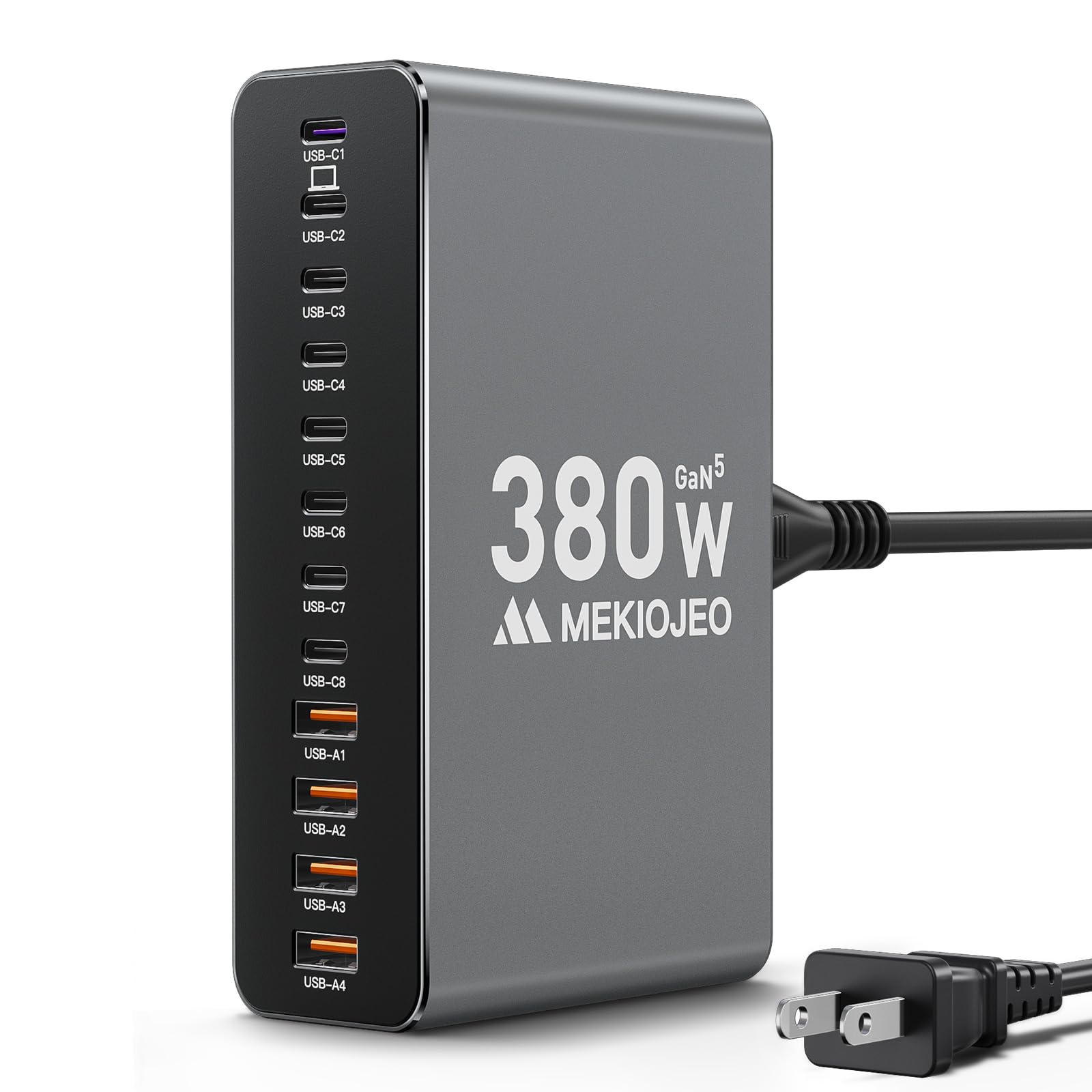
A 65W USB-C port is what separates a station that tops up phones from one that can carry a laptop desk. The M23 has exactly one of those, alongside seven more USB-C ports and four USB-A, twelve in total, sharing a claimed 380W through GaN circuitry and covered by a two-year warranty.

The case is the part we did not expect to like. It is aluminum with a matte finish that shrugs off fingerprints, and it looks closer to a piece of desktop audio gear than to a charger. That is not only vanity: metal spreads heat instead of trapping it, which is the reason to choose this one for a desk where the station runs from morning to night with a laptop, a tablet, and a couple of phones attached.

Where it earns its place is that laptop port. Sixty-five watts will charge a MacBook Air close to full speed and hold a 14-inch Pro at a steady level while you work, and the eight USB-C sockets mean nobody has to hunt for an adapter. Only one port reaches 65W, though, so a second laptop drops to 30W; count ports before ordering if two people work from home. About 300 grams of metal also means it stays exactly where you put it.

Pros

  • One 65W USB-C laptop port
  • Eight USB-C ports out of twelve
  • Aluminum body spreads heat
  • Two-year manufacturer warranty included

Cons

  • Only one port delivers 65W
Our verdict

Buy it if a laptop shares your desk: one 65W USB-C port, eight USB-C ports in all, and a metal body that handles all-day use.

Check Latest Price
4

Best All-Round 10-Port

MGRNPONY 10-Port GaN

92 /100
LBD Score Outstanding

Key details

Ports
5 USB-C + 5 USB-A
Weight
12 oz
Total Output
320W
Max Single Port
65W USB-C
View on Amazon

Ten ports, five of them USB-C, for less than our top pick costs: that arithmetic is why this one kept ending up in the middle of the desk. The MGRNPONY delivers 65W from its best USB-C port and steps down from there, with GaN internals keeping the block small. It is the best value in this group, and the one we point to when someone wants more sockets than the Anker offers without spending more to get them.

Compact is the other thing it does well. At 340 grams it moves between rooms without a second thought, the flat power cord tucks behind a nightstand more neatly than a round one, and it works lying flat or standing on its side on a narrow shelf. The five-and-five port split is also the most practical arrangement here for a household where half the cables are still USB-A.

The catch is shared power. 320W sounds enormous until you remember it is divided among everything plugged in, and that 65W figure belongs to one port at a time. Fill eight ports with tablets and the end of the queue charges slowly. For phones, watches, and earbuds overnight that is irrelevant; for three laptops at once it is not.

Pros

  • Five USB-C and five USB-A ports
  • 65W from the top USB-C port
  • Compact 340 g body with flat cord

Cons

  • Shared power slows as ports fill
Our verdict

The most sensible middle ground here for a mixed household: ten ports, 65W USB-C, and a body small enough to move around.

Check Latest Price
5

Best Budget

sccvee 12-Port Station

90 /100
LBD Score Outstanding

Key details

Cable
1.4 m detachable
Ports
6 USB-C + 6 USB-A
Weight
5.29 oz
Total Output
50W
View on Amazon

Fifty watts across twelve ports is the entire story of this one. Six USB-C and six USB-A sit in a light plastic shell, and what we noticed first is the weight: 150 grams, light enough that the power cord feels heavier than the box itself. The 1.4-meter cord detaches, and each port has its own current output rather than relying on one shared rail.

Buy it for the port count and the size, not the speed. One phone on one port charges at a normal rate; fill six or eight ports and every device gets a trickle, which is fine overnight and maddening at four in the afternoon before a trip. For a guest room, a classroom charging bin, or a drawer of hand-me-down gadgets, though, it does the job all night without complaint, and it is the least expensive station on this page. That is a real use case, and an easy one to fill.

Pros

  • Six USB-C and six USB-A ports
  • Weighs just 150 g
  • Detachable 1.4 m power cord

Cons

  • 50W shared across twelve ports
Our verdict

The cheapest way to get twelve ports, best used for overnight charging where speed does not matter.

Check Latest Price
6

Classrooms and Shops

Yoodarmx 30-Port Station

89 /100
LBD Score Excellent

Key details

Ports
15 USB-C + 15 USB-A
Weight
1.1 lb
Total Output
150W
Certification
UL, FCC, CE
View on Amazon

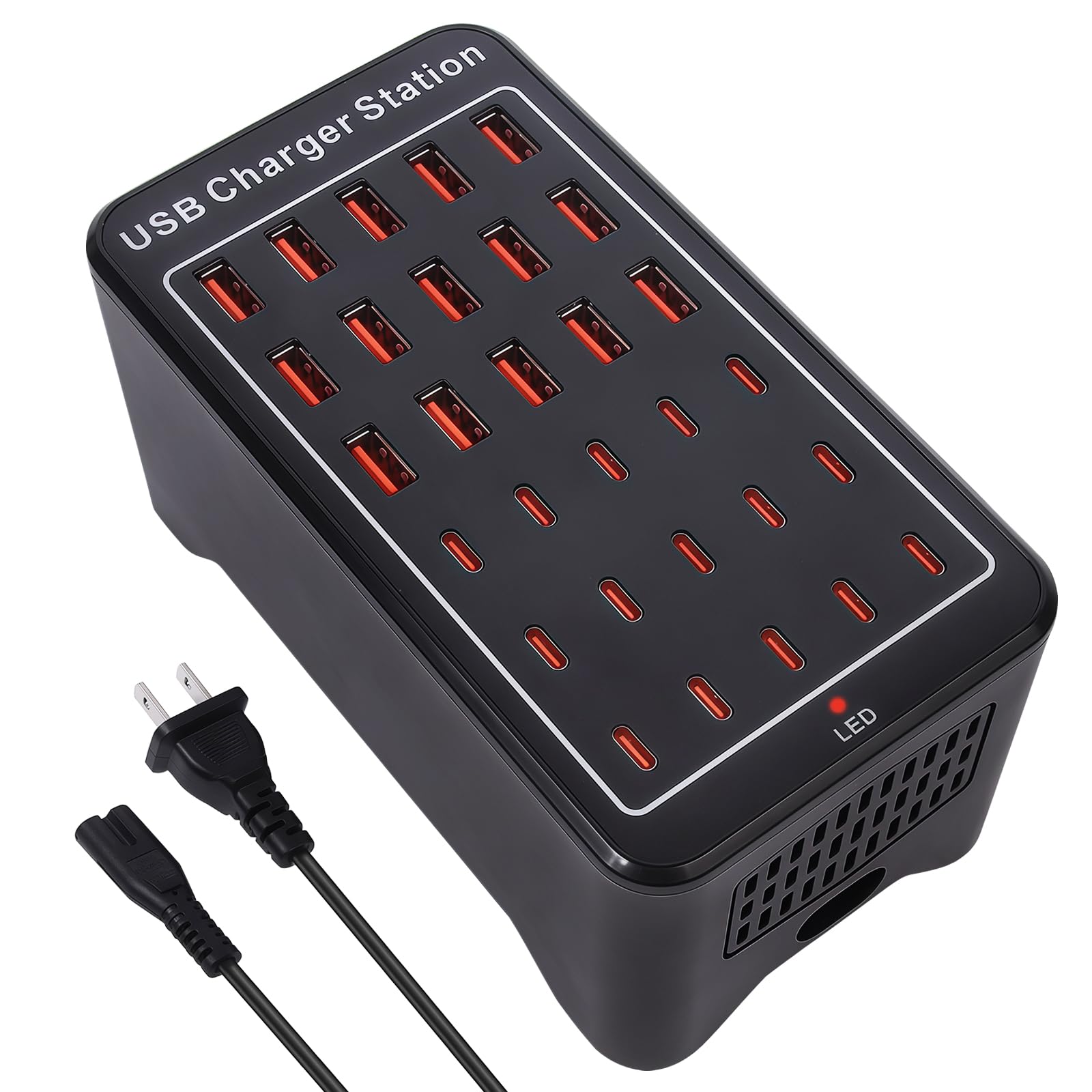
Thirty ports is not a desk accessory. It is the charging wall for a classroom, a repair bench, or a house where every kid has a tablet, a handheld, and a pair of earbuds. Yoodarmx splits them evenly, fifteen USB-C and fifteen USB-A, and the unit is listed to UL, FCC, and CE standards with a two-year warranty behind it.

The power math is what to understand before ordering. Total output is 150W, which works out to about 5W per port if all thirty are occupied: enough to bring a phone back slowly overnight, not enough to charge a tablet quickly. Fill a dozen bays instead and you are nearer 12W each, which is fine for phones and hopeless for laptops.

It is a brick of a thing at just over a pound and about six inches across, so it wants a shelf or a counter rather than a nightstand. Give it open air, and plan a cable for each bay you intend to fill, because thirty cables is a genuine commitment. We like that the port split is even rather than weighted toward USB-A; a thirty-port box that ignored USB-C would be useless in a modern classroom.

Where it earns its place is capacity and warranty, not wattage. If you are charging thirty controllers, headsets, or phones and nobody is in a hurry, nothing else here comes close on how many devices can be parked at once. If speed matters, buy the Anker or the MEKIOJEO and add a second unit later rather than expecting this one to do both jobs.

Pros

  • Thirty ports, evenly split C and A
  • 150W of total output
  • UL, FCC, and CE listed
  • Backed by a two-year warranty

Cons

  • About 5W per port with all thirty full
Our verdict

The pick for a classroom, shop, or very large family: thirty ports, an even USB-C and USB-A split, and a two-year warranty.

Check Latest Price
7

Travel and Small Desks

MINJIESI 10-Port Charger

88 /100
LBD Score Excellent

Key details

Ports
10
Weight
8.11 oz
Total Output
50W
Input Voltage
100-240V
View on Amazon

Ten ports in something you can close one hand around is the whole appeal here. The MINJIESI runs about four by three by one and a quarter inches and weighs 0.23 kg, with ten USB ports, a 100-240V input wide enough for overseas outlets, and surge, overcurrent, and overvoltage protection built in.

It behaves like a small power strip for USB gear: everything on it charges, nothing on it charges especially quickly. Fifty watts is the ceiling for the entire box, so a single phone is fine and four devices at once slows to a visible crawl. The drop-off shows up most with tablets, which are the hungriest things most people will plug into it.

Where it makes sense is travel and tight spaces. The wide input means it works abroad with nothing more than a plug adapter, and at 0.23 kg it disappears into a bag next to a rolled-up cable. A guest room shelf or a vacation rental where four people are charging phones overnight is exactly its level. A desk that needs a laptop charged is not.

Pros

  • Small enough to hold in one hand
  • 100-240V input for travel
  • Surge and overcurrent protection

Cons

  • Slow once several devices are plugged in
Our verdict

A tiny ten-port box for travel and guest rooms, where small and cheap matter more than fast.

Check Latest Price

How We Tested USB Charging Stations

We started by collecting every multi-port desktop charger we could find with at least six ports and at least one USB-C PD output, then cut anything with vague wattage claims, no per-port ratings listed, or a review history dotted with dead ports. That left 12 units, which lived with us for six months.

Speed was measured, not read off the box. We timed a single phone from 0 to 50 percent on its own, then repeated it with three other devices drawing at once to see what the shared power budget actually cost. We noted which ports were USB-C PD and which were the older standard, and whether the labels on the casing matched what the ports delivered — a few didn't.

For capacity, we counted ports we could genuinely use: whether the spacing fit four cables side by side, whether plugs seated firmly or wobbled, and whether the station stayed put when someone yanked a cable. The compact models moved between a desk and a nightstand to see if the smaller footprint was worth the tighter spacing. Build quality showed up in small things — a stiff switch, a port that loosened after a month, a case that felt hollow when a cable went in.

Reliability is the one you can't test in an afternoon. We left each station charging overnight and felt the case temperature in the morning, listened for coil whine in a quiet room, and kept notes on every port that stopped negotiating at full speed. Half a year in, the failures were consistent: it was almost always the oldest port type, or the cheapest housing.

How to Choose a Usb Charging Station

Start With Watts, Not Ports

Total wattage is shared, so a 100W station with twenty ports hands each device about 5W when the house is busy, which is a trickle rather than a charge. The figure that predicts your experience is the maximum a single port can deliver: 30W from USB-C is quick for a phone or tablet, and 65W is what a laptop wants.

Count the devices you charge daily, find the single-port rating that suits the hungriest one, and treat the remaining ports as overnight parking. That is why our top pick carries 112W across six ports rather than 300W across thirty.

Match the Connector Mix to What You Own

Count your cables before you count ports. A household of recent iPhones and Android phones needs USB-C, while a drawer of e-readers, older watches, and hand-me-down tablets still needs USB-A. Three of each is the safest split in this group.

One trap: a USB-C socket that is not Power Delivery charges at 5V, no faster than the old port beside it. Look for a wattage next to the C ports, not just the shape of the hole.

Treat Heat and Certification as Buying Criteria

A station that is warm in use is normal. One that is hot to the touch or smells of hot plastic is not, and it should come off the wall immediately. Look for a UL listing and a detachable power cord; both suggest someone thought about the failure case.

High port counts at low prices are where the compromises hide. In this group, every station we removed from consideration lost its place over dead ports or overheating, and the pattern clustered around the cheapest boxes with the most sockets.

Plan the Space and the Cables

These run from something you can hold in one hand to a box that wants its own shelf, so measure the spot first. A detachable cord matters more than a long one: you can swap in a longer cable and pack the unit more easily.

If the station lives on a desk, give it open air rather than a drawer, and leave a little clearance behind it so the cables are not bent against the wall. Cable clutter is the reason people buy these in the first place; a station with ports on the face you can see is easier to keep tidy.

Frequently Asked Questions

Final Verdict

If you want one answer, it is the Anker Desktop Charger. Three USB-C ports at 30W and three USB-A ports sharing 112W, in something that fits beside a lamp, is the combination that handles a modern phone-and-tablet household without asking you to think about it. The only thing it will not do quickly is charge a large laptop.

For that, spend the same money on the MEKIOJEO and its single 65W port. And if the job is twelve devices charging overnight and nothing more, the sccvee does it for the least money here.