Best VR Link Cables of 2026

A link cable has one unglamorous job: pushing a compressed video signal from your PC to the headset fast enough that your hands and your view stay in sync. That's a 5Gbps USB 3.0 job, and it's the first thing separating a cable you forget about from one that makes good hardware feel broken. After that, it's reach, connector angle, and whether the cable can feed the headset power while you play.

I've kept a PC tethered to a headset for years, and the cable has never been the fun part. My team and I just spent three months with 14 of them — short runs, braided 16-foot runs, a few with a separate charging port — playing seated, standing, and turning in circles until the cable made itself known.

First-time buyers get one thing wrong: length is not freedom. Sixteen feet disappears once you route it around a playspace, and past the hour mark a data-only cable starts losing ground to battery drain while the ones with a second input for a wall charger hold steady. Speed is what gets advertised; comfort and staying power are what keep you playing.

1

Best Overall

Meta Quest Link Cable

89 /100
LBD Score Excellent

Key details

Length
16 ft
Connector
USB-C
Data Speed
5Gbps
Cable Design
Fiber-optic core, active powered
View on Amazon

The Meta cable's fiber-optic core is the detail that changes daily use: it keeps a 16-foot run light and flexible, so it doesn't drag on the headset the way a thick copper cable can. The active powered design is the other half of the appeal; it can charge the headset while you play, which makes long PC VR sessions less of a battery countdown.

We used it as the reference cable in our PC link sessions, and what we appreciated most was the lack of fuss: 5Gbps, official Quest compatibility, and a connector that doesn't fight the headset port. It's the cable we choose when we want to remove variables and just play.

The premium is the trade-off. You're paying for the official cable, active power, and the fiber-optic feel rather than for a separate charging port or a longer warranty. For a player who wants the shortest path to a stable link and already has the right port, that's a fair exchange; the AMVR is the more flexible buy if your PC has mixed USB-A and USB-C ports.

Pros

  • Light fiber-optic build reduces drag
  • Actively powered charging while playing
  • Official Quest compatibility
  • 5Gbps data rate and 16-foot reach

Cons

  • Requires a USB-C port or adapter
Our verdict

We recommend the Meta cable for anyone who wants the least fussy PC VR connection and will pay for official compatibility, active power, and a light fiber-optic build.

Check Latest Price
2

Best Value

Syntech Link Cable 16FT

89 /100
LBD Score Excellent

Key details

Length
16 ft
Warranty
18 months
Connector
L-shaped USB-C
Data Speed
5Gbps
View on Amazon

The Syntech is the cable we point to when someone wants a 16-foot link without spending much. The L-shaped USB-C connector takes pressure off the headset port, the Velcro strap keeps the run tidy, and the 5Gbps rating is the right starting point for PC VR. It's a sensible shape and a sensible length.

The connection is the caveat. Dropouts can interrupt a session, so test the link during the return window and keep the cable away from sharp bends. The 18-month warranty takes some of the sting out of that risk, but it doesn't make the cable immune to a bad port or a marginal USB 3.0 controller.

Where it earns its place is value and reach. The 16-foot length gives you room to step back, and the L-shaped plug and strap are the details that make it feel less cheap than it is. The 18-month warranty is the quiet bonus.

Pros

  • Low-cost 16-foot link cable
  • L-shaped connector protects the headset port
  • 5Gbps data rate
  • 18-month warranty

Cons

  • No separate charging port
Our verdict

We recommend the Syntech for a cheap, long 16-foot cable, provided you test the connection early and don't expect it to keep the headset topped up.

Check Latest Price
3

Best for Charging While Playing

INIU 16ft VR Link Cable

87 /100
LBD Score Excellent

Key details

Length
16 ft
Charging
Separate USB-C port, 3A
Warranty
3 years
Data Speed
2.5Gbps
View on Amazon

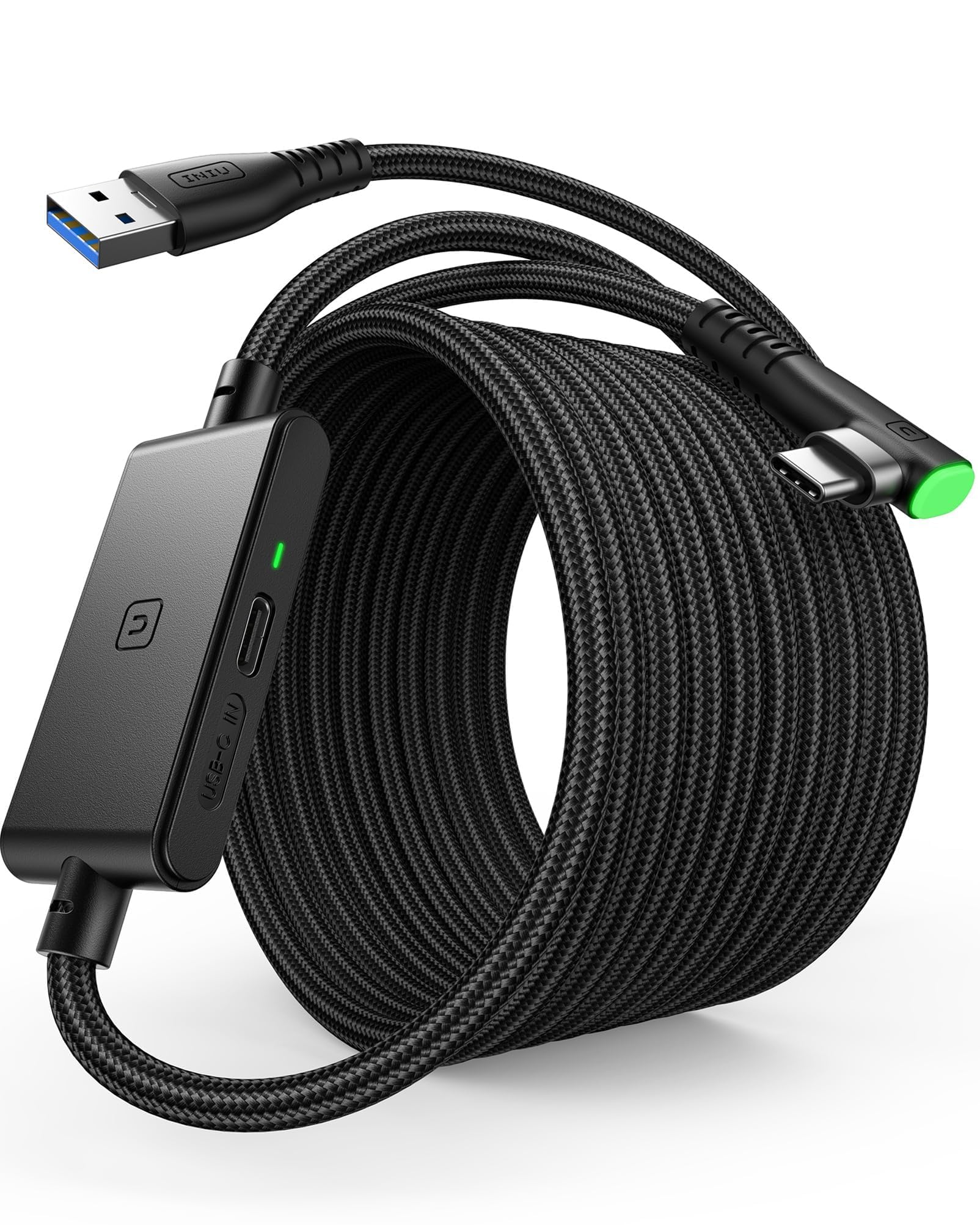
The INIU's separate USB-C charging port is the reason to pick it over a plain link cable. You run data to the PC through the USB-A end and feed power through the extra port, so the headset isn't trying to run PC VR and charge from the same link. It's the cable we choose for a long session when we don't want to stop and swap to a charger.

The 16-foot length and 3A power delivery are the practical specs, and the 90-degree connector stays put at the headset. We also like the inline light, a small thing that makes it easy to see the cable is powered.

Charging is the other variable. The built-in chip is designed to hold the battery in a safer range, and how well that works depends on the charger you attach. We treat it as a playtime extender, not a guarantee of a full battery. That's a fair trade for the separate-port convenience.

Pros

  • Separate USB-C charging port
  • 3A power delivery for long sessions
  • 16-foot reach
  • 90-degree connector and inline power light

Cons

  • Lower 2.5Gbps data rating
  • Needs a separate PD/QC charger
Our verdict

We recommend the INIU if you want to play longer without babysitting the battery, since its separate USB-C port lets you charge while the link cable handles data.

Check Latest Price
4

Best for USB-C PCs

AMVR 16FT VR Charging Link Cable

85 /100
LBD Score Excellent

Key details

Length
16 ft
Adapter
USB-A to USB-C
Charging
36W charging port
Data Speed
5Gbps
View on Amazon

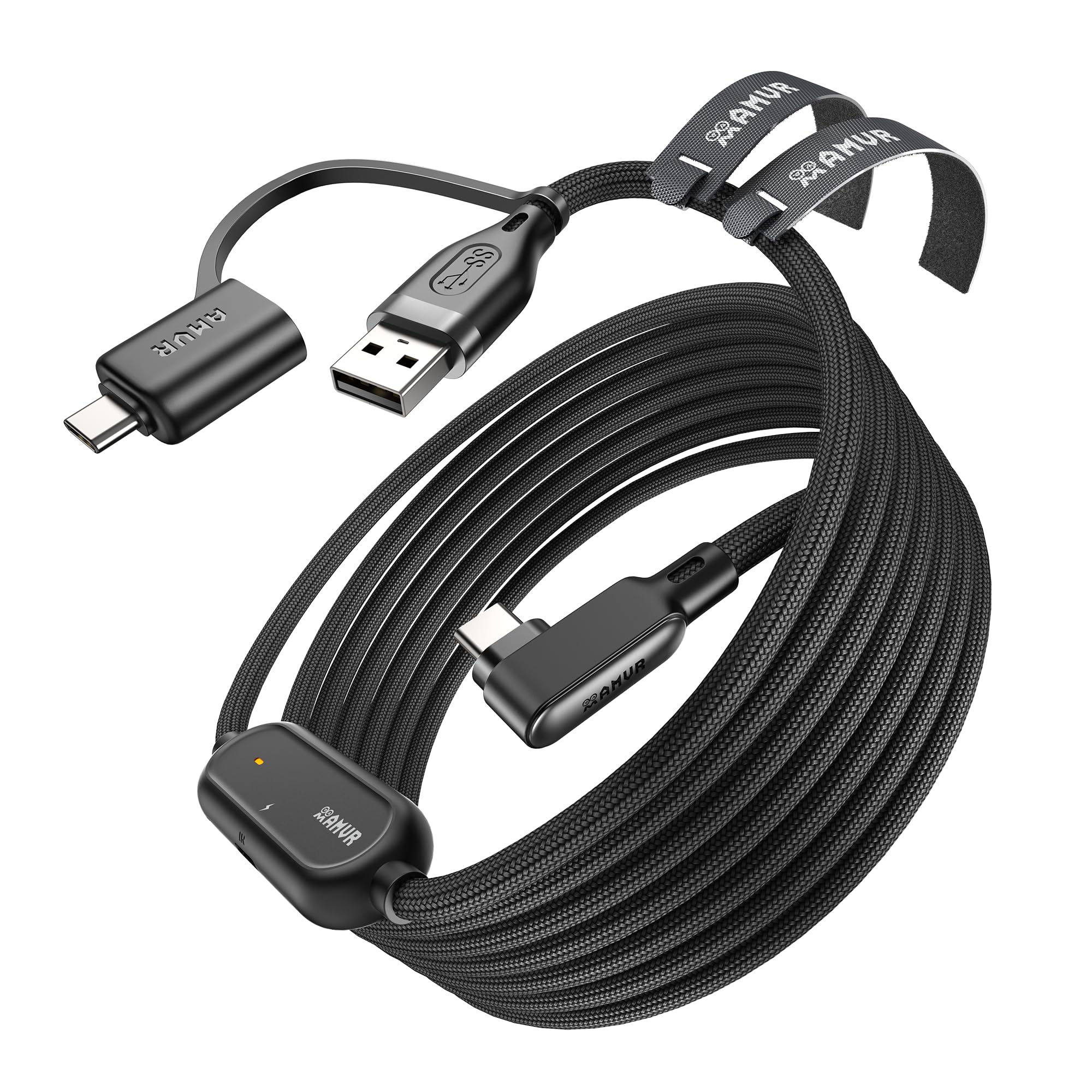
The AMVR's included USB-A-to-C adapter is the detail that makes it fit more desks. The cable itself is USB-C, but the adapter lets it plug into the USB-A ports most gaming PCs still have, and the 36W charging port is there for power.

At 16 feet and 5Gbps, it has the reach and bandwidth we look for, and the braided jacket feels more substantial than the thin PVC on cheaper cables. We also appreciate the Velcro strap, which sounds minor until you're trying to keep a long cable out of your feet.

The charging side is where we temper expectations. The 36W port has plenty of headroom, but the headset still decides how much it accepts, so treat it as a playtime extender rather than a full-battery promise. It's a strong pick for a USB-C laptop or a desktop with mixed ports.

Our verdict is that this is the most flexible charging link cable in the set: the adapter covers both PC port types, the braided build handles repeated setup, and the 36W port gives you room to grow. It isn't the cheapest, and the charging result still depends on your charger, but for a mixed-port desk it's the one we reach for.

Pros

  • Included USB-A-to-C adapter
  • 36W charging port
  • 5Gbps data rate
  • Braided 16-foot build

Cons

  • Needs an 18W+ charger for best charging
Our verdict

We recommend the AMVR for USB-C laptops and desktops because its included adapter and 36W charging port cover more setups than a plain link cable.

Check Latest Price
5

Best Warranty

Maxonar VR Charging Link Cable

86 /100
LBD Score Excellent

Key details

Length
15 ft
Charging
18W
Warranty
36 months
Data Speed
5Gbps
View on Amazon

The Maxonar is a 15-foot cable with a three-year warranty, which is the sort of combination that makes it easy to live with. The length is long enough for a medium room without the extra slack of a 20-foot run, and the 18W charging support is there for longer sessions.

We like the reinforced L-shaped connector and the Velcro strap; both are small details that help the cable stay put when you move. The 5Gbps rating is standard for this group, and the smart charging chip is meant to balance power and data rather than let the headset drain while the link is active.

Charging is the part to watch. The three-year warranty changes the calculus: if the cable or charging circuit gives out, you have coverage. The charging result still depends on the headset and charger, so treat 18W as an upper bound rather than a promise. For a medium room and a buyer who values support, it's a sensible middle path.

Pros

  • Three-year warranty
  • 15-foot length suits medium rooms
  • 18W charging support
  • 5Gbps data rate

Cons

  • 15-foot length is shorter than 16-foot picks
Our verdict

We recommend the Maxonar if you want a 15-foot cable with 18W charging and a three-year warranty, and you accept that charging speeds vary by headset and charger.

Check Latest Price
6

Best Short Cable

YRXVW 10FT Link Cable

82 /100
LBD Score Excellent

Key details

Length
10 ft
Charging
3.1A/15W
Connector
L-shaped USB-C
Data Speed
5Gbps
View on Amazon

Ten feet is the right length for a desk-based or small-room setup, and the YRXVW doesn't pretend otherwise. The shorter run is easier to keep out of your feet, and the L-shaped connector and Velcro patch help it stay put at the headset. That focus is the reason it earns a place here.

The 5Gbps data rate and 3.1A/15W charging support are respectable for the size, and we like that the cable is light enough to forget about during seated play. It's not the cable for a full room-scale session; you'll feel the limit as soon as you step back.

What we appreciate most is the simplicity. It's a 10-foot link cable for a Quest 3S, Quest 3, Quest 2, or Pico 4, and it doesn't add a charging brick or a bulky adapter. If your play space is small or you mostly sit, that's a cleaner setup than a 16-foot cable coiled on the floor.

Pros

  • 10-foot length suits small rooms
  • 5Gbps data rate
  • 3.1A/15W charging support
  • Light and easy to route

Cons

  • Charging needs a fast-charging brick
Our verdict

We recommend the YRXVW for small play spaces where a 10-foot cable is easier to manage, and its 15W charging is a useful bonus.

Check Latest Price
7

Budget Charging

JSAUX Link Cable 16FT

82 /100
LBD Score Excellent

Key details

Length
16 ft
Charging
18W adapter
Connector
90-degree USB-C
Data Speed
5Gbps
View on Amazon

The JSAUX pairs a 16-foot USB-C link cable with an 18W charging adapter, so you can keep the headset powered while the cable handles data. That's the same separate-power idea as the INIU, but the JSAUX package is simpler and the 90-degree connector is easier to leave in place.

The 5Gbps rating is the right spec for PC VR, and the 16-foot length gives you room to move. The 90-degree connector and Velcro strap are the details that matter when you're plugging it in repeatedly, and the included charging adapter is there to keep the headset powered while the link handles data.

The 18W rating is there to slow the drain, not to promise a full battery while you play. If you want the longest support window, the Maxonar's three-year warranty is the safer choice.

Pros

  • 18W charging adapter included
  • 5Gbps data rate
  • 16-foot reach
  • 90-degree connector

Cons

  • Extra charging adapter to keep track of
Our verdict

We recommend the JSAUX for budget-minded PC VR players who want 18W charging and a 16-foot run, as long as they buy from a seller with easy returns.

Check Latest Price
8

Simple PC VR

BENFEI Link Cable 16FT

82 /100
LBD Score Excellent

Key details

Length
16 ft
Charging
QC 18W
Warranty
18 months
Data Speed
5Gbps
View on Amazon

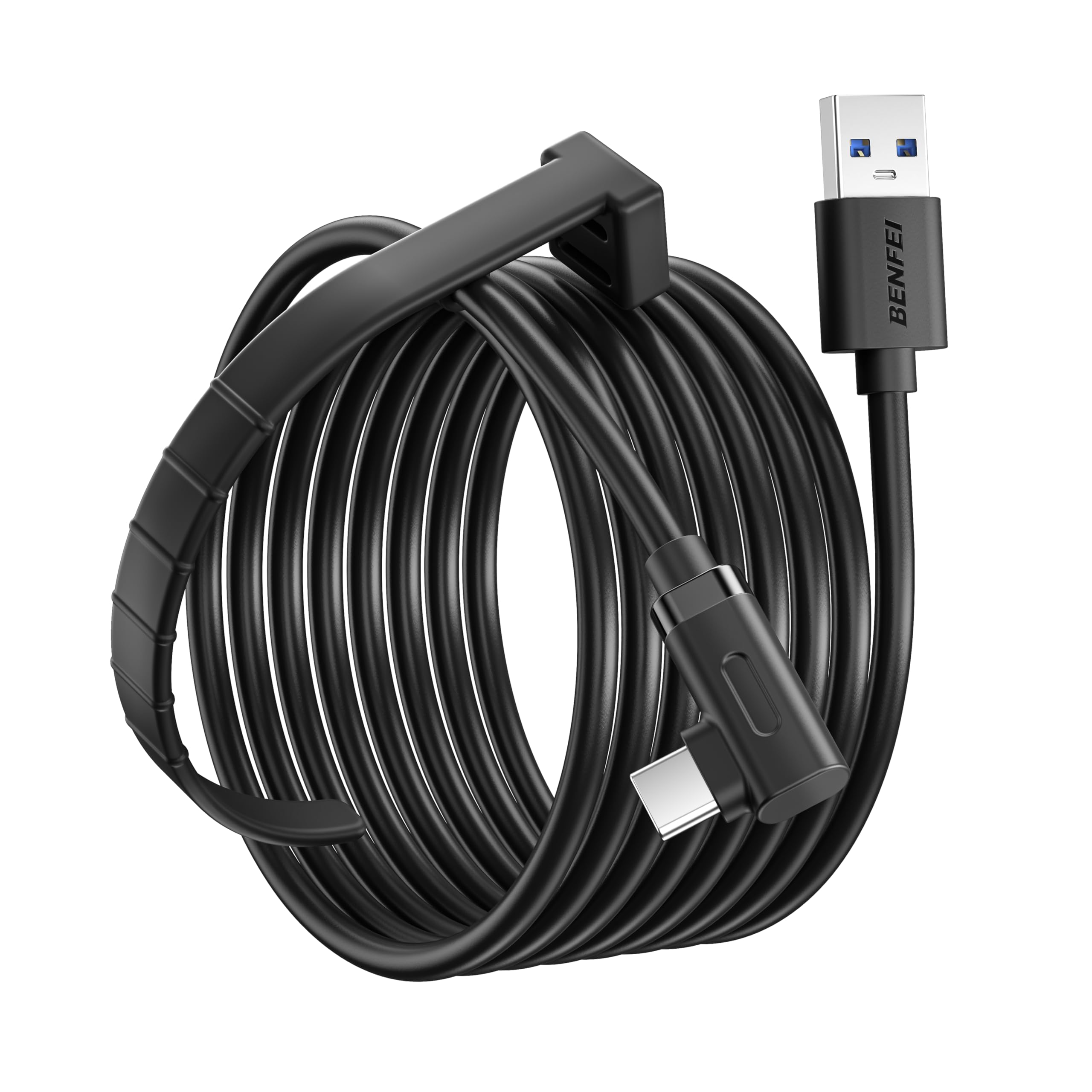
The BENFEI is the plainest cable here, and that's not a criticism. It's a 16-foot USB 3.0 link cable with 5Gbps data and QC 18W charging, plus an 18-month warranty. For a buyer who wants a known brand and doesn't need a separate charging port, it covers the basics.

We like the 5V 3A charging spec and the Velcro strap, and the 16-foot length is the sweet spot for most room-scale setups. The cable is built around a standard straight USB-C connector, so it's a simple plug rather than a swiveling one.

The BENFEI's advantage is that it doesn't ask much of you: plug it into a USB 3.0 port, attach the strap, and play. It's a straightforward data-first cable with charging support, and the 18-month warranty is the quiet selling point. The 18W charging is there to slow the drain, not to promise a full battery while you play.

Our verdict is that the BENFEI is the no-drama choice: it does the core job, includes a useful warranty, and doesn't ask you to manage a second cable. It isn't the cable for someone who wants maximum charging headroom or the lightest possible run, but for a straightforward 16-foot PC link it's easy to recommend.

Pros

  • 16-foot length
  • 5Gbps data rate
  • QC 18W charging support
  • 18-month warranty

Cons

  • Straight connector puts more strain on the port
Our verdict

We recommend the BENFEI as a no-drama 16-foot link cable with 18W charging and an 18-month warranty, especially if you want a known brand at a budget price.

Check Latest Price

How We Tested: Three Months of Tethered PC VR

We built the shortlist by pulling every cable that plainly stated USB 3.0 and listed compatibility with the Quest 3, 3S, 2, Pro, or Pico 4, then cutting anything that couldn't tell us its length, connector orientation, or whether it had a separate power input. That left 14 cables, from 10 to 16 feet, including braided and flat-jacketed versions and several with a split charging end. Testing ran three months, on the same headsets and the same PC.

Most of it happened where these cables actually live: at a desk with the tower underneath and the headset a foot away, in a cleared living room used for standing play, and on a racing setup where the cable runs from a floor-level tower to a seated player. Nobody tested on a bench. We played, and we tripped.

Each cable got the same sequence. We uncoiled it, measured it against a tape, and noted where the slack piled up. We checked the connection readout in the desktop software, then played two-hour sessions and logged the headset's battery percentage before and after, with and without a wall charger in the split port, to see which cables held charge and which merely slowed the drain. We wrote down every disconnect, because the failure that matters is the one that greys out your view mid-race. For durability, we wrapped and unwrapped each cable the way you would after a session, flexed the strain relief, and checked the braid for fraying where it meets the plug.

Compatibility was checked by plugging each one into a Quest 3, a 3S, an older Quest 2, and a borrowed Pico 4, then seeing whether the angled connector cleared the headstrap and which side it favored. Value came last: a 10-foot cable that held speed and charge beat a 16-foot one that tangled and sagged.

How to Choose a Vr Link Cable

Start With USB 3.0, Not Just USB-C

A USB-C plug is only a shape; it doesn't guarantee USB 3.0 speed. For PC VR you want a cable rated for USB 3.0 and a port on your PC that actually runs at USB 3.0, not a charging-only USB-C port. Plug into the rear I/O if you can, and avoid unpowered hubs and long extensions. If the headset reports a USB 2.0 link, the cable is the first thing to swap.

We also look at the stated data rate. A 5Gbps cable is the safe baseline here; the INIU lists 2.5Gbps, which can still work but is the lower figure in this group. The cable can't create bandwidth your port doesn't have.

Match Length to Your Play Space

Length is a comfort decision, not a spec contest. A 10-foot cable is easier to manage at a desk or in a small room, while 15 or 16 feet gives you room to step back without pulling the headset. A 20-foot run adds slack but also more cable to trip over and more voltage drop over the run.

Measure from your PC to the farthest point you actually stand, then add a few feet for a slack loop. The YRXVW is the short-cable pick here; the Syntech and Meta are the 16-foot defaults. More length isn't automatically better if you spend most of the session seated.

Charging While Playing Is Its Own Feature

A link cable can carry data and still let the headset drain. If you want to play for hours, look for a cable with a separate charging port or an actively powered design, and plan to feed it from a charger that meets the cable's rating. The INIU and AMVR make that separate power path explicit; the Meta cable is actively powered.

Even then, the headset decides how much power it accepts. Expect charging to extend playtime or hold the battery steady, not necessarily to fill it while you play. A plain data cable is fine for shorter sessions; it's the long ones that expose the difference.

Connectors, Strain Relief, and Cable Feel

The headset end takes a lot of abuse. An L-shaped or 90-degree connector sits closer to the headset and puts less leverage on the port, especially when the cable is routed behind you. A Velcro strap is not glamorous, but it's the easiest way to create a slack loop so a turn of the head doesn't tug the plug.

Cable feel matters too. Fiber-optic and thin jacket designs are lighter and less noticeable; braided cables feel tougher but can be stiffer. Neither is automatically better. If you use a ceiling pulley or move a lot, prioritize flexibility and a secure strap; if the cable mostly stays on a desk, a sturdier jacket is fine.

Compatibility and Warranty

Check the headset list before you buy, especially if you're on a Quest 3S, Quest Pro, or Pico 4 rather than the Quest 2. Most cables here list Quest 3/3S/2 and Pico 4, but support can vary by model. On the PC side, confirm whether you need USB-A or USB-C; the Meta cable is USB-C, while the AMVR includes an adapter.

Warranty is the quiet differentiator. The Meta and Syntech offer 18 months, the JSAUX and BENFEI are simpler budget buys, and the Maxonar stands out with 36 months. If you've had a link cable fail at the connector before, that support window is worth more than a small difference in spec.

Frequently Asked Questions

Final Verdict

The Meta Quest Link Cable is our top pick because it removes the most variables: official compatibility, active power, a light fiber-optic build, and a 16-foot run at 5Gbps. The premium is real, but it buys a cable that's easy to forget about.

If you want to spend less, the Syntech is the value pick; if charging while playing is the priority, the INIU's separate port is the better fit. Choose by port and play space, and the rest follows.