Best Wireless Lavalier Microphones of 2026

A lavalier mic has one job: make your voice sound like it's a foot from the listener's ear, even in wind or across a table from a second person. The capsule is rarely the problem. What separates one wireless kit from another is everything around it — whether the receiver plugs into your phone or only a camera, whether the transmitter survives a two-hour shoot, and whether the limiter catches a laugh before it becomes distortion.

We've spent five months with 12 kits, from cheap two-packs to sets that cost more than a lens, and the pattern holds: the specs that sell a mic — noise cancellation, range, hour counts — aren't the ones that decide whether a take is usable. Nearly all of these run on 2.4GHz, the same crowded band as your Wi-Fi and earbuds, so a clear line between transmitter and receiver matters more than any number printed on the box.

What you're really buying is a kit that matches how you record — a receiver that plugs straight into a phone, a transmitter that stays put on a collar, a case that survives a bag. The picks below split along those lines.

1

Best Overall

DJI Mic Mini

93 /100
LBD Score Outstanding

Key details

Max Range
400 m
Battery With Case
Up to 48 hours
Noise Cancellation
2 levels
Transmitter Weight
0.35 oz
View on Amazon

Ten grams is the number that makes the DJI Mic Mini work on camera: each transmitter is small enough to sit on a collar without pulling at a shirt, and the kit gives you two of them. The receiver is pocket-sized, the case adds recharges, and the 400 m range is more than most interviews or vlogs need. For a two-person shoot, the second transmitter is the difference between clipping one mic between speakers and giving each person their own.

The appeal isn't just size. The Mic Mini offers two noise-cancellation levels and automatic limiting, and it can connect directly to DJI OsmoAudio devices without a receiver at 48kHz/24-bit. We came back to it for quick interviews because the setup is short: power the mics, plug in the receiver, and record. The sound has enough detail for talking-head video, and the noise handling is tuned to steady room noise rather than a crowded room.

Against the DJI Mic 2, the Mic Mini gives up internal recording and the OLED receiver, but it trims the kit to the essentials. The Lark M2 is the other strong alternative if you want a magnetic mount and three receivers in one case. For a solo creator or a two-person interview, the Mic Mini's trade is the right one.

Pros

  • 10 g transmitters stay discreet on camera
  • Up to 48 hours with charging case
  • Two noise-cancellation levels and auto limiting
  • Direct OsmoAudio connection without receiver

Cons

  • No Lightning adapter in the box
Our verdict

We recommend the DJI Mic Mini as the default wireless lav for camera and USB-C phone work: the 10 g transmitters disappear, and the charging case covers a long shoot.

Check Latest Price
2

Best for Mixed Phone and Camera Kits

Hollyland Lark M2

95 /100
LBD Score Outstanding

Key details

Max Range
300 m
Audio Format
48kHz/24-bit
Battery With Case
Up to 40 hours
Transmitter Weight
0.32 oz
View on Amazon

Three receivers in one case is the reason the Lark M2 earns a spot: a camera receiver, a USB-C receiver, and a Lightning receiver all live with the two transmitters. That means you can move from a phone shoot to a camera shoot without buying another dongle or leaving the receiver at home. The transmitters weigh 9 g, attach with a clip or magnet, and the kit includes necklace cases for subjects who don't want a clip on a nice shirt. We also like that the case is rated for up to 40 hours of combined use, which is the sort of number that turns charging into a weekly habit rather than a daily one.

The audio side is equally sensible: 48kHz/24-bit recording, a 70dB signal-to-noise ratio, one-button noise cancellation, and a 300 m range. We found the magnetic mount the detail that changes how you place a mic, because it can sit under a lapel or on a shirt placket where a clip would be awkward. The receiver also switches between mono and stereo, which is useful when two people are talking. For an editor, that switch is the quiet convenience: two speakers can stay on separate channels instead of being blended before you ever open the file.

Pros

  • Three receivers cover Lightning, USB-C, and cameras
  • 9 g magnetic transmitters with necklace cases
  • Up to 40 hours with charging case
  • 48kHz/24-bit audio and 300 m range

Cons

  • Battery rating assumes noise cancellation off
Our verdict

We recommend the Hollyland Lark M2 for anyone whose kit mixes a USB-C phone, a Lightning iPhone, and a camera, because all three receivers come in the case.

Check Latest Price
3

Best for Paid Shoots With Backup Recording

DJI Mic 2

93 /100
LBD Score Outstanding

Key details

Max Range
250 m
Phone Adapters
USB-C and Lightning
Receiver Display
OLED with headphone out
Internal Recording
32-bit float, up to 14 hours
View on Amazon

The DJI Mic 2's transmitters can work as standalone recorders, capturing up to 14 hours of 32-bit float audio on each one. That matters because 32-bit float gives you headroom to fix a clipped or quiet take in editing, and the internal file is a backup that doesn't depend on the wireless link. For an interview or a one-take video, that safety net is worth more than another menu option.

The rest of the kit is built for the same buyer: a 250 m range, intelligent noise cancellation, an OLED receiver with a headphone out, and both USB-C and Lightning phone adapters in the box. We value the two adapters because they let the same receiver move between a modern iPhone and an Android phone without a separate purchase. The display is also useful on a gimbal, where the phone is mounted away from your eyes.

The Mic 2 is not the simplest kit here: the extra recording and receiver features mean more to learn than the Mic Mini. We still think the internal recording and the dual adapters justify the step up for work that pays. For a solo creator who never expects a wireless drop, the Mic Mini or Lark M2 is the easier buy.

Pros

  • 32-bit float internal recording
  • USB-C and Lightning adapters included
  • OLED receiver with headphone out

Cons

  • Bluetooth phone pairing can take retries
Our verdict

We recommend the DJI Mic 2 for paid shoots because each transmitter records 32-bit float internally, so a wireless drop doesn't have to mean a lost take.

Check Latest Price
4

Best for USB-C Phone Simplicity

Rode Wireless Micro

91 /100
LBD Score Outstanding

Key details

Connector
USB-C only
Transmitters
2
Level Control
GainAssist automatic
Battery With Case
Up to 21 hours
View on Amazon

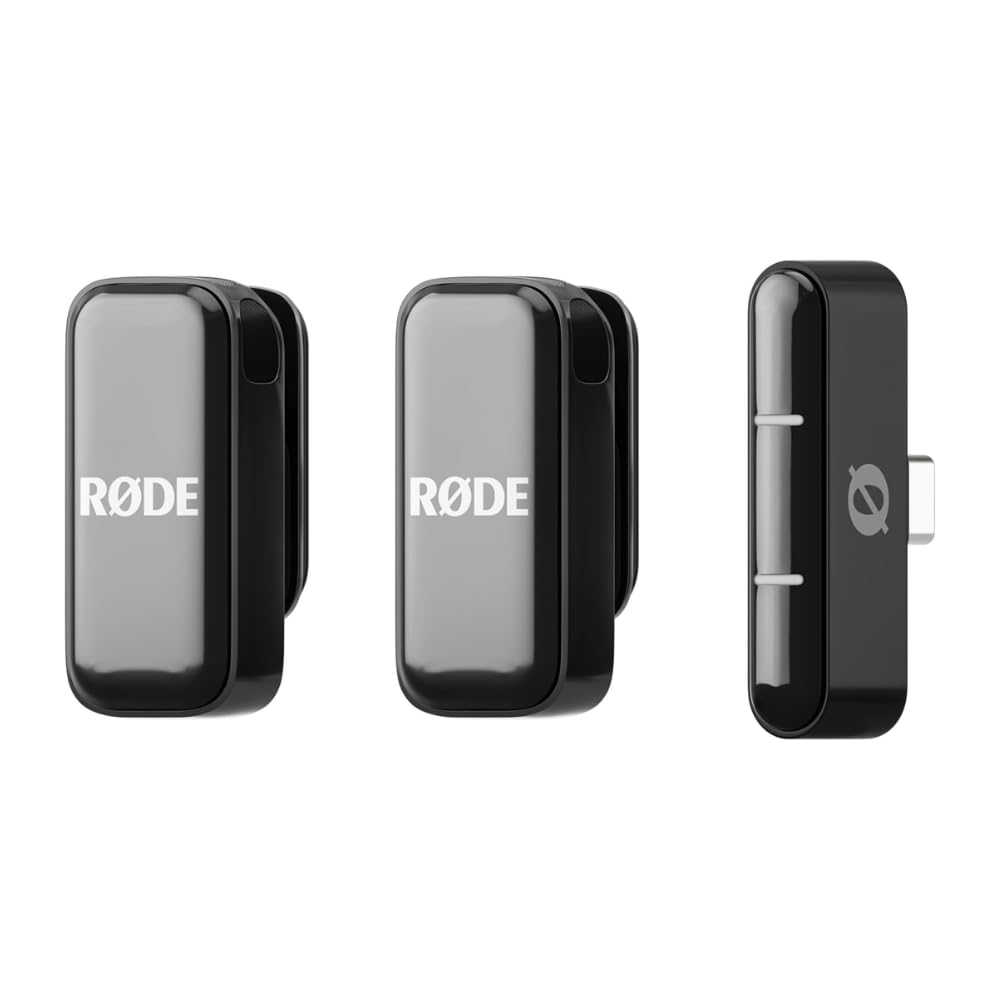
The Wireless Micro is the kit for someone who wants to press record on a phone and not think about audio again. The two mics come pre-paired, the receiver is USB-C, and GainAssist keeps levels in check automatically, so there's no gain menu to learn before a quick interview. Rode includes windshields and a charging case rated for up to 21 hours of combined use. We like that the case holds both mics and the receiver, because a kit that stays together is a kit that gets used.

The sound is clear and the setup is unusually forgiving, which is why it earns a runner-up spot despite a narrower feature set. It's a phone-first system, so the rest of the kit is deliberately simple. The noise cancellation is better at steady room tone than at a busy street; for a quiet room or a close interview, it's fine. The detail we were struck by is the lack of an app requirement: the phone's own camera app is enough for a first take.

Pros

  • Pre-paired mics with no app required
  • GainAssist keeps levels steady automatically
  • Up to 21 hours with charging case

Cons

  • USB-C phones only; no camera receiver
Our verdict

We recommend the Rode Wireless Micro to USB-C phone shooters who want the least setup: the mics are pre-paired, GainAssist handles levels, and no app is required.

Check Latest Price
5

Best Budget Phone Kit

Hollyland Lark A2

91 /100
LBD Score Outstanding

Key details

Audio Format
48kHz/24-bit
Noise Handling
AI noise cancellation
Battery With Case
Up to 42 hours
Transmitter Weight
0.3 oz
View on Amazon

The Lark A2's most useful feature at its price is the AI Auto-Limit, which pulls down a sudden shout or laugh before it clips. That's the kind of protection a one-person creator notices after the fact, when the take would otherwise be unusable. The kit also records in 48kHz/24-bit with AI noise cancellation, and each transmitter weighs 8.5 g, so it's easy to hide on a collar. The charging case is rated for up to 42 hours of combined use.

We think this is the value pick for a USB-C phone creator who wants a small, forgettable kit. The transmitters pair quickly, and the case keeps the whole set together. The audio is clear enough for social video, and the auto-limit makes it more forgiving than the other budget picks here. The noise cancellation is helpful on steady room noise, though it won't erase a conversation across the table.

The one thing to check is charging. Make sure both transmitters are seated and charging in the case before a shoot; a mic that looks docked but isn't charging is the failure that would catch you out. That check takes a few seconds and protects the feature that makes the kit useful: being ready when you pull it out.

Pros

  • AI Auto-Limit guards against clipping
  • 8.5 g transmitters stay discreet
  • Up to 42 hours with charging case
  • 48kHz/24-bit audio with AI noise cancellation

Cons

  • USB-C receiver only; no Lightning or camera option
Our verdict

We recommend the Hollyland Lark A2 as the budget phone kit that still protects a take, with 8.5 g transmitters, a 42-hour case, and an auto-limiter for sudden shouts.

Check Latest Price
6

First-Time Creators

PQRQP 3-in-1

91 /100
LBD Score Outstanding

Key details

Receiver
3-in-1 (USB-C, Lightning, camera)
Max Range
328 ft
Audio Format
48kHz/24-bit
Transmitters
2
View on Amazon

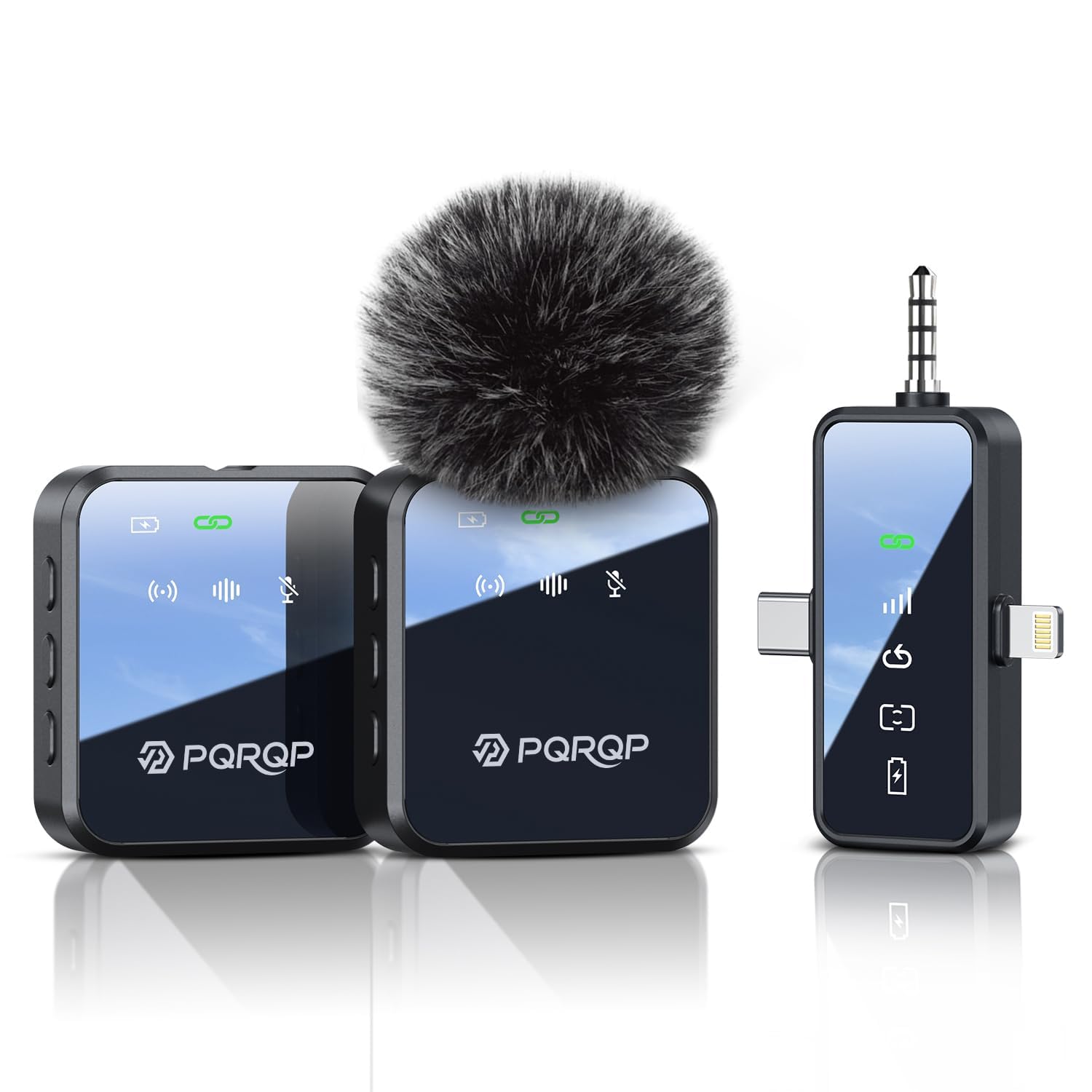
A receiver that covers USB-C, Lightning, and a camera, plus two transmitters, is a lot of kit at the budget end. The PQRQP also manages 328 ft of range and 48kHz/24-bit audio, with one-touch mute and a reverb mode. The clips are sturdy enough for a collar, and the whole set fits in the included storage bag. For someone building a first kit around a phone, that combination is more useful than a single mic with a nicer finish.

We found the plug-and-play setup refreshing: the receiver connects to the phone, the mics pair automatically, and there's no app to learn. The noise reduction is better at taking the edge off a room than at removing a nearby conversation; for a talking-head video in a quiet space, that's enough. The sound has good clarity for social video, and the mute button is easy to reach when you need to stop recording without touching the phone.

The 328-foot range is more than a solo creator needs; the useful part is being able to set the phone down and step back for a full-body shot. The three-connector receiver is what makes it a credible first kit rather than a toy. For a beginner who shoots with whatever phone is on hand, that flexibility is the whole point.

Pros

  • Two transmitters plus a three-connector receiver
  • 328 ft wireless range
  • One-touch mute and reverb modes

Cons

  • Storage bag only, no charging case
Our verdict

We recommend the PQRQP to a first-time creator who needs two mics and every phone connector without spending much; it is the easiest budget kit here to live with.

Check Latest Price
7

Beginner Interviews

WARM BOX 2-Pack

89 /100
LBD Score Excellent

Key details

Adapters
USB-C, Lightning, USB-A
Monitoring
Real-time headphone monitoring
Audio Modes
Noise reduction, mute, reverb
Transmitters
2
View on Amazon

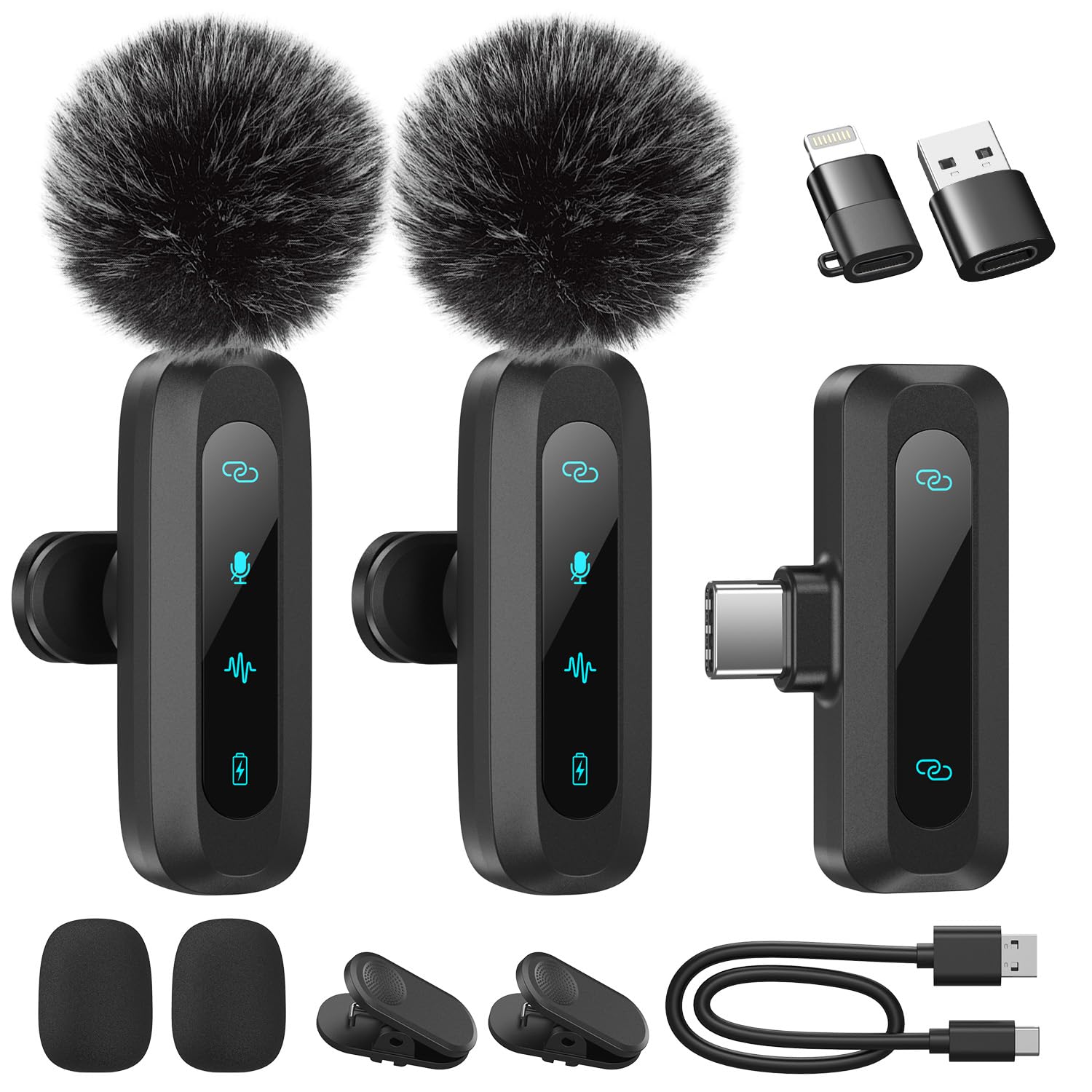
Real-time headphone monitoring is the feature that makes the WARM BOX more useful than its price suggests. You can plug in headphones and hear what the receiver is getting while you record, which is a feature we didn't expect at the budget end of this set. The set includes two transmitters, a USB-C receiver, and adapters for Lightning and USB-A, so it can move between a phone, a tablet, and a laptop. The 360-degree clips also let you angle the mic toward a collar without fighting the mount.

We appreciate the adapter set because it covers the three connectors a beginner is likely to meet: USB-C, Lightning, and USB-A. The receiver also has mute and reverb modes, and the two transmitters make it more useful for interviews than a single-mic budget set. The clips are simple, and the kit is light enough to keep in a bag.

Noise reduction is the part to test first. It can clean up steady room tone, but it won't reliably separate your voice from another conversation, so record a short sample before a paid job. That's not a reason to avoid the kit; it's a reason to use it in the quiet, close-up situations where a budget lav still beats a phone mic.

What we like most is that the WARM BOX doesn't pretend to be a pro system. It gives a beginner two mics, the right adapters, and a way to hear the recording, and it asks you to manage the charging and noise reduction yourself. The two transmitters can be handed to an interviewer and a subject, which is more useful for a first interview than a single mic with a longer feature list.

Pros

  • Two transmitters with 360-degree clips
  • USB-C, Lightning, and USB-A adapters
  • Real-time headphone monitoring while recording

Cons

  • No charging case in the box
Our verdict

We recommend the WARM BOX two-mic set for a beginner who wants adapters for every device and headphone monitoring on a tight budget, provided they test the noise mode first.

Check Latest Price

How We Tested Wireless Lavalier Microphone Kits

We pulled together around 40 kits, then cut anything that couldn't feed both a phone and a camera, anything that demanded a subscription, and anything whose transmitter was heavy enough to droop a T-shirt collar. That left 12, ranging from budget two-packs to sets with charging cases and spare transmitters. Each one went through the same routine.

Every kit got clipped to two people having a real conversation across a kitchen table with the fridge running, a solo walk around the block on a windy afternoon, and an hour-long talking-head take in a room with a laptop fan whirring. I listened back to all of it on headphones and noted hiss, clipped consonants, and how much of the room leaked in. To check handling noise I rubbed a thumb over each capsule mid-sentence; to check noise cancellation I ran an air conditioner three feet away with the feature on and then off and compared the two recordings.

Battery claims got a stopwatch: full charge to dead on the transmitter, then however many recharges the case delivered before it quit. Reliability meant walking the receiver out of the room, putting a body between transmitter and receiver, and standing beside a router to see whether the signal stuttered. Setup was timed from opening the box to the first clean recording, which is where the plug-and-play kits separated from the ones that needed a menu.

Build took the clumsy treatment — dropped from waist height onto a wood floor, cables yanked, clips flexed. Value came down to what was actually in the box: a case, spare windshields, adapters, a second transmitter.

How to Choose a Wireless Lavalier Microphone

Match the Receiver to Your Devices

Start with the phone port. A USB-C receiver works with iPhone 15 and later and most Android phones, but not with a Lightning iPhone; a Lightning receiver or adapter is a separate requirement. For camera work, look for a 3.5mm TRS receiver or cable, not just a phone receiver. The Hollyland Lark M2 is the broadest kit here because it includes camera, USB-C, and Lightning receivers. The Rode Wireless Micro and Lark A2 are USB-C phone systems, and the DJI Mic Mini includes a USB-C adapter rather than a Lightning one. If your bag mixes devices, paying for the right receiver is cheaper than buying a second kit.

Listen for Clean Voice, Not Just Noise Cancellation

48kHz/24-bit is common here, and it's a fine baseline; the bigger differences are capsule quality, noise handling, and how the system treats a sudden loud sound. Noise cancellation is best at steady room tone, not at removing a voice beside you. Auto limiting, like the Lark A2's AI Auto-Limit or the Mic Mini's automatic limiting, pulls down peaks before they clip. For paid work, 32-bit float internal recording on the DJI Mic 2 is the strongest backup here because the audio is captured on the transmitter itself. We prioritise a natural voice and a safety net over the highest cancellation claim.

Choose a Mount You'll Actually Wear

Transmitters in this group run from 8.5 g to 10 g, which is light enough to forget on a collar. The mount matters as much as the weight: a clip is quickest on a jacket or a button-down, while a magnet is better on a thin shirt or a lapel. The Lark M2 also includes necklace cases, which are useful when a subject doesn't want a clip on a nice top. If you're buying for other people, choose a kit with both clip and magnet options; a mic that's awkward to wear will be left in the bag.

Treat Battery Claims Carefully

Per-transmitter runtime is the number that gets you through a shoot; the case's combined hours are a convenience, not a single-charge figure. The Lark A2 and DJI Mic Mini quote 42 and 48 hours with their cases, but each transmitter runs for a fraction of that before a recharge. Noise cancellation usually shortens runtime. Before a long day, check that both transmitters are seated and charging, and carry a USB-C cable for a top-up. A case only helps if you use it consistently.

Range Is a Best-Case Number

300 to 400 m range claims assume a clear line of sight. In a real shoot, a body, a wall, or a pocket can cut the signal, and a phone in a back pocket is a worse place for a receiver than a phone on a tripod. Keep the receiver high and in view when you can, and test the walk-away distance before a one-take interview. For a solo creator, 30 m is often enough; for events, the dual-band and multi-receiver systems are the ones to consider. But range is not a substitute for a backup recording.

Frequently Asked Questions

Final Verdict

We recommend the DJI Mic Mini first for most creators: the transmitters disappear on camera, the case keeps them charged, and the kit is simple enough to use without a manual. If your bag includes a Lightning iPhone and a camera, the Hollyland Lark M2 is the better fit because it brings all three receivers.

For paid work where a lost take is expensive, the DJI Mic 2's 32-bit float internal recording is the feature worth stepping up for. Choose the Rode Wireless Micro instead if your phone is USB-C and you value the shortest possible setup over extra receivers.