
Best Overall
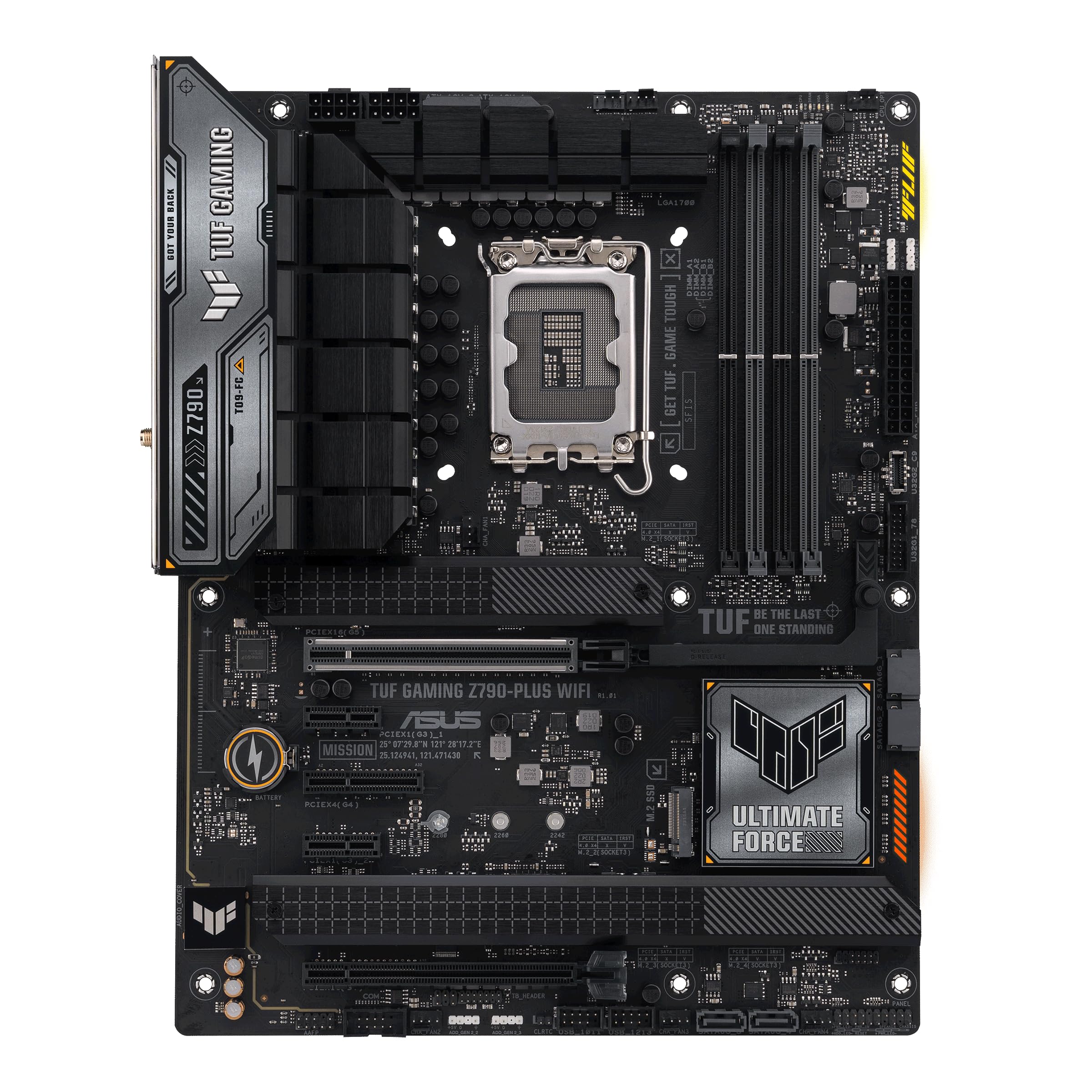
ASUS TUF Gaming Z790-Plus WiFi
Key details
- Memory
- DDR5, 4 DIMMs
- M.2 Slots
- 4
- Networking
- WiFi 6, 2.5Gb LAN
- Power Stages
- 16+1 DrMOS
Four M.2 slots, a PCIe 5.0 graphics slot, a USB4 header and 2.5-gigabit Ethernet: the TUF Gaming Z790-Plus WiFi covers the parts of a Z790 build people actually use, and it does it in the middle of the price range rather than at the top. That balance is why it's the board we point most builders to first.
Assembly is where it earns the recommendation. The layout leaves working room around the top PCIe slot, and the fan and front-panel headers sit where a hand can actually reach them, so a first build doesn't turn into a fight with a screwdriver. The boards we've handled have posted cleanly, and the BIOS is plain enough to set XMP and a fan curve without opening the manual.
Power delivery is 16+1 DrMOS stages with ProCool sockets and real heatsink mass over the MOSFETs and the drives. That is more than a 14700K asks for and about right for a 14900K left at stock; overclocking an i9 hard is where the extra stages on the costlier boards here start to matter.
Connectivity is the caveat to plan around. Wired and wireless dropouts do occur on this board, so run a long download and a speed test during the return window rather than discovering it after the case is closed. Nothing else about the board asks for that kind of vigilance.
Pros
- Four M.2 slots plus a USB4 header
- 16+1 DrMOS stages with full VRM heatsinks
- 2.5Gb Ethernet and USB 3.2 Gen 2x2 Type-C
- Spacious layout that is easy to build in
Cons
- Wireless tops out at WiFi 6
Our default Z790 pick: four M.2 slots, a USB4 header and 2.5Gb Ethernet at midrange money, with the steadiest build-and-setup record in this group.


