Best 120Mm AIO Coolers of 2026

A 120mm AIO is the smallest liquid cooler you can buy, and that's both the pitch and the catch. It fits cases where a 240mm radiator won't and moves heat off a mainstream CPU without drama — but ask too much of one and you'll hear the fan before the temperatures stop climbing.

I've built in enough tight cases to be picky. Over six months, my team and I installed 10 of these coolers and lived with them in both roomy towers and cramped builds, and the differences came down to things spec sheets skip. A 120mm AIO won't beat a good tower air cooler on raw thermals; you buy one for clearance, for looks, and for putting the heat where your case can actually exhaust it.

What separates a good one from a frustrating one is quieter: mounting hardware that fits your socket without a trip to the parts bin, a pump you can't hear at idle, instructions you can follow without a video, and lighting you can control from your motherboard instead of another app. The picks below held up on all four.

1

Best Overall

Thermalright Aqua Elite 120 V3

90 /100
LBD Score Outstanding

Key details

Airflow
66.17 CFM
Sockets
Intel LGA 1150–1851; AMD AM4/AM5
Rated Noise
25.6 dBA
Max Fan Speed
1,500 rpm
View on Amazon

Cheap, quiet and socket-ready: the Aqua Elite 120 V3 is the cooler we point most people to first, and it earns that on three things at once. Thermalright rates the 120mm fan at 1,500 rpm and 25.6 dBA, the lowest noise ceiling in this group, and the mounting kit covers Intel LGA 1150 through 1851 plus AMD AM4 and AM5, so a platform change doesn't mean a new cooler.

A single 120mm radiator is a fit decision as much as a cooling one, and this one behaves the way a 120mm radiator should. It's comfortable on the mainstream six- and eight-core chips it's built for and out of its depth only if you're pushing a high-wattage flagship, where the whole category struggles. The fan moves 66.17 CFM through an aluminum fin stack, and at 25.6 dBA it stays out of the way while it does it.

The pump head is the fourth generation of Thermalright's design, an octagonal cap with an ARGB ring behind the logo, and it takes its lighting from a 5V 3-pin header rather than a proprietary controller. That means no extra box in the cable nest and one fewer piece of software to install — a small convenience we appreciated more the tighter the build got.

The mount is the part to slow down for. The hardware is sturdy, but backplate alignment is where these builds go wrong, so dry-fit it and check the pump sits flat before you tighten anything down. Buy a tube of decent thermal paste with it, too; the sachet in the box is the one place the budget clearly shows.

Pros

  • Intel LGA 1150–1851 and AMD AM4/AM5 out of the box
  • Quietest rated fan in this group at 25.6 dBA
  • Lowest price of the five coolers here
  • Cooling holds up on mainstream chips

Cons

  • Bundled thermal paste is worth replacing
Our verdict

Our default: it covers AM5 and LGA 1851 without an extra bracket, runs quieter than anything else here, and costs the least.
Check Latest Price
2

Best for RGB Builds

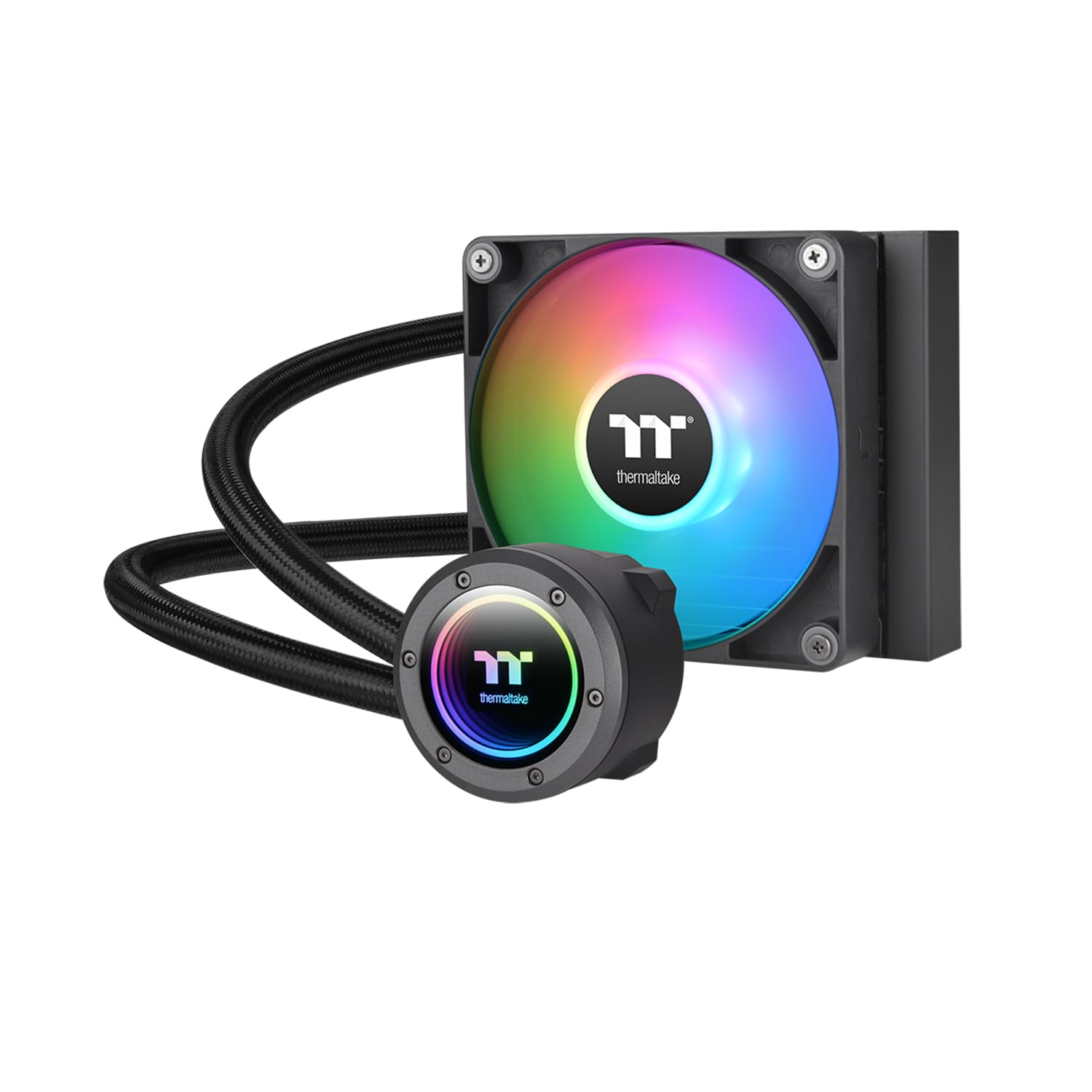
Thermaltake TH120 ARGB Sync V2

87 /100
LBD Score Excellent

Key details

Sockets
Intel LGA 1150–1851; AMD AM2–AM5
Warranty
2 years
Rated Noise
25.8 dBA
Max Fan Speed
2,000 rpm
View on Amazon

The pump cap rotates a full 360 degrees before it locks, so the infinity mirror and the logo square up with the case however your socket sits. It's a small piece of design that coolers this size usually ignore, and it's why this one looks installed rather than bolted on.

The rest of the package is aimed at the same buyer. The cold plate is copper, the fan runs to 2,000 rpm, and the ARGB works off the motherboard's 5V header with support for Aura Sync, RGB Fusion, Mystic Light and Polychrome — one lighting ecosystem instead of two. Rated noise is 25.8 dBA, which on paper sits right alongside the quieter picks here.

We think the finish is worth paying for when the inside of the case is on show. This is the only cooler in the group that treats the pump as a design feature rather than a place to print a logo. Noise is the caveat: the rating is close to the best here, but a pump can pick up an audible trickle. Orientation usually settles it — mount the radiator with the hose fittings at the bottom, so any trapped air sits at the top of the radiator instead of circulating through the pump.

The price is the other thing to weigh. It's the most expensive cooler in this group, and what the extra buys is the mirror, the rotating cap and the software support rather than more cooling. If those matter to the build, they matter; if they don't, the Thermalright does the same job for a lot less.

Pros

  • 360-degree rotating cap squares the logo up in any case
  • Syncs with Aura Sync, RGB Fusion, Mystic Light and Polychrome
  • Copper cold plate and a 2,000 rpm fan rated 25.8 dBA
  • Widest AMD cover here, back to AM2

Cons

  • Two-year warranty is shorter than Cooler Master's three years
Our verdict

Worth the premium when the inside of the case is on display — the rotating cap and infinity mirror are the nicest finish here.

Check Latest Price
3

Best Warranty

Cooler Master 120L Core

85 /100
LBD Score Excellent

Key details

Sockets
Intel LGA 1700/1851; AMD AM4/AM5
Warranty
3 years
Max Fan Speed
1,800 rpm
Pump Lighting
White LED
View on Amazon

Three years is the longest stated warranty in this group, and on a part with a pump in it, that counts for more than a lighting effect. Cooler Master backs the 120L Core for three years — longer than Thermaltake's two and well beyond the single year on the Dracaena.

It's also the plainest cooler here, and deliberately so. The pump glows white, the fan is black, and there's no addressable lighting anywhere in the package. In a quiet, dark build that's exactly right; if you want the inside of the case lit in color, the Thermaltake is the better buy.

What we like is how little fuss there is. The SickleFlow fan is a standard 4-pin PWM unit that throttles down to 650 rpm, the redesigned brackets cover AM5 and LGA 1700/1851 without adapters, and the dual-chamber pump is Cooler Master's own patented design rather than a bought-in part. None of that is exciting, and all of it is what you want in a machine that just works.

Cooler Master frames it for Ryzen 7 and Core i5, and that's an honest ceiling — a 120mm radiator on a high-wattage flagship is the wrong tool whatever the brand. One practical note: check the box against the socket hardware list before you start, since the bracket is the piece worth confirming before the motherboard goes in.

Pros

  • Three-year warranty, the longest stated here
  • PWM fan throttles down to 650 rpm
  • Minimalist white-LED look with no RGB cabling
  • AM5 and LGA 1700/1851 brackets, no adapters

Cons

  • Socket list skips older LGA 115x and AM3 boards
Our verdict

Buy it if you want a cooler that disappears into a dark build and a warranty that outlasts the rest of the group.

Check Latest Price
4

Older Intel Boards

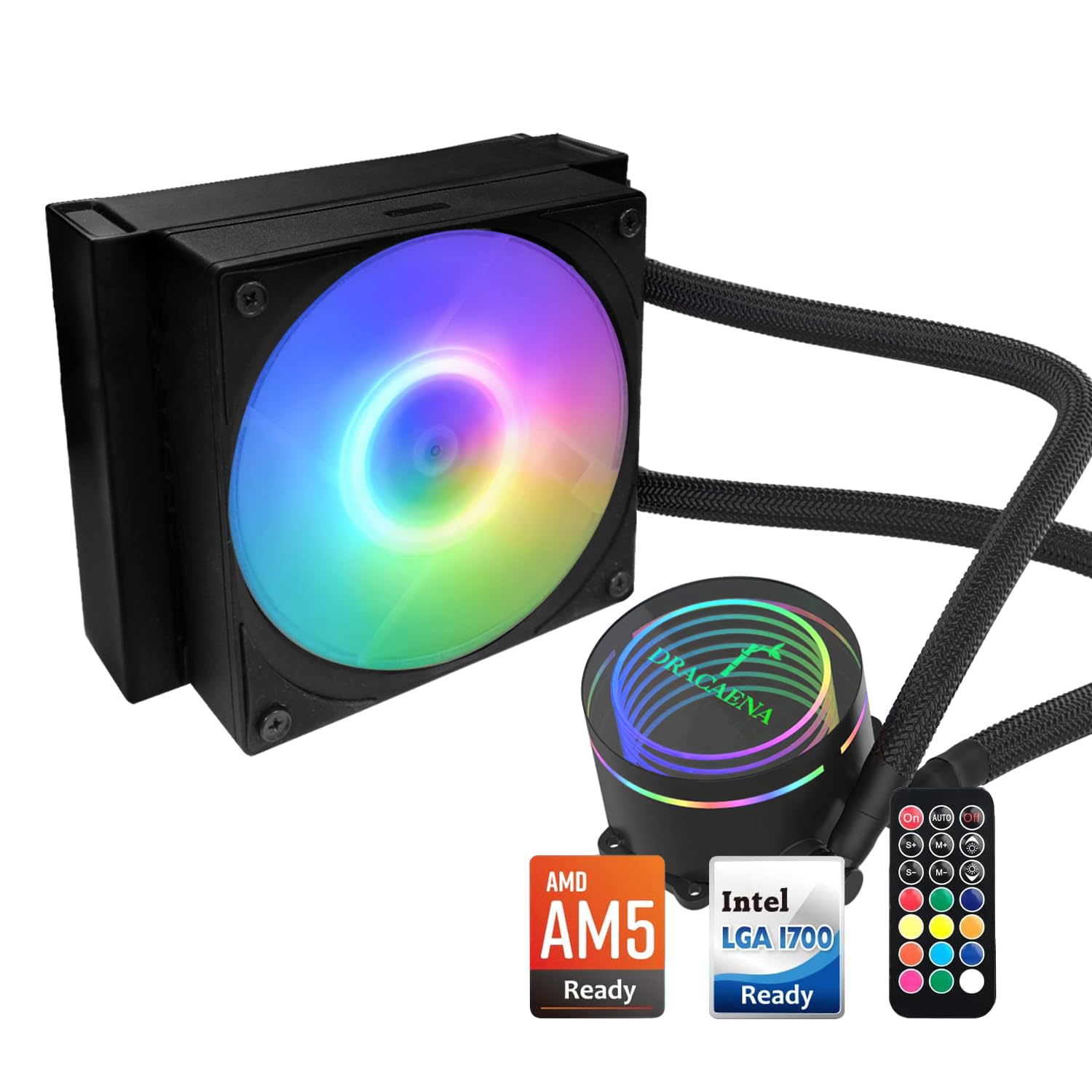
Dracaena.io 120mm AIO

86 /100
LBD Score Excellent

Key details

Sockets
Intel LGA 115x, 1200, 1366, 1700, 2011/2011-V3; AMD AM3, AM4, AM5
Radiator
158 x 120 x 27mm
Claimed TDP
180W
Rated Noise
28.8 dBA
View on Amazon

LGA 1366, 2011 and 2011-V3 are on the compatibility list, and nothing else in this group goes near them. If you're keeping an X79 or X99 workstation alive, that detail alone puts the Dracaena on your shortlist.

The hardware is more interesting than the price suggests. The 120mm fan spans 500 to 2,200 rpm and moves up to 65 CFM, the pump is rated for 40,000 hours, and the radiator is 27mm thick — thin enough to tuck under a top panel where a chunkier one won't go. Dracaena's 180W TDP figure is a marketing number; the real ceiling is whatever your case airflow and fan curve allow.

We were pleasantly surprised by the lighting. It ships with a hub and a remote, so the ARGB works on a board with no 5V header at all — and on an older platform, the motherboard is exactly the part least likely to have one.

Installation is where it gets rough. The bracket set is complete, but the sequence is fiddly and the printed guide assumes you've mounted a cooler before, so watch a video for your specific socket and dry-fit the backplate before you commit to it.

Pros

  • Supports LGA 1366, 2011 and 2011-V3, unique in this group
  • ARGB hub and remote work without a 5V header
  • 2,200 rpm fan moving up to 65 CFM
  • 27mm radiator fits shallow mounting points

Cons

  • One-year warranty is the shortest in this group
  • Rated 28.8 dBA, louder than the quietest picks here
Our verdict

The pick for a legacy Intel workstation, since it covers sockets nothing else here does and brings its own lighting controller.

Check Latest Price
5

Older AM4 Builds

EK AIO 120mm

85 /100
LBD Score Excellent

Key details

Airflow
66.04 CFM
Sockets
Intel LGA 1150–1200, 2011/2011-3, 2066; AMD AM4
Rated Noise
30 dBA
Max Fan Speed
2,200 rpm
View on Amazon

The tubing gives it away. It's reinforced, sleeved rubber with aluminum covers at the fittings — a level of finish none of the budget coolers here attempt, and the reason this one still reads as a premium part.

The rest holds up. The Vardar fan runs to 2,200 rpm with 66 CFM, the D-RGB sits on both the block and the fan, and the mounting hardware is refreshingly simple compared with the bracket stacks on the budget picks. Of the five here, this is the one that feels most like a component rather than an accessory.

Our reservation is longevity. These units run the range from ones still going after years to ones that quit early, and that spread is why this sits in also-consider rather than higher up. For a second machine, a workshop PC or a build where a failure is annoying rather than expensive, the finish still wins.

It's also the second most expensive cooler in this group, so the aluminum covers and the sleeving are what the money buys. Buy it for the build in front of you, not the one you might do next.

Pros

  • Sleeved, reinforced tubing with aluminum fitting covers
  • D-RGB on both the pump block and the fan
  • 2,200 rpm Vardar fan with 66.04 CFM
  • Simple mounting hardware

Cons

  • No AM5 support, and LGA 1700 needs a separately purchased kit
  • Rated 30 dBA, the loudest cooler here
Our verdict

The best-finished cooler here, and the one for an AM4 or LGA 1200 machine you want to look the part.

Check Latest Price

How We Tested These 120mm AIOs

We started with every 120mm AIO we could buy from established brands, then filtered by socket support for current Intel and AMD boards, published radiator dimensions, and price. Ten coolers made the cut. Each one went into two systems: a roomy mid-tower and a cramped micro-ATX build where top clearance and cable room are genuinely scarce. Testing ran six months, and a few stayed mounted and running the entire time.

Cooling came first. We logged idle temperatures, then ran a 30-minute all-core load on each cooler, watching how fast temps climbed, where they leveled off, and how quickly they dropped afterward. For noise, we listened from a foot away at the default fan curve and again at full speed, noting fan bearing noise and pump whine separately — a quiet fan can mask a noisy pump.

Installation was timed, done solo, on both Intel and AMD brackets. We counted minutes from unboxing to first boot, noted whether the backplate and standoffs matched the socket chart in the manual, whether the instructions were clear without a video, and whether the radiator needed a second pair of hands. Each cooler was mounted and unmounted twice to see how the threads held up, and we checked radiator thickness and hose routing against RAM and top-fan clearance — plus whether the PWM and ARGB cables actually reached the headers in the small case.

Finally, quality, reliability, and value. We looked at cold plate finish, tubing crimps, and how firmly the block seated, then kept watching the units that ran for months — a pump that got louder or temperatures that drifted told us more than any first-day reading. Value came down to what the box included: fan quality, mounting hardware, and lighting controls that work without extra software.

How to Choose a 120Mm Aio Cooler

Start With the Socket List

Socket support varies more than the spec sheets suggest. Three of the coolers here cover AMD AM5 and Intel LGA 1851 straight out of the box; the Cooler Master stops at AM4/AM5 and LGA 1700/1851; the EK lists neither AM5 nor LGA 1851 and needs a separately purchased kit for LGA 1700. On a current platform that narrows the field before cooling enters the conversation.

On an X79 or X99 workstation it flips the other way, and the Dracaena's LGA 1366 and 2011 support is the whole reason to consider it. Read the socket list as the first filter, not the last line of the listing.

What a Single 120mm Radiator Can Actually Cool

One 120mm radiator has a lower ceiling than the marketing implies. Cooler Master frames its 120L Core for Ryzen 7 and Core i5, which is an honest way to put it; Dracaena's 180W TDP figure is a claim rather than a measurement.

Our rule of thumb: a 120mm AIO suits a mainstream six- to eight-core chip in a case with reasonable airflow, and a high-wattage flagship wants a 240mm radiator or a large air cooler. A small loop will keep a flagship alive, but not quiet.

Read the Noise Rating as a Fan Number, Not a System Number

Rated dBA describes the fan at full speed, and under load a 120mm radiator spends a lot of time there. That's why we weight the fan's speed ceiling alongside the noise figure: a 1,500 rpm fan is easier to live with than a 2,200 rpm one even when the two ratings look close.

The pump is the other half of the story. A trickle or a whine usually means air sitting in the pump, and mounting settles it — hose fittings at the bottom of the radiator, so trapped air collects at the top of the loop instead of circulating.

Mounting Hardware Is Where Cheap Coolers Show Their Age

Bracket design separates a pleasant build from a long evening. Redesigned brackets for AM5 and LGA 1700/1851 make the job short; a stack of spacers and a wordless diagram do not.

Lay the hardware out against your socket before you start, and check the backplate sits flat — a backplate that's slightly off-centre puts the cold plate off-centre too, and that costs more temperature than any paste choice. Buy a tube of good thermal paste with the cooler; the sachet in the box is not where the money went.

Lighting Needs a Header, a Controller, or a Decision

Addressable lighting on these coolers runs from a 5V 3-pin header, and plenty of motherboards, older ones especially, don't have one. Two of these solve it differently: the Dracaena ships with a hub and a remote so its lighting works with no header at all, and the Cooler Master skips the question with white-only pump lighting.

Count your headers before you buy, and if you prefer a dark build, take the plain option — it's less expensive and one less cable to route.

Frequently Asked Questions

Final Verdict

Most people building a compact or budget machine should buy the Thermalright Aqua Elite 120 V3. It's the least expensive cooler here, it has the lowest noise rating of the five, and it covers AM5 and LGA 1851 without an adapter — three things that rarely line up in one box.

Spend more only for a specific reason. If the inside of the case is on display, the Thermaltake TH120's rotating infinity-mirror cap and four-ecosystem lighting support are worth the premium. If you want the longest cover and a build that stays dark, the Cooler Master 120L Core gives you three years and white-only lighting.