Best 240Mm AIO Coolers of 2026

A 240mm all-in-one is the cheapest way into liquid cooling, and the easiest place to waste money. Pay a little more and you get fans that stay quiet under load and a pump that doesn't whine at idle; pay too little and you've bought a light show with a radiator bolted to it. What a good one actually buys you is headroom — a cooler that keeps a modern CPU off its thermal ceiling without sounding like a hairdryer.

I've installed plenty of these over the years, and the ones I keep recommending are rarely the flashiest. Over the past eight months, my team and I have run 12 of them through my own build, two office machines, and a deliberately cramped test rig. Two things surprised me: daisy-chained fan cables save real time on routing, and a radiator a few millimeters thicker can turn an easy install into a fight with your case's top panel.

Some of the picks below chase silence, some are for matching a white build, and one is the budget answer. All of them survived install day without drama.

1

Best Overall

Thermalright Aqua Elite 240 V3

91 /100
LBD Score Outstanding

Key details

Fans
2x 120mm ARGB PWM
Sockets
AM4/AM5, LGA1150–LGA1851
Lighting
ARGB, 5V 3-pin header
Radiator
240mm
View on Amazon

Nothing else here balances price and performance this well. The Aqua Elite 240 V3 is the least expensive way into a genuinely good 240mm loop — a 240mm aluminium radiator, two 120mm ARGB fans and Thermalright's fourth-generation pump head — and it also carries the strongest rating in this set. That kind of agreement on a budget part is worth taking seriously.

The fans are why it stays easy to live with. Thermalright rates the pair at 1,500 RPM and a 25.6 dBA ceiling, which is a deliberately low bar: the blades move 66 CFM without the edge you get from fans spinning past 2,000 RPM to hit a headline number. In a case with decent airflow we mostly stopped noticing it, and under a long load it settled into the background rather than rising above it.

Lighting is the one thing to check against your own hardware. The ARGB runs off a 5V 3-pin header on the motherboard and there is no controller or remote in the box, so a board without that header leaves the fans lit but unsynced. Socket coverage is broad — AM4 and AM5, plus Intel LGA1150 through LGA1851 — so most recent builds are a straight fit.

What you don't get is polish: no pump display, no software layer, no refill port. On a first or second build, that is the right thing to give up.

Pros

  • Least expensive strong performer in this set
  • Quiet 120mm fans with a 1,500 RPM ceiling
  • ARGB lighting included at the entry price
  • Broad socket support, AM4/AM5 and LGA1150-1851

Cons

  • ARGB needs a 5V 3-pin board header; no controller included
Our verdict

For a mainstream build, this is the one we point to first: cool, quiet, and the best value in this group, with the strongest buyer rating on the page behind it.

Check Latest Price
2

Best for Hot CPUs

ARCTIC Liquid Freezer III Pro 240

83 /100
LBD Score Excellent

Key details

Fans
2x 120mm P12 PRO PWM
Extras
Integrated VRM fan
Radiator
240mm, 2.6 in deep
Warranty
6 years
View on Amazon

ARCTIC attacks the hot-CPU problem with hardware instead of fan speed. The radiator is 2.6 inches deep — the thickest in this group — the cold plate is offset toward the CPU hotspot on both Intel and AMD boards, and a small PWM fan sits on the pump housing to blow air across the voltage converters around the socket. The fan leads even run inside the hose sleeving, so one cable reaches the motherboard.

For a chip that actually loads the cooler, that combination earns its keep. This is the pick here when the CPU is the warmest thing in the room, and the six-year warranty is the longest stated on this page.

Two things to check before committing. At 2.6 inches plus fans, the radiator needs a case with real depth, and a top mount in a compact mid-tower is where that runs out first. Mounting asks for patience too: the offset plate and bracket have to line up exactly, and the tolerances are tight enough that it is easy to cross-thread a screw if you rush.

Noise depends on where you set the curve. The P12 PRO fans are civil at low and mid speeds and become the loudest thing in the case once they pass roughly half speed, so a curve that stays gentle until the CPU is genuinely hot keeps this one quiet without costing you much.

Pros

  • Thick radiator and offset cold plate for hot CPUs
  • Integrated VRM fan cools around the socket
  • Six-year warranty, the longest stated here
  • Single cable to the board from sleeved fan leads

Cons

  • Radiator depth needs a roomy case
  • Mounting tolerances make installation fiddly
Our verdict

If you are cooling a chip that genuinely runs hot, this is the 240mm we trust: the extra radiator depth and VRM fan buy real headroom, as long as your case has room.

Check Latest Price
3

Most Proven Design

Cooler Master MasterLiquid ML240L RGB V2

93 /100
LBD Score Outstanding

Key details

Fans
2x SickleFlow 120 ARGB
Pump
Gen 3 dual-chamber
Sockets
AM5/AM4, LGA1700/1200
Warranty
2 years
View on Amazon

No cooler here has been in service longer, and that history is the whole argument. The ML240L RGB V2 turns up in build after build, and the reason is unglamorous: a third-generation dual-chamber pump that has been refined rather than redesigned, SickleFlow fans that push 62 CFM at up to 1,800 RPM, and an EPDM seal that speaks to year three more than day one.

Cooling is the part that holds up. A 240mm radiator with those fans is enough for a mainstream chip at stock, and the money went into the pump and the seal rather than a screen.

The rear bracket is the weak point. It has to be held against the back of the board while you line up the standoffs, and it doesn't seat itself, so plan on a second pair of hands or a magnetic screwdriver and check the orientation twice before tightening anything down. Once it is on, it is on.

Lighting is where the value math gets muddier: the fan LEDs and the pump ring don't render the same color from the same setting, so a single-color build looks far better than a rainbow one. Cover runs two years, the shortest figure stated on this page, which matters if you keep a cooler across two builds.

Pros

  • Years of service history behind the design
  • Cools mainstream CPUs without drama
  • AMD and Intel mounting hardware in the box

Cons

  • Rear bracket is awkward to hold in place
  • Two-year warranty is the shortest stated here
Our verdict

The safest familiar choice here: a long-running RGB design that cools mainstream chips well, provided you are patient with the rear bracket.

Check Latest Price
4

Best Quiet Non-RGB

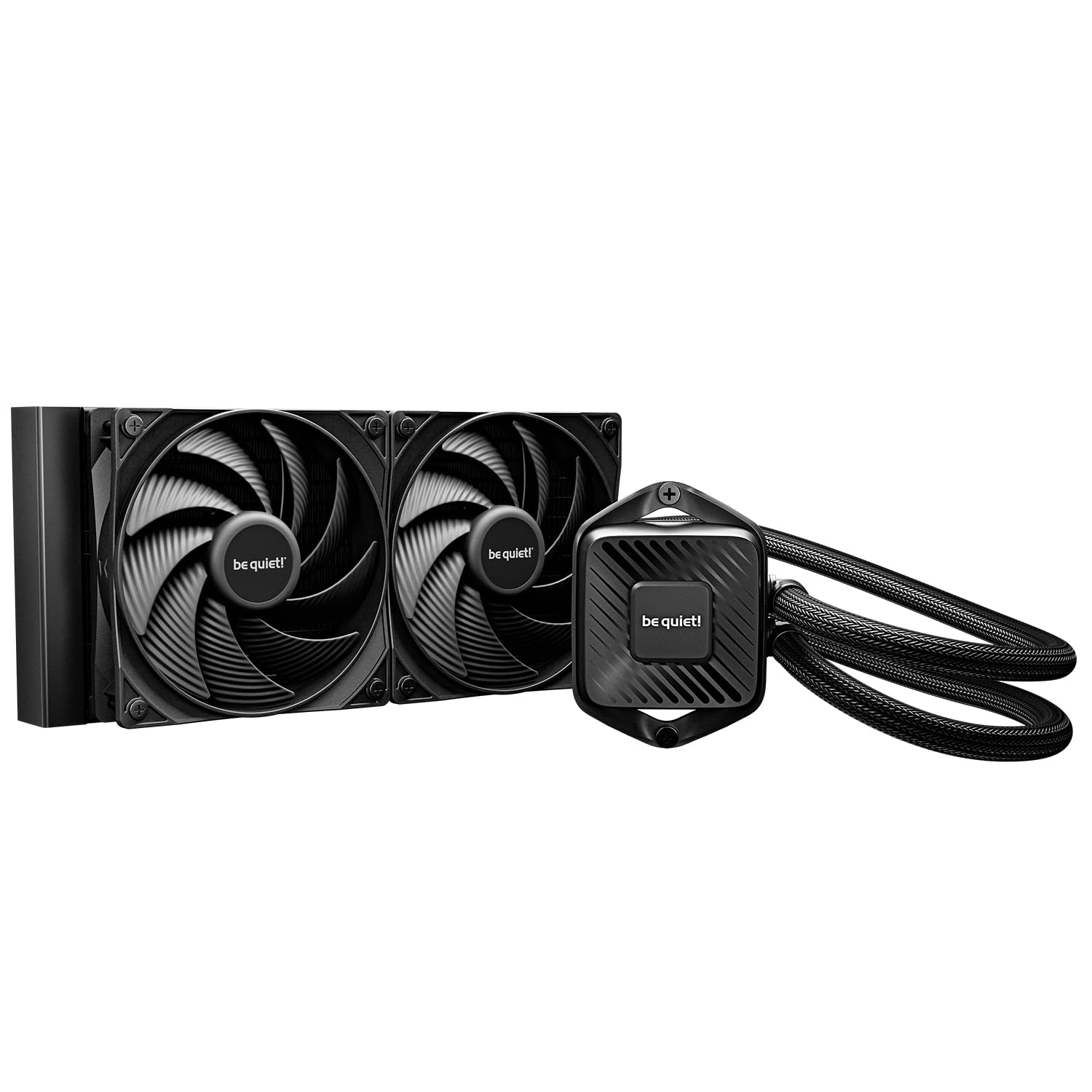
be quiet! Pure Loop 3 240

84 /100
LBD Score Excellent

Key details

Fans
2x Pure Wings 3 120mm PWM
Extras
Refill port
Sockets
AM5/AM4, LGA1851/1700
Lighting
None
View on Amazon

A fill port on a sealed cooler is rare enough to lead with. Unscrew the cap on the Pure Loop 3 and you can top up the coolant — the part that slowly leaves any loop over years of heat cycles. It doesn't make the cooler immortal, but it turns a replacement into a five-minute job.

The rest of the design follows the same brief. Two Pure Wings 3 120mm fans daisy-chain onto a single header, the six-pole three-phase pump motor is built for smooth rotation rather than a headline RPM figure, and the tubing is flexible enough to route behind a motherboard tray without a fight. Nothing here lights up.

This is the cooler we recommend when the machine is a work tool rather than a display piece. The pump is effectively inaudible at its default curve, and the fans' 2,100 RPM ceiling means the cooler ramps gently instead of stepping in and out of earshot. If you sit next to your PC all day, that is worth more than another 200 RPM of headroom.

The trade is money and nothing else. You pay more than most of this group and get no lighting, no display and no software, because the budget went into the pump, the fans and that port. If any of those three is what you came for, look elsewhere on this page.

Pros

  • Refill port extends the loop's service life
  • Very quiet pump and fans at working speeds
  • Daisy-chained fans use a single header

Cons

  • Costs more than most here without any lighting
Our verdict

For a build with no lighting on purpose, this is our pick: quiet fans, a silent pump, and a refill port that lets you top up the coolant instead of replacing the unit.

Check Latest Price
5

Best for Tidy Builds

Corsair Nautilus 240 RS

91 /100
LBD Score Outstanding

Key details

Fans
2x RS120 PWM, daisy-chain
Pump
Rated 20 dBA
Warranty
5 years
Cold Plate
Convex, paste pre-applied
View on Amazon

Two fans, one cable, one header. The Nautilus 240 RS daisy-chains its RS120 fans together and runs a single 4-pin lead to the motherboard, so there is no hub to find a home for and no RGB cable to hide. In a case with a glass panel, that absence is the feature.

This is the pick for a build where the inside is meant to look deliberate. The cold plate is slightly convex, which helps it sit flat against the CPU's heat spreader, and the paste arrives pre-applied in a pattern meant to spread evenly under pressure — small things that matter when you install once and close the case for two years.

Cooling holds up without drama: a 240mm radiator and a pair of high-static-pressure fans keep a loaded CPU in range, and the pump is rated at 20 dBA while it does it. Five years of cover sits near the top of this group.

The fans are plain RS120s with no lighting at all, which is exactly right for a blacked-out build and the wrong call for a showcase one.

Pros

  • Daisy-chained fans need one 4-pin header
  • Pre-applied paste on a convex cold plate
  • Five-year manufacturer cover
  • Low-noise pump rated at 20 dBA

Cons

  • Pump can whine at low RPM
Our verdict

The tidiest install here: two fans daisy-chained to one header, no controller, no lighting, and five years of cover behind a pump rated at 20 dBA.

Check Latest Price
6

Best Budget Quiet Pick

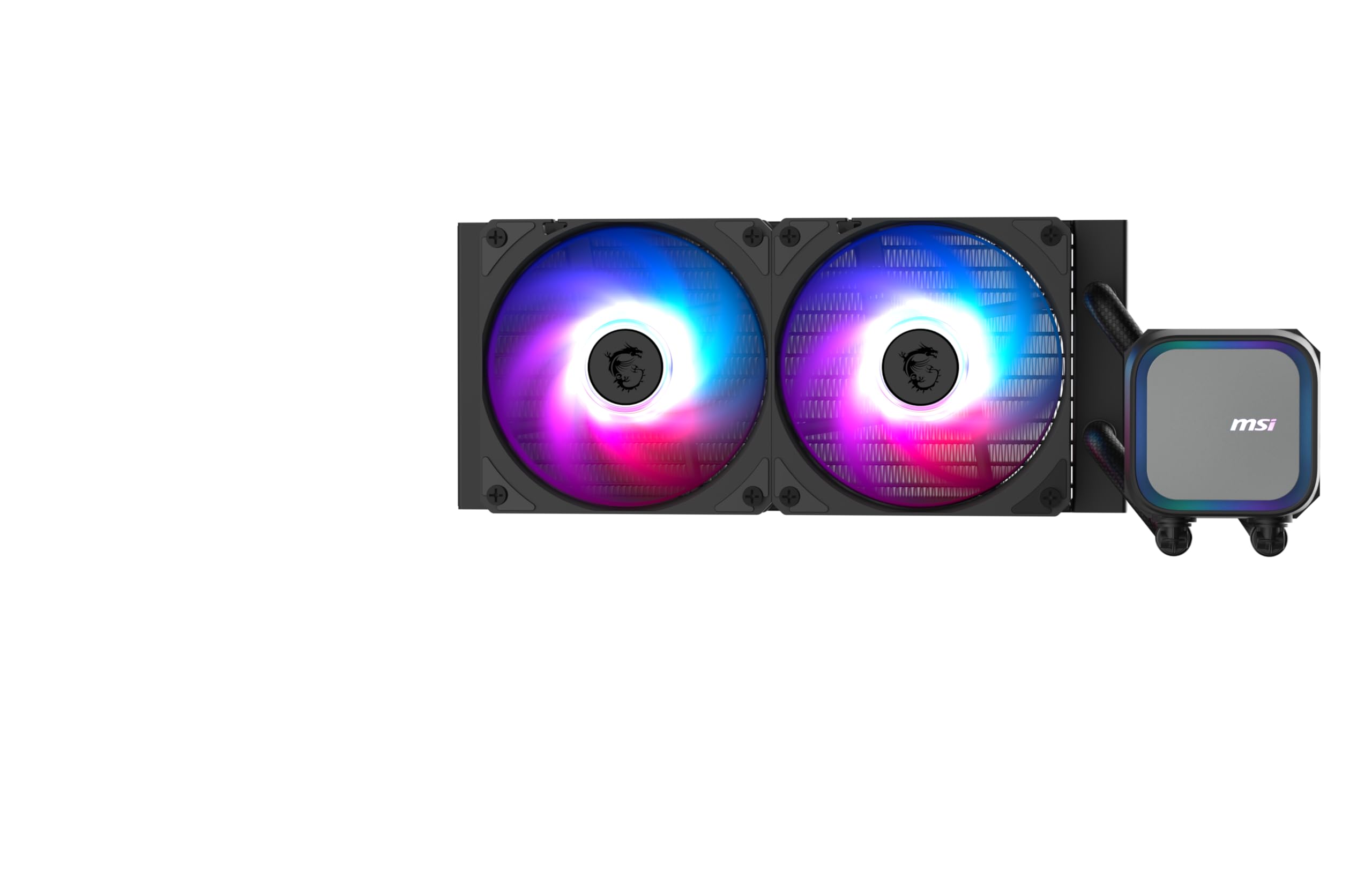
MSI MAG Coreliquid A13 240

88 /100
LBD Score Excellent

Key details

Fans
2x 120mm ARGB PWM
Pump
Up to 3,800 RPM
Tubing
390mm
Warranty
3 years
View on Amazon

Some builds sit eighteen inches from your ear, and that changes what you want from a cooler. The MAG Coreliquid A13 240 is built for that spot: a pump that runs to 3,800 RPM on ceramic bearings, a split-flow radiator that spreads coolant across the channels instead of pushing it straight through, and fan behaviour that keeps the machine unobtrusive at idle.

Build quality is where it overdelivers for the money. The tubing is triple-layered under a reinforced mesh sheath, the pump housing feels solid rather than hollow, and the bracket covers AM5, AM4 and LGA1700, with LGA1851 supported out of the box — not a given at this end of the range.

What we keep coming back to is how little there is to think about. One bracket design handles both AMD and Intel, thermal paste is in the box, and there is no controller or software layer to install. Three years of cover is a reasonable middle ground at this price.

Two things to check. The tubing runs 390mm, which is short for a 240mm radiator front-mounted in a full tower — measure the run from the socket to the front panel before you commit. And the Intel socket list stops at LGA1700 and LGA1851, so an older LGA1200 board is not covered.

Pros

  • Quiet at idle and under moderate load
  • Thermal paste included in the box
  • Three-year manufacturer warranty

Cons

  • 390mm tubing is short for large cases
  • Not listed for LGA1200 or older Intel sockets
Our verdict

For a desk-side build on a budget, we hand people this one: quiet enough to forget, simple to mount, and priced alongside the cheapest coolers here.

Check Latest Price
7

White Builds

Cooler Master Elite Liquid 240 ARGB White

87 /100
LBD Score Excellent

Key details

Fans
2x 120mm ARGB PWM
Finish
White
Lighting
Translucent dome ARGB
Warranty
3 years
View on Amazon

White components are the harder half of a themed build to source, and this is the only cooler here that commits to it all the way: white radiator, white fans, white pump housing, with a translucent dome over the water chamber that catches the ARGB instead of hiding it.

The lighting is the reason to choose it over the MasterLiquid. The dome diffuses the LEDs into one soft glow rather than the hard ring of dots you get from a flat pump top, and because the pump carries the effect, the fans only need to be set to plain white.

Underneath the lighting it is a standard 240mm cooler, and that is fine. A dual-chamber pump, an EPDM seal, widened radiator channels and two 2,100 RPM fans pushing 84 CFM will handle a mainstream CPU at stock without complaint. Cooling is not the reason to buy it and not the reason to skip it.

The fans do get loud once they are working hard, so this is a cooler you buy for the look rather than for a near-silent overclocked build. Pre-installed fans and three years of cover round out a package that is easy to live with and easier to look at.

Pros

  • White finish across radiator, fans and pump
  • Diffused dome lighting reads as one glow
  • Fans ship pre-installed with a three-year warranty

Cons

  • Fans get loud under sustained load
Our verdict

If your build is white, this is the cooler to beat on this page: a clean white finish, a lit dome and a straightforward install at a mid-range price.

Check Latest Price
8

All-Black Builds

ID-COOLING FX240 PRO

81 /100
LBD Score Excellent

Key details

Fans
2x 120mm, 82.5 CFM
Sockets
AM5/AM4, LGA1851/1700
Lighting
None
Rated Load
300W TDP
View on Amazon

The fans are the interesting part. Two 120mm units rated at 82.5 CFM and 2.55 mmH2O of static pressure — and on a radiator the pressure figure matters more than the airflow one, because fins are a restriction and a fan that stalls against them moves less air than its CFM number suggests. These are specified not to stall.

The all-black layout is the reason it is here, though. No lighting on the pump, no lighting on the fans, and a CD-pattern cover on the block that reads as machined metal rather than plastic. In a windowed case with nothing else lit, it disappears the way a good component should.

Installation is simpler than the price suggests. The fans daisy-chain to each other so you are not hunting for a second header, the pump runs at 2,900 RPM, and the mounting hardware covers AM5, AM4, LGA1700 and LGA1851 — the current sockets, which is what you want from a budget part. ID-COOLING also rates it for 300W, an ambitious figure for a 240mm radiator that the fan choice at least makes plausible.

The catch is noise at the top end. High-pressure fans have to spin to do their job, and this cooler gets loud when the CPU stays hot. For a machine that idles most of the day it never comes up. For a render box in a shared room, it will.

Pros

  • All-black with no lighting to manage
  • High static pressure fans rated 2.55 mmH2O
  • Daisy-chained fans and current sockets covered

Cons

  • Gets loud when the CPU is held under load
Our verdict

The stealth pick: an all-black 240mm cooler with high-pressure fans and nothing to light up, for anyone who wants the case to stay dark.

Check Latest Price

How We Chose and Tested These Coolers

We started with every 240mm AIO we could find that shipped with current mounting hardware for LGA 1700/1851 and AM4/AM5, then cut anything whose radiator was thick enough to foul a standard top mount or whose price crept into 360mm territory. That left 12 units, which we bought ourselves and ran for eight months. Before ordering, we read through the mounting instructions for each one, because a bracket that requires pulling the motherboard is a different purchase than one you can install in place.

Installs happened the way they do at home: on a Saturday, on a kitchen table, with a case already full of parts. We timed each cooler from unboxing to first boot, noted whether the backplate needed a second pair of hands, and checked that the pump and fan leads reached the headers without extensions. Every unit also went into a smaller mid-tower to see how much room the tubing and radiator actually demand once a graphics card and a top exhaust fan are in the way.

Then we lived with them. Each cooler spent at least a week on a mid-range CPU handling games, long renders, and ordinary desktop work, and we logged idle and load temperatures at the start and end of that week to catch any drift. Noise was judged from a chair rather than a meter: I listened late at night at idle, mid-game, and with the fans pinned, and I noted whether the default fan curve ramped politely or jumped straight to a whoosh. One unit ran on an open bench for three weeks straight while we checked for pump rattle and bearing noise, and in a dark room we looked at how the lighting reads through a glass panel — a soft wash versus a row of hard dots.

How to Choose a 240Mm Aio Cooler

Match the Cooler to Your CPU's Heat, Not Its Socket

The radiator size is settled at 240mm, so the real question is how much heat the pump and fans can move before they get loud. A mainstream six- or eight-core chip is comfortable on any cooler here, and the differences between them show up mainly as noise rather than temperature.

A high-core-count chip that pulls hard for minutes at a time pushes the fans toward their ceiling, and that is where the ARCTIC Liquid Freezer III Pro 240 justifies its thicker radiator and offset cold plate. If your CPU is a modest part, put the money into quieter fans instead of more radiator.

Treat Fan Noise and Pump Noise as Two Separate Problems

Fan noise rises and falls with load, which makes it easy to live with: a custom curve tames most of it, and no fan is loud when the CPU is idle. Pump noise is the opposite. It is constant, it sits at a frequency that cuts through case fans, and no curve hides it.

Look specifically for how the pump behaves rather than how the cooler performs at full tilt. Two coolers here earn their price mostly on pump behaviour: the Corsair Nautilus 240 RS and the be quiet! Pure Loop 3 240. A pump you can run at a fixed moderate speed is easier to live with than one that ramps with the CPU.

Measure Clearance Before Anything Else

The trap with a 240mm cooler is that the number describes the fan span and nothing else. Radiator depth runs from about an inch to 2.6 inches, the fans add roughly another inch on top, and tube length decides whether a front-mounted radiator can reach your socket at all.

A thick radiator that fits a full tower's top mount can foul a compact case's motherboard tray, and short tubing can leave the pump stranded in a large case. Measure the mount depth and the cable run, not just the width, and check both before you order.

Plan the Cabling and the Lighting Together

Two fans, a pump and a lighting cable is four connections in the simplest arrangement; daisy-chained fans and sleeved leads cut that to two. Fewer cables is not just tidier, it is easier to route behind a tray without stressing a connector.

If you want lighting, confirm your motherboard has a 5V 3-pin ARGB header, because several coolers here supply the LEDs but not a controller. If you don't want lighting, say so now: three coolers here skip it entirely, and they are among the quietest of the group.

Weigh Warranty and Service Life

Stated cover across this group runs from two years to six, and the spread is a fair proxy for how long the maker expects the pump to last. A refill port, like the one on the be quiet! Pure Loop 3 240, is the other longevity feature worth paying for, since coolant loss is what quietly ends most loops.

If you plan to carry one cooler through two builds, buy the longest warranty you can justify and skip the model with the shortest. A cheap cooler replaced twice costs more than a good one bought once.

Frequently Asked Questions

Final Verdict

For most builds the Thermalright Aqua Elite 240 V3 is the answer: it cools a mainstream CPU properly, stays quiet doing it, and leaves money for the parts you actually look at. Step up to the ARCTIC Liquid Freezer III Pro 240 only if your CPU is the hot component in the system and your case has the depth for a thick radiator — that is the one place here where extra spend buys cooling rather than lighting.

If silence matters more than anything else and the build has no lights, the be quiet! Pure Loop 3 240 is the cooler we reach for, and its refill port is the reason it can stay in service longer than a sealed unit.