Best 360Hz Gaming Monitors of 2026

A 360Hz monitor is an odd luxury. It won't make you a better player, but it erases the small lies a slower screen tells you — the smeared edge of a strafing enemy, the frame that lands a beat late. The catch is that this refresh rate now comes in two flavors: 1080p IPS panels built purely for competitive shooters, and 1440p QD-OLED displays that are just as fast but also look spectacular in a slow, dark game. The price gap between them buys resolution, real black levels, and usually a warranty that covers burn-in, which is the first thing I'd check if OLED is on your list.

My team and I have lived with eight of these for six months, and the differences come down to what the spec sheet buries: how steady the image holds when frame rates dip, whether the panel flickers at low brightness, whether it can fight a sunny window, and how much color shifts when you move your head. Fast is the easy part now. Consistent is the hard part, and the picks below are the ones that stayed consistent.

1

Best Overall

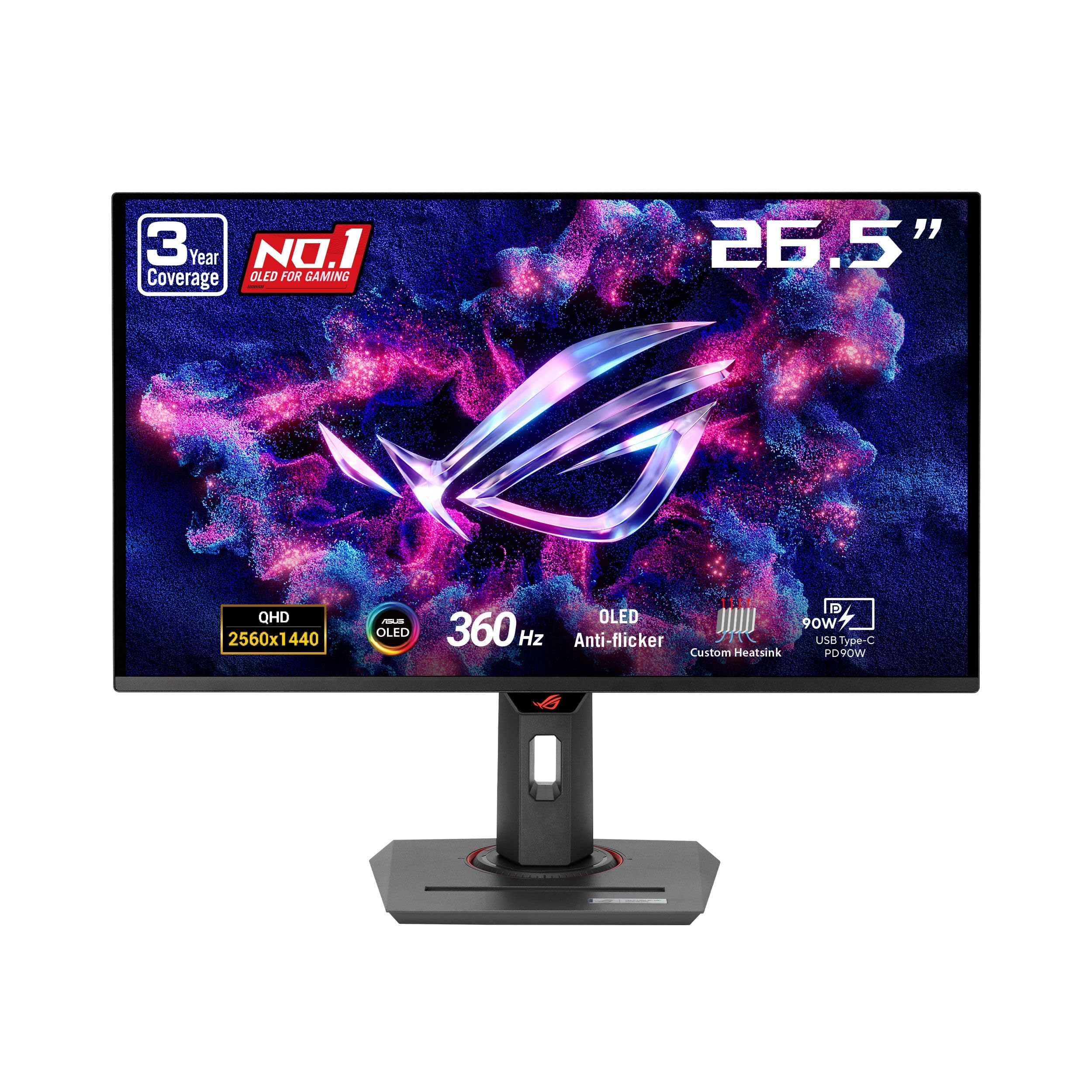
ASUS ROG Strix XG27ACDNG

87 /100
LBD Score Excellent

Key details

Warranty
3 years with burn-in coverage
Panel Type
QD-OLED
Resolution
2560 x 1440
Refresh Rate
360 Hz
View on Amazon

The 26.5-inch matte QD-OLED panel is what makes the ROG Strix XG27ACDNG our default pick. It pairs 2560 x 1440 resolution with 360Hz and a 0.03ms response time, so the desktop stays sharp while fast motion stays clean. We like that combination more than a 1080p esports panel for everyday use: you get the speed when you need it without giving up text clarity or detail the rest of the time.

The details around the panel are what sold us. ASUS adds a custom heatsink, OLED Care+, and a three-year warranty that covers burn-in, which is the coverage we want on any OLED. The anti-flicker mode is another practical touch for a monitor that will spend time at variable refresh rates. We also appreciate DisplayWidget: changing OLED care settings with a mouse beats hunting for a rear joystick.

Against the other OLEDs here, the ASUS gives up a little screen size and some glossy punch, but it costs less than the Alienware and Samsung and matches them on the 360Hz basics. The 26.5-inch panel is a little smaller than the 27-inch models, which can help on a tight desk. For a buyer who wants one monitor for competitive shooters, desktop work, and streaming, this is the balance we keep choosing.

Pros

  • Sharp 1440p QD-OLED picture
  • 360Hz with 0.03ms response
  • Three-year warranty covers burn-in

Cons

  • VRR flicker can appear in some scenes
Our verdict

For a 1440p OLED that does competitive speed and everyday work without the top OLED price, this is the one we recommend first.

Check Latest Price
2

Best 1080P for Competitive Play

Alienware AW2523HF

90 /100
LBD Score Outstanding

Key details

Stand
Height, tilt, swivel, pivot
Panel Type
Fast IPS
Resolution
1920 x 1080
Refresh Rate
360 Hz (DisplayPort)
View on Amazon

The 1080p resolution and 24.5-inch size tell you exactly who the Alienware AW2523HF is for. This is a pure competitive-shooter monitor: 360Hz over DisplayPort, a 0.5ms response, and a Fast IPS panel that keeps the desktop crisp without the size of a 27-inch screen. We like that focus. It leaves more of your desk for a mouse and keeps the whole setup feeling quick.

What we appreciate most is the support around the panel. The stand handles height, tilt, swivel, and pivot, the hexagonal base is a distinctive shape, and the retractable headset hanger is a small thing that keeps a headset off the desk. The 3-year warranty is also generous for an esports monitor. For fast FPS games, the 24.5-inch sweet spot is easier to scan than a 27-inch display, and the 360Hz mode is the reason to choose it.

The trade is the resolution. Text and fine detail are fine at this size, but this is not the monitor we choose for photo editing or a mixed workday. The HDMI input tops out below 360Hz, so plan on DisplayPort for the full speed. If you already have a 1440p OLED for everything else and want a dedicated esports screen, the Alienware is the one that makes the most sense here.

Pros

  • 360Hz over DisplayPort
  • Fast 0.5ms IPS response
  • Full adjustable stand

Cons

  • No built-in speakers
Our verdict

For a dedicated competitive shooter setup, this 24.5-inch 1080p panel is the cleanest way to get 360Hz without OLED complexity.

Check Latest Price
3

Best Value OLED

MSI MAG 271QPX QD-OLED

83 /100
LBD Score Excellent

Key details

Warranty
3 years manufacturer
Panel Type
QD-OLED
Resolution
2560 x 1440
Refresh Rate
360 Hz
View on Amazon

The MAG 271QPX is the least expensive way into a 27-inch 360Hz QD-OLED here, and we think that makes it the value anchor of this group. It uses a third-generation QD-OLED panel with the same headline numbers as the premium picks: 2560 x 1440, 360Hz, and a 0.03ms response. MSI also includes a three-year warranty, which matters more on OLED than on IPS.

The picture is the reason to stretch for OLED in the first place. Deep blacks, strong color, and the near-instant pixel response make fast games look clean without the smearing you can get from an LCD. We also like that MSI's OLED Care 2.0 is built in rather than tucked away as an optional extra. The 27-inch panel is large enough for a primary gaming display but still fits a normal desk.

Against the Alienware and Samsung, the MSI keeps the same 360Hz panel speed and three-year coverage for less money. That is the trade we take when value matters most. It is not the most polished object in the group, but it puts the money into the panel and the warranty, which is where a 360Hz OLED buyer feels it most.

Pros

  • Third-generation QD-OLED panel
  • 360Hz and 0.03ms response
  • Lowest OLED price here

Cons

  • Glossy screen shows reflections
  • Rear toggle feels fragile
Our verdict

This is the value route into a 27-inch 360Hz QD-OLED, and it keeps the picture quality and burn-in coverage that matter.

Check Latest Price
4

Best Dual-Mode Pick

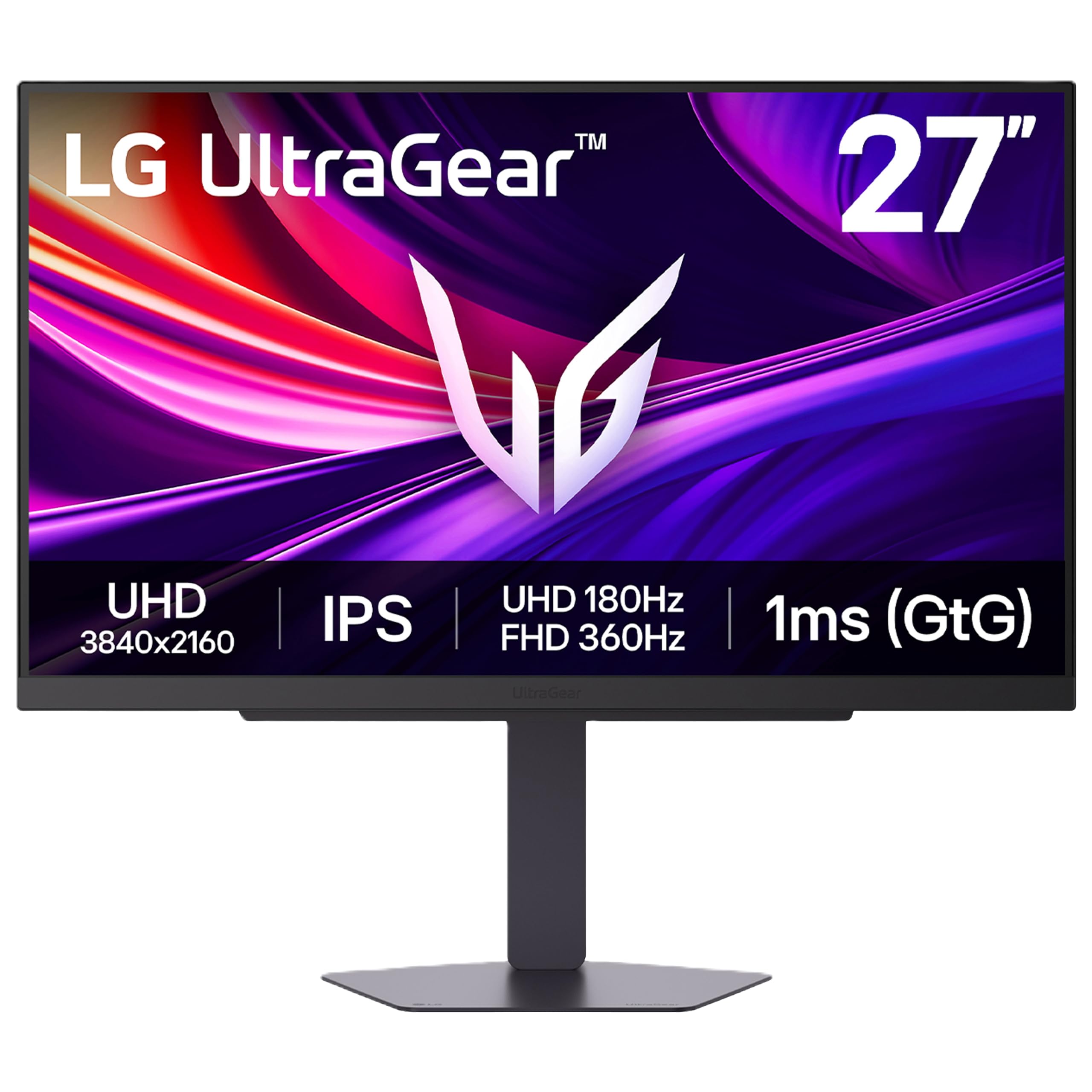
LG UltraGear 27G810A-B

86 /100
LBD Score Excellent

Key details

HDR
DisplayHDR 400
Dual Mode
UHD 180Hz or FHD 360Hz
Panel Type
IPS
Resolution
3840 x 2160
View on Amazon

The dual-mode switch is the reason to look at the LG UltraGear 27G810A-B. It runs 4K UHD at up to 180Hz for everyday games and desktop work, then drops to 1080p for a 360Hz mode when you want maximum speed. We like that flexibility: one screen covers a story-driven game at high resolution and a competitive shooter at high refresh, without a second monitor on the desk.

At 27 inches, the 4K mode is sharp enough for text and detailed games, and the IPS panel keeps colors consistent across the screen. The 1ms response is quick for an IPS display, and G-Sync compatibility plus FreeSync Premium covers both major GPU brands. We also appreciate the DisplayHDR 400 rating and the 95% DCI-P3 coverage, which give the panel enough range for games and video.

The catch is that the 360Hz mode is 1080p, not 1440p. If your main goal is a sharp 1440p image at 360Hz, the OLEDs here are the better fit; the LG asks you to trade resolution for speed every time you switch. For a mixed-use desk where 4K sharpness matters more than a dedicated 360Hz esports panel, we think the dual-mode design earns its place.

Pros

  • 4K 180Hz and 1080p 360Hz modes
  • Sharp 4K desktop and media
  • G-Sync and FreeSync support

Cons

  • One-year warranty
  • IPS blacks look gray next to OLED
Our verdict

For one monitor that has to handle sharp 4K work and fast 360Hz play, this dual-mode LG is the most flexible pick.

Check Latest Price
5

Best Budget for Pure Speed

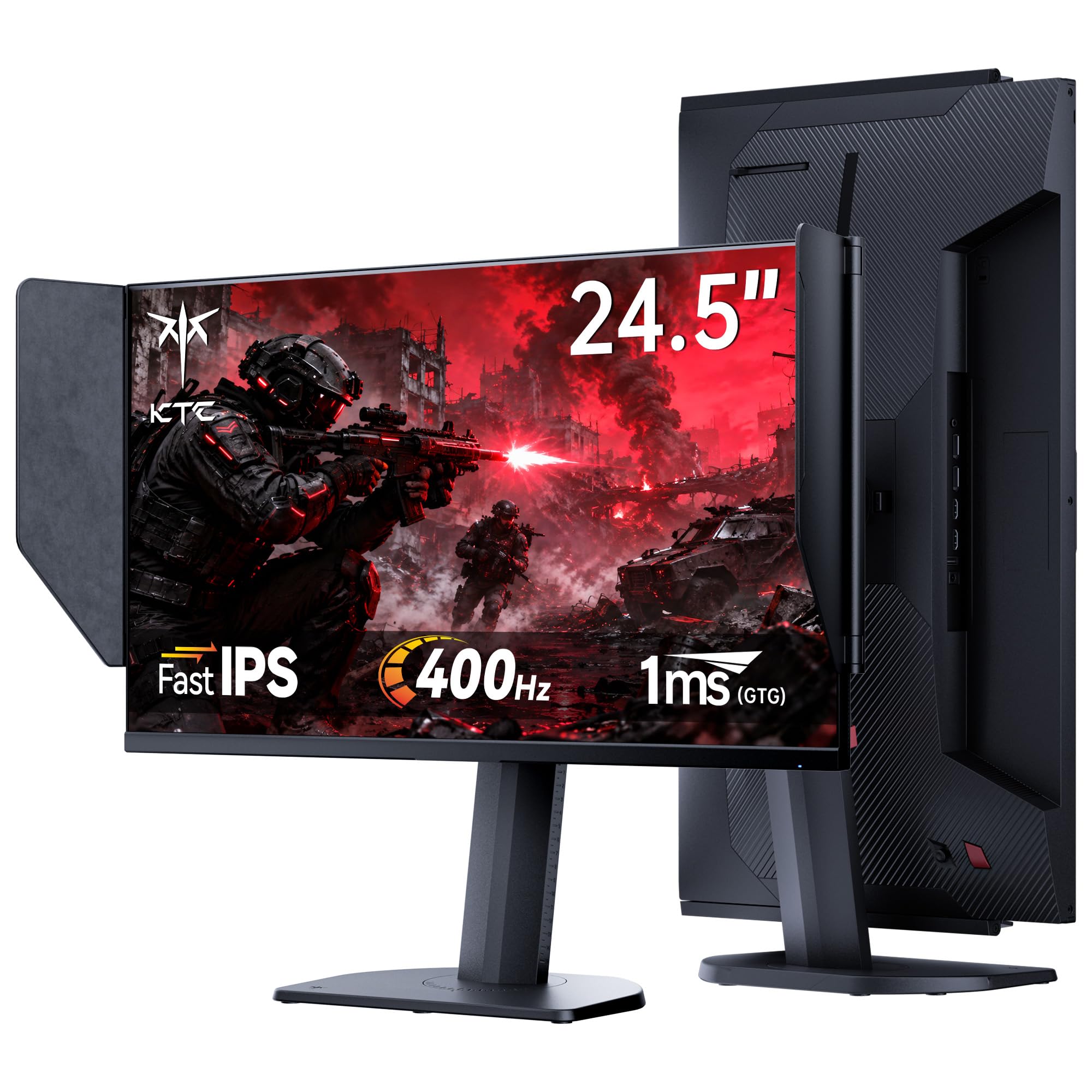
KTC 25M2 Pro

86 /100
LBD Score Excellent

Key details

Panel Type
Fast IPS
Resolution
1920 x 1080
Refresh Rate
400 Hz
Shielding Hood
Included
View on Amazon

The shielding hood is the detail that makes the KTC 25M2 Pro stand out. This is a 24.5-inch 1080p Fast IPS panel that runs up to 400Hz over DisplayPort, and the flocked hood cuts reflections from a window or light behind you. We like that KTC includes it instead of selling it as an accessory; in a bright room, it makes the screen easier to read during a long session.

The rest of the package is aimed at speed. The 1ms GTG response and Adaptive Sync support keep fast motion clean, and the stand adjusts height, tilt, swivel, and pivot. We were also glad to see a three-year warranty on a budget-focused monitor. At 1080p, the 24.5-inch size keeps the image dense enough for games and text, and the 400Hz mode is the headroom that makes this one feel quicker than the 360Hz baseline.

This is not the pick for someone who wants one monitor for everything. The HDMI input tops out at 240Hz, so the full speed needs DisplayPort. For a dedicated esports setup or a second screen, though, the KTC gives you the speed, the hood, and the adjustability without the OLED premium. That is a focused package we can get behind.

Pros

  • Up to 400Hz over DisplayPort
  • Flocked shielding hood included
  • Full adjustable stand
  • Three-year warranty

Cons

  • 1080p limits fine detail
Our verdict

For a budget esports screen that prioritizes raw speed and glare control, the KTC 25M2 Pro is the focused choice.

Check Latest Price
6

Premium OLED

Alienware AW2725DF

84 /100
LBD Score Excellent

Key details

Warranty
3 years including burn-in
Panel Type
QD-OLED
Resolution
2560 x 1440
Refresh Rate
360 Hz
View on Amazon

Alienware's 26.7-inch QD-OLED is the more polished version of the 1440p 360Hz formula. The AW2725DF pairs a 26.7-inch QD-OLED panel with 360Hz and 0.03ms, adds 99.3% DCI-P3 coverage and Delta E<2 tuning, and wraps it in a stand with height, tilt, swivel, and pivot adjustment. We noticed the difference in the stand first: it is easier to place exactly where you want than a basic tilt-only base.

The picture is the main event. Deep blacks and strong color make games look richer than any IPS panel here, and the 360Hz refresh keeps motion clean when the frame rate is there. We also appreciate the three-year advanced exchange warranty with burn-in coverage, plus the factory calibration report in the box. Those are the kind of extras that make a premium monitor feel less like a gamble.

Against the ASUS, this Alienware gives you a slightly larger panel and a fully adjustable stand. We still think it is a strong alternative for someone who wants the Alienware design and the advanced exchange service, but the ASUS remains our default. The Alienware is the choice when the service terms and the adjustable stand matter enough to change the value calculation.

Pros

  • Rich 1440p QD-OLED color
  • 360Hz with 0.03ms response
  • Three-year advanced exchange

Cons

  • Costs more than the ASUS
  • Flicker can appear in dark scenes
Our verdict

A strong premium OLED alternative for buyers who want Alienware design and advanced exchange coverage, though it costs more.

Check Latest Price
7

Anti-Glare OLED

Samsung Odyssey OLED G6

84 /100
LBD Score Excellent

Key details

Panel Type
QD-OLED
Resolution
2560 x 1440
Refresh Rate
360 Hz
Screen Finish
Anti-glare
View on Amazon

The anti-glare finish is the reason the Samsung Odyssey OLED G6 earns a look. Most QD-OLED monitors here have a glossy or semi-glossy coating that makes colors pop but turns a window into a distraction. Samsung's matte treatment keeps reflections under control, and the 27-inch QD-OLED panel still delivers the deep blacks and strong color we expect from this panel type.

The 360Hz refresh and 0.03ms response are the same headline specs as the other OLEDs, and Samsung adds a dynamic cooling system with a pulsating heat pipe to manage panel temperature. We appreciate that engineering: OLED burn-in is a long-term concern, and anything that keeps heat away from the panel is useful. The three-year warranty is also welcome.

The design is slim and silver, and the anti-glare finish gives it a practical, low-drama look. The 27-inch panel is large enough to be immersive without feeling like a television on the desk. For a bright room, that combination of matte screen and QD-OLED contrast is genuinely useful.

If you need a 360Hz OLED for a bright room, the anti-glare screen is a real advantage over the glossy MSI. We think it is worth considering for that reason, but the ASUS remains our default because it costs less and matches the burn-in coverage. For a sunlit office or a room with a lamp behind the desk, we prefer the Samsung's screen treatment.

Pros

  • Anti-glare QD-OLED finish
  • 360Hz with 0.03ms response
  • Dynamic cooling system
  • Three-year warranty

Cons

  • Rear controls feel fragile
  • Early failures have occurred
Our verdict

The anti-glare OLED to choose when reflections are the problem, provided you accept the control and reliability caveats.

Check Latest Price
8

Budget 1440P

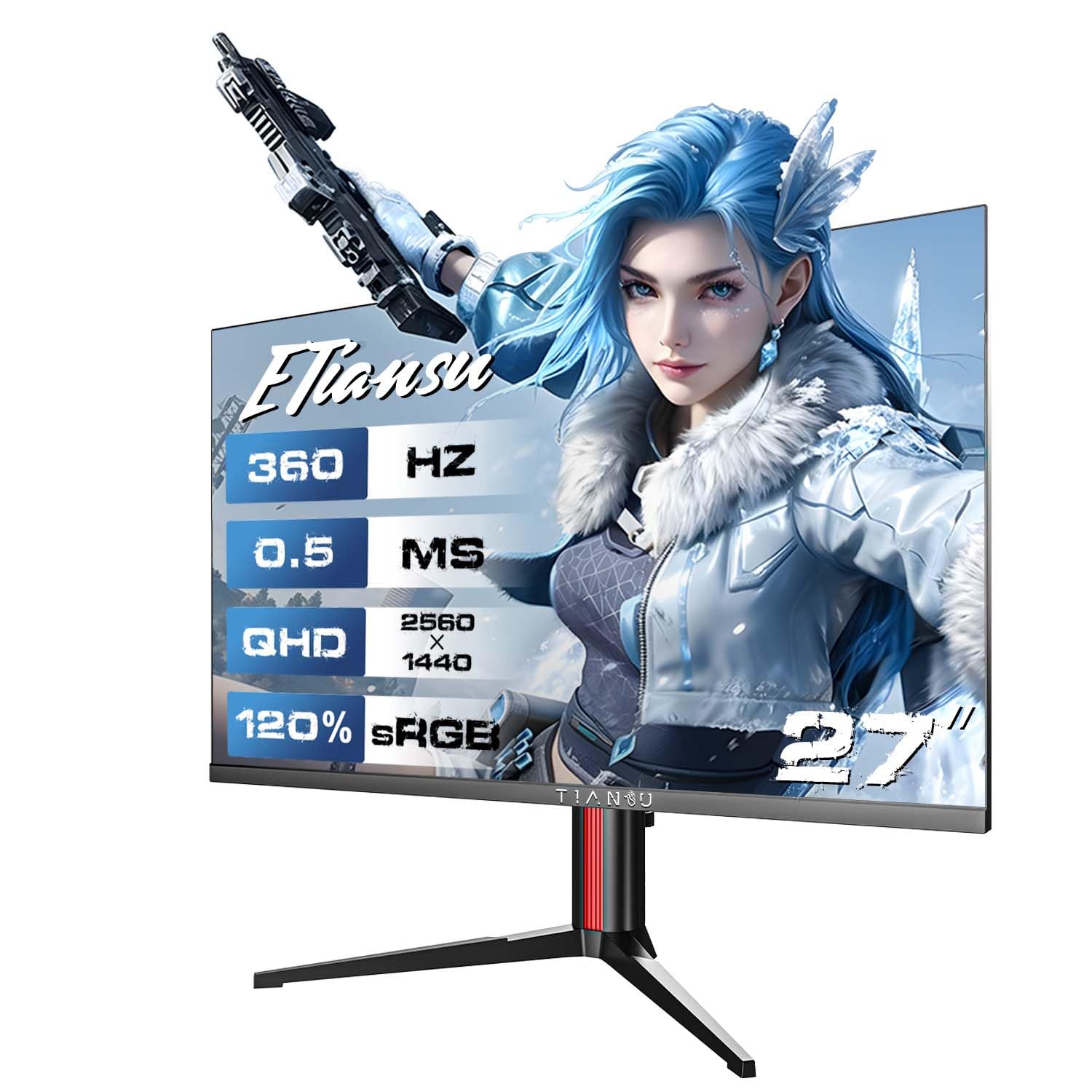
ETiansu 27-Inch 360Hz

81 /100
LBD Score Excellent

Key details

HDR
HDR400
Panel Type
Fast IPS
Resolution
2560 x 1440
Refresh Rate
360 Hz
View on Amazon

The ETiansu 27-inch is the budget 1440p option in this group. It pairs a 2560 x 1440 Fast IPS panel with 360Hz and a 0.5ms response, plus HDR400 and a fully adjustable stand. On paper, that is a lot of monitor for the entry-level end of the set. We like that it does not force you down to 1080p just to keep the price down.

The stand is the pleasant surprise. Height, tilt, swivel, and pivot adjustment are often the first things to go on a budget monitor, and ETiansu keeps all four. We also appreciate the built-in speakers for a quick setup without desktop speakers, and the 125% sRGB coverage gives the panel enough color for games and everyday work.

The panel is where the compromises show. The contrast is not in the same league as the OLEDs, and blacks can look gray in a bright room. Those are real trade-offs, but they are the reason this one sits at the budget end of the group.

If you want 1440p and 360Hz without paying OLED money, the ETiansu is the obvious place to start. It is not the monitor we choose for color-critical work or a premium OLED experience, but for a first high-refresh setup or a secondary gaming screen, it covers the essentials at the lowest price here. That is a narrow but useful role.

Pros

  • 1440p at a budget price
  • 360Hz with 0.5ms response
  • Full adjustable stand

Cons

  • Rear buttons are awkward
Our verdict

A budget-friendly path to 1440p at 360Hz, best for a first high-refresh setup or a secondary gaming screen.

Check Latest Price

How We Picked and Tested These 360Hz Monitors

We started by rounding up every 360Hz monitor we could find with a native 360Hz panel, not an overclocked 240Hz, then narrowed the field by panel type, resolution, adaptive sync support, port selection, and whether the warranty covers burn-in. Eight made the cut, and each one lived on a desk in a home office for six months, set up the way a buyer would set it up: its own stand, arm's length away, keyboard in front.

Testing was the same handful of things, repeated. I played the same fast shooter and the same slow, dark single-player game on every panel, then dragged a window of moving text across the screen while photographing the result to see how much of a trail a high-contrast edge left behind. Each monitor got a colorimeter reading at default settings and again after calibration, plus a side-by-side against a calibrated reference while editing photos.

For brightness and flicker, I killed the lights, dropped brightness to about 20%, and stared at a flat gray screen with adaptive sync running at a deliberately uneven frame rate — that's where shimmer shows up if it's going to. I also worked a full day at each desk with a window behind the monitor to see whether the anti-glare coating held up against direct sun. Build got handled, not eyeballed: I assembled each stand, bumped the desk on purpose, one-handed the height and swivel adjustments, and mounted a couple on VESA arms.

Reliability got the long view. I left a static HUD and a taskbar pinned on screen for hours at a time, ran each panel's own pixel-refresh cycles, and listened for the cooling fan ramping during a long session. Value came down to what was in the box — cables, a USB hub, years of warranty — and whether the specs actually changed how a game felt.

How to Choose a 360Hz Gaming Monitor

Check the port before the refresh rate

Most 360Hz monitors reach that number over DisplayPort, not HDMI. The Alienware AW2523HF and KTC 25M2 Pro both cap HDMI below 360Hz, so the cable and port you use decide whether you get the headline speed. Plan on DisplayPort 1.4 and use the cable in the box; if you also connect a console or laptop, keep the HDMI input for that device. A 360Hz monitor that is running at 240Hz is an expensive 240Hz monitor.

Choose resolution around the frames you can feed

360Hz only helps when your GPU can deliver frames near that rate. For competitive shooters, 1080p is the easier target and the reason the 24.5-inch options here exist. We prefer 1440p for a single monitor that has to do everything: it stays sharp for work and still leaves the 360Hz panel room to stretch in less demanding games. The LG 27G810A-B takes a different route, with 4K at 180Hz for visual games and 1080p at 360Hz for speed. Pick the mode you will use most, not the biggest number on the box.

Treat OLED care as part of the purchase

QD-OLED gives you the deepest blacks and the cleanest motion in this group, but the panel needs some care. Use the monitor's pixel-shift and OLED care features, vary static content, and take advantage of the warranty. We put more weight on a three-year burn-in warranty, like the ones on the ASUS, Alienware, Samsung, and MSI picks, than on a small brightness advantage. Flicker is the other OLED caveat: if you are sensitive to it, buy from a seller with a return window you can live with.

Measure the stand and the desk

Screen size gets the attention, but the stand decides whether the monitor fits. A 27-inch panel with a wide base can push a keyboard off a shallow desk, while a 24.5-inch esports monitor leaves more room for a mouse. Look for height, tilt, swivel, and pivot adjustment if you share the desk or switch between sitting and standing. VESA mounting is the fallback for a cramped setup. We check desk depth before screen size, because a great panel you cannot position comfortably is a daily annoyance.

Decide what the speed is worth

The 360Hz premium is easiest to justify for a dedicated competitive setup. A 1080p Fast IPS monitor gives you the refresh rate for less and leaves money for a GPU that can feed it. If the same screen has to handle work, video, and games, a 1440p QD-OLED is the better long-term buy; the MSI MAG 271QPX is the value route, while the ASUS ROG Strix XG27ACDNG is the more balanced default. Do not stretch for OLED if your main goal is simply the lowest-cost 360Hz setup.

Frequently Asked Questions

Final Verdict

For most buyers, the ASUS ROG Strix XG27ACDNG is the 360Hz monitor to get. It delivers the 1440p QD-OLED picture and 360Hz speed we want, adds a three-year burn-in warranty, and costs less than the Alienware and Samsung OLEDs here. If you are building a dedicated esports setup and do not need 1440p, the Alienware AW2523HF is the better fit: 24.5 inches, 1080p, and a fast IPS panel that keeps the focus on frame rate. Choose the LG 27G810A-B only if 4K matters more than 1440p at 360Hz.