Best Curved Gaming Monitors of 2026

A curved gaming monitor is supposed to pull you into the game, but the wrong curve can feel like sitting too close to a fishbowl, and the wrong panel can turn dark corridors into a muddy smear. Over the past eight months, my team and I tested 11 curved gaming monitors, from a 27-inch model to a 49-inch ultrawide, judging picture and color quality, brightness, performance, sound, adjustability, durability, and value.

The curve is the first thing you notice and the easiest thing to misread. A tighter radius wraps the screen around your view, thrilling in a racing game but aggressive if you sit far back or share the desk with spreadsheets. High refresh rates keep fast motion clean, while contrast and color coverage decide whether a neon cityscape looks vivid or washed out. Looks matter, too—a monitor is a big object on your desk—but a sturdy, adjustable stand is what keeps a long session comfortable. The picks below balance image quality, appearance, and long-term value for different desk sizes and priorities.

1

Best Overall

Samsung Odyssey G55C 32-inch

88 /100
LBD Score Excellent

Key details

Curve
1000R
Resolution
2560 x 1440
Screen Size
32 inches
Refresh Rate
165 Hz
View on Amazon

A 32-inch 1440p panel with a 1000R curve is the combination we keep recommending, because it fixes the two things that make curved gaming monitors disappointing: soft pixels and a curve that feels like a stunt. The G55C wraps the edges toward you without turning the desktop into a fishbowl, and the 2560 x 1440 resolution keeps game textures and interface text crisp at this size. That is why it is our top pick rather than a specialist.

The 165Hz refresh rate and FreeSync are the practical half of the pitch. Fast movement holds together, and the monitor stays in sync with a compatible AMD card without asking you to pay for flagship speed. HDR10 is supported, but brightness is modest at 300 nits, so treat HDR as a bonus rather than the reason to buy. The 1000R radius is aggressive; most people adjust quickly, but sit in front of one before committing if you also do precise layout work.

The VA panel gives the G55C deep contrast and vivid color, and the 32-inch size is large enough to feel immersive without demanding the desk space of an ultrawide. A single DisplayPort handles high-refresh PC gaming, while HDMI is there for a console. We also like that the monitor keeps the focus on the panel; the money goes into the screen rather than a lot of extras.

Pros

  • Sharp 1440p at 32 inches
  • 165Hz refresh with FreeSync
  • Immersive 1000R curved screen
  • Strong VA contrast and color

Cons

  • Stand lacks height adjustment
  • No built-in speakers included
Our verdict

We think this is the curved gaming monitor most people should buy: 32-inch 1440p sharpness, 165Hz smoothness, and an immersive 1000R curve at a midrange price.

Check Latest Price
2

Best OLED

Alienware AW3425DW 34-inch

86 /100
LBD Score Excellent

Key details

Panel Type
QD-OLED
Resolution
3440 x 1440
Screen Size
34.2 inches
Refresh Rate
240 Hz
View on Amazon

The QD-OLED panel is what separates this Alienware from every other pick on the page. Blacks go truly black, colors stay rich next to them, and the 1800R curve on a 34.2-inch ultrawide wraps the image without the hard wrap of a 1000R panel. We noticed the contrast before anything else, and it changes the look of games with dark corridors and bright effects.

It is also fast: 240Hz, a 0.03ms response time, and support for FreeSync Premium Pro, G-Sync Compatible, and VESA AdaptiveSync. That makes it the premium pick for someone who wants one monitor for competitive play and cinematic games. The QD-OLED advantage is real, but it comes with OLED housekeeping; static HUDs and desktop icons deserve care, and full-screen brightness is not as high as the HDR peak suggests. We still think the picture is worth it.

We appreciate the stand more than we expected: height, swivel, and tilt adjustment make a 34-inch ultrawide much easier to live with, and the three-year warranty is reassuring on an OLED. DisplayPort, HDMI, and USB inputs mean a keyboard and mouse can live on the monitor rather than the PC. The 1800R curve is also easier to live with for documents than the tighter 1000R panels here, which makes this a credible work-and-play display.

Pros

  • QD-OLED contrast and color
  • 240Hz with broad adaptive sync
  • Height, swivel, and tilt stand
  • Three-year warranty for OLED

Cons

  • Premium price for the class
Our verdict

We recommend the AW3425DW when picture quality comes first: QD-OLED blacks, 240Hz speed, and a 34-inch ultrawide curve make it the premium choice here.

Check Latest Price
3

Best Super Ultrawide

Samsung Odyssey G9 49-inch

81 /100
LBD Score Excellent

Key details

Curve
1000R
Resolution
5120 x 1440
Screen Size
49 inches
Refresh Rate
144 Hz
View on Amazon

This is the monitor that makes a desk feel like a cockpit, and it is also the one that demands the most from that desk. The 49-inch 32:9 panel is roughly two 27-inch 16:9 screens fused together, so the first decision is not picture quality but whether you have the width and depth to sit far enough back. If you do, the 1000R curve pulls the edges into view in a way a flat dual-monitor setup never quite manages.

We think it earns its premium place for sim racing, flight games, and multitasking, where the extra width is the point. The 5120 x 1440 resolution keeps the desktop sharp, and 144Hz with FreeSync Premium Pro is smooth enough for fast play without the GPU load of a dual-4K panel. DisplayHDR 600 gives it more brightness headroom than the cheaper HDR picks. It is not a monitor for someone who mostly plays 16:9 competitive shooters; the width is wasted there, and some games need windowed or stretched settings.

The stand adds height adjustment and tilt, which matters on a panel this wide, and the 1000R curve is comfortable once you are centered. The 32:9 canvas is easy to split into three windows, and the monitor handles a workday as well as a race. Mac users should confirm their setup can drive 5120 x 1440 at the refresh rate they want; the resolution is a lot to ask of a laptop.

Pros

  • Immersive 32:9 1000R view
  • 5120 x 1440 sharpness
  • 144Hz FreeSync Premium Pro
  • Height-adjustable stand with tilt

Cons

  • Requires a very wide, deep desk
  • No built-in speakers included
Our verdict

We choose this for a single-screen cockpit: 49 inches of 5120 x 1440 at 144Hz, with a 1000R curve that makes sim rigs and wide desktops feel seamless.

Check Latest Price
4

Best High-Refresh Value

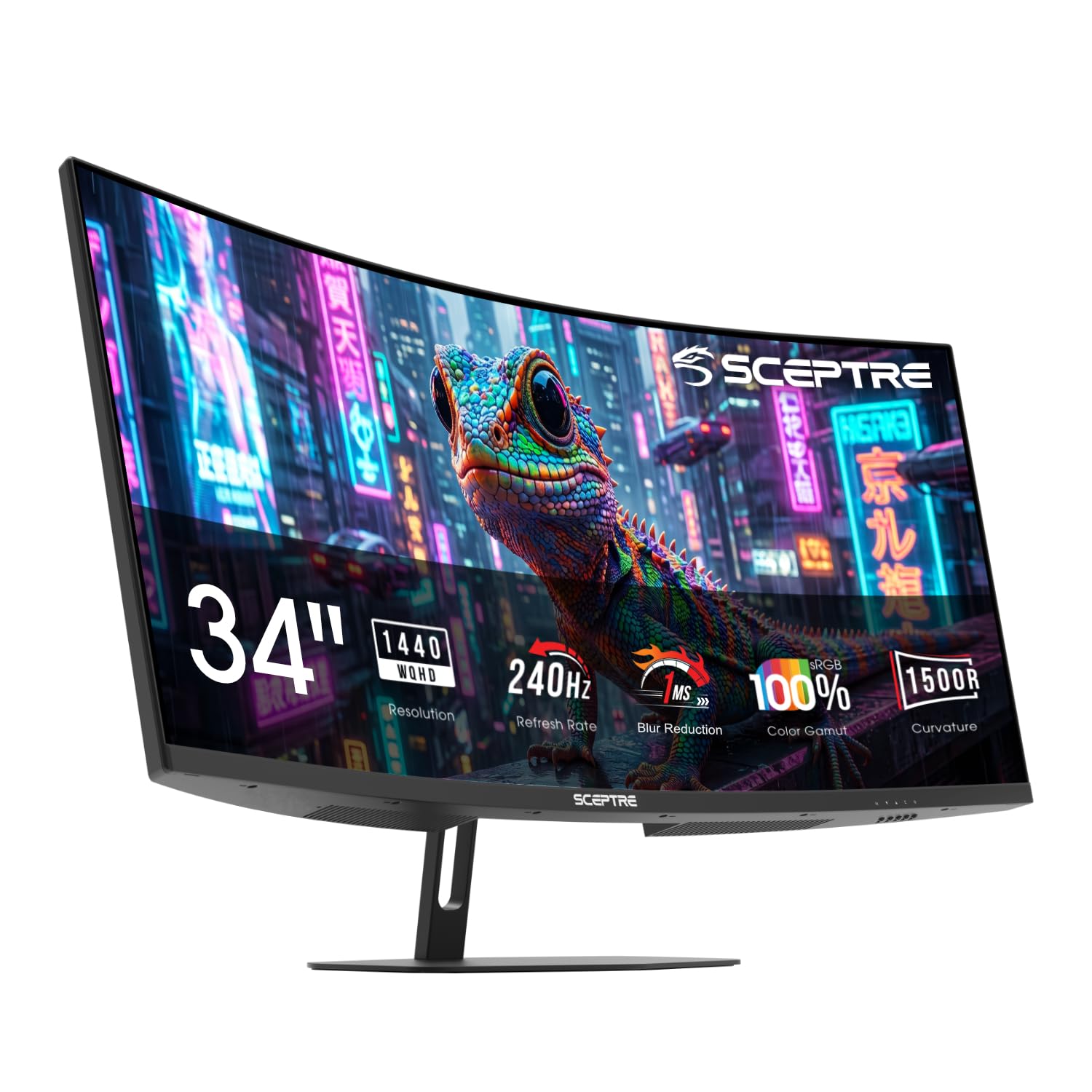
Sceptre C345B-QU240T 34-inch

83 /100
LBD Score Excellent

Key details

Curve
1500R
Resolution
3440 x 1440
Screen Size
34 inches
Refresh Rate
240 Hz
View on Amazon

A 34-inch ultrawide at 3440 x 1440 with a 240Hz refresh rate is a lot of gaming monitor for the money, and that is the entire reason this Sceptre belongs here. We think it is the pick for someone who wants high-refresh ultrawide speed without moving into flagship pricing. The 1500R curve is gentler than the 1000R panels, which makes it easier to live with for spreadsheets and strategy games as well as shooters.

The 1ms MPRT response and FreeSync support back up the refresh rate, and the 100% sRGB coverage gives games a colorful, saturated look. Two DisplayPort and two HDMI inputs are generous at this price, so a PC and two consoles can stay connected. We also like the back-cover lighting if your desk faces a wall; it is decorative, not a reason to buy, but it gives the monitor a little personality.

The 1500R curve is the more practical choice if the monitor doubles as a work display because it wraps less aggressively than the Samsung panels. The ultrawide aspect ratio makes it easy to keep a game and a chat window side by side, and the 3440 x 1440 resolution is sharp without the GPU penalty of a 49-inch screen. It is a focused value play rather than a premium object, and that is exactly how we judge it.

Pros

  • 240Hz ultrawide gaming speed
  • Sharp 3440 x 1440 panel
  • Four video inputs for devices
  • Gentler 1500R curved screen

Cons

  • Built-in speakers are weak
Our verdict

For a high-refresh ultrawide that does not charge flagship money, this Sceptre is our pick: 3440 x 1440 at 240Hz, a comfortable 1500R curve, and four video inputs.

Check Latest Price
5

Best Budget

Sceptre C275W-FW100T 27-inch

90 /100
LBD Score Outstanding

Key details

Resolution
1920 x 1080
Color Gamut
100% sRGB
Screen Size
27 inches
Refresh Rate
100 Hz
View on Amazon

The least expensive way into curved gaming here is also the least complicated: a 27-inch 1080p panel with a 1500R curve, a 100Hz refresh rate, and FreeSync. That is not a spec sheet built for bragging, but it is enough to make a first gaming setup feel smoother than a 60Hz office monitor. The curve is subtle enough to disappear during work and wide enough to add a little immersion in games.

The 100% sRGB coverage gives it more color than we expect at the entry level, and two HDMI ports plus DisplayPort make it easy to switch between a PC and a console. Setup is straightforward, and the frameless design keeps the monitor from feeling like a budget box. It is the kind of display that fits a small room, a dorm desk, or a second setup without asking for a lot of space.

Where it gives ground is resolution: at 27 inches, 1080p is visibly softer than the 1440p picks, especially in text and distant detail. We think that is the right trade for a budget build, but not for a desk you also use for photo editing. The 100Hz refresh is a step up from 60Hz, not a competitive-gaming solution, and the 1500R curve is the right amount for close seating. For a first curved monitor or a secondary display, it is an easy recommendation.

Pros

  • Lowest-cost entry in this group
  • 100Hz refresh with FreeSync
  • 100% sRGB color coverage
  • Comfortable 1500R curved screen

Cons

  • Built-in speakers are weak
Our verdict

We see this as the easiest first step into curved gaming: 27-inch 1080p, 100Hz FreeSync, and a 1500R curve that suits a modest desk and budget.

Check Latest Price

How We Tested the Best Curved Gaming Monitors

We started by pulling together the curved gaming monitors that showed up repeatedly in owner reviews and spec comparisons, then filtered that list by panel type, resolution, refresh rate, curve radius, stand adjustability, and price. From there, we brought in 11 monitors and used them for eight months as daily drivers in home offices and game rooms. Each one spent time with fast shooters, racing games, strategy titles, spreadsheet work, and evening movie streaming, so we could see how the curve and image quality held up beyond a demo reel.

On image and color quality, we played HDR-heavy scenes and pulled up color gradients, skin tones, and dark corridors to check for banding, washed-out highlights, and crushed blacks. We tested brightness in a sunlit room and again at night, noting whether the screen stayed readable without blowing out white text. For performance, we watched for motion blur and frame pacing in fast games, and we compared high refresh modes against standard ones. We also sat at different distances to judge whether the curve felt immersive or pushy, especially on the ultrawide.

Sound, adjustability, and durability got the same hands-on treatment. We listened to built-in speakers at mid and maximum volume during games and video calls, noting whether dialogue stayed clear or turned tinny. We adjusted height, tilt, and swivel repeatedly, checking if the stand moved smoothly and held its position. Durability came down to real use: moving monitors between desks, packing and unpacking stands, and watching for wobble, scratches, or loose connections—our read on build quality. We also noted how each monitor looked on a real desk—bezel size, finish, and stand footprint—because appearance matters when the screen is the centerpiece of a room. Finally, we weighed all of that against price to judge value, because a monitor only earns a recommendation if it holds up after the honeymoon phase.

How to Choose a Curved Gaming Monitor

Start With Resolution and Screen Size

At 27 inches, 1080p is the budget compromise: easy to drive, but text and distant detail look softer. A 32-inch panel wants 1440p, which is the sweet spot we prioritize for sharpness without ultrawide-level GPU load. Step up to a 34-inch 3440 x 1440 or a 49-inch 5120 x 1440 and you need more graphics headroom, plus games that support the wider aspect ratio. Choose the resolution first, then pick the size that makes it comfortable.

Refresh Rate and Adaptive Sync

Refresh rate is where gaming monitors separate themselves. A 100Hz panel is a clear step above 60Hz for casual play; 144Hz to 180Hz is the practical sweet spot for most gamers; 240Hz matters most if you play fast competitive titles and can keep frame rates high. Adaptive sync is just as important as the number: FreeSync is the common baseline here, while higher-end models add broader VESA or G-Sync Compatible support. Check that your graphics card supports the monitor's adaptive-sync mode before counting on tear-free play.

Curve, Size, and Desk Depth

Curve radius is not a quality grade. A 1000R curve is aggressive and wraps tightly; 1500R is gentler; 1800R is subtle enough for mixed work and play. We prefer 1500R when a desk does double duty, because documents and spreadsheets feel less bowed. The wider the monitor, the more desk depth you need to sit at a comfortable distance. A 49-inch 32:9 panel is a two-monitor replacement, not a drop-in upgrade for a narrow desk. Measure the width and depth you can spare before you fall for the wrap.

Panel Type and HDR Expectations

VA panels give strong contrast and are common at this price; OLED panels go further with true blacks and near-instant response, but they ask for care with static HUDs and desktop icons. HDR is the spec most often oversold: a 300-nit panel with HDR10 support will accept the signal without delivering the bright highlights of a real HDR display. We treat HDR as a bonus unless brightness and local dimming are explicitly strong. Buy for SDR picture quality first.

Stand, Ports, and Long-Term Support

Height adjustment matters more than most shoppers expect, especially on a 32-inch or ultrawide panel; tilt-only stands force you to raise the chair or stack books. Check for DisplayPort if you want the highest refresh rate, and confirm the cable in the box actually supports it. Built-in speakers are usually a convenience, not a substitute for a headset. Finally, test for dead pixels and flicker during the return window, and check the warranty before a panel this large becomes a long-term fixture.

Frequently Asked Questions

Final Verdict

The Samsung Odyssey G55C is the curved gaming monitor we point most people to. It pairs a sharp 32-inch 1440p panel with 165Hz FreeSync and a 1000R curve that feels immersive without taking over the desk. If OLED contrast and 240Hz matter more than value, the Alienware AW3425DW is the upgrade; if you want the widest single-screen setup, the 49-inch Odyssey G9 is the one to measure for.