Best 3D Printers for Miniatures of 2026

A 28mm miniature's face is about the size of a grain of rice, which is why resin printers took over the hobby. An MSLA machine cures a whole layer at once through an LCD, so the detail on a cloak's hem or a brow ridge survives instead of smearing into plastic spaghetti. The catch is that everything else has to be right — a plate a hair out of level, resin sitting in a cold garage, or supports placed a millimeter wrong, and you find out six hours later.

Over seven months my team and I ran nine resin printers through exactly that scenario, printing the same batch of 28mm figures, scatter terrain, and a couple of oversized display busts on every machine. Shoppers ask about resolution — 8K, 10K, 16K — but resolution is the easiest thing to sell and rarely the thing that ruins your night. What separated the good machines was setup, self-leveling that genuinely worked, and a first layer that stuck without babysitting. The picks below reflect those differences.

1

Best Overall

ELEGOO Saturn 4 Ultra 16K

84 /100
LBD Score Excellent

Key details

LCD
10 in 16K mono
Leveling
Automatic
Build Volume
8.33 × 4.66 × 8.66 in
Resin Heating
30 °C
View on Amazon

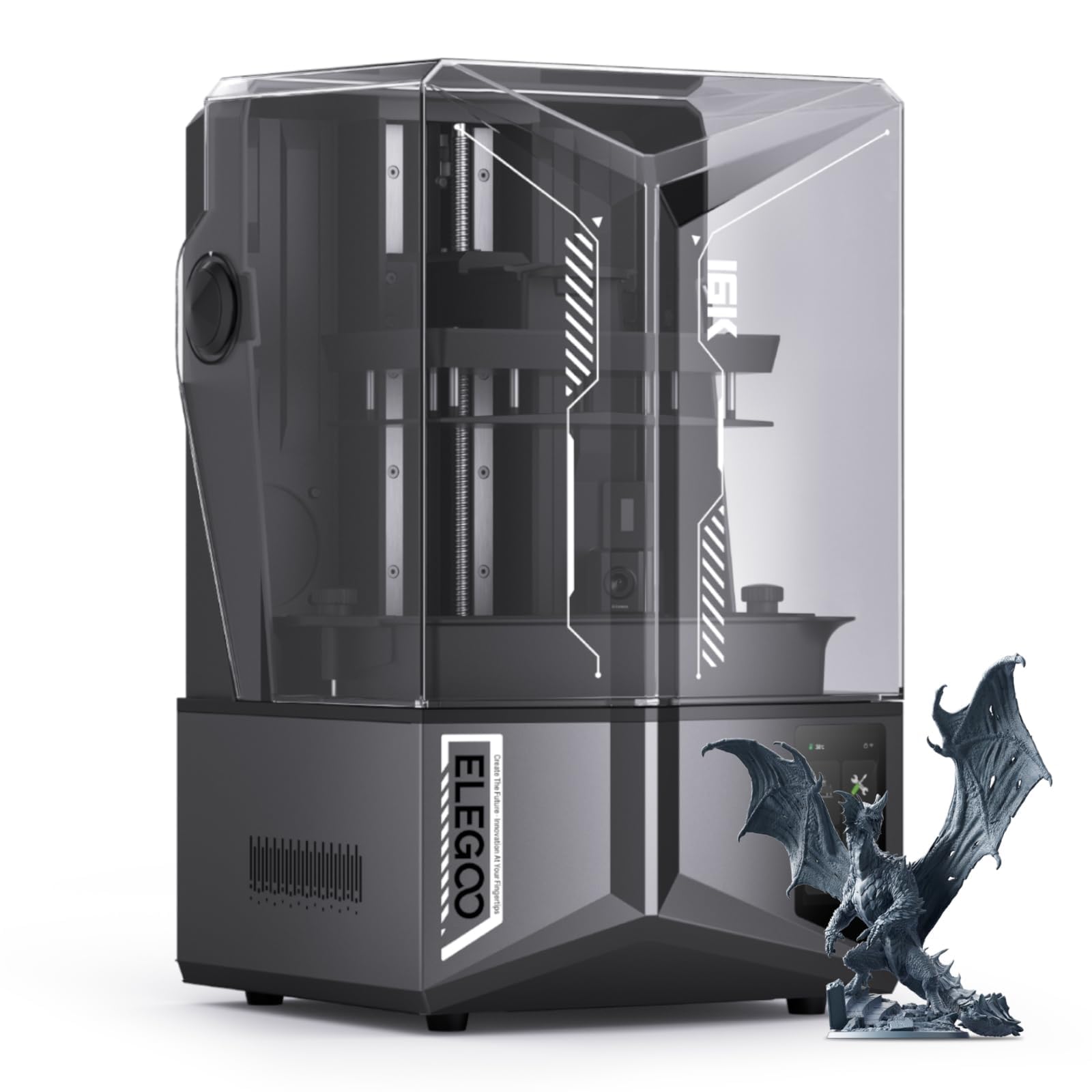
The Saturn 4 Ultra 16K's plate measures 8.33 by 4.66 inches, and the useful translation of that figure is a whole squad. Lay 28mm figures out edge to edge and a single overnight run covers a unit, with room left for bases and a couple of spare arms. Because a resin printer exposes one layer at a time across the entire plate, the extra models come almost free — you are not waiting longer, you are just getting more out of the same hours.

What earns it first place is how much of the machine is aimed at failures rather than at the spec sheet. The 10-inch 16K panel supplies the detail; the heated vat holds resin at 30 °C so exposure stays steady in a cool basement, where cold resin prints soft and fine edges wash out. Automatic leveling removes the calibration step beginners most often get wrong, and the tilting vat peels each layer free with less suction than a straight lift — precisely what keeps spears, swords and cloak edges attached to the figure. We rate that above a modest gain in pixel count: a slightly softer print is usable, a snapped weapon is not.

The small conveniences are the ones we noticed in use. The flip-up lid lifts one-handed, which matters when the other hand is sticky with resin, and the AI camera with its own light watches for an empty plate or a model that has warped off its supports, alerting you instead of letting the vat churn all night. Wi-Fi transfer spares you passing a dripping USB stick back and forth to the computer.

One maintenance note worth knowing before you buy: if resin ever reaches the LCD, getting to it means disassembling the machine, so a tempered-glass screen protector is the cheapest insurance in the hobby. Give it real ventilation, not a corner of the bedroom, and budget for the resin and wash setup on top.

Pros

  • Plate fits a full squad per run
  • Heated vat holds resin at 30 °C
  • Automatic leveling removes the beginner's worst step
  • Tilting vat protects thin weapons and capes

Cons

  • Highest price in this group
  • 35.5 pounds needs a sturdy, permanent bench
Our verdict

If you are printing armies rather than one-offs, we think this is the one to buy: the most complete package here, with a plate that holds a squad and features that head off the failures that waste resin.
Check Latest Price
2

Best Value

ELEGOO Mars 5 Ultra

84 /100
LBD Score Excellent

Key details

LCD
7 in 9K mono
Build Volume
6.04 × 3.06 × 6.49 in
XY Resolution
18 µm
Max Print Speed
150 mm/h
View on Amazon

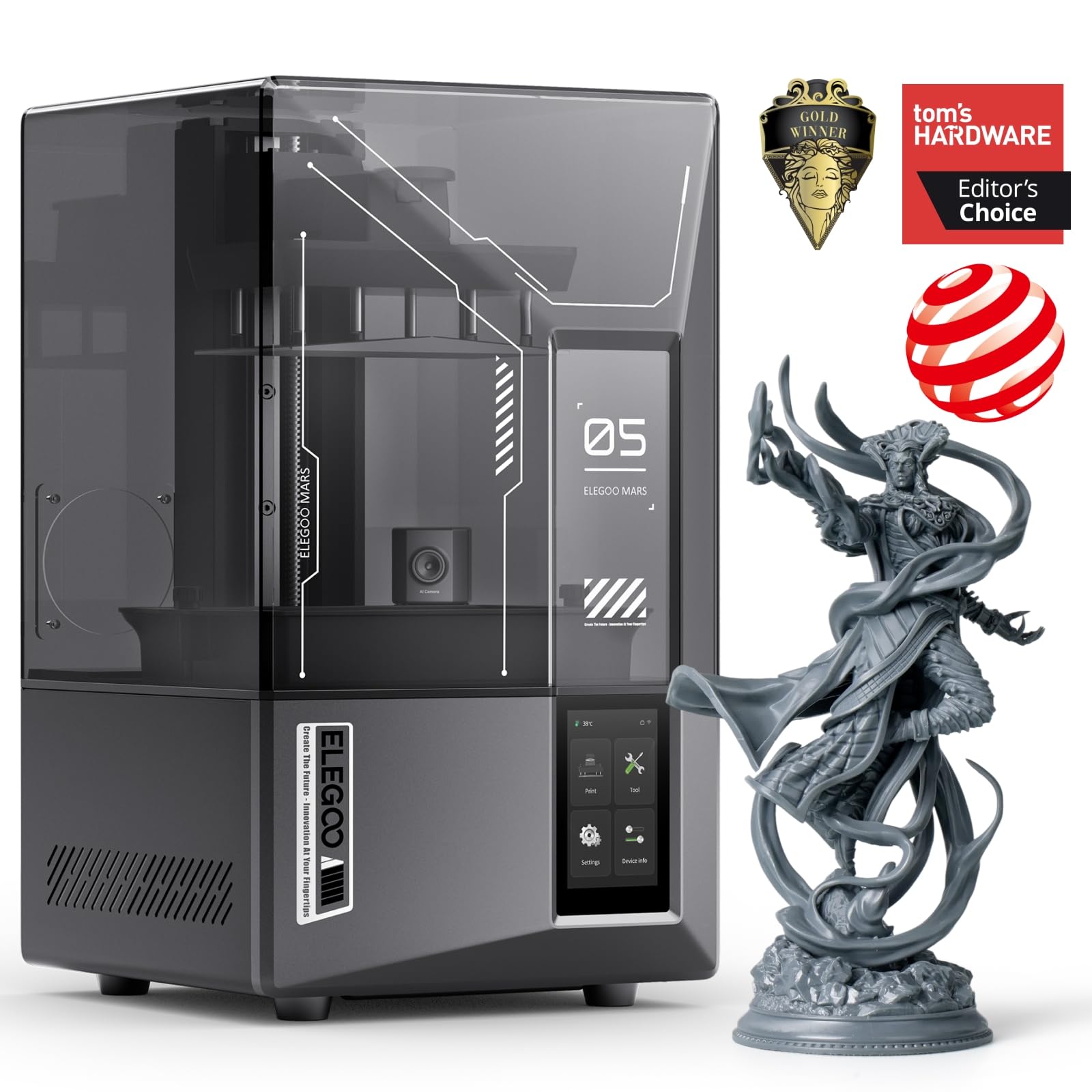
Speed and detail usually pull against each other on a resin printer. The Mars 5 Ultra is rated to 150 mm/h because its vat tilts to peel each layer sideways instead of dragging it off the film, and it still resolves 18-micron pixels on a 7-inch 9K panel — finer than everything else here apart from the budget Anycubic. We think it is the best balance of detail and price in this group.

Eighteen microns is roughly where a 28mm face stops looking soft: the line between lip and cheek, the split between fingers, the links on a chain shirt. The residue sensor is the unglamorous feature we value most, because a cured flake left in the vat will punch a hole in the LCD on the next run and the machine stops before that happens. Wi-Fi cluster printing only matters once you own a second one, but the AI camera earns its place from day one by flagging an empty plate before you waste an evening.

Setup is close to click-and-go on the hardware side: automatic leveling, a one-click self-check, and a plate that goes back in without fuss. Where it asks more of you is the file side, since slicer profiles and network transfer are where first-timers stumble. Our advice is to print the first plate from a USB stick on a stock Chitubox profile, confirm the machine works, and only then move to Wi-Fi.

Pros

  • 18 µm pixels for clean faces and edges
  • Up to 150 mm/h with tilt release
  • Residue sensor protects the LCD
  • AI camera flags failed plates early

Cons

  • Shallow 3.06 in plate depth rules out large models
Our verdict

We think the Mars 5 Ultra is the best balance of detail and price here: 18-micron pixels and a fast tilting vat, without the large-format outlay.

Check Latest Price
3

Best for Tight Spaces

Phrozen Sonic Mini 8K S

83 /100
LBD Score Excellent

Key details

LCD
7.1 in 8K mono
Build Volume
6.5 × 2.8 × 6.7 in
XY Resolution
22 µm
Slicer Support
Lychee, Chitubox, Tango
View on Amazon

Two Phrozen machines in this guide share an 8K label, and the smaller one is the sharper: 22-micron pixels on a 7.1-inch screen against 28 microns across the 10-inch Mighty. That is the trap in shopping by resolution class — the same 8K over a bigger panel means bigger pixels — and it is why the Sonic Mini 8K S is the better of the two for tabletop figures.

What we appreciate most is how little it asks of a beginner. The build volume is 6.5 by 2.8 by 6.7 inches, small enough to sit on a shelf beside the wash station and light enough at 22 pounds to move out of the way, and the Z-axis calibration means the plate arrives close to right. It also runs open-source slicers — Lychee, Chitubox and Tango all work — so you are not locked into one company's software while you are still learning what a good support looks like.

Twenty-two microns is fine enough that layer lines effectively vanish under a coat of primer, and this has been the least demanding machine in our group to keep running: when a plate fails here, the cause traces back to supports or exposure rather than the hardware. The workflow around it is the harder part — resin, gloves, washing, curing — and no printer in this guide removes that step.

Pros

  • 22 µm detail beats the larger 8K here
  • Compact footprint that fits a shelf
  • Works with Lychee, Chitubox and Tango
  • Reliable, low-drama starting point

Cons

  • 6.5 × 2.8 in plate limits batch size and large models
Our verdict

For a first resin printer on a small desk, we point people to the Sonic Mini 8K S: 22-micron detail, a shelf-sized body, and slicer support that does not lock you in.

Check Latest Price
4

Best Budget

ANYCUBIC Photon Mono 4

86 /100
LBD Score Excellent

Key details

LCD
7 in 10K mono
Print Speed
70 mm/h
Build Volume
6.04 × 3.42 × 6.49 in
XY Resolution
17 µm
View on Amazon

The cheapest printer in this group carries the finest pixel pitch. The Anycubic Photon Mono 4 puts a 7-inch 10K panel — 17-micron pixels — on a machine that undercuts everything else here, and for a painter working through one warband at a time that is the most detail per dollar on this page.

Detail is the reason to pick it. Anycubic's LighTurbo light source spreads exposure evenly across the plate, which is what keeps patchy curing and stray layer lines out of a figure's face, and the four-point leveling is a one-time job: tighten the screws and the machine holds that setting through tank swaps. The laser-engraved plate grips well — sometimes too well, and a plastic scraper rather than the metal one is the right tool for freeing a finished base without chipping its edge.

Where it gives ground is speed. At 70 mm/h it is the slowest machine here, a difference you notice on a crowded plate and forget about on a single figure, and slow is not the worst trait in a printer designed to run overnight. At 7.7 pounds it is also the lightest by a wide margin, easy to shift to a windowsill for a session and back into a cupboard when the table is needed for dinner.

Pros

  • Finest pixel pitch at the lowest price here
  • LighTurbo light spreads exposure evenly
  • Set-and-forget four-point leveling
  • 7.7 pounds, easy to store between sessions

Cons

  • Smallest build volume in this group
  • LCD and tray failures are the weak spot
Our verdict

Budget buyers get the finest pixels in this group; we think the Mono 4 makes sense when you print a few figures at a time and want maximum detail for the least money.

Check Latest Price
5

Large Models

Phrozen Sonic Mighty 8K

85 /100
LBD Score Excellent

Key details

LCD
10 in 8K mono
Z-axis
Dual linear rails
Build Volume
8.6 × 4.8 × 9.3 in
XY Resolution
28 µm
View on Amazon

Twenty-eight microns is the coarsest pixel pitch in this group, and it arrives on the largest plate. Both facts describe the same machine: the Phrozen Sonic Mighty 8K spreads its 8K panel across 10 inches, which buys an 8.6 by 4.8 inch build area — a dragon, a vehicle, a run of scale-model parts — at the cost of the crispest edges on the smallest details.

A plate that size changes what else matters. Reinforced dual linear rails hold tall prints in alignment over the 9.3-inch height, which is where a wobbly column would show up as banding across a large surface, and the firmware and thermal work is aimed at the same target: fewer plates lost partway through a long build. If your backlog runs to terrain and monsters rather than 28mm infantry, this is the machine that stops you slicing a model into pieces and gluing it back together.

Buy it for the models you cannot fit anywhere else. If your shelf holds infantry and the occasional character, you are paying for plate area you will not fill, and the Mars 5 Ultra or the Mini 8K S will give you crisper faces for less money. The Mighty earns its place the first time a dragon comes off the plate in one piece.

Pros

  • Largest plate here at 8.6 × 4.8 in
  • Dual linear rails hold tall prints steady
  • Nine inches of Z for big standing models

Cons

  • 31.5 pounds with a 13.3 in square footprint
Our verdict

Choose the Mighty 8K when the model is bigger than a miniature: its 10-inch plate and dual rails suit large figures and props, and we accept the softer pixel pitch as the price.

Check Latest Price

How We Tested the Best 3D Printers for Miniatures

We started by pulling together every resin printer in a sensible hobby range that used a monochrome LCD and had a build volume large enough for a 32mm figure on a base, then narrowed that pool to nine machines whose specs actually differed: resolution from 8K up to 16K, plates ranging from a small tabletop footprint to a bed that holds an entire warband, and price tiers from entry level to the top of the hobby bracket.

Every machine lived on my garage bench beside the wash-and-cure station, printing overnight and on weekends, which is when most of us actually use these things. Each one ran the same jobs: a plate of 28mm infantry with thin cloaks and small faces, a set of scatter terrain, and a hollowed display bust. We timed setup from unboxing through assembly, leveling, and the first resin pour, and noted whether self-leveling was a single button press or something I had to redo by hand with a sheet of paper. Every failed print got logged by cause, and when a plate let go mid-print we re-ran the identical file before blaming the machine.

Detail was judged under a magnifier and again after a coat of primer, because primer is unforgiving and exposes layer lines and lost undercuts that raw gray resin hides. We kept running notes on the unglamorous parts too: fan noise at 2 a.m., whether the lid sealed, how quickly the vat and build plate cleaned up, and whether each printer still held tolerance after a few hundred hours of use. Value came last, and we asked it as a question about return rather than price — did the extra spend buy visibly sharper detail, or mostly a bigger plate?

How to Choose a 3D Printer for Miniatures

Read Pixel Pitch, Not the Resolution Badge

An 8K panel is not an 8K panel. Spread the same pixel count across a bigger screen and every pixel covers more of the model, so a 10-inch 8K machine resolves detail more coarsely than a 7-inch 8K one. Two printers in this guide wear the same badge at 28 microns and 22 microns, and the gap shows on a 28mm face.

Look for the XY figure in microns instead. Anything from 17 to 22 is the fine end of this group; 28 still makes a good figure, with softer fingers, weapon hafts and cloak edges. Ask for the micron number before you buy, and treat the resolution class as marketing until you have it.

Match Build Volume to What You Actually Print

Plate size decides what fits in one piece and what gets split, glued and filled. A 6 by 3 inch plate covers a small batch of infantry; an 8.3 by 4.7 inch plate takes a squad with room for bases, and the deepest machines here reach past 9 inches of Z for tall standing models.

Bigger plates are not free: there is more resin in the vat and a failed print wastes more of it. Judge the plate by the largest thing you genuinely plan to print, not by the biggest number on the page.

Pay for the Features That Prevent Failures

Leveling, layer release and vat temperature decide how many plates survive to the end. Automatic leveling removes the calibration step beginners most often get wrong; a tilting vat peels each layer with less suction, which is what protects thin weapons and cloak edges; a heated vat keeps exposure consistent when the room runs cold; residue detection stops a stray cured flake from punching through the LCD.

We rank these above a small gain in pixel count. A 22-micron machine that finishes every plate beats a 17-micron one that does not.

Budget for Everything Around the Printer

The printer is the beginning of the spend. Add resin, isopropyl alcohol, nitrile gloves, paper towels, spare FEP film and a tempered-glass screen protector, plus a ventilated spot that is not the bedroom. A screen protector is the cheapest insurance in the hobby: a pinhole in the film lets resin cure onto the LCD, and reaching the screen means taking the machine apart.

Total those costs against the machine price before you choose between a budget printer and a midrange one. The gap between them is smaller than it looks once the accessories are on the list.

Frequently Asked Questions

Final Verdict

The ELEGOO Saturn 4 Ultra 16K is the printer we point to first, and the deciding advantage is the pairing of a squad-sized plate with the features that keep prints on it: heated resin, automatic leveling and a vat that peels gently instead of ripping. If that is more machine than your output justifies, the Mars 5 Ultra keeps the 18-micron detail and fast release for less money.

If you print a handful of figures at a time on a tight budget, the Photon Mono 4 has the finest pixels here for the least outlay — just accept a small plate and plan on replacing a screen eventually.