Best Overall
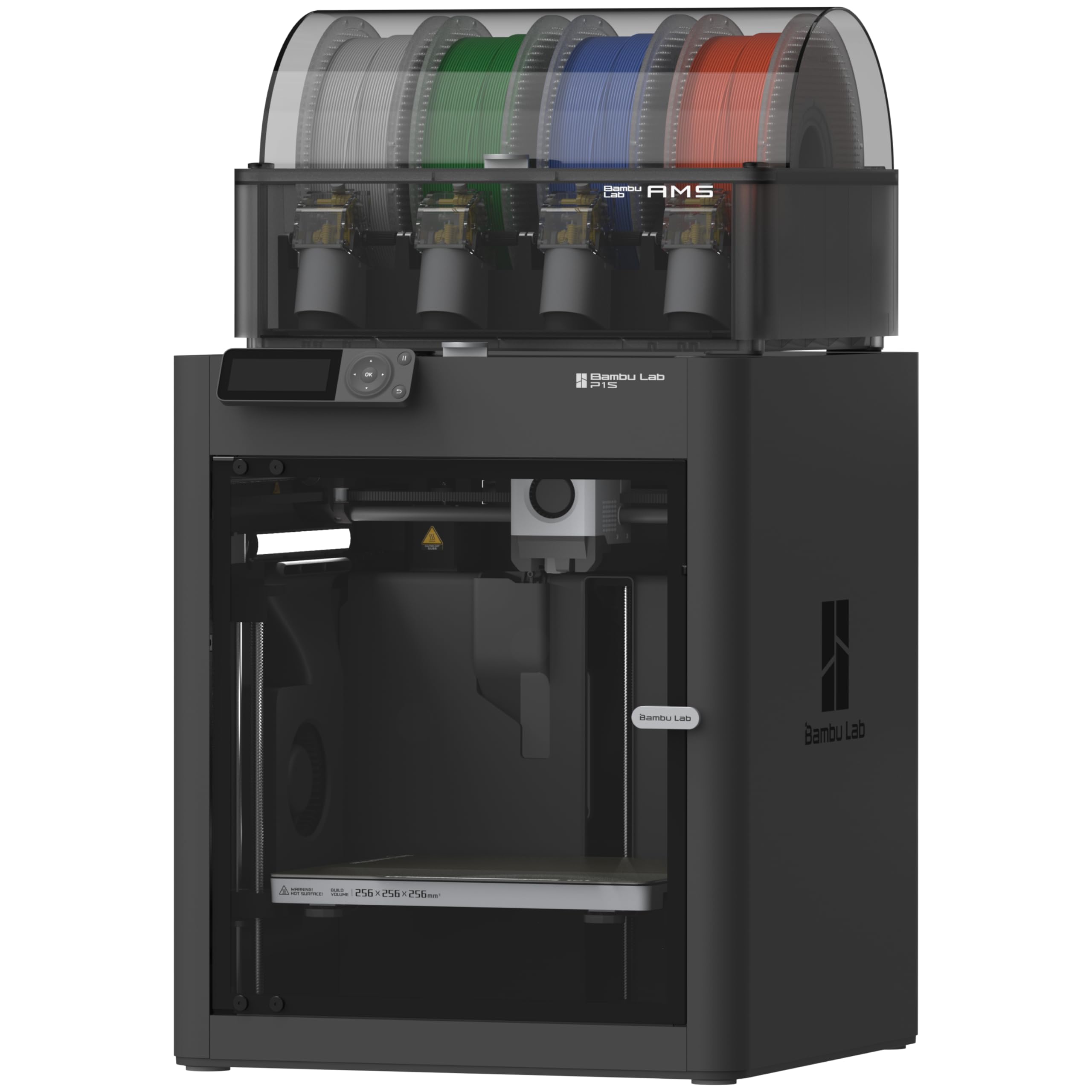
Bambu Lab P1S Combo
Key details
- Enclosure
- Fully enclosed
- Max Speed
- 500 mm/s
- Setup Time
- 15 minutes
- Ideal Filaments
- PLA, PETG, TPU, PVA, PET, ABS, ASA
The P1S Combo is the printer we recommend first for TPU because Bambu's supported-filament list puts TPU among the ideal materials rather than leaving it to a vague flexible claim. That explicit rating is the most useful fact on the page: flexible filament is unforgiving of a long or poorly controlled feed path, and you want the maker to have signed off on the material before you spend an evening dialing in a spool. The enclosed body also means the same machine can handle ABS and ASA when the TPU job is done.
On the machine itself, the 500 mm/s and 20,000 mm/s² figures belong to rigid filament, not to a flex part. We keep TPU slow and treat the speed as a bonus for PLA. The 15-minute setup and automatic bed leveling are genuinely useful here: a clean first layer is half the battle with TPU, and the less time you spend tramming a bed, the more time you have for test prints. For long flex prints, leave the door open or the lid off so heat does not creep back up the filament path.
The AMS is the reason to choose the Combo for multi-color work, but it is not the reason to choose this printer for TPU. It adds spool handling that a single-material TPU shop does not need, and a dedicated flex setup may be simpler without it. For a mixed workshop, the trade is fair. Inspect the front handle on arrival, too—a damaged handle is a small assembly detail that can sour the first day.
Pros
- TPU is listed among Bambu's ideal filaments
- Enclosed chamber adds ABS and ASA capability
- Automatic bed leveling and 15-minute setup
- 500 mm/s top speed for rigid prints
Cons
- Heavy 47.5-pound enclosed frame
Our default TPU pick is the P1S Combo: Bambu lists TPU among its ideal filaments, and the enclosure makes it a broader workshop machine.