Best 420Mm AIO Coolers of 2026

A 420mm radiator is the biggest cooler most mid-tower cases will take, and it's the point where an all-in-one stops being a compromise. It also claims the entire top of your case, forces the tubing past your RAM, and won't tell you whether it fits until forty minutes into the build. What a good one buys you is headroom: three 140mm fans moving the same air at a lower RPM, so a hot chip stays quiet instead of howling.

We spent nine months with ten of these coolers, installing each one in the same mid-tower before living with the ones that earned a permanent spot. The lesson I'd pass on to a first-time buyer is that the lighting and the dashboard software are the least interesting things on the box. A pump display is fun for a week; pump whine and a fan curve you don't have to fight are what you notice for years. The picks below are the ones that survived the fit check, the noise meter, and a few hundred ordinary workdays.

1

Best Overall

ARCTIC Liquid Freezer III Pro 420

88 /100
LBD Score Excellent

Key details

Airflow
110 cfm
Warranty
6 years
Max Fan Speed
2500 rpm
Radiator Dimensions
18.03 x 5.43 x 1.5 in
View on Amazon

Nothing else in this group changes the arithmetic the way this cooler does. The Liquid Freezer III Pro 420 sits at the bottom of our set on price and near the top on cooling, which is why it is the default recommendation for anyone who is not shopping for a particular look. The P14 PRO fans carry that: a listed 110 cfm and a 2500 rpm ceiling put more static pressure behind the radiator than most of the alternatives here can manage, and ARCTIC has not gutted the package to hit the number.

The details around the radiator are where it earns a place rather than just a price. A small PWM fan in the pump housing blows across the voltage converters and the memory beside the socket, which is genuinely useful on a top mount where that area otherwise sees no airflow at all. Offset mounting shifts the cold plate toward the CPU hotspot on both Intel and AMD, and the radiator fan cables run inside the hose sleeving so one lead reaches the motherboard instead of three. Six years of cover backs all of it.

Set a fan curve before you judge the noise. The shipped profile can run the fans hard enough that the cooler reads louder than it is, and a gentler slope in BIOS fixes most of that. The rest is case math: this is a long, deep radiator that wants a chassis rated for 420mm in the position you plan to use.

Pros

  • Most cooling per dollar in this set
  • Pump-housing fan cools VRMs and RAM
  • Fan cables routed inside the hose sleeving
  • Six-year warranty

Cons

  • Stiff hoses resist tight top-mount bends
  • No lighting on this version
Our verdict

Every other 420mm cooler here has to justify its price against this one, and most of them cannot. We recommend it first for maximum cooling per dollar.
Check Latest Price
2

Best for iCUE Builds

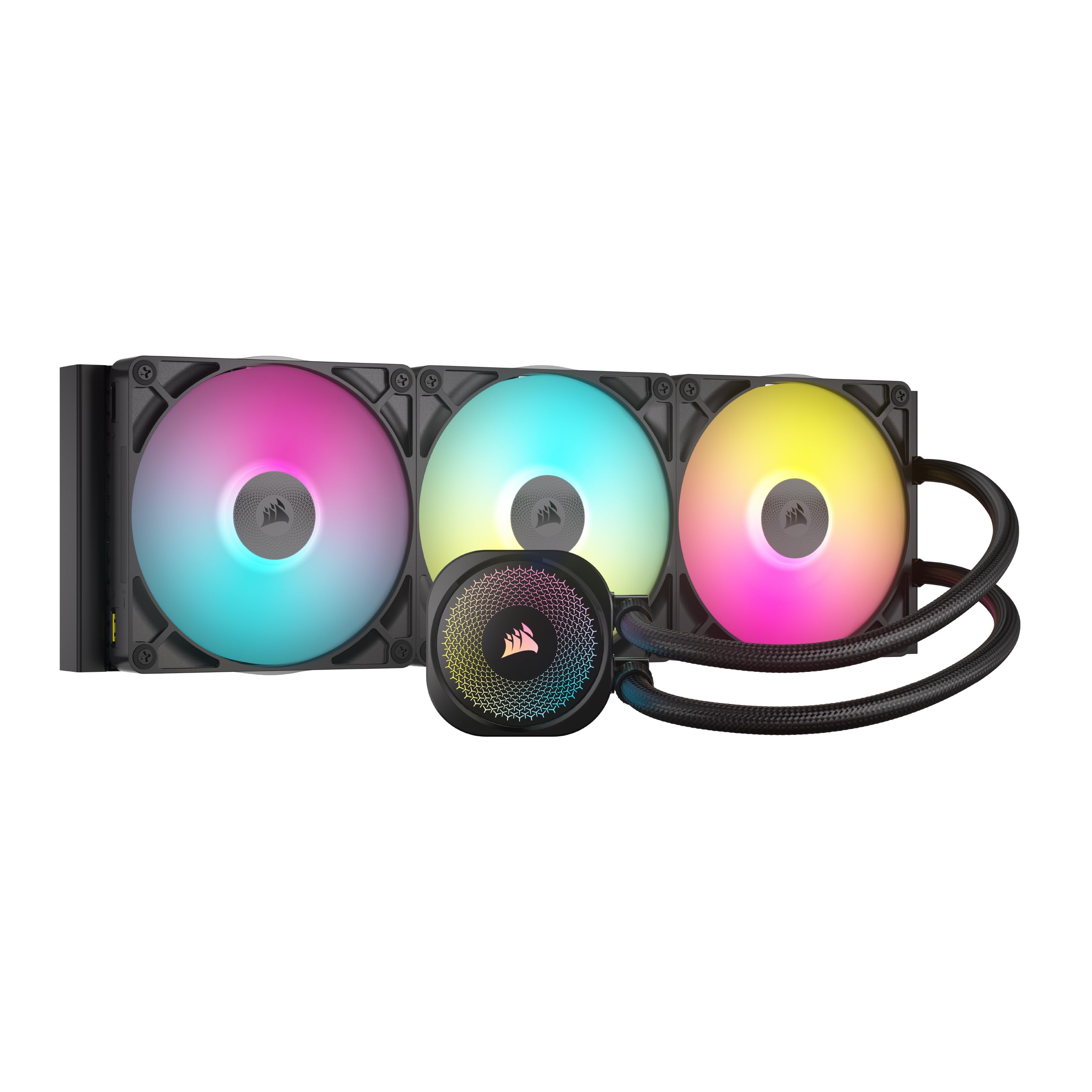
Corsair Titan 420 RX RGB

93 /100
LBD Score Outstanding

Key details

Warranty
6 years
Noise Level
36 db
Max Fan Speed
1700 rpm
Radiator Dimensions
17.99 x 5.51 x 1.06 in
View on Amazon

Three fans, three cables, three headers: that is the usual 420mm install. The Titan 420 makes most of it disappear. Each RX RGB fan carries a single universal connector that chains to the next, and the whole run terminates at one port on the included System Hub, so what threads up to the top of a full tower is one thin cable rather than a bundle.

We think the noise story is nearly as strong. The fan ceiling is 1700 rpm, the listed figure is 36 db, and Zero RPM mode stops the fans completely once load drops, which is the setting you appreciate at two in the morning. The FlowDrive pump pairs a three-phase motor with a machined cold plate, and cooling holds up under sustained load on the chips people actually pair with a 420.

The bill arrives in two parts. It is among the most expensive coolers in this set, and if the rest of your build is not Corsair you are paying for a hub and a software ecosystem you will not use. There is also no standard 4-pin input, since iCUE LINK carries power off the hub, so budget a spare PCIe connector. Build inside the ecosystem and both costs vanish; build outside it and they are the whole argument.

Pros

  • One cable from radiator to hub
  • 1700 rpm ceiling with Zero RPM fan stop
  • Easy install with pre-assembled fans
  • Six-year manufacturer warranty

Cons

  • Hub needs a spare PCIe power feed
  • Premium price only pays off inside iCUE
Our verdict

Wiring is the reason to pay for this one. iCUE LINK turns a radiator, a hub and your case fans into a single chain, and it is the quietest premium option here.

Check Latest Price
3

Best for Near-Silent Builds

Noctua NL-LC1-42

87 /100
LBD Score Excellent

Key details

Warranty
6 years
Noise Level
24.8 db
Max Fan Speed
1500 rpm
Radiator Thickness
30 mm
View on Amazon

A 30mm radiator is the quiet specification decision here. Noctua's core is slimmer than most in this group, and the clearance that buys between the top of the case and the top edge of the board is the kind of thing you discover matters halfway through a build rather than on a spec sheet.

The fans are NF-A14x25 G2s, with a 1500 rpm ceiling and a speed-offset switch for acoustic tuning. Underneath sits the Asetek Emma V2 closed-loop platform, which is the hardware a good part of the industry builds on, so the pump has a track record behind it rather than a first attempt. The SecuFirm2 brackets include offset options for AM5 and LGA1851 hotspot tuning.

Where the money went is noise, and it shows in the one figure that is comparable across these coolers: 24.8 db listed, against 34 to 36 for most of the rest. A three-layer absorber in the pump housing and a tuned-mass damper cut the vibration that reaches a steel panel and becomes a hum you cannot place. We think that is worth more in a home office than any lighting effect in this group.

What it is not is cheap. It is among the most expensive coolers in this set, and the accessory kit, with NT-H2 paste, an AM5 contact guard and a full bracket set, is generous but built into what you pay. What you get back is a machine you forget is running.

Pros

  • Lowest listed noise figure here at 24.8 db
  • Slim 30mm radiator eases top clearance
  • NF-A14x25 G2 fans with speed-offset tuning
  • Six-year warranty plus NT-H2 and AM5 guard

Cons

  • Among the most expensive coolers in this set
Our verdict

If silence is why you are going 420mm in the first place, this is the cooler we hand people who work beside their machine. You pay for the quiet.

Check Latest Price
4

Best for Threadripper

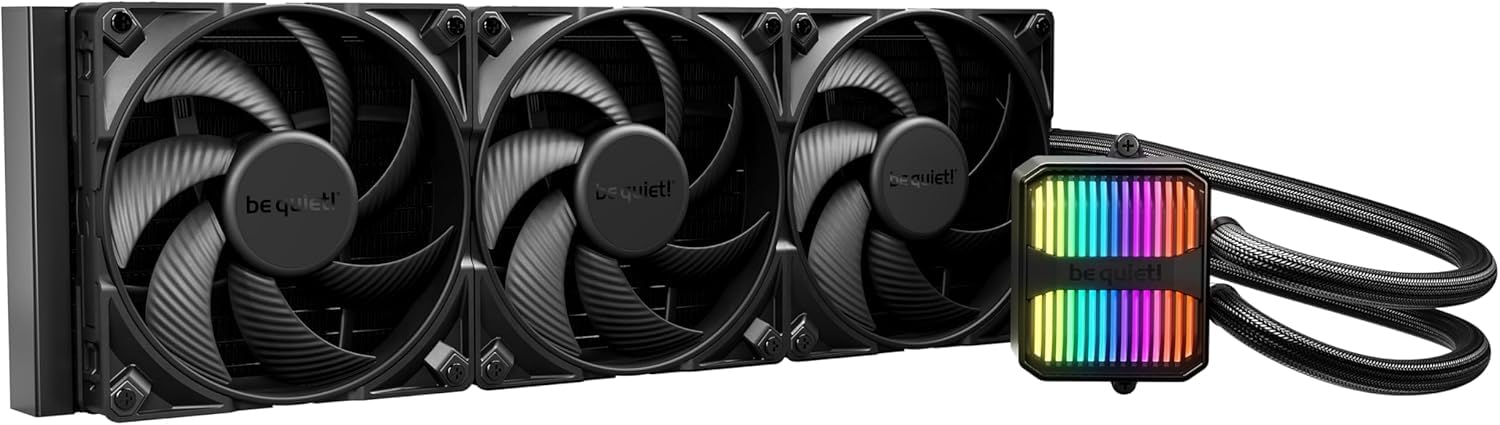
be quiet! Silent Loop 3 420

90 /100
LBD Score Outstanding

Key details

Warranty
3 years
Noise Level
34.3 db
Max Fan Speed
2500 rpm
Socket Support
Intel sockets: 1851/1700/1200/1151/1150/1155 | AMD sockets: AM5/AM4/TR5/TR4
View on Amazon

We did not expect a midrange cooler to be the Threadripper pick, but the Silent Loop 3 420 lists TR5 and TR4 alongside LGA1851, LGA1700 and AM5, and in this set that makes it the only choice for a big workstation chip. Wide cold-plate coverage is what lets it cover those sockets.

The rest is built for the long haul. A three-chamber pump with a damped 6-pole motor, three Silent Wings 4 high-speed fans with a 2500 rpm ceiling, and a fill port on the block so you can top up coolant in year four instead of replacing the whole unit. We rate that serviceability highly, because the pump is what usually ends an AIO's life and a cooler you can maintain is a cooler you keep.

The fans will get loud if you let them. At 2500 rpm there is no hiding three 140mm fans, and there is no Zero RPM stop here, so this one is tuned for thermal headroom rather than hush. At everyday speeds the damped pump and the fan profile keep it quiet, and capping the fans well below the ceiling keeps it that way.

Pros

  • Threadripper TR5 and TR4 support
  • Fill port lets you top up coolant
  • Damped 6-pole pump and 2500 rpm fans
  • ARGB pump block

Cons

  • Three-year warranty trails the six-year picks
Our verdict

Threadripper support is rare on a 420mm AIO, and this one adds a fill port for the long haul. We recommend it for workstation builds that need both.

Check Latest Price
5

Best Budget ARGB

Thermaltake TH420 ARGB Sync V2

87 /100
LBD Score Excellent

Key details

Airflow
253 cfm
Warranty
2 years
Noise Level
34.7 db
Max Fan Speed
2000 rpm
View on Amazon

Lighting is usually where a cheap cooler stops being cheap: you buy the radiator, then a controller, then an app you did not want. The TH420 ARGB Sync V2 skips the middleman. The pump cap and the fans run off a 5V ARGB header and sync with Aura Sync, RGB Fusion, Mystic Light and Polychrome, so the motherboard you already own does the work.

Cooling is honest rather than exceptional. Three 140mm PWM fans span 500 to 2000 rpm and list 253 cfm of airflow, a copper base plate handles the transfer, and the cap rotates a full 360 degrees so the infinity-mirror effect lands the right way up whichever orientation the block ends at. In a case that genuinely supports a 420, that is enough for a high-end desktop.

Install is refreshingly ordinary: a standard 4-pin fan header and a 5V ARGB lead, both of which your board already has. At 6.2 pounds the radiator is a two-handed job going into a top mount, but nothing about it sends you back to the manual.

Noise is where it gives ground. The fans are fine at low speed and audible as they climb toward 2000 rpm, and a water-movement burble can turn up in a quiet room. We still think it is the right buy when the brief is motherboard-synced lighting and little else, because nothing else here hands its RGB to your board for close to the money.

Pros

  • Syncs with Aura, Fusion, Mystic Light and Polychrome
  • 360-degree rotating pump cap
  • 253 cfm of listed airflow
  • No hub or extra software to install

Cons

  • Two-year warranty is the shortest in this set
  • Fan bearings are the long-term weak point
Our verdict

Motherboard-synced lighting without a hub or an extra app is the case for this one. The two-year warranty is the price of entry.

Check Latest Price
6

Display-Led Show Builds

NZXT Kraken Elite 420 RGB

85 /100
LBD Score Excellent

Key details

Warranty
6 years
Noise Level
34.5 db
Radiator Fan
F420 RGB Core single frame
Screen Resolution
640 x 640
View on Amazon

The 640 x 640 IPS panel on the pump cap is the entire pitch. It runs at 60 Hz, puts out 690 cd/m2, and takes GIFs, live system stats or a now-playing panel through CAM. If you want the inside of your case to be the thing people comment on, this is the only cooler here built around that idea.

The hardware under it is competent rather than remarkable. A Turbine pump, a single-frame F420 RGB Core fan that turns three 140s into one cable run, pre-applied paste and tool-free brackets for AM5 and LGA1851. Installation is genuinely the easy part, and the breakout cable keeps the back of the board tidy.

It is also the most expensive cooler in this set, and its cooling lands mid-pack rather than ahead of the cheaper picks, so what you are paying for is the panel. Build the case around that screen and the math works. Do not, and the money buys you something you will stop noticing within a month.

Pros

  • 640 x 640 IPS display on the pump cap
  • Single-frame fan means one cable run
  • Tool-free brackets and pre-applied paste
  • Six-year manufacturer warranty

Cons

  • Pump failures are the recurring weak point
  • CAM software required for the display
Our verdict

You are buying the screen. The Kraken Elite cools competently and installs easily, but the display is the only thing it clearly leads this group on.

Check Latest Price
7

First-Time Liquid Builds

Geometric Future Eskimo Pro 420

87 /100
LBD Score Excellent

Key details

Cold Plate
55.8 x 55.8 mm
Pump Flow Rate
1.5 L/min
Fan Configuration
3 x 140 mm ARGB
View on Amazon

The Eskimo Pro arrives with its three Squama 2503 ARGB fans already mounted and daisy-chained, so the radiator drops in with one fan lead to route instead of three. The tubes exit at the side rather than the end, which matters more than it sounds in a narrow front bay or a top mount that is already crowded.

We think this is the most sensible first 420mm build in the set. A K6 pump rated at 1.5 L/min feeds a 55.8 x 55.8mm copper cold plate that is large by the standards of this group, and the diffused ARGB block gives the build its visual payoff. Nothing about it is exotic, and at this end of the market that is exactly the point.

What you do not get is history. The brand is new to this category, there is no fill port for topping the loop up in a few years, and the pump is audible at full speed, so set a curve rather than leaving it where it lands. Buy it somewhere with a painless return process and it makes a strong opening argument for going bigger on the radiator.

Pros

  • Fans pre-mounted and daisy-chained
  • 55.8 x 55.8mm copper cold plate
  • Side-exit tubing for tight builds
  • Lowest lit price in this set

Cons

  • New brand with a short track record
  • No fill port for long-term servicing
Our verdict

A newcomer that gets the basics right: pre-mounted daisy-chained fans, a large copper cold plate, and the lowest lit price here. We recommend it for a first 420mm build.

Check Latest Price
8

ProArt-Style Builds

ASUS ProArt LC 420

83 /100
LBD Score Excellent

Key details

Warranty
6 years
Noise Level
36 db
Max Fan Speed
2000 rpm
Tubing Length
450 mm
View on Amazon

Three Noctua NF-A14 industrialPPC-2000 fans is a strange thing to find on an ASUS cooler, and a welcome one. It is the black high-static-pressure version rather than the beige one, and on a 420mm radiator it does what the name implies: this is a cooler that stays composed under sustained load instead of spiking and settling.

The radiator is thicker than most here with more coolant volume behind it, and the tubing runs 450mm in reinforced sleeving, which is enough to reach a front-mounted position in a full tower without straining the fittings. The three-phase pump motor is the other half of the quiet promise.

The block carries an illuminated meter rather than a display, showing load, temperature and fan speed. We appreciate the restraint: it is information you can read at a glance and then ignore, with nothing to configure beyond your own fan curve and no lighting to coordinate with the rest of the build.

One caveat, and it is practical: the mounting screws are the weak link in the kit. They are thin enough to strip or snap if you lean on them, so hand-tighten and stop at contact rather than torquing them down. Otherwise this is the calmest-looking cooler here, and it brings the fans most people end up buying separately.

Pros

  • Noctua NF-A14 industrialPPC-2000 fans
  • Thick radiator with 450mm sleeved tubing
  • Status meter shows load, temps and fan speed
  • Six-year warranty

Cons

  • Pump can buzz under sustained high load
  • Premium price without a cooling lead
Our verdict

The ProArt is the quiet, unlit choice for a workstation-looking build: Noctua industrial fans on a thicker radiator, with a status meter instead of RGB.

Check Latest Price

How We Chose and Tested These 420mm Coolers

We started by narrowing the 420mm market to coolers that ship with mounting hardware for both current Intel and AMD sockets, then cut anything that required extra brackets, a separate controller, or a tubing run that wouldn't clear a standard top mount. Radiator thickness got its own column, since a slim one can be the difference between fitting and not, as did what actually came in the box. That left ten coolers, which we ran for nine months.

Installation was timed with a stopwatch, solo, from unboxing to first boot, all in the same mid-tower case. I noted whether the backplate needed a second pair of hands, whether the pump block or its tubing pressed against tall RAM, whether the radiator and fans fouled the top VRM heatsink, and whether the fan cables reached a single header or forced me into the included hub. Anything that ran past an hour got flagged.

Cooling came first on an open bench with a 250W-class CPU, then in a glass-panel build in my office that stays on all day. I logged sustained-load temperatures across two-hour sessions and watched how fast the fans ramped, because a cooler can post a good peak number and still be irritating to sit next to. Noise was measured with a meter 12 inches from the radiator at night with the HVAC off, at idle and under full load, and I listened separately for pump whine, which no spec sheet lists.

Then we lived with them: lighting on and off behind the glass, software fan curves, whether a cooler needed an internal USB header, and how it behaved synced to the motherboard's lighting. Over months of daily use I checked for bearing rattle, kinked tubing, and a pump tone that drifted. Value got a hard look too, since included paste, splitters, and hubs change what you're really paying.

How to Choose a 420Mm Aio Cooler

Confirm the case before you confirm the cooler

Most mid-towers list 360mm support at the top and nothing larger, so a 420 has to be verified rather than assumed. Our top pick measures 18.03 inches long and 1.5 inches thick before fans go on, and that is the planning floor rather than the ceiling, since depth varies widely across this group.

Trust the case specification only when it names the position. Front-only support means the radiator breathes warmed case air, which gives back much of the headroom you paid for. Then check board clearance: a thick core with a fan stack above it can foul the top VRM heatsinks or the first RAM slot.

Radiator thickness versus fan speed

A thicker core holds more coolant and reaches a given temperature at lower fan speed, which is where quiet builds actually get quiet. The opposite approach, a slim radiator paired with high-quality fans, trades coolant volume for airflow and clearance. Both work, and what separates them in a real machine is the space above your board.

Either way, the fan curve decides the outcome. A 2500 rpm ceiling is meaningless if the motherboard's default profile sends the fans to full tilt on a short burst of load. Set your own curve first, then judge whether the cooler is quiet.

Mounting hardware decides your afternoon

Pre-mounted fans save twenty minutes and a scraped knuckle. One fan lead instead of three saves cable routing. Pre-applied paste saves a step. Beyond the conveniences, look at the bracket: offset mounting for the AM5 hotspot and a proper LGA1851 contact frame are worth having on a current build.

Screw quality matters more than it should. Thin hardware strips or snaps if you lean on it, so hand-tighten and stop at contact. And check the socket list early, because only one cooler here takes Threadripper.

Hubs, software and where your RGB lives

Each ecosystem asks something different. ARCTIC runs its fans from motherboard headers, so there is nothing to install. be quiet! and Thermaltake hand lighting to Aura Sync, RGB Fusion, Mystic Light or Polychrome, which means no extra app. Corsair's iCUE LINK and NZXT's CAM want their own software, and iCUE LINK also wants a PCIe feed for its hub.

If you already run one of those ecosystems, staying inside it is genuinely less work. If you do not, the self-contained coolers are one less thing to maintain and one less cable to hide.

Warranty, servicing and year five

Cover in this group runs from two years to six, and the gap is not cosmetic: a pump that fails in year four means a whole new cooler, not a part. Only one cooler here offers a fill port, and it carries the shortest warranty in the set, which is worth weighing if you keep machines for five years or more.

We put warranty and serviceability above lighting on any long-term build, and above a higher fan ceiling almost always.

Frequently Asked Questions

Final Verdict

Buy the ARCTIC Liquid Freezer III Pro 420 unless something specific stops you. It costs the least of anything here, it cools with the best of them, and the VRM fan and in-hose cabling make it easier to live with than the price suggests. Two situations change the answer: if silence matters more than anything else, the Noctua NL-LC1-42 justifies its premium with a listed 24.8 dB and a slim radiator that fits where others will not. If you are cooling Threadripper, the be quiet! Silent Loop 3 420 is the only pick here that lists TR5 and TR4.

Everyone else should start with the ARCTIC and move up only for a feature they will actually use, whether that is Corsair's single-cable ecosystem or NZXT's screen.