Best AM4 Motherboards of 2026

An AM4 motherboard is the part of a PC build most likely to turn a careful upgrade into an afternoon of troubleshooting. The socket is mature, but not every board plays nice with every supported chip or boots cleanly on the first press of the power button. A good one is unglamorous: stable power delivery under load, a BIOS that recognizes your processor without drama, and connectivity that matches how you actually use the machine—Wi-Fi included.

I've built and rebuilt enough AM4 systems to know the spec sheet rarely tells the whole story. Over eight months, my team and I worked with 10 boards, from compact micro-ATX models to full-size ATX options, tracking installation, memory support, port selection, wireless connections, and day-to-day reliability, including cold-start quirks. The pattern was clear: the best value usually sits where solid build quality, sensible header placement, and Wi-Fi 6 or 6E come standard—not where the longest feature list lives. Those are the boards that earned a place on the bench.

1

Best Overall

ASUS TUF Gaming B550-PLUS WiFi II

91 /100
LBD Score Outstanding

Key details

M.2 Slots
2 (1x PCIe 4.0)
Networking
WiFi 6, 2.5Gb LAN
Form Factor
ATX
Power Stages
8+2 DrMOS
View on Amazon

Two and a half gigabit Ethernet and WiFi 6 on a board priced with the midrange is the combination that makes this the one we point most Ryzen builders toward. Neither feature announces itself on day one — they matter the afternoon you add a NAS, a second PC or a router that can actually use the faster link, and at that point the alternative is buying a network card. Everything else about the board is sensible rather than spectacular, which is roughly what a gaming build needs.

Power comes from 8+2 DrMOS stages under a fanless VRM heatsink with alloy chokes and a ProCool connector. A Ryzen 5 5600, a 5700X3D or a 5800X3D sits comfortably inside that, and with no chipset fan there is one less noise source in the case. Push a 5950X through a manual all-core overclock and you are leaning on the design harder than we like — that is the job the Strix below was built for. Storage is two M.2 slots, one of them PCIe 4.0, plus six SATA ports for drives you already own.

BIOS Flashback is the quiet win. AM4 boards have been on shelves for years, and one boxed before Ryzen 5000 launched may not post with a 5800X until the firmware is updated. Flashback handles that from a USB stick with no CPU in the socket, which turns a return into a ten-minute job. The HDMI 2.1 and DisplayPort outputs are there too, so a G-series APU build can skip a graphics card entirely.

Wireless is the part we trust least. The module works, but it needs its driver installed before Windows shows a single network, and a desktop that never moves is better off on the 2.5Gb port. If WiFi 6E specifically is what you are after, this board does not have it — the Strix does.

Pros

  • WiFi 6 and 2.5Gb Ethernet built in
  • BIOS Flashback updates firmware without a CPU
  • Dual M.2, one slot on PCIe 4.0
  • Fanless VRM heatsink keeps the build quiet

Cons

  • WiFi module needs a driver before Windows sees it
  • 8+2 stages, not the 12+2 of the Strix
Our verdict

We tell most Ryzen builders to buy this one: 2.5Gb Ethernet, WiFi 6 and CPU-less BIOS Flashback at a midrange price, with a power design that suits every mainstream AM4 chip.

Check Latest Price
2

Best for High-Core Builds

ASUS ROG Strix B550-F Gaming WiFi II

92 /100
LBD Score Outstanding

Key details

M.2 Slots
2 (1x PCIe 4.0)
Networking
WiFi 6E, 2.5Gb LAN
Form Factor
ATX
Power Stages
12+2 teamed
View on Amazon

Twelve plus two teamed power stages with a ProCool connector is the number that separates this board from everything else here. It is not a marketing figure: those stages are what let a 5900X or 5950X hold an all-core overclock without the VRM turning into a space heater, and they are why this is the board we reach for when the CPU is the expensive part of the build.

The cost is real. It is the priciest board in this group, and for a 5600X or 5800X3D the TUF above does the same job with money left over for a better cooler. Buy this one when the processor is a 12- or 16-core and you plan to use all of it — that is the case the extra stages are for.

Around that core it is fully equipped: WiFi 6E, 2.5Gb Ethernet with LANGuard, Bluetooth 5.2, two M.2 slots with one on PCIe 4.0, a USB 3.2 Gen 2 Type-C port, HDMI 2.1 and DisplayPort, and enough fan and RGB headers to fill an ATX case without reaching for splitters. WiFi 6E is worth paying for only if the router broadcasts on 6GHz; on a WiFi 5 or WiFi 6 network the wireless advantage here disappears.

Where the Strix can disappoint is wireless. On a board this expensive you do not want to be debugging WiFi or Bluetooth, and that is the one area where it is not as strong as the rest of the package suggests. Over the 2.5Gb port it has been faultless for us, and that is how a desktop that stays on a desk should be connected anyway.

Pros

  • 12+2 stages for 12- and 16-core CPUs
  • WiFi 6E and 2.5Gb Ethernet
  • Dual M.2 plus USB 3.2 Gen 2 Type-C
  • Fanless chipset and VRM cooling

Cons

  • Most expensive board in this group
  • Wireless and Bluetooth are its weakest part
Our verdict

Buy the Strix when the processor is a 5900X or 5950X you plan to overclock; its 12+2 stages and WiFi 6E justify the premium there and nowhere else.

Check Latest Price
3

Best Budget ATX

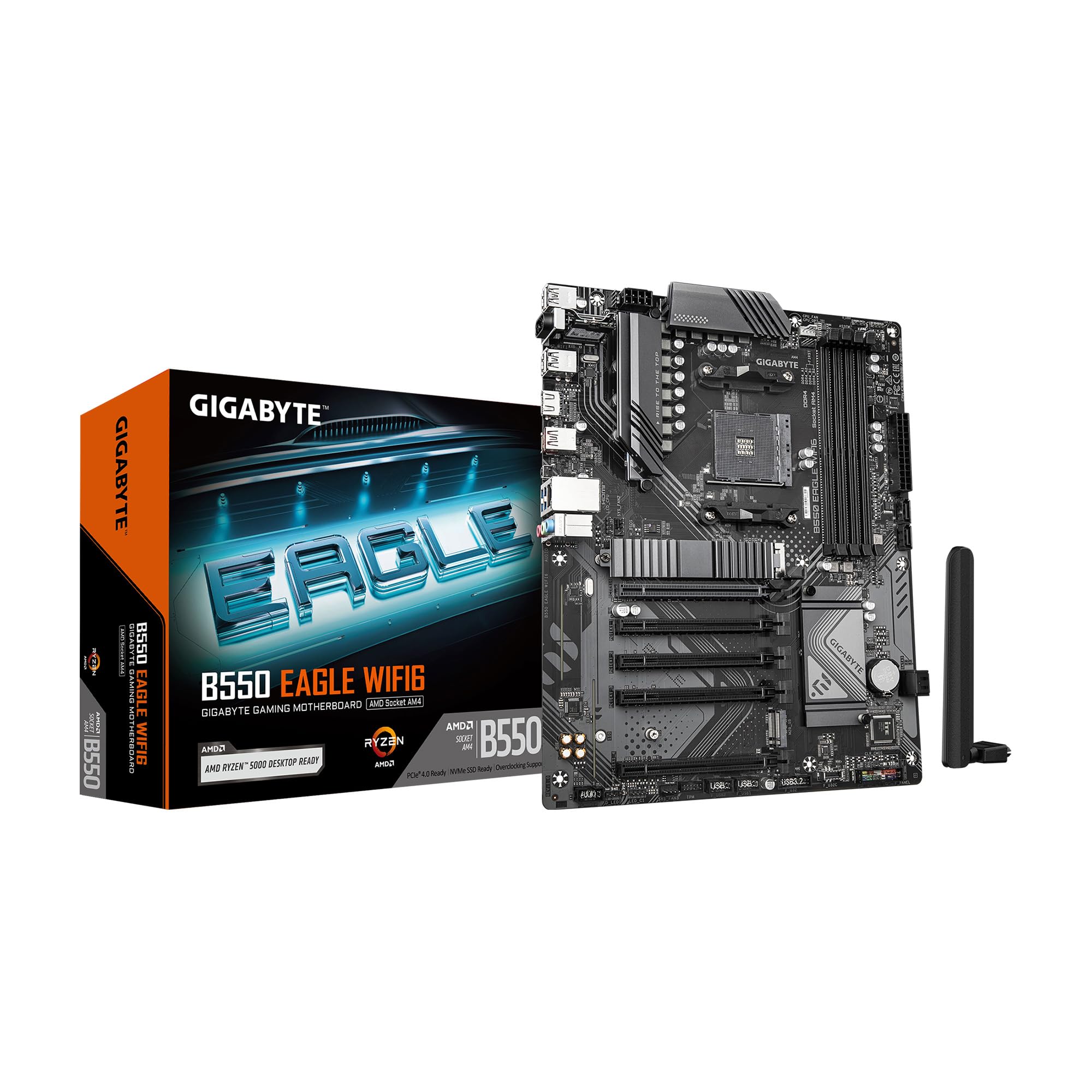
GIGABYTE B550 Eagle WIFI6

89 /100
LBD Score Excellent

Key details

M.2 Slots
2
Networking
WiFi 6, 1Gb LAN
Form Factor
ATX
Power Stages
10+3
View on Amazon

If this is a first ATX build and the parts list has a ceiling, the Eagle is the board that fits a full-size case, WiFi 6 and PCIe 4.0 into it without pushing the CPU down a tier. Nothing important got cut to reach the price; the cuts are at the edges.

Ten plus three power stages sit under enlarged heatsinks with 5 W/mk thermal pads, and the rear I/O armor comes pre-installed so there is one less shield to line up when the board goes into the case. Two M.2 slots, USB 3.2 Gen 2 and a Type-C port, 1Gb Ethernet and four DIMM slots with EXPO support cover the checklist for a Ryzen 5 or Ryzen 7 build. What you give up is at the margins: 1Gb LAN instead of 2.5Gb, WiFi 6 instead of 6E, and fewer rear USB ports than the boards above.

The PCIe EZ-Latch is the detail that makes this one easy to recommend to someone building their first PC. It releases the graphics card without a screwdriver or a blind reach under the card, which is the step people get wrong. Treat the rear ports gently, though: a cable yanked sideways is how a port gets pulled loose, and that panel is the least robust part of the board. Wire the back of the case once, then leave it alone.

Pros

  • EZ-Latch releases the graphics card without tools
  • WiFi 6 and two M.2 slots on a budget board
  • Pre-installed I/O armor simplifies assembly
  • 10+3 phases under enlarged VRM heatsinks

Cons

  • 1Gb LAN and WiFi 6, not 2.5Gb or 6E
  • Fewer rear USB ports than the ATX rivals
Our verdict

The board we hand a first-time builder: WiFi 6, PCIe 4.0 and two M.2 slots in a full-size ATX board, with an EZ-Latch that makes the graphics card easy to seat.

Check Latest Price
4

Best Budget Micro-ATX

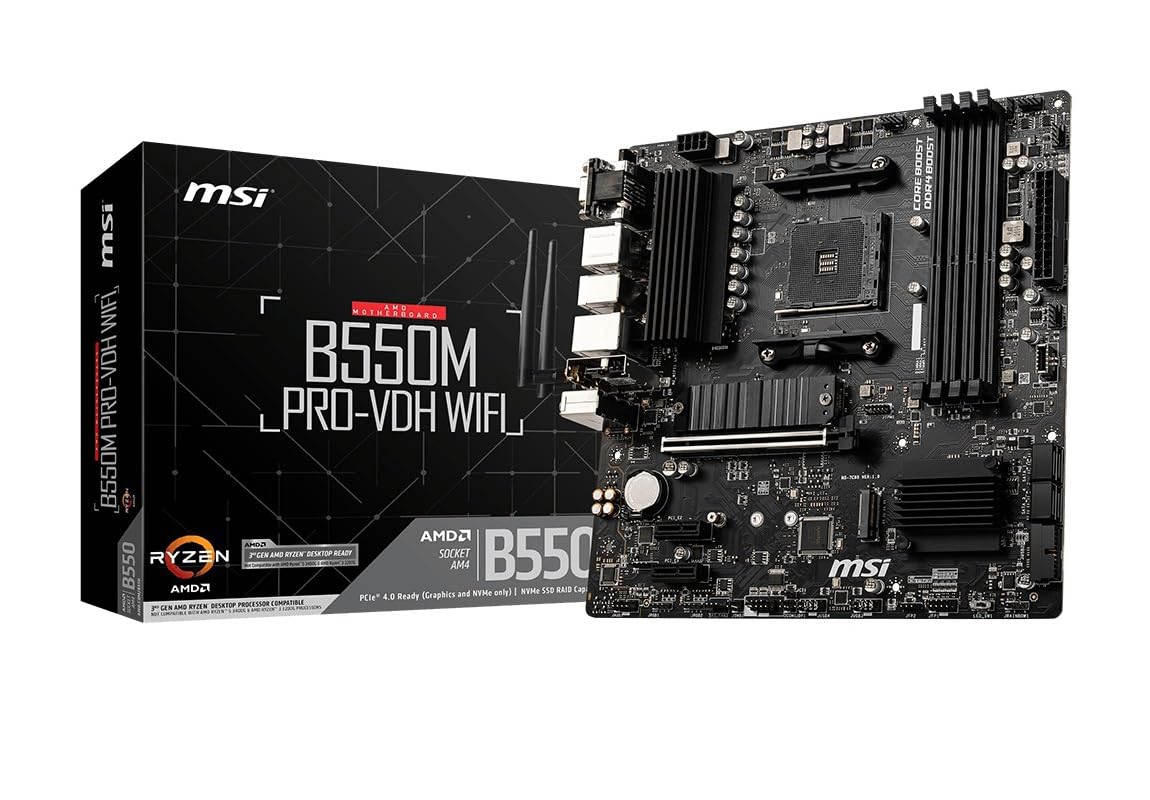
MSI B550M PRO-VDH WiFi

91 /100
LBD Score Outstanding

Key details

Memory
4 DIMM, up to 128GB
M.2 Slot
PCIe 4.0 x4, heatsinked
Networking
WiFi and Bluetooth, 1Gb LAN
Form Factor
Micro-ATX
View on Amazon

Four DIMM slots on a micro-ATX board is the detail worth noticing. Plenty of inexpensive small boards give you two, which caps memory at 64GB and means replacing both sticks to expand. This one takes four, up to 128GB, in a board that fits a case small enough to sit under a monitor.

The rest of it is what a budget build actually needs: WiFi and Bluetooth on the board, PCIe 4.0 with a Gen4 M.2 slot under an M.2 Shield Frozr heatsink, a reinforced PCIe x16 slot to carry a heavy graphics card, HDMI, DisplayPort and D-SUB outputs for an APU build with no graphics card, and MSI's Core Boost power and Audio Boost codec. Memory support runs to 4400 MHz.

Two things to check before ordering. Ryzen 5 3400G and Ryzen 3 3200G are explicitly unsupported, so an old APU out of a parts bin is out of the question. And the firmware these boards ship with depends on when the box was sealed, so confirm Ryzen 5000 support in the listing if you are buying a 5600 or 5700X at the same time.

For a compact build on a tight budget this is the board we come back to, because four memory slots and wireless together on a small board is the combination that makes it useful. Build it and run it hard inside the return window — a board that arrives dead is the failure that matters, and it announces itself early.

Pros

  • Four DIMM slots on a micro-ATX board
  • WiFi and Bluetooth built in
  • Gen4 M.2 under a Shield Frozr heatsink
  • Reinforced PCIe x16 slot for heavy cards

Cons

  • Not compatible with Ryzen 5 3400G or Ryzen 3 3200G
  • Four SATA ports limit a drive-heavy build
Our verdict

The compact budget pick: four memory slots, WiFi and Bluetooth, and a Gen4 M.2 slot in micro-ATX, as long as your CPU is not an older Ryzen APU.

Check Latest Price
5

Best Bare-Bones Build

ASRock B550M-HDV

87 /100
LBD Score Excellent

Key details

Memory
2 DIMM, up to 64GB
M.2 Slot
1 (PCIe 4.0 x4 or SATA)
Form Factor
Micro-ATX
Video Outputs
HDMI, DVI-D, VGA
View on Amazon

Two memory slots and one M.2 socket is the whole story, and for a lot of builds that is genuinely enough. A Ryzen 5 5600, two 8GB sticks and a single NVMe drive makes a fast desktop, and this is the least expensive way to put one together on AM4. What you are buying is the platform rather than the extras.

The extras it does include are unusual at this end of the range: HDMI at 4K 60Hz, DVI-D and VGA, so an old office monitor or a projector connects without an adapter in the chain. The single Hyper M.2 slot accepts either a PCIe 4.0 NVMe drive or a SATA one, there are four SATA ports for spinning disks, and the PCIe 4.0 x16 slot runs any current graphics card at full speed.

The trade-offs follow from the price. Memory tops out at 64GB across the two slots, there is no WiFi and no card to add it, and the fan and lighting headers are minimal, so a case full of fans needs a splitter. First-boot trouble is the risk worth planning around: assemble the board on the bench before it goes into the case, so a dead one is obvious while the return is still easy.

Pros

  • Cheapest route into an AM4 build
  • HDMI, DVI-D and VGA outputs
  • PCIe 4.0 x16 and a Gen4 M.2 slot
  • M.2 slot takes NVMe or SATA drives

Cons

  • Two DIMM slots cap memory at 64GB
  • No WiFi built in
Our verdict

Buy this for a basic desktop or an APU build: it is the least expensive way onto AM4, with HDMI, DVI-D and VGA for whatever monitor is already on the desk.

Check Latest Price
6

WiFi 6E Networks

MSI B550 Gaming WIFI6E

88 /100
LBD Score Excellent

Key details

Memory
4 DIMM, 4800+ MHz OC
Networking
WiFi 6E, Bluetooth 5.3, 1Gb LAN
Form Factor
ATX
Power Stages
8+2+1 DrMOS 50A
View on Amazon

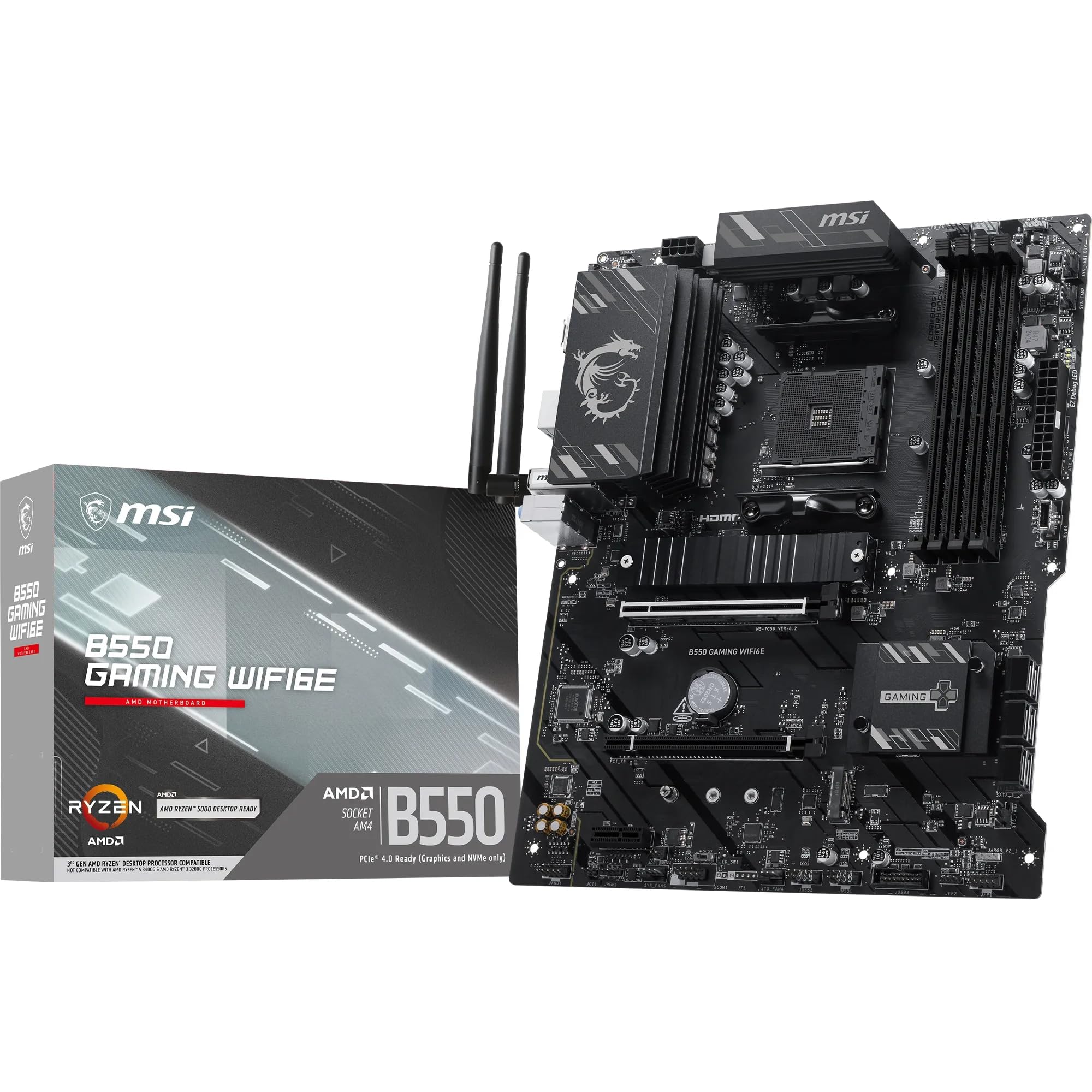
This board is the mirror image of our top pick: WiFi 6E and Bluetooth 5.3 on the board, but 1Gb Ethernet where the TUF has 2.5Gb. Which one is the better buy comes down entirely to how the machine connects to the network.

On a 6GHz router this is the stronger of the two. The wireless is a generation newer, the price sits close to the TUF's, and the wired port is the one you will not use. On Ethernet the answer flips, because 2.5Gb is the link that still feels quick several years from now. That is the whole decision, and it is worth making before you look at anything else on the specification sheet.

The hardware underneath is better than the price suggests: an 8+2+1 Duet Rail power system with 50A DrMOS stages, an extended VRM heatsink with extra choke thermal pads, M.2 Shield Frozr over the Gen4 slot, a second Gen3 M.2 slot, DDR4 support to 4800 MHz with overclocking, a Steel Armor PCIe 4.0 x16 slot, a rear USB 10Gbps Type-C port and a pump fan header for an AIO. A Ryzen 5 or Ryzen 7 build with a 6E router is squarely what it is for.

Pros

  • WiFi 6E and Bluetooth 5.3 onboard
  • 8+2+1 DrMOS power under extended heatsinks
  • Gen4 M.2 with Shield Frozr, plus a second slot
  • Rear USB 10Gbps Type-C

Cons

  • 1Gb Ethernet rather than 2.5Gb
  • Power delivery is modest for a 16-core overclock
Our verdict

Choose this one if your router broadcasts on 6GHz: WiFi 6E and Bluetooth 5.3 on a solid ATX board, with 1Gb Ethernet as the price of admission.

Check Latest Price
7

Ethernet-Only ATX Builds

ASRock B550 PG Riptide

84 /100
LBD Score Excellent

Key details

Memory
4 DIMM, up to 128GB
Wireless
M.2 Key E slot, card not included
Form Factor
ATX
Power Design
8-phase Dr. MOS
View on Amazon

A full-size ATX board with four memory slots at what the small boards here cost is the reason to look at this one. If the case is a mid-tower and Ethernet already reaches the desk, the B550 PG Riptide covers a Ryzen 5000 build without paying for wireless that will never be switched on.

The layout is conventional ATX: a PCIe 4.0 x16 slot, a PCIe 3.0 x16 slot and an x1 slot for a capture or sound card, an M.2 Key E socket so a WiFi card can go in later if the desk moves, DDR4 support to 4733 MHz with overclocking, four DIMM slots up to 128GB, and HDMI plus DisplayPort for an APU build. The 8-phase Dr. MOS power design is honest rather than generous.

This is the board we point at for a 5600 or 5700X with one graphics card and no interest in wireless — full ATX with room to add cards, at a price that leaves money for the processor. Skip it if you want WiFi out of the box or plan to overclock a 12-core; there are better-furnished boards above for both.

Pros

  • Four DIMM slots on an inexpensive ATX board
  • PCIe 4.0 x16 plus two more expansion slots
  • M.2 Key E socket for adding WiFi
  • HDMI and DisplayPort for APU builds

Cons

  • No WiFi card included
  • 8-phase power limits heavy overclocking
Our verdict

A full-size ATX board with four memory slots for Ethernet-only builds, and an M.2 Key E socket so you can add wireless later if the desk moves.

Check Latest Price

How We Tested AM4 Motherboards

We started by narrowing the field to available AM4 boards that actually make sense for a new build or a drop-in upgrade: verified CPU support, the form factor we needed, PCIe 4.0, M.2 storage, USB-C where available, and Wi-Fi 6 or 6E on boards that claimed wireless. That left us with 10 boards, which we built into test systems and lived with for eight months.

Each board went through the same build sequence: one supported AM4 processor, a tower air cooler, two sticks of DDR4, a graphics card, and an M.2 drive. We installed them in a mid-tower case and, where the form factor allowed, a compact micro-ATX case, noting socket clearance, header reach, whether the board sat flush, and how hard it was to route cables. We also checked PCB flex, heatsink contact, and whether the rear ports lined up cleanly with the case cutout.

For performance, we ran a sustained all-core workload and logged clock behavior and VRM temperatures, then enabled the rated memory profile and checked whether the system held it after a cold boot. We power-cycled each build repeatedly, noted failed POSTs or long memory training, and used BIOS Flashback when a board needed it. Day-to-day use covered work calls, games, sleep-wake cycles, and a week of leaving each system on.

Wireless testing happened in the same spot in our office, two rooms from the router, with file transfers and video calls to catch dropouts; wired boards got checked for 2.5Gb LAN and USB-C throughput where those features existed. Finally, we compared what each board added at its price tier—Wi-Fi 6E, debug LEDs, extra M.2 slots—and whether those extras solved a real problem or just looked good on the box.

How to Choose an Am4 Motherboard

Power Delivery: Buy the Stages Your CPU Will Use

An AM4 board's VRM is a question of headroom, not of a number on a box. For a Ryzen 5 5600, a 5700X3D or a 5800X3D, an 8+2 stage design like the TUF's runs cool and quiet and never becomes the limit. A 5900X or 5950X held at an all-core overclock is where a 12+2 board like the ROG Strix earns its price. Be honest about which of those you are building — the money is better spent on the processor than on stages you will never load.

Firmware is the other half of this. AM4 boards have sat on shelves for years, so one boxed before Ryzen 5000 launched may need an update before it posts. BIOS Flashback lets you flash from a USB stick with no CPU in the socket; without it, you need a supported chip on hand just to reach the BIOS.

Form Factor and Memory Slots

ATX buys more expansion slots and, usually, more fan and lighting headers; micro-ATX fits a smaller case and gives up slots most builds never fill. The number of memory slots matters more than the size of the board. Two slots cap you at 64GB and mean replacing both sticks to expand, as on the B550M-HDV. Four slots take 128GB and let you add a matched pair later, which is why the PRO-VDH is the small board we keep recommending. If a board you like has two slots, buy the capacity up front.

WiFi 6 vs 6E, and 1Gb vs 2.5Gb Ethernet

Wireless comes down to the router you own. WiFi 6E adds the 6GHz band, which is fast and uncrowded but only works if the router broadcasts it; on a WiFi 5 or WiFi 6 network you are paying for a radio you cannot use. Wired is the easier call: 2.5Gb Ethernet matters if you have a matching router, a NAS or a second PC, and costs nothing in daily use if you don't. Our top pick puts 2.5Gb on the board and leaves WiFi at 6, while the MSI B550 Gaming WIFI6E makes the opposite trade.

Storage, Headers and What You Give Up

B550 gives the graphics card and one M.2 slot PCIe 4.0, and the rest of the chipset lanes are Gen3 — so a second NVMe drive runs at Gen3 speed, fine for a games library and wrong for a scratch disk. Count your fans and lighting strips before ordering: a three-fan case plus an AIO needs enough headers, and the least expensive boards here ship with remarkably few. If a build is going to grow into more drives and cards than that, step up now rather than adding a splitter later.

Frequently Asked Questions

Final Verdict

We recommend the ASUS TUF Gaming B550-PLUS WiFi II for most Ryzen builds. It pairs 2.5Gb Ethernet and WiFi 6 with a power design that handles any mainstream AM4 processor, and BIOS Flashback removes the risk of a board that arrives with firmware too old to post.

Spend more on the ROG Strix B550-F only if the CPU is a 12- or 16-core you intend to overclock. Spend less and the MSI B550M PRO-VDH WiFi gives you four memory slots and wireless in a case that fits under a monitor.