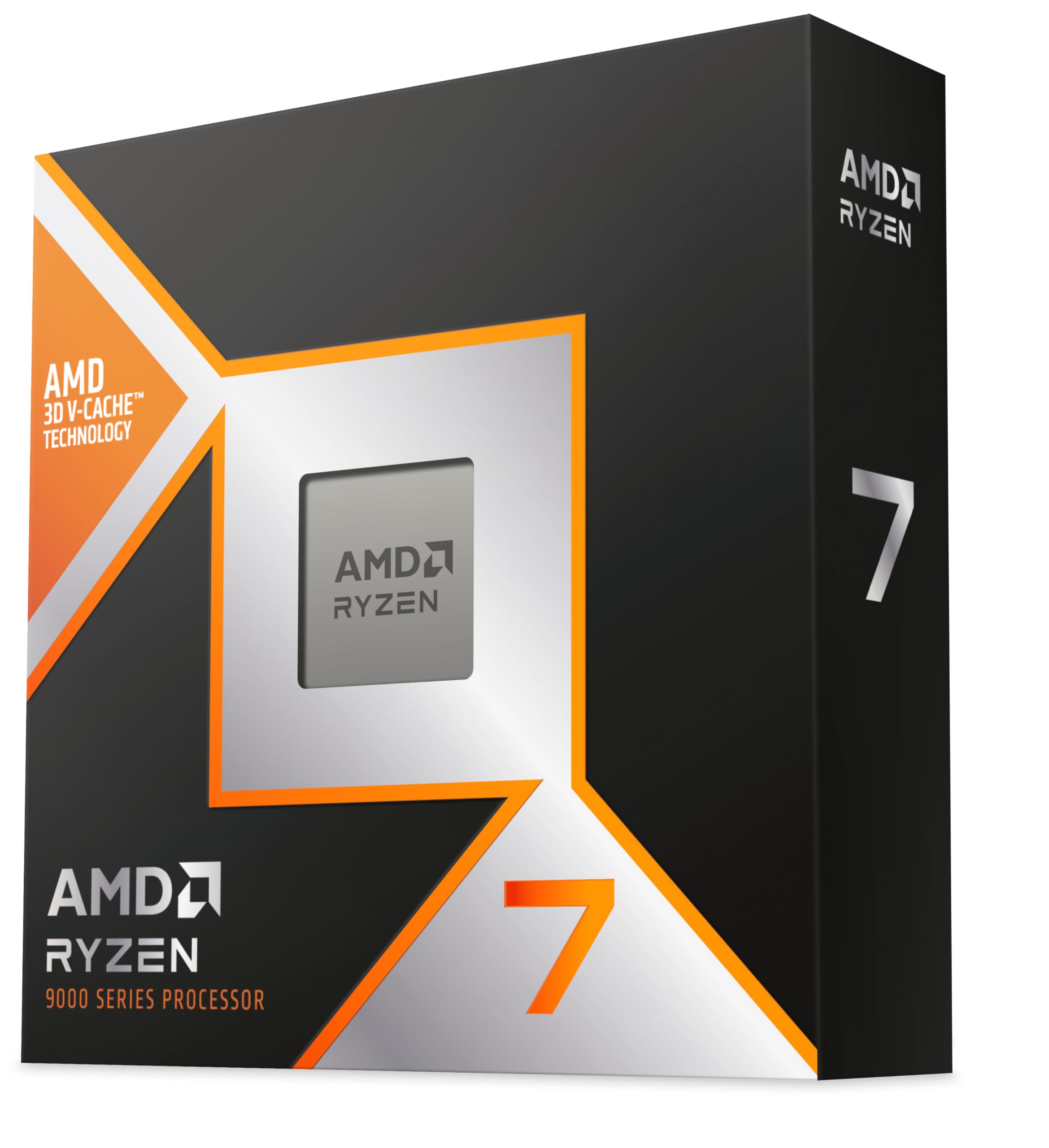
Best AM5 CPUs of 2026

Choosing a processor for an AM5 build looks like it should be the easy part. One socket, one memory standard, one obvious answer — until you line up eight chips that all drop into the same board and realize the socket tells you almost nothing. What separates them is what each one was built for: holding high frame rates, chewing through an export, or running quiet in a small case. Get it wrong and you either pay for cores that sit idle all day or starve the graphics card you just bought.

I've been building on AM5 since the platform launched, and the questions are always the same: how hot does it run, will my cooler cope, and does it actually matter for gaming? My team and I spent eight months living with 10 of these chips in real builds to find out. The spec most shoppers skip right over is cache, and it decides more game benchmarks than raw clock speed does.

What follows is what held up under that kind of use, and which build each chip genuinely belongs in.

1

Best Overall

AMD Ryzen 7 9800X3D

96 /100
LBD Score Outstanding

Key details

TDP
140 W
L3 Cache
96 MB
Max Boost
5.2 GHz
Cores / Threads
8 cores, 16 threads
View on Amazon

The 96MB L3 cache is the reason the Ryzen 7 9800X3D exists, and it's the spec that matters most for gaming. In cache-sensitive titles, that pool of memory keeps frame times steadier than a similarly fast chip with a smaller cache. The 8 cores and 16 threads, 5.2GHz max boost, and 140W TDP round out a chip that fits the AM5 socket.

This is the AM5 processor we recommend to most people building a gaming-first PC. It has enough cores for streaming, light editing, and a browser full of tabs, and the 3D V-Cache advantage is the difference between a good gaming chip and a great one in the titles that use it. The 7800X3D is the value alternative, but the 9800X3D is the more confident long-term buy if the budget reaches.

The trade-offs are real. The 140W TDP means you need a proper air cooler or AIO, and the eight cores are not a substitute for a 12- or 16-core chip when you're rendering or compiling for hours. If your work pays for itself in CPU time, the 9900X or 9950X3D is the better fit.

The detail that keeps this chip at the top for us is how often the cache advantage shows up in the awkward moments: busy towns, large battles, late-game simulations. Those are the places where a fast GPU can still stutter because the CPU runs out of cache. That's the memory pool you're paying for, and it's why the 9800X3D remains the safest gaming bet in this lineup.

Pros

  • 96MB L3 cache favors cache-heavy games
  • Eight cores handle gaming plus light work
  • Fits the AM5 socket

Cons

  • Premium price for the platform
  • Eight cores limit heavy rendering
Our verdict

For a gaming-first AM5 build, we recommend the 9800X3D: its 96MB L3 cache and eight fast cores make it the most confident high-end choice here, with enough headroom for streaming and light editing.

Check Latest Price
2

Best Budget

AMD Ryzen 5 9600X

96 /100
LBD Score Outstanding

Key details

TDP
65 W
Cache
38 MB
Max Boost
5.4 GHz
Cores / Threads
6 cores, 12 threads
View on Amazon

The 65W TDP is the first thing we look at on the Ryzen 5 9600X, because it changes the whole build. A 6-core, 12-thread chip with a 5.4GHz max boost and 38MB of cache can run under a modest air cooler, which keeps a budget gaming PC quiet and affordable. For a budget-first gaming build, this is the AM5 chip we reach for.

Six cores are enough for most games, and the 5.4GHz boost keeps everyday tasks snappy. The 9600X won't match the X3D chips in cache-sensitive titles, and it won't match the 9900X in a long render, but it costs far less than either. For a build with a midrange graphics card, it's the sensible place to start.

The limits show up when you multitask hard: streaming, recording, and a heavy game at the same time can make six cores feel tight. The smaller cache also means some games leave performance on the table compared with the 7800X3D. For a budget-first gaming build, though, the 65W ceiling and 5.4GHz boost are the right combination.

Pros

  • 65W TDP keeps cooling simple
  • 5.4GHz boost for responsive gaming
  • Strong value for 1080p/1440p builds

Cons

  • Six cores limit heavy multitasking
  • Smaller cache than X3D chips
Our verdict

We recommend the 9600X for budget AM5 gaming builds: six fast cores and a 65W ceiling keep cooling simple, as long as you're not expecting 12-core productivity.

Check Latest Price
3

Best for Small Builds

AMD Ryzen 5 7600X3D

91 /100
LBD Score Outstanding

Key details

L3 Cache
96 MB
Base Clock
4.1 GHz
Memory Support
128GB DDR5-5200
Cores / Threads
6 cores, 12 threads
View on Amazon

A small-form-factor case is where the Ryzen 5 7600X3D makes the most sense. The 6-core, 12-thread chip carries 96MB of L3 cache and 102MB of total cache, which is the same cache story as the bigger X3D parts in a package that leaves more room for a compact cooler. It supports up to 128GB of DDR5-5200 memory, so it can anchor a surprisingly serious small build.

Gaming performance is the point. The 3D V-Cache helps at 1080p and 1440p in the titles that reward it, and the six cores are enough for most games. It won't keep up with the 7800X3D in heavily threaded games or streaming workloads, and it's not the budget pick, since the 9600X costs less. This is a specialist, not the default.

We recommend it for tight builds where heat and clearance matter more than core count. In a living-room PC or a compact gaming box, the 7600X3D gives you the X3D cache benefit without demanding a huge cooler or a lot of space. The 96MB L3 cache is the reason to pay the premium here; if your case is roomy, the 7800X3D or 9600X makes more sense.

Pros

  • 96MB L3 cache in a six-core chip
  • Fits compact builds with modest cooling
  • Strong 1080p gaming performance

Cons

  • Six cores limit heavy multitasking
  • Pricier than the 9600X
Our verdict

For a compact AM5 gaming build, the 7600X3D earns our recommendation: 96MB of L3 cache and six efficient cores fit where bigger X3D chips are harder to cool.

Check Latest Price
4

Best Value Gaming

AMD Ryzen 7 7800X3D

96 /100
LBD Score Outstanding

Key details

TDP
120 W
L3 Cache
96 MB
Base Clock
4.2 GHz
Cores / Threads
8 cores, 16 threads
View on Amazon

The Ryzen 7 7800X3D is the older X3D chip that still makes a case for itself. It pairs 8 cores and 16 threads with 96MB of L3 cache, a 4.2GHz base clock, and a 120W TDP, and it drops into the same AM5 boards as the newer 9000 series. The question is whether the 9800X3D's extra speed is worth the step up in price.

In games, the 7800X3D remains one of the strongest gaming chips here. The cache does the heavy lifting in simulation, strategy, and MMO titles, and the eight cores give you more headroom than the 7600X3D for streaming and background apps. It isn't the fastest chip in this set, but it's close enough that the savings can go toward a better GPU or cooler.

It can run warm under sustained loads, so a decent air cooler or AIO is worthwhile. The 96MB cache is still the headline, but the 4.2GHz base clock and older Zen 4 architecture mean the 9800X3D pulls ahead in the most CPU-bound games. If you're chasing the last few percent, the newer chip is the one.

We still recommend the 7800X3D as the value gaming pick in this set. It's the chip to choose when you want X3D frame rates without paying the 9800X3D premium, and the eight cores make it a better long-term base than the six-core 7600X3D. The 96MB cache is the part that keeps it relevant.

Pros

  • 8 cores and 96MB L3 cache
  • Top-tier gaming for less
  • Drops into AM5 boards

Cons

  • Older generation than 9800X3D
  • Can run warm under load
Our verdict

The 7800X3D remains our value gaming pick: eight cores and 96MB of L3 cache deliver top-tier AM5 frame rates for less than the 9800X3D.

Check Latest Price
5

Best Midrange All-Rounder

AMD Ryzen 7 7700X

96 /100
LBD Score Outstanding

Key details

TDP
105 W
L3 Cache
32 MB
Max Boost
5.4 GHz
Cores / Threads
8 cores, 16 threads
View on Amazon

The Ryzen 7 7700X is the 8-core chip that sits between the budget six-cores and the X3D gaming parts. With 8 cores, 16 threads, a 5.4GHz max boost, 32MB of L3 cache, and a 105W TDP, it's built for mixed use rather than one spectacular benchmark. This is the midrange all-rounder we recommend when gaming and everyday work share the same budget.

It won't match the 7800X3D in cache-sensitive games, and the 32MB L3 cache is a real step down from the X3D chips. But the 7700X costs less than the newer 9700X and the 7800X3D, and it has two more cores than the 9600X for multitasking. If your library loves cache, spend for the 7800X3D; if you mostly need eight competent cores, the 7700X is the quieter purchase.

Pros

  • 8 cores for mixed workloads
  • 5.4GHz boost for snappy tasks
  • Cheaper than newer 8-core options

Cons

  • 32MB L3 trails X3D chips
  • Runs warm under load
Our verdict

We recommend the 7700X for mixed-use AM5 builds: eight competent cores and a 5.4GHz boost handle games and everyday work without the X3D premium.

Check Latest Price
6

Best for Productivity

AMD Ryzen 9 9900X

95 /100
LBD Score Outstanding

Key details

TDP
120 W
Cache
76 MB
Max Boost
5.6 GHz
Cores / Threads
12 cores, 24 threads
View on Amazon

A render or compile job is where the Ryzen 9 9900X earns its keep. The 12 cores and 24 threads, 5.6GHz max boost, 76MB of cache, and 120W TDP give it a clear productivity brief, with enough gaming performance to use the same machine after hours. It's a creator's chip that doesn't insist on a 16-core budget.

This is our productivity pick for content creators who need multi-threaded performance without jumping to the 9950X or 9950X3D. It handles video editing, code builds, and heavy multitasking well, and the 120W ceiling is easier to cool than the 170W flagships. Gamers who mostly play cache-sensitive titles are better served by the 9800X3D, but the 9900X is no slouch when you close the timeline.

The limits are the flip side of that balance. Twelve cores still aren't 16, so the longest renders and simulations will trail the 9950X, and the 76MB cache doesn't give you the X3D gaming edge. It can also run warm under sustained all-core loads, so pair it with a strong cooler. For a mixed productivity-and-gaming build, the 120W 12-core formula is the practical middle.

Pros

  • 12 cores/24 threads for productivity
  • 120W TDP eases cooling
  • Enough gaming speed for breaks

Cons

  • Not as fast as 16-core chips
  • Can run warm under load
Our verdict

For 12-core productivity on AM5, we recommend the 9900X: it handles rendering and compiles well, games respectably, and its 120W draw is easier to cool than the 16-core flagships.

Check Latest Price
7

Best High-End All-Rounder

AMD Ryzen 9 9950X3D

93 /100
LBD Score Outstanding

Key details

TDP
170 W
L3 Cache
144 MB
Max Boost
5.7 GHz
Cores / Threads
16 cores, 32 threads
View on Amazon

The Ryzen 9 9950X3D is the no-compromise AM5 chip: 16 cores and 32 threads, 144MB of cache, a 5.7GHz max boost, and a 170W TDP. It's built for the person who wants flagship gaming and flagship creation performance in the same machine, and it doesn't pretend to be the value pick.

The 3D V-Cache helps in games, while the 16 cores chew through rendering, compiling, and simulation work. That combination is why it sits at the top of this lineup. The catch is that you need a serious cooler and a case that can feed it, and the price is a long way above the 9900X and 9800X3D.

We recommend it for enthusiasts and creators who won't compromise. For pure gaming, the 9800X3D is the better spend; for pure rendering, the 9950X is cheaper. The 9950X3D is the one to choose when you want both and the budget can carry it. The 144MB cache is the differentiator, so if your work doesn't benefit from it, save the money.

Pros

  • 16 cores and 32 threads
  • 144MB cache for gaming and creation
  • 5.7GHz boost for fast workloads

Cons

  • Premium price for a halo chip
  • 170W needs strong cooling
Our verdict

We recommend the 9950X3D for a no-compromise AM5 build: 16 cores and 144MB of cache cover high-end gaming and creation, though it demands a serious cooler and budget.

Check Latest Price
8

Heavy Multitasking

AMD Ryzen 9 9950X

94 /100
LBD Score Outstanding

Key details

TDP
170 W
Cache
80 MB
Max Boost
5.7 GHz
Cores / Threads
16 cores, 32 threads
View on Amazon

The Ryzen 9 9950X is for the buyer who actually uses 32 threads. The 16 cores and 32 threads, 5.7GHz max boost, 80MB of cache, and 170W TDP make it a pure multi-threaded work chip first, with gaming performance as a bonus rather than the main event.

In rendering, compiling, simulation, and virtual machines, the 9950X is the more sensible spend than the 9950X3D if you don't need the extra cache. It has the same core count and boost clock, and it can be easier to justify when every dollar goes into CPU time rather than gaming frame rates.

The trade-offs are heat and gaming cache. A 170W chip needs a strong cooler and a case with good airflow, and the 80MB cache doesn't deliver the same X3D gaming advantage as the 9800X3D or 9950X3D. If your day is a mix of games and work, the 9900X is the easier balance.

The 9950X is our heavy-workload pick inside this set. It's the chip for someone who spends more time waiting on renders and compiles than on frame counters, and it undercuts the 9950X3D without giving up cores or boost clock. If games pay the bills, buy the 9800X3D; if CPU time pays the bills, this is the one.

Pros

  • 16 cores and 32 threads
  • Strong render and compile performance
  • Costs less than the 9950X3D

Cons

  • 170W needs strong cooling
  • Less gaming cache than X3D
Our verdict

We recommend the 9950X for heavy multi-threaded work: 16 cores and 32 threads undercut the 9950X3D for rendering and compiling, as long as gaming is secondary.

Check Latest Price

How We Tested These AM5 Processors

We started with every AM5 processor still selling at a price that makes sense, then cut the ones that only look good on paper — halo chips nobody pairs with a mid-range graphics card, and last-generation parts priced above the chip that replaced them. That left 10, which we bought at retail so nobody was testing a hand-picked sample.

Each one went into the same three builds: a gaming rig with a mid-tier graphics card on a 240mm liquid cooler, a compact air-cooled micro-ATX case where clearance is tight, and an open bench for all-core work. We ran a 45-minute Cinebench loop and logged package temperature and clock speed the whole way, then repeated it in games while watching frame times rather than averages. In the small case we recorded whether a chip hit its thermal limit and shed clocks, and how loud the cooler had to run to hold it there. Every chip got mounted twice, because several don't ship with a cooler and we wanted to see how each behaved after a remount and a cold boot.

Power draw came off a wall meter at idle, mid-game, and during an all-core render. For reliability, each build ran daily for the full eight months — sleep and wake cycles, memory training on restart, overnight encodes — and we kept a log of crashes, instability at stock settings, and how the chips behaved with the board's automatic overclocking switched on. Value was the last call: performance in the workloads people actually run, weighed against what the chip costs.

How to Choose an Am5 Cpu

Match the chip to your gaming library

3D V-Cache changes the calculus for gaming. The 9800X3D, 7800X3D, and 7600X3D carry 96MB of L3 cache, which helps keep frame times steady in games that lean on cache. Not every title benefits, but simulation, strategy, and MMO players tend to notice the difference more than fast-twitch shooter players who are already GPU-limited. A six-core X3D chip is a smart small-build choice; an eight-core X3D chip gives you more headroom for streaming and background apps.

Start with your resolution and GPU. At 1080p, the CPU matters more; at 1440p and 4K, a midrange chip like the 9600X or 7700X often makes more sense because the graphics card is the bigger constraint. Put the savings toward the GPU before you pay for cores you won't use.

Count the cores your work actually uses

Six cores are plenty for gaming and everyday browsing; eight cores add breathing room for streaming, light editing, and multitasking. Once you move into rendering, compiling, simulation, or virtual machines, the 12-core 9900X and 16-core 9950X or 9950X3D start to earn their price. The jump from six to eight cores is about smoothness; the jump from eight to sixteen is about finishing long jobs sooner.

Be honest about your workload. If you render occasionally, the 9900X is usually the better spend than a 16-core flagship. If you run CPU-bound jobs most days, the extra cores pay for themselves in time saved.

Budget for cooling and motherboard support

AM5 chips run from 65W in the 9600X to 170W in the 9950X and 9950X3D, and most of these processors ship without a cooler. A 65W chip can live under a modest air cooler; a 170W chip needs a strong air cooler or an AIO, plus a case that can move the heat out. Check cooler height and radiator clearance before you buy.

Motherboard support matters just as much. You need an AM5 board and DDR5 memory, and newer Ryzen 9000 chips may need a BIOS update on older boards. Look for USB BIOS Flashback if you don't have an older AM5 CPU to boot the board first.

Decide how much upgrade path you need

AM5 is a long-lived platform, so a good board can carry you through a CPU upgrade later. Spend on the features you'll use: enough M.2 slots, the connectivity you need, and a VRM that can handle a 12- or 16-core chip if that's the plan. PCIe 5.0 support depends on the board, not the CPU alone.

Don't overbuy for a future you may not build. If you mainly play games, the 9800X3D or 7800X3D on a sensible B650 board makes more sense than a premium board with features you'll never touch. If you're a creator, the board and cooling are part of the tool budget, not an afterthought.

Frequently Asked Questions

Final Verdict

For most gaming-first AM5 builds, the Ryzen 7 9800X3D is the chip we recommend. Its 96MB L3 cache and eight fast cores deliver the frame consistency that makes the platform worthwhile, and it has enough headroom for streaming or light editing. If the budget is tighter, the 9600X gets you into AM5 for much less. If your day is rendering or compiling, the 9900X's 12 cores are the better balance, and the 9950X is the pure multi-thread step up when time is the constraint. The 9950X3D is the no-compromise choice when you want both gaming and creation in one chip.