Best B850 Motherboards of 2026

A motherboard is the one part of a build you screw down once and then live with for the next five years, which is why B850 is where most AM5 shoppers should be looking. It's the chipset that keeps PCIe 5.0 for your graphics card and a Gen5 M.2 slot for your boot drive, without making you pay for lanes and ports you'll never fill. What it fixes is quieter than that, though: a board that recognizes your Ryzen chip the first time you hit power, Wi-Fi that holds a connection two rooms from the router, and a BIOS that doesn't turn a two-hour build into a four-hour troubleshooting session.

I've built enough AM5 systems now to know the spec sheet lies by omission. My team and I spent the past six months with 12 B850 boards in ATX, micro-ATX, and one genuinely tiny mini-ITX, running them in cases people actually buy rather than on an open bench. The details that separated the good ones had nothing to do with phase counts: whether the primary M.2 heatsink cleared a three-slot graphics card, whether the front-panel headers were reachable with a big air cooler bolted on, and whether the first boot took 15 seconds or 45.

Some of these boards are worth the step up and some are a bracket with a logo. The picks below are the ones I'd put in my own build, sorted by what you're actually trying to do with them.

1

Best Overall

GIGABYTE B850 AORUS Elite WIFI7

86 /100
LBD Score Excellent

Key details

Warranty
5 years
M.2 Slots
3
Form Factor
ATX
Power Design
14+2+2
View on Amazon

A motherboard's best features are the ones you stop noticing an hour into the build, and on the AORUS Elite WIFI7 that's the tool-free hardware. The M.2 EZ-Latch and the push-button PCIe release mean your drive and graphics card go in without a screwdriver, and the Wi-Fi antenna clicks on like a headphone jack instead of threading two fragile connectors onto the rear panel. It's the board that made our build feel easiest, and none of that ease came from a premium part.

Under the heatsinks sits a 14+2+2 power design with VRM and M.2 thermal guards, which is more than a Ryzen 7 needs — useful, because it leaves a 12- or 16-core upgrade on the table later. Three M.2 slots, PCIe 5.0 for the graphics card, four DIMM slots that take up to 256GB of DDR5, Wi-Fi 7 and 2.5-gigabit Ethernet cover a modern build without adding a single card.

Two details are worth knowing before you commit. The AIO pump header sits on the bottom edge, so a top-mounted radiator means a cable run across the whole case — plan the fan wiring before the board goes in. And the Windows control utility is the weakest part of the package; the BIOS handles fan curves and memory tuning perfectly well without it, so treat the software as optional.

The one place it trails the MSI below is networking: 2.5-gigabit Ethernet here against 5-gigabit there. Unless you already own a multi-gig switch and a NAS that can feed it, that's an upgrade most people never feel, and the five-year warranty is the better place for the money to go.

Pros

  • Tool-free M.2 and PCIe latches
  • Five-year warranty, longest in this set
  • Wi-Fi 7 and 2.5GbE built in
  • Three M.2 slots with thermal guards

Cons

  • Three M.2 slots where storage-first boards offer four
Our verdict

The board we point most AM5 builders to: a clean BIOS, tool-free M.2 and PCIe latches, Wi-Fi 7, and the longest warranty here at a mid-range price.

Check Latest Price
2

Best for Storage and Networking

MSI MAG B850 Tomahawk MAX WiFi

88 /100
LBD Score Excellent

Key details

LAN
5GbE
M.2 Slots
4 (2 PCIe 5.0)
Form Factor
ATX
Power Design
14 duet rail, 80A SPS
View on Amazon

Four M.2 slots is the whole argument for the Tomahawk MAX. Two run at PCIe 5.0 x4, one at Gen4 x4 and one at Gen4 x2, and each gets a heatsink under MSI's tool-free Shield Frozr II latch. Add six SATA ports and you have the only board here that can swallow a serious drive collection without an add-in card.

That layout is why we keep this one in the conversation for anyone editing video, hoarding a game library or building a small home server: the storage grows with you instead of forcing a swap. The rest keeps pace — a 14 duet rail 80A SPS power design, a PCIe 5.0 x16 slot with steel reinforcement, Wi-Fi 7 with Bluetooth 5.4, and 5-gigabit Ethernet that will outlive your current router.

Two things deserve a hard test while the return window is open. Cold boots can run long before the firmware settles, and the onboard Wi-Fi is the least dependable part of the package — hammer both in the first week, and run a cable if the radios misbehave rather than living with dropouts. Do that and the rest of the board is excellent.

Pros

  • Four M.2 slots, two at PCIe 5.0
  • 5-gigabit Ethernet alongside Wi-Fi 7
  • 14 duet rail 80A SPS power stages
  • Six SATA ports for bulk drives

Cons

  • Three-year warranty, two years short of our top pick
Our verdict

For a build organized around drives and a fast wired network, this is the board: four M.2 slots, two of them Gen5, plus 5-gigabit Ethernet.

Check Latest Price
3

Best for USB4 Expansion

ASUS TUF Gaming B850-PLUS WiFi

88 /100
LBD Score Excellent

Key details

Expansion
Thunderbolt (USB4) header
M.2 Slots
3 (1 PCIe 5.0)
Form Factor
ATX
Power Design
14+2+1 80A
View on Amazon

One connector separates the TUF B850-PLUS WiFi from every other board on this page: a Thunderbolt (USB4) header. It's a header rather than a rear port, so it's there for a front-panel module or an add-in card, and it's the only route to that class of connection in this group without stepping up to a more expensive chipset.

The rest is a solid mid-range ATX board. You get 14+2+1 power stages rated at 80A, an eight-layer PCB, two 8-pin CPU connectors, three M.2 slots (one PCIe 5.0, two Gen4) all under heatsinks, Wi-Fi 7, 2.5-gigabit Ethernet, a 20Gbps Type-C on the rear panel and a 10Gbps Type-C header up front. BIOS FlashBack is on board too, so a firmware update doesn't need a CPU in the socket.

We rate it as the pick for a builder who wants one uncommon expansion path without paying ROG prices. What it asks in return is patience at setup: the wireless drivers are what trip these builds up, so download the chipset and Wi-Fi packages before Windows finishes installing, and let the first boot finish memory training before you assume something is wrong.

Pros

  • Thunderbolt (USB4) header for expansion
  • 14+2+1 80A stages on an eight-layer PCB
  • BIOS FlashBack updates without a CPU
  • Wi-Fi 7 and 2.5GbE onboard

Cons

  • Only one of the three M.2 slots runs PCIe 5.0
Our verdict

Buy it if you want one unusual expansion path, a USB4 header, on a mid-range board — and accept that setup asks a little more of you.

Check Latest Price
4

Best Mini-ITX

ASUS ROG Strix B850-I Gaming WiFi

83 /100
LBD Score Excellent

Key details

Wireless
Wi-Fi 7
M.2 Slots
2 (PCIe 5.0)
Form Factor
Mini-ITX
Power Design
10+2+1, 70A
View on Amazon

The second M.2 slot on the ROG Strix B850-I lives on the back of the board. That single fact shapes the whole build: you install that drive before the board goes anywhere near the case, because getting to it later means stripping the machine back down to the motherboard.

Two PCIe 5.0 M.2 slots on a board this small is why we keep it for compact builds — it's the only Mini-ITX board here, and it doesn't make you choose between a Gen5 boot drive and a second fast drive. Around that, ASUS fits a 10+2+1 power design rated to 70A per stage, Wi-Fi 7, 2.5-gigabit Ethernet and a 20Gbps Type-C port, with an integrated I/O cover over the rear panel.

It's also the most expensive board in this group and the one with the most setup friction. A board that won't post out of the box is the failure to watch for, so buy from a seller that takes returns. And treat Windows 10 as a dead end: the Wi-Fi and Bluetooth drivers assume Windows 11, so have them on a USB stick before you start and save yourself an evening.

For a small-form-factor build where the case sets the limits, none of that is disqualifying — you're paying for two Gen5 slots and a full port stack in a footprint nothing else here matches. If your case takes a full ATX board, the same money buys considerably more board.

Pros

  • Two PCIe 5.0 M.2 slots in Mini-ITX
  • Wi-Fi 7 and 2.5GbE on a tiny board
  • 10+2+1 stages rated to 70A
  • 20Gbps Type-C on the rear panel

Cons

  • Back-mounted M.2 slot needs a teardown to swap
Our verdict

The Mini-ITX board to build around: two PCIe 5.0 M.2 slots, Wi-Fi 7 and a full port stack, as long as your case sets the rules.

Check Latest Price
5

Best Micro-ATX

GIGABYTE B850M AORUS Elite WIFI6E ICE

89 /100
LBD Score Excellent

Key details

Warranty
5 years
M.2 Slots
2
Form Factor
Micro-ATX
Power Design
12+2+2
View on Amazon

White components usually stop at the heatsinks. The ICE version of the B850M AORUS Elite goes further — white PCB, white heatsinks, an integrated I/O cover and clean covers over the rear ports — and it's the best-looking board we handled for a white micro-ATX build.

It isn't a display piece with a board attached. The 12+2+2 power design is a step above most micro-ATX boards, there are four DIMM slots, two M.2 slots, 2.5-gigabit Ethernet, Wi-Fi 6E, USB-C and EZ-Latch fittings, and it carries the same five-year warranty as our top pick.

The compromises are small but real. Wi-Fi 6E instead of Wi-Fi 7 is the biggest one — fine if your router is a generation behind, money wasted if you just bought a Wi-Fi 7 mesh. Two M.2 slots will feel tight if you're used to four, and the BIOS is the least settled part of the package: the layout is easy, but budget time for a firmware update before you start tuning memory.

Pros

  • White PCB, heatsinks and port covers
  • 12+2+2 power design on micro-ATX
  • Five-year manufacturer warranty
  • Four DIMM slots and 2.5GbE

Cons

  • Micro-ATX leaves less room for add-in cards
Our verdict

The micro-ATX board for a white build: a full white finish, 12+2+2 power and a five-year warranty, with Wi-Fi 6E as the trade.

Check Latest Price
6

Best Value ATX

MSI B850 Gaming Plus WiFi

88 /100
LBD Score Excellent

Key details

LAN
5GbE
M.2 Slots
3 (1 PCIe 5.0)
Form Factor
ATX
Power Design
12 duet rail
View on Amazon

Wi-Fi 7 and 5-gigabit Ethernet are the two features that cost real money this generation, and this is the cheapest board here that gives you both.

What buys the difference is the power design: a 12 duet rail P-PAK setup rather than the 80A SPS stages on the boards above. Three M.2 slots — one Gen5, two Gen4 — a PCIe 5.0 x16 slot and a second PCIe 4.0 x16 slot cover the rest of a normal build, and the four DIMM slots take DDR5 rated to 8200+ MT/s in overclocking.

We think that's the right set of trades for most gaming builds: the money you save goes into the graphics card, and what you give up only matters at the top of the CPU stack. Below a 12-core, the power design is a non-issue, and the heatsinks over the VRM and M.2 slots are the same idea MSI uses further up the range.

The second x16-length slot is the detail we appreciate most. It runs at PCIe 4.0, which is exactly right for a capture card, a sound card or a second SSD adapter in a build that already has a Gen5 graphics card in the top slot.

Pros

  • Wi-Fi 7 and 5-gigabit Ethernet included
  • Three M.2 slots, one at PCIe 5.0
  • Second PCIe 4.0 x16 slot for add-ins
  • Four DIMM slots rated to 8200+ MT/s

Cons

  • Rear USB tops out at 10Gbps Type-C
Our verdict

The value ATX pick: Wi-Fi 7 and 5-gigabit Ethernet for less, with power stages that suit everything below a 12-core.

Check Latest Price
7

Value Four-Drive Builds

ASRock B850 Steel Legend WiFi

84 /100
LBD Score Excellent

Key details

LAN
2.5GbE
M.2 Slots
4 (1 PCIe 5.0)
Form Factor
ATX
Power Design
14+2+1 80A
View on Amazon

Spending less on a motherboard usually shows up later, in the slot you don't have or the drive you can't add. The Steel Legend is built to avoid that trade: four M.2 slots, a 14+2+1 power design with 80A stages, and Wi-Fi 7, all for less than the Tomahawk.

The details hold up. One M.2 slot is a Gen5 x4 part, the board takes four DDR5 DIMMs up to 256GB, and there are four SATA ports and twenty USB ports listed, with Wi-Fi 7 and 2.5-gigabit Ethernet on the network side. Nothing here reads like a corner cut to hit a price.

The trim is in the networking. Ethernet runs at 2.5 gigabits where the MSI boards give you 5, which you will never see on a normal home router and will absolutely see if you wire the machine to a multi-gig NAS. That's the one place this board holds a fast build back.

Our call: this is the board for a build that's mostly gaming and storage — a Gen5 boot drive, a couple of Gen4 drives and a graphics card — where saving on the motherboard is the difference between a better GPU and a worse one. If the network is the point of the machine, spend up instead.

Pros

  • Four M.2 slots at a budget price
  • 14+2+1 phases with 80A Dr.MOS
  • Wi-Fi 7 onboard
  • Four DIMM slots up to 256GB

Cons

  • One Gen5 M.2 slot where the Tomahawk has two
Our verdict

Buy it for four M.2 slots and 80A power stages at the lowest ATX price here — and skip it if 5-gigabit networking is the point of your build.

Check Latest Price
8

First AM5 Builds

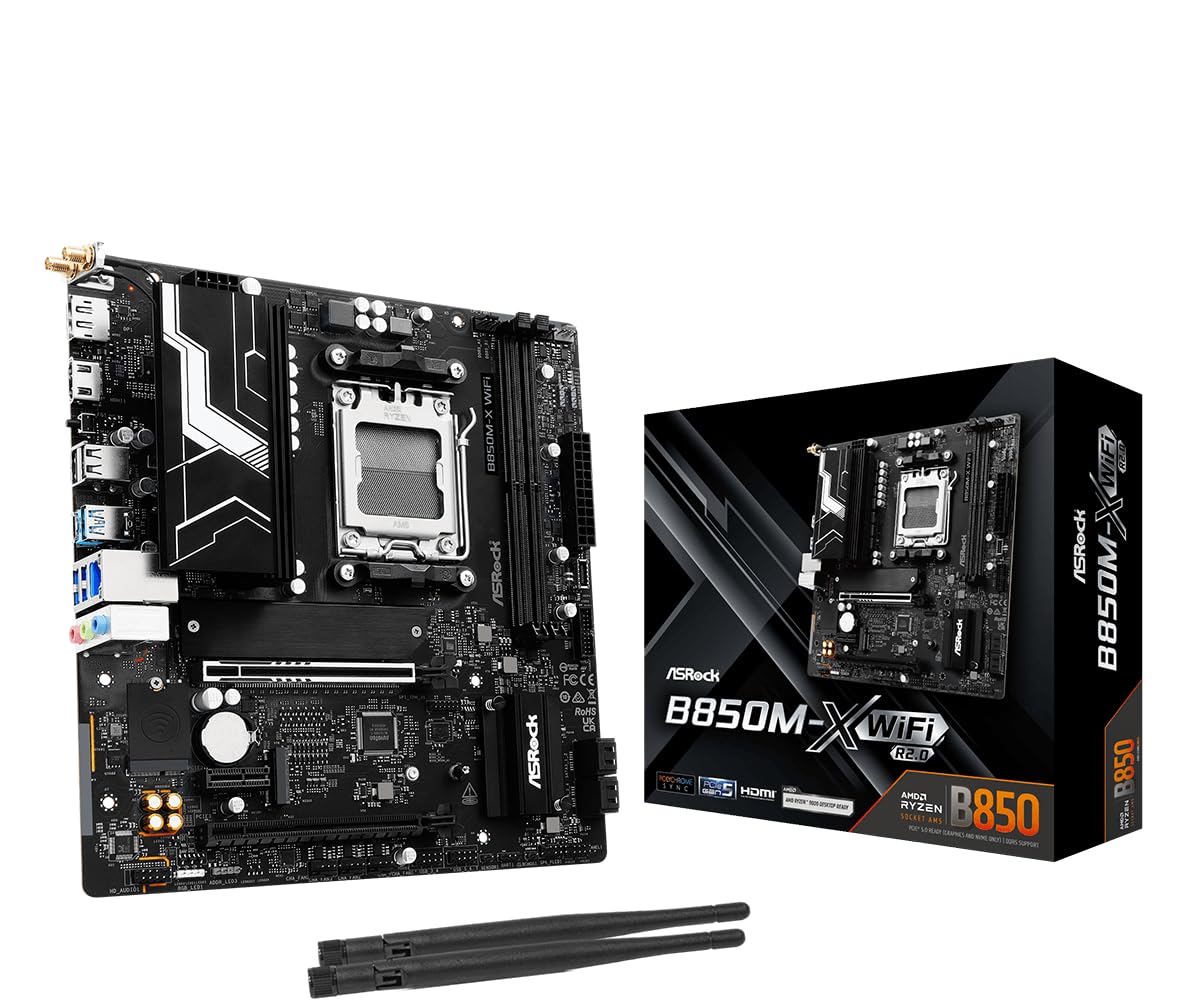
ASRock B850M-X WiFi R2.0

87 /100
LBD Score Excellent

Key details

Wireless
Wi-Fi 6E
DIMM Slots
2
Form Factor
Micro-ATX
Power Design
6+1+1
View on Amazon

The cheapest way onto AM5 with a current chipset asks you to accept two decisions: two memory slots instead of four, and a 6+1+1 power design instead of a 12- or 14-phase one.

What survives the cuts is more than the price suggests. You still get Wi-Fi 6E, 2.5-gigabit Ethernet, a USB-C port, BIOS Flashback, four SATA ports, HDMI and DisplayPort outputs, and DDR5 support rated to 8200+ MT/s in overclocking, all on a micro-ATX board that fits a small case without argument.

The two-slot memory layout is the one to think hardest about. Two 32GB sticks reach the 128GB ceiling this board lists, so buy the capacity you want on day one — there's no adding a matching pair later. A 6+1+1 design is a sensible match for a six- or eight-core chip and not much fun for a 16-core under sustained all-core load. The listing also notes it isn't compatible with every prebuilt system, so check before dropping it into an OEM case.

For a first build, a living-room PC or a second machine, those are the right compromises: the money you save goes into a graphics card, where you'll feel it every time you sit down. Two sticks of DDR5 and an eight-core CPU is the build this board is drawn for.

Pros

  • Lowest price in this set
  • BIOS Flashback without a CPU installed
  • 2.5GbE and Wi-Fi 6E included
  • Four SATA ports on a budget board

Cons

  • Two DIMM slots leave no upgrade path
  • 6+1+1 power design limits high-core CPUs
Our verdict

The budget route onto AM5: two memory slots and a modest power design buy a low price, with Wi-Fi 6E and 2.5GbE kept in.

Check Latest Price

How We Tested the Best B850 Motherboards

We started by pulling every B850 board we could find from the major manufacturers, then filtered by form factor, Wi-Fi 7 versus 6E, LAN speed, M.2 count, and whether the board shipped with BIOS Flashback-style recovery in case the installed firmware didn't recognize a newer CPU. That left us with 12 boards spanning ATX, micro-ATX, and mini-ITX, which we bought ourselves and ran for six months.

Each board went into a real case rather than a test bench — a mid-tower with a large air cooler, a compact micro-ATX chassis, and a mini-ITX build where every millimeter counts. We timed cold boots with a stopwatch from the power button to the Windows desktop on a clean install, then again a week later after updates had settled in, and noted which boards idled at the BIOS screen or posted a memory-training delay on every restart. To check compatibility we installed a 9000-series chip on whatever firmware shipped and recorded whether it posted; on the boards that didn't, we ran the flashback procedure with no CPU and no memory installed and timed how long it took. After a clean Windows install we let Windows Update do its thing and watched Device Manager for unknown devices, timing how long it took before Wi-Fi and Ethernet were both live without a driver download.

For connectivity we plugged in a keyboard, mouse, headset, and capture card and counted what usable ports were left, then checked whether a three-slot graphics card blocked the second PCIe slot or the chipset heatsink. Wireless testing happened two rooms and a wall away from the router, where we ran throughput tests and moved a large file to see how quickly speeds fell off, since Wi-Fi 7 boards and 6E boards did not behave the same at range. We also felt for build quality during assembly: sharp edges, whether the I/O shield was pre-installed, how the M.2 latch or screw felt, whether the 24-pin and front-panel headers were reachable with the cooler mounted, and how the board looked through a glass side panel.

Every board then became a daily driver for the rest of the test window, cycling through sleep and wake dozens of times and running long CPU loads while we watched VRM temperatures. Reliability issues show up slowly, and a board that wakes from sleep cleanly in week six is worth more than one with a bigger heatsink.

How to Choose a B850 Motherboard

Start With the Case, Not the Feature List

ATX is the default because it fits the most cases and carries the most slots. The smaller boards here — two micro-ATX models and one Mini-ITX — give something up for the space. Micro-ATX generally costs you M.2 slots and a couple of expansion slots; Mini-ITX costs you DIMM slots and nearly all expansion.

Check your case specification for the largest board it takes, then check clearance above the top edge: tall VRM heatsinks and a top-mounted radiator compete for the same inch. A board that fits but crowds your radiator is a build you'll fight every time you open the panel.

Match the Power Design to the CPU You'll Actually Install

Power-stage counts are the easiest spec to overpay for. A 6+1+1 design is a sensible partner for a six- or eight-core chip, a 12-stage design covers a 12-core comfortably, and the 14+2+2 boards with 80A stages are what you want if a 16-core is going to sit at full load for hours.

Heatsink mass matters as much as the stage count on a small board with limited airflow. For a gaming machine, the graphics card is where the budget belongs; for a render box, it isn't.

Count M.2 Slots Before You Count Anything Else

Two M.2 slots is enough for most builds: one fast drive for the system and games, one for everything else. Four is for people who edit video or keep a large library, and it's the main thing separating our storage pick from the rest of this group.

Gen5 matters for the first drive and very little after that — a Gen4 drive is fine as a scratch disk or a game library. Whatever the slot count, make sure each one has a heatsink; a bare Gen5 drive will throttle during a long write.

Buy the Network You Can Actually Use

Wi-Fi 7 on a motherboard is only worth paying for if your router speaks it — pair a Wi-Fi 7 board with an older router and you run at the older standard. The same logic applies to wired: 2.5-gigabit Ethernet is the practical ceiling for a home network fed by a normal cable modem, and 5-gigabit only earns its keep with a multi-gig switch or a NAS on the other end.

If you can run a cable at all, do. A cheap patch cable beats every antenna arrangement on this page, and it costs you nothing in the years when drivers misbehave.

The Small Things That Decide Whether the Build Is Pleasant

Tool-free M.2 latches, a push-button PCIe release, and an antenna that clicks on rather than screwing on sound like marketing until you've built in a tight case. We pay attention to header placement too: a pump header tucked at the bottom edge of a board means a cable run across the whole case if your radiator sits up top.

Warranty length is the quiet differentiator. Five years from GIGABYTE's AORUS boards against three from most of the rest here is the kind of gap you only notice on the day you need it, and it doesn't cost extra at checkout.

Frequently Asked Questions

Final Verdict

If you want one answer, it's the GIGABYTE B850 AORUS Elite WIFI7. Nothing on that board fights you: the BIOS is straightforward, drives and graphics cards go in without tools, Wi-Fi 7 and 2.5-gigabit Ethernet cover the network, and the five-year warranty is the longest commitment any board here makes.

Change one requirement and the answer changes. Building around four NVMe drives or a multi-gig home network, the MSI MAG B850 Tomahawk MAX WiFi earns the extra money. Fitting a small case, the ASUS ROG Strix B850-I is the only Mini-ITX board here — and the only one whose second M.2 drive has to go in before the board does.