Best Blu-Ray Burners of 2026

A Blu-ray burner is a purchase you make for a specific job: backing up a shelf of discs, archiving family footage on M-DISC, or playing the Ultra HD movies your laptop drive can’t read. The category splits in two directions—internal drives that are fast and no-nonsense, and portable externals that trade a little speed for USB-C convenience. Over the past eight months, I’ve tested a dozen drives across both formats, burning everything from CD-Rs to 100GB BDXL discs and noticing which ones whir, stall, or just work.

What separates a good drive from a frustrating one isn’t write speed—it’s whether it recognizes the disc on the first try, whether the ports and software match your computer, and whether it stays reliable after repeated burns. A slightly slower drive that’s quiet and consistent beats one that posts a big number and chokes on a dual-layer disc. I also considered size and value: some portables slip into a laptop bag, while others want a permanent desk spot. The picks below are drives I’d trust with a disc I can’t replace.

1

Best Overall

ASUS BW-16D1X-U

86 /100
LBD Score Excellent

Key details

Weight
2.6 lb
Connection
USB 3.0
BDXL Capacity
128 GB
Max BD Write Speed
16x
View on Amazon

Sixteen times is the number that earns this drive its place. The BW-16D1X-U writes Blu-ray at 16x, the fastest figure in this group and more than double what the slim portables manage, so a 25GB disc is done in minutes rather than in the time it takes to run an errand. It also writes BDXL discs up to 128GB, which puts a whole project archive on one disc instead of a stack of them.

That speed comes with a body attached. At 2.6 pounds and roughly 9.5 by 6.5 by 2.5 inches, this is a small appliance rather than something you slip into a laptop bag, and it runs from its own power adapter instead of drawing everything from the USB port. We're happy with the trade: it sits still on a desk, it doesn't need two sockets to wake up, and the heft keeps it planted when you press a disc home.

Around the drive itself, ASUS keeps things straightforward: USB 3.0 into Windows or macOS, both the data cable and the power supply in the box, and CyberLink Power2Go 8 for burning and encrypting discs. That software writes discs; it doesn't play commercial Blu-ray movies, so budget for a player app if watching films on the computer is part of the plan.

Two practical notes. At full 16x spin it makes itself heard, which is fine in a home office and less charming two feet from the television, and that's the fair swap for finishing a burn while you're still at your desk. Longevity is the one promise nobody can make about a mechanical drive: most of these run for years, a few quit early, and the one-year warranty is your backstop.

Pros

  • 16x BD-R writes, fastest in this group
  • Writes BDXL discs up to 128GB
  • Steady, mains-powered build for desk use
  • Cable, power adapter, and burning software included

Cons

  • Needs its own outlet and permanent desk space
  • No 4K UHD movie playback
Our verdict

Buy this one if the drive will live on a desk: nothing else here writes Blu-ray as fast or takes 128GB BDXL discs, and the bulk is the price of that.

Check Latest Price
2

Best Internal Burner

ASUS BW-16D1HT

91 /100
LBD Score Outstanding

Key details

Interface
SATA 6.0 Gb/s
Form Factor
5.25-inch bay
BDXL Capacity
128 GB
Max BD Write Speed
16x
View on Amazon

If your desktop still has an empty 5.25-inch bay, you can skip the enclosures, adapters, and USB cables entirely. The BW-16D1HT is a 16x Blu-ray writer that slides onto a SATA 6.0 Gb/s header and disappears into the case — one screwdriver, a few minutes, and then nothing to plug in.

The headline numbers match our top pick: 16x on BD-R, which ASUS puts at about eight minutes for a 25GB disc, and BDXL support up to 128GB for the big archival jobs. We rate it the pick for anyone building or upgrading a tower, because everything that makes an external drive irritating — the power brick, the second cable, the unit that creeps across the desk mid-burn — simply isn't there. M-DISC blanks are supported, and that's the media to choose for a disc you plan to still read in a decade.

What we can't promise is longevity. Mechanical drives are a lottery, and this model has a genuinely mixed record: plenty of them rip and burn for years, and some fail inside a couple of months. Buy from a seller with a straightforward return, burn a test disc the day it's installed, and keep the warranty paperwork with the box.

Pros

  • 16x BD-R writes and 128GB BDXL support
  • No enclosure, cable, or power adapter
  • M-DISC support for archival discs
  • Installs in a standard 5.25-inch bay

Cons

  • Needs a free 5.25-inch bay and SATA port
  • Some units fail within months
Our verdict

The right buy if your tower has an empty 5.25-inch bay: same 16x speed as our top pick, no enclosure, no power brick, no cable to lose.

Check Latest Price
3

Best for Archiving

LG BP60NB10

83 /100
LBD Score Excellent

Key details

Connection
USB
BDXL Capacity
100 GB
Included Disc
100GB M-DISC BDXL
Max BD Write Speed
6x
View on Amazon

A blank 100GB BDXL M-DISC disc ships in the box with this LG, and that tells you who it's for: someone with a shelf of footage or documents to put somewhere permanent. Drive, disc, USB cable, and CyberLink's Media Suite arrive together, so an archival project can start the day the box lands instead of stalling on a second order.

As a drive it's the slim, quiet sort. Silent Play drops the playback speed so a movie doesn't sound like a hairdryer, Jamless Play skips over a scuffed section instead of freezing, and the whole thing runs from one USB cable with no power brick — we were glad of that on a desk that already has enough adapters. Six times on BD-R is where it gives ground: fine for a couple of discs a month, slow if you're duplicating a series, and roughly a third of what the 16x ASUS drives will do.

It's sold as a 4K UHD burner, and that deserves a careful read: reading UHD movie discs is only half the job, since playback also needs a graphics path and player software that meet the spec, and the drive alone won't get you there. What we trust is the archival side — 100GB per disc, M-DISC blanks supported, and software in the box that will actually write them.

Pros

  • 100GB M-DISC BDXL disc included
  • Slim, single-cable, bus-powered
  • Quiet playback and damaged-disc handling
  • CyberLink Media Suite in the box

Cons

  • The priciest drive in this group
Our verdict

A sensible buy if archival backups are the job and the drive has to travel: the 100GB M-DISC disc and burning software come with it, and it runs off one cable.

Check Latest Price
4

Best Budget

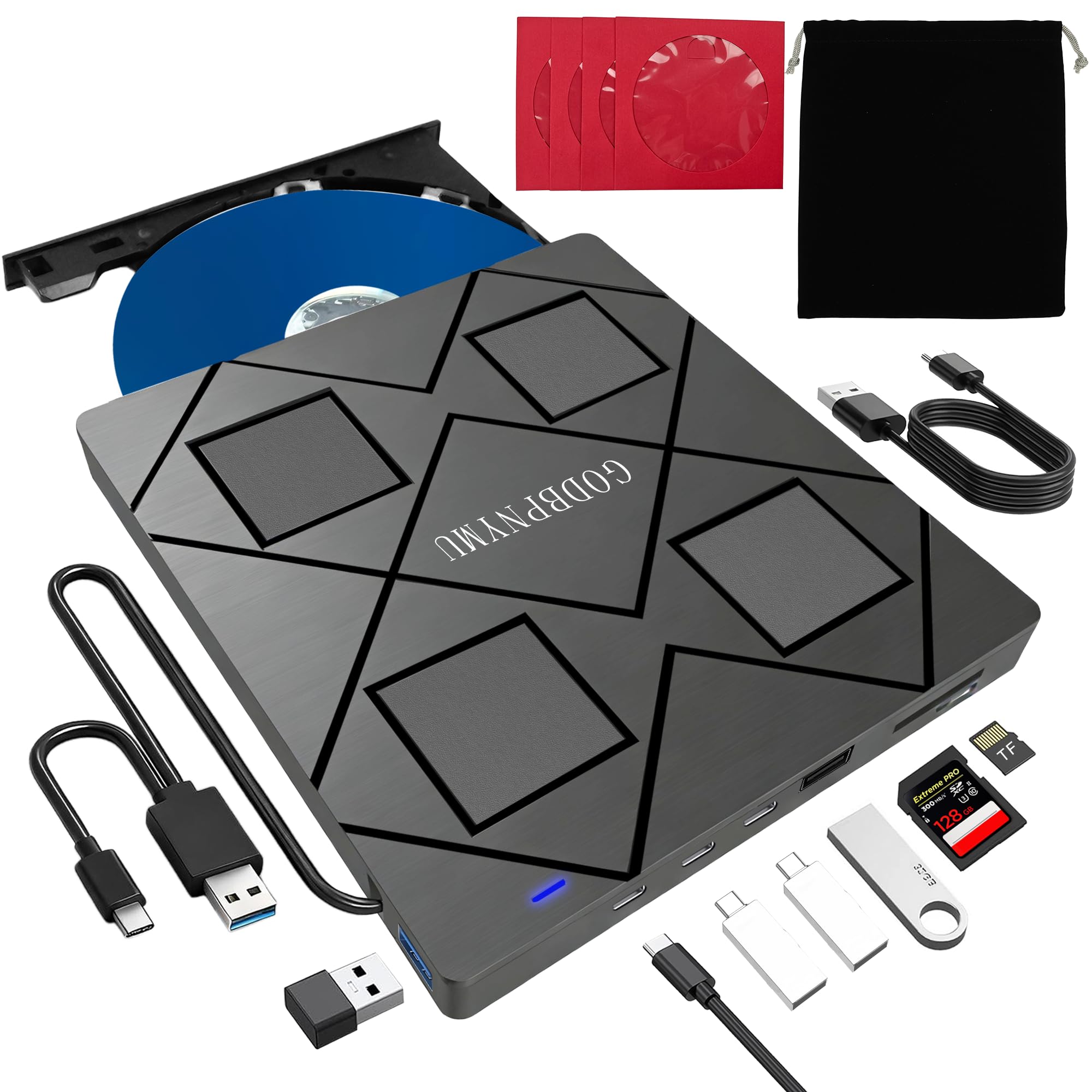
GODBPNYMU 8-in-1

80 /100
LBD Score Excellent

Key details

Ports
Two USB-A, one USB-C, SD/TF
Weight
10.6 oz
Disc Formats
BD, DVD, CD
BD-R Write Speed
6x
View on Amazon

The cheapest drive here is also the one that moonlights as a docking station. For a fraction of what the branded burners cost, the 8-in-1 adds two USB-A ports, a USB-C port, and SD and TF card slots alongside a 6x Blu-ray writer, then throws in a carrying pouch and four disc sleeves. We like the shape of that deal: on a laptop with two ports and no optical drive, the drive gives back more connectivity than it takes.

It's genuinely portable at 300 grams and about six-tenths of an inch thick, and setup is the plug-and-play kind — USB-A or USB-C into the computer, no driver, no power adapter. Speeds are the budget tier: BD-R at 6x, BD-ROM reading at 6x, DVD-R at 8x. For data discs, DVD rips, and the occasional CD, that's plenty; it isn't the drive for a hundred-disc archiving weekend.

The part to plan around is consistency. This is the drive in the group where the experience splits hardest — some units work the moment they're plugged in, others never get recognized at all — and the 12-month warranty only helps if you've proved the thing writes while the return window is still open. Burn a test disc in the first week, keep the packaging until it does, and don't trust it with the only copy of anything until you've read a burned disc back.

Pros

  • Cheapest Blu-ray burner in this roundup
  • Built-in USB hub and SD/TF reader
  • Light enough to carry at 300 g
  • 12-month warranty

Cons

  • BD-R writes top out at 6x
Our verdict

Worth it if budget decides: it's the cheapest Blu-ray writer here and doubles as a hub and card reader, as long as you test a burn in the first week.

Check Latest Price
5

Cheap M-DISC Archives

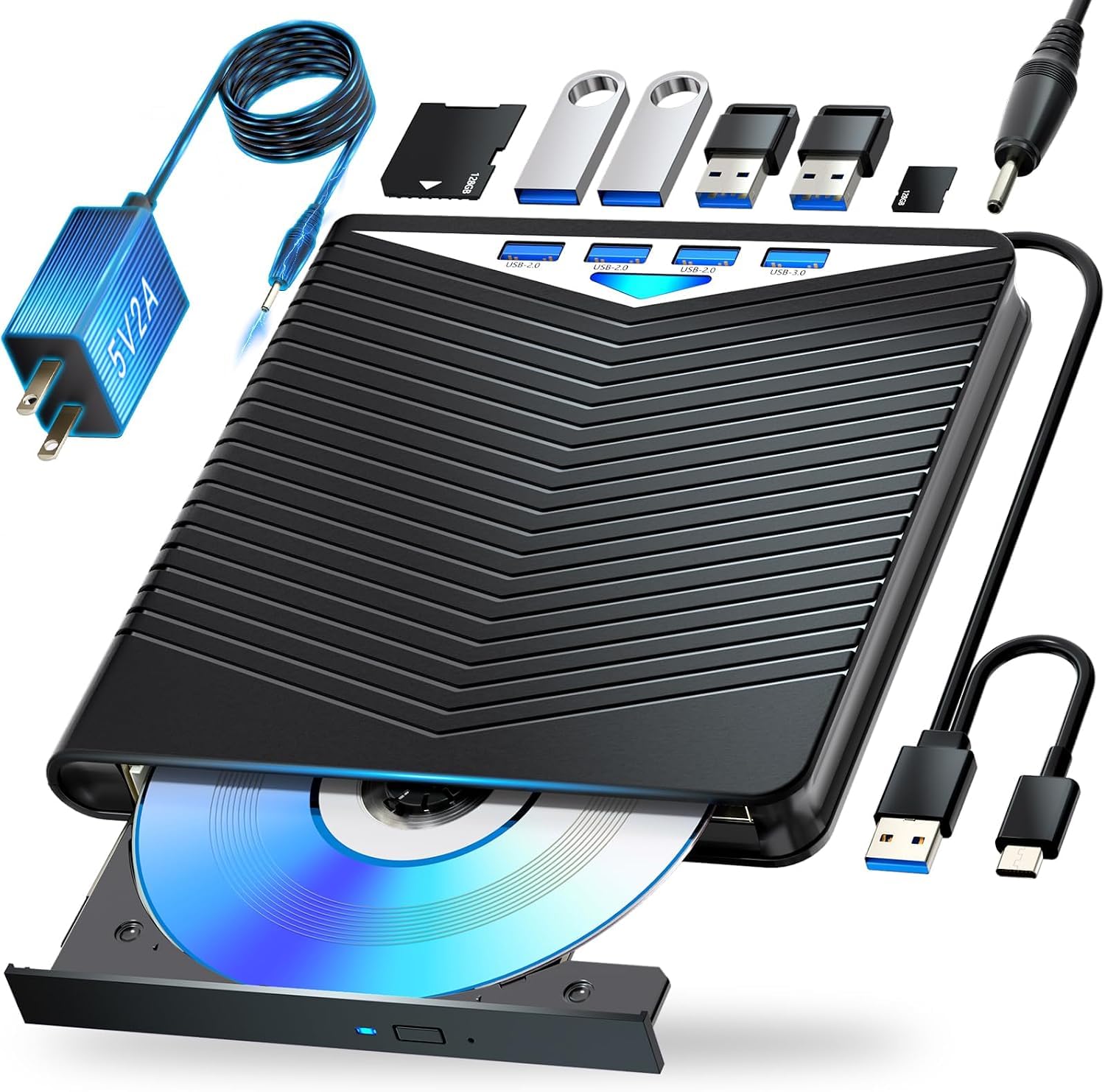
Dainty 7-in-1

79 /100
LBD Score Very Good

Key details

Ports
Six expansion ports
BDXL Capacity
100 GB
BD-R Write Speed
6x
BD-RE/R XL Write Speed
2x
View on Amazon

M-DISC support and 100GB BD-XL writing for about what the other budget drives cost is the pitch, and it holds up on paper: of the cheap all-in-one drives here, this is the one that states archival media support and a triple-layer capacity figure.

The hardware around that is sensible — USB-A and USB-C connection options, six expansion ports, and a cable recess in the base so the leads don't dangle in a bag. Two numbers need reading twice, though. BD-XL writes at 2x, which turns a 100GB disc into a long afternoon, and the drive pulls power from a second USB plug as well as the data cable, so a laptop with one free port needs a hub to feed it.

Our confidence drops at consistency. This is a drive that either works straight out of the box or never gets recognized, and the tray is the piece worth testing first. If you're buying it for cheap M-DISC archives, burn a disc and eject it on day one, keep the original files until you've read the copy back on another machine, and treat the one-year warranty as an exit route rather than a long-term plan.

Pros

  • M-DISC and 100GB BD-XL support
  • Six extra ports plus cable storage
  • USB-A and USB-C connection options
  • One-year manufacturer warranty

Cons

  • BD-XL writing runs at 2x
  • Needs a second USB port for power
Our verdict

Consider it only for cheap M-DISC archives: the archival support is real, but 2x BD-XL writes and a second power plug make it a slow, fussy drive to live with.

Check Latest Price

How We Tested Blu-ray Burners

To build the shortlist, I compared spec sheets and owner feedback for internal and portable drives, filtering for read/write support, USB-C or USB 3.0 connections, M-DISC and BDXL claims, and physical size, then narrowed it to 12 units. We tested those 12 over eight months, using them where people actually use them: a home-office desk for routine backups, a laptop bag for travel, and the living room for disc playback.

Every drive burned the same mix: CD-R, DVD-R, single-layer BD-R, dual-layer BD-R, 100GB BDXL, and M-DISC where supported. I timed each burn, watched whether the drive recognized the disc on the first insert, and noted retries or failures. We installed each on Windows and Mac where claimed, tried USB-A and USB-C ports, and checked whether the built-in hubs and card readers affected speed or recognition.

Day to day, we listened for fan whine and vibration, carried the portables between rooms and on trips, and checked whether cables, trays, and storage bags held up. We also played back burned and commercial Blu-ray discs on a separate player to confirm they were readable, not just that the burn finished. A slow but consistent drive scored better than a fast one that choked on dual-layer media; value came down to speed, ports, build, and size for the money.

How to Choose a Blu-Ray Burner

Where the Drive Will Live

An internal 5.25-inch SATA drive is the cleanest answer for a desktop: no enclosure, no power brick, and the most speed for the least money. An external unit with its own adapter, like our top pick, holds 16x speeds and stays put on a desk. A slim bus-powered model is the only sensible choice if the drive travels.

Watch the word portable. It usually means a plastic shell rather than a battery or anything genuinely pocketable, and some slim drives need two USB plugs for power. If the drive moves more than a few times a year, prioritise weight and single-cable operation; if it doesn't, buy speed.

Which Disc, Which Drive

Blu-ray recordables come in 25GB single-layer, 50GB dual-layer, and BDXL at 100GB triple-layer or 128GB quad-layer. Only drives that state BDXL support will write the big ones, and the cheapest models often stop at 25GB and 50GB. M-DISC blanks are the archival option, and they need explicit M-DISC support too.

One trap worth naming: BDXL support is not 4K UHD playback. Writing a 100GB data disc is a different capability from playing a UHD movie, which also needs a compliant graphics path and player software. Decide the largest disc you'll realistically burn and buy for that, not for the format printed biggest on the box.

Speed and the Time It Costs

16x BD-R writes a 25GB disc in about eight minutes. 6x takes roughly three times as long, and 2x BDXL writing can occupy the drive for an afternoon. Most people burn a handful of discs a month, and 6x is enough for that; the 16x drives earn their price when you're archiving a shelf of footage or producing discs in batches.

Speed also brings noise and heat. A full-rate burn is audible, and an external drive needs clear space around its vents, so a spot under a monitor stand is a poor home for one.

Cables, Ports, and Software

USB 3.0 is worth insisting on; USB 2.0 drives work but move data at a fraction of the pace. Some slim models draw power from a second USB-A plug, which is a problem on a laptop with one free port, and USB-C-only machines need the right cable included in the box.

Software matters as much as the cable. Bundled suites such as CyberLink burn and copy discs, but playing commercial Blu-ray movies on a computer takes a separate player, and macOS has no built-in Blu-ray playback at all.

Frequently Asked Questions

Final Verdict

Start with the ASUS BW-16D1X-U. It's the fastest writer here, it takes 128GB BDXL discs, and it's built to sit on a desk and finish a stack of burns without drama; the power adapter and the footprint are what that speed costs you.

If your desktop has a free 5.25-inch bay, the internal ASUS BW-16D1HT does the same work with less clutter. And if the drive has to travel, the LG bundle's included 100GB M-DISC disc and slim, single-cable body justify the premium.