Best CNC Routers of 2026

A desktop CNC router is the most expensive tool many hobbyists ever buy sight unseen, and it usually arrives as a box of extrusion, a bag of bolts, and a spindle you have to square up yourself. What a good one buys you is repeatability: zero the bit once and every bracket, sign blank, or guitar body comes off the bed the same, in pine, acrylic, or aluminum plate. A bad one buys you a 40-pound paperweight and a support ticket.

My team and I spent nine months with 11 desktop machines, from a 300mm benchtop to a 600mm bed, bolting them together the way you would — manual in hand, at the kitchen table and out in the shop — then cutting until something slipped, stalled, or surprised us. The lesson that keeps resurfacing: rigidity beats spindle wattage, and the work area on the spec sheet is travel, not the size of the board you can actually clamp down. The picks below are the ones that stayed square, held tolerance, and came from companies that still answered an email six months later.

1

Best Overall

FoxAlien Masuter 3S

83 /100
LBD Score Excellent

Key details

Motors
NEMA 23 closed-loop
Weight
58.4 lb
Spindle
400W, 10,000 rpm
Work Area
400 x 400 x 95 mm
View on Amazon

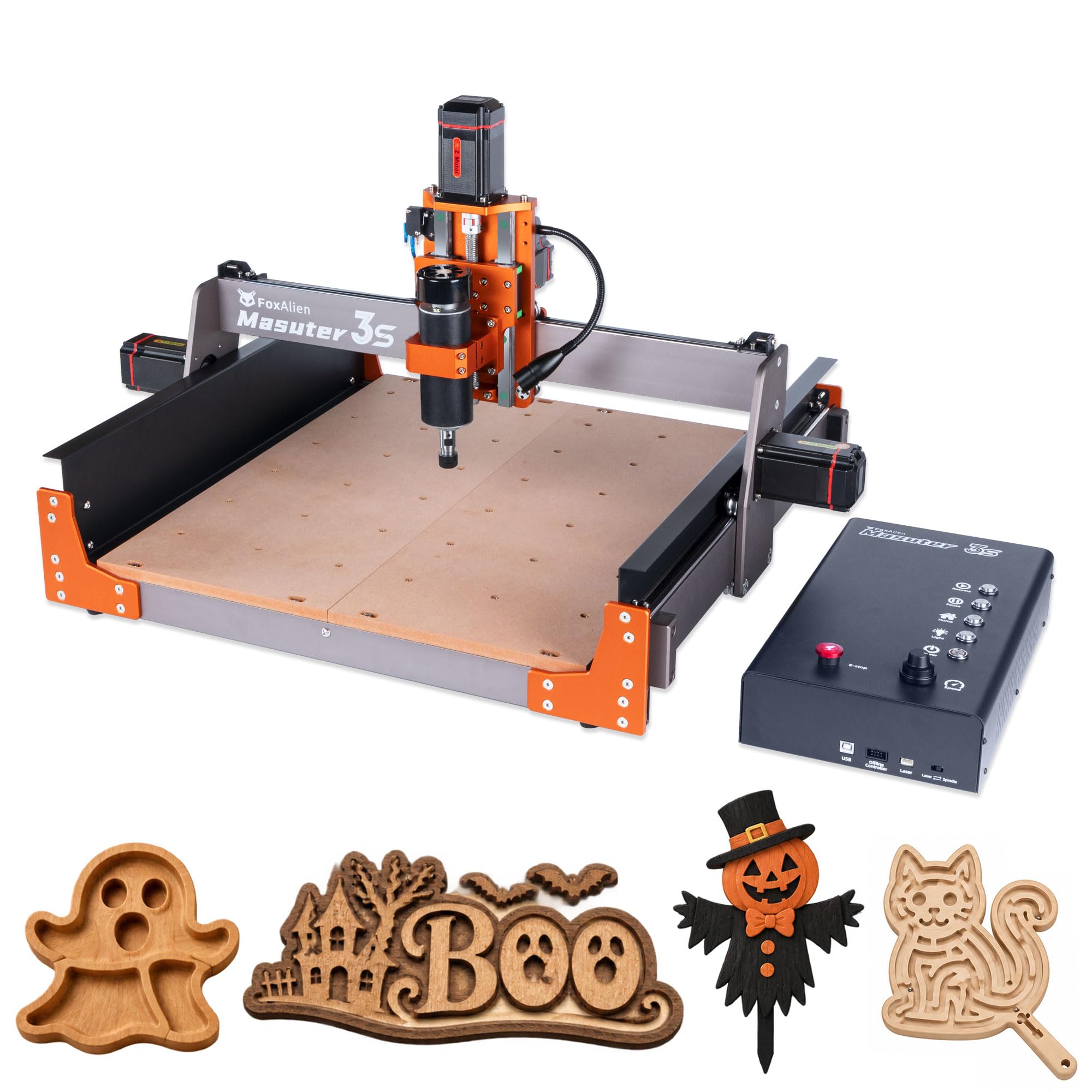
The 400W spindle and closed-loop NEMA 23 motors are what put the Masuter 3S at the top of this group. A 400 x 400 mm table with 95 mm of Z travel gives you room for sign blanks, small cabinet parts, and shop fixtures, while the closed-loop motors resist the step loss that can ruin a cut when a bit catches. It is not the biggest or the most powerful machine here, but it has the best mix of work envelope, spindle power, and motion hardware for a small shop that wants one machine to handle wood, plastic, and light aluminum.

We paid attention to the details that make a first week easier: the main modules arrive assembled, the controller box is dust-resistant, and the 65 mm clamp means a trim router can replace the included spindle later without a custom mount. The 95 mm Z opening is the spec we appreciate most, because it leaves room for a spoilboard, clamps, and thicker stock; many machines in this size class run out of height before they run out of table.

The 10,000 rpm ceiling is the trade-off. It has torque, but fine cutters want more speed, so intricate work takes longer than it does on a 30,000 rpm spindle. That is the one spec we wish were higher. For the wood, plastic, and light-aluminum work this machine is built for, the trade is worth it.

Pros

  • Closed-loop motors resist step loss
  • 400W spindle cuts wood and light aluminum
  • 95 mm Z clearance fits thicker stock
  • 65 mm clamp simplifies trim-router upgrades

Cons

  • Heavy 26.5 kg frame needs a dedicated bench
Our verdict

We recommend the Masuter 3S as the default for a small shop that wants one machine to grow with: closed-loop motors, a 400W spindle, and a 400 x 400 mm envelope.
Check Latest Price
2

Best for Aluminum

Genmitsu 3030-PROVer Ultra

81 /100
LBD Score Excellent

Key details

Power
230 V
Motion
HG15 rails, 1204 ball screws
Spindle
710W
Precision
±0.03 mm
View on Amazon

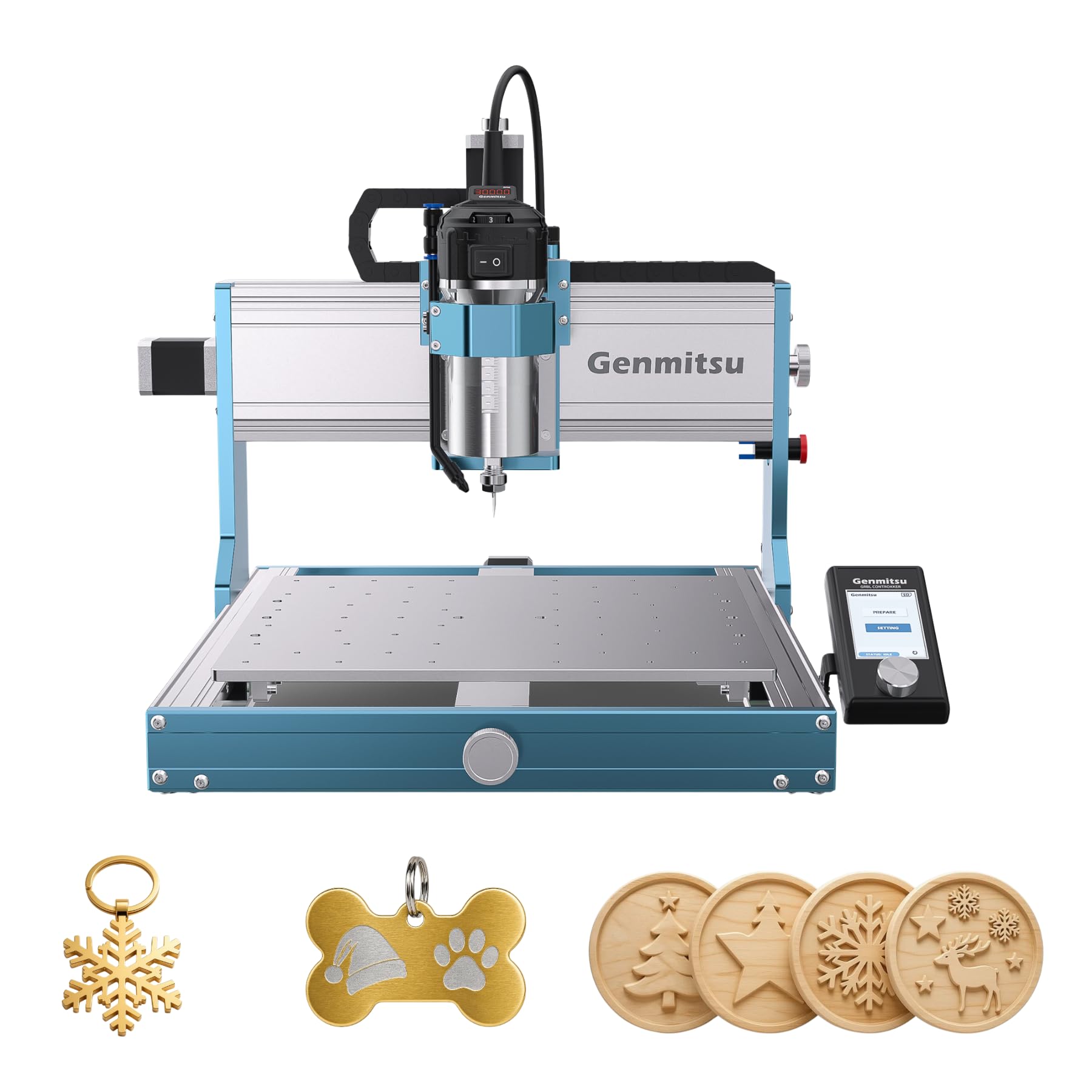
Aluminum is the test that separates a desktop router from a toy, and the 3030-PROVer Ultra is the machine here built most specifically for it. The 710W spindle is the most powerful in this group, and every axis runs on HG15 linear rails and 1204 ball screws, hardware that resists deflection far better than the wheeled gantries common at lower prices. The listed ±0.03 mm precision is the kind of number that matters only if the frame can hold it; this one is built to try.

We like the digital spindle display more than we expected. It gives you a live read on rpm instead of guessing from a dial, and the app control is useful when you want to jog the machine from a phone or tablet. The 23 kg frame is heavy enough to stay planted but small enough for a benchtop, and the pre-assembled modules cut the setup down to the Y-axis alignment.

The limits are the envelope and the power. This is a 300-class machine, so full-size cabinet parts and long signs are out; the 230V requirement also means you need the right outlet, not just bench space. If your work is small aluminum brackets, engraving plates, and precision parts, those limits are easy to live with. We choose it for metal first, not for the biggest project on the bench.

Pros

  • 710W spindle is the strongest here
  • Ball screws and linear rails on all axes
  • Listed ±0.03 mm precision
  • Digital spindle display and app control

Cons

  • 230V outlet required
  • Compact 300-class envelope
Our verdict

We keep the 3030-PROVer Ultra for aluminum and other light metal work, where its 710W spindle and ball screws make more sense than a bigger bed.

Check Latest Price
3

Best Large-Format

Twotrees TTC6050

90 /100
LBD Score Outstanding

Key details

Motion
C7 ball screws, linear rails
Weight
79.1 lb
Spindle
500W, 30,000 rpm
Work Area
600 x 500 x 100 mm
View on Amazon

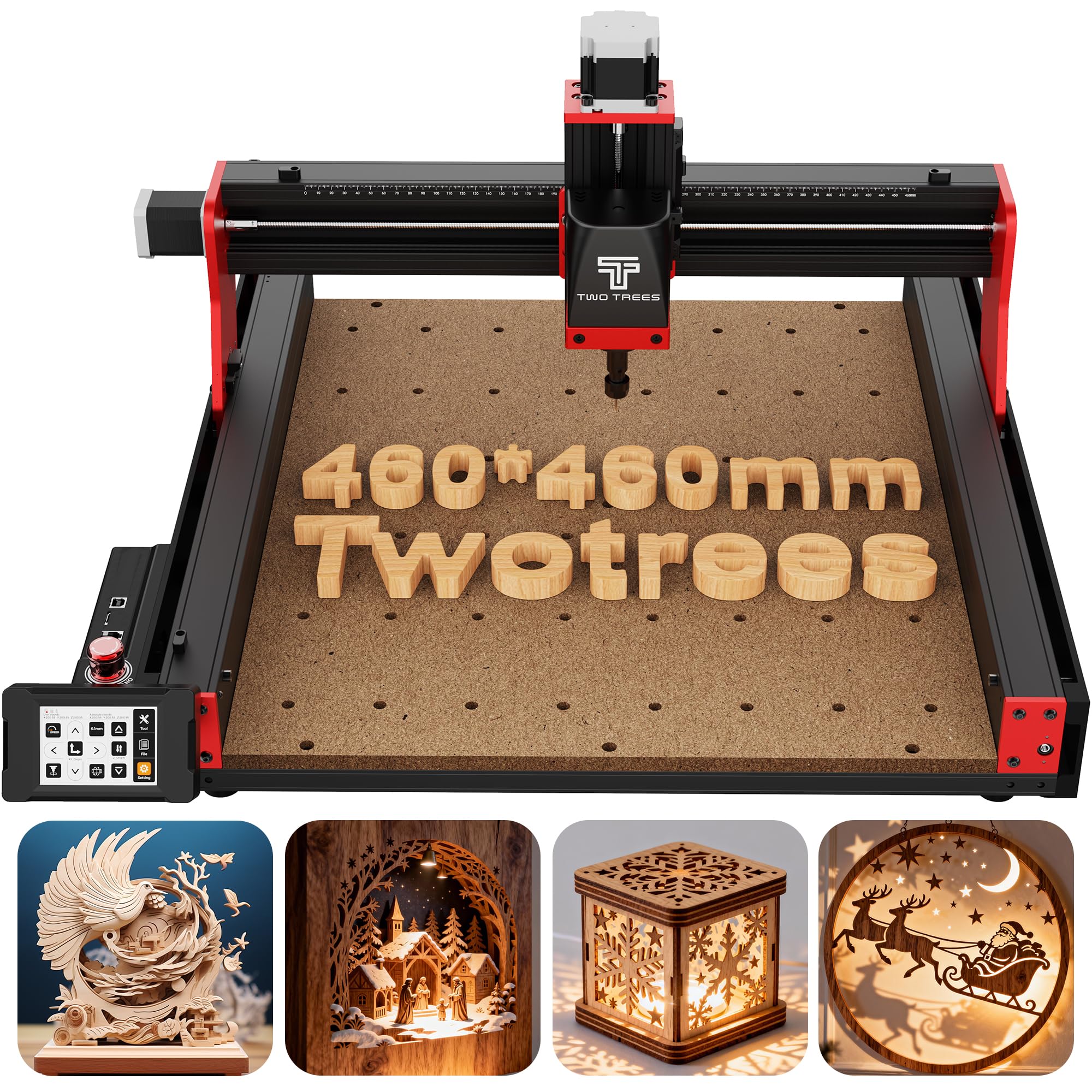
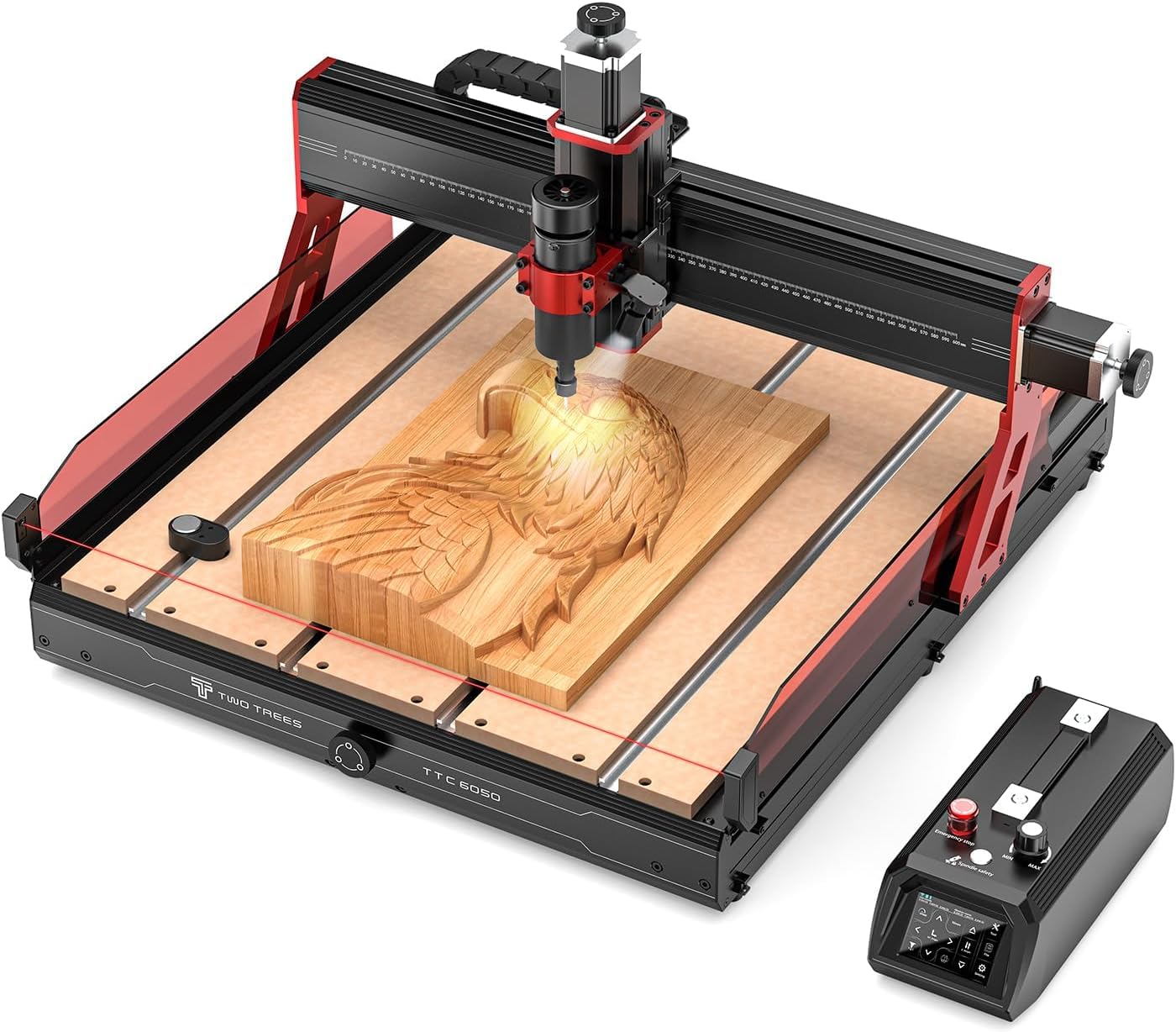
The 600 x 500 mm table is the reason the TTC6050 earns a place here. That is the largest work area in this group, and it changes the job from tiling a sign across a small bed to clamping the whole blank once. Add 100 mm of Z travel and you have room for thicker stock, a spoilboard, and fixtures without fighting the gantry.

The 500W spindle and 30,000 rpm top speed give it a different character from the 400W machines. It is not the most powerful spindle here—the Genmitsu 3030 outmuscles it—but the higher rpm suits small cutters and fine detail, and the C7 ball screws and linear rails are the right hardware for repeatable movement. The 3.5-inch touchscreen and e-stop make the control side feel more deliberate than a bare GRBL box.

We think the TTC6050 is worth the premium for a shop that already knows it needs the bed. The 35.9 kg frame is not a one-person carry, and the resistive touchscreen is functional rather than luxurious. What it buys you is fewer re-fixturing steps and more material on the table at once, which is the whole point of a large-format machine.

Pros

  • 600 x 500 mm work area is the largest here
  • 30,000 rpm spindle suits fine cutters
  • C7 ball screws and linear rails
  • Touchscreen and e-stop simplify control

Cons

  • Heavy 35.9 kg frame
  • Resistive touchscreen
Our verdict

We point large-sign and cabinet makers to the TTC6050 for its 600 x 500 mm table, provided they have the bench space and budget for a heavier machine.

Check Latest Price
4

Best Expandable

Genmitsu PROVerXL 4030

83 /100
LBD Score Excellent

Key details

Frame
C-beam, dual Y screws
Weight
68.3 lb
Spindle
300W, 12,000 rpm
Work Area
400 x 300 x 110 mm
View on Amazon

The 110 mm Z opening is what makes the PROVerXL 4030 useful in a way a spec sheet rarely captures. Most benchtop routers run out of height before they run out of table, especially once you add a spoilboard and clamps. With 400 x 300 mm of table and 110 mm of Z, this one can handle thicker blanks and taller fixtures without rebuilding the setup.

The C-beam frame, dual Y-axis screws, and NEMA 23 steppers give it a more substantial feel than the 3018-class machines, and the included DeWalt router adapter is the upgrade we care about. It lets you move to a trim router with 1/4-inch tooling when the 300W spindle is not enough, which is a more practical path than replacing the whole machine. The pre-assembled XYZ modules help, though the instructions still leave some room for interpretation.

We keep this one for the buyer who wants a bigger Z opening now and a clear path to a larger frame later. The upgrade kits are the reason it stays on the list; you can grow the table without starting over. The 300W spindle is best for light work, and the DeWalt adapter is the fix if you need more. If you want plug-and-play, look at the Masuter 3S instead.

Pros

  • 110 mm Z opening fits taller setups
  • DeWalt router adapter adds upgrade path
  • C-beam frame and dual Y screws
  • Upgrade kits expand the table later

Cons

  • 300W spindle is best for light work
  • Assembly instructions can be vague
Our verdict

We recommend the PROVerXL 4030 when you need a bigger Z opening now and a clear path to a larger frame later, and you accept more setup fuss.

Check Latest Price
5

Best Budget

FoxAlien Masuter Pro

81 /100
LBD Score Excellent

Key details

Frame
All-aluminum
Weight
28.7 lb
Spindle
60W, 10,000 rpm
Work Area
400 x 400 x 60 mm
View on Amazon

The Masuter Pro is the budget pick we trust for a first serious machine. It has an all-aluminum frame and a 400 x 400 mm table for not much more than a 3018-class kit, and the linear rail on the Z-axis is the detail that keeps the gantry from feeling loose. If you want a machine that can engrave signs and cut light wood without a plastic-frame wobble, this is the one to start with.

The 60W spindle is the honest limitation. It will handle engraving, acrylic, and light wood, but it is not the tool for production cutting or aluminum; the two included clamps let you step up to a 65 mm trim router when you are ready. We appreciate the pre-wired controller and the 10-15 minute assembly, because the first weekend is better spent learning CAM than chasing loose wires.

The 60 mm Z clearance is the other number to check before you buy. It is fine for flat stock and a thin spoilboard, but thick blanks and tall fixtures will run out of room quickly. For a hobbyist making signs, small parts, and engraved panels, that is a fair trade for the price. We do not recommend it for deep relief carving or a production queue.

Pros

  • All-aluminum frame at a budget price
  • 400 x 400 mm table is generous for size
  • Two clamps support trim-router upgrades
  • Pre-wired parts speed assembly

Cons

  • 60W spindle is light-duty
  • 60 mm Z clearance is shallow
Our verdict

We see the Masuter Pro as the sensible first CNC for a hobbyist who wants an all-metal frame without paying premium money.

Check Latest Price
6

Best Compact

LUNYEE 3018 PRO MAX

78 /100
LBD Score Very Good

Key details

Safety
6 limit switches, e-stop
Weight
28.7 lb
Spindle
500W, 12,000 rpm
Work Area
300 x 180 x 80 mm
View on Amazon

The 3018 class usually means a small table and a modest spindle. LUNYEE puts a 500W spindle and 80 mm of Z travel on that footprint, which is why it is our compact pick. The 300 x 180 mm table is still small—this is not the machine for cabinet doors—but the all-metal frame and 13 kg body make it easy to move to a shelf and stable enough to cut 1/4-inch plywood parts.

We like the safety hardware. Six limit switches and a physical e-stop are more than many machines this size offer, and the offline controller means you can run a simple job without a computer tethered. The 500W spindle is strong for the class, and the 80 mm Z travel gives you room for a spoilboard and small fixtures.

The control side is the caveat. The USB/Candle connection can be finicky, especially on a Mac; a PC or the offline controller is the safer path. The offline controller covers basic jobs, but you will still want a computer for design and CAM. If your workspace is a benchtop and your parts are small, this is the most capable machine here that fits that slot.

Pros

  • 500W spindle is strong for 3018 class
  • 80 mm Z travel is generous for size
  • Six limit switches and e-stop
  • 13 kg all-metal body is easy to move

Cons

  • Small 300 x 180 mm table
  • USB/Candle connection can be finicky
Our verdict

We choose the LUNYEE 3018 PRO MAX when space is tight but you still want an all-metal frame, a 500W spindle, and real safety switches.

Check Latest Price
7

Touchscreen Workflow

Twotrees TTC450 Pro

83 /100
LBD Score Excellent

Key details

Weight
45.2 lb
Control
3.5-inch touchscreen, GRBL
Spindle
80W
Work Area
460 x 460 x 80 mm
View on Amazon

The 3.5-inch touchscreen is the reason the TTC450 Pro stands out. On a machine this size, a built-in screen makes jogging, homing, and setting a work zero less of a laptop-and-cable exercise, and the capacitive panel is a step up from the resistive screens on some competitors. It is a convenience, not a substitute for CAM software, but it changes how quickly you can start a job.

The 460 x 460 mm table and 80 mm Z travel put it between the 400 mm machines and the large-format TTC6050. That extra room is useful for signs, jigs, and nested parts, and the all-metal frame with stainless-steel components should hold up to light shop use. The 80W spindle is the limiting factor: it is sized for wood, plastic, and engraving, not for regular aluminum cutting or production runs in hardwood.

The bundle is generous. Ten cutting tools and six clamps mean you can make a first cut without ordering a separate starter set, and the GRBL control works with the usual CAM suspects—ArtCam, Fusion 360, and similar. We also appreciate the dual limit switches and the clear emergency stop, which are the kind of details that matter when a job goes wrong.

We see the TTC450 Pro as a workflow pick. If you want a mid-size bed, a touchscreen, and a ready-to-run tool kit, it makes the first month easier. If raw cutting power is the priority, the Masuter 3S and 3030-PROVer Ultra are the better buys. The 80W spindle is the trade you make for the larger bed and lower price.

Pros

  • 3.5-inch capacitive touchscreen
  • 460 x 460 mm table is larger than 400 class
  • Ten cutters and six clamps included
  • GRBL works with common CAM software

Cons

  • 80W spindle is light-duty for the bed size
Our verdict

We recommend the TTC450 Pro when a touchscreen and a mid-size bed matter more to you than raw spindle power.

Check Latest Price
8

Tiny Budgets

CNCTOPBAOS 3018-PRO-MAX

77 /100
LBD Score Very Good

Key details

Control
GRBL 1.1, offline controller
Spindle
120W, 10,000 rpm
Work Area
300 x 180 x 45 mm
Frame Size
420 x 355 x 270 mm
View on Amazon

The CNCTOPBAOS 3018-PRO-MAX is the cheapest way into CNC on this list, and the 300 x 180 x 45 mm table tells you exactly what it is: a learning machine for small signs, PCB prototypes, and engraved panels. It is not a shrunken production router. If your first projects fit on a piece of paper, it can teach you the workflow without tying up much money.

The 120W spindle is not powerful, but it is enough for shallow cuts in wood, acrylic, and PVC if you keep passes light. The GRBL 1.1 board and offline controller are the useful parts: you can run a job without a computer tethered, and the software ecosystem is familiar. The 775 spindle and ER11 collet are standard enough that bits are easy to find.

The frame is aluminum and the parts are simple, but the instructions are thin and the machine rewards patience with setup. The clampdown system is not the easiest, and the 45 mm Z clearance is tight once you add a spoilboard. Those are the trade-offs that come with the low price, and they are why we do not treat it as a set-and-forget tool.

We recommend the CNCTOPBAOS for a beginner who wants to learn CAD, CAM, and workholding on a tiny budget. The first good cut will take some tuning, and the small envelope will limit you quickly. That is the point: it is a stepping stone, not the last CNC you will buy.

Pros

  • Lowest-cost entry in this group
  • GRBL 1.1 and offline controller
  • Standard 775 spindle and ER11 collet

Cons

  • Very small 300 x 180 x 45 mm envelope
  • Thin instructions and basic workholding
Our verdict

We point absolute beginners and tiny-budget shoppers to the CNCTOPBAOS for learning the workflow, not for production cutting.

Check Latest Price

How We Chose and Tested 11 Desktop CNC Routers

We started with every currently sold desktop router we could find real documentation for — wiring diagrams, controller settings, a published spare-parts list — then narrowed by work area, spindle, frame material, and price, dropping anything that couldn't be repaired once a stepper died. That left 11 machines, which we ran for nine months.

Most arrived as kits or partly assembled units, so we built them with the supplied tools, timing each step and noting which manual pages assumed we already knew what a locknut was. Out of the box we checked every hardware bag against the parts list, ran a machinist square across the gantry, and trammed each spindle to the bed; more machines than you'd expect come out of the box slightly out of square, and that error shows up in your cuts long before it shows up on a spec sheet.

Then we cut. Plywood signage, acrylic panels, MDF templates, and 6061 aluminum brackets, raising feed rates until the machine complained, listening for chatter and pushing on the gantry to feel for flex. We reran the same file five times and measured each part with calipers to see how far the zero drifted, watched for missed steps after four-hour carves, and tripped the emergency stop and limit switches on purpose to see what happened next.

Ease of use came down to the software chain: how many steps between a CAD file and a moving bit, whether the offline controller or touchscreen worked with the laptop shut, and whether the USB connection held through a long job. We emailed every company a support question and priced a replacement stepper and spare collet, because what you're really buying here is parts availability three years out. Value, in the end, was cutting area and rigidity per dollar, not the wattage printed on the spindle.

How to Choose a Cnc Router

Start With the Work Envelope and Z Clearance

Work area is the number you check against your actual projects, not the one that sounds most impressive. A 400 x 400 mm table is a useful small-shop size for signs, jigs, and instrument parts; a 600 x 500 mm table like the TTC6050's lets you clamp a full sign blank without tiling. Remember that clamps, a spoilboard, and fixtures eat into the listed envelope.

Z clearance matters just as much. A 60 mm Z opening like the Masuter Pro's is fine for flat stock, but the 95 mm Masuter 3S and 110 mm PROVerXL 4030 leave room for thicker blanks and taller fixtures. Measure the thickest workpiece plus your workholding before you choose.

Match Spindle Power to the Material

Spindle wattage is a rough guide to how much material the machine can remove without stalling. The 60W and 80W spindles here are best for engraving, acrylic, and light wood; the 120W CNCTOPBAOS is still a shallow-cut machine. For hardwood and light aluminum, the 400W Masuter 3S, 500W LUNYEE and TTC6050, and 710W Genmitsu 3030 are the more credible starting points.

Do not read wattage alone. A 400W spindle on a rigid frame with closed-loop motors will outcut a bigger spindle on a flexy gantry. We prioritize frame rigidity and motion hardware as much as the power rating.

Look at the Motion Hardware

Lead screws and V-slot wheels are common at the budget end; they work, but they need adjustment and can deflect under load. Ball screws and linear rails, as on the Genmitsu 3030 and TTC6050, cost more and hold position better under side loads. Closed-loop steppers on the Masuter 3S add another layer of security by detecting position error instead of silently losing steps.

For occasional engraving, a lead-screw machine is fine. For repeatable aluminum parts or long cuts in hardwood, put ball screws, linear rails, and a rigid Z-axis near the top of your list. That is where the extra money goes.

Plan for Assembly, Software, and the First Cut

Pre-assembled modules cut the mechanical build to minutes, but they do not eliminate the learning curve. You still need CAD/CAM software, a post-processor, and a first scrap cut to learn feeds and speeds. Machines with offline controllers, such as the LUNYEE and CNCTOPBAOS, let you run a job without a computer tethered, but you still design on a computer.

If you want the shortest path to a first cut, choose a machine with clear instructions and a familiar GRBL workflow. If you enjoy the build, a kit can save money; just budget a weekend for setup and tuning, not just assembly.

Make Room for Dust, Noise, and Power

A CNC router is a messy, noisy bench tool. Chips fly, the spindle whines, and fine dust settles on everything. Plan for a vacuum or dust shoe, eye and hearing protection, and a dedicated bench that can take the machine's weight. The Masuter 3S is 26.5 kg, the TTC6050 is 35.9 kg, and the PROVerXL 4030 is 31 kg; these are not machines you move for every project.

Check the power requirement before delivery. The Genmitsu 3030 lists 230V, while several others run on 110V or 24V. A dedicated circuit is safer than sharing a strip with a shop vac. And clamp every workpiece: the emergency stop is there for the moment something shifts.

Frequently Asked Questions

Final Verdict

We put the FoxAlien Masuter 3S first because it has the best mix of work envelope, spindle power, and motion hardware for a small shop. The closed-loop motors and 400W spindle give it enough capability for wood, plastic, and light aluminum, and the 400 x 400 x 95 mm envelope is large enough to be useful without demanding a huge bench.

If aluminum is the main job, choose the Genmitsu 3030-PROVer Ultra for its 710W spindle and ball screws. If you need the largest table, the Twotrees TTC6050 is the one to budget for. Everyone else can start with the Masuter 3S and grow into it.