Best CPU Thermal Pads of 2026

I switched to thermal pads out of laziness, not conviction. My laptop was throttling through video calls, and a pad was the only thing I could install without a syringe and a steady hand. What that lazy swap taught me is what pads actually fix: no cure time, no pump-out, no guessing how much to spread, and no risk of a stray bridge shorting something.

Since then we've tested 16 of them over four months — silicone, graphite, graphene, and phase-change sheets — in desktop rebuilds, an aging gaming laptop, a handheld gaming PC, and an M.2 drive buried under a motherboard cover. The surprise: thickness matters more than the conductivity number on the label. A pad a hair too thick holds the cold plate off the die, and you run hotter than you started.

The rest of what separates a good pad from a frustrating one is less glamorous: whether it releases cleanly from its backing film, survives being lifted and repositioned, and stays put after a dozen heat cycles. The ones I'd put back in my own machine are below.

1

Best Overall

Thermal Grizzly PhaseSheet PTM

90 /100
LBD Score Outstanding

Key details

Material
Phase-change PTM
Pad Size
50 x 40 mm
Thickness
0.25 mm
Electrical
Non-conductive
View on Amazon

The first thing to notice about the Thermal Grizzly PhaseSheet PTM is what it is not: a tub of paste. It is a 50 x 40 mm sheet of phase-change material that goes on like a pad and then softens under heat to make close contact. Because it is electrically non-conductive, it is the one in this group we are happiest to recommend for a first CPU or GPU repaste. The sheet can be cut to fit, which leaves room for smaller laptop or console jobs.

We chose it as the default because it solves the messy part of paste without asking for a heroic installation. The pad is thin and wants to stick to its protective film, so peel slowly and keep the sheet cold if it starts to fight you. Once it is seated, the appeal is a stable interface that does not dry out the way paste can. The phase-change material is designed for the heat cycles a CPU and GPU actually see, not just a one-time benchmark.

The 50 x 40 mm size is generous enough for most desktop CPU heat spreaders and many GPU dies, though large laptop or console contact areas may need trimming. For a straightforward CPU repaste, that is a fair trade for the cleaner, non-conductive interface. It is not the cheapest pad here, but it is the one we reach for when we want the job to stay done.

Pros

  • Non-conductive around sensitive components
  • Phase-change material resists drying out
  • 50 x 40 mm sheet can be trimmed to fit
  • Stable contact under heat cycles

Cons

  • Only one sheet per pack
Our verdict

For most CPU and GPU repastes, we recommend this non-conductive phase-change sheet for its clean install and stable contact, provided you peel the film patiently.
Check Latest Price
2

Best for Maximum Cooling

Thermal Grizzly KryoSheet

89 /100
LBD Score Excellent

Key details

Material
Graphene
Pad Size
38 x 38 mm
Thickness
0.2 mm
Electrical
Electrically conductive
View on Amazon

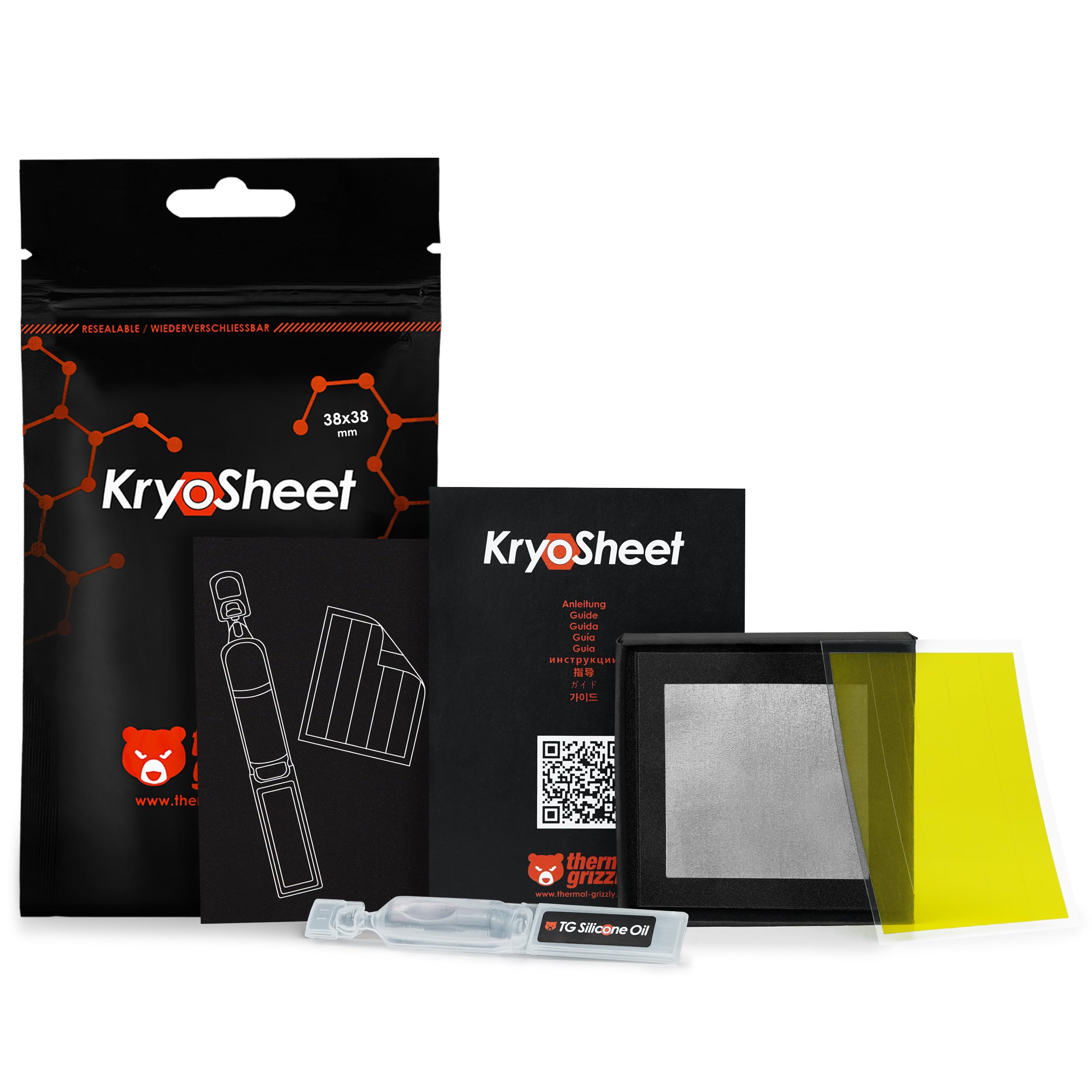
The KryoSheet is the performance-first pick in this group, and it is also the one that demands the most respect during installation. Its 0.2 mm graphene sheet is made to sit between a CPU or GPU and a cooler with no paste to spread, no curing period, and no drying out. The catch is that it has no tack, so it can slide just as you lower the cooler. We think it earns a place for high-heat builds, not for a casual first repaste.

The 38 x 38 mm size covers many CPU heat spreaders and GPU dies, and the sheet is thin enough to fit tight cooler mounts. Because it does not dry out or need reapplication, it is a long-term interface rather than a maintenance item. But the installation is where the product lives or dies. We preferred to dry-fit the cooler first, then lower it in one clean motion.

There is also an electrical caution that matters more here than with the PhaseSheet: KryoSheet is electrically conductive. Keep it inside the contact area and away from surrounding components. If you want the most performance-focused pad in this group and you are comfortable working carefully, this is the premium alternative. If you are new to pad installs, the non-conductive PhaseSheet is the safer starting point.

Pros

  • Graphene interface for high-heat builds
  • No paste mess or drying out
  • Thin 0.2 mm profile

Cons

  • ⚠️ Electrically conductive; exact placement matters
  • Fragile edges can tear during installation
Our verdict

A premium graphene pad for high-heat CPU or GPU builds, as long as you can keep it flat, centered, and clear of surrounding components.

Check Latest Price
3

Best Budget Phase-Change Pad

JOYJOM PTM7950 Pad

90 /100
LBD Score Outstanding

Key details

Kit
Pad plus tools
Pad Size
31 x 50 mm
Thickness
0.25 mm
Conductivity
8.5 W/mK
View on Amazon

A thermal pad that arrives with a screwdriver, cleaning wipe, spatula, gloves, and brush is telling you something: the job is fiddly enough that the extras matter. The JOYJOM PTM7950 kit is a 31 x 50 x 0.25 mm phase-change sheet with an 8.5 W/mK rating, and it is aimed at laptops, handhelds, consoles, and smaller CPU or GPU contact areas. The tool kit is not decoration; it is the difference between a clean first attempt and a pad covered in fingerprints.

The phase-change material behaves like the more expensive pads in this group: it goes on as a thin sheet, then softens under heat to make close contact. It is not a thick gap filler, so do not buy it to fill a 1 mm space between a laptop heat pipe and a VRAM chip. For a direct CPU or GPU die, though, the thin profile is the point. We liked that the sheet is large enough to trim for a small laptop or handheld, and the included cleaning wipe makes the prep step less of a scramble.

This is the budget phase-change pad we recommend when the top pick is more sheet than you need. The installation still takes patience, especially separating the protective film. But the tools, the thin 0.25 mm profile, and the 8.5 W/mK rating make it a sensible low-cost entry into phase-change cooling. If you are repasting a laptop or handheld for the first time, this is the kit we point to.

Pros

  • Includes tools for prep and application
  • 0.25 mm phase-change sheet
  • 8.5 W/mK conductivity rating
  • Trimmable 31 x 50 mm sheet

Cons

  • Only one sheet per kit
Our verdict

A budget-friendly phase-change kit for laptops, handhelds, and small CPU or GPU jobs, with the tools to make a first attempt less intimidating.

Check Latest Price
4

Best Multi-Thickness Set

OwlTree 3-Pack Thermal Pads

90 /100
LBD Score Outstanding

Key details

Pack
3 pads
Sheet Size
100 x 100 mm
Conductivity
12.8 W/mK
Thickness Options
0.5, 1, 1.5 mm
View on Amazon

A single 100 x 100 mm sheet is useful; three thicknesses in one pack is what makes the OwlTree set worth keeping in a parts drawer. You get 0.5 mm, 1 mm, and 1.5 mm pads, each 100 x 100 mm, with a claimed 12.8 W/mK conductivity. That is the highest conductivity claim among the silicone pads here, and the range covers the gaps we usually find around GPU memory, laptop heat pipes, and console shields.

These are conventional silicone pads, not phase-change sheets. They are meant to be compressed between a component and a heatsink, so the thickness has to be close to the gap. If the pad is too thin, it will not make contact; if it is too thick, it can hold the heatsink off the die. This set is for the gaps around a CPU or GPU, not for the desktop CPU cooler's direct contact.

The 100 x 100 mm size gives you plenty of cutting room, and the material is easy to trim with scissors. We found the film can be fussy to peel, especially on the thinner sheets, so work slowly and keep the pad flat. The three-thickness format is the real convenience: you can test-fit without ordering three separate packs, and you still have spare material for a second device.

We recommend this set for anyone building a small stock of gap-filling pads rather than chasing the last degree on a CPU. The 12.8 W/mK figure is a useful signal, not a guarantee, because silicone pads live or die on contact. For GPU memory, laptop VRAM, and console work, the range and sheet size make it the most practical silicone set in this group. Just measure first and buy the thickness that fills the gap without lifting the heatsink.

Pros

  • Three thicknesses in one pack
  • Large 100 x 100 mm sheets
  • 12.8 W/mK conductivity claim
  • Easy to cut and trim

Cons

  • Thickness stops at 1.5 mm
Our verdict

A practical three-thickness silicone set for GPU, laptop, and console gaps, with enough sheet area to cut, test-fit, and keep spares.

Check Latest Price
5

Best Soft Pad for Laptops and Consoles

ARCTIC TP-3 Thermal Pad

94 /100
LBD Score Outstanding

Key details

Material
Silicone
Thickness
1.5 mm
Electrical
Electrically insulating
Sheet Size
100 x 100 mm
View on Amazon

TP-3 is the pad we reach for when the gap is already about 1.5 mm and the surface underneath is delicate. ARCTIC makes it from silicone with a very low hardness, so it compresses easily and fills uneven spaces without putting a hard load on a laptop heat pipe or a console shield. It is electrically insulating and contains no metal particles, which makes it a calm choice around crowded boards.

We like this one for laptops and consoles because softness matters more than a headline conductivity number in those tight, uneven assemblies. The 100 x 100 mm sheet is generous. This is not a pad for a desktop CPU cooler's direct contact; for a CPU, a thin phase-change sheet or graphite pad is the better starting point.

The pad is easy to cut, and the soft material conforms well when the heatsink is tightened down. It is not especially tacky, so it can shift while you position a heatsink; hold it in place with a fingertip until the screws catch. For a laptop refresh or a console teardown where the old pad was about 1.5 mm, this is a dependable, low-drama choice. It is not the versatile multi-thickness kit in this group, but it does one job very well.

Pros

  • Very soft and conforms to uneven gaps
  • Electrically insulating, no metal particles
  • Large 100 x 100 mm sheet
  • Easy to cut

Cons

  • Single 1.5 mm thickness
Our verdict

A soft, insulating 1.5 mm pad for laptops, consoles, and uneven gaps; skip it for a desktop CPU cooler unless that gap is what you need.

Check Latest Price
6

Best Reusable CPU Pad

Innovation Cooling Graphite Pad

90 /100
LBD Score Outstanding

Key details

Material
Graphite
Pad Size
30 x 30 mm
Reusable
Yes
Conductivity
35 W/mK
View on Amazon

The pitch of a graphite pad is simple: no paste to mix, no paste to clean, no pump-out, and no reapplication next year. Innovation Cooling's 30 x 30 mm pad is a 35 W/mK graphite sheet that sits between a CPU and cooler, and it can be reused if you handle it carefully. That is an appealing idea for anyone who has scraped dried paste off a heat spreader and wondered why the ritual still exists.

Graphite is a different interface from silicone or phase-change material. It does not flow into a gap, so the cooler's mounting pressure has to do the work of keeping contact even. We found the best approach was to dry-fit the cooler, then lower it in one clean motion. If the cooler shifts sideways during mounting, the pad can end up off-center.

We recommend it for a straightforward CPU build where you want the no-mess, reusable approach and you are willing to slow down for the mount. The 30 x 30 mm size is more suited to smaller CPU or APU contact areas than a large desktop heat spreader, so check the coverage before you commit. It is not the most forgiving pad here, and it is not the one for a first-time builder who wants the installation to disappear. But for a patient builder, the permanent-paste idea is genuinely useful.

Pros

  • Reusable graphite sheet
  • 35 W/mK conductivity rating
  • No paste mess or drying out
  • Wide temperature range

Cons

  • No adhesive to hold it centered
Our verdict

A reusable graphite pad for patient CPU builders who want no paste cleanup; check its 30 x 30 mm coverage against your heat spreader first.

Check Latest Price
7

Thickness Variety

Frienda 6-Pack Thermal Pads

89 /100
LBD Score Excellent

Key details

Pack
6 pads
Sheet Size
100 x 100 mm
Conductivity
6.0 W/mK
Thickness Options
0.5 to 3 mm
View on Amazon

The Frienda kit is less about one perfect pad than about having six chances to match a stubborn gap. You get six 100 x 100 mm sheets in 0.5, 1, 1.5, 2, 2.5, and 3 mm thicknesses, all rated at 6.0 W/mK. For a first GPU pad replacement, a laptop cleanup, or a console repair where you are not sure what the old pad measured, that range is more useful than a single premium sheet.

These are silicone pads. Thickness matching matters: test-fit before peeling the backing. The 3 mm sheet is useful for deep gaps around a chassis or a thick VRM section; the 0.5 mm sheet is for tight spots where a thicker pad would lift the heatsink. The material cuts cleanly with scissors, and the 100 x 100 mm size leaves room for several small components.

The catch is that this is a silicone gap filler, not a direct CPU interface. For CPU direct contact, we still prefer a thin phase-change sheet. But as a general-purpose assortment for GPU memory, laptop heat pipes, and small repairs, the Frienda set is a sensible, low-cost way to keep several thicknesses on hand.

Pros

  • Six thicknesses from 0.5 to 3 mm
  • Large 100 x 100 mm sheets
  • Cuts cleanly to size
  • Low-cost way to keep spares

Cons

  • Firm pads need a close thickness match
Our verdict

A six-thickness silicone assortment for first-time GPU, laptop, and console pad jobs where having options matters more than maximum conductivity.

Check Latest Price
8

Small Components

ADWITS 6-Pack Thermal Pads

91 /100
LBD Score Outstanding

Key details

Pack
6 strips
Pad Size
20 x 67 mm
Conductivity
6.0 W/mK
Thickness Options
0.5, 1.0, 1.5 mm
View on Amazon

The ADWITS pads come as six narrow strips rather than one big square, which tells you where they fit best: M.2 drives, laptop heat pipes, and crowded small components. You get two strips each in 0.5 mm, 1.0 mm, and 1.5 mm, sized 20 x 67 mm, with a 6.0 W/mK rating. That format is handy when you are cutting a long, thin piece rather than a CPU-sized square.

The strips are easy to cut and easy to place, and the three thicknesses cover the common small-gap jobs around an SSD or a laptop's VRAM. We liked that the pack gives you two of each thickness, so a mistaken cut does not end the job. Hold the strip with a fingertip until the shield goes back on.

This is not the pack we choose for a desktop CPU cooler. The 20 x 67 mm strips are too narrow to cover a full CPU heat spreader in one piece, and the 6.0 W/mK silicone is a gap-filling material rather than a direct-die interface. For an M.2 SSD, a laptop heat pipe, or a small GPU component, though, the pre-cut format saves a lot of trimming.

We recommend it as a supporting pack rather than a standalone CPU pad purchase. If you are already ordering a phase-change sheet for the CPU, this is the one to add for the SSD and the small stuff around it. The format is the point: it keeps you from trimming a big square down to a thin strip and wasting the rest. For a first CPU repaste, put your money into the interface that touches the processor.

Pros

  • Six pre-cut 20 x 67 mm strips
  • Three thicknesses, two of each
  • Easy to cut and place
  • Useful for M.2 and small gaps

Cons

  • Light tack can let strips shift
Our verdict

A handy six-strip pack for M.2 drives, laptop heat pipes, and small components, with three thicknesses for tight gaps.

Check Latest Price

How We Tested CPU Thermal Pads in Real Machines

We started with a long list of pads claiming at least 6 W/mK and built the shortlist around thickness, since a real machine needs a half-millimeter or a 1.5 far more often than it needs one sheet in one size. We also read customer reviews for the boring failures: pads that arrived torn, sheets that measured unevenly edge to edge, material too stiff to compress under a cold plate, and oversized squares that shredded the first time someone trimmed them. Sixteen made it through, from thin phase-change film to 3-millimeter silicone.

Over four months, each pad went into at least one of four machines: a desktop with a tower air cooler, a gaming laptop that had been throttling for a year, a handheld gaming PC, and an M.2 drive living under a motherboard shield. We logged idle temperatures and a 30-minute sustained-load run with the fan curve locked before and after every install, so the pad was the only variable. Then we pulled the cooler back off and read the imprint — full, even contact across the die, or a dry corner where the pad never touched.

Handling we judged by how much we swore: whether the backing film released in one pull, whether the sheet tore at the corner, whether it survived being lifted and reseated. Thickness we tested by trying the next size up and watching load temps climb. Durability meant 20 heat cycles, then rechecking thermals to see if the pad had thinned, cracked, or crept out from under the plate. Graphite and graphene sheets got a multimeter pass, since those conduct electricity too and will bridge a component if you trim them badly.

How to Choose a Cpu Thermal Pad

Match the Pad to the Contact

CPU and GPU dies usually need a very thin interface: a phase-change sheet such as the PhaseSheet PTM, a graphene sheet such as KryoSheet, or a graphite pad. These are designed to sit in the narrow gap between the die or heat spreader and the cooler. Thick silicone pads belong where a manufacturer designed a gap—around VRAM, laptop heat pipes, console shields, or SSD controllers. Using a 1.5 mm silicone pad on a desktop CPU cooler usually adds thermal resistance rather than removing it.

Start with the contact surface, not the product name. If the old part was a paste-like film, replace it with a thin phase-change or graphite pad. If the old part was a squishy square, match its thickness with silicone.

Measure the Gap Before You Buy Silicone

A silicone pad only works when it is compressed slightly. Too thin and it leaves an air gap; too thick and it can hold the heatsink off the component or stress the board. Measure the old pad with calipers if it comes off in one piece, or check the heatsink manufacturer's specification for the gap. If you are unsure, a multi-thickness pack is cheaper than three wrong guesses. The OwlTree and Frienda sets are useful here because they let you test-fit several thicknesses before you commit.

One practical note: do not stack two pads to reach a thickness. The extra interface adds resistance and makes the fit uneven. Choose one pad that fills the gap with light compression.

Read Conductivity and Thickness Together

Conductivity ratings get a lot of attention, but they are not directly comparable across materials. A 6.0 W/mK silicone pad, a 12.8 W/mK silicone pad, and a graphite sheet do different jobs. With silicone, the number matters less than getting the thickness and compression right. With phase-change and graphite, the thin profile and contact pressure do more of the work. We pay more attention to whether the pad is designed for direct CPU contact than to the biggest number on the listing.

If you are choosing between two silicone pads, the higher rating can tip it. If you are choosing between silicone and phase-change, start with the interface type.

Plan for Installation and Electrical Safety

Thin pads are not automatically easy pads. Phase-change sheets can cling to their protective film, graphene can tear or slide, and graphite has no tack at all. Give yourself a clean workspace, peel slowly, and dry-fit the cooler before you commit. Electrically conductive pads need extra care: keep them inside the contact area and away from nearby components. If you want a lower-stress first install, a non-conductive phase-change sheet is the safer default.

Check the manufacturer's instructions for cooler mounting pressure. More pressure is not always better, and a pad that is too thick can prevent the cooler from seating.

Decide How Much Spare Material You Need

Phase-change and graphite pads are sold as single sheets, while silicone sets often include several thicknesses. That changes the economics. A single sheet is fine for one known CPU or GPU job; a multi-thickness pack makes sense if you maintain laptops, consoles, or a few GPUs. We like having a spare strip or sheet on hand because a torn corner or a wrong thickness can stop a build. Buy for the job you have, plus one realistic do-over, not for a lifetime supply.

Frequently Asked Questions

Final Verdict

Most CPU repastes should start with the Thermal Grizzly PhaseSheet PTM. It is thin, non-conductive, and designed to stay stable through heat cycles, so it gives you the clean install of a pad without the electrical worry of a graphene sheet. The trade-off is a fiddly film and no spare sheet. If you want the most performance-focused option here and can keep a fragile pad perfectly placed, choose the KryoSheet. If you are working to a tighter budget, the JOYJOM PTM7950 kit includes the tools and still uses phase-change material.