Best CPU Air Coolers of 2026

Air cooling is the least glamorous part of a PC build and the part I've fiddled with most. A tower cooler is just copper, aluminum, and a fan or two, but the gap between a good one and a cheap one shows up in your first hot gaming session — and in how loud your desk gets while you're trying to work. Quiet cooling takes metal and slow-spinning fans, and all that bulk has to fit around your RAM, your GPU, and a side panel that doesn't care about your plans.

Heatpipe counts on the box tell you less than you'd think, so we stopped reading them and started measuring. Over six months, my team and I built and rebuilt systems around 12 coolers — dual-tower giants, four-heatpipe midweights, and a few genuinely compact towers — logging load temperatures, idle and stress-test noise, and how long each mount took with one pair of hands. The ones that stuck were quiet, honest about their height, and patient with a nervous first-time builder.

1

Best Overall

Thermalright Phantom Spirit 120 SE

94 /100
LBD Score Outstanding

Key details

Fans
2 × 120mm, 1500 RPM
Height
154mm
Heat Pipes
7
Rated Noise
≤25.6 dB
View on Amazon

Seven heat pipes, two 120mm fans, and a matte black finish for mid-range money — that's the whole argument for the Phantom Spirit 120 SE, and it's why this is the cooler we point most people toward. Dual towers from the bigger names ask a great deal more without promising anything you notice in a normal build. After living with this one through months of daily use, we stopped thinking about it, which is the highest compliment a cooler gets.

The height is the number to check before you order. At 154mm it clears the side panel of most ATX mid towers and slips under the 160mm-plus limit that rules out the biggest coolers here. The TL-C12B V2 fans top out at 1500 RPM and are rated at 25.6 dB, and what struck us in our builds is that the noise stays a soft rush rather than turning into a whine as the speed climbs.

Installation follows Thermalright's usual pattern: a backplate, two crossbars, and brackets for AM4, AM5, LGA1700, and LGA1851 in the box. The front fan does hang over the memory slots, so adding or replacing RAM later means unclipping that fan first. It's a two-minute job, but it's worth knowing before you commit to memory with tall heat spreaders.

Nothing here feels like a corner was cut to hit the price. The mounting hardware is substantial, the frosted black top coat is even, and the fans stay civil as they ramp. Fitting it is uneventful, which is exactly what you want from a part you'll handle once and then forget about for years — and that, more than any single figure, is why it leads this list.

Pros

  • Seven heat pipes for mid-range money
  • Quiet 1500 RPM fans, rated 25.6 dB
  • Brackets for AM4, AM5, LGA1700, and LGA1851
  • 154mm height fits most mid towers

Cons

  • 154mm height rules out some compact cases
Our verdict

For most builds this is the air cooler we recommend: seven heat pipes and dual 120mm fans for a mid-range price, in a 154mm body that ordinary mid towers accept.

Check Latest Price
2

Best Quiet Premium

Noctua NH-D15 chromax.black

96 /100
LBD Score Outstanding

Key details

Fans
2 × 140mm, 1500 RPM
Height
168mm
Warranty
6 years
Heat Pipes
6
View on Amazon

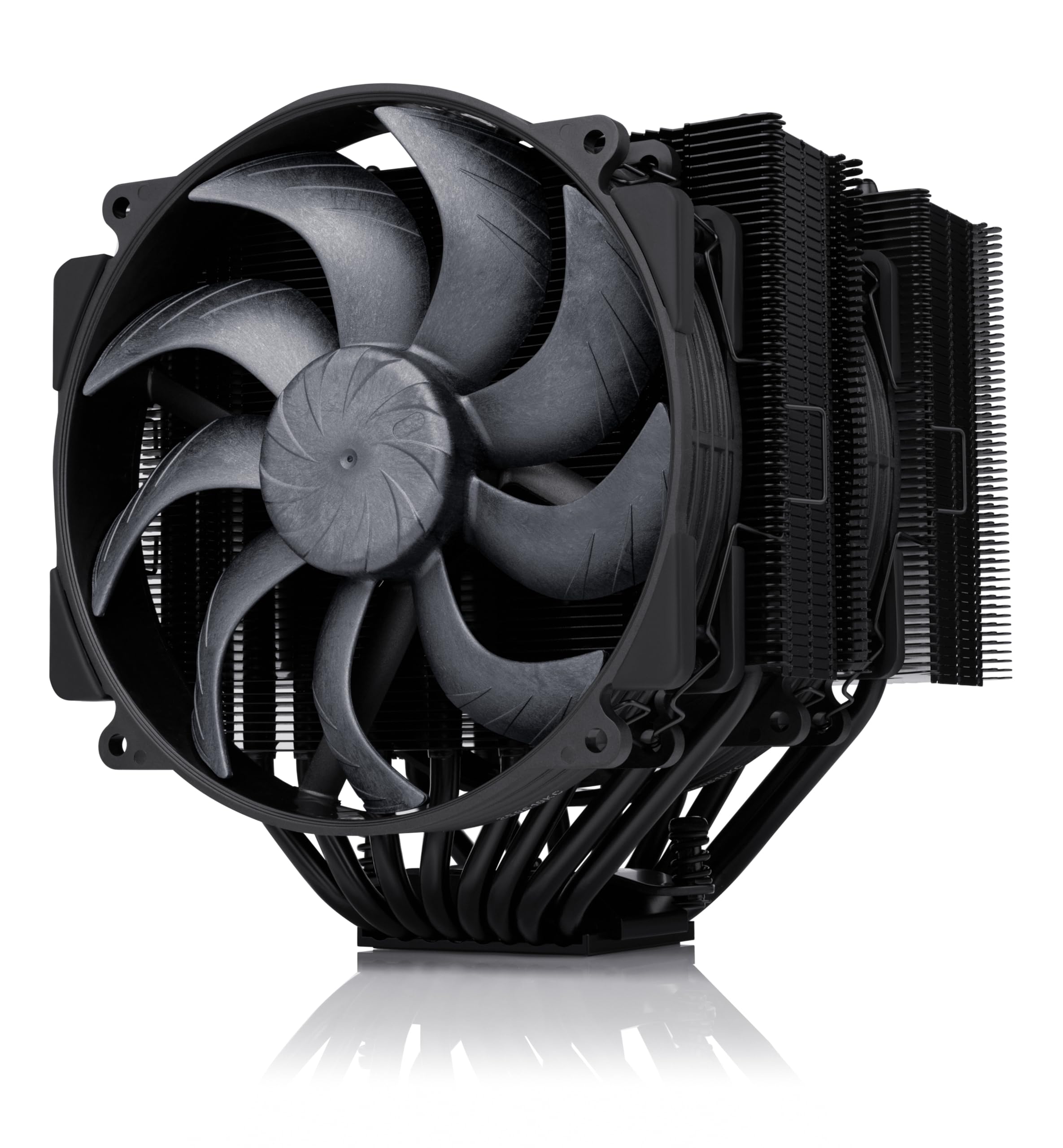
Start with the numbers that decide everything: the NH-D15 chromax.black stands 168mm tall, weighs 1.3kg, and hangs two 140mm fans off a dual tower. A mid tower with 170mm of published cooler clearance takes it without drama. A compact case doesn't, and no amount of thermal headroom changes that.

What the bulk buys is quiet cooling at the top of this group. The NF-A15 fans are rated down to 24.6 dB, the lowest figure on this page, and a 140mm dual tower does its work at lower RPM than any 120mm design. Our sessions with it were marked by the absence of the cooler rather than by its noise, and it's the one we choose when the PC has to share a room with the person using it.

The accessory kit is the other half of what you pay for. Noctua includes NT-H1 paste, a SecuFirm2 mount with an offset option for AMD boards, and a six-year warranty that is the longest coverage here. Fitting it is a careful job rather than a fight — the mount holds the block level while you tighten, which is more than we can say for a few of the cheaper towers in this guide.

You do pay for all of it, and this sits in the premium tier. The gap over our top pick is the honest question: the Phantom Spirit 120 SE cools well for far less and fits more cases. What the Noctua adds is the last measure of quiet, six years of backing, and hardware that will still be serviceable long after the rest of the build has been replaced.

Pros

  • 24.6 dB rating, the lowest in this guide
  • Six-year warranty and full accessory kit
  • Dual 140mm fans cool quietly at low RPM
  • Offset AMD mounting option included

Cons

  • 168mm height excludes many compact cases
  • 1.3 kg puts real weight on the motherboard
Our verdict

A 168mm, 1.3kg tower that earns its space with the lowest noise rating here, six-year coverage, and hardware that stays put — if your case can take it.

Check Latest Price
3

Best Slim Budget Tower

Thermalright Assassin X120 Refined SE

93 /100
LBD Score Outstanding

Key details

Fan
120mm, 1550 RPM
Width
71mm
Height
148mm
Heat Pipes
4
View on Amazon

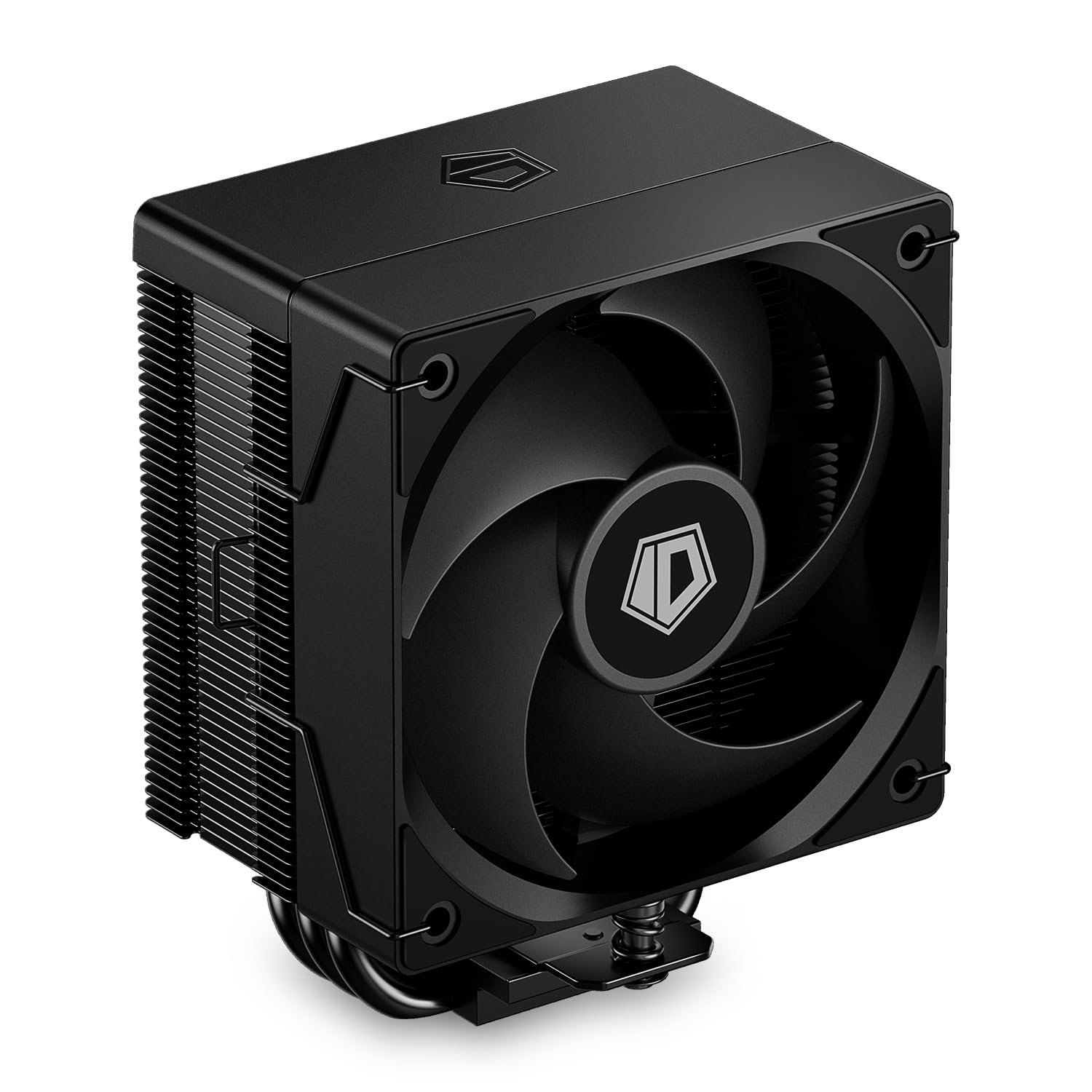
Most builds don't need a dual tower; they need a cooler that goes in without a fight. At 148mm tall and just 71mm wide, the Assassin X120 Refined SE clears the memory slots completely and slides into older mid towers and prebuilt cases where the 160mm towers here simply don't fit. If you've ever measured a case and come up short, this is the shape you were looking for.

Four 6mm heat pipes and a single 120mm fan at 1550 RPM and 66.17 CFM have a ceiling, and it's worth being honest about where it sits. On a 65W to 105W chip it's comfortable, and the fan stays unobtrusive through ordinary work. On a 250W-class part that boosts hard it runs out of surface area, and no fan curve fixes that — the rest of this list exists for those chips.

The bracket is where it asks for patience. The backplate has a habit of slipping out of position while you line up the screws, and a second pair of hands or a strip of tape turns a frustrating job into a quick one. Get past that and there's little to criticise: 644g of cooler, a fan that unclips for cleaning, and a straightforward mount on AM4 and AM5. At the bottom of the price range here, nothing else fits as many awkward cases.

Pros

  • 71mm wide body clears the memory slots
  • Fits prebuilts and older mid towers
  • Quiet 1550 RPM fan on mid-range chips

Cons

  • Single tower runs out of headroom on high-power CPUs
Our verdict

The budget answer for a small case or a mid-range chip: slim enough to go where the big towers won't, and quiet enough that you won't miss them.

Check Latest Price
4

Best for Near-Silent Builds

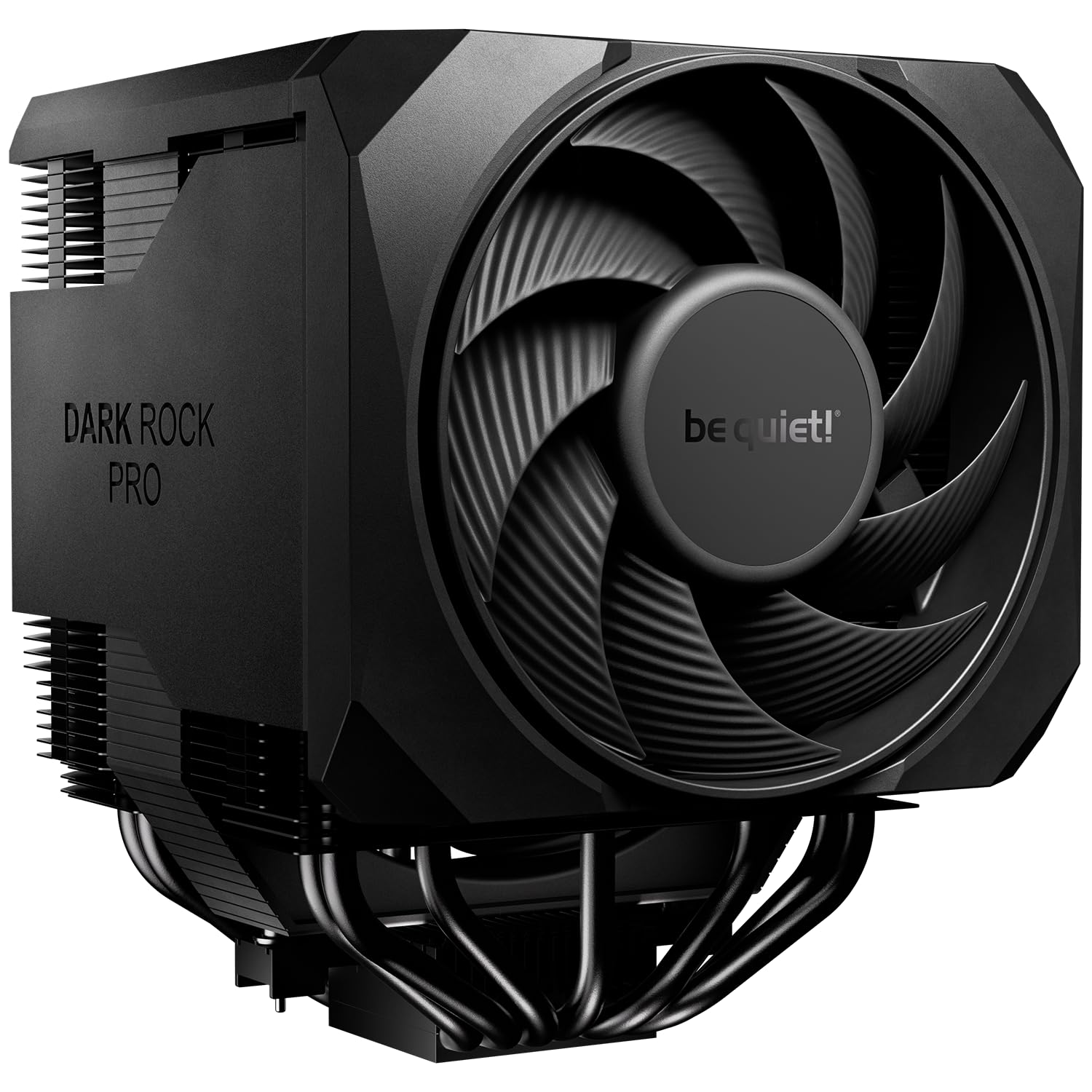
be quiet! Dark Rock Pro 6

80 /100
LBD Score Excellent

Key details

Fans
135mm + 120mm
Rated TDP
300W
Heat Pipes
7
Rated Noise
32.4 dB
View on Amazon

Below 40% PWM the Dark Rock Pro 6 stops its fans dead. That single behaviour explains why this cooler earns a place here: at idle and through ordinary desktop work it makes no sound at all, because nothing is turning. For a PC in a bedroom or a shared office, that's worth more than a couple of degrees.

The rest of the package is what you expect from be quiet! at this end of the market: seven heat pipes, a 135mm Silent Wings fan up front and a 120mm behind it, a 300W TDP rating, and a two-mode switch that flips between maximum cooling and the semi-passive behaviour. The front fan runs on a rail, so you slide it up to clear tall memory instead of fighting with clips, and the mounting bridge arrives pre-installed on the heatsink.

One thing to plan around. The 32.4 dB rating is the highest figure in this guide, and it's the full-speed number. The trade for total silence at idle is that a long all-core render does become audible — nothing drastic, but this is a cooler you buy for the quiet hours rather than for the loud ones.

Where we land is that this is a specialist's cooler rather than a default. The Phantom Spirit 120 SE gives you most of the cooling for a fraction of the price and none of the fan-stop cleverness. The Dark Rock Pro 6 gives you a machine you can sit beside in a quiet room while it works. Buy it for the silence, not for the temperature chart.

Pros

  • Fans stop entirely below 40% PWM
  • 300W rating with seven heat pipes
  • Rail-mounted front fan clears tall RAM
  • Pre-installed mounting bridge speeds installation

Cons

  • 32.4 dB at full speed is the highest rating here
  • 1.34 kg needs a roomy case and a sturdy board
Our verdict

For a near-silent build around a high-power chip, the Dark Rock Pro 6's fan-stop mode and 300W rating justify the price — provided your case has the room.

Check Latest Price
5

Flagship CPUs

Noctua NH-D15 G2 chromax.black

89 /100
LBD Score Excellent

Key details

Fans
2 × 140mm, 1500 RPM
Height
168mm
Warranty
6 years
Heat Pipes
8
View on Amazon

The G2 is the NH-D15 with its awkward edges filed down. Noctua added two heat pipes for eight in total, 20% more fin surface, and new NF-A14x25r G2 fans, but the change we care about is the offset fin stack with recessed lower fins that clears the top PCIe x16 slot on most current boards. If a previous tower pressed against your graphics card, that detail matters more than the extra pipes.

Clearance is where this one earns its keep. With a single fan fitted there's 59mm of room for memory, and even with both fans on it's 32mm — enough for standard-height modules, not enough for the tall RGB spreaders. The rest of the kit is Noctua's usual thoroughness: NT-H2 paste, a Torx-based SecuFirm2+ mount with the screwdriver in the box, and the same six-year warranty as the original.

It's also the most expensive cooler in this guide, and the returns are the smallest. The improvements are real, but 168mm is still 168mm, so a case that turned down the original turns this one down too. Our read is that the original NH-D15 is the better buy for most people, and the G2 makes sense when clearance above the graphics card or a modest gain in surface area is the specific problem you're solving.

Pros

  • Recessed lower fins clear the top PCIe slot
  • 59mm RAM clearance with one fan
  • Eight heat pipes and 20% more fin area
  • Six-year warranty and NT-H2 paste included

Cons

  • The most expensive cooler in this guide
  • Still 168mm tall, so no easier to fit
Our verdict

Buy the G2 for one reason: it's the version of the NH-D15 that stops crowding your top PCIe slot, and it does that with eight heat pipes and six-year backing.

Check Latest Price
6

Compact RGB Builds

Ocypus Gamma A40 ARGB

90 /100
LBD Score Outstanding

Key details

Fan
100mm, 2400 RPM
Height
133mm
Heat Pipes
4
Rated Noise
29.5 dB
View on Amazon

133mm is short for a tower, and that's the whole reason the Gamma A40 is on this list. It drops into small and mid-size cases where a 150mm cooler is a non-starter, and it does that as a proper tower rather than a flat block sitting over the memory.

Ocypus has packed in more than the size suggests: four 6mm heat pipes, a 100mm fan that spins to 2400 RPM and moves 41 CFM, and a round top cover with the light strips tucked underneath, so the ARGB reads as a glow around the top instead of a bare illuminated fan. That's a nicer look than the price suggests, and in a black build behind glass it's the sort of detail you notice.

Cooling is where the physics catches up. A 100mm fan moving 41 CFM has less to work with than the 120mm towers here, so this is a cooler for a mid-range chip rather than a 250W part, and the 200W rating on the box reads as a ceiling. Give it something in the 65W to 125W range in a compact case and it holds temperatures quietly. Ask for more and the fan makes sure you know about it.

Pros

  • 133mm height fits small cases
  • ARGB top cover syncs with 5V headers
  • Four heat pipes and a 100mm fan at 2400 RPM

Cons

  • 3-pin fan rules out PWM speed control
Our verdict

A compact tower for a compact build: 133mm of clearance is all it needs, and the ARGB top cover makes a small case look deliberate rather than cramped.

Check Latest Price
7

Tiny Budget Builds

ID-COOLING SE-903-XT V2

87 /100
LBD Score Excellent

Key details

Fan
100mm, 2500 RPM
Rated TDP
150W
Heat Pipes
3
Rated Noise
29.1 dB
View on Amazon

Three direct-touch heat pipes, a 100mm fan, and a 150W rating: the SE-903-XT V2 is the smallest cooler here and the one that goes where nothing else will. Direct-touch means the pipes sit flat against the processor rather than passing through a base plate, which is how a cooler this compact still moves meaningful heat.

The fan clips are the fussy part. They need a firm push to seat properly, and a clip that's only half on leaves the fan rattling against the fins — worth checking before the case goes back together. Once it's seated, the 100mm fan is quiet at low loads and the whole assembly stays clear of the memory slots, which is more than several larger coolers here manage.

Where it belongs is a low-power build: an HTPC, a small office machine, a repair where a stock cooler has given up and the case has no room for a tower. On those chips it keeps temperatures in hand and stays quiet doing it, and the two-year warranty is a reasonable promise for the money. Asking it to cool a 200W processor is asking it to be something it isn't.

Pros

  • Smallest footprint in this guide
  • Direct-touch heat pipes
  • Quiet at low loads
  • Two-year warranty

Cons

  • Fan clips take a firm push to seat
Our verdict

The smallest and least expensive cooler here, and the right call when a low-power chip needs quiet cooling in a case with almost no clearance.

Check Latest Price

How We Tested CPU Air Coolers

We started by pulling every air cooler we could find that listed support for AM4, AM5, LGA 1700, and LGA 1851, then filtered by height, RAM clearance claims, fan specs, and price so the shortlist covered three real tiers: compact towers a small case can swallow, mid-size four-to-six-heatpipe models, and full-size dual-tower coolers. That left 12 units, which we bought at retail and ran for six months across two builds — an open bench for repeatable temperature runs and a mid-tower that lives under my desk.

Each cooler went through the same sequence. I mounted it solo, timed the install, and noted where the backplate fought me and whether the fan clips demanded a third hand; then I checked clearance against tall RAM heatspreaders, the first PCIe slot, and a case side panel measured against the cooler's listed height. For cooling, I logged peak CPU temperatures and clock behavior through repeated 30-minute all-core stress runs, then let the machine idle and did it again.

Noise got its own pass: a decibel meter at one meter, first at idle and then with fans pinned to full speed, plus a plain listen for ticking, bearing whine, and how abruptly the fan ramped. Durability was simpler — I mounted and unmounted each cooler three or four times, checked whether the fins bent under a knuckle press and whether the fan clips still gripped afterward. Value came last: what each cooler cost relative to the temperatures and noise it produced next to the tier above and below it.

How to Choose a Cpu Air Cooler

Height and Case Clearance Come First

An air cooler has to fit before it can cool, so the first number to check isn't the heat-pipe count — it's the maximum CPU cooler height your case publishes. Measure from the top of the processor to the side panel and leave a few millimeters for the socket and standoffs. Towers under 150mm go into most mid-size cases and prebuilts; 160mm and up needs a case rated for it.

That's why the slim 148mm Assassin X120 Refined SE earns a place here despite modest cooling: it enters builds the big towers can't. If you're attached to a small case, pick the cooler around it rather than the other way round.

Match the Tower to the Chip

Cooler boxes quote TDP figures that lean optimistic, so treat them as a ceiling rather than a promise. A 65W to 105W processor is comfortable under a four-heat-pipe single tower. A 250W-class chip that boosts hard wants the fin area and heat-pipe count of a dual tower, because those seven pipes spread heat across more fins and two fans push more air through them at the same noise.

Buy one step above what you think you need if your work involves long renders or all-core runs, and don't buy a tower you can't fit just because the box promises more watts.

Memory, the Graphics Card, and the Space Around the Socket

Two physical conflicts catch people out. On a dual tower, a 120mm fan often sits directly over the memory slots, and tall heat spreaders force you to slide the fan up or run a single fan — Noctua quotes 59mm of RAM clearance for the NH-D15 G2 with one fan fitted and 32mm with both. The second is the graphics card: a deep heatsink can foul the top PCIe x16 slot or a card's backplate.

Measure your memory height before ordering, and treat a recessed or offset fin stack as a feature worth paying for rather than a footnote.

What a Noise Rating Really Compares

A decibel rating means little without the fan speed it was measured at. A 140mm fan shifts the same air as a 120mm one at lower RPM, which is why big dual towers stay quiet under load while a 100mm compact cooler needs 2400 RPM to move less air. If idle silence matters, look for a cooler that can stop its fans altogether — the Dark Rock Pro 6 does exactly that below 40% PWM.

Set your own fan curve in the BIOS rather than trusting the default. The number on the box is a starting point, not the sound your build will make.

Mounting, Warranty, and What to Check on Arrival

The heatsink is half the product and the bracket is the other half. A crossbar or a pre-installed mounting bridge turns installation into a five-minute job; a loose backplate that has to be held in place turns it into a two-person task. Check the socket list against your board before buying, and look at the warranty — Noctua covers its towers for six years, ID-COOLING for two.

Then check the fins when the box arrives, because thin aluminium stacks bend in transit and a bent corner narrows the airway.

Frequently Asked Questions

Final Verdict

The Phantom Spirit 120 SE is the air cooler we recommend to most people. Seven heat pipes and two 120mm fans do the work, 154mm of height fits an ordinary mid tower, and nothing about the mounting or the finish feels like a compromise — that combination is why it sits at the top of this list.

Spend more only for a reason you can name. If the machine lives in the room you work in, the Dark Rock Pro 6 stops its fans entirely at idle and is worth the premium. If your case won't take a 154mm tower, the Assassin X120 Refined SE is the answer at a fraction of the price.