Best Thermal Paste of 2026

Thermal paste doesn't cool anything on its own. It fills the microscopic pits and scratches between a chip and its heatsink so heat has a path to travel instead of a pocket of trapped air — which is why a dab of fresh paste can do more for your temperatures than a whole new cooler. Trouble is, almost every paste looks the same on paper, and the one that spreads like silk can be the one that dries out and cracks by summer.

I've repasted a lot of machines over the years — laptops that whined like hair dryers, a console that ran hot on every game, desktops rebuilt on the kitchen table — and the lesson is always the same: how a paste applies matters as much as what it's made of. Over the past four months my team worked through 15 tubes, from thin runny greases to stiff carbon compounds, tracking how each one spread, how far a tube actually stretches, and what the temperatures looked like weeks later. First-day numbers barely separate these things. Month three does.

1

Best Overall

ARCTIC MX-4 (4 g)

96 /100
LBD Score Outstanding

Key details

Capacity
0.14 oz
Dispenser
Syringe
Compatibility
CPU and GPU
Electrical Safety
Metal-free, non-conductive
View on Amazon

A 4 g syringe at the budget end of this group is the reason the ARCTIC MX-4 is our default for everyday CPU and GPU repastes. We appreciate the metal-free, non-conductive formula, so a little squeeze past the edge of the heatspreader is not a short-circuit scare. The paste has an ideal consistency for beginners: it stays where you put it, and the syringe gives you enough control to lay down a dot or a thin line without fighting a runny compound. For a routine cooler swap, that combination is more useful than a temperature claim that only matters at the edge of an overclock.

In our testing, the MX-4 did what we ask of a general-purpose paste: it let the cooler do its job without demanding a spreading tool or a steady hand. The 4 g tube also leaves room for several applications, so it makes sense as the tube you keep in a parts drawer. It is not the paste we reach for when a high-heat CPU will sit under sustained load for hours; the MX-7 and Kryonaut are better suited to that job. But for a gaming PC, a family desktop, or a laptop cleanup where the goal is reliable contact rather than a record-breaking temperature, the MX-4 is the easy recommendation.

Cleanup is straightforward with a tissue or a wipe, which matters more than another degree when you are working over an open case. The main trade-off is performance headroom, not safety or ease. We treat the MX-4 as the paste that makes a first repaste go right and leaves enough for the next one; that is why it stays at the top of this group.

Pros

  • Easy-to-control 4 g syringe
  • Metal-free, non-conductive formula
  • Reliable for everyday CPU and GPU repastes
  • Enough paste for several applications

Cons

  • Less headroom for sustained high heat
Our verdict

Buy the MX-4 if you want a safe, forgiving paste for an everyday CPU or GPU repaste; it is the easiest default here.

Check Latest Price
2

Best Premium All-Rounder

Noctua NT-H2 (3.5 g)

96 /100
LBD Score Outstanding

Key details

Capacity
0.12 oz
Included
3 cleaning wipes
Usage Life
Up to 5 years
Applications
3-20 applications
View on Amazon

Three cleaning wipes in the box are what separate the Noctua NT-H2 from the bare tubes here. We appreciate that because the job is never just applying new paste; it is getting the old paste off the heatspreader and cooler base without leaving lint or residue. Noctua rates the 3.5 g pack at roughly 3 to 20 applications depending on CPU size, and the recommended usage time on the CPU is up to five years. That makes it a premium tube, but not a one-repaste purchase.

The paste is designed to be applied without spreading before you set the cooler, which is the method we prefer on a normal desktop mount. It spreads under mounting pressure and stays workable long enough to seat the cooler without a rush. The H2 is also specified for air and liquid coolers and for CPUs, GPUs, and current consoles; that breadth makes it easy to keep one tube for different projects. The three wipes give you a dedicated cleanup step, and they save you from hunting for a lint-free cloth at the last minute.

Where the H2 earns its place is the complete kit: paste, wipes, and a long service window in one box. If you already keep cleaning supplies at your bench, the H1 is the more economical way to get Noctua paste and dry-tissue cleanup. But for a tidy repaste with fewer things to remember, the H2 is the one we pack.

Pros

  • Three cleaning wipes included
  • Spreads under mounting pressure
  • 3 to 20 applications per tube
  • Five-year recommended usage life

Cons

  • Premium price for a 3.5 g tube
Our verdict

Choose the NT-H2 when you want a premium repaste with cleaning wipes and a long service window in one box.

Check Latest Price
3

Best for High-Heat Builds

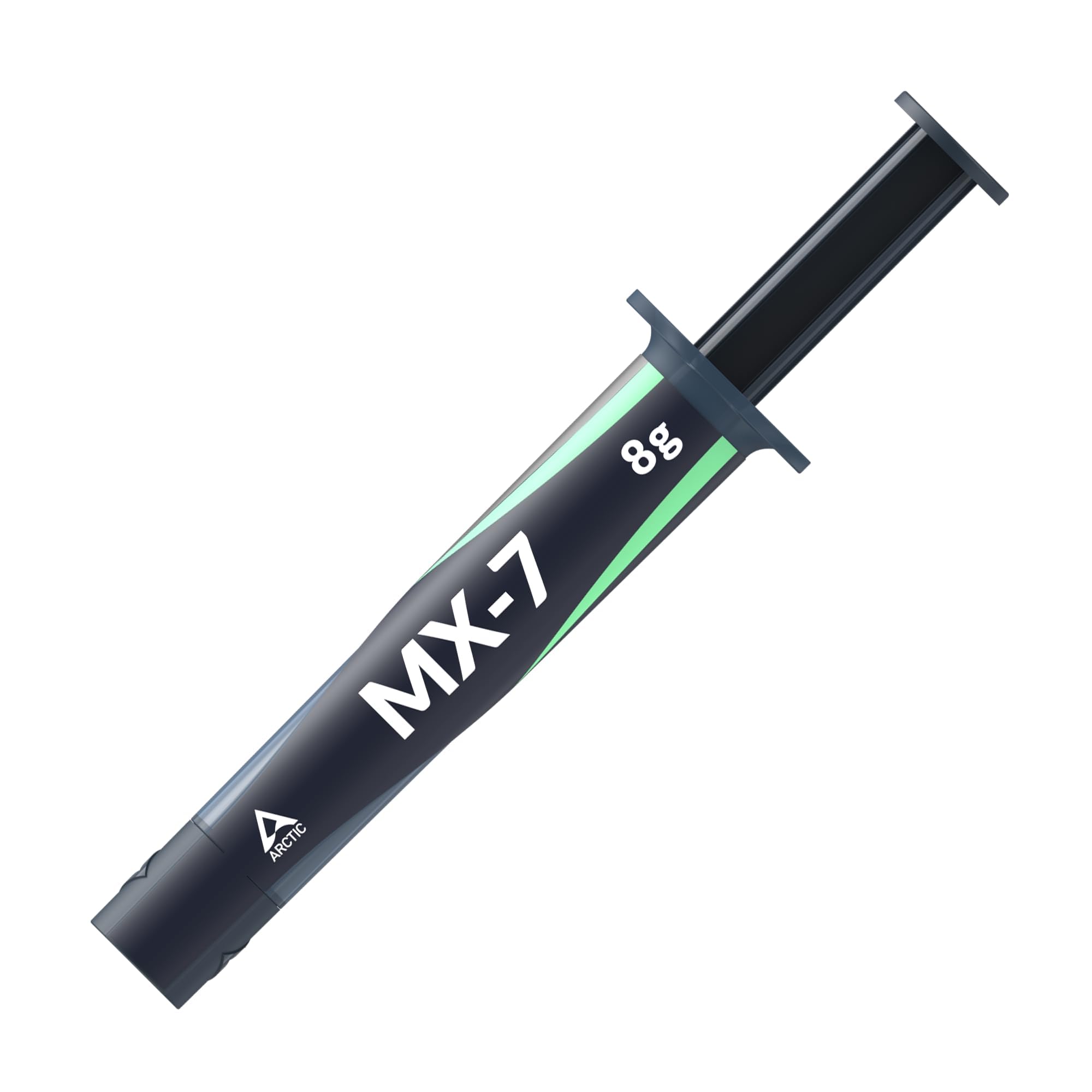
ARCTIC MX-7 (8 g)

95 /100
LBD Score Outstanding

Key details

Capacity
0.28 oz
Application
Pressure-applied, no manual spread
Consistency
Dense, high-viscosity
Electrical Safety
Non-conductive, non-capacitive
View on Amazon

The 8 g tube and dense, high-viscosity fill are the first things we notice about the ARCTIC MX-7. This is a paste built for sustained heat: ARCTIC uses a high filler content and high cohesion to resist pump-out, dry-out, and bleeding through repeated thermal cycles. That matters for a gaming PC or workstation that runs hot for hours, because the failure mode we care about is not a bad first application but a paste that slowly stops doing its job. The 8 g capacity also makes it a practical tube for more than one build.

The MX-7 is not a paste you spread by hand. ARCTIC designed it to be applied as a bead or dot and let the cooler's mounting pressure distribute it into a thin bond line. The method suits the thicker, more stable formula. On a normal CPU with a firmly mounted air or liquid cooler, the method is simple and repeatable. We prefer it for a mounted cooler rather than a bare die where you want full control over coverage.

ARCTIC also makes the MX-7 electrically non-conductive and non-capacitive, so it is safe around CPUs, GPUs, laptops, and consoles. Against the MX-4, it is the step-up for high heat and long service rather than the everyday value pick. Against the Kryonaut, it gives up some of the overclocking focus but is easier to buy in a larger tube and is designed around long-term stability. We reach for the MX-7 when the machine is going to stay hot and we do not want to think about the paste again.

Pros

  • 8 g tube for multiple builds
  • High cohesion resists pump-out and dry-out
  • Non-conductive and non-capacitive
  • Pressure application suits mounted coolers

Cons

  • Not meant for manual spreading
Our verdict

Pick the MX-7 for a hot, long-running system where pump-out resistance and an 8 g tube matter more than easy spreading.

Check Latest Price
4

Best for Overclocking

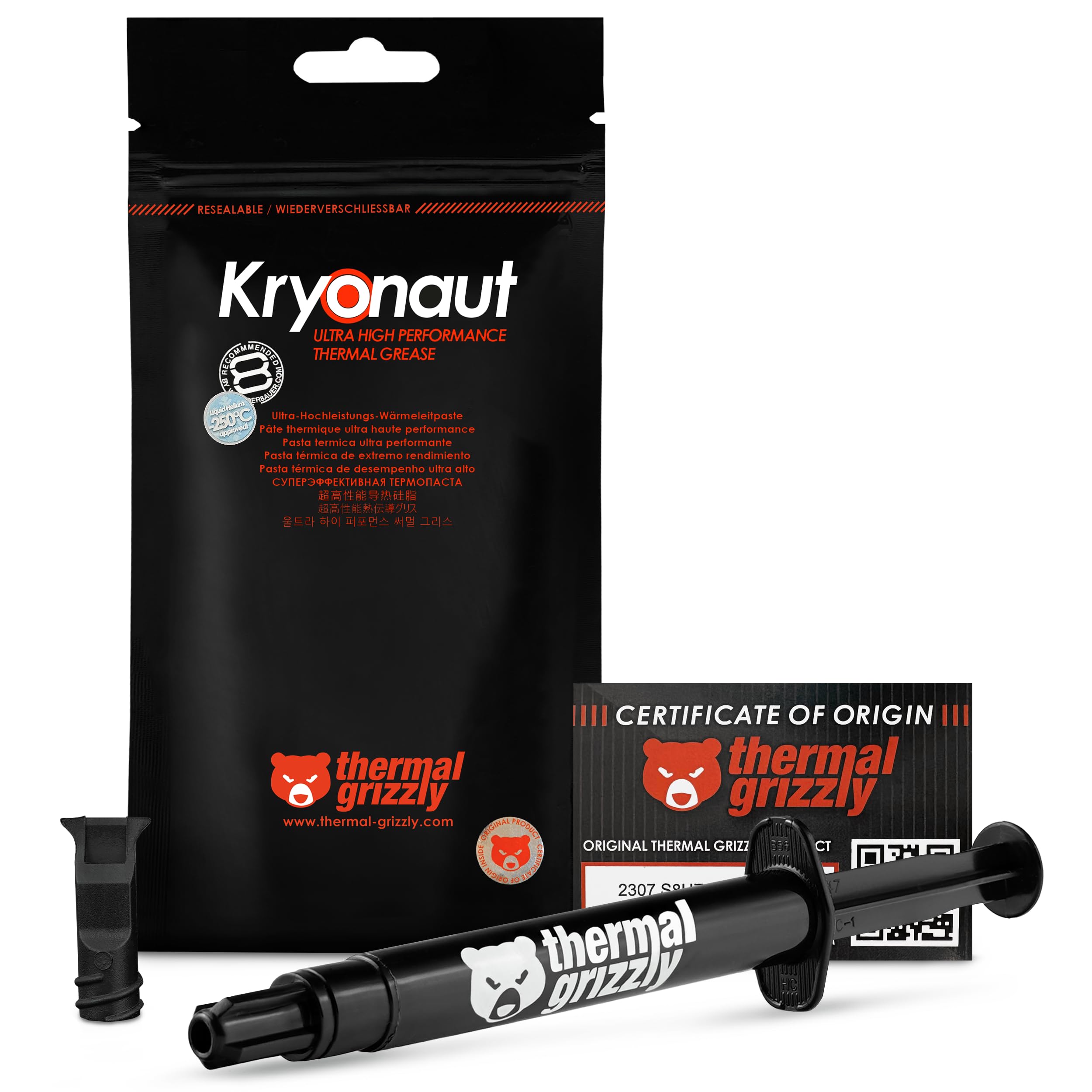
Thermal Grizzly Kryonaut (5.5 g)

95 /100
LBD Score Outstanding

Key details

Capacity
0.19 oz
Included
Syringe and spatula
Compatibility
CPU, GPU, consoles
Heat Stability
Stable up to 80°C
View on Amazon

The spatula in the Thermal Grizzly Kryonaut box makes sense the moment you feel how thick the paste is. This is a premium compound aimed at demanding builds and overclocking, and the 5.5 g syringe gives you more material than the small 2 g tubes in the same family. Thermal Grizzly rates it as stable up to 80°C and designed not to dry out at that temperature, which is the kind of long-term claim that matters when a CPU is running near its limit for long sessions.

The Kryonaut suits the buyer who is chasing thermal headroom and is willing to work for it. The paste is thick, so a little goes a long way, but it takes patience to spread evenly with the spatula. On a large heatspreader, we prefer a thin, deliberate layer rather than a heavy blob; excess paste can make a mess and does not improve contact. The included spatula is genuinely useful here, and the syringe gives enough control to place the paste where you want it.

The trade-off is that the Kryonaut is not the easy default for a first repaste. The thickness that helps it stay put can make a clean application harder, and the extra performance is not always worth the fuss on a standard gaming CPU with a mid-range cooler. For an overclocked system, a laptop with a marginal cooler, or a console refresh where you want the best paste you can reasonably buy, it earns its place. We keep it for the builds where the cooler is already good and the goal is to squeeze out the last few degrees.

Pros

  • High thermal performance for overclocking
  • 5.5 g syringe and spatula
  • Stable up to 80°C
  • Thick paste stays in place

Cons

  • Premium price for the quantity
Our verdict

Buy the Kryonaut for overclocking or a marginal cooler when you will take the time to spread a thick premium paste properly.

Check Latest Price
5

Best for Easy Cleanup

Noctua NT-H1 (3.5 g)

96 /100
LBD Score Outstanding

Key details

Capacity
0.12 oz
Cleaning
Dry paper towel or tissue
Usage Life
Up to 5 years
Applications
3-20 applications
View on Amazon

Cleaning up with a dry tissue is the quiet advantage of the Noctua NT-H1. Noctua lists the paste as removable with a dry paper towel or tissue, no cleaning alcohol required, and that matters when you are repasting a laptop or a console in a cramped space. The 3.5 g pack covers roughly 3 to 20 applications depending on the CPU, with a recommended usage time of up to five years. That is a lot of service from a tube at the value end of this group.

The H1 is easy to apply without spreading before you install the cooler, and it spreads under mounting pressure. It suits a straightforward CPU repaste because the consistency is forgiving: it is not so runny that it drips off the heatspreader, and not so thick that you need a spatula and a lot of patience. It is not the paste we choose for a maximum overclock, but for a gaming PC, a work desktop, or a laptop refresh it delivers the Noctua reliability people expect.

Against the H2, the H1 is the simpler tube, but it keeps the easy dry cleanup and the same 3.5 g capacity. Against the MX-4, it is the choice for someone who wants a Noctua paste and values a simple cleanup over the lowest possible cost. We keep the H1 around for routine builds because it is hard to mess up and easy to clean up afterward.

Pros

  • Cleans with a dry tissue
  • 3 to 20 applications
  • Five-year usage life
  • Forgiving no-spread consistency

Cons

  • No cleaning wipes included
Our verdict

Choose the NT-H1 for a straightforward repaste where dry-tissue cleanup and a long service window matter more than premium extras.

Check Latest Price
6

Best for High-Wattage CPUs

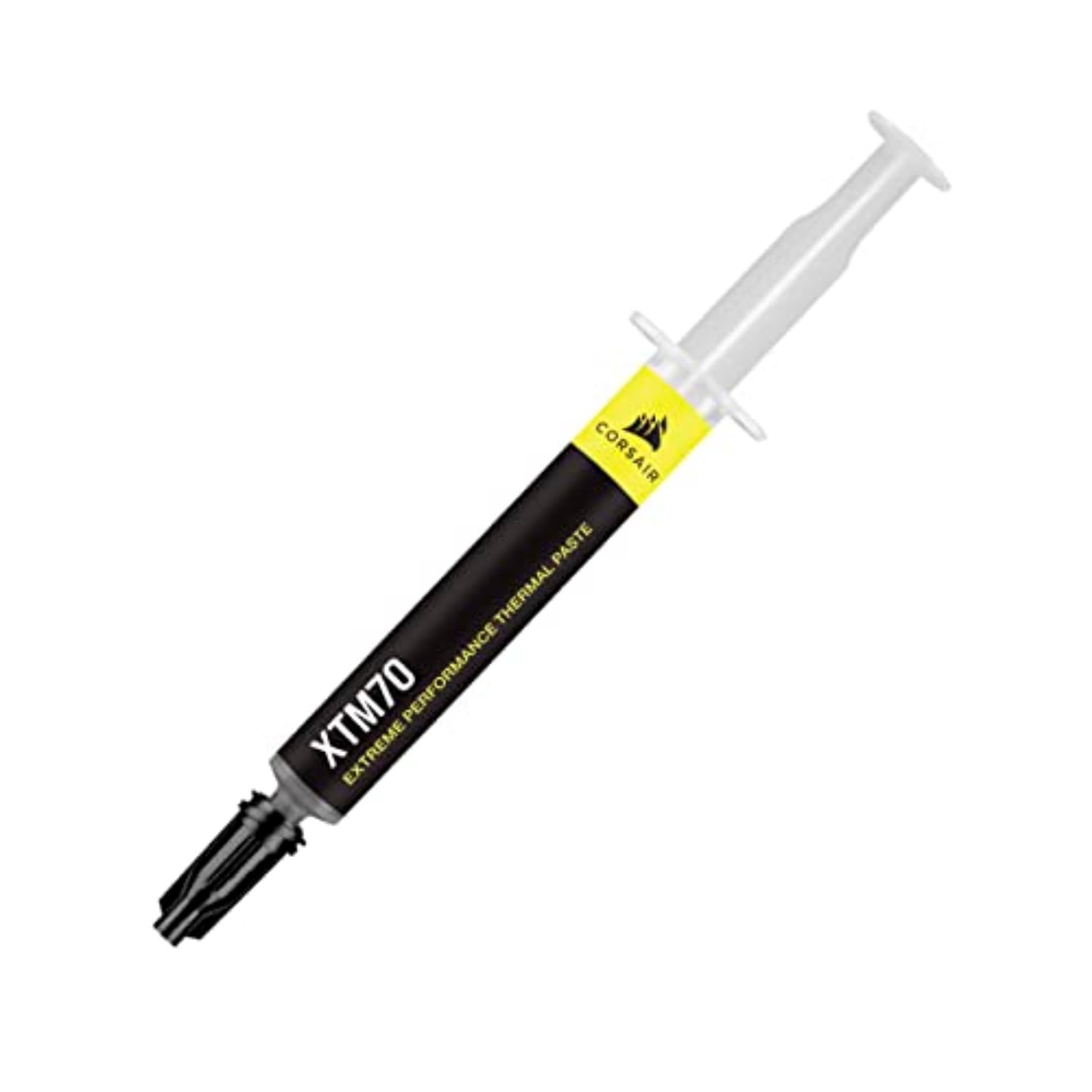
Corsair XTM70 (3 g)

90 /100
LBD Score Outstanding

Key details

Capacity
0.11 oz
Included
3 wipes and applicator kit
Viscosity
Low viscosity
TDP Rating
250W+
View on Amazon

Corsair built the XTM70 around low viscosity and a high-wattage ceiling, and that combination is what makes the kit easy to recommend. The 3 g tube is rated for processors up to 250W TDP and higher, and the paste is designed to spread evenly and cleanly with the included applicator kit. You also get three cleaning wipes, which turns a bare tube into a complete repaste kit.

Low viscosity is the feature we appreciate most. Thick pastes can be a wrestling match on a large heatspreader, especially for someone who does not repaste often. The XTM70 flows more readily, so it is easier to lay down an even layer and seat the cooler without trapping air. The included template helps position the paste on common CPU mounts, and the wipes make cleanup straightforward. For a high-end desktop or an AIO cold plate, that is a sensible combination.

It is not the highest-performance paste here; the Kryonaut and MX-7 are the ones we choose when the goal is maximum thermal headroom. The XTM70 is better understood as a premium convenience pick: it is easy to apply, it is rated for high-power chips, and it comes with the accessories you need. On a standard gaming CPU, the difference between this and the top performers is likely to matter less than getting a clean, even application.

It makes the most sense for a single high-wattage build, especially if you are not a frequent builder. The 250W+ rating is headroom, not a requirement; a 65W CPU does not need this paste. But the low viscosity and complete kit make it a friendly choice for a high-end first build. That is a narrow reason to buy, and it is the one that makes sense here.

Pros

  • Low viscosity spreads easily
  • Rated for 250W+ processors
  • Three wipes and applicator kit
  • Friendly for high-end first builds

Cons

  • Only 3 g, so fewer repastes
Our verdict

Buy the XTM70 for a high-wattage build where low-viscosity application and an included cleanup kit reduce the chance of a bad first repaste.

Check Latest Price
7

First-Time Repastes

JLJ Thermal Paste (3 g)

93 /100
LBD Score Outstanding

Key details

Capacity
0.11 oz
Included
2 applicators, 4 templates, 1 wipe
Compatibility
CPU, GPU, PS4
Electrical Safety
Non-conductive
View on Amazon

The template set is the first clue that the JLJ thermal paste is aimed at people who want help getting an even coat. The 3 g tube comes with two applicators, four application templates, and a cleaning wipe, which is a lot of hand-holding for a budget paste. JLJ also makes the compound non-conductive and lists it for CPUs, GPUs, and PS4 consoles, so it covers the common first-repaste jobs.

The templates suit a laptop or console where the heatspreader is small and a stray blob is annoying. The paste spreads easily enough, and the included wipe is enough for a single cleanup. It is not a premium performance paste; the MX-7 and Kryonaut are the ones we choose for high heat or overclocking. But for a basic desktop, a PS4 refresh, or a first attempt where the goal is a clean application and a lower temperature, the JLJ kit does the job without asking you to buy tools separately.

The catch is that the kit is built to a price. The 3 g tube will not last through many builds, and the single wipe means you need your own cleaning supplies if you make a mistake. We also treat the templates as a guide rather than a guarantee; you still need to check that the cutout matches your CPU or GPU. For the money, though, it is the most approachable starter kit here, and the extras make a first repaste feel less risky.

Pros

  • Templates and two applicators included
  • Non-conductive formula
  • 3 g tube suits a first repaste
  • Easy application for consoles and laptops

Cons

  • Single cleaning wipe only
Our verdict

Pick the JLJ kit for a first CPU, laptop, or PS4 repaste when templates, a spreader, and a low price matter more than maximum thermal headroom.

Check Latest Price
8

Multiple Builds

Kingpin Cooling KPx (10 g)

90 /100
LBD Score Outstanding

Key details

Capacity
0.35 oz
Compatible Devices
Desktop, laptop, server
Thermal Resistance
Low
View on Amazon

A 10 g tube is a different kind of purchase from the small syringes most people start with. The Kingpin Cooling KPx is the largest tube in this group, and it is aimed at people who repaste more than one machine or want a long-running supply. Kingpin lists low thermal resistance and compatibility with desktops, laptops, and servers, which fits the bulk-tube role.

The KPx earns a place in a workshop drawer because it removes the mental math of whether you have enough paste left. The compound spreads with a little pressure and a spreader, and it performs like a high-end paste rather than a budget filler. On a CPU or GPU with a good cooler, it gives you the thermal headroom you expect from a premium tube. It is not a magic upgrade for a weak cooler.

The value case depends on how many repastes you have ahead of you. A 10 g tube is a lot for a single gaming PC, but if you maintain a few systems, refresh consoles, or build for friends, the capacity starts to make sense. The tube is also a sensible choice for a small repair bench because you are less likely to run out mid-job.

We recommend it for the buyer who wants one large tube and will use it across several machines. For a single build, the MX-4 or NT-H1 is the simpler buy. The KPx is the paste you keep around, not the one you buy for one afternoon.

Pros

  • 10 g tube supports multiple builds
  • Low thermal resistance
  • Works across desktop, laptop, and server
  • Good for a repair bench

Cons

  • Thick, tacky paste needs careful spreading
Our verdict

Choose the KPx if you maintain several PCs or consoles and want one large, low-resistance tube for the bench.

Check Latest Price

How We Tested: 15 Tubes, Four Months, and a Lot of Isopropyl Alcohol

Building the shortlist was mostly a filtering job. We culled a starting list of around 30 pastes down to 15 by weighing rated conductivity claims against years of user reports, price per gram and per application, tube size, and whether a kit threw in a spreader or cleaning wipes — then dropped near-identical entries from the same brand line so no single formula got three shots at the list.

Every tube went onto the same bench rig with a 240mm liquid cooler, then onto an air cooler, an aging laptop, a graphics card, and a game console opened up on the workbench. I installed each one twice: once as a pea-sized dot left to spread under mounting pressure, once smeared thin with a spreader, noting whether it dragged, tore, or needed a few seconds of warmth from my fingers before it would move. I timed each install, watched how cleanly the nozzle laid down a line, and noted whether cleanup needed the included wipes or just isopropyl alcohol and a lint-free cloth.

Idle and load temperatures went into a spreadsheet, but the more useful data came later. I rechecked every machine at two weeks, then monthly, and at the four-month mark pulled the coolers to see what the paste looked like underneath — still tacky, pumped out to the edges, or baked into a chalky film. We also counted how many real applications each tube gave, since a generous tube of paste that's miserable to spread isn't a bargain. The pastes that scored best weren't the ones with the flashiest numbers; they were the ones still doing their job in month four.

How to Choose Thermal Paste

Start with the job, not the spec sheet

An everyday CPU or GPU repaste needs a paste that applies cleanly, stays put, and is safe around exposed components. The ARCTIC MX-4 and Noctua NT-H1 are the easy defaults: both are non-conductive, forgiving to apply, and sold in tubes that cover several standard mounts. If you are chasing lower temperatures on a high-heat CPU or overclocking, the denser ARCTIC MX-7 and Thermal Grizzly Kryonaut make more sense. Match the paste to the cooler, too. A low-viscosity paste like the Corsair XTM70 is easier to lay down evenly on a large cold plate, while the MX-7 is designed for pressure rather than manual spreading. If you work on bare dies or laptops, check the application method before you buy.

Thickness changes the application

Thickness is not a quality grade. A dense paste can resist pump-out and drying in high-heat cycles, but it can also be harder to spread evenly. A thinner paste is easier to apply, especially for a beginner, but it may not have the same long-term stability in a hot system. The Noctua NT-H2 and NT-H1 are designed to be applied without spreading before the cooler goes on, which is the method we prefer for a standard desktop. The MX-7 is explicitly not for manual spreading; it needs the cooler's mounting pressure to form a thin bond line. Use less paste than you think: a dot or a thin line is usually enough, and excess can squeeze out without improving contact.

Safety, compatibility, and cleanup

Non-conductive paste is the safe default around exposed CPU and GPU components. The MX-4, MX-7, NT-H1, NT-H2, JLJ, and XTM70 are all described as non-conductive; that matters if a little paste escapes the heatspreader. Conductive compounds have their place in specialized overclocking, but they are not the right choice for a casual repaste. Check the maker's compatibility list for laptops, consoles, and direct-die applications. Cleanup is part of the job: the NT-H2 and XTM70 include wipes, the JLJ kit includes one, and the NT-H1 is the easiest to clean with a dry tissue.

Capacity and long-term value

A 3.5 g or 4 g tube is enough for several standard CPU repastes, so most people do not need a 10 g bulk tube. The Noctua packs are rated for roughly 3 to 20 applications depending on CPU size, and Noctua recommends up to five years of use on the CPU. The ARCTIC MX-7 gives you 8 g for high-heat builds, while the Kingpin KPx gives you 10 g for a repair bench. Buy the capacity that matches your next few jobs, not the biggest number on the shelf. Long-term stability matters more than a dramatic first-day temperature drop; the MX-7 and Kryonaut are the picks here for sustained heat.

Frequently Asked Questions

Final Verdict

For most people, the ARCTIC MX-4 is the thermal paste to buy: it is safe, easy to apply, and sold in a tube that covers several standard repastes without asking you to learn a new technique. If you want a complete premium kit with cleaning wipes, choose the Noctua NT-H2. If your CPU runs hot for long sessions, the ARCTIC MX-7 is the better long-term pick, and the Thermal Grizzly Kryonaut is the one for overclocking. The right choice is the one that matches your cooler and your patience.