Best DDR4 Laptop RAM of 2026

Laptop RAM is the cheapest upgrade you can make and the easiest one to get wrong. Buy a desktop stick for a laptop slot, or grab DDR5 for a five-year-old machine, and you're boxing up a return instead of enjoying a faster computer. Most people just need one module that matches; the matching is what trips them up.

I've had the back panel off more laptops than I care to count, from an eight-year-old ultrabook to a hand-me-down office machine, and the pattern never changes: the memory wasn't the problem, the guesswork was. Over four months, my team installed and lived with 14 DDR4 SODIMM kits and modules, and the real differences showed up in what the BIOS reported and how each one held up under a pile of browser tabs.

One thing first-timers miss: a 3200MHz kit in an older laptop will quietly drop to 2666 or 2133, so the stick still works — you just won't see the speed you paid for. And a bad module rarely fails on day one; it surfaces as a random crash weeks later. The picks below are the ones that behaved.

1

Best Overall

G.SKILL Ripjaws 16GB DDR4-3200 Kit

93 /100
LBD Score Outstanding

Key details

Speed
3200 MT/s
Latency
CL22-22-22-52
Capacity
16 GB kit (2 x 8 GB)
Warranty
Limited lifetime
View on Amazon

The cheapest 16 GB kit on this page is also the highest-rated 16 GB kit on it, which made the top slot an easy call. Two 8 GB sticks rated at 3200 MT/s with CL22 timings, 1.2 V, and a limited lifetime warranty — nothing exotic, and nothing missing for a laptop that just needs to stop swapping to disk.

What we watched for during installation was whether the machine would actually run at the rated speed. It does, and without a trip into the BIOS: the kit ships with a JEDEC default profile, so a laptop that supports 3200 picks it up on first boot and one that tops out at 2933 or 2666 steps down quietly. That's exactly the behavior you want from a memory upgrade — it either works or it works more slowly, and neither version asks you to understand timings.

The thing to know before ordering a two-stick kit is that it's a replacement, not an addition. Both slots get filled, so whatever came with the laptop comes out, and G.SKILL's own guidance is not to mix this kit with a different module. If you have one free slot beside a soldered stick, the Samsung 16 GB module or Crucial's 8 GB stick is your product instead. With two open slots, or a pair of 4 GB sticks you're happy to retire, this is the upgrade we point most people toward: 16 GB is roughly where a browser, a spreadsheet, and a video call stop competing for the same room.

Pros

  • Lowest-priced 16 GB kit in this group
  • Hits 3200 MT/s with no BIOS changes
  • Matched pair for dual-channel operation
  • Limited lifetime warranty

Cons

No notable drawbacks to flag.

Our verdict

We recommend it as the default 16 GB upgrade: the cheapest kit here, rated 3200 MT/s, and it reaches that speed without a BIOS visit.

Check Latest Price
2

Best 32 GB Kit

Gigastone 32GB DDR4-3200 Kit

91 /100
LBD Score Outstanding

Key details

Speed
3200 MHz (2933/2666 MHz)
Latency
CL22
Capacity
32 GB kit (2 x 16 GB)
Warranty
5 years
View on Amazon

You don't buy a 32 GB kit speculatively. It's the amount that makes sense once you already know 16 GB isn't enough — a CAD session, a couple of virtual machines, a video timeline with a browser open behind it. When that's your situation, this is the kit we point to first.

It's the least expensive 32 GB kit here, and among the three big-capacity kits it's also the one we trust most for day-to-day stability, with the capacity registering immediately rather than after a BIOS update. The 3200 MHz rating steps down to 2933 or 2666 on a laptop that can't use the full speed, so an older machine still gets the capacity benefit even without the bandwidth. That's the part people underestimate — going from 16 GB to 32 GB changes what a laptop can keep open, and the speed rating mostly changes benchmark numbers.

Both slots get filled, so a pair of 8 GB sticks comes out and goes in a drawer. Check that both are reachable before you commit, because a laptop with one soldered module and one free slot can't use a kit like this at all. Past that there's very little to argue with: if you're going to spend at the top of the capacity range, this is where the money goes furthest.

Pros

  • Cheapest 32 GB kit in this group
  • Most consistent of the 32 GB kits here
  • Downclocks cleanly to 2933 or 2666

Cons

  • Five-year warranty instead of lifetime
Our verdict

If you already know 16 GB isn't enough, this is the 32 GB kit we buy: the least expensive one here and the most consistent of the big-capacity options.

Check Latest Price
3

Best Budget Pick

Crucial 8GB DDR4-3200

96 /100
LBD Score Outstanding

Key details

Speed
3200 MHz (2933/2666 MHz)
Latency
CL22
Capacity
8 GB (1 x 8 GB)
Warranty
Limited lifetime
View on Amazon

Plenty of laptops that shipped with 8 GB have a second slot sitting empty, which makes this the simplest upgrade on the page: one stick, one slot, nothing to match and nothing to throw away. Crucial's module runs at 3200 MHz and downclocks to 2933 or 2666, and it's the one we buy when someone wants the cheapest meaningful change to a slow machine.

The homework it saves is the part we appreciate. Crucial's upgrade selector takes your laptop model and returns the module type and the maximum capacity each slot accepts, which is ten minutes well spent before ordering anything here, whichever brand you end up buying. Once it's in there's nothing to configure: the stick steps to whatever speed the laptop supports and the system shows the extra capacity on the next boot.

Pairing it with the stick already installed is where the thinking goes. Two matched 8 GB modules run in dual channel, which is the part integrated graphics actually notice; mismatched ones can end up partly single-channel and give back some of the gain. Run the built-in memory diagnostic after the first boot — it costs twenty minutes and settles the question while the return window is still open.

Pros

  • Adds to an existing stick instead of replacing it
  • Crucial's model lookup confirms fit first
  • Downclocks to 2933 or 2666 automatically
  • Cheapest 3200 MHz 8 GB stick here

Cons

  • 8 GB per stick
  • Some units fail and need replacing
Our verdict

Buy this to add 8 GB to a laptop with a spare slot; it's the least expensive meaningful upgrade in this group.

Check Latest Price
4

Best Single 16 GB Module

Samsung 16GB DDR4-3200 SODIMM

91 /100
LBD Score Outstanding

Key details

Rank
2Rx8 dual rank
Speed
3200 MHz
Capacity
16 GB (1 x 16 GB)
Form Factor
260-pin SO-DIMM
View on Amazon

The designation worth noticing here is 2Rx8. That makes this a dual-rank module: the chips are arranged in two banks the laptop can interleave, which in practice is often a touch quicker than a single-rank stick of the same speed. More usefully, it puts all 16 GB in one slot.

Samsung supplies memory to the people who build laptops, and this reads like the part that would have come in your machine — 3200 MHz, CL22, 1.2 V, 260 pins, a plain module with nothing cosmetic added. That's not a romantic recommendation, but it's the one that matters for a laptop whose BIOS is fussy about what it will POST with.

For a machine with one free slot and 8 GB soldered to the board, this is the module we fit: capacity doubles in one move and the second slot stays open for later. It's the single-stick answer for a laptop you can't kit out, and the plain build is the reason it goes in without argument.

Pros

  • 16 GB in one slot, second slot stays free
  • Dual-rank 2Rx8 layout
  • OEM-style module that BIOSes recognize

Cons

  • Older boards may cap a slot below 16 GB
  • Dual-rank pairs can run slower on some platforms
Our verdict

Our pick for a laptop with one usable slot: 16 GB of dual-rank memory in a single module, leaving room to double up later.

Check Latest Price
5

First-Time Upgrades

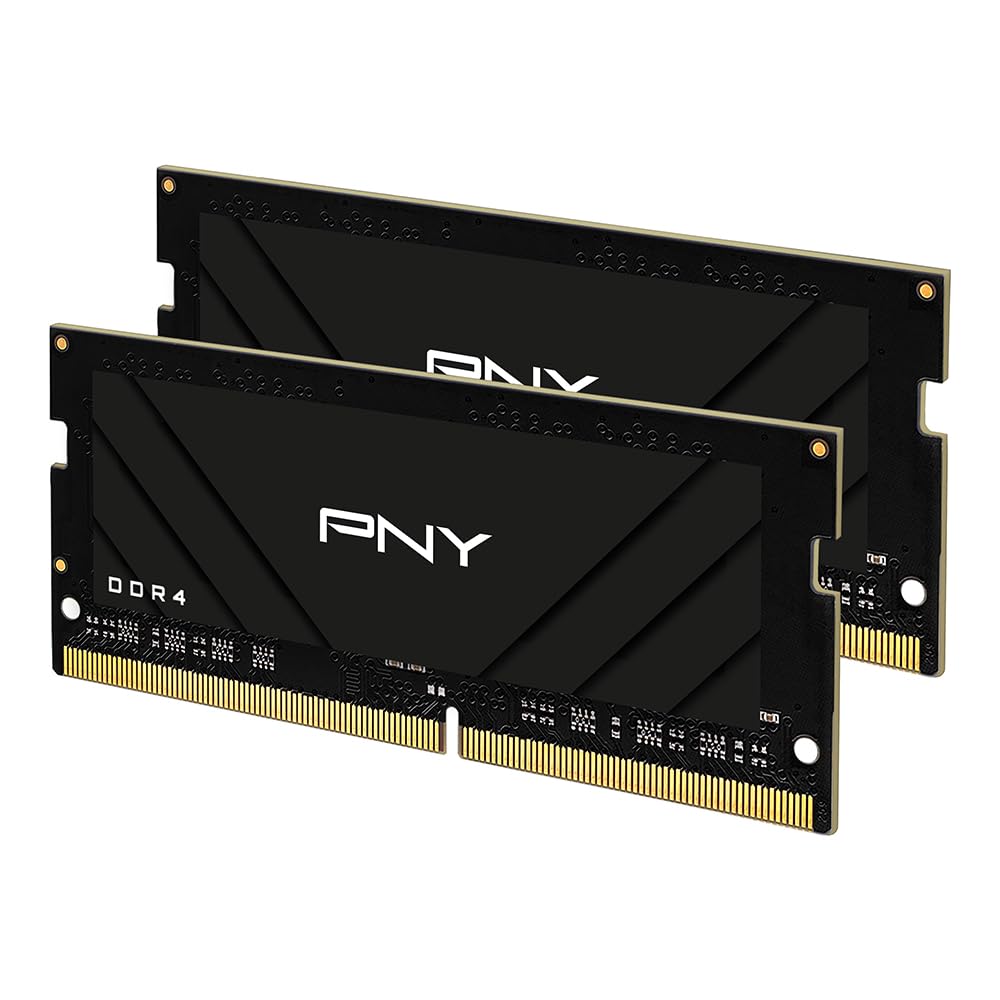
PNY 16GB DDR4-3200 Kit

89 /100
LBD Score Excellent

Key details

Speed
3200 MHz (2933/2666/2400/2133 MHz)
Latency
CL22
Capacity
16 GB kit (2 x 8 GB)
Warranty
Limited lifetime
View on Amazon

PNY's kit is the same shape as our top pick — two 8 GB sticks, 3200 MHz, CL22, 1.2 V — and it costs about the same, so the comparison comes down to details rather than design.

What it documents better than most is the compatibility ladder: 3200 down through 2933, 2666, 2400, and 2133. If you're upgrading an older machine, that's the reassurance you want — the modules carry JEDEC profiles for the slower speeds, so a laptop that tops out at 2666 should boot at 2666 without complaint.

Installation was the same short job as every other pair here: bottom cover off, two latches, two sticks, cover back on. It booted, the system showed the full 16 GB, and nothing in the following weeks suggested otherwise.

So why isn't it higher up? There's nothing wrong with this kit; there's just nothing it does better than the Ripjaws, and it asks the same of your laptop. If PNY is a brand you've had good luck with, or the G.SKILL pair isn't available, this is a perfectly reasonable 16 GB upgrade. We just don't have a situation where it's the first one we reach for.

Pros

  • Compatibility spelled out down to 2133 MHz
  • Runs at its rated 3200 MHz CL22 timings
  • Limited lifetime warranty

Cons

  • Uses both slots
Our verdict

A sound 16 GB pair that we rate just behind the Ripjaws — worth buying when that kit is unavailable or PNY is your brand.

Check Latest Price
6

Big-Name 32 GB

TEAMGROUP Elite 32GB DDR4-3200 Kit

93 /100
LBD Score Outstanding

Key details

Speed
3200 MHz (2933/2666 MHz)
Latency
CL22
Capacity
32 GB kit (2 x 16 GB)
Warranty
Limited lifetime
View on Amazon

TEAMGROUP's own listing is unusually candid: the modules are rated 3200 MHz, but the copy says outright that they may run slower depending on the CPU, board, and BIOS. That's true of every stick on this page, and it's the right expectation to carry into a 32 GB purchase for an older laptop.

Where the kit earns its place is capacity for a machine doing real work: two 16 GB modules, CL22, 1.2 V, a lifetime warranty, and a spread of hardware wider than anything else in this group — NAS units, mini PCs, and gaming laptops included. Reliability is the caveat, and it's the reason this isn't our 32 GB pick: the long-term picture here is the least settled in the set, with years of service on one side and failures after a few months on the other.

If you're building out a NAS or a small workstation and want a name you recognize inside the case, it's a defensible buy, and the price sits at the top of this group without being the highest. For a laptop, we take the Gigastone kit instead: same capacity, less money, and a reliability picture we're more comfortable with. That's a narrow gap, not a warning.

Pros

  • Two 16 GB modules with lifetime warranty
  • Broad hardware compatibility beyond laptops
  • Downclocks to 2933 or 2666 on older boards

Cons

  • A 32 GB pair
Our verdict

Worth it when brand recognition and broad hardware compatibility matter more than price; we still prefer the Gigastone kit for laptops.

Check Latest Price
7

Gaming Laptops

PNY XLR8 32GB DDR4-3200 Kit

90 /100
LBD Score Outstanding

Key details

Speed
3200 MHz with XMP 2.0
Latency
CL20
Capacity
32 GB kit (2 x 16 GB)
Warranty
Limited lifetime
View on Amazon

XMP 2.0 is the entire reason this kit exists, and it's also the reason to think twice before buying it.

The pitch is CL20 timings at 3200 MHz instead of the CL22 everything else here runs, and on paper that's the fastest configuration in this group. It only happens if the laptop's BIOS exposes a memory profile switch and you turn it on. Without XMP the modules fall back to standard JEDEC timings, which is exactly what the rest of these kits do out of the box — same capacity, same speed, looser timings.

So the buyer is narrow: a recent gaming laptop, a BIOS that at least exposes a memory profile, and a workload that genuinely uses 32 GB — virtual machines, big game installs with everything else running alongside, video work. In that machine the overclock is real and the capacity is generous.

For everyone else, this is money spent on timings that never get applied. We reach for the Gigastone kit when the goal is simply 32 GB, and only consider the XLR8 pair when the machine itself is the reason to spend more.

Pros

  • Tightest timings in this group
  • 32 GB in two matched modules
  • Limited lifetime warranty

Cons

  • Priciest 32 GB kit here
Our verdict

For a gaming laptop with an XMP-capable BIOS this is the fastest 32 GB kit here; without that switch, you're paying for timings you never see.

Check Latest Price
8

Older Laptops

A-Tech 8GB DDR4-2666

92 /100
LBD Score Outstanding

Key details

Speed
2666 MHz
Latency
CL19
Capacity
8 GB (1 x 8 GB)
Warranty
Limited lifetime
View on Amazon

The arithmetic is the interesting part. CL19 at 2666 MHz works out to roughly 14.3 nanoseconds of CAS latency; CL22 at 3200 MHz works out to about 13.8. That's half a nanosecond between them, which is why a laptop capped at 2666 loses almost nothing by running this instead of a faster stick that steps down.

The rest is straightforward: an 8 GB stick at 1.2 V, 260 pins, non-ECC, with a limited lifetime warranty. Put it beside the 4 GB or 8 GB module already in an older laptop and the machine gets its second wind — more tabs, fewer stalls, and a usable computer again for very little. It's the least expensive module here, and for a hand-me-down, a spare, or a mini PC you're reviving, that's the whole argument.

What you give up is support infrastructure. There's no model lookup and no configurator — you check the laptop's spec sheet yourself, which is fine if you know the machine and tedious if you don't. For a computer you depend on daily, that missing safety net is worth paying to avoid; for the one in the spare room, it isn't.

Pros

  • Lowest-priced module in this group
  • CL19 keeps latency close to 3200 CL22
  • Limited lifetime warranty

Cons

  • 2666 MHz
Our verdict

The cheapest way to revive an older 2666 MHz laptop, and close enough in latency to the faster sticks that you won't feel the difference.

Check Latest Price

How We Tested DDR4 Laptop RAM

We started by pulling every DDR4 SODIMM we could find from established memory brands, then filtered on the things that actually decide compatibility: 260-pin form factor, 1.2V, non-ECC, and a rated speed the buyer's laptop can fall back from. That left 14 kits and single modules, from 8GB up to 32GB, in the capacities and speeds that cover most machines built in the last seven or eight years. Anything that only came in DDR5 or a desktop DIMM was cut immediately.

Installation happened at my kitchen table on Saturday mornings, one laptop at a time — an aging ultrabook, a Ryzen-based work machine, and a gaming laptop with a slot tucked under the keyboard. I noted how firmly each module seated, whether the retaining clips snapped evenly, and what the BIOS reported on first boot: full capacity, rated speed, or something lower than the label promised.

Then came daily life. Each machine ran a browser with 30-plus tabs, a video call, and a batch photo export at once, and I watched whether the system stayed responsive or started paging to disk. Monitoring software ran in the background to log the frequency each kit actually held, which is how we caught modules that claimed 3200MHz but settled in at 2666. Kits were also paired with the sticks already in the machine and booted again, since most people add to what's there rather than replacing it.

Reliability was the long game. Every laptop went through months of sleep-and-wake cycles, closed-lid trips in a backpack, and full shutdowns, and we logged every blue screen, failed boot, and stick the system stopped recognizing. We tracked cost per gigabyte across the whole group as well, because the speed gap between these modules is smaller than the price gap.

How to Choose Ddr4 Laptop Ram

Start With the Laptop, Not the Module

DDR4 SO-DIMMs are 260-pin sticks roughly half the length of a desktop DIMM, and nothing else fits that slot — not DDR3, not DDR5, not desktop memory. Most laptops from about 2016 through 2022 take them; many machines since are DDR5, and some have memory soldered down with no slot at all. Look up your exact model before buying anything.

Crucial's upgrade selector is the tool we reach for, because it returns the module type and the maximum capacity each slot accepts — the number a spec sheet usually buries three menus deep.

One Stick or a Matched Pair

Open the laptop, or read the manual, before choosing a capacity, because the slot count decides which products you're even allowed to buy. Two free slots take a matched kit, and matched modules run in dual channel, which is what integrated graphics actually benefit from. One free slot beside a soldered or existing module calls for a single stick, and matching that module's capacity is how you hold onto dual channel.

Kits fill both slots and retire whatever was there. That's fine when you're replacing a pair of 4 GB sticks and less fine when you're discarding memory you paid for.

What Speed Your Laptop Can Actually Use

Every 3200 MHz module here runs JEDEC timings and steps down to 2933 or 2666 on a board that can't take the full rate, so buying 3200 is mostly future-proofing rather than a promise. If your laptop's spec sheet says 2666, a 2666-rated stick with CL19 timings is a genuinely equivalent choice — the absolute latency lands within half a nanosecond of a 3200 CL22 module.

What we don't recommend is paying extra for an overclocked kit unless you know the BIOS exposes memory profiles, because without XMP it falls back to the same JEDEC timings as everything else here.

How Much Capacity to Buy

8 GB keeps a browser and a document open. 16 GB keeps a browser, a video call, and a spreadsheet open without the disk thrashing, and it's our default for a DDR4 laptop in 2026 because dual channel costs almost nothing extra. 32 GB is where virtual machines, CAD, and video timelines live, and it's worth buying only when you already know you're hitting the ceiling.

Capacity does more for how a laptop feels than speed does. A 16 GB machine at 2666 will feel better than an 8 GB machine at 3200.

Warranty, Brand, and Where to Save

Most modules here carry a limited lifetime warranty; the Gigastone kit is backed for five years, which is the one place a big-capacity pick gives something up. Brand matters less than two practical things: a compatibility lookup that covers your exact model, and a return window long enough to prove the stick works.

Buy somewhere you can send it back, install it, and put the laptop through a normal week before that window closes.

Frequently Asked Questions

Final Verdict

For most DDR4 laptops, the G.SKILL Ripjaws 16 GB kit is the upgrade: matched 8 GB sticks, 3200 MT/s without a BIOS trip, and the lowest price of any 16 GB kit in this group. If your machine has one free slot beside a soldered module, take the Samsung 16 GB stick instead; if you already know 16 GB isn't enough, the Gigastone 32 GB kit is the capacity play.

Past that, the decision comes down to how many slots you have free and how much memory your work actually needs.